S7O0013EF1Bluetooth USB Dongle
KINGJON TECHNOLOGY (HK) CO., LIMITED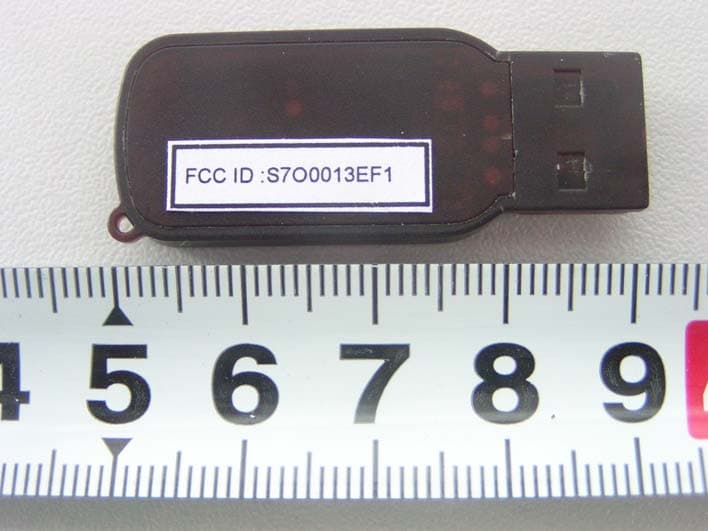
Click to zoom
Application Details
- Equipment Class
- DSS - Part 15 Spread Spectrum Transmitter
- Date of Grant
- Sep 12, 2005
- Application Purpose
- Original Equipment
- Date of Application
- Sep 12, 2005
- Equipment Note
- Bluetooth USB Dongle
- Frequency Range
- 2402.00000000 - 2480.00000000
- Country
- China
Documents & Files
Document Text
Text extracted from the exhibit documents filed with the FCC. Open a document above to read the original.
Users Manual
1 IVT BlueSoleil™ User Manual Version: 1.4.9 2 Content 1 Introduction to BlueSoleil™ .............................................................. 4 1.1 Bluetooth Functions ......................................................................4 1.2 Main Window ...............................................................................5 2 Basic Operations .............................................................................. 7 2.1 Insert Adapter .............................................................................7 2.2 Install the Software ......................................................................7 2.3 Start BlueSoleil ............................................................................7 2.4 Search for Other Bluetooth Enabled Devices .....................................8 2.5 Establish Connection .....................................................................9 2.6 Bluetooth Security ...................................................................... 10 3 Getting Started................................................................................12 3.1 AV Headphone ........................................................................... 12 3.2 Basic Imaging ............................................................................ 12 3.3 Dial-up Networking..................................................................... 13 3.4 FAX .......................................................................................... 15 3.5 File Transfer .............................................................................. 15 3.6 Headset .................................................................................... 17 3.7 Human Interface Device .............................................................. 17 3.8 LAN Access................................................................................ 18 3.9 Object Push ............................................................................... 20 3.10 Personal Area Networking ......................................................... 22 3.11 Printer ................................................................................... 26 3.12 Serial Port .............................................................................. 27 3.13 Bluetooth Synchronization ........................................................ 27 4 BlueSoleil User Guides.....................................................................29 4.1 BlueSoleil Environment ............................................................... 29 4.1.1 Main Window ..................................................................... 29 4.1.2 Service Window ................................................................. 31 4.1.3 Menus .............................................................................. 32 3 4.2 Device Configurations ................................................................. 35 4.2.1 Hardware Configuration ...................................................... 35 4.2.2 Properties Configuration ...................................................... 35 4.3 Security Configuration................................................................. 37 4.3.1 Pair / Un-pair Devices ......................................................... 37 4.3.2 General Security ................................................................ 37 4.3.3 Managing Device Pairings .................................................... 38 4.3.4 Local Services Security ....................................................... 39 4 1 Introduction to BlueSoleil™ BlueSoleil is a Windows-based software from IVT that allows your Bluetooth® enabled desktop or notebook computer to wirelessly connect to other Bluetooth enabled devices. BlueSoleil allows MS Windows users to wirelessly access a wide variety of Bluetooth enabled digital devices, such as cameras, mobile phones, headsets, printers, and GPS receivers. You can also form networks and exchange data with other Bluetooth enabled computers or PDAs. Platforms supported by BlueSoleil include: Windows 98SE, ME, 2000, and XP. 1.1 Bluetooth Functions In order to connect and share services via Bluetooth wireless technology, two devices must support the same Bluetooth Profile(s) as well as opposite device roles (i.e., one must be the server, and the other must be the client). Bluetooth enabled devices often support multiple profiles, and if involved in multiple connections, can perform different device roles simultaneously. BlueSoleil supports the following Bluetooth functions (Profiles) in the following device roles: Bluetooth Functions (Profiles) Client Server AV Headphone* √ √ Basic Image Profile √ √ Dial-Up Networking √ Fax √ File Transfer √ √ Headset* √ √ Human Interface Device √ LAN Access √ √ Object Push √ √ Personal Area Networking √ √ Printer √ Serial Port √ √ 5 Synchronization √ √ • Notes: • Only one Headset or AV Headphone connection can exist at a time, since since there is only one virtual Bluetooth audio device. • The Headset and AV Headphone Profiles do not work on Windows 98SE or Windows Me. 1.2 Main Window Note: For more complete information about the Main Window (including the icon meanings) as well as information about the Service Window and BlueSoleil menus, please refer to Chapter 4. By default, BlueSoleil starts with the Main Window open. Use the Main Window to perform your primary connection operations. The Main Window displays the local device (red ball) as well as the remote devices detected in range. Different icons distinguish different types of remote devices. At the top of the Main Window are Service Buttons. After you search for the services supported by a remote device, the supported services of the selected device will be highlighted. Local Device — Basic Operations: • Hover your mouse over the red ball to display the local device's Bluetooth name and address. • Click on the red ball to start or stop searching for Bluetooth devices in range. …
Text truncated - open the document above for the full version.
External Photos
EXHIBIT B - EUT EXTERNAL PHOTOGRAPHS EUT – Front View EUT – Rear View
ID Label/Location Info
EXHIBIT A - FCC ID LABELING AND LOCATION Proposed FCC ID Labeling Proposed FCC ID Location Rear Side of EUT / Proposed Label Location FCC ID: S7O0013EF1
Internal Photos
EXHIBIT C - EUT INTERNAL PHOTOGRAPHS EUT – Uncovered View EUT – PCB View (1) EUT – PCB View (2)
Test Report
Note: The test report is specially limited to the above company and this particular sample only. It may not be duplicated without prior written consent of Bay Area Compliance Lab Corp. (ShenZhen). This report must not be used by the client to claim product certification, approval, or endorsement by NVLAP, NIST or any agency of the US Government. FCC PART 15.247 EMI MEASUREMENT AND TEST REPORT For Shenzhen Kingjon Digital Technology Co.,Ltd. Rm1028, 10/F, Block A, Jiahe Huaqiang Building, Shennan Mid Road, Futian District, Shenzhen, China FCC ID: S7O0013EF1 September 12, 2005 This Report Concerns: Original Report Equipment Type: Bluetooth USB Dongle Test Engineer: Louise Lu Report No.: RSZ05081003 Test Date: August 16-September 8, 2005 Reviewed By: Chris Zeng Prepared By: Bay Area Compliance Lab Corp. (ShenZhen) 6/F, the 3rd Phase of WanLi Industrial Building, ShiHua Road, FuTian Free Trade Zone, ShenZhen, Guangdong 518038, P.R.China Tel: +86-755-33320018 Fax: +86-755-33320008 Shenzhen Kingjon Digital Technology Co.,Ltd. FCC ID: S7O0013EF1 Report # RSZ05081003 Page 2 of 51 FCC Part 15.247 Test Report TABLE OF CONTENTS GENERAL INFORMATION.......................................................................................................................................4 PRODUCT DESCRIPTION FOR EQUIPMENT UNDER TEST (EUT) ....................................................................................4 OBJECTIVE...................................................................................................................................................................4 RELATED SUBMITTAL(S)/GRANT(S).............................................................................................................................4 TEST METHODOLOGY..................................................................................................................................................4 TEST FACILITY.............................................................................................................................................................4 HOST SYSTEM CONFIGURATION LIST AND DETAILS....................................................................................................5 LOCAL SUPPORT EQUIPMENT LIST AND DETAILS........................................................................................................5 EXTERNAL I/O CABLE.................................................................................................................................................5 SYSTEM TEST CONFIGURATION ..........................................................................................................................6 DESCRIPTION OF TEST CONFIGURATION......................................................................................................................6 EQUIPMENT MODIFICATIONS.......................................................................................................................................6 CONFIGURATION OF TEST SETUP.................................................................................................................................7 BLOCK DIAGRAM OF TEST SETUP................................................................................................................................7 SUMMARY OF TEST RESULTS ...............................................................................................................................8 §15.203 - ANTENNA APPLICATION ........................................................................................................................9 APPLICABLE STANDARD..............................................................................................................................................9 §15.207 (a)- CONDUCTED EMISSION....................................................................................................................10 MEASUREMENT UNCERTAINTY..................................................................................................................................10 EUT SETUP................................................................................................................................................................10 EMI TEST RECEIVER SETUP......................................................................................................................................11 TEST EQUIPMENT LIST AND DETAILS.........................................................................................................................11 TEST PROCEDURE......................................................................................................................................................11 TEST RESULTS SUMMARY..........................................................................................................................................11 TEST DATA................................................................................................................................................................12 PLOT(S) OF TEST DATA..............................................................................................................................................14 §15.205, §15.209, §15.247 - RADIATED EMISSION ...............................................................................................21 APPLICABLE STANDARD............................................................................................................................................21 MEASUREMENT UNCERTAINTY..................................................................................................................................21 EUT SETUP................................................................................................................................................................21 EMI TEST RECEIVER & SPECTRUM ANALYZER SETUP......................................................................…
Text truncated - open the document above for the full version.
Test Setup Photos
EXHIBIT D - TEST SETUP PHOTOGRAPHS Conducted Emission - Front View Conducted Emission - Side View Radiated Emission - Front View (30 MHz-1 GHz) Radiated Emission - Rear View (30 MHz-1 GHz) Radiated Emission - Front View (Above 1 GHz) Radiated Emission - Rear View (Above 1 GHz)
Contact Information
Applicant
Shuiming Chen(General Manager)
Test Firm
Bay Area Compliance Laboratory Corp. (Shenzhen)John Chan
Technical Specifications
| # | Rule Parts | Frequency Range | Power Output |
|---|---|---|---|
| 1 | 15C | 2.40 GHz - 2.48 GHz | 132.00 µW |
Other Applications from KINGJON TECHNOLOGY (HK) CO., LIMITED
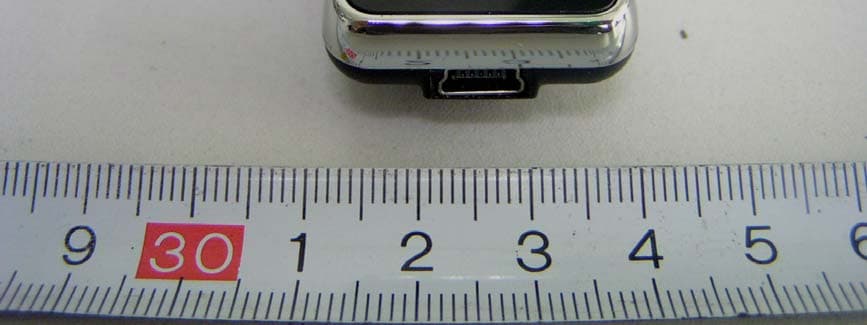
S7O0013EF3
Dec 07, 2007Bluetooth stereo headset
Equipment Class
DSS - Part 15 Spread Spectrum Transmitter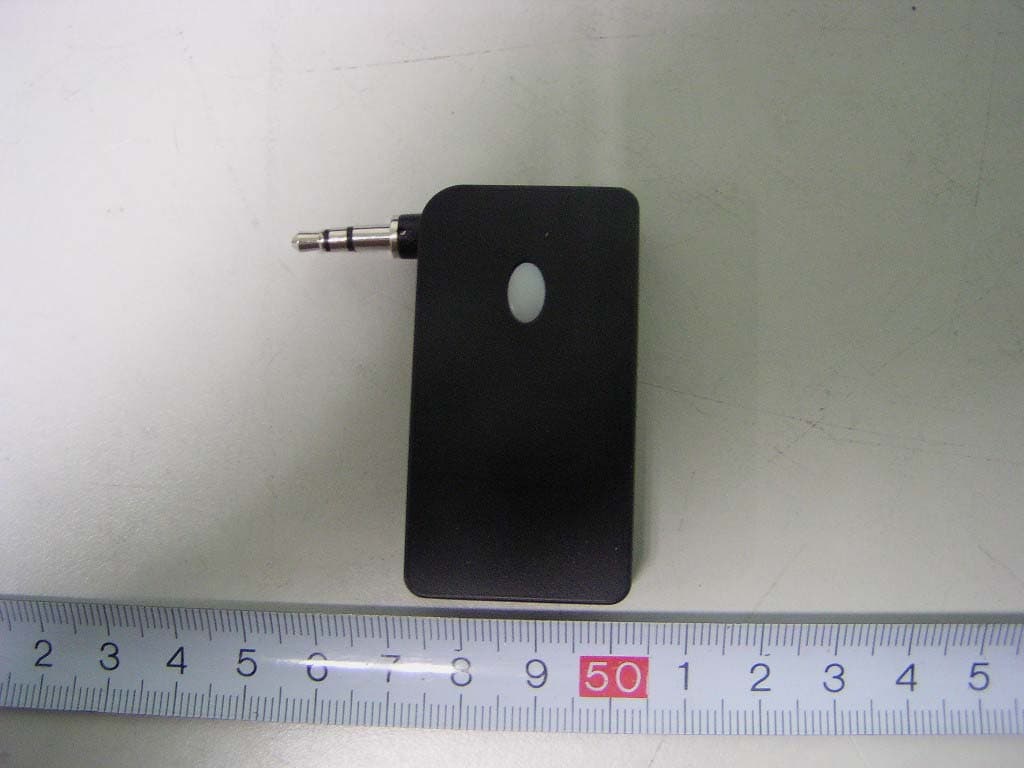
S7O0013EF2
Jul 03, 2007Bluetooth Audio Dongle
Equipment Class
DSS - Part 15 Spread Spectrum Transmitter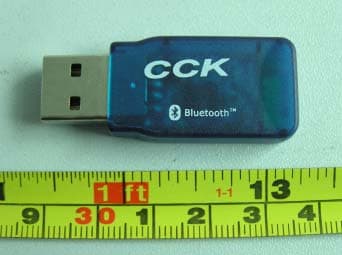
S7O0013EF
Jun 02, 2005Bluetooth USB Dongle
Equipment Class
DSS - Part 15 Spread Spectrum Transmitter