S9O-WT1000WIRELESS CDMA BARCODE SCANNER WITH GPS AND VOICE
WIREDTIME INC.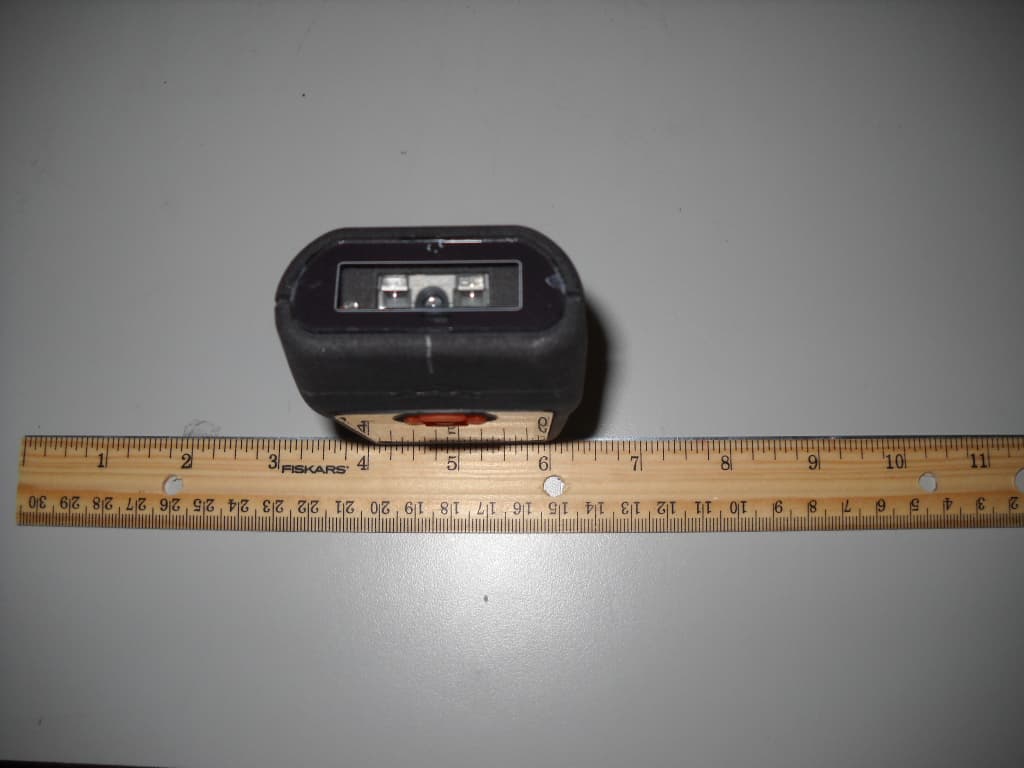
Click to zoom
Application Details
- Equipment Class
- JBC - Part 15 Class B Computing Device/Personal Computer
- Date of Grant
- Nov 14, 2011
- Application Purpose
- Original Equipment
- Date of Application
- Nov 13, 2011
- Equipment Note
- WIRELESS CDMA BARCODE SCANNER WITH GPS AND VOICE
- Company
- WIREDTIME INC.
- Country
- Canada
Documents & Files
Document Text
Text extracted from the exhibit documents filed with the FCC. Open a document above to read the original.
Users Manual
CALL MSG GPS MENU SCAN EMERGENCY PRESS AND HOLD MERCURY WiredTime TM 0 11:21 GPS M = 148 CALL MSG GPS MENU SCAN EMERGENCY PRESS AND HOLD MERCURY WiredTime TM GPS M = 148 CALL MSG GPS MENU SCAN EMERGENCY PRESS AND HOLD Replaceable scan lens Navigation button Large colour display W 38mm X L 49mm Micro USB/charging port Lithium Ion battery Replaceable 1300 mah Replaceable display cover Service indicator light Programeable CCD scan engine L 1mm X W 60.5mm X D 31.8mm Compact size:180 g Scroll down Select and/or Next Back to previous screen Scroll up Scan • Keep WT1000 scanner and charger clean and dry. • When not in use, it is recommended you leave the unit in the charger. • The charging port is located on the bottom of the scanner, pull back the top part of the plug, and insert charger. GPS M = 148 CALL MSG GPS MENU SCAN EMERGENCY PRESS AND HOLD Micro USB/charging port To reset the scanner remove the battery retainer and slide the battery out part way, wait 10 seconds and re-insert the battery and retainer. Remove rubber battery retainer Slide battery out part way, and wait 10 seconds Remove rubber battery retainer Slide battery in, black side up, battery connectors top right Battery connectors top right Scan 1. Press and release the button. 2. Adjust beam over ID barcode. Optimum scanning distance is 2-10cm depending on light conditions 3. Scanner will beep and beam will turn off when barcode is read. 4. Sending will be displayed at the bottom of the display. 5. When sending is complete the scanner will “beep” and the ID name will be displayed 6. The scanner is now set to your ID until a different ID barcode is scanned GUARD Smith, John Proceed to scan all ‘check’ barcodes at the location as directed. Follow scanning instructions in Step 1. Front Door 0 11:21 WiredTime Office WiredTime Support Cell Phones MERCURY WiredTime TM BACK SELECT WiredTime MERCURY WiredTime TM BACK SELECT 0 11:21 CALLING... 15195703225 WiredTime MERCURY WiredTime TM END 0 11:21 WiredTime Office WiredTime Support Cell Phones MERCURY WiredTime TM BACK SELECT 0 11:21 Eric Keller Tim Birkett George Dosman MERCURY WiredTime TM BACK SELECT 0 11:21 CALLING... 15195703225 Eric Keller MERCURY WiredTime TM END 0 11:21 WiredTime Office WiredTime Support Cell Phones MERCURY WiredTime TM BACK SELECT 0 11:21 WiredTime MERCURY WiredTime TM BACK SELECT 0 11:21 CALLING... 15195703225 WiredTime MERCURY WiredTime TM END 0 11:21 CALL MSG GPS MENU SCAN EMERGENCY PRESS AND HOLD MERCURY WiredTime TM 0 11:21 Scroll down Select and/or Next Back to previous screen Scroll up Scan Push the ‘Down’ button until ‘CALL’ on the display is highlighted. Push the ‘Right’ button to select. Push the ‘Down and Up buttons the scroll trough the available phone groups. Push the ‘Down and Up buttons the scroll trough the available phone contacts. When the name of the call contact is highlighted push the ‘Right’ button to initiate the call. Push the ‘Right’ button to end the call. The display will return to the main menu. The WT1000 has a restricted phone function. Your personal Phone Book of numbers you are allowed to call will be downloaded to the scanner when you scan your ID Barcode. Unread Message New Message Read Message MERCURY WiredTime TM BACK SELECT 0 11:21 No SMS Message MERCURY WiredTime TM BACK SELECT 0 11:21 Unread Message New Message Read Message MERCURY WiredTime TM BACK SELECT 0 11:21 No SMS Message MERCURY WiredTime TM BACK SELECT 0 11:21 Unread Message New Message Read Message MERCURY WiredTime TM BACK SELECT 0 11:21 Template 1 Template 3 Template 2 MERCURY WiredTime TM BACK SELECT 0 11:21 CALL MSG GPS MENU SCAN EMERGENCY PRESS AND HOLD MERCURY WiredTime TM 0 11:21 Scroll down Select and/or Next Back to previous screen Scroll up Scan The WT1000 scanner can receive and send SMS text messages. New messages will automatically display on the screen, the message must be accepted or replied to before returning to the home screen or proceeding with any other actions. IF MORE THAN 1 MSG IS RECEIVED, oldest message will display 1st. When a message is received ‘MSG’ will flash on the main menu. Push the right button open the message feature. Unread Messages’ will be highlighted, push the right button to select. Push the Up and Down button to scroll through the available messages. When to message to be viewed is highlighted push the right button to open. CALL MSG GPS MENU SCAN EMERGENCY PRESS AND HOLD MERCURY WiredTime TM 0 11:21 GPS Tracking - OFF GPS Details MERCURY WiredTime TM BACK SELECT 0 11:21 TURN ON TURN OFF MERCURY WiredTime TM BACK SELECT 0 11:21 GPS Tracking - OFF GPS Details MERCURY WiredTime TM BACK SELECT 0 11:21 LAT : 0.0 MERCURY WiredTime TM BACK LAT-1 : N LON : 0.0 LON-1 : W DIR : 0 SPEED : 0.0 STAT : 0 TIME : 0 0 11:21 Scroll down Select and/or Next Back to previous screen Scroll up Scan The WT1000 has GPS tracking capability built into the scanner. The GPS feature can be activated at anytime. Push the ‘Down’ button until GPS is highlighted. Push the right button to select GPS. GPS tracking-Off is highlighted, push the right button to select. TURN ON is highlighted, push the right button to select. The display will return to the Main menu. Push the ‘Down’ button until GPS is highlighted. Push the right button to select GPS. GPS tracking-On is highlighted, push the right button to select. TURN OFF is highlighted, push the right button to select. The display will return to the Main menu. Push the ‘Down’ button until GPS is highlighted. Push the right button to select GPS. Push the down button to until…
Text truncated - open the document above for the full version.
External Photos
External Photos Top View Bottom View Top view Bottom View Side View
ID Label/Location Info
Label Location Photo
ID Label/Location Info
Model: WT1000 IC: 5941A-WT1000 FCC ID: S9O-WT1000 Made In Canada WT1000-XXXXXX ESN XXXXXXXX HELP: 1-866-570-3225
Test Report
CETECOM Inc. 411 Dixon Landing Road Milpitas, CA 95035 U.S.A. Phone: + 1 (408) 586 6200 Fax: + 1 (408) 586 6299 E-mail: [email protected] http://www.cetecom.com CETECOM Inc. is a Delaware Corporation with Corporation number: 2113686 Board of Directors: Dr. Harald Ansorge, Hans Peter May. V3.0 2010-10-30 The BLUETOOTH trademarks are owned by Bluetooth SIG, Inc., U.S.A. and licensed to CETECOM Inc. © Copyright by CETECOM FCC Test Report FOR: Model Name: WT1000 Wireless CDMA Barcode Scanner with GPS and Voice FCC ID: S9O-WT1000 IC ID: 5941A-WT1000 FCC- Part 15B TEST REPORT #: EMC_WIRED_001_11001_FCC15B DATE: 2011-10-3 Bluetooth Qualification Test Facility (BQTF) FCC listed: A2LA Accredited IC recognized # 3462B-1 Test Report #: EMC_ WIRED_001_11001_FCC15B FCC ID: S9O-WT1000 Date of Report 2011-10-03 Page 2 of 17 TABLE OF CONTENTS 1 Assessment _____________________________________________________________________ 3 2 Administrative Data _____________________________________________________________ 4 2.1 Identification of the Testing Laboratory Issuing the EMC Test Report _____________________ 4 2.2 Identification of the Client __________________________________________________________ 4 2.3 Identification of the Manufacturer ___________________________________________________ 4 3 Equipment under Test (EUT) ______________________________________________________ 5 3.1 Specification of the Equipment under Test ____________________________________________ 5 3.2 Identification of the Equipment Under Test (EUT) _____________________________________ 5 3.3 Identification of Accessory equipment ________________________________________________ 5 4 Subject of Investigation __________________________________________________________ 6 5 Summary of Measurement Results _________________________________________________ 6 6 Radiated Emissions ______________________________________________________________ 7 6.1 §15.109 Radiated emission limits- Unintentional Radiators: _____________________________ 7 6.2 Measurement Procedure: ___________________________________________________________ 8 6.3 Test Results _____________________________________________________________________ 10 7 AC Power Line Conducted Emissions ______________________________________________ 12 7.1 § 15.107 Conducted limits- Unintentional Radiators __________________________________ 12 7.2 Measurement Procedure: __________________________________________________________ 13 7.3 Results: _________________________________________________________________________ 15 9. Block Diagrams- _________________________________________________________________ 17 Test Report #: EMC_ WIRED_001_11001_FCC15B FCC ID: S9O-WT1000 Date of Report 2011-10-03 Page 3 of 17 1 Assessment The following device was tested against the applicable criteria specified in FCC rules Part 15B of the Code of Federal Regulations and no deviations were ascertained during the course of the tests performed. Company Description Model # WIREDTIME.COM. INC Wireless CDMA Barcode Scanner with GPS and Voice WT1000 Responsible for Testing Laboratory: 2011-10-03 Compliance Sajay Jose EMC Lab Manager Date Section Name Signature Responsible for the Report: 2011-10-03 Compliance Calvin Lee EMC Engineer Date Section Name Signature The test results of this test report relate exclusively to the test item specified in Section3. CETECOM Inc. USA does not assume responsibility for any conclusions and generalizations drawn from the test results with regard to other specimens or samples of the type of the equipment represented by the test item. The test report may only be reproduced or published in full. Reproduction or publication of extracts from the report requires the prior written approval of CETECOM Inc. USA. Test Report #: EMC_ WIRED_001_11001_FCC15B FCC ID: S9O-WT1000 Date of Report 2011-10-03 Page 4 of 17 2 Administrative Data 2.1 Identification of the Testing Laboratory Issuing the EMC Test Report Company Name: CETECOM Inc. Department: Compliance Address: 411 Dixon Landing Road Milpitas, CA 95035 U.S.A. Telephone: +1 (408) 586 6200 Fax: +1 (408) 586 6299 Test Lab Director: Heiko Strehlow Responsible Project Leader: Josie Sabado 2.2 Identification of the Client Applicant’s Name: WIREDTIME.COM.INC Street Address: 5-350 Shirley Avenue City/Zip Code Kitchener, ON, CANADA N2B 2E1 Country Canada Contact Person: Rohan Abraham Phone No. 519-570-3225 Fax: 519-570-3096 e-mail: [email protected] 2.3 Identification of the Manufacturer Manufacturer’s Name: Same as above. Manufacturers Address: City/Zip Code Country Test Report #: EMC_ WIRED_001_11001_FCC15B FCC ID: S9O-WT1000 Date of Report 2011-10-03 Page 5 of 17 3 Equipment under Test (EUT) 3.1 Specification of the Equipment under Test Product Type: Scanner Device Marketing Name: Mercury Model No: WT1000 Hardware Revision : 2.0 Software Revision : 1.0 FCC-ID: S9O-WT1000 IC-ID : 5941A-WT1000 Frequency Bands: CDMA 800/1900 & GPS Type(s) of Modulation: QPSK/HPSK (CDMA2000) Antenna Type: Dipole 1.03 dBi Gain Power Supply: 2.7V (Low)/ 3.8V(Nom)/ 4.2V(Max) Temperature Range: -30°C ~ 50°C 3.2 Identification of the Equipment Under Test (EUT) EUT # Sample Number HW Version SW Version 1 A1000009D02B90 2.0 1.0 3.3 Identification of Accessory equipment AE # Type Manufacturer Model Serial Number 1 AC Adapter n/a VS-AC-04 n/a Test Report #: EMC_ WIRED_001_11001_FCC15B FCC ID: S9O-WT1000 Date of Report 2011-10-03 Page 6 of 17 4 Subject of Investigation Testing was performed on the Wiredtime.com device WT1000 with FCC ID S9O-WT1000 according to FCC 15 subpart B. Radiated Emission tests are carried out to show that the EUT complies with FCC15.109 (a) radiated emissions limit for Class B device. Conducted Emission tests are carried out to show that the EUT complies with FCC15.107 (a) conducted emissions limit for Class B device. 5 Summary of Measurement Results Test Specification Test Case Temperature and Voltage Conditions Mode Pass Fail NA NP Result §15.109…
Text truncated - open the document above for the full version.
Test Setup Photos
V2.0 2009-10-30 The BLUETOOTH trademarks are owned by Bluetooth SIG, Inc., U.S.A. and licensed to CETECOM Inc. © Copyright by CETECOM Test Setup Pictures TEST REPORT #: EMC_WIRED_001_11001_FCC22_24PIC Project #: EMC_WIRED_001_11001_FCC22_24PIC FCC ID: S9O-WT1000 Date: 2011-10-03 Page 2 of 6 Radiated Power Measurement Test Setup Pictures 30M-1GHz EIRP Measurements Project #: EMC_WIRED_001_11001_FCC22_24PIC FCC ID: S9O-WT1000 Date: 2011-10-03 Page 3 of 6 >18 GHz Project #: EMC_WIRED_001_11001_FCC22_24PIC FCC ID: S9O-WT1000 Date: 2011-10-03 Page 4 of 6 Radiated Field Strength Measurement Test Setup Pictures 30M-1GHz 1-18GHz Project #: EMC_WIRED_001_11001_FCC22_24PIC FCC ID: S9O-WT1000 Date: 2011-10-03 Page 5 of 6 >18 GHz Project #: EMC_WIRED_001_11001_FCC22_24PIC FCC ID: S9O-WT1000 Date: 2011-10-03 Page 6 of 6 AC Line Conducted Emission Test Setup Picture
Contact Information
Applicant
Eric Keller(Owner)
Test Firm
CETECOM Inc.Meinolf Glunz
[email protected]408-586-6301
Technical Specifications
| # | Rule Parts | Frequency Range | Power Output |
|---|---|---|---|
| 1 | 15B | - | - |
Other Applications from WIREDTIME INC.
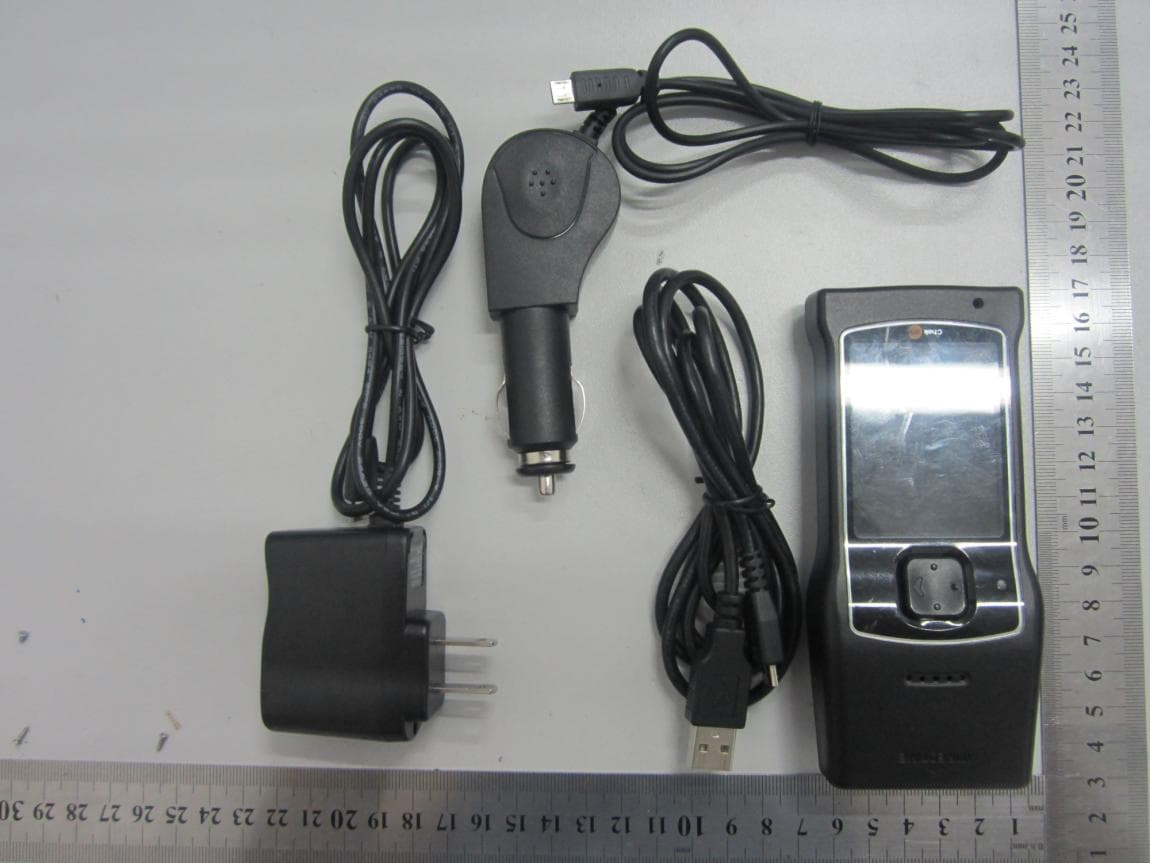
S9O-WT1000-3G
Jan 05, 2014SMART PHONE WITH INTEGRATED BARCODE SCANNER
Equipment Class
PCE - PCS Licensed Transmitter held to ear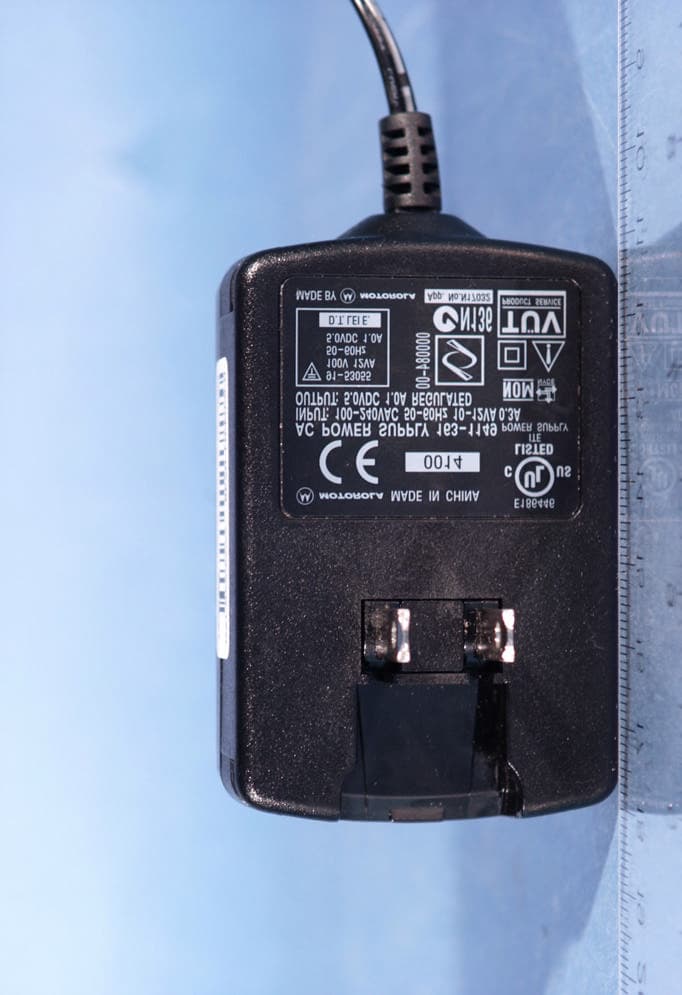
S9O-WT500
May 26, 2005Wireless CDMA Barcode Scanner
Equipment Class
PCB - PCS Licensed Transmitter