SBL-ST608Bluetooth Stereo Pendant
Global Target Enterprise Inc.Application Details
- Equipment Class
- DSS - Part 15 Spread Spectrum Transmitter
- Date of Grant
- May 10, 2007
- Application Purpose
- Original Equipment
- Date of Application
- May 10, 2007
- Equipment Note
- Bluetooth Stereo Pendant
- Frequency Range
- 2402.00000000 - 2480.00000000
- Country
- Taiwan
Documents & Files
Document Text
Text extracted from the exhibit documents filed with the FCC. Open a document above to read the original.
Users Manual
3. Prepare to use the product 3.1 Power Supply and Charging a. As soon as power jack have been connected, the device charging can be progressed under “ON” or “OFF” circumstance. b. The battery must be charged with the appropriate charger, one DC5V adapter has been enclosed in the package. c. While charging, the amber indicator will stay on and the amber indicator will be off as soon as it is completed. It takes you 2 hours to re-charge every time. (It takes 3 hours to fully charge power at the very first time) 3.2 Power On / Power Off a. Power On: Press and hold the button for approximately 2 seconds under power off status until you see the indicators start and flashing three times. b. Power Off: Press and hold the button for approximately 6 seconds under standby until you see the Blue and Amber indicators bright at the same time and distinguished. 3.3 Pairing and establish a connection Please make sure you have paired the product with Bluetooth AV sources before you start to use. Kindly following the pairing procedure shows hereunder: a. Turn your Bluetooth stereo headphone on by press and hold the button till indication blinks rapidly. At this moment, the product is in the pairing mode. b. To activate Bluetooth devices searching from your Bluetooth AV sources by follow their original instruction. Please choose the device name and enter the pass key“1234”to establish a pairing connection. c. The speaker supports two audio connections. Please select HEADSET/HANDSFREE profile if you like to connect to the mobile phone. Or A2DP/AVRCP profile for stereo sound effect to your audio sourcing. Note: If the pairing can not be established within 60 seconds, the blue indicator turns to regular blinking once every 2 second automatically. A re-pairing procedure is needed. Please repeat pairing procedure listed above. 3.4 Bluetooth Cellphone Operation a. Check your mobile phone’s user guide, find out the paragraphs of Bluetooth Connectivity and follow the instruction to complete pairing with the speaker. b. If your cellphone support only Hands Free profile, please activate connection from the cellphone. (Please refer to your mobile phone’s manual for operation details) c. Cellphone will always be the top priority, since an incoming/ outgoing has been progressed, it interrupts actively and the on- going music will be muted. As soon as the call has been hangs up, the music rebound afterward. 3.5 Audio Streaming via other Bluetooth audio sources a. NB / PC (Bluetooth USB dongle) a.1 Play music: Please complete AV pairing and then activate intended audio player interface afterward, the music will be transmitted to the headset automatically. a.2 Conversation: Please complete HSP pairing and then you can start to use the conversation functions, such as Skype. Note: The Bluetooth USB Dongle should support AVRCP profile to activate “remote control” function. b. Bluetooth AV Transmitter: Please make sure the Bluetooth Stereo Headset has been connected with the transmitter (blue indicator will be blinked rapidly 2 times per second). The music will be transmitted from audio player to Bluetooth stereo headset via Bluetooth AV Transmitter automatically. Note: The device did not support “remote control” function when connecting with a Bluetooth AV Transmitter; button will act as “mute” function. 3.6 Activate or close the Caller’s ID announcement feature a. This Bluetooth Stereo Headset supports Caller’s ID announcement feature, press and hold the button more than 10 seconds during power off status, users can switch between announcement or no announcement features. 3.7 Multipoint Technology : This Bluetooth Stereo Headset supports Multipoint Technology, please refer to the 5.2 Function Matrix for the operation guide. 3.8 Pin code:“1234” 4. Indications: Amber(A), Blue(B) Pairing(B) Blink rapidly During Communication (B) Rapidly blink 3 times per second Playing Music(B) Rapidly blink 2 times per second Connected and Standby (B) Blink tardily once per second Standby without Connected (B) Blink rapidly once every 2 second Low Battery(A) continuing blinking, the lower the faster Charging(A) light on 5. Operation Button and Symbol Definition 5.1 Buttons: a. Short Click: “+”: Clip and release less than 1 second b. Long Press: “++”: Press and release for 2 seconds c. Double Click: “v v”: Click twice within 0.5 second d. Press and Hold: “+++”: Press and hold the key for more than 6 seconds e. Ultra Press: “++++”: Press and hold the key for more than 10 seconds 5.2 Function Matrix FeatureButtonsOperationConditions Power On++Power Off Pairing+++Power Off Power Off+++Power On Pick Up+Incoming Call Hang Up+Activate Call Pick Up Line 2 and put Line 1 on hold VVLine 1 in Use Reject Line 2 call++Line 1 in Use Swap between phone calls ++ Line 1 & 2 both in use ++ Callers' Number Announcement Enabled / Disabled ++++Power Off **Reject incoming call ++Incoming Call 2.2 Product Specification Bluetooth SpecificationBluetooth v1.2 Class2 Bluetooth ProfilesHSP / HFP / A2DP / AVRCP Frequency Band2.4GHz~2.4835GHz ISM Band Working Distance10 meters Standby Time120 hours Playing Time4~7 hours Battery3.7V Li-Polymer rechargeable battery Weight10g Packing Contents 1. Bluetooth Stereo Pendant 2. 100-240V DC adapter 3. 3.5mm earpiece 4. One User manual 2.3 Product Outlook LINE OUT JACK (Ø3.5mm) VOL (-) / BACKWARD VOL (+) / FORWARD 8 Pin MINI USB JACK (5V) HANG UP/ PICK UP POWER ON/OFF MIC FeatureButtonsOperationConditions **Voice dial+Standby or Idel **Cancel voice dial+Voice Dialing **last number redialVVStandby or Idel **Call Transfer++Activate Call (*1) Volume Up + During Calling / Music Playing Volume Down+ During Calling / Music Playing Play+Stop / Pause Pause+Music Playing StopVVMusic Playing Backward++Music Playing Forward++Music Playing The above functions which are remarked with ** can act on only if the cellphone supports HFP. Note (*1): The above functionalities may vary depending on the model of mobile handsets. Ex. Some mobile handse…
Text truncated - open the document above for the full version.
External Photos
Page 1 CONSTRUCTION PHOTOS OF EUT Page 2 Sample 1: black Page 3 Sample 2:silver black Page 4 Page 5 Sample 2:silver white Page 6
ID Label/Location Info
Nina GlobalTarget Enterprise Inc. 5F, No.186, Sec.2, Chung Hsing Rd., Hsing Tien, Taipei county, Taiwan, R.O.C. Tel: +886 2 8665 4548 Fax: +886 2 29117456 www.globaltarget.com.tw COOL GRAY 6C COOL GRAY 6C FCC LBST608 ‘07.01.02 1.1 白色本體 黑色本體 16.06 21.43 45.70 2.5 X 0.6 cm 材質:25#透明特多龍+霧P 中心線 中心線 貼紙對齊夾子下緣, 左右置中貼牢。 貼紙對齊夾子下緣, 左右置中貼牢。 1.5*3.5cm Barcode Label
ID Label/Location Info
FCC ID: SBL-ST608 FCC LABEL LOCATION The label will be permanently affixed at a conspicuous location on the device. Sample 1: Black Label FCC ID: SBL-ST608 Sample 2: Silver Black Label FCC ID: SBL-ST608 Sample 2: Silver White Label
Internal Photos
Page 1 CONSTRUCTION PHOTOS OF EUT Sample 1: black Page 2 Page 3 Page 4 Sample 2:silver black Page 5 Page 6 Page 7 Sample 2:silver white Page 8 Page 9 Page 10 Model: KSCFB0500070W1US Page 11 Model: GFP051U-0510
Operational Description
FCC ID: SBL-ST608 Report No.: RF960322A03 Operational Description The device is a Frequency Hopping device with 79 hopping frequencies. The antenna type is Printed Antenna and there is no antenna connector used. The EUT is a unit that contains a Bluetooth radio module. Bluetooth is a short-range wireless technology operating in the 2.4GHz band. It enables devices to have the ability to form networks and exchange information. The other instruction, please have a look at the user’s manual.
RF Exposure Info
Report No: SA960322A03 1 RF EXPOSURE REPORT REPORT NO.: SA960322A03 MODEL NO.: ST608 ACCORDING: FCC Guidelines for Human Exposure IEEE C95.1 APPLICANT : Global Target Enterprise Inc. ADDRESS : 5F, No. 186, Sec. 2, Chung-Hsing Rd., Hsin tien, Taipei Taiwan, R.O.C. ISSUED BY : Advance Data Technology Corporation LAB ADDRESS : No. 47, 14 th Ling, Chia Pau Tsuen, Linko Hsiang 244, Taipei Hsien, Taiwan, R.O.C. Report No: SA960322A03 2 Conclusion No Evaluation Required if power is below this threshold: F(GHz) mW Low 2.402 High 2.480 24.58 Maximum measured transmitter power: Pout (dBm) Pout (mW) Conducted Power 1.24 1.330 EIRP Power -2.23 0.600 *Note: The antenna is Printed antenna with -3.47dBi gain Threshold for no SAR evaluation is 24.58mW Transmitter power is 1.330mW Conclusion: No SAR evaluation required since Transmitter Pout is below FCC threshold
Test Report
Report No.: RF960322A03 1 Report Format Version 2.0.5 FCC TEST REPORT REPORT NO.: RF960322A03 MODEL NO.: ST608 RECEIVED: March 22, 2007 TESTED: May 2 ~ 3, 2007 ISSUED: May 8, 2007 APPLICANT: Global Target Enterprise Inc. ADDRESS: 5F, No. 186, Sec. 2, Chung-Hsing Rd., Hsin tien, Taipei Taiwan, R.O.C. ISSUED BY: Advance Data Technology Corporation LAB LOCATION: No. 47, 14 th Ling, Chia Pau Tsuen, Lin Kou Hsiang 244, Taipei Hsien, Taiwan, R.O.C. This test report consists of 62 pages in total. It may be duplicated completely for legal use with the approval of the applicant. It should not be reproduced except in full, without the written approval of our laboratory. The client should not use it to claim product endorsement by CNLA, A2LA or any government agencies. The test results in the report only apply to the tested sample. Report No.: RF960322A03 2 Report Format Version 2.0.5 TABLE OF CONTENTS 1. CERTIFICATION.............................................................................................4 2. SUMMARY OF TEST RESULTS.....................................................................5 2.1 MEASUREMENT UNCERTAINTY..................................................................6 3. GENERAL INFORMATION.............................................................................7 3.1 GENERAL DESCRIPTION OF EUT................................................................7 3.2 DESCRIPTION OF TEST MODES..................................................................8 3.2.1 CONFIGURATION OF SYSTEM UNDER TEST.............................................9 3.2.2 TEST MODE APPLICABILITY AND TESTED CHANNEL DETAIL................10 3.2.3 GENERAL DESCRIPTION OF APPLIED STANDARDS...............................12 3.2.4 DESCRIPTION OF SUPPORT UNITS..........................................................12 4. TEST TYPES AND RESULTS.......................................................................13 4.1 CONDUCTED EMISSION MEASUREMENT................................................13 4.1.1 LIMITS OF CONDUCTED EMISSION MEASUREMENT..............................13 4.1.2 TEST INSTRUMENTS..................................................................................13 4.1.3 TEST PROCEDURES...................................................................................14 4.1.4 DEVIATION FROM TEST STANDARD.........................................................14 4.1.5 TEST SETUP................................................................................................15 4.1.6 EUT OPERATING CONDITIONS..................................................................15 4.1.7 TEST RESULTS............................................................................................16 4.2 RADIATED EMISSION MEASUREMENT.....................................................26 4.2.1 LIMITS OF RADIATED EMISSION MEASUREMENT...................................26 4.2.2 TEST INSTRUMENTS..................................................................................27 4.2.3 TEST PROCEDURES...................................................................................28 4.2.4 DEVIATION FROM TEST STANDARD.........................................................28 4.2.5 TEST SETUP................................................................................................29 4.2.6 EUT OPERATING CONDITIONS..................................................................29 4.2.7 TEST RESULTS............................................................................................30 4.3 NUMBER OF HOPPING FREQUENCY USED.............................................36 4.3.1 LIMIT OF HOPPING FREQUENCY USED...................................................36 4.3.2 TEST INSTRUMENTS....................................................................................36 4.3.3 TEST PROCEDURES...................................................................................36 4.3.4 DEVIATION FROM TEST STANDARD.........................................................37 4.3.5 TEST SETUP................................................................................................37 4.3.6 TEST RESULTS............................................................................................37 4.4 DWELL TIME ON EACH CHANNEL.............................................................39 4.4.1 LIMIT OF DWELL TIME USED......................................................................39 4.4.2 TEST INSTRUMENTS..................................................................................39 4.4.3 TEST PROCEDURES...................................................................................39 4.4.4 DEVIATION FROM TEST STANDARD.........................................................39 4.4.5 TEST SETUP................................................................................................40 4.4.6 TEST RESULTS............................................................................................40 4.5 CHANNEL BANDWIDTH...............................................................................44 4.5.1 LIMITS OF CHANNEL BANDWIDTH............................................................44 4.5.2 TEST INSTRUMENTS..................................................................................44 4.5.3 TEST PROCEDURE.....................................................................................44 4.5.4 DEVIATION FROM TEST STANDARD.........................................................45 Report No.: RF960322A03 3 Report Format Version 2.0.5 4.5.5 TEST SETUP................................................................................................45 4.5.6 EUT OPERATING CONDITION....................................................................45 4.5.7 TEST RESULTS............................................................................................45 4.6 HOPPING CHANNEL SEPARATION............................................................48 4.6.1 LIMIT OF HOPPING CHANN…
Text truncated - open the document above for the full version.
Test Setup Photos
1 PHOTOGRAPHS OF THE TEST CONFIGURATION CONDUCTED EMISSION TEST (MODE A) 2 CONDUCTED EMISSION TEST (MODE B) 3 CONDUCTED EMISSION TEST (MODE C) 4 RADIATED EMISSION TEST (MODE A) 5 RADIATED EMISSION TEST (MODE B) 6 RADIATED EMISSION TEST (MODE C)
Contact Information
Applicant
Tiffany Wu
Technical Contact
Advance Data Technology Corporation (Lin Kou)Ken Liu
[email protected]886-2-2605-2180
No.47, 14 Ling, Chia Pau Tsuen, Lin Kou Hsiang · Linkou, Taipei · Taiwan
Non-Technical Contact
Advance Data Technology CorporationAnnie Chang
[email protected]886-2-2605-2180
Test Firm
Bureau Veritas CPS (H.K.) Ltd. Taoyuan BranchTommy Wu
Technical Specifications
| # | Rule Parts | Frequency Range | Power Output |
|---|---|---|---|
| 1 | 15C | 2.40 GHz - 2.48 GHz | 1.30 mW |
Other Applications from Global Target Enterprise Inc.
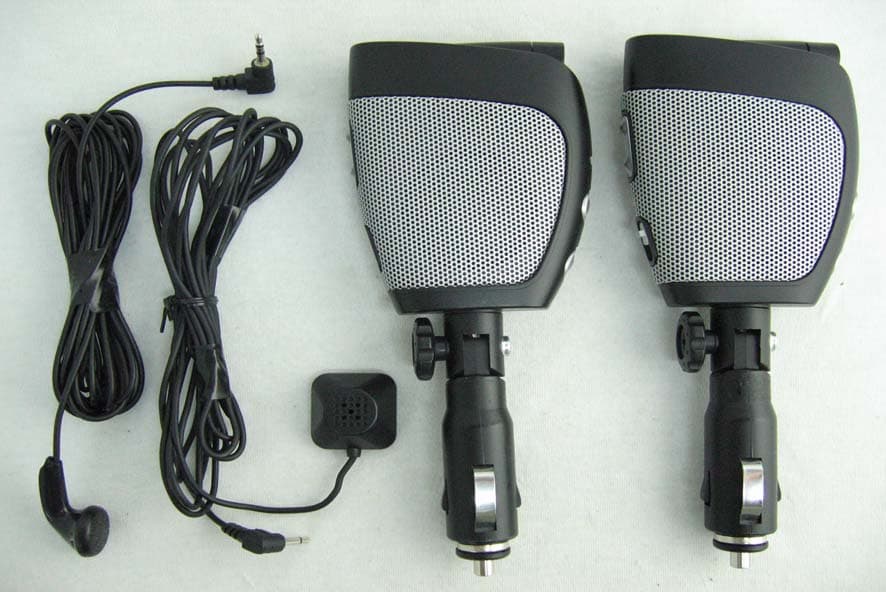
SBL-802DM
Aug 07, 2006Bluetooth Car Kit
Equipment Class
DSS - Part 15 Spread Spectrum Transmitter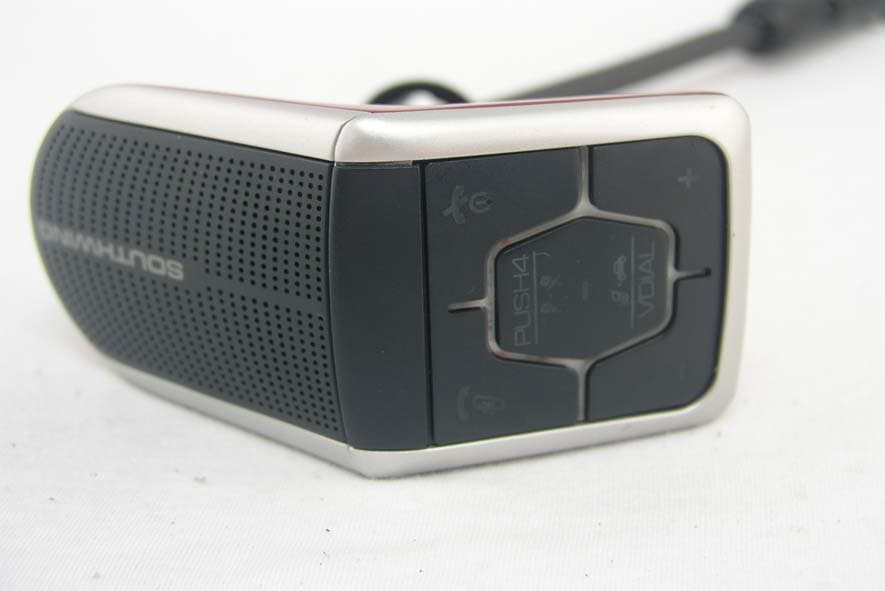
SBL-310
May 16, 2006Bluetooth Hands Free Car kit
Equipment Class
DSS - Part 15 Spread Spectrum Transmitter
SBL-CK811
Nov 28, 2005Bluetooth stereo portable speaker w. hands free
Equipment Class
DSS - Part 15 Spread Spectrum Transmitter
SBL-ST701
Nov 08, 2005Stereo Dongle with Bluetooth
Equipment Class
DSS - Part 15 Spread Spectrum Transmitter
SBL-ST605
Nov 08, 2005Hands-Free Headphones with Bluetooth
Equipment Class
DSS - Part 15 Spread Spectrum Transmitter