SI31101MEMORY CARD
Taejin Infotech Co., Ltd.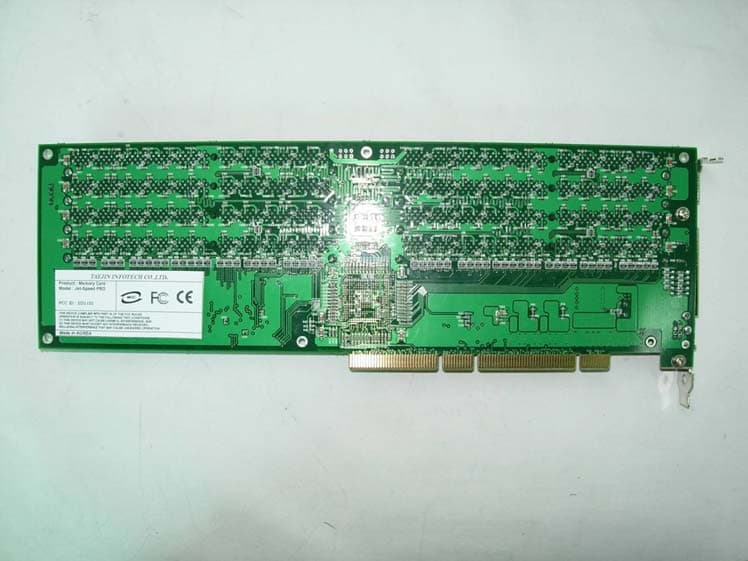
Click to zoom
Application Details
- Equipment Class
- JBP - Part 15 Class B Computing Device Peripheral
- Date of Grant
- Nov 10, 2004
- Application Purpose
- Original Equipment
- Date of Application
- Nov 10, 2004
- Equipment Note
- MEMORY CARD
- Company
- Taejin Infotech Co., Ltd.
- Country
- South Korea
Documents & Files
Document Text
Text extracted from the exhibit documents filed with the FCC. Open a document above to read the original.
Users Manual
Jet-Speed ® Installation Guide Taejin Infotech Co., Ltd. This Manual base on Windows 2003 Server English Platform, Screen shot will not equal to your screen only your convenience FCC NOTE :This equipment has been tested and found to comply with the limits for a Class B digital device, pursuant to Part 15 of the FCC Rules. These limits are designed to provide reasonable protection against harmful interference in a residential installation. This equipment generates, uses and can radiate radio frequency energy and, if not installed and used in accordance with the instructions, may cause harmful interference to radio communications. However, there is no guarantee that interference will not occur in a particular installation. If this equipment does cause harmful interference to radio or television reception, which can be determined by turning the equipment off and on, the user is encouraged to try to correct the interference by one or more of the following measures: -- Reorient or relocate the receiving antenna. -- Increase the separation between the equipment and receiver. -- Connect the equipment into an outlet on a circuit different from that to which the receiver is connected. -- Consult the dealer or an experienced radio/TV technician for help. THIS DEVICE COMPLIES WITH PART 15 OF THE FCC RULES. OPERATION IS SUBJECT TO THE FOLLOWING TWO CONDITIONS: (1) THIS DEVICE MAY NOT CAUSE HARMFUL INTERFERENCE, AND (2) THIS DEVICE MUST ACCEPT ANY INTERFERENCE RECEIVED, INCLUDING INTERFERENCE THAT MAY CAUSE UNDESIRED OPERATION THE MANUFACTURER IS NOT RESPONSIBLE FOR ANY RADIO OR TV INTERFERENCE CAUSED UNAUTHORIZED MODIFICATIONS TO THIS EQUIPMENT. SUCH MODIFICATIONS COULD VOID THE USER'S AUTHORITY TO OPERATE THE EQUIPMENT. I. First time, installation Jet-Speed ® to your system 1. You must turn off system power. 2. If your system support Hot Plug-in and you have install to the Hot Plug-in support Slot, follow the system manual guide 3. Jet-Speed PCI card plug in to empty PCI Slot. Jet-Speed Support two different type as below 1. PCI-32Bit /33MHz: Light Version 2. PCI-64Bit /66MHz: Standard Version 4. Turn on system power. 5. System boot and you will see Windows upcoming logo screen. 6. If system found Jet-Speed first time, system will give “Found New Hardware” balloon message on taskbar. 7. System will prompt “Welcome to the Found New Hardware wizard” when is you have install first time. If you have already installed Jet-Speed and you have trying to put same slot, system will recognize Jet-Speed automatically. 8. Put Floppy diskette or CD-ROM accompanying with Jet-Speed Package to FDD or CD/DVD Drive. 9. Select “Install the software automatically (Recommended)” and click “Next >” 10. Windows searching for Jet-Speed Driver on your system. 11. If windows appear “Insert Disk” dialog, you just click “Ok” when you already put the Jet-Speed driver media to FDD or CD/DVD drive. 12. If Windows did not find driver software from FDD or CD/DVD drive, Windows will display “Files needed” dialog. At this time you must put Jet-Speed Driver Diskette or CD-ROM to their drive. And Click “Ok” to continue. But if you have any experience with specify target folder click “Browse...” 13. If Windows find Jet-Speed driver from any sources, will display “Hardware Installation” Dialog. This dialog will ask about trust of device driver which is do not pass from Microsoft. In this time you can click “Continue Anyway” button for continue to installation. 14. Windows copy driver to system from you have specified media or sources. 15. If you have see “Completing the Found New Hardware Wizard” you have successfully installed Jet- Speed on your system. Congratulation! Now you have ready to use of our Jet-Speed. Now just click “Finish” to finished driver installation. Some systems say like a “You need to restart for active installed hardware” you can ignore that message and continue to use. 16. If you have more than two Jet-Speed on your system repeat step 9 to 15, when is completed install all uninstalled Jet-Speed. 17. Again. Thank you for using Jet-Speed. II. Check the Jet-Speed Installation. 1. After the installation of New Jet-Speed on your system. You must configure Jet-Speed using Computer Management Tools. 2. It’s on the Start->All Programs->Administrative Tools->Computer Management 3. You will see “Computer Management” dialog., such as below 4. Click “Computer Management (Local) -> System Tools -> Device manager” on the left pane. 5. Select “SCSI and RAID Controller“ on right pane 6. If you can see “Taejin Infotech Jet-Speed Controller” on SCSI and RAID Controller Branch. You have successfully installed Jet-Speed on your system. 7. But if you can’t see Jet-Speed on your system. You can try to reboot system and following the “First time, installation Jet-Speed ® to your system” on this manual. III. Initializing 1. Open the “Computer Management” Console. 2. Select “Computer Management” -> Storage -> Disk Management” may you have see following screen first, because you just have installed Jet-Speed on your system. Click “Next >”. Sometimes it takes a more than a minute you must wait until it’s open. 3. “Select Disks to Initialize” is appear, you may see Disk id of Jet-Speed on the dialog. if you have only single physical drive, Jet-Speed will be Disk 1 because first drive take a number 0 just checked “Disk 1” and click “Next >” to continue. 4. Windows ask which drive convert to dynamic disk. If you use Basic Disk (Default) click “Next >”. If you have only 1(one) Jet-Speed, you will not need to convert to dynamic disk. Dynamic disk regularly use for RAID configuration. But if you want software RAID function, you must convert to Dynamic disk first. 4. Conglutination! Now you have completed initialize Jet-Speed. Now click “Finish” for Complete Initialize. IV. Formatting 1. If you are here, almost you have done to use Jet-Speed. 2. Mouse right clicks on the Disk1 allocation area (shade area with size and unallocated caption). 3. Choos…
Text truncated - open the document above for the full version.
Block Diagram
DDR SDRAM #L1 DDR SDRAM Controller CPLD ROM DDR SDRAM #R1 High Speed DMA PCI Bridge PCI BUS Jet-Speed Block Diagram BUS Detector DDR SDRAM Refresh 3.3V 2.5V External Battery 40.000 MHz
External Photos
E E M M I I T T E E S S T T R R E E P P O O R R T T Report reference No: KST-FCC0430 KOSTEC Co.,Ltd. 180-254,Annyung-Ri, Taean-Yup, Hwasung-shi, Kyunggi-do, Korea Tel : +82-31-222-4251 Fax: +82-31-222-4252 http://www.kosteclab.com Page : 14of 16 November01, 2004 EUT Front Rear
ID Label/Location Info
E E M M I I T T E E S S T T R R E E P P O O R R T T Report reference No: KST-FCC0430 KOSTEC Co.,Ltd. 180-254,Annyung-Ri, Taean-Yup, Hwasung-shi, Kyunggi-do, Korea Tel : +82-31-222-4251 Fax: +82-31-222-4252 http://www.kosteclab.com Page : 16of 16 November01, 2004 Appendix – Sample Label & Location
ID Label/Location Info
TAEJIN INFOTECH CO.,LTD. Product : Memory Card Model : Jet-Speed PRO FCC ID : SI31101 THIS DEVICE COMPLIES WITH PART 15 OF THE FCC RULES. OPERATION IS SUBJECT TO THE FOLLOWING TWO CONDITIONS: (1) THIS DEVICE MAY NOT CAUSE HARMFUL INTERFERENCE, AND (2) THIS DEVICE MUST ACCEPT ANY INTERFERENCE RECEIVED, INCLUDING INTERFERENCE THAT MAY CAUSE UNDESIRED OPERATION Made in KOREA
Internal Photos
E E M M I I T T E E S S T T R R E E P P O O R R T T Report reference No: KST-FCC0430 KOSTEC Co.,Ltd. 180-254,Annyung-Ri, Taean-Yup, Hwasung-shi, Kyunggi-do, Korea Tel : +82-31-222-4251 Fax: +82-31-222-4252 http://www.kosteclab.com Page : 15of 16 November01, 2004 Install with memory Install inside of pc
Test Report
E E M M I I T T E E S S T T R R E E P P O O R R T T FCC EVALUATION REPORT FOR CERTIFICATION KOREA Standard Technology Test report No.: KST-FCC0430 Applicant’s Name : TAEJIN INFOTECH CO., LTD. Applicant’s Address : 6F, Woolim e-BIZ Center, 170-5, Guro-Dong, Guro-Ku, Seoul, Korea Manufacturer’s Name : TAEJIN INFOTECH CO., LTD . Manufacturer’s Address : 6F, Woolim e-BIZ Center, 170-5, Guro-Dong, Guro-Ku, Seoul, Korea EUT’s: FCC ID : SI31101 Product Name : Memory Card Model Number(s) : Jet-Speed PRO Product Options : N/A Category : FCC Part 15 subpart B Class B Computing Digital Device Supplementary Information The device bearing the brand name and FCC ID specified above has been shown to comply with the applicable technical standards as indicated in the measurement report and was tested in accordance with measurement procedures specified in ANSI C63.4-2000 . I attest to the accuracy of data and all measurements reported herein were performed by or were made under my supervision and are correct to the best of my knowledge and belief. I assume full responsibility for the completeness of these measurements and vouch for the qualifications of all persons taking them. Test Date : November 01, 2004. Issued Date : November 04, 2004. Te s t e d b y : Approved by: Choi, Jae-RakLee, Weon-Woo E E M M I I T T E E S S T T R R E E P P O O R R T T Report reference No: KST-FCC0430 KOSTEC Co.,Ltd. 180-254,Annyung-Ri, Taean-Yup, Hwasung-shi, Kyunggi-do, Korea Tel : +82-31-222-4251 Fax: +82-31-222-4252 http://www.kosteclab.com Page : 2of 16 November01, 2004 Contents 1. Description of Device 2. Test Facility 3. MAP 4. Test system configuration 5. Description of E.U.T. 6. Summary of test results. 7. Test results. 8. Photographs. Appendix. Schematics Specifications. E E M M I I T T E E S S T T R R E E P P O O R R T T Report reference No: KST-FCC0430 KOSTEC Co.,Ltd. 180-254,Annyung-Ri, Taean-Yup, Hwasung-shi, Kyunggi-do, Korea Tel : +82-31-222-4251 Fax: +82-31-222-4252 http://www.kosteclab.com Page : 3of 16 November01, 2004 1. Description of Device 1) Kind of equipment: Memory Card 2) FCC ID: SI31101 3) Model Name: Jet-Speed PRO 4) Serial No.: None 5) Type of Sample Tested: Pre-production 6) High Frequency Used: 40.000 MHz 7) Adapter -None 8) Power Rating: 1phase AC100-240V, 50/60Hz, 300W Output: DC 12V, 5V - PC POWER 9) Tested Power supply: 1phase AC120V, 60Hz 10) Date of Manufacture: October , 2004 11) Manufacture: TAEJIN INFOTECH CO.,LTD. 12) Description of Operating: Scroll All “H” Character Resolution 1024*768 , Vertical Frequency: 75Hz 13) Dates of Test: November 01, 2004 14) Place of Tests: Korea Standard Technology EMC site 15) Test Report No: KST-FCC0430 E E M M I I T T E E S S T T R R E E P P O O R R T T Report reference No: KST-FCC0430 KOSTEC Co.,Ltd. 180-254,Annyung-Ri, Taean-Yup, Hwasung-shi, Kyunggi-do, Korea Tel : +82-31-222-4251 Fax: +82-31-222-4252 http://www.kosteclab.com Page : 4of 16 November01, 2004 2. Test Facility The open field test site and conducted measurement facility are used for these testing, where are located following address and drawing. This site was fully described in a report dated November 14, 2002, that was submitted to the FCC. Korea Standard Technology ( KOSTEC Co., Ltd) Head office: 4F, 1503-2, Kwanyang-dong, Dongan-gu, Anyang-shi, Kyunggi-do, Korea Telephone No : 82-31-388-2051 Facsimile No: 82-31-388-2052 Test Lab :180-254, Annyung-Ri, Taean-Yup, Hwasung-shi, Kyunggi-do, Korea Telephone No : 82-31-222-4251 Facsimile No: 82-31-222-4252 MIC(Ministry of Information and Communication) No: KR0042 FCC Filing No. : 525762 VCCI Membership Number : 2005 VCCI Registration Number : R-1657 / C-1763 E E M M I I T T E E S S T T R R E E P P O O R R T T Report reference No: KST-FCC0430 KOSTEC Co.,Ltd. 180-254,Annyung-Ri, Taean-Yup, Hwasung-shi, Kyunggi-do, Korea Tel : +82-31-222-4251 Fax: +82-31-222-4252 http://www.kosteclab.com Page : 5of 16 November01, 2004 3. MAP Korea Hwasung-shi (open area test site) KOSTEC Co., Ltd E E M M I I T T E E S S T T R R E E P P O O R R T T Report reference No: KST-FCC0430 KOSTEC Co.,Ltd. 180-254,Annyung-Ri, Taean-Yup, Hwasung-shi, Kyunggi-do, Korea Tel : +82-31-222-4251 Fax: +82-31-222-4252 http://www.kosteclab.com Page : 6of 16 November01, 2004 4. Test System Configuration Operation Environment Ambient Temperature ( °C ) Humidity ( % ) Pressure ( hPa ) 10m Open Area site 21.7 47 1007 Shielded room: 21 45 1006 Test site These testing were performed following locations ; Shielded room : Conducted Emission, 10m Open Area Site: Radiated Emission Measurement Uncertainty All measurements involve certain levels of uncertainties, especially in field of EMC. The factors contributing to uncertainties are test receiver, Cable loss, antenna factor calibration, Antenna directivity, antenna factor variation with height, antenna phase center variation, antenna frequency interpolation, measurement distance variation, site imperfection, mismatch, and system repeatability. Based on NIS 80,81, The measurement uncertainty level with a 95% confidence level were applied. sample calculation Conducted emission The field strength is calculated by adding the LISN factor, cable loss from the measured reading. The sample calculation is as follows: FS = MR + LF + CL MR = Meter Reading LF = LISN Factor CL = Cable Loss If MR is 30dB, LISN Factor 1dB, CL 1dB The result (MR) is 30 + 1 + 1 = 32dBuV E E M M I I T T E E S S T T R R E E P P O O R R T T Report reference No: KST-FCC0430 KOSTEC Co.,Ltd. 180-254,Annyung-Ri, Taean-Yup, Hwasung-shi, Kyunggi-do, Korea Tel : +82-31-222-4251 Fax: +82-31-222-4252 http://www.kosteclab.com Page : 7of 16 November01, 2004 5. Description of E.U.T. Product Description Manufactured By: TAEJIN INFOTECH CO., LTD . Address: 6F, Woolim e-BIZ Center, 170-5, Guro-Dong, Guro-Ku, Seoul, Korea Model: Jet-Speed PRO Serial Number: None Configuration of EUT Description Manufacturer Model / Part # Serial Number Memory Card TAEJIN INFOTECH CO.,LTD. Jet-Speed Lite None …
Text truncated - open the document above for the full version.
Test Setup Photos
E E M M I I T T E E S S T T R R E E P P O O R R T T Report reference No: KST-FCC0430 KOSTEC Co.,Ltd. 180-254,Annyung-Ri, Taean-Yup, Hwasung-shi, Kyunggi-do, Korea Tel : +82-31-222-4251 Fax: +82-31-222-4252 http://www.kosteclab.com Page : 8of 16 November01, 2004 Operating conditions The operating mode/system were as follows in details: Operating: First time; Jet-Speed PCI card plug in to empty PCI Slot of mainboard. After Install the software automatically and then use to “H” pattern program for data transmission and continuously ‘H’ pattern displayed on the Monitor. Peripherals No Description Manufacturer Model / Part # Serial Number 1 Personal computer HANMI Micronics TH-901 None 2 MONITOR SAMSUNG Electronics PN17LT P225HVBT600318 3 Printer HEWLETT PACKARD C2644A SG55M1BORN 4 Keyboard SAMSUNG SEM-DT35 2B021387 5 Mouse Logitech M-S48a HCA13088418 6 Adaptor SAMSUNG YK-30083K None E.U.T Test Configuration (example) 6. Summary of test results Modification to the E.U.T. - None Result : - PASS 5 2 3 4 1 6 E E M M I I T T E E S S T T R R E E P P O O R R T T Report reference No: KST-FCC0430 KOSTEC Co.,Ltd. 180-254,Annyung-Ri, Taean-Yup, Hwasung-shi, Kyunggi-do, Korea Tel : +82-31-222-4251 Fax: +82-31-222-4252 http://www.kosteclab.com Page : 12of 16 November01, 2004 8.PHOTOGRAPHS Conducted emission ( Front ) Conducted emission ( Rear ) E E M M I I T T E E S S T T R R E E P P O O R R T T Report reference No: KST-FCC0430 KOSTEC Co.,Ltd. 180-254,Annyung-Ri, Taean-Yup, Hwasung-shi, Kyunggi-do, Korea Tel : +82-31-222-4251 Fax: +82-31-222-4252 http://www.kosteclab.com Page : 13of 16 November01, 2004 Radiated Emission ( Front ) Radiated Emission ( Rear )
Contact Information
Applicant
Hyeon-Cheol Park(Director)
Test Firm
KOSTEC Co., Ltd.Cho Jae-Beom
Technical Specifications
| # | Rule Parts | Frequency Range | Power Output |
|---|---|---|---|
| 1 | 15B | - | - |
Other Applications from Taejin Infotech Co., Ltd.
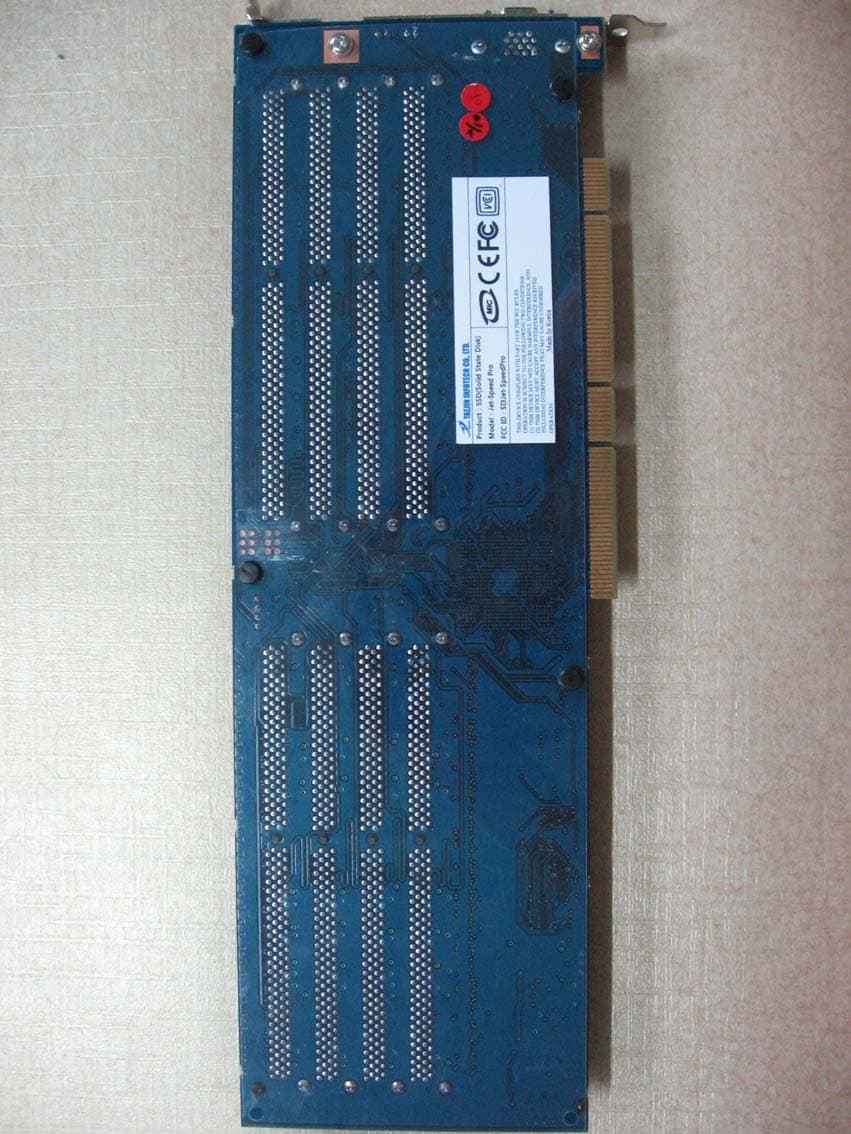
SI3JET-SPEEDPRO
Sep 10, 2007SSD (SOLID STATE DISK)
Equipment Class
JBP - Part 15 Class B Computing Device Peripheral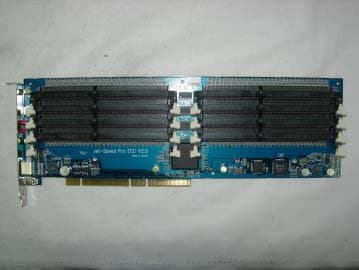
SI3JETSPEEDPRO
Sep 14, 2005MEMEORY CARD
Equipment Class
JBP - Part 15 Class B Computing Device Peripheral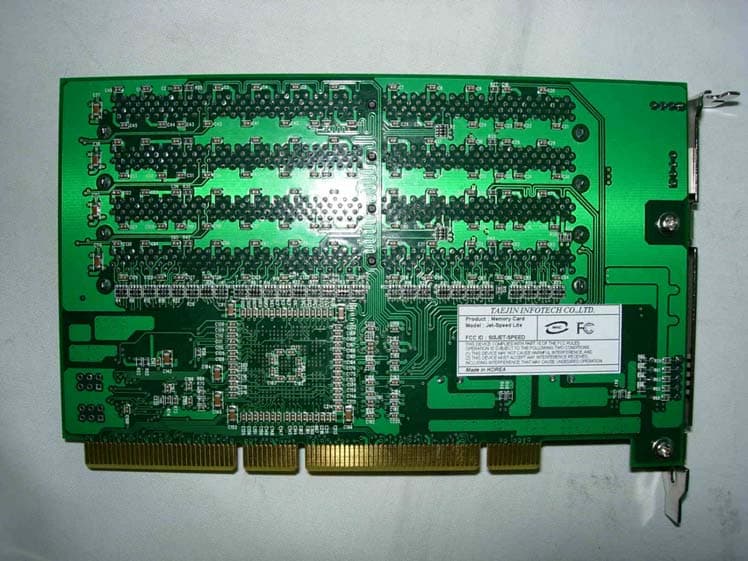
SI3JET-SPEED
Sep 29, 2004MEMORY CARD
Equipment Class
JBP - Part 15 Class B Computing Device Peripheral