SJP-BK60011Bluetooth Keyboard
Chainpus Technology Co., Ltd.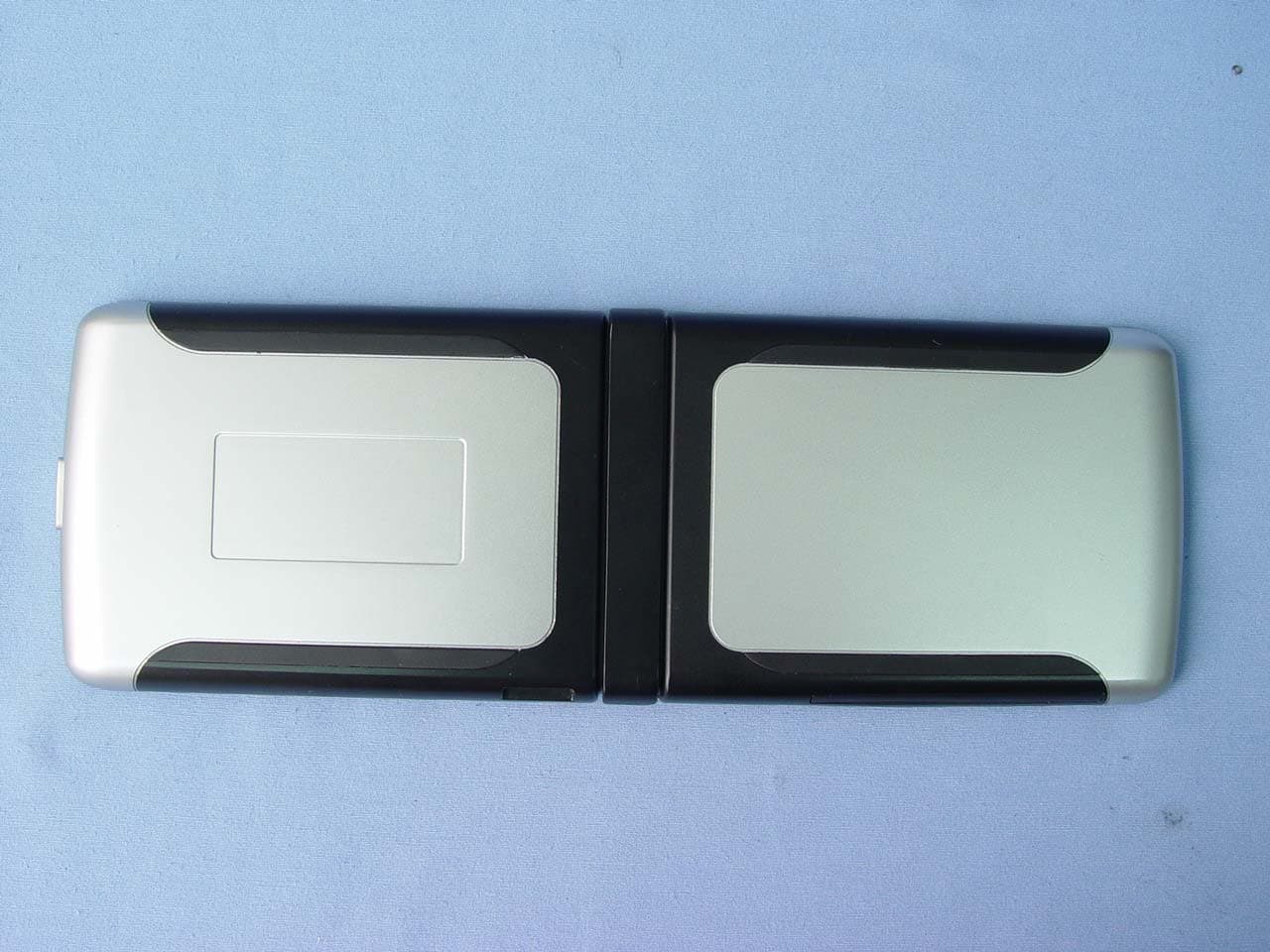
Click to zoom
Application Details
- Equipment Class
- DSS - Part 15 Spread Spectrum Transmitter
- Date of Grant
- Oct 26, 2004
- Application Purpose
- Original Equipment
- Date of Application
- Oct 26, 2004
- Equipment Note
- Bluetooth Keyboard
- Frequency Range
- 2402.00000000 - 2480.00000000
- Country
- Taiwan
Documents & Files
Document Text
Text extracted from the exhibit documents filed with the FCC. Open a document above to read the original.
Users Manual
BT Keyboard User Manual Page 1 of 20 Universal BLUETOOTH Wireless Keyboard User Manual BT Keyboard User Manual Page 2 of 20 Supported Devices Symbian Smart Phone Brand Model Interface Nokia 6600 Series 60 7610 Series 60 3650 Series 60 7650 Series 60 6260 Series 60 3600 Series 60 3620 Series 60 3660 Series 60 N-Gage Series 60 N-GageQD Series 60 Panasonic X700 Series 60 Sendo X Series 60 Siemens SX1 Series 60 SonyEricsson P800 UIQ 2.X P900 UIQ 2.X BT Keyboard User Manual Page 3 of 20 PRODUCT SPECIFICATIONS Absolute Maximum Rating Item Min Max Unit Note Operation Temperature -10 50 Humidity Condition 5 ~ 90%RH Storage Environmental -30 70 Humidity Condition 5 ~ 90%RH Item Typ. Unit Horizontal (H) 142 mm Vertical (V) 96 mm Module Size (Close) Depth (D) 18.4 mm Horizontal (H) 278.1 mm Vertical (V) 96 mm Module Size (Open) Depth (D) 10.4 mm Weight Net 188 g BT Keyboard User Manual Page 4 of 20 SYMBIAN OS SMART PHONE INSTALLATION For Symbian OS Smart phone, Series 60 OS and UIQ2.0 OS, the Bluetooth keyboard driver can be installed by either Phone Connection Cable or Wireless file transfer( Infrared or Bluetooth). Please find the details as below information. Symbian Series 60 OS Smartphone Step 1-1: Install the Application in Series 60 OS Smartphone by Phone Connection Link. 1. Connect your Symbian Series 60 Smartphne through its sync. cable for ActiceSync with the computer. 2. Run HotSync program then back up the data stored in your Symbian Series 60 Smartphne before this application installation. 3. Insert Bluetooth Universal Keyboard CD into computer’s CD-Rom drive. 4. Follow the instruction on screen to complete the installation 5. When the installation completed, reset your smartphne once prompted. 6. After the driver is installed successfully and the smartphone is reset, the keyboard driver icon will show up in the main menu. Step 1-2: Install the Application in Series 60 Smartphone by Infrared or Bluetooth file Transfer 1. Disable applications or drivers in the Smartphone, which may use Infrared or Bluetooth ports 2. Find the file “BTkeybd.sis” on your computer or CD-ROM. 3. Follow the instructions for the Infrared or Bluetooth software on your computer to located the Series 60 OS smartphone and transfer the file to it. 4. When the smartphone receive the file, it will show message with file “BTkeybd.sis”, click “ View”. You will be warned that “Identity of supplier cannot be guaranteed. Do you want to proceed?” Click “Yes”, then click “Install” 5. When the installation completed, reset your smartphne once prompted. 6. After the driver is installed successfully and the smartphone is reset, the keyboard driver icon will show up in the main menu. BT Keyboard User Manual Page 5 of 20 Step 2: Bluetooth keyboard configuration 1. Turn the Bluetooth keyboard on, the LED will flash orange for 1 second, then turn to flash green once every other second, the BT keyboard is in Discovery mode. 2. Tap “BTkeybd” icon in main menu of the Symbian Smartphone 3. Turn “Active Keyboard” option to “On” to scan the BT keyboard 4. Click “keyboard” from the discovering list on the screen for connection. 5. When the connection establish successfully, the LED will flash green twice every other second. BT Keyboard User Manual Page 6 of 20 Typing Repeat Rate This option allows you to set the speed at which a letter, number or other character repeats when you press and hold a key. Use your stylus to drag the marker arrow toward Fast (to increase) or Slow (to decrease) the repeat rate. Typing Delay Time This option allows you to set the length of time before a letter, number or other character begins to repeat when you press and hold a key. Use your stylus to drag the marker arrow toward Long (to increase) or Short (to decrease) the length of the delay. Keyboard Test Test the repeat rate and delay by holding down a letter or number key on the Chainpus keyboard. The character appears according to the setting you have chosen. Change and test these settings until you achieve the desired outcome. Note: Use “Keyboard Test” function to make sure keyboard working normally, after keyboard had active. Step 3: Set function keys for your keyboard 1. Select “Function” 2. Select Fn +1 Fn +9 (Show as below Fig.). Select Function key each for user-define Keyboard Application Shortcut Command Settings BT Keyboard User Manual Page 7 of 20 Step 4: Reconnecting the BT keyboard without further search Tap “Active Keyboard” and “Connect automatically”. This allows your handheld device reconnects the BT keyboard again automatically. BT Keyboard User Manual Page 8 of 20 Symbian UIQ 2.0 Smartphone Step 1-1: Install the Application in UIQ 2.0 OS Smartphone by Phone Connection Link. 1. Connect your Symbian UIQ2.0 OS Smartphne through its sync. cable for ActiceSync with the computer. 2. Run HotSync program then back up the data stored in your Symbian UIQ2.0 OS Smartphne before this application installation. 3. Insert Bluetooth Universal Keyboard CD into computer’s CD-Rom drive. 4. Follow the instruction on screen to complete the installation 5. When the installation completed, reset your Symbian UIQ2.0 OS Smartphne once prompted. 6. After the driver is installed successfully and the smartphone is reset, the keyboard driver icon will show up in the application list Step 1-2: Install the Application in UIQ2.0 Smartphone by Infrared or Bluetooth file Transfer 1. Disable applications or drivers in the Smartphone, which may use Infrared or Bluetooth ports 2. Find the file “BTkeybd.sis” on your computer or CD-ROM. 3. Follow the instructions for the Infrared or Bluetooth software on your computer to located the UIQ2.0 OS smartphone and transfer the file to it 4. When the smartphone receive the file, it will show “Beam Received” message with file “BTkeybd.sis”, click “ Done”. 5. When the installation completed, reset smartphne once prompted. 6. After the driver is installed successfully and the smartphone is reset, the keyboard driver icon will show up i…
Text truncated - open the document above for the full version.
Cover Letter(s)
SJP-BK60011
Cover Letter(s)
1 Helen Zhao Subject:FW: ??: FW: Chainpus Technology Co., Ltd. , FCC ID: SJP-BK60011, Assessment NO.: AN04T4270, Notice#1 BK600 OpDes_revised1027.pdf -----Original Message----- From: Ting Sent: Tuesday, October 26, 2004 7:21 PM To: Helen Zhao Subject: ??: FW: Chainpus Technology Co., Ltd. , FCC ID: SJP-BK60011, Assessm ent NO.: AN04T4270, Notice#1 Hi Helen, Please refer to the following for our replies. Thank you for your advice. Best regards, Ting -----Original Message----- From: Compliance Certification Services [mailto:[email protected]] Sent: Monday, October 25, 2004 5:01 PM To: Helen Zhao Subject: Chainpus Technology Co., Ltd. , FCC ID: SJP-BK60011, Assessment NO.: AN04T4270, Notice#1 Question #1: The user manual indicates that the device is specifically designed to work with Symbian OS smartphone. Please explain why the test was done with a laptop computer, instead of a smartphone. Ans #1: The laptop computer here is only for testing setup used, means we use laptop PC to control the EUT to set it under continuous transmitting mode. As for the end user, the EUT is designed to use with smartphone, but since it's a BT device, the EUT still can communication with other BT devices. Question #2: The Operational Description mentioned a 2.4GHz transceiver that can transmit and receive voice signal. Please indicate clearly this is the function of the bluetooth chip or the bluetooth keyboard. If it is the former, please revise the Operational Description to remove the misleading information. If it is the latter, please provide additional instruction/information to the user. Ans #2: The operational description here mentioned is for bluetooth chip, so we have added some wording in the operational description, please refer to it. (See attached file: BK600 OpDes_revised1027.pdf) 2 Best regards, Helen Zhao The items indicated above must be submitted before processing can continue on the above referenced application. Failure to provide the requested information within 30 days of the original e-mail date may result in application dismissal and forfeiture of the filing fee. Also, please note that partial responses increase processing time and should not be submitted. Any questions about the content of this correspondence should be directed to the e-mail address listed below the name of the sender. ________________________________________________________________________ This e-mail transmission is confidential and intended solely for being reviewed by the recipient(s) identified above. If you are not an identified recipient, please ensure that this communication remains confidential and promptly return it to the sender. Please contact immediately by phone (Tel: 886-2-2299-9720) for any problem with this transmission, Thank you for your attention.
External Photos
Compliance Certification Services Inc. Report No: 40930202 Date of Issue: October 15, 2004 Page 1of 9 EXTERNAL PHOTOGRAPHS OF EUT Compliance Certification Services Inc. Report No: 40930202 Date of Issue: October 15, 2004 Page 2 Compliance Certification Services Inc. Report No: 40930202 Date of Issue: October 15, 2004 Page 3 Compliance Certification Services Inc. Report No: 40930202 Date of Issue: October 15, 2004 Page 4 Compliance Certification Services Inc. Report No: 40930202 Date of Issue: October 15, 2004 Page 5
ID Label/Location Info
P/N:Bluetooth Keyboard Model No. : BK600 Battery 3V AAA 2. 8mA S/N CP00000001 IC: 5413A-BK600 CMII:04DXXXXX XXXyyyLPDzzzz-x XXXXXX FCC ID:SJP-BK60011 Made in china
Internal Photos
Compliance Certification Services Inc. Report No: 40930202 Date of Issue: October 15, 2004 Page 6 INTERNAL PHOTOGRAPHS OF EUT Compliance Certification Services Inc. Report No: 40930202 Date of Issue: October 15, 2004 Page 7 Compliance Certification Services Inc. Report No: 40930202 Date of Issue: October 15, 2004 Page 8 Compliance Certification Services Inc. Report No: 40930202 Date of Issue: October 15, 2004 Page 9
Parts List/Tune Up Info
MULTILAYER CERAMIC ANTENNA FOR BLUETOOTH & WLAN IEEE 802.11b (2.45G Hz ISM Band) (Long Shape) Product Specification 1 QUICK REFERENCE DATA Dimension 7.8* 3.6 * 0.9 mm Central Frequency* 2.45 GHz Bandwidth >100 MHz Gain 2.5 dBi max VSWR 2.0 max Polarization Linear Azimuth Omni-directional Impedance 50Ω Operating Temperature -55~125 o C Termination Ni/Sn (Environmentally-Friendly Leadless) Resistance to soldering heats 260 o C, 10 sec. Maximum Power 1W * Three types of antenna are available for central frequency adjustment (type 245, type 260, type 270) Special Environmental Concerns- Green Products Design: The foil making process is using environmentally-friendly aqueous solvent technology. Termination is lead free (Pb free) and packing materials can be re-cycled HF R&D Print date 04/02/04 Preliminary internal use only Long Shape Mar. 26, 02 Multilayer Ceramic Antenna for Bluetooth (ISM Band 2.45GHz) CAN431111500245/260/2701K Apr. 24, 02 1 All the technical data and information contained herein are subject to change without prior notice Grant Lin/Cliff 2002-04-24 Page 1 sheet 190-1 A4 spec.doc Phycomp Taiwan Ltd. APPLICATION Suggested Layout I. HF R&D Print date 04/02/04 Preliminary internal use only Long Shape Mar. 26, 02 Multilayer Ceramic Antenna for Bluetooth (ISM Band 2.45GHz) CAN431111500245/260/2701K Apr. 24, 02 50Ohm Transmission Line (by Microstrip Line or Coplanar Waveguide) Suggested Layout II. 6mm No ground plane backside 50 ohm transmission line 5 mm(to ground) 6mm Ground plane(back side) Antenn 2mm 8mm Cleanance Cleanance Bluetooth module or other RF Module Grant Lin/Cliff 2002-04-24 Page 2 sheet 190-2 A4 spec.doc Phycomp Taiwan Ltd. DIMENSIONAL DATA Figure Dimension Port L W T F s1 C C F s1 L W T F s1 C C F s1 s2 C L W T F s1 C C F s1 L W T F s1 C C F s1 F s1 s2 C L W T F C S1 S2 7.8±0.25 mm 3.6±0.2 mm 0.9±0.2 mm 1.25±0.25 mm 0.4±0.2 mm 1.25±0.25 mm 1.40 ±0.25 mm - - - Feed Termination - NC Solder Termination Only Optional NC Solder Termination Only SOLDER LAND PATTERN Figure Dimensions Remark L W F C S1 S2 9 ± 0.10 mm 4.4 ± 0.20 mm 1.40 ± 0.25 mm 0.80 ± 0.20 mm 1.40 ± 0.25 mm 1.60 ± 0.25 mm Feed Pad NC Mount Pad Only Optional NC Mount Pad Only HF R&D Print date 04/02/04 Preliminary internal use only Long Shape Mar. 26, 02 Multilayer Ceramic Antenna for Bluetooth (ISM Band 2.45GHz) CAN431111500245/260/2701K Apr. 24, 02 Grant Lin/Cliff 2002-04-24 Page 3 sheet 190-3 A4 spec.doc Phycomp Taiwan Ltd. Radiation Pattern Polar Plot (Based on Suggested Layout) -90 -45 0 45 90 135 180 225 H-Plane -90 -45 0 45 90 135 180 225 E-Plane HF R&D Print date 04/02/04 Preliminary internal use only Long Shape Mar. 26, 02 Multilayer Ceramic Antenna for Bluetooth (ISM Band 2.45GHz) CAN431111500245/260/2701K Apr. 24, 02 Grant Lin/Cliff 2002-04-24 Page 4 sheet 190-4 A4 spec.doc Phycomp Taiwan Ltd. STANDARD TEST BOARD FOR SWR HF R&D Print date 04/02/04 Preliminary internal use only Long Shape Mar. 26, 02 Multilayer Ceramic Antenna for Bluetooth (ISM Band 2.45GHz) CAN431111500245/260/2701K Apr. 24, 02 10 mm 50 ohm transmission line 17 mm Material:FR4 PCB 0.8 mm 1.2 mm 30 mm 5mm SMA Grant Lin/Cliff 2002-04-24 Page 5 sheet 190-5 A4 spec.doc Phycomp Taiwan Ltd. RELIABILITY DATA (Reference to IEC Specification) IEC 384-10/ CECC 32 100 CLAUSE IEC 60068-2 TEST METHOD TEST PROCEDURE REQUIREMENTS 4.4 Mounting The antenna can be mounted on printed- circuit boards or ceramic substrates by applying wave soldering, reflow soldering (including vapour phase soldering) or conductive adhesive No visible damage 4.5 Visual inspection and dimension check Any applicable method using × 10 magnification In accordance with specification (chip off 4mm) 4.6.1 Antenna Central Frequency at 20 o C Standard test board in page 4 4.8 Adhesion A force of 3 N applied for 10 s to the line joining the terminations and in a plane parallel to the substrate No visible damage Bond strength of plating on end face Mounted in accordance with CECC 32 100, paragraph 4.4 No visible damage 4.9 Conditions: bending 0.5 mm at a rate of 1mm/s, radius jig. 340 mm, 2mm warp on FR4 board of 90 mm length No visible damage HF R&D Print date 04/02/04 Preliminary internal use only Long Shape Mar. 26, 02 Multilayer Ceramic Antenna for Bluetooth (ISM Band 2.45GHz) CAN431111500245/260/2701K Apr. 24, 02 Grant Lin/Cliff 2002-04-24 Page 6 sheet 190-6 A4 spec.doc Phycomp Taiwan Ltd. IEC 384-10/ CECC 32 100 CLAUSE IEC 60068-2 TEST METHOD TEST PROCEDURE REQUIREMENTS 4.10 20(Tb) Resistance to soldering heat 260 ± 5 °C for 10 ± 0.5 s in a static solder bath The terminations shall be well tinned after recovery and Central Freq. Change ± 6% Resistance to leaching 260 ± 5 °C for 30 ± 1 s in a static solder bath Using visual enlargement of × 10, dissolution of the termination shall not exceed 10% 4.11 20(Ta) Solderability Zero hour test, and test after storage (20 to 24 months) in original atmosphere; un-mounted chips completely immersed for 2 ± 0.5 s in 235 ± 5°C. The termination must be well tinned, at least 75% is well tinned at termination 4.12 4(Na) Rapid change of temperature -55 °C (30 minutes) to +125 °C (30 minutes); 100 cycles No visible damage Central Freq. Change ± 6% 4.14 3(Ca) Damp heat 500 ± 12 hours at 60 °C; 90 to 95 % RH No visible damage 2 hours recovery Central Freq. Change ± 6% 4.15 Endurance 500 ± 12 hours at 125 °C; No visible damage 2 hours recovery Central Freq. Change ± 6% HF R&D Print date 04/02/04 Preliminary internal use only Long Shape Mar. 26, 02 Multilayer Ceramic Antenna for Bluetooth (ISM Band 2.45GHz) CAN431111500245/260/2701K Apr. 24, 02 Grant Lin/Cliff 2002-04-24 Page 7 sheet 190-7 A4 spec.doc Phycomp Taiwan Ltd. ORDERING INFORMATION: The antennas may be ordered by using the Yageo ordering code. These code numbers can be determined by the following rules: CAN 43 11 1 15 00 245 1K CAN = Yageo Part No. for Antenna F. Family Code 43 = Antenna C. Packing Type Code 11 = 180 mm/ 7" blister (1000pcs) , 12 = 330 mm/13" blister (4000 pcs) 13 =…
Text truncated - open the document above for the full version.
Test Report
Compliance Certification Services Inc. Report No.: 40930202-RP1 FCC ID: SJP-BK60011 Date of Issue: October 13, 2004 Note: This report shall not be reproduced except in full, without the written approval of Compliance Certification Services Inc. This document may be altered or revised by Compliance Certification Services Inc. personnel only, and shall be noted in the revision section of the document. Page 1 of 47 FCC 47 CFR PART 15 SUBPART C TEST REPORT For Chainpus Technology Co., Ltd. Bluetooth Keyboard Model: BK600 Trade Name: N/A Prepared for Chainpus Technology Co., Ltd. No. 2-5, Shanzibian, Danshui Town, Taipei County, Taiwan, 251, R.O.C. Prepared by Compliance Certification Services Inc. No. 81-1, Lane 210, Bade Rd. 2, Luchu Hsiang, Taoyuan Hsien, (338) Taiwan, R.O.C. TEL: 886-3-324-0332 FAX: 886-3-324-5235 Compliance Certification Services Inc. Report No.: 40930202-RP1 FCC ID: SJP-BK60011 Date of Issue: October 13, 2004 Page 2 TABLE OF CONTENTS 1. TEST RESULT CERTIFICATION....................................................................................................3 2. EUT DESCRIPTION ...........................................................................................................................4 3. TEST METHODOLOGY ....................................................................................................................5 3.1 EUT CONFIGURATION........................................................................................................................5 3.2 EUT EXERCISE....................................................................................................................................5 3.3 GENERAL TEST PROCEDURES.............................................................................................................5 3.4 MODIFICATION..................................................................................................................................5 3.5 FCC PART 15.205 RESTRICTED BANDS OF OPERATIONS........................................................6 3.6 DESCRIPTION OF TEST MODES...........................................................................................................6 4. INSTRUMENT CALIBRATION........................................................................................................7 5. FACILITIES AND ACCREDITATIONS ..........................................................................................8 5.1 FACILITIES .........................................................................................................................................8 5.2 EQUIPMENT........................................................................................................................................8 5.3 LABORATORY ACCREDITATIONS AND LISTING..................................................................................8 5.4 TABLE OF ACCREDITATIONS AND LISTINGS.......................................................................................9 6. SETUP OF EQUIPMENT UNDER TEST .......................................................................................10 6.1 SETUP CONFIGURATION OF EUT.......................................................................................................10 6.2 SUPPORT EQUIPMENT ...............................................................................................................10 7. FCC PART 15.247 REQUIREMENTS.............................................................................................11 7.1 PEAK POWER....................................................................................................................................11 7.2 BAND EDGES MEASUREMENT ................................................................................................12 7.3 PEAK POWER SPECTRAL DENSITY....................................................................................................17 7.4 FREQUENCY SEPARATION.......................................................................................................20 7.5 NUMBER OF HOPPING FREQUENCY ......................................................................................22 7.6 TIME OF OCCUPANCY (DWELL TIME)...................................................................................24 7.7 RADIO FREQUENCY EXPOSURE........................................................................................................32 7.8 SPURIOUS EMISSIONS ................................................................................................................33 7.9 POWERLINE CONDUCTED EMISSIONS...............................................................................................46 APPENDIX 1 PHOTOGRAPHS OF TEST SETUP ..............................................................................47 Compliance Certification Services Inc. Report No.: 40930202-RP1 FCC ID: SJP-BK60011 Date of Issue: October 13, 2004 Page 4 2. EUT DESCRIPTION Product Bluetooth Keyboard Trade Name N/A Model Number BK600 Model Discrepancy N/A Power Supply Powered by AAA batteries x 2 (Rating: 3V, 2.8mA) Frequency Range 2402 ~ 2480 MHz Transmit Power -7.52 dBm Modulation Technique GFSK Transmit Data Rate 1MHz Number of Channels 79 Channels Antenna Specification Multilayer Ceramic Antenna / Gain: 2.5 dBi Note: This submittal(s) (test report) is intended for FCC ID: SJP-BK60011 filing to comply with Section 15.207, 15.209 and 15.247 of the FCC Part 15, Subpart C Rules. Compliance Certification Services Inc. Report No.: 40930202-RP1 FCC ID: SJP-BK60011 Date of Issue: October 13, 2004 Page 5 3. TEST METHODOLOGY The tests documented in this report were performed in accordance with ANSI C63.4 and FCC CFR 47 2.1046, 2.1047, 2.1049, 2.1051, 2.1053, 2.1055, 2.1057, 15.207, 15.209 and 15.247. 3.1 EUT CONFIGURATION The EUT configuration for testing is installed on RF field strength measurement to meet the Commissions requirement and operating in a manner that intends to…
Text truncated - open the document above for the full version.
Test Setup Photos
Compliance Certification Services Inc. Report No.: 40930202-RP1 FCC ID: SJP-BK60011 Date of Issue: October 13, 2004 Page 47 APPENDIX 1 PHOTOGRAPHS OF TEST SETUP Radiated Emission Set up Photos
Contact Information
Applicant
Andy Wu(Product management Dept)
Test Firm
Compliance Certification Services Inc.Tony Houng
Technical Specifications
| # | Rule Parts | Frequency Range | Power Output |
|---|---|---|---|
| 1 | 15C | 2.40 GHz - 2.48 GHz | 180.00 µW |
Other Applications from Chainpus Technology Co., Ltd.
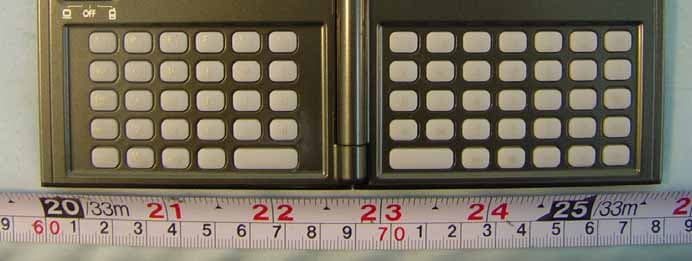
SJP-CPBK300
Apr 26, 2006BLUETOOTH MINI KEYBOARD
Equipment Class
DSS - Part 15 Spread Spectrum Transmitter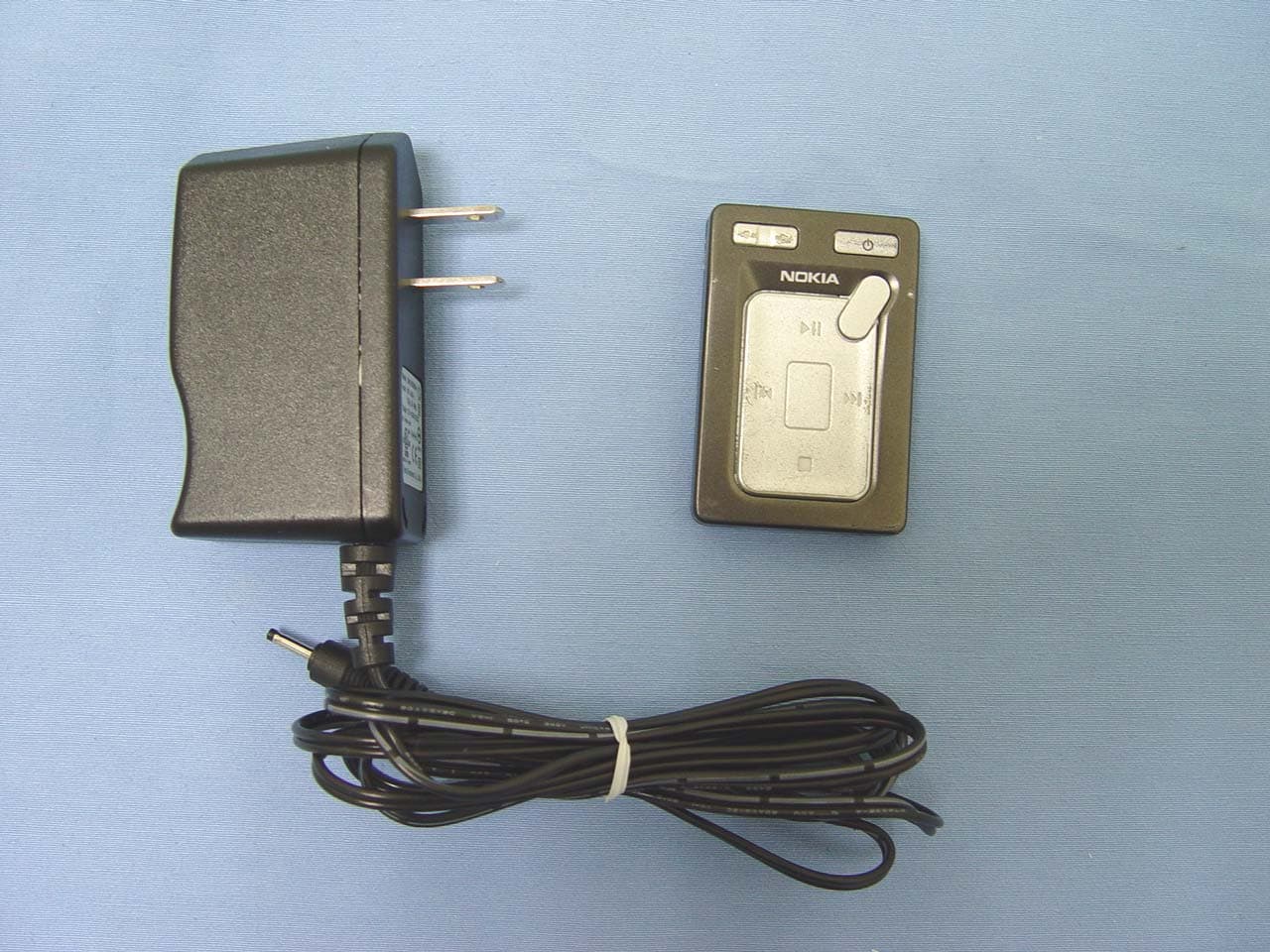
SJP-CPBNR91
Mar 26, 2006NOKIA N91 Remote Control
Equipment Class
DSS - Part 15 Spread Spectrum Transmitter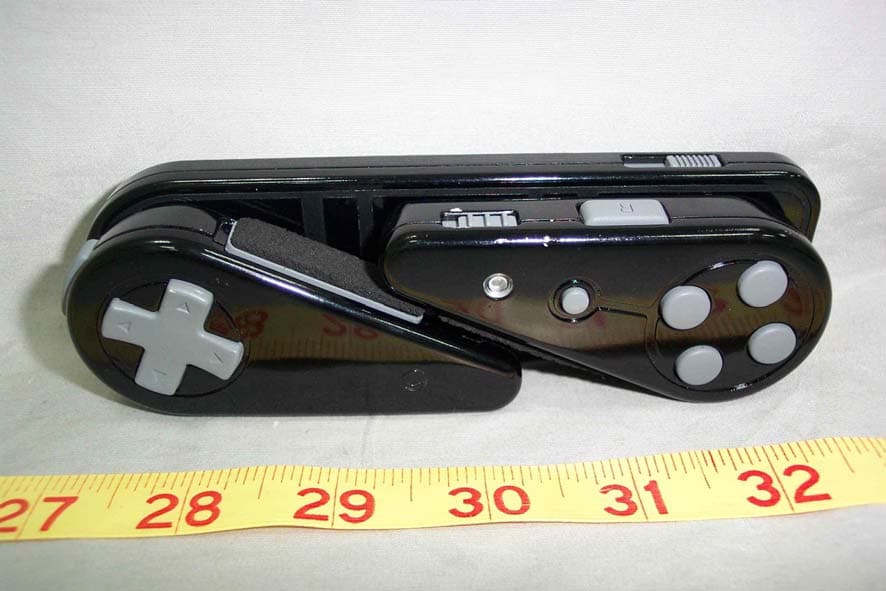
SJP-BGP100J
Apr 20, 2005Bluetooth Gamepad
Equipment Class
DSS - Part 15 Spread Spectrum Transmitter