SXS-BT130Bluetooth speaker
GSOU Technology(Shenzhen) Co., LTD
Click to zoom
Application Details
- Equipment Class
- DSS - Part 15 Spread Spectrum Transmitter
- Date of Grant
- Dec 27, 2014
- Application Purpose
- Original Equipment
- Date of Application
- Dec 27, 2014
- Equipment Note
- Bluetooth speaker
- Frequency Range
- 2402.00000000 - 2480.00000000
- Country
- China
Documents & Files
Document Text
Text extracted from the exhibit documents filed with the FCC. Open a document above to read the original.
Users Manual
U130 User Manual Thanks for purchasing the Gsou U130 Ultra portable Bluetooth® speaker. Please take the time to follow the instructions in this User manual carefully. If you have any queries, please call our national service hotline: 400-0985-400 1.Preface Blue indicator flashes Blue indicator on(not flashing) Low power indicator flashes Red charging indicator light Waiting for connecting Connected to Bluetooth® source or connected to Aux in device Battery voltage lower than 3.3v, Red light flashes when your speaker need to be charged Red indicator is on when charging, and off when fully charged. 5.Indicator instruction4. Structure Introduction 三、原厂标配 2.Warnings and Cautions 1. To reduce the risk of fire or electric shock, be sure the electrical circuits are not overloaded. 2. To reduce the risk of electronic shock, be sure not to plug the adapter with wet hands. 3. Unplug the power cable if your device is smoking or abnormal and turn to professional assist from your nearest service center, be sure not detach the device yourself. 4. To reduce the risk of fire or electric shock, do not expose this product to rain or moisture. Liquids can cause a failure and/or a fire hazard. 5. The power cable and audio cable can not be twisted or dragged in case of short circuit. 6. Do not place any naked flame sources, such as lighted candles, on or near the apparatus. How to connect your U130 with Bluetooth® playback devices? Step1: Make sure that your speaker’s battery has sufficient power. Step 2: Turn on your speaker,it will be in Bluetooth® mode automatically and be ready for connecting. The blue indicator will flash . Step 3: Open the Bluetooth® setting on your device, Search the “Gsou U130” device and connect to it. Usually you needn’t input passwords for most of Bluetooth playback devices, but due to the Bluetooth version variations, sometimes you need to input the default password “0000”(four zero) if required. Step4: The blue light remains on to indicate successful connection. Step5: Play your music and enjoy the loud but clear sound from your U130. How to switch to connect to other devices while connecting? Your U130 could only connect to one Bluetooth® playback device at a time. Turn off the Bluetooth® on your device or long press Bluetooth® button to disconnect,then other devices will be able to connect. and the operation steps will also be same as before. How to play music by AUX-in? Step1: Your GSOU U130 comes with a standard 3.5mm Aux in jack for connecting with other non- Bluetooth® audio devices,eg mobile phones,mp3/mp4 players.pc. tablet pc and etc. Plug one end of the audio cable to the AUX in jack of the speaker and the other end connect to audio source.. Step2: Your speaker will disconnect the Bluetooth®, switching to the external devices audio input. How to connect the U130 with your notebook pc by Bluetooth®? 1. In the case of your notebook with the Bluetooth® function. Step1: Find the Bluetooth® manager: “Start—Setting—Control Panel”. Step2: Start the Bluetooth® searching function of your notebook, the speaker’s blue light flashes when searching for devices. Step3: The blue indicator light remains on after successfully connecting. Step4: Play your music and enjoy. 2. In the case of your notebook without Bluetooth® function. Please buy an extra Bluetooth® adaptor. After installing please start the Bluetooth® from the “Control Panel” or the shortcut of your pc, please search for connecting, and the instruction steps are the same as the first case. 6.Operation Steps Connect the USB port of PC/laptop with the micro USB port on the speaker using the supplied USB cable 7.Recharging Dimensions Weight Supported protocol and profile Frequency range Speaker RMS Frequency response Sensitivity S/N Distortion Battery Working current Working voltage DC output W:69.6mm H:76.6mm 251.5g A2DP,AVRCP,HFE,HFP 2.402-2.480GHz(2.4G ISM) Φ45mm 2Ω 5W 3W 90HZ-18KHZ 80db ≥75 db ≤10% Built-in 500mA battery Max≤350mA 3.7V DC 5V 8. Specifications9. Trouble Shooting. The Gsou trademark and logo are registered trademarks of Gsou Technology (Shenzhen)Co.,Ltd. All Rights Reserved. All other trademarks, logos or service marks are the property of their respective owners. 10.Statement12.FCC Warnings is required ◆The warranty does not cover the damage caused by misuse, abuse or improper storage. ◆In no event shall Gsou be responsible for any direct, incidental, consequential or other damages of any kind. Your Gsou U130 Bluetooth® speaker is covered by a limited warranty. It is backed by a 1 year performance warranty against any manufacturing defects in material or workmanship from the date of original purchase. This warranty entitles the purchaser to get the product repaired or replaced under the following conditions: ◆The warranty applies to the original purchaser, Proof of original purchase This device complies with Part 15 of the FCC Rules. Operation is subject to the following two conditions: (1) this device may not cause harmful interference, and (2) this device must accept any interference received, including interference that may cause undesired operation.Changes or modi cations not expressly approved by the party responsible for compliance could void the user's authority to operate the equipment. NOTE: This equipment has been tested and found to comply with the limits for a Class B digital device, pursuant to Part 15 of the FCC Rules. These limits are designed to provide reasonable protection against harmful interference in a residential installation. This equipment generates, uses and can radiate radio frequency energy and, if not installed and used in accordance with the instructions, may cause harmful interference to radio communications. However,there is no guarantee that interference will not occur in a particular installation. If this equipment does cause harmful interference to radio or television reception,which can be determined by turning the equipment o and on, the user is encouraged to try to cor…
Text truncated - open the document above for the full version.
External Photos
EXHIBIT B - EUT EXTERNAL PHOTOGRAPHS Model: U130 EUT—All View EUT— Top View EUT- Bottom View EUT— Side View EUT— Side View EUT— Port View Model: U131 EUT—All View EUT— Top View EUT- Bottom View EUT— Side View EUT— Side View EUT— Side View EUT— Side View EUT— Side View EUT— Side View
ID Label/Location Info
EXHIBIT A - FCC ID LABELING AND LOCATION FCC ID Label Proposed FCC ID Label Location The label shown shall be permanently affixed at a conspicuous location on the device and be readily visible to the user at the time purchase (Labeling requirements per 2.925) Label Here
Internal Photos
EXHIBIT C - EUT INTERNAL PHOTOGRAPHS Model: U130 EUT— Uncover View EUT- Main Board Top View EUT- Main Board Bottom View EUT- Key Board Top View EUT- Key Board Bottom View EUT- LED Top View EUT- RF Chip & Antenna View EUT- Battery Top View EUT- Battery Bottom View Model: U131 EUT— Uncover View EUT- Main Board Top View EUT- Main Board Bottom View EUT- Key Board Top View EUT- Key Board Bottom View EUT- RF Chip & Antenna View EUT- Battery Top View EUT- Battery Bottom View
Test Report
Note: This test report is prepared for the customer shown above and for the device described herein. It may not be duplicated or used in part without prior written consent from Bay Area Compliance Laboratories Corp. (Dongguan). This report is valid only with a valid digital signature. The digital signature may be available only under the Adobe software above version 7.0. FCC PART 15.247 TEST REPORT For GSOU Technology (Shen Zhen) Co., LTD 14C, Block A, First World Plaza,No.7002 West Hongli Road, Futian Distric,Shenzhen,China Report Type: Original Report Product Type: Bluetooth speaker Test En gineer: Allen Qiao Re port Number: RDG141119010-00A Re port Date: 2014-12-23 Reviewed B y: Sula Huang RF Engineer Test Laboratory: Bay Area Compliance Laboratories Corp. (Dongguan) No.69 Pulongcun, Puxinhu Industrial Zone, Tangxia, Dongguan, Guangdong, China Tel: +86-769-86858888 Fax: +86-769-86858891 www.baclcorp.com.cn FCC ID: SXS-BT130 Bay Area Compliance Laboratories Corp. (Dongguan) Report No.: RDG141119010-00A FCC Part 15.247 Page 2 of 68 TABLE OF CONTENTS GENERAL INFORMATION ....................................................................................................................................... 4 PRODUCT DESCRIPTION FOR EQUIPMENT UNDER TEST (EUT) ..................................................................................... 4 OBJECTIVE ................................................................................................................................................................... 4 RELATED SUBMITTAL(S)/GRANT(S) ............................................................................................................................. 4 TEST METHODOLOGY .................................................................................................................................................. 4 TEST FACILITY ............................................................................................................................................................. 4 SYSTEM TEST CONFIGURATION .......................................................................................................................... 5 DESCRIPTION OF TEST CONFIGURATION ...................................................................................................................... 5 EUT EXERCISE SOFTWARE .......................................................................................................................................... 5 EQUIPMENT MODIFICATIONS ....................................................................................................................................... 5 SUPPORT EQUIPMENT LIST AND DETAILS .................................................................................................................... 5 EXTERNAL CABLE ........................................................................................................................................................ 5 BLOCK DIAGRAM OF TEST SETUP ................................................................................................................................ 6 SUMMARY OF TEST RESULTS ............................................................................................................................... 7 FCC §15.247 (i) & §1.1310 & §2.1093- RF EXPOSURE ............................................................................................... 8 APPLICABLE STANDARD .............................................................................................................................................. 8 FCC §15.203 - ANTENNA REQUIREMENT ............................................................................................................. 9 APPLICABLE STANDARD .............................................................................................................................................. 9 ANTENNA CONNECTOR CONSTRUCTION ...................................................................................................................... 9 FCC §15.207 (a) – AC LINE CONDUCTED EMISSIONS ..................................................................................... 10 APPLICABLE STANDARD ............................................................................................................................................ 10 MEASUREMENT UNCERTAINTY .................................................................................................................................. 10 EUT SETUP ................................................................................................................................................................ 10 EMI TEST RECEIVER SETUP ....................................................................................................................................... 11 TEST PROCEDURE ...................................................................................................................................................... 11 CORRECTED AMPLITUDE & MARGIN CALCULATION ................................................................................................. 11 TEST EQUIPMENT LIST AND DETAILS ......................................................................................................................... 12 TEST RESULTS SUMMARY .......................................................................................................................................... 12 TEST DATA ................................................................................................................................................................ 12 FCC §15.209, §15.205 & §15.247(d) - SPURIOUS EMISSIONS ............................................................................. 15 APPLICABLE STANDARD ............................................................................................................................................ 15 MEASUREMENT UNCERTAI…
Text truncated - open the document above for the full version.
Test Setup Photos
EXHIBIT D - TEST SETUP PHOTOGRAPHS Conducted Emissions - Front View Conducted Emissions – Side View Radiated Emission - Front View (Below 1GHz) Radiated Emission - Rear View (Below 1GHz) Radiated Emission - Front View (Above 1GHz) Radiated Emission - Rear View (Above 1GHz)
Contact Information
Applicant
Soldlin Li(R&D Manager)
Test Firm
Bay Area Compliance Laboratories Corp. (Dongguan)John Chan
[email protected]86-769-86858888
Technical Specifications
| # | Rule Parts | Frequency Range | Power Output |
|---|---|---|---|
| 1 | 15C | 2.40 GHz - 2.48 GHz | 1.50 mW |
Other Applications from GSOU Technology(Shenzhen) Co., LTD
SXS336501
Jan 13, 2020Bluetooth Speaker
Equipment Class
DSS - Part 15 Spread Spectrum Transmitter
SXS-BT210
Jul 26, 2015Bluetooth Speaker
Equipment Class
DXX - Part 15 Low Power Communication Device Transmitter
SXS-BT200
Jan 22, 2015Bluetooth Speaker
Equipment Class
DTS - Digital Transmission System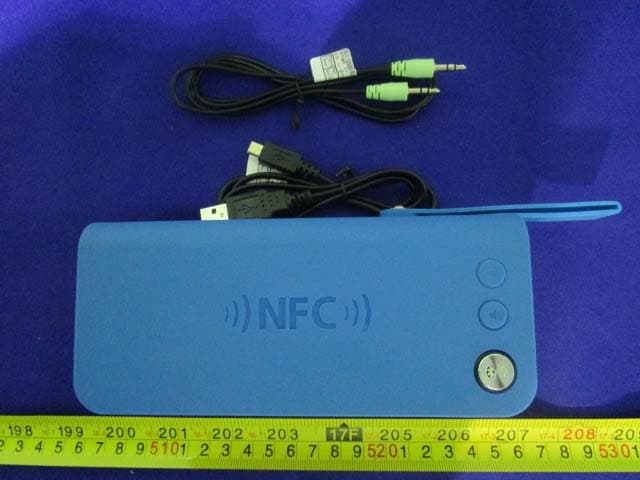
SXS-BT910
Oct 15, 2014Bluetooth Speaker
Equipment Class
DTS - Digital Transmission System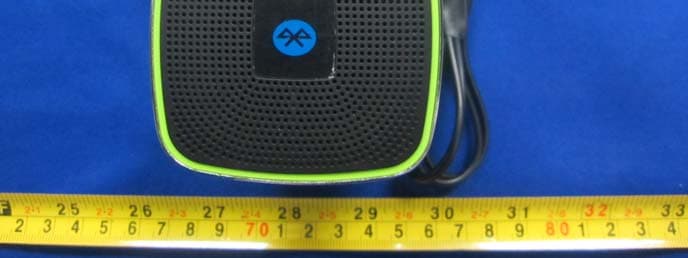
SXS-BT150
Jul 01, 2014Bluetooth speaker
Equipment Class
DSS - Part 15 Spread Spectrum Transmitter