T8I-DELTA-USBRFID Reader
Farpointe Data Inc.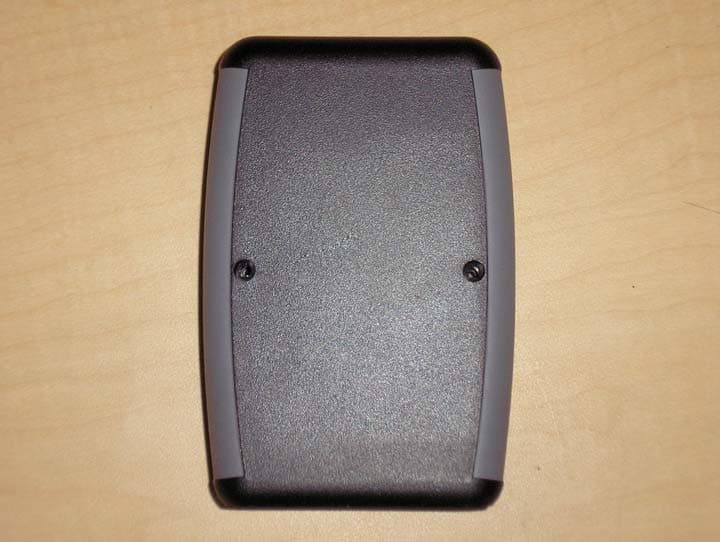
Click to zoom
Application Details
- Equipment Class
- DCD - Part 15 Low Power Transmitter Below 1705 kHz
- Date of Grant
- Mar 16, 2008
- Application Purpose
- Original Equipment
- Date of Application
- Mar 16, 2008
- Equipment Note
- RFID Reader
- Frequency Range
- 0.12500000 - 0.12500000
- Company
- Farpointe Data Inc.
- Country
- United States
Documents & Files
Document Text
Text extracted from the exhibit documents filed with the FCC. Open a document above to read the original.
Users Manual
Kovera TM System Development Kit Demonstration Program User’s Guide e-mail:[email protected] 01606-001 Rev 1.0 web: www.farpointedata.com Description Thank you for choosing the Kovera System Development Kit (SDK). The Kovera SDK has two main program sections, the Demonstration (Demo) program and the Utility program. This document will only refer to the Demo part of the SDK. For more information on the Utility Program, please refer to the online help system. This Kovera SDK contains the following items: Kovera card reader, USB cable, Kovera Software CD-ROM, Quick Start Guide, Sample Tags* Quick Start PC requirements: Windows 2000, WindowsXP, or Vista Step 1: Install the Kovera Software Insert the Kovera Software Installation CD into the computer. If the program does not automatically install, click on KoveraInstall.EXE and follow the online setup windows. Step 2: Connect the Reader to the Computer Connect the reader to the host PC with USB cable as shown. Step 3: Run the Program Click on the desktop shortcut to start the program. Highlight the COM port the reader is connected to, and then select Demo Program. The Utility program is intended for developers to explore the programming commands. *Supported card/tag(s): Kovio K14T1/2,K14B1/2, and K2SB1 Mifare Ultralight, Mifare 1K, Mifare 4K Select the Demo Program USB 2.0 Cable Kovera Reader Host Computer Kovera Demo Program User’s Guide e-mail:[email protected] 2 of 5 web: www.farpointedata.com Program Details When the program is run for the first time, there are a few items that need to be set up. 1. Select the correct serial port. This is chosen under the “Reader Serial” field when the program begins. The number will depend on which serial port your reader is connected to. If the program does not detect a functioning reader on the port selected, an error message will result. If this is the case, a different serial port must be selected. The program will not continue until it finds a reader connected to the selected serial port. 2. To run the Demonstration program, select the Demo Program button. For more information about the Utility Mode, see the extensive Online Help. The next step is to choose the “Tag Type”. The type of tag that will be used must be highlighted for the Demonstration to work properly; otherwise the reader might be unable to recognize a tag when it is presented. The initial “Tag Type” selected is obtained from the reader and matches its current configuration. If the same type of tag is always used, the “Tag Type” should not change and does not need to be reconfigured each time the program is restarted. Click on Demo Program Kovera Reader default address is 0 on power-up Choose correct serial port Kovera Demo Program User’s Guide e-mail:[email protected] 3 of 5 web: www.farpointedata.com 3. There are three different types of Demonstrations available in the demo mode: promotion, loyalty, and ticketing. Select the demonstration type by clicking one of the buttons. Follow the directions given on screen to complete each demonstration. Not all tags support the ticketing demonstration. For those tags, the demonstration button will be grayed out. To close a window, or exit out of a selected Demonstration mode, click on the upper right hand corner, or press the ESC key. • Promotion – this demonstrates how the system can be used for product promotion. A user can present a product with a tag to earn “points” toward a reward. After the user presents the tag in this demonstration, a product website is brought up that includes more information about the company and products that it sells along with updated reward information. The promotion demonstration can be customized with tailored text and directed to specified web pages. Details about how to do this can be accessed through the online help. It can be found under the Demo help system’s page titled “Customizing the Demo Program”. • Loyalty – After a tag is presented, the user gets a message about accumulated “points” and how to redeem them. • Ticketing – The ticketing mode will decrement the tag each time it is used, the number of times that are left will be displayed. If the tag needs to be recharged select the “Recharge next Ultralight tag”, and the next time the tag is presented, it will be recharged with 32 uses. Select the Tag Type that will be used. This sets the reader into the correct mode. Select the desired demonstration type only after the correct tag type is chosen Kovera Demo Program User’s Guide e-mail:[email protected] 4 of 5 web: www.farpointedata.com Troubleshooting The following is a list of error messages or unexpected functionality that may be encountered, and how these issues can be addressed. No response from reader. Make sure the correct tag type is chosen in the main Demo screen (see step 2 under “Program Details” for more information). Demonstration type grayed out. The current tag type selected does not support the functionality that is grayed out. For example, if the tag type doesn’t have decrement capability, the ticketing mode will be grayed out for that tag. Reader beeping. One beep from the reader means an operation was completed successfully. If there are two beeps then the operation was unsuccessful. An unsuccessful reader operation may occur if: -The tag was presented in rapid succession -The incorrect tag is selected under “tag type” Wrong demonstration type selected, need to return to main setup page. In order to return to the main demo page, close the window that is currently running. To do this, click on the upper right hand corner, or press the ESC key. Reader and/or program not responding. Reset the reader by disconnecting from the computer and waiting a short period before reconnecting. Close the program and restart by clicking on the shortcut icon, or selecting it under the program menu. Error message: There does not seem to be a USB Virtual Com Port Installed. You will need to install the USB COM port driver to commu…
Text truncated - open the document above for the full version.
Users Manual
Kovera TM System Development Kit Quick Start Guide 01609-001 Rev 1.0 e-mail:[email protected] web: www.farpointedata.com Description The Kovera System Development Kit (SDK) contains the following items: Kovera Reader Kovera Software CD-ROM USB Cable Sample Tags* *Supported card/tag(s): Kovio K14T1,K14T2, K14B1, K14B2, and K2SB1, Mifare Ultralight, Mifare 1K, Mifare 4K System Requirements PC Software Requirements: Windows 2000, WindowsXP, or Vista Step 1: Install the Kovera Software Insert the Kovera Software Installation CD into the computer. If the program does not automatically install, click on KoveraInstall.EXE and follow the online setup windows Step 2: Connect the Reader to the Computer Connect the reader to the host PC with USB cable as shown. Step 3: Run the Program Click on the desktop shortcut to start the program. Highlight the COM port the reader is connected to, and then select Demo Program. The Utility program is intended for developers to explore the programming commands. More detailed information can be found in the Demonstration Program User’s Guide, installed with the software. Select the Demo Program USB 2.0 Cable Kovera Reader Host Computer ©2008 Farpointe Data, Inc. Kovera name and logo are trademarks of Farpointe Data, Inc Other product and company names herein may be trademarks of their respective companies. The Kovera reader uses the Delta USB hardware. The Delta USB reader is compliant with the following organizations: FCC Compliance Statement: This device complies with part 15 of the FCC rules. Operation is subject to the following two conditions: (1) this device may not cause harmful interference, and (2) this device must accept any interference received, including interference that may cause undesired operation. The user is cautioned that making changes not approved by Farpointe Data may void the user's authority to use this equipment. NOTE: This equipment has been tested and found to comply with the limits for a Class B digital device, pursuant to Part 15 of the FCC Rules. These limits are designed to provide reasonable protection against harmful interference in a residential installation. This equipment generates, uses and can radiate radio frequency energy and, if not installed and used in accordance with the instructions, may cause harmful interference to radio communications. However, there is no guarantee that interference will not occur in a particular installation. If this equipment does cause harmful interference to radio or television reception, which can be determined by turning the equipment off and on, the user is encouraged to try to correct the interference by one or more of the following measures: -- Reorient or relocate the receiving antenna. -- Increase the separation between the equipment and receiver. -- Connect the equipment into an outlet on a circuit different from that to which the receiver is connected. -- Consult the dealer or an experienced radio/TV technician for help.
Cover Letter(s)
tel: 650-726-1263 fax: 650-726-1252 [email protected] Thomas N. Cokenias EMC &Radio Approvals Test & Consulting Services for Commercial, Military, International Compliance P.O. Box 1086 El Granada, CA 94018 email: [email protected] Compliance Certification Services 16 February 2008 47173 Benicia Street Fremont, CA 94538 Attention: Mike Kuo Re: Request for confidentiality per 0.457 of FCC Rules Applicant: Farpointe Data Inc. FCC ID: T8I-DELTA-USB IC: 6504A-DELTA-USB Dear Mike, On behalf of my client Farpointe Data Inc., I request the following documents associated with this application for certification be withheld from public view: Schematics Block diagrams Operational description Circuit board photographs Justification for including circuit board photographs in confidentiality request: In final assembly all circuits are surrounded by opaque potting material, Removing this material to inspect circuits will likely destroy circuits imbedded in the potting material. Farpointe Data Inc. has expended considerable time and funds in developing the referenced product, and disclosure of these documents to competitors would afford them an unfair advantage in developing similar competing products. If you have questions or need further information please don’t hesitate to contact me. Sincerely, T.N. Cokenias Agent for Farpointe Data Inc.
External Photos
tel: 650-726-1263 fax: 650-726-1252 [email protected] EXTERNAL PHOTOGRAPHS FCC ID: T8I-DELTA-USB IC: 6504A-DELTA-USB Model Number: Delta USB
ID Label/Location Info
LABEL AND LABEL PLACEMENT FarPointe Data Systems FCC ID: T8I-DELTA-USB IC: 6504A-DELTA-USB FCC ID: T8I-DELTA-USB IC: 6504A-DELTA-USB This device complies with Part 15 of the FCC Rules. Operation is subject to the following two conditions: (1) This device may not cause harmful interference, and (2) This device must accept any interference received, including interference than may cause undesired operation Model No.: DELTA USB
Internal Photos
tel: 650-726-1263 fax: 650-726-1252 [email protected] INTERNAL PHOTOGRAPHS FCC ID: T8I-DELTA-USB IC: 6504A-DELTA-USB Model Number: Delta USB tel: 650-726-1263 fax: 650-726-1252 [email protected]
Test Report
Farpointe Data FCC ID: T8I-DELTA-USB Report No. 08PR003FCC 5 March 2008 page1 Test Report for Unlicensed Low Power Transmitter FCC Applicable Rule Parts: 15.205, 15.207, 15.209 Applicant: Farpointe Data Inc. 2177 Leghorn Street Mountain View, CA 94043 FCC ID: T8I-DELTA-USB Model No.: Delta USB Description of device: The DELTA USB is part of a proximity card software developer kit using dual frequency, non-contact, identification system based upon the latest techniques in radio frequency identification (RFID). The Delta USB has a receiver circuit, a microprocessor, a 125 kHz pulsed exciter and a 13.56 MHz CW exciter circuit that includes a magnetic coil. The tags and cards that are read by the reader have a highly reliable radio frequency integrated circuit (RFIC), attached to a magnetic coil inside a durable, environmentally secure plastic housing. TEST REQUIREMENTS The referenced device is subject to certification under Part 2 of FCC Rules. The specific emissions limits and test requirements are found in Part 15 of FCC Rules. In addition to the device specific requirements listed in 15.225 (re-printed below), the following Part 15 requirements are universal to all unlicensed transmitters and would also apply: 15.19 Labeling requirements 15.20 Accessories 15.21 Information to user 15.31 Measurement standards 15.33 Frequency range of measurements 15.35 Measurement detector functions and bandwidths 15.109 Radiated Emissions (unintentional radiators) 15.203 Antenna requirement 15.204 External radio frequency power amplifiers and antenna modifications. 15.205 Restricted bands of operation. 15.207 Conducted limits 15.209 Radiated emission limits, general requirements. 15.225 Operation within the band 13.110 – 14.010 MHz Farpointe Data FCC ID: T8I-DELTA-USB Report No. 08PR003FCC 5 March 2008 page2 REVISION INFORMATION AND ATTESTATION OF RESULTS Report No: 08PR003FCC REV No. Description Revised By: Date - Original Issue T. Cokenias 3/5/2008 FCC ID: T8I-DELTA-USB meets all FCC requirements for a device of this type. THOMAS N. COKENIAS 5 March 2008 EMC and Radio Regulatory Consultant Agent for Farpointe Data Inc. Farpointe Data FCC ID: T8I-DELTA-USB Report No. 08PR003FCC 5 March 2008 page3 15.205 Restricted bands of operation. Only spurious emissions are permitted in any of the frequency bands listed below: The field strength of emissions appearing within these frequency bands shall not exceed the limits shown in Section 15.209. MHz MHz MHz GHz 0.090 - 0.110 10.495 - 0.505 2.1735 - 2.1905 4.125 - 4.128 4.17725 - 4.17775 4.20725 - 4.20775 6.215 - 6.218 6.26775 - 6.26825 6.31175 - 6.31225 8.291 - 8.294 8.362 - 8.366 8.37625 - 8.38675 8.41425 - 8.41475 12.29 - 12.293 12.51975 - 12.52025 12.57675 - 12.57725 13.36 - 13.41 16.42 - 16.423 16.69475 - 16.69525 16.80425 - 16.80475 25.5 - 25.67 37.5 - 38.25 73 - 74.6 74.8 - 75.2 108 - 121.94 123 - 138 149.9 - 150.05 156.52475 - 156.52525 156.7 - 156.9 162.0125 - 167.17 167.72 - 173.2 240 - 285 322 - 335.4 399.9 - 410 608 - 614 960 - 1240 1300 - 1427 1435 - 1626.5 1645.5 - 1646.5 1660 - 1710 1718.8 - 1722.2 2200 - 2300 2310 - 2390 2483.5 - 2500 2655 - 2900 3260 - 3267 3332 - 3339 3345.8 - 3358 3600 - 4400 4.5 - 5.15 5.35 - 5.46 7.25 - 7.75 8.025 - 8.5 9.0 - 9.2 9.3 - 9.5 10.6 - 12.7 13.25 - 13.4 14.47 - 14.5 15.35 - 16.2 17.7 - 21.4 22.01 - 23.12 23.6 - 24.0 31.2 - 31.8 36.43 - 36.5 15.209 Radiated emission limits, general requirements. Except as provided elsewhere in this paragraph the emissions from an intentional radiator shall not exceed the field strength levels specified in the following table: Frequency (MHz) Field Strength uV/m Measurement distance, m 0.009 - 0.490 0.490 - 1.705 1.705 - 30.0 30 - 88 88 - 216 216 - 960 Above 960 2400/F(kHz) 24000/F (kHz) 30 100 ** 150 ** 200 ** 500 300 30 30 3 3 3 3 ** Except as provided in paragraph (g), fundamental emissions from intentional radiators operating under this Section shall not be located in the frequency bands 54-72 MHz, 76-88 MHz, 174-216 MHz or 470-806 MHz. Farpointe Data FCC ID: T8I-DELTA-USB Report No. 08PR003FCC 5 March 2008 page4 15.225 Operation within the band 13.110 – 14.010 MHz. (a) The field strength of any emissions within the band 13.553-13.567 MHz shall not exceed 15,848 microvolts/meter (= 84 dBuV/m) at 30 meters. (b) Within the bands 13.410-13.553 MHz and 13.567-13.710 MHz, the field strength of any emissions shall not exceed 334 microvolts/meter (=50.5dBuV/m) at 30 meters. (c) Within the bands 13.110-13.410 MHz and 13.710-14.010 MHz the field strength of any emissions shall not exceed 106 microvolts/meter (=40.5 dBuV/m) at 30 meters. (d) The field strength of any emissions appearing outside of the 13.110-14.010 MHz band shall not exceed the general radiated emission limits in § 15.209. (e) The frequency tolerance of the carrier signal shall be maintained within +/- 0.01% of the operating frequency over a temperature variation of –20 degrees to +50 degrees C at normal supply voltage, and for a variation in the primary supply voltage from 85% to 115% of the rated supply voltage at a temperature of 20 degrees C. For battery operated equipment, the equipment tests shall be performed using a new battery. (f) In the case of radio frequency powered tags designed to operate with a device authorized under this section, the tag may be approved with the device or be considered as a separate device subject to its own authorization. Powered tags approved with a device under a single application shall be labeled with the same identification number as the device. Farpointe Data FCC ID: T8I-DELTA-USB Report No. 08PR003FCC 5 March 2008 page5 Test Set-up Diagram Laptop computer AC/DC Mains RF tag EUT Farpointe Data FCC ID: T8I-DELTA-USB Report No. 08PR003FCC 5 March 2008 page6 TEST EQUIPMENT DescriptionManufacturerModelSerial NumberCal Due Antenna, Loop, 30 MHzEMCO6502C0059310/24/08 RF Filter Section, 2.9 GHzAgilent / HP85420EC00958 06/12/08 Antenna, Bilog, 2 GHzSunol SciencesJB1C01011 10/13/08 Spectrum …
Text truncated - open the document above for the full version.
Test Setup Photos
Farpointe Data FCC ID: T8I-DELTA-USB Report No. 08PR003FCC 5 March 2008 page20 Test Set-Up Photographs Radiated emissions below 30 MHz, 3 separation Farpointe Data FCC ID: T8I-DELTA-USB Report No. 08PR003FCC 5 March 2008 page21 Radiated Emissions, 30 – 1000 MHz, Front View Farpointe Data FCC ID: T8I-DELTA-USB Report No. 08PR003FCC 5 March 2008 page22 AC Line Conducted Emissions Farpointe Data FCC ID: T8I-DELTA-USB Report No. 08PR003FCC 5 March 2008 page23 Frequency Stability Farpointe Data FCC ID: T8I-DELTA-USB Report No. 08PR003FCC 5 March 2008 page24
Contact Information
Applicant
Kirk Bierach(Director of Engineering)
Test Firm
Compliance Certification ServicesBarbara Judge
Technical Specifications
| # | Rule Parts | Frequency Range | Power Output |
|---|---|---|---|
| 1 | 15C | 0.125 MHz - 0.125 MHz | - |
Other Applications from Farpointe Data Inc.
T8I-CONEKT6
Apr 02, 2026BLE and HF Access Control Module
Equipment Class
DXX - Part 15 Low Power Communication Device Transmitter
T8I-CONEKT4
Dec 28, 2020NORTEK MOBILE-READY PROXIMITY READERS
Equipment Class
DTS - Digital Transmission System
T8I-CONEKT5
Dec 28, 2020NORTEK MOBILE-READY CONTACTLESS SMARTCARD READER
Equipment Class
DTS - Digital Transmission System
T8I-CONEKT2
Aug 06, 2020CONEKT MOBILE-READY CONTACTLESS SMARTCARD READER
Equipment Class
DXX - Part 15 Low Power Communication Device Transmitter
T8I-CONEKT3
Jul 28, 2020CONEKT MOBILE-READY PROXIMITY READERS
Equipment Class
DXX - Part 15 Low Power Communication Device Transmitter