T94ZSXB01001Wireless Mouse
Xinbond Technology Co.,Ltd.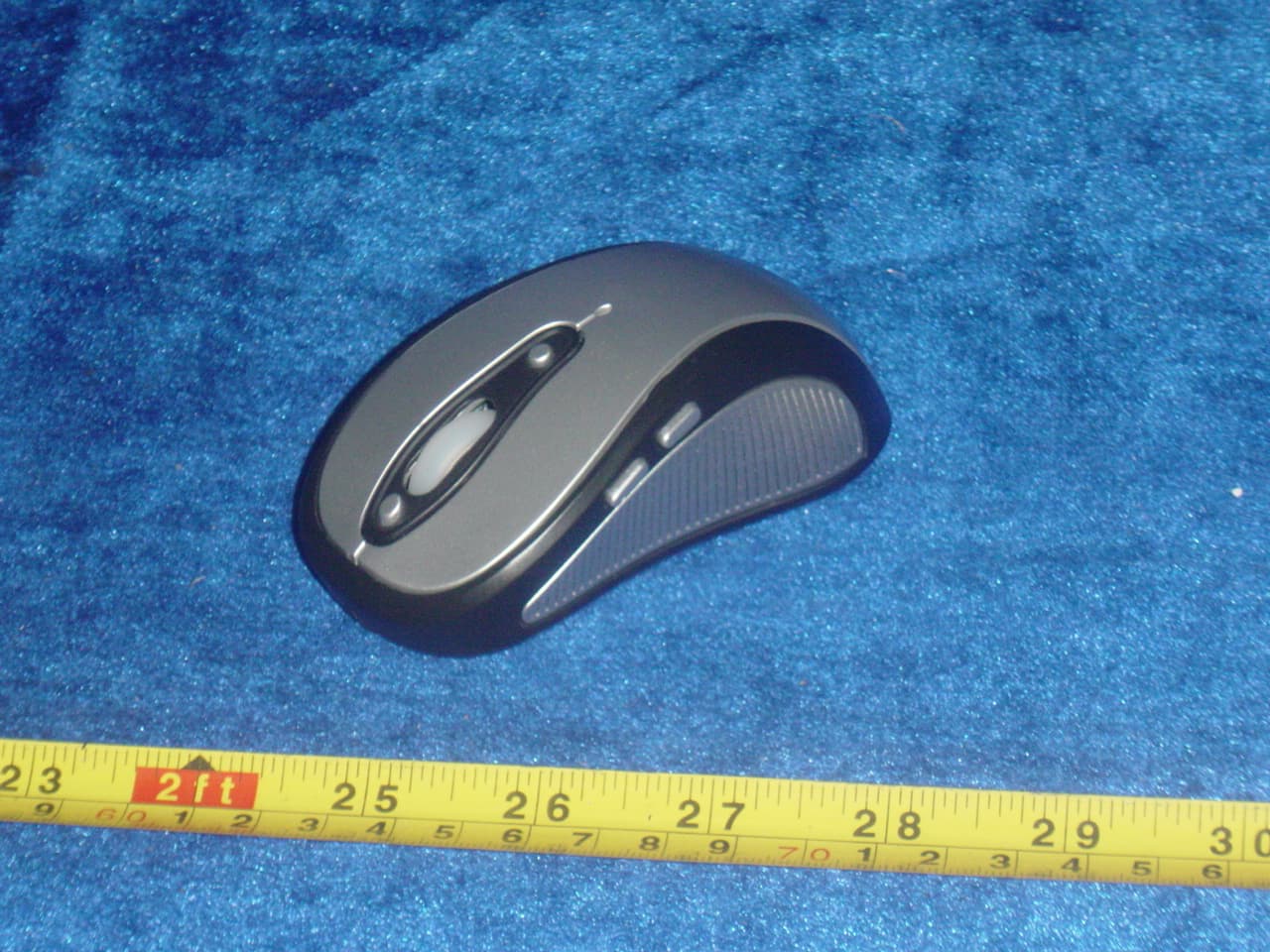
Click to zoom
Application Details
- Equipment Class
- DXX - Part 15 Low Power Communication Device Transmitter
- Date of Grant
- Jun 05, 2006
- Application Purpose
- Original Equipment
- Date of Application
- Jun 05, 2006
- Equipment Note
- Wireless Mouse
- Frequency Range
- 27.04200000 - 27.04200000
- Company
- Xinbond Technology Co.,Ltd.
- Country
- China
Documents & Files
Document Text
Text extracted from the exhibit documents filed with the FCC. Open a document above to read the original.
Users Manual
JD-9188 OFFICE RF Wireless Optical Mouse User Manual Thank you for selecting our JD-9188. This is one of our latest wireless mice, which the working frequency is 27MHz. It has exquisite appearance and comfortable sense of touch. You can free from restraint and enjoy your internet freedom. It facilitates to enhance your working efficiency and enjoy your wonderful life. Feature description 1.Radio frequency 27MHz, enjoy your freely wireless space 2.256 sets of ID code, so the mice will not influence on each other while using at the same time in the same office 3.Use the most advanced IC,800DPI, accurate position, free yourself on internet. 4.Auto-sleeping function, save power, batteries life prlonged System Compatibility 1Computer model : IBM PC/AT Compatible, Power Macintosh 2Operation system : Windows 98se/ME/ 2000/XP 3Interface : USB The Steps of Install battery 1.Two PCS rechargeable AAA Ni-MH batteries: 2 Press the button of mouse bottom, and pull the mouse upper cover rearward (Please see the reference picture); Insert the two rechargeable AAA Ni-MH batteries correctly according to the polarity marks of the battery grooves, otherwise will hurt the mouse. 3.Pull the mouse upper cover forward, when you hear “rack” sound which shows the battery cover is locked successfully. ID Setup 1.Put the mouse near the receiver 2.Press the ID button on the surface of receiver, the "RCV" LED indicator begins to flash continuously. 3. Press the ID button on the buttom of mouse within 5 seconds, a few seconds later it will be on which shows it is successfully to finish the digital transmission between the mouse and the receiver. You may start to use it. 4.Keep1 to 2 seconds for the interval when you have several ID setup of the mouse. 5.Working distance: within 1.5m MOUSE KEY FUNCTION Standard OFFICE KEY Key1Left Button Key2Right Button Key3: Medium Button/Zoom Up&Down Key4: Pre-Page Key5: Next Page Key6: Scroll Up/Zoom In Key7: Scroll Dn/Zoom Out Key8: App Sw Key9: My Computer At first press the ID button Then press the ID button on mouse bottom Key1 Key2 Key3 Key4 Key5 Key6 Key7 Key8 Key9 Attention Please 1.Try not to keep the mouse too far from receiver 2.Don’t insert alkaline batteries and no-rechargeable batteries(batteries are can’t be recharged) in the grooves on the receiver. Otherwise will be a hazard of battery explosion. 3.It can prolong the batteries life if you use the mouse on the white surface 4.Auto-sleeping,and save energy function, it will be auto-sleeping without operation within a long time, press any key if you need to operate. 5.Mouse may not performance very well while on a smooth,glass,black surface&3D mouse pad 6.No need to check the digital connection within 10 seconds, when change the batteries. If more than that please according to the above way to re-operate. 7.Please take the battery out if you will not use the mouse for a long time. Please contact us if your mouse had problem mouse can’t be used on smooth desk, glass, the material which can reflect light, deep dark, and mouse pad designed for 3D mouse Disclaimer We made every effort to ensure that the information and procedure in this guide is accurate and complete, no liability can be accepted for any errors or omissions and reserves the right to make any changes without further notices to any products herein. Note: Changes or modifications not expressly approved by the party responsible for compliance could void the user's authority to operate the equipment.
Block Diagram
JD-9188 Principle Chart PAN3101 PM6227-1 Button&Roller Whell Coder Data Processing Sensor Address Code Generator Voltage Modutate Corcuit FSK Modulator RF Powe r Amplitier 2 AAA Batteries Voltage Data Coder Light- Electric Switch Light Intension Auto Controller L E D MCU Local Oscillator 76.8KHz Security ID Button Mid Button Pre-Page Next Page Scroll Up/Zoom In Scroll Dn/Zoom Out APP SW My Computer RF Local Oscillator 27.042MHz DC-DC Power Left Button Roller Wheel Right Button Antenna 3.6V Power 3.0V Power MCU Local Oscillator 2MHZ
ID Label/Location Info
FCC ID: T94ZSXB01001 This device complies with part 15 of the FCC rules. Operation is subject to the following two conditions (1) this device may not cause harmful interference, and (2) this device must accept any interference received, including interference that may cause undesired operation. Proposed Label Location on EUT FCC ID Label Location
Operational Description
JD-9188 Circuit Description Sensor PAN3101 translates the mouse movement into X and Y coordinates and passes to MCU PM6227-2Sensor PAN3101 Work Clock Frequency is 12MHzLight source is use LED(Light –Emitting Diode) PM6227-2 encode the mouse button data and mouse movement X and Y coordinates data and passes them to RF circuit in itThe RF circuit transmits these data to the ReceiverPM6227-2 use work clock Frequency 76.8KHz and 2.0MHz crystal RF circuit use a 27.042MHz crystal PM6227-2 IC has DC/DC power processor in it Receiver first uses MC3361 to perform RF amplification mixing demodulating then pass the data to PM6155 ICPM6155 decode these data with its decoding unit insideand passes decoded data to inside USB interface unit USB interface unit passes all these data to the computer USB processor The USB processor then processes all incoming instruction The power for the receiver is supplied by PC USB MC3361 use a 26.590MHz crystalPM6155 use a 6.0MHz crystal
Schematics
1234 A B C D 4 321 D C B A Title NumberRevisionSize A4 Date:5-Apr-2006 Sheet of File:D:\XINBOND LAYOUT\WIRELESS MOUSE PCB LAYOUT\JD-9188\JD-90188 DOW PCB.DDBDrawn By: OSC1 1 SPI_SEL 2 VSS 3 OSC2 4 IR_MECH_SEL 5 VDD 6 F7632_SEL 7 RBUT 8 MBUT 9 LBUT 10 RF OUT 11 ORFIN0 12 ORFIN1 13 ORFO 14 TXD 15 PD 16 scan_in(0) 17 scan_in(1) 18 XIR 19 FOSC1 20 FOSC2 21 Z1IN 22 Z2IN 23 SDIO 24 SCLK 25 VSS 26 X2IN 27 scan_out(0) 28 X1IN 29 scan_out(1) 30 Y1IN 31 Y2IN 32 scan_out(2) 33 TXCB 34 BBUT 35 FBUT 36 SVD_IN 37 DCVR 38 VL 39 VL_NM 40 U2 PM6227-D OSCIN 1 OSCOUT 2 SDIO 3 SCK 4 SCK 5 VSS 6 VDD 7 VREF 8 U1 PAN3101DB R1 10MR C1 22pF C2 22pF C3 104 SWR SWM SWL C4 33pF L1 1.8uHL2 0.82uH C9 75pF C10 22pF C11 24pF C12 12pF X1 27.042MHz C17 20pF C18 3pF C19 33pF PD P11 P12 X2 2MHz R24 2.2MR C13 10pF C14 10pF SWZ ENCODER SDIO SCK P15 P16 P17 SW5 SW4 SW_ID SVDIN DCVR D1 RB421 C20104 + C21 220uF L3 100uH J28VJ28G J26VJ26G R5 47KR R6 24KR R3 1.2MR R4 620KR VBT DCVR SVDIN - +VBAT1 C15 104 +C16 470uF VBT X4 12MHz X3 76.8K SDIO SCK + C23 1uF C25 104 +C22 100uF R20 51R LED1 Vin 1 Vout 2 GND 3 U3 DC-DC3.6V D2 RB421 1 23 Q1 2N3906 R21 10KR + C27 100uF C26 104 P D L4 100uH SW6SW9 SW7SW10 SW8SW11 P15 P16 P17 P11P12 VCC VCC R22 220KR PDF 文件使用 "pdfFactory Pro" 试用版本创建 www.fineprint.com.cn
Test Report
ISO/IEC17025 Accredited Lab. Report No: FCC0604024 File reference No: 2006-05-29 Applicant: Xinbond Technology Co., Ltd Product: Wireless Mouse Model No: JD-9188 Brand Name: N/A Test Standards: FCC Part 15 Subpart C, Paragraph 15.227 Test result: It is herewith confirmed and found to comply with the requirements set up by ANSI C63.4&FCC Part 15 Subpart C, Paragraph 15.227 regulations for the evaluation of electromagnetic compatibility Approved By Jack Chung Manager Dated: May, 29,2006 Results appearing herein relate only to the sample tested The technical reports is issued errors and omissions exempt and is subject to withdrawal at SHENZHEN TIMEWAY TECHNOLOGY CONSULTING CO LTD East 5/Block 4, Anhua Industrial Zone, No.8,Tairan Rd. CheGongMiao, FuTian District, Shenzhen, CHINA. Tel (755) 83448688 Fax (755) 83442996 Report No: 0604024 Page 2 of 23 Date: 2006-05-29 TEST REPORT The report refers only to the sample tested and does not apply to the bulk. This report is issued in confidence to the client and it will be strictly treated as such by the Shenzhen Timeway Technology Consulting Co .,Ltd. It may not be reproduced rather in its entirety or in part and it may not be used for adverting. The client to whom the report is issued may, however, show or send it . or a certified copy there of prepared by the Shenzhen Timeway Technology Consulting co .,Ltd to his customer. Supplier or others persons directly concerned. Shenzhen Timeway Technology Consulting co .,Ltd will not, without the consent of the client enter into any discussion of correspondence with any third party concerning the contents of the report. In the event of the improper use of the report. The Shenzhen Timeway Technology Consulting co .,Ltd reserves the rights to withdraw it and to adopt any other remedies which may be appropriate. Special Statement The testing quality ability of our laboratory meet with "Quality Law of People's Republic of China" Clause 19. The testing quality system of our laboratory meet with ISO/IEC-17025 requirements, which is approved by CNAL. This approval result is accepted by MRA of APLAC. Our test facility is recognized, certified, or accredited by the following organizations: CNAL-LAB Code: L2292 The EMC Laboratory has been assessed and in compliance with CNAL/AC01:2002 accreditation criteria for testing Laboratories (identical to ISO/IEC 17025:1999 General Requirements) for the Competence of testing Laboratories. FCC-Registration No.: 899988 The EMC Laboratory has been registered and fully described in a report filed with the (FCC) Federal Communications commission. The acceptance letter from the FCC is maintained in our files. Registration No.: 899988. IC- Registration No.: IC5205 The EMC Laboratory has been registered and fully described in a report filed with the (IC) Industry Canada. The acceptance letter from the IC is maintained in our files. Registration IC No.: 5205. Report No: 0604024 Page 3 of 23 Date: 2006-05-29 TEST REPORT The report refers only to the sample tested and does not apply to the bulk. This report is issued in confidence to the client and it will be strictly treated as such by the Shenzhen Timeway Technology Consulting Co .,Ltd. It may not be reproduced rather in its entirety or in part and it may not be used for adverting. The client to whom the report is issued may, however, show or send it . or a certified copy there of prepared by the Shenzhen Timeway Technology Consulting co .,Ltd to his customer. Supplier or others persons directly concerned. Shenzhen Timeway Technology Consulting co .,Ltd will not, without the consent of the client enter into any discussion of correspondence with any third party concerning the contents of the report. In the event of the improper use of the report. The Shenzhen Timeway Technology Consulting co .,Ltd reserves the rights to withdraw it and to adopt any other remedies which may be appropriate. Test Report Conclusion Content 1.0 General Details ................................................................................................ 4 1.1 Test Lab Details................................................................................................ 4 1.2 Applicant Details.............................................................................................. 4 1.3 Description of EUT .......................................................................................... 4 1.4 Submitted Sample............................................................................................. 4 1.5 Test Duration.................................................................................................... 4 1.6 Test Uncertainty.................................................................................................5 1.7 Test By.......................................................................................................... 5 2.0 List of Measurement Equipment......................................................................... 5 3.0 Technical Details............................................................................................. 7 3.1 Summary of Test Results..................................................................................... 7 3.2 Test Standards.................................................................................................. 7 4.0 EUT Modification............................................................................................. 7 5.0 Power Line Conducted Emission Test...................................................................... 8 5.1 Schematics of the Test........................................................................................ 8 5.2 Test Method and Test Procedure............................................................................ 8 5.3 Configuration of the EUT....................................................................................8 5.4 EUT Operating Condition.................................................…
Text truncated - open the document above for the full version.
Contact Information
Applicant
Binny Zhu(Sales Manager)
Test Firm
Shenzhen Timeway Testing LaboratoriesJack Chung
Technical Specifications
| # | Rule Parts | Frequency Range | Power Output |
|---|---|---|---|
| 1 | 15C | 27.042 MHz - 27.042 MHz | - |
Other Applications from Xinbond Technology Co.,Ltd.
T94BD-8008R
Dec 17, 2007WIRELESS MOUSE RECEIVER
Equipment Class
JBP - Part 15 Class B Computing Device Peripheral
T94BD-8008T
Dec 17, 2007WIRELESS MOUSE
Equipment Class
DXX - Part 15 Low Power Communication Device Transmitter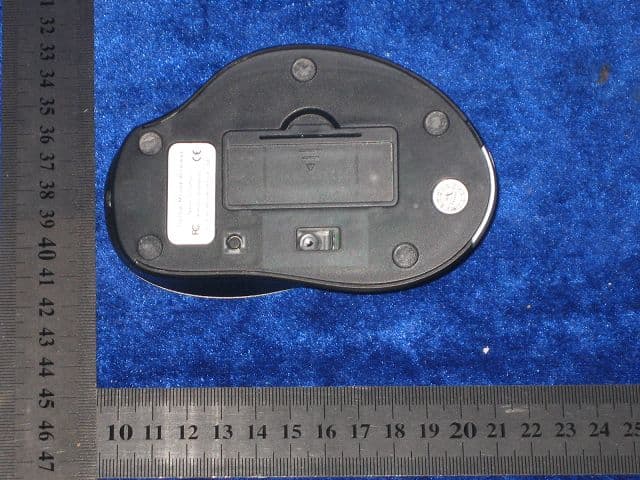
T94XINBOND070910
Sep 18, 2007Wireless Mouse
Equipment Class
DXX - Part 15 Low Power Communication Device Transmitter