TC2-R1006IP-STB
Roku, Inc.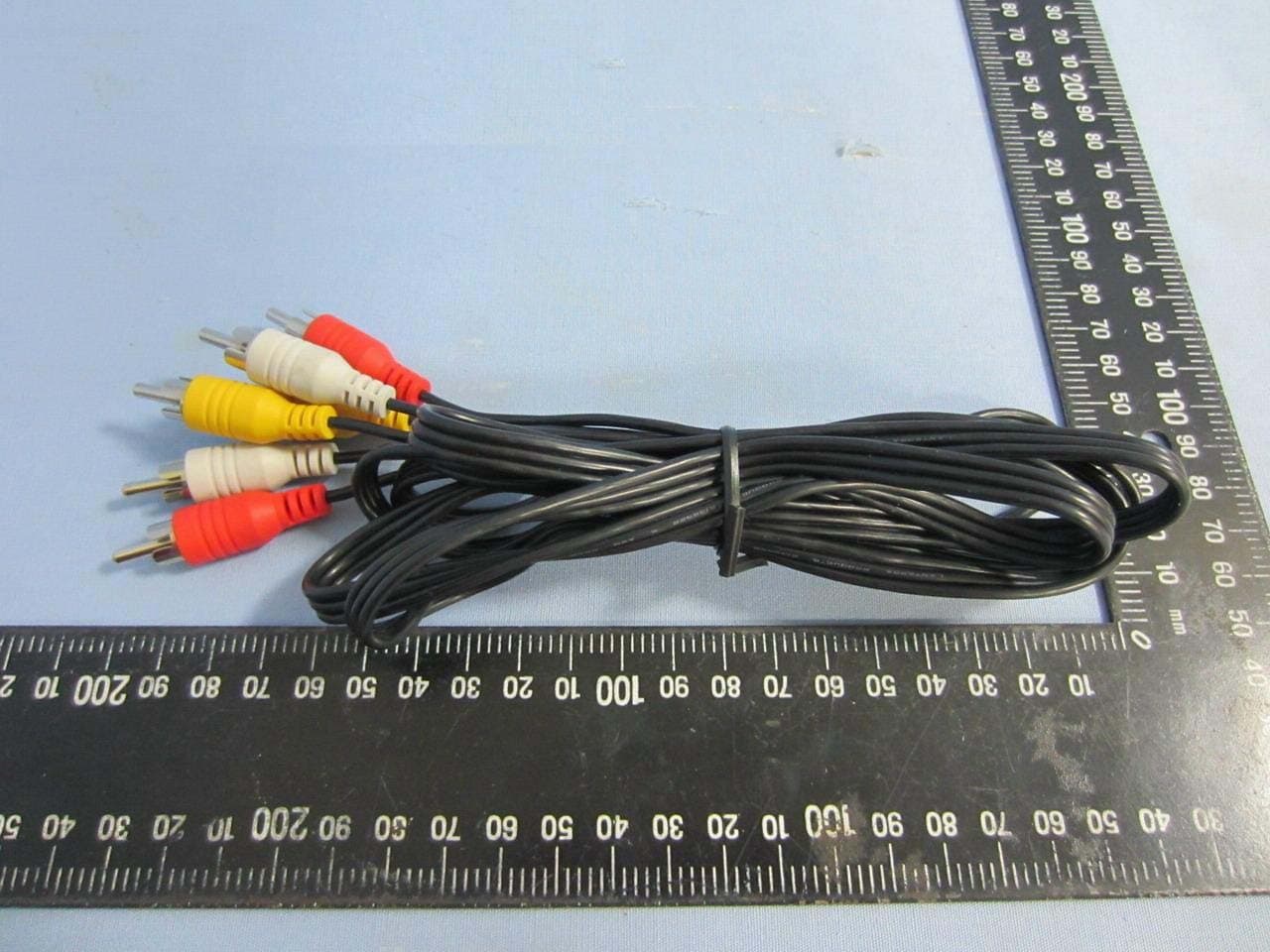
Click to zoom
Application Details
- Equipment Class
- DTS - Digital Transmission System
- Date of Grant
- Sep 17, 2013
- Application Purpose
- Original Equipment
- Date of Application
- Sep 17, 2013
- Equipment Note
- IP-STB
- Frequency Range
- 5745.00000000 - 5825.00000000
- Company
- Roku, Inc.
- Country
- United States
Documents & Files
Document Text
Text extracted from the exhibit documents filed with the FCC. Open a document above to read the original.
Users Manual
Roku Player Important Product Information WHAT’S IN THE BOX Roku playerRemote control 2 x AAA batteries for remote A/V cable RCA Power adapter C D F E GET TO KNOW YOUR ROKU B Front view Back view A E F D A Status light – Flashes slowly when the Roku player starts up. Glows when it’s on. Flashes once with each press of the remote control. IR receiver – Receives signal from the included Roku remote. A/V port – Connects your Roku player to a TV with the included A/V cable. Provides standard definition quality only. HDMI port – Connects your Roku player to an HDTV with an HDMI cable (not included). Power port – Connects your Roku player to a 120V AC power source with the included power adapter. Reset button (located on bottom of Roku)- Resets your Roku player to its original factory settings when pressed and held for 10 seconds (a feature you’ll rarely, if ever, use). C B DID YOU NOTICE? Your Roku player has no on/off switch. It’s simpler that way and draws very little power—less than a nightlight! Keep it plugged in so that it can download the latest software updates automatically. WHAT YOU NEED Roku player TV (HD or standard definition) High-speed Internet connection (DSL or cable modem) Wireless router (any Wi-Fi) A/V cable (included) HDMI cable (sold separately) OR WHAT TO DO STEP 1 Ready for the step-by-step? We’ve only got four... CONNECT YOUR PLAYER Connect your Roku player to your TV in one of two ways: HIGH DEFINITION: If you have an HDTV and want the best picture quality, use an HDMI cable (not included) to make the connection depicted in the diagram below: đŏConnect one end to the HDMI port on the back of your Roku player. đŏConnect the other end to an open HDMI port on your TV. DID YOU KNOW? Because HDMI outputs digital video and audio, you don’t need a separate audio cable. HDMI also supports 5.1 surround sound (where available). GOT A RECEIVER? You can also use HDMI to route video and audio directly through your receiver if it supports HDMI video pass-through. đŏConnect one end to the composite video and analog audio ports on the back of your TV (look for Video IN, then match the Yellow/Red/White ports). đŏConnect the other end to the back of your Roku player. Just match the colors and you’re good to go! WHAT TO DO STEP 1 (CONTINUED) STANDARD DEFINITION: If you have a standard-definition TV, do not have an HDMI cable or do not have a free HDMI port on your TV, use the included A/V cable to make the connection depicted in the diagram below: WHAT TO DO STEP 2 POWER UP KEY COMPONENTS In this step, we’ll make sure all systems are GO! First, power your Roku remote by inserting the included batteries: đŏTurn the remote control over and locate the rectangular battery door on the rear of the unit. đŏTo remove the battery door, press the top of the door while simultaneously sliding it down. đŏInsert the batteries into their slots, making sure to match the positive (+) and negative (-) signs. đŏSlide the battery door back over the compartment until it snaps securely into place. Next, power on your Roku player by connecting it to a wall outlet using the included power adapter, like this: Finally, power on your TV and look for a Roku message to fill the screen. BLANK SCREEN? If your TV does not display a Roku screen, make sure your TV input matches the physical connection used to connect your Roku player. Press the Input button (also called Source) on your TV or TV remote to cycle through the various video inputs available until you see a Roku screen. WHAT TO DO STEP 2 (CONTINUED) WHAT TO DO STEP 3 CONFIGURE YOUR NETWORK Step 3 establishes your network connection and brings out your inner geek. You can do it! WIRELESS: The Roku player will automatically detect wireless networks in your area, so you can grab that Roku remote and jump right into Guided Setup. At wireless set up, have your network name & password ready and do the following: đŏSelect your network from the list of available networks. đŏEnter your network password, if you use one. Remember, network passwords are case sensitive. DOS AND DON’TS ON WHERE TO PLACE YOUR ROKU PLAYER: đŏDO place your player within range of your wireless network. đŏDON’T place your player in an enclosed cabinet; it may interfere with the wireless signal. đŏDON’T place your player beneath anything; it may cause the player to overheat. Eeeeks. WHAT TO DO STEP 4 COMPLETE GUIDED SETUP It’s the final stretch and hooray—it’s a breeze! Continue following the on-screen instructions and you’ll: đŏGet the latest software. đŏSelect the video output resolution. đŏLink the Roku player to your Roku account on your computer. And setup is done...congratulations! Continue using that Roku remote, which you can learn more about on the following pages, to personalize your channel line-up, stream movies or play games. The fun part has just begun, we promise. YOUR ROKU ACCOUNT: During Guided Setup, you’ll be prompted to create your Roku account online at roku.com/link. Your Roku player will generate a unique code that links your player to your new account. Roku accounts are free and secure. And while a valid credit card number is required to create your account, rest assured you will only be charged if you authorize purchases of apps and games from the Roku Channel Store. KNOW YOUR ROKU REMOTE The Roku remote should feel right at home in your hand. We designed it to be incredibly intuitive for watching TV and navigating on-screen menus. KNOW YOUR ROKU REMOTE (CONTINUED) B F H I J K A D E C G TIP: Make sure there are no obstructions between the remote and the IR sensor on the front of the Roku player. A [BACK] Return to previous screen [HOME] Return to Roku home screen [OK] Select an option from a menu [UP] or [DOWN] Move up or down; [LEFT] or [RIGHT] Move left or right [REV SCAN] Rewind, scroll left one page at a time [PLAY/PAUSE] Start or pause playback [FWD SCAN] Fast forward, scroll right one page at a time [OPTIONS] View more options Quick launch button Quick launch butt…
Text truncated - open the document above for the full version.
Cover Letter(s)
Roku, Inc. 12980 Saratoga Avenue Suite #D Saratoga California United States 95070 Date: Sep. ,2013 Subject: Ad Hoc Mode Function Declaration FCC ID: TC2-R1006 To Whom it may concern, This device is able to be operated on both master and client mode. Ad Hoc function is available on client mode and not able to work on non-US frequencies. Please contact the one signed below or the authorized agent for this filing. Thank you. Regards, Signature Name/Title: Greg Garner/ Director of Hardware Engineering Company Name: Roku, Inc. Address: 12980 Saratoga Avenue Suite #D Saratoga California United States 95070 TEL: 1-479-871-1148 FAX: 1-479-446-1735 Email: [email protected] Date:Sep. 12, 2013
Cover Letter(s)
Roku, Inc. Date : 8/8/2013 Confidentiality Request FCC ID: TC2-R1006 Pursuant to Sections 0.457(d)(1)(ii) and 0.459 of the Commission’s Rules, Roku, Inc., hereby requests permanent confidential treatment of information accompanying this application as outlined below: Schematics Block Theory of Operation Roku, Inc. also hereby requests short-term confidential treatment of information accompanying this application as outlined below for a period of 90 days : Internal Photos External Photos User Manual Test Set-up Photographs The above materials contain trade secrets and proprietary information not customarily released to the public. The public disclosure of these matters might be harmful to the Applicant and provide unjustified benefits to its competitors. The Applicant understands that pursuant to Rule 0.457(d)(1)(ii), disclosure of this Application and all accompanying materials will not be made before the date of the Grant for this Application. Yours sincerely, Signature Name/Title: Greg Garner/ Director of Hardware Engineering Company Name: Roku, Inc. Address: 12980 Saratoga Avenue Suite #D Saratoga California United States 95070 TEL: 1-479-871-1148 FAX: 1-479-446-1735 Email: [email protected]
Cover Letter(s)
Roku, Inc. September 3, 2013 Dear Sir, I hereby have entrusted the following person to be a proxy regarding application for Type Certification. Compliance Certification Services Inc. Address: No. 11, Wugong 6 th Rd., Wugu Towership, Taipei County 24891, Taiwan Mr. David Wang Job Title: Section Manager Email: [email protected] I am therefore responsible for the contents of the application. Brand Name : Roku Model Name : 2720X FCC ID: TC2-R1006 Product Name: IP-STB Signature Name/Title: Greg Garner/ Director of Hardware Engineering Company Name: Roku, Inc. Address: 12980 Saratoga Avenue Suite #D Saratoga California United States 95070 TEL: 1-479-871-1148 FAX: 1-479-446-1735 Email: [email protected]
External Photos
Compliance Certification Services Inc. Report No.: T130627W05 Date of Issue: August 13, 2013 A1 - 1 Rev. 00 APPENDIX 1 - PHOTOGRAPHS OF EUT EXTERNAL PHOTOGRAPHS OF EUT Compliance Certification Services Inc. Report No.: T130627W05 Date of Issue: August 13, 2013 A1 - 2 Rev. 00 Compliance Certification Services Inc. Report No.: T130627W05 Date of Issue: August 13, 2013 A1 - 3 Rev. 00 Compliance Certification Services Inc. Report No.: T130627W05 Date of Issue: August 13, 2013 A1 - 4 Rev. 00 Compliance Certification Services Inc. Report No.: T130627W05 Date of Issue: August 13, 2013 A1 - 5 Rev. 00 Compliance Certification Services Inc. Report No.: T130627W05 Date of Issue: August 13, 2013 A1 - 6 Rev. 00 Adaptor 1. Brand: Roku / Model: WA-12M12FU Compliance Certification Services Inc. Report No.: T130627W05 Date of Issue: August 13, 2013 A1 - 7 Rev. 00 Compliance Certification Services Inc. Report No.: T130627W05 Date of Issue: August 13, 2013 A1 - 8 Rev. 00 2. Brand: Roku / Model: FFA-1201000SUD Compliance Certification Services Inc. Report No.: T130627W05 Date of Issue: August 13, 2013 A1 - 9 Rev. 00
Internal Photos
Compliance Certification Services Inc. Report No.: T130627W05 Date of Issue: August 13, 2013 A1 - 10 Rev. 00 INTERNAL PHOTOGRAPHS OF EUT Compliance Certification Services Inc. Report No.: T130627W05 Date of Issue: August 13, 2013 A1 - 11 Rev. 00 Compliance Certification Services Inc. Report No.: T130627W05 Date of Issue: August 13, 2013 A1 - 12 Rev. 00 For test mode only. Compliance Certification Services Inc. Report No.: T130627W05 Date of Issue: August 13, 2013 A1 - 13 Rev. 00 Module Compliance Certification Services Inc. Report No.: T130627W05 Date of Issue: August 13, 2013 A1 - 14 Rev. 00 Antenna Compliance Certification Services Inc. Report No.: T130627W05 Date of Issue: August 13, 2013 A1 - 15 Rev. 00
RF Exposure Info
Compliance Certification Services Inc. Report No.: T130627W05 Date of Issue: August 09, 2013 Page 1 Rev.03 This report shall not be reproduced except in full, without the written approval of Compliance Certification Services. APPENDIX I RADIO FREQUENCY EXPOSURE LIMIT According to §15.247(i), systems operating under the provisions of this section shall be operated in a manner that ensures that the public is not exposed to radio frequency energy levels in excess of the Commission's guidelines. See § 1.1307(b)(1) of this chapter. EUT Specification EUT IP-STB Trade Name Roku Model Number 2720X Frequency band (Operating) 802.11b/g/n HT20: 2.412GHz ~ 2.462GHz 802.11a/HT20: 5.150GHz ~ 5.250GHz 802.11a/HT20: 5.745GHz ~ 5.825GHz Others Device category Portable (<20cm separation) Mobile (>20cm separation) Others Exposure classification Occupational/Controlled exposure (S = 5mW/cm 2 ) General Population/Uncontrolled exposure (S=1mW/cm 2 ) Antenna Specification PIFA Antenna , Antenna 1: MSA-2509-25GC1-A3 Antenna Gain: 2.4GHZ: 3.52 dBi, (numeric gain is 2.25) 5.150GHz ~ 5.250GHz: 3.75 dBi, (numeric gain is 2.37) 5.745GHz ~ 5.825GHz: 4.54 dBi, (numeric gain is 2.84) Antenna 2: MSA-2509-25GC1-A4 Antenna Gain: 2.4GHZ: 1.27 dBi, (numeric gain is 1.34) 5.150GHz ~ 5.250GHz: 4.09 dBi, (numeric gain is 2.56) 5.745GHz ~ 5.825GHz: 3.05 dBi, (numeric gain is 2.02) Max. output power IEEE 802.11b : 14.84 dBm (30.479mW) IEEE 802.11g : 16.18 dBm (41.495mW) IEEE 802.11n HT20 : 18.46 dBm (70.146mW) IEEE 802.11a 5.150GHz ~ 5.250GHz : 14.59 dBm (28.774mW) IEEE 802.11a 5.745GHz ~ 5.825GHz : 15.51 dBm (35.563mW) IEEE 802.11a HT20 5.150GHz ~ 5.250GHz : 14.56 dBm (28.576mW) IEEE 802.11a HT20 5.745GHz ~ 5.825GHz : 17.78 dBm (59.980mW) Evaluation applied MPE Evaluation* SAR Evaluation N/A Remark: The maximum output power is 18.46dBm (70.146mW) at 2437MHz. Compliance Certification Services Inc. Report No.: T130627W05 Date of Issue: August 09, 2013 Page 2 Rev.03 This report shall not be reproduced except in full, without the written approval of Compliance Certification Services. TEST RESULTS No non-compliance noted. Calculation Given d GP E 30 & 377 2 E S Where E = Field strength in Volts / meter P = Power in Watts G = Numeric antenna gain d = Distance in meters S = Power density in milliwatts / square centimeter Combining equations and re-arranging the terms to express the distance as a function of the remaining variables yields: 2 377 30 d GP S Changing to units of mW and cm, using: P (mW) = P (W) / 1000 and d (cm) = d(m) / 100 Yields 22 0796.0 100/377 1000/30 d GP d GP S Equation 1 Where d = Distance in cm P = Power in mW G = Numeric antenna gain S = Power density in mW / cm 2 Compliance Certification Services Inc. Report No.: T130627W05 Date of Issue: August 09, 2013 Page 3 Rev.03 This report shall not be reproduced except in full, without the written approval of Compliance Certification Services. Maximum Permissible Exposure Substituting the MPE safe distance using d = 20 cm into Equation 1: GPS000199.0 Where P = Power in mW G = Numeric antenna gain S = Power density in mW / cm 2 IEEE 802.11b mode: Ch.Frq.(MHz)P (mW)Gain (num.)D (cm) Power density in mW / cm 2 Limit (mW/cm 2 ) 11246230.4792.25200.01361 IEEE 802.11g mode: Ch.Frq.(MHz)P (mW)Gain (num.)D (cm) Power density in mW / cm 2 Limit (mW/cm 2 ) 6243741.4952.25200.01861 IEEE 802.11n HT20 mode: Ch.Frq.(MHz)P (mW)Gain (num.)D (cm) Power density in mW / cm 2 Limit (mW/cm 2 ) 6243770.1462.25200.03141 IEEE 802.11a mode: Ch.Frq.(MHz)P (mW)Gain (num.)D (cm) Power density in mW / cm 2 Limit (mW/cm 2 ) 48524028.7742.56200.01471 Ch.Frq.(MHz)P (mW)Gain (num.)D (cm) Power density in mW / cm 2 Limit (mW/cm 2 ) 165582535.5632.84200.02011 IEEE 802.11a HT20 mode: Ch.Frq.(MHz)P (mW)Gain (num.)D (cm) Power density in mW / cm 2 Limit (mW/cm 2 ) 48524028.5762.56200.01461 Ch.Frq.(MHz)P (mW)Gain (num.)D (cm) Power density in mW / cm 2 Limit (mW/cm 2 ) 165582559.9802.84200.03391
Test Report
Compliance Certification Services Inc. FCC ID: TC2-R1006 IC: 5959A-R1006 Report No.: T130627W05 Note: This report shall not be reproduced except in full, without the written approval of Compliance Certification Services Inc. This document may be altered or revised by Compliance Certification Services Inc. personnel only, and shall be noted in the revision section of the document. Page 1 / 161 Rev. 00 FCC 47 CFR PART 15 SUBPART C & INDUSTRY CANADA RSS-210 TEST REPORT For IP-STB Model: 2720X Trade Name: Roku Issued to Roku, Inc. 12980 Saratoga Avenue Suite #D Saratoga California United States 95070 Issued by Compliance Certification Services Inc. No.11, Wugong 6th Rd., Wugu Dist., New Taipei City 24891, Taiwan. (R.O.C.) http://www.ccsrf.com [email protected] Issued Date: August 08, 2013 Compliance Certification Services Inc. FCC ID: TC2-R1006 IC: 5959A-R1006 Report No.: T130627W05 Page 2 Rev. 00 Revision History Rev. Issue Date Revisions Effect Page Revised By 00 August 08, 2013 Initial Issue ALL Rachel Wu Compliance Certification Services Inc. FCC ID: TC2-R1006 IC: 5959A-R1006 Report No.: T130627W05 Page 3 Rev. 00 TABLE OF CONTENTS 1. TEST RESULT CERTIFICATION ............................................................................................. 4 2. EUT DESCRIPTION .................................................................................................................... 5 3. TEST METHODOLOGY ............................................................................................................. 6 3.1 EUT CONFIGURATION ............................................................................................................ 6 3.2 EUT EXERCISE ........................................................................................................................ 6 3.3 GENERAL TEST PROCEDURES ................................................................................................. 6 3.4 FCC PART 15.205 RESTRICTED BANDS OF OPERATIONS ............................................. 7 3.5 DESCRIPTION OF TEST MODES ............................................................................................... 8 4. INSTRUMENT CALIBRATION ................................................................................................. 9 4.1 MEASURING INSTRUMENT CALIBRATION ............................................................................. 9 4.2 MEASUREMENT EQUIPMENT USED ............................................................................. 9 4.3 MEASUREMENT UNCERTAINTY ................................................................................. 10 5 FACILITIES AND ACCREDITATIONS ................................................................................. 11 5.1 FACILITIES ........................................................................................................................... 11 5.2 LABORATORY ACCREDITATIONS AND LISTING .................................................................... 11 5.3 TABLE OF ACCREDITATIONS AND LISTINGS ......................................................................... 12 6 SETUP OF EQUIPMENT UNDER TEST ................................................................................ 13 6.1 SETUP CONFIGURATION OF EUT ................................................................................. 13 6.2 SUPPORT EQUIPMENT ................................................................................................... 13 7 APPLICABLE RULES ............................................................................................................... 14 8 RSS 210 REQUIREMENTS ....................................................................................................... 23 8.1 99%BANDWIDTH ............................................................................................................. 23 8.2 6DB BANDWIDTH ................................................................................................................. 37 8.3 PEAK POWER ........................................................................................................................ 61 8.4 AVERAGE POWER ................................................................................................................ 64 8.5 BAND EDGES MEASUREMENT .................................................................................... 67 8.6 PEAK POWER SPECTRAL DENSITY ........................................................................................ 90 8.7 SPURIOUS EMISSIONS ................................................................................................... 114 8.8 POWERLINE CONDUCTED EMISSIONS ................................................................................. 156 APPENDIX I PHOTOGRAPHS OF TEST SETUP ..................................................................... 159 APPENDIX 1 - PHOTOGRAPHS OF EUT Compliance Certification Services Inc. FCC ID: TC2-R1006 IC: 5959A-R1006 Report No.: T130627W05 Page 4 Rev. 00 1. TEST RESULT CERTIFICATION Applicant: Roku, Inc. 12980 Saratoga Avenue Suite #D Saratoga California United States 95070 Manufacturer: DONG GUAN G-COM COMPUTER CO., LTD 1st Row, Yin Shan Road, Yin Hwu Industrial Area, Qingxi Town, DongGuan City, GuangDong, China Equipment Under Test: IP-STB Tr a d e N a m e : Roku Model: 2720X Date of Test: July 29~August 03, 2013 APPLICABLE STANDARDS STANDARD TEST RESULT FCC 47 CFR Part 15 Subpart C & Industry Canada RSS-210 Issue 8 December, 2010 No non-compliance noted We hereby certify that: Compliance Certification Services Inc. tested the above equipment in accordance with the requirements set forth in the above standards. The test results show that the equipment tested is capable of demonstrating compliance with the requirements as documented in this report. The test results of this report relate only to the tested sample identified in this report. Approved by Reviewed by Miller Lee Gina Lo Section Manager Section M…
Text truncated - open the document above for the full version.
Test Setup Photos
Compliance Certification Services Inc. FCC ID: TC2-R1006 IC: 5959A-R1006 Report No.: T130627W05 Page 164 Rev. 00 APPENDIX I PHOTOGRAPHS OF TEST SETUP Conducted Emission Setup Photo Compliance Certification Services Inc. FCC ID: TC2-R1006 IC: 5959A-R1006 Report No.: T130627W05 Page 165 Rev. 00 Radiated Emission Setup Photos Compliance Certification Services Inc. FCC ID: TC2-R1006 IC: 5959A-R1006 Report No.: T130627W05 Page 166 Rev. 00 Powerline Conducted Emissions Setup Photos
Contact Information
Applicant
Robert Curtis(VP Engineering)
Test Firm
Compliance Certification Services Inc.Hank Lee
Technical Specifications
| # | Rule Parts | Frequency Range | Power Output |
|---|---|---|---|
| 2 | 15C | 5.75 GHz - 5.83 GHz | 306.90 mW |
Other Applications from Roku, Inc.
TC2-R1053
Aug 03, 2026Enhanced Voice Remote
Equipment Class
DTS - Digital Transmission SystemTC2-R1050
Sep 23, 2024Streaming Player
Equipment Class
DSS - Part 15 Spread Spectrum Transmitter
TC2-R1043
Nov 19, 2023Streaming Player with Built-in Speaker
Equipment Class
DTS - Digital Transmission System
TC2-R1040
Apr 12, 2021Set-top-box
Equipment Class
NII - Unlicensed National Information Infrastructure TX
TC2-R1039
Nov 22, 2020Remote Control
Equipment Class
NII - Unlicensed National Information Infrastructure TX