THX-CPID01Fingerprint Sensor
Privaris Inc.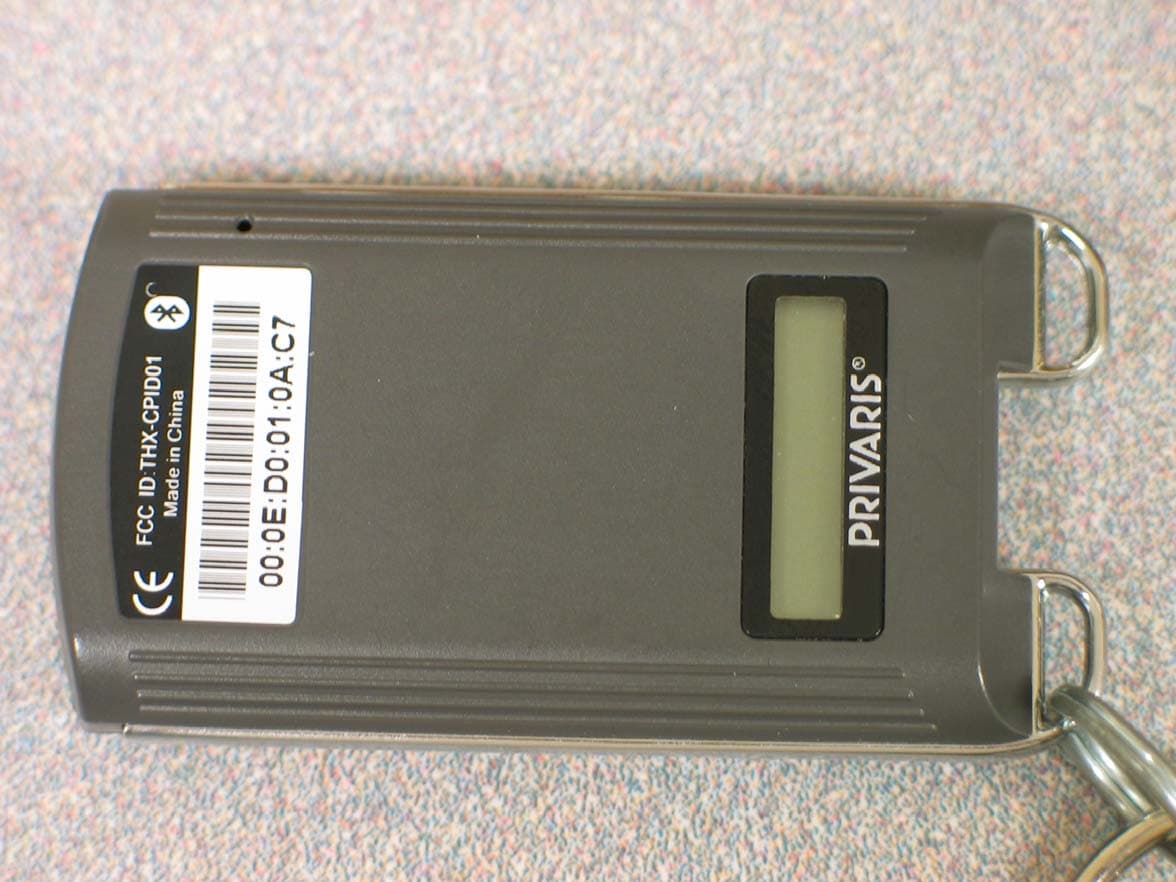
Click to zoom
Application Details
- Equipment Class
- DTS - Digital Transmission System
- Date of Grant
- Jul 31, 2007
- Application Purpose
- Original Equipment
- Date of Application
- Jul 31, 2007
- Equipment Note
- Fingerprint Sensor
- Frequency Range
- 2405.00000000 - 2480.00000000
- Company
- Privaris Inc.
- Country
- United States
Documents & Files
Document Text
Text extracted from the exhibit documents filed with the FCC. Open a document above to read the original.
Users Manual
plusID Manager Operators Manual for use with plusID 60 devices Version 1.0 July 2007 Privaris plusID Manager Operators Manual V1.0 Page 1 of 54 07.20.07 Table of Contents Section I: GETTING STARTED ................................................................................................... 3 Introduction ................................................................................................................................ 3 What is a plusID Device? .......................................................................................................... 3 What is Enrollment? .................................................................................................................. 3 System Components ................................................................................................................. 3 How It Works ............................................................................................................................. 3 Securing plusID Devices ........................................................................................................... 4 The Administrator PIN & Device Registration ..................................................................................... 4 Single Administrative Authority ........................................................................................................... 4 plusID Manager Installation ....................................................................................................... 5 Connecting a plusID Device ...................................................................................................... 6 Starting the Application ............................................................................................................. 7 Section II: PLUSID MANAGER MENU OPTIONS ....................................................................... 8 Application Settings ................................................................................................................... 8 Default Device Settings ............................................................................................................. 9 Timout Settings ................................................................................................................................. 10 Security Settings ............................................................................................................................... 10 User Logon Settings.......................................................................................................................... 10 Reports .................................................................................................................................... 11 Section III: DEVICES MENU OPTIONS .................................................................................... 13 plusID Device Registration ...................................................................................................... 14 Overview ........................................................................................................................................... 14 Device Registration ................................................................................................................. 15 Use of the Administrator PIN with Previously Registered Devices .......................................... 15 Incorrect PIN Entry ............................................................................................................................ 16 Issuing More than One Device per User ........................................................................................... 16 Device Status .......................................................................................................................... 17 Enrollment ............................................................................................................................... 18 Enrollment Administrator Guidelines ................................................................................................. 18 Device User Guidelines .................................................................................................................... 19 How to Swipe: Fingerprint Instructions ............................................................................................ 20 Enrollment Set-Up ............................................................................................................................. 21 Enroll the First Thumb ....................................................................................................................... 21 Enroll the Second Thumb ................................................................................................................. 23 Completing Device Issuance ............................................................................................................ 23 Verification ........................................................................................................................................ 24 Failed Enrollment .............................................................................................................................. 24 Erasing a Finger/Enrollment ............................................................................................................. 25 Fingerprint Augmentation .................................................................................................................. 25 User Info .................................................................................................................................. 25 Privaris plusID Manager Operators Manual V1.0 Page 2 of 54 07.20.07 Credentials: Using the plusID for Door Access ...................................................................... 26 Overview ............................................................................................…
Text truncated - open the document above for the full version.
Block Diagram
Secure CPU (BCM5890KFBG) 802.15.4 Radio (CC2420) Finger Print Sensor (AES2510) 32.768KHz Oscillator 12.000KHz Oscillator Power Management Unit (BCM59001) 32.768KHz Oscillator 16.000MHz Oscillator Privaris, Inc. 650 Peter Jefferson Parkway Suite 330 Charlottesville, VA 22911 May 18, 2007 Antenna
External Photos
90 External Photo (top) May 18, 2007 Mini-USB Port 90 External Photo (bottom) May 18, 2007
ID Label/Location Info
FCC ID:THX-CPID01 Made in China FCC ID:THX-CPID01 Made in China SN/AUB-02-010239 REVISIONS REVDESCRIPTIONDATEECOAPPROVED GENERAL SURFACE PROFILE TOLERANCE: ALL DIMENSIONS ARE IN METRIC UNITS, MM GENERAL LINEAR TOLERANCES FOR NON-MATING SURFACES THIRD ANGLE PROJECTION ANGLE: ±0.5° DECIMALS: SEE TABLE DO NOT SCALE DRAWING PRIVARIS APPROVALSDATE B Rogers3/12/07 B 204213 2 SCALE: AS NOTED SHEET 1 OF 1 0.05 CONFIDENTIAL NO. REV. A B A B 1 2 1 2 TITLE DRAWN CHECKED APPROVED TOLERANCE ±0.13 ±0.25 ±0.5 ±0.5 ±0.5 LINEAR DIMENSION 0.00 - 40.00 40.01 - 75.00 75.01 - 150.00 150.01 - 300.00 300.01 - MATERIAL: FINISH: TOLERANCES: THE CONTENTS OF THIS DOCUMENT ARE PROPRIETARY TO PRIVARIS. AND ARE NOT TO BE DISCLOSED TO OTHERS OR USED FOR PURPOSES OTHER THAN INTENDED WITHOUT PRIOR WRITTEN APPROVAL OF PRIVARIS. 1 PRELIMINARY 03/12/07 2 REMOVED BLUETOOTH SYMBOL04/05/07 ARTWORK, LABEL, plusID60 12.1 (7.4) 22.6 R51.7 4X R0.8 PRINTABLE AREA 22.8 x 7.6 WHT BACKGROUND SCALE:1/1 SCALE:5/1 TEXT SHOWN FOR REFERENCE ONLY 90 External Photo (bottom) May 18, 2007
Internal Photos
90 Internal Photo (top) May 18, 2007 90 Internal Photo (bottom) May 18, 2007 90 Internal Stack-Up May 18, 2007
Operational Description
Operational Description Pirvaris, Inc. The plusID 60 and 90, Equipment Under Test (EUT), is a personal handheld biometric security device. A fingerprint sensor is used to capture the user’s finger print which is stored in encrypted, on-board memory for later use. Once programmed, the fingerprint sensor is used to take an image which is checked for a match with the stored image in memory. On a successful match, an RF connection is established with a host machine and credentials are sent. The RF transmissions are IEEE 802.15.4 compliant, using a DSSS transceiver with O-QPSK modulation. In the RF test mode, packets of 706 microseconds are sent every 100 milliseconds. During normal operation, the device may at times send packets almost continuously. The plusID 60 and 90 Security Device has three functions: enrollment, verification, and transmission. Enrollment Enrollment is the device activation and issuance process and generally occurs only once. It is what assigns or “marries” the device to its user. During enrollment, numeric representations of the unique features of a fingerprint (i.e. the ridges, valleys and whorls) are encoded and securely stored on the device. The actual fingerprint is not stored on the device. The fingerprint features are encoded and securely stored so that the device will function only for its authorized user. Also during enrollment, the user’s credentials (e.g. a facility entrance code, a password, or personal identity document) are encrypted and transferred to the plusID 60 and 90 via a USB connection. Verification After the initial enrollment process, each time a finger is swiped over the finger print sensor on the plusID 60 and 90, the device will attempt to match that print’s features to an originally enrolled fingerprint. This is the verification, or matching, process. A match is indicated by a green light and means that the user has been verified as the authorized owner of the device. If a user attempts to verify a non-enrolled finger, a match will not be found and access to the specified resource will not be granted. Failed verification attempts are indicated by a red light. Transmission Upon verification, which is the matching of a live finger to the template of an enrolled finger, the plusID 60 and 90 wirelessly transmits the user’s credentials that were stored during enrollment (e.g. a facility entrance code, a password, or personal identity documents). The transmission is verification of the user’s identity. The credentials are transferred typically as an encrypted data stream, depending on the application. Only the authorized user’s finger can trigger the release of their credentials, and only the user’s credentials are transferred - the stored fingerprint is never transferred and never released from the device. The plusID 60 and 90 Security Device can store and transmit any number of user credentials including digital certificates. It supports both 802.15.4 and passive RFID wireless communication protocols for data transmission.
Parts List/Tune Up Info
Privaris Inc. plusID 90 Active Device List 18-May-07 Designator Qty Description/Function Manufacturer Part Numbe r U1 1 EntrePad Fingerprint Swipe Sensor AuthenTec, Inc. AES2510-I-HF-CA-NI0A U2 1 BCM5890KFBG Secure Application Processor Broadcom Corporation BCM5890KFBG U4, U7 2 TinyLogic ULP-A 2-input AND gate Fairchild Semiconductor NC7SV08L6X U5 1 Stacked multi-chip memory, 32Mb 3.0V flash, 8Mb pSRAM Spansion S71GL032A80BFW0K0 U6 1 BCM59001 advanced cellular phone power and battery management unit Broadcom Corporation BCM59001KML U8 1 BH6040FVM switched capacitor voltage converter ROHM Electronics BH6040FVM U9 1 SR05 low capacitance TVS diode array Semtech Corporation SR05.TCT U10 1 S-817 series 2.8V super-small package CMOS voltage regulator Seiko Instruments Inc. S-817A28APF-CURTFG U11 1 NC7SV05L6X TinyLogic ULP-A inverter (open drain output) Fairchild Semiconductor NC7SV05L6X U12 1 CC2420 single chip RF (802.15.4) transciever, QLP48 package, RoHS compliant Chipcon AS CC2420-RTR1 U13 1 NC7NZ34L8X TinyLogic UHS Triple Buffer in PB-Free 8-Lead MicroPak Fairchild Semiconductor NC7NZ34L8X Y1 1 16.000 MHz, 18pF, 50 Ohm ESR max, ultra miniature ceramic surface mount crystal Abracon Corporation ABM3-16.00MHz-B-2-X-T Y2 1 12.000000MHz ±30ppm, ±50ppm from -10°C to 60°C, 18.0pF, 70 ESR, Tape and Reel Quartz Crystal Citizen Systems America Corpora tion CS10-12.000000-MABJUT Y3, Y4 2 32.7680KHz ±20ppm, 12.5pF, 65K Ohm Max ESR, -40C to +85C SMT Crystal Epson Electronics America, Inc. MC-146 32.7680KA-A3:R OHS
RF Exposure Info
RF Exposure Statement 1. Standard Applicable According to 1.1307 (b)(1), systems operating under the provisions of this section shall be operated in a manner that ensure that the public is not exposed to radio frequency energy level in excess of the Commission’s guideline. This is a portable device. 2. Measurement Result: This is a portable device and the max peak output power is -36.02 dBm (.00025 W). Lower than the low threshold 60/f GHz = (24.19 mW), d<2.5 cm general population category. The SAR/MPE measurement is not necessary.
Schematics
1 1 2 2 3 3 4 4 5 5 6 6 DD CC BB AA ScaleSheet SizeFCSM No.DWG No.Rev C J. Tillack ([email protected]) 15 5/4/2007 009278-000-05-0020 9 Privaris, Inc. 675 Peter Jefferson Parkway, Suite 150 Charlottesville, VA 22911 Phone (434) 293-4033 Fax (434) 293-8212 OWL (BCM5890 BASED BPID WITH CC2420) J. Tillack ([email protected]) 9:34:38 AM5/18/2007 C:\PRIVARIS_HARDWARE\HARDWARE_PROJECTS\RELEASE\OWL\009\DESIGN\OWL_ZIGBEE_SCHEMATIC.SchDoc OWL_ZIGBEE_SCHEMATIC.SchDoc Modified: Printed: NA J. Tillack ([email protected])Approved By: Checked By: Design Engineer: of This document contains proprietary and confidential information of Privaris, Inc. The distribution of this document is limited to only those authorized by Privaris, Inc. By accepting this document for review, the recipient agrees to hold confidential all information, data, and drawings included in this document, and not to disclose them to any third parties without the prior written consent of Privaris, Inc. WARNING! CC2420_FIFO CC2420_RECEIVE_CLOCK CC2420_FIFOP CC2420_RECEIVE_DATA CC2420_TRANSMIT_DATA CC2420_RESET_N CC2420_CCA CC2420_SFD 1P8V_ZIG1P8V_ZIG1P8V_ZIG1P8V_ZIG1P8V_ZIGVA21P8V_ZIG1P8V_ZIG1P8V_ZIG VA21P8V_ZIG CC2420_CS_N CC2420_REGULATOR_ON 1 2 61-0161 ±10%10μF C100 C_10V_X5R_0805 1 2 61-0163 ±10%2.2μF C99 C_10V_X5R_0603 1 2 60-0216 1.0±5% R51 R_0402 1 2 61-0127 ±5%30pF C97 C_0402_50V 1 2 61-0127 ±5%30pF C98 C_0402_50V 60-0069 43.0K±1% R67 R_0402 12 69-0009 ±20 ppm16.0000 MHz Y1 ABM3 12 NC 67-0008 A1 2450AT43A100 1 2 61-0081 ±10%0.1μF C84 C_10V_X5R_0402 1 2 61-0081 ±10%0.1μF C85 C_10V_X5R_0402 1 2 61-0081 ±10%0.1μF C87 C_10V_X5R_0402 1 2 61-0081 ±10%0.1μF C88 C_10V_X5R_0402 1 2 61-0109 ±5%68pF C86 C_50V_0402 1 2 61-0109 ±5%68pF C90 C_50V_0402 1 2 61-0109 ±5%68pF C91 C_50V_0402 1 2 61-0109 ±5%68pF C92 C_50V_0402 1 2 61-0176 ±10%0.01μF C89 C_25V_X7R_0402 DVDD_3P3 25 AVDD_ADC_17 17 AVDD_ADC_18 18 DGUARD 20 DVDD_1P8 26 DVDD_RAM 35 NC 11 NC 12 NC 13 NC 16 NC 36 NC 40 FIFO 30 FIFOP 29 CCA 28 SFD 27 CS_NOT 31 SCLK 32 SI 33 SO 34 RESET_NOT 21 VREG_EN 41 ATEST2 46 ATEST1 47 VCO_GUARD 1 AVDD_VCO 2 AVDD_PRE 3 AVDD_RF1 4 AVDD_SW 10 AVDD_RF2 14 AVDD_IF2 15 AVDD_XOSC16 37 AVDD_IF1 44 AVDD_CHP 48 GND 5 RF_P 6 TXRX_SWITCH 7 RF_N 8 GND 9 DGND_GUARD 19 DGND 22 DSUB_PADS 23 DSUB_CORE 24 XOSC16_Q1 39 XOSC16_Q2 38 R_BIAS 45 VREG_OUT 42 VREG_IN 43 AGND_PAD 49 64-0038 U12 CC2420 1 5 3 2 4 NC 6 74-0002 T1 2450BL15B100 GND RF1 RF2 RF3 RF4 RF5 RF6 12 62-0019 ±2%3.3nH L5 L_0402_WIRE 12 62-0019 ±2%3.3nH L6 L_0402_WIRE 1 2 61-0078 ±0.5pF10pF C105 C_50V_C0G_0402 Place L5 and L6 as close as possible to U12. L5 should be placed at a 45 degree angle from U12, making a 90 degree angle with L6. L6 should be placed at a 45 degree angle from U12, making a 90 degree angle with L5. Nets RF1, RF3, RF4, RF5 should be as wide as possible for low inductance (nicking down to pads allowed) Net RF2 can be a standard trace - not thick or controlled impedance Route RF1, RF2 and RF3 as short as possible C105 pin 1 should be placed as close as possible to T1 pin 2. The trace between C105 pin 1 and T1 pin 2 should be thick to decrease impedance. C105 pin 2 should be connected to the ground plane with several vias. Net RF6 should be as short as possible. Net RF6 should be a thick trace to reduce impedance Route from T1 pin 1 to GND plane should be short with multiple vias Net RF7 should be as short as possible Net RF7 should be a thick trace to reduce impedance Do not create a stub on RF7 to connect L7. Pin 1 of L7 should sit directly on the trace between C106 and A1. GND 12 61-0182 ±0.1pF1.5pF C106 C_0402_S_50V 1 2 62-0020 ±2%3.9nH L7 L_0402_WIRE GND RF7 Assembly Variant:Variant name is not interpreted until output P0A101 P0A102 P0C8401 P0C8402 P0C8501 P0C8502 P0C8601 P0C8602 P0C8701 P0C8702 P0C8801 P0C8802 P0C8901 P0C8902 P0C9001 P0C9002 P0C9101 P0C9102 P0C9201 P0C9202 P0C9701 P0C9702 P0C9801 P0C9802 P0C9901 P0C9902 P0C10001 P0C10002 P0C10501 P0C10502 P0C10601 P0C10602 P0L501 P0L502 P0L601 P0L602 P0L701 P0L702 P0R5101 P0R5102 P0R6701 P0R6702 P0T101 P0T102 P0T103 P0T104 P0T105 P0T106 P0U1201 P0U1202 P0U1203 P0U1204 P0U1205 P0U1206 P0U1207 P0U1208 P0U1209 P0U12010 P0U12011 P0U12012 P0U12013 P0U12014 P0U12015 P0U12016 P0U12017 P0U12018 P0U12019 P0U12020 P0U12021 P0U12022 P0U12023 P0U12024 P0U12025 P0U12026 P0U12027 P0U12028 P0U12029 P0U12030 P0U12031 P0U12032 P0U12033 P0U12034 P0U12035 P0U12036 P0U12037 P0U12038 P0U12039 P0U12040 P0U12041 P0U12042 P0U12043 P0U12044 P0U12045 P0U12046 P0U12047 P0U12048 P0U12049 P0Y101 P0Y102 P0C8402 P0C8502 P0C8602 P0C8802 P0C8902 P0C9002 P0C9102 P0C9202 P0R5102 P0U1201 P0U1202 P0U1203 P0U1204 P0U12010 P0U12014 P0U12015 P0U12017 P0U12018 P0U12020 P0U12026 P0U12035 P0U12037 P0U12042 P0U12044 P0U12048 P0C8401 P0C8501 P0C8601 P0C8701 P0C8801 P0C8901 P0C9001 P0C9101 P0C9201 P0C9701 P0C9801 P0C9901 P0C10001 P0C10502 P0L702 P0R6701 P0T105 P0U1205 P0U1209 P0U12019 P0U12022 P0U12023 P0U12024 P0U12049 P0A102 P0C9702 P0U12038 P0Y102 P0C9802 P0U12039 P0Y101 P0C10002 P0R5101 P0R6702 P0U12045 P0T106 P0U12011 P0U12012 P0U12013 P0U12016 P0U12021 P0CC24200RESET0N P0U12027 P0CC24200SFD P0U12028 P0CC24200CCA P0U12029 P0CC24200FIFOP P0U12030 P0CC24200FIFO P0U12031 P0CC24200CS0N P0U12032 P0CC24200RECEIVE0CLOCK P0U12033 P0CC24200RECEIVE0DATA P0U12034 P0CC24200TRANSMIT0DATA P0U12036 P0U12040 P0U12041 P0CC24200REGULATOR0ON P0U12046 P0U12047 P0L501 P0U1206 N0RF1 P0C10501 P0T102 P0U1207 N0RF2 P0L601 P0U1208 N0RF3 P0L502 P0T104 N0RF4 P0L602 P0T103 N0RF5 P0C10601 P0T101 N0RF6 P0A101 P0C10602 P0L701 N0RF7 P0C8702 P0C9902 P0U12025 P0U12043 P0CC24200RESET0N P0CC24200SFD P0CC24200CCA P0CC24200FIFOP P0CC24200FIFO P0CC24200CS0N P0CC24200RECEIVE0CLOCK P0CC24200RECEIVE0DATA P0CC24200TRANSMIT0DATA P0CC24200REGULATOR0ON P0C8402 P0C8502 P0C8602 P0C8802 P0C8902 P0C9002 P0C9102 P0C9202 P0R5102 P0U1201 P0U1202 P0U1203 P0U1204 P0U12010 P0U12014 P0U12015 P0U12017 P0U12018 P0U12020 P0U12026 P0U12035 P0U12037 P0U12042 P0U12044 P0U12048 P0C8401 P0C8501 P0C8601 P0C8701 P0C8801 P0C8901 P…
Text truncated - open the document above for the full version.
Test Report
Flom Test Labs 3356 N. San Marcos Place, Suite 107 Chandler, Arizona 85225-7176 MFA p0740014, d0740058 (866) 311-3268 phone, (480) 926-3598 fax Date: April 30, 2007 Federal Communications Commission Via: Electronic Filing Attention: Authorization & Evaluation Division Applicant: Privaris, Inc. Equipment: PLUS ID 90 FCC ID: THX-CPID01 FCC Rules: 15.247 Gentlemen: On behalf of the Applicant, enclosed please find Application Form 731, Engineering Test Report and all pertinent documentation, the whole for approval of the referenced equipment as shown. We trust the same is in order. Should you need any further information, kindly contact the writer who is authorized to act as agent. Sincerely yours, Hoosamuddin S. Bandukwala, Lab Director enclosure(s) cc: Applicant HSB/je Flom Test Labs 3356 N. San Marcos Place, Suite 107 Chandler, Arizona 85225-7176 MFA p0740014, d0740058 (866) 311-3268 phone, (480) 926-3598 fax List Of Exhibits (FCC Certification (Transmitters) - Revised 9/28/98) Applicant: Privaris, Inc. FCC ID: THX-CPID01 By Applicant: 1. Letter Of Authorization 2. Identification Drawings Id Label Location Info Attestation Statement(S) Location of Compliance Statement 3. Documentation: 2.1033(B) (3) User Manual(S) (4) Operational Description (5) Block Diagram (5) Schematic Diagram (7) External Photographs Internal Photographs Parts List Active Devices By F.T.L. Inc. A. Testimonial & Statement of Certification B. Statement of Qualifications Flom Test Labs 3356 N. San Marcos Place, Suite 107 Chandler, Arizona 85225-7176 MFA p0740014, d0740058 (866) 311-3268 phone, (480) 926-3598 fax Transmitter Certification of FCC ID: THX-CPID01 Model: PLUS ID 90 to Federal Communications Commission Rule Part(s) 15.247 Date Of Report: April 30, 2007 Date of Revised Report: July 19, 2007 On the Behalf of the Applicant: Privaris, Inc. At the Request of: Privaris, Inc. 11208 Waples Mill Road, Suite 103 Fairfax, VA 22030 Attention of: Michael Cherniawski 434-244-4207; fax: 434-293-4033 E-mail: [email protected] Supervised By: Hoosamuddin S. Bandukwala, Lab Director Flom Test Labs 3356 N. San Marcos Place, Suite 107 Chandler, Arizona 85225-7176 MFA p0740014, d0740058 (866) 311-3268 phone, (480) 926-3598 fax The applicant has been cautioned as to the following: 15.21 Information to User. The users manual or instruction manual for an intentional radiator shall caution the user that changes or modifications not expressly approved by the party responsible for compliance could void the user's authority to operate the equipment. 15.27(a) Special Accessories. Equipment marketed to a consumer must be capable of complying with the necessary regulations in the configuration in which the equipment is marketed. Where special accessories, such as shielded cables and/or special connectors are required to enable an unintentional or intentional radiator to comply with the emission limits in this part, the equipment must be marketed with, i.e. shipped and sold with, those special accessories. However, in lieu of shipping or packaging the special accessories with the unintentional or intentional radiator, the responsible party may employ other methods of ensuring that the special accessories are provided to the consumer, without additional charge. Information detailing any alternative method used to supply the special accessories for a grant of equipment authorization or retained in the verification records, as appropriate. The party responsible for the equipment, as detailed in § 2.909 of this chapter, shall ensure that these special accessories are provided with the equipment. The instruction manual for such devices shall include appropriate instructions on the first page of text concerned with the installation of the device that these special accessories must be used with the device. It is the responsibility of the user to use the needed special accessories supplied with the equipment. Flom Test Labs 3356 N. San Marcos Place, Suite 107 Chandler, Arizona 85225-7176 MFA p0740014, d0740058 (866) 311-3268 phone, (480) 926-3598 fax Testimonial And Statement Of Certification This is to certify that: 1. That the application was prepared either by, or under the direct supervision of, the undersigned. 2. That the technical data supplied with the application was taken under my direction and supervision. 3. That the data was obtained on representative units, randomly selected. 4. That, to the best of my knowledge and belief, the facts set forth in the application and accompanying technical data are true and correct. Certifying Engineer: Hoosamuddin S. Bandukwala, Lab Director Flom Test Labs 3356 N. San Marcos Place, Suite 107 Chandler, Arizona 85225-7176 MFA p0740014, d0740058 (866) 311-3268 phone, (480) 926-3598 fax Table Of Contents Rule Description Page Test Report 1 2.1033(c) General Information Required 2 . Standard Test Conditions and Engineering Practices 4 Test Results Summary 5 15.247(b). Peak Output Power 6 15.247(d) Conducted Spurious Emissions 6 15.247(c), Radiated Spurious Emissions 11 15.247(c), . Emissions At Band Edges 11 15.247(a)(2). Occupied Bandwidth 14 15.247(d). Transmitter Power Spectral Density (PSD) 16 15.207. A/C Powerline Conducted Emissions 18 . Test Equipment Utilized 19 Flom Test Labs Page 1 of 19 3356 N. San Marcos Place, Suite 107 Chandler, Arizona 85225-7176 MFA p0740014, d0740058 (866) 311-3268 phone, (480) 926-3598 fax Required information per ISO 17025-2005, paragraph 5.10: a) Test Report b) Laboratory: (FCC: 31040/SIT) (Canada: IC 2044) Flom Test Lab, Inc. 3356 N. San Marcos Place, Suite 107 Chandler, AZ 85225 c) Report Number: d0720019 d) Client: Privaris, Inc. 11208 Waples Mill Road, Suite 103 Fairfax, VA 22030 e) Identification: PLUS ID 90 FCC ID: THX-CPID01 Description: f) EUT Condition: Not required unless specified in individual tests. g) Report Date: April 30, 2007 EUT Received: h, j, k): As indicated in individual tests. i) Sampling method: No sampling procedure used. l) Uncertainty: …
Text truncated - open the document above for the full version.
Contact Information
Applicant
Larry Yost(Director, Product Development)
Technical Contact
Flom Test labHoosamuddin Bandukwala
[email protected]480-926-3100
3356 N. San Marcos Pl. · Chandler, Arizona · United States
Test Firm
Compliance Testing, LLCMichael Schafer
Technical Specifications
| # | Rule Parts | Frequency Range | Power Output |
|---|---|---|---|
| 1 | 15C | 2.40 GHz - 2.48 GHz | 250.00 µW |
Other Applications from Privaris Inc.
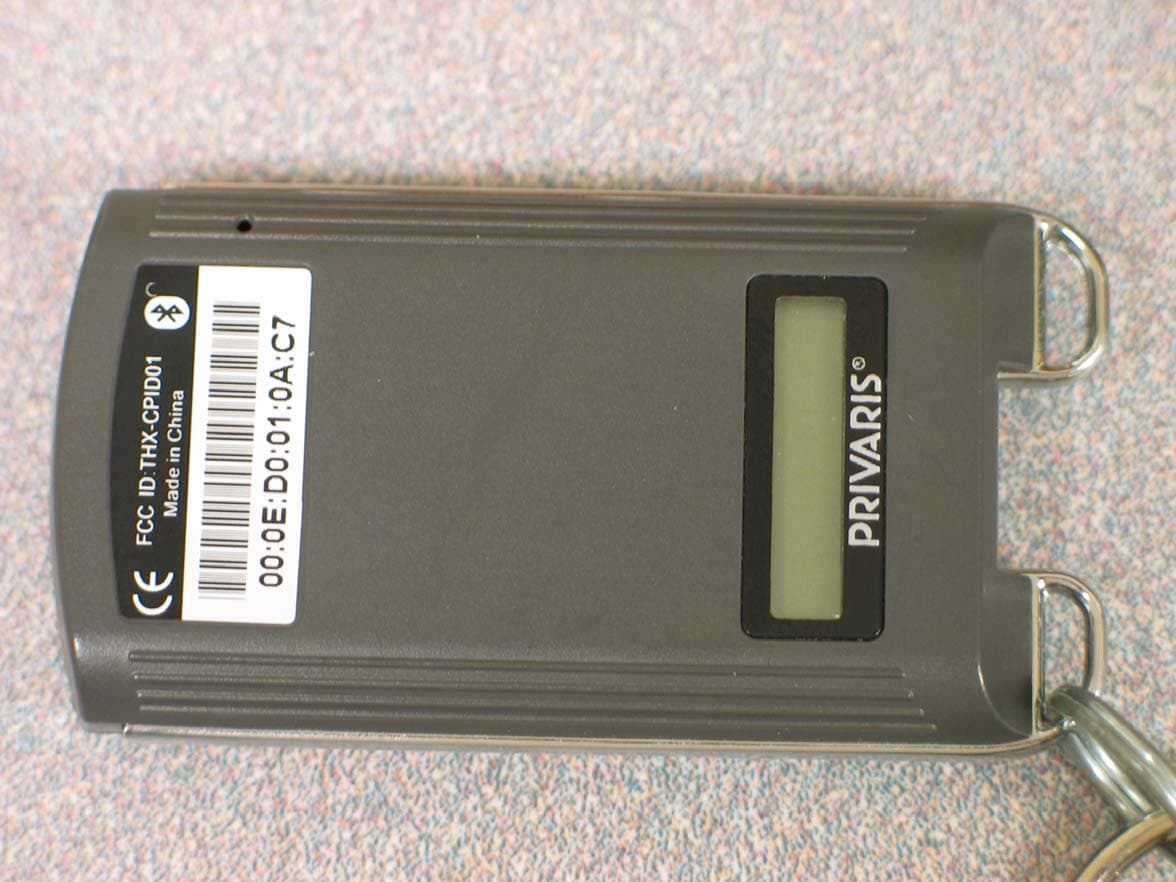
THX-CPID03
Feb 07, 2008Bluetooth Security Biometric Device
Equipment Class
DTS - Digital Transmission System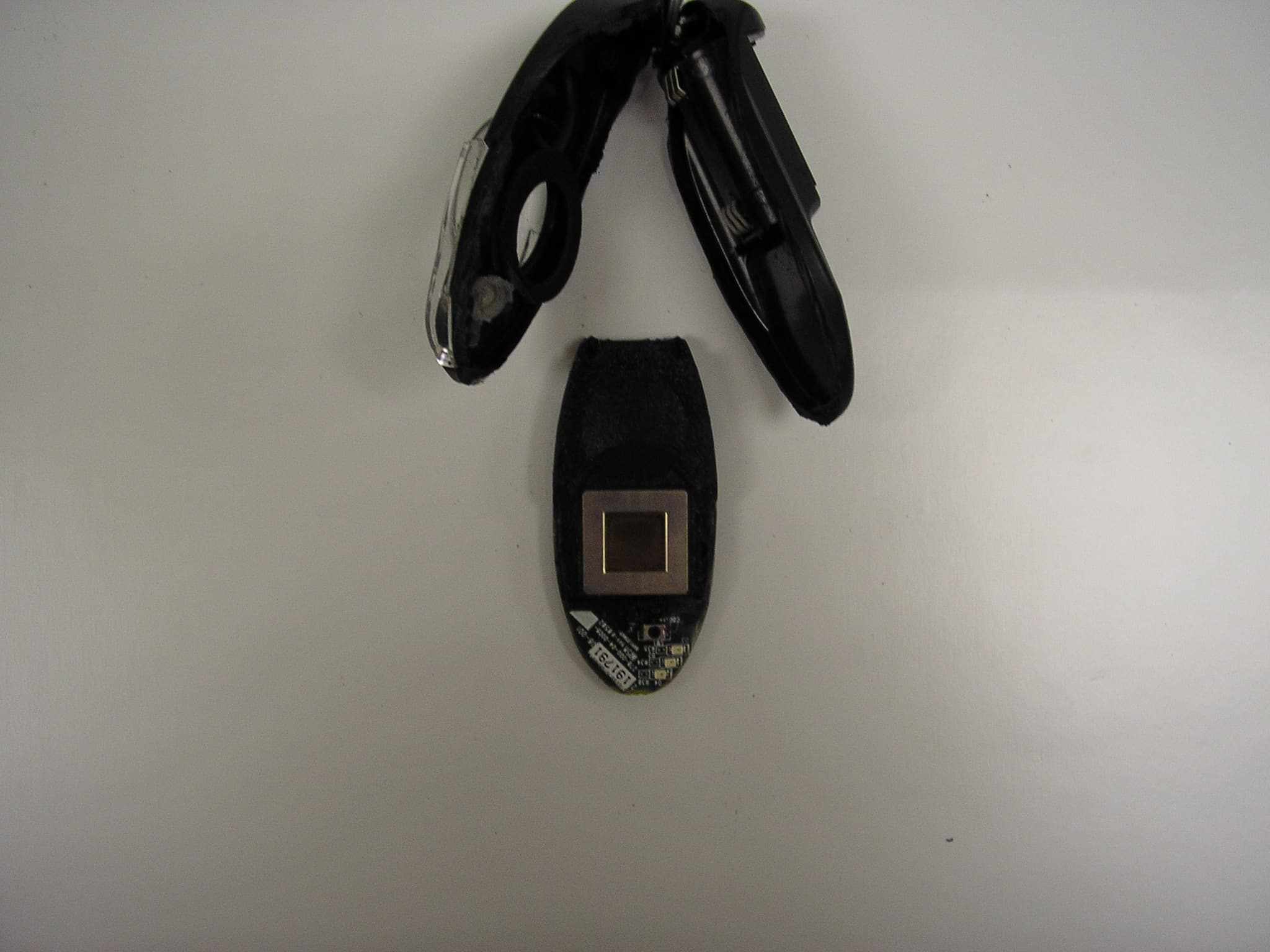
THX-LFBT1-01
Nov 06, 2005A personal handheld biometric security device
Equipment Class
DSS - Part 15 Spread Spectrum Transmitter