TJ7BTK-725Bluetooth Headset
Shenzhen SHI KISB Electronic Co., Ltd.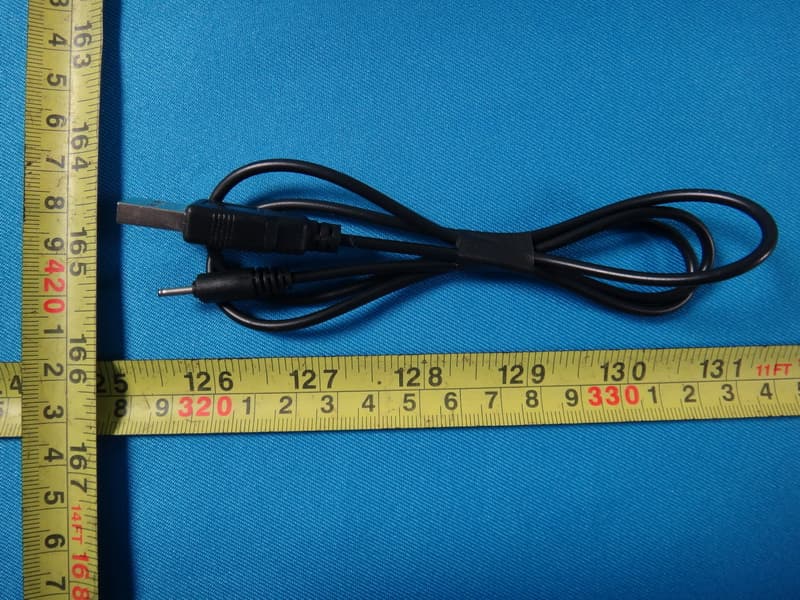
Click to zoom
Application Details
- Equipment Class
- DSS - Part 15 Spread Spectrum Transmitter
- Date of Grant
- Nov 15, 2012
- Application Purpose
- Original Equipment
- Date of Application
- Nov 15, 2012
- Equipment Note
- Bluetooth Headset
- Frequency Range
- 2402.00000000 - 2480.00000000
- Country
- China
Documents & Files
Document Text
Text extracted from the exhibit documents filed with the FCC. Open a document above to read the original.
Users Manual
1 BTK-725 Bluetooth Headset User Manual Thank you for purchasing the Bluetooth Headset BTK-725, we hope you will enjoy all its benefits. Please read this user's guide to get start, and to make the best usage of the headset's many features. Driving safety 1. Keeping your eyes on the road, driving is your foremost responsibility. 2. Obey traffic laws at all times: Make sure that using a Bluetooth wireless headset while driving is permitted by your local law. BEFORE USING YOUR HEADSET Checking phone compatibility Your headset is compatible with most Bluetooth mobile phones that are compliant with Bluetooth version V3.0 and support the headset and/or hands- free profile(s). Ensure that your phone has Bluetooth capability by visiting your phone manufacturer's web site. Your headset overview 2 K1 Button: Turn on/ Turn off/ Pairing/ Answer/ End/ Voice Dial/ Reject/ Transferring a call/Redial last number K2 Button: Increase Volume K3 Button: Decrease Volume Checking the accessories Make sure that you have the following items with your headset: Travel charger, Manual and ear bud. Charging the headset Your headset uses a rechargeable battery. You must charge the battery fully before using the headset for the first time. 1. Plug the travel charger into an AC socket. 2. Connect the charger with headset as it shown on the picture. The red indicator of headset will turn on when charging. 3. When the battery is fully charged, the red indicator will turn to blue. 1) Depending on your country, the travel Charger may appear different from above illustration. 2) When the headset is in low battery, the headset will flash red. 3) The headset will be fully charged in approximately 1-2 hours. 4) Remove the travel charger from the AC socket. WARNING: Do not attempt to charge the headset with anything other than the travel charger provided. Using unauthorized travel charger may damage the headset. IMPORTANT: The headset cannot be used while charging. BASIC OPERATIONS 3 Turning the headset on/off 1. To turn the headset on Press and hold K1 Button for about 3 seconds, the blue indicator of the headset will flash 3 times rapidly. The headset is now turned on. 2. To turn the headset off Press and hold K1 Button for about 2 seconds, the red indicator will flash red 5 times rapidly. The headset will be turned off. 3. When the blue indicator flashes red during standby mode, it means the headset is on low battery, please charge the headset. Pairing Pairing will create a unique and enciphered wireless link between two Bluetooth enabled devices, such as your Bluetooth phone and Bluetooth headset. 1. Ensure that the headset is off (see “To turn the headset off” section). 2. Press and hold the K1 Button for about 5 seconds until the indicator light alternately flashes blue and red. 3. Set your Bluetooth phone to discover the headset by following your phone's guide. Typically, the steps involve going to a ‘Setup’, 'Connect', or ‘Bluetooth’ menu on your phone and then selecting the option to discover Bluetooth devices. 4. Your phone will find the “BTK-725” headset and ask if you want to pair with it. Confirm this by pressing the “Yes” or “OK” key. 5. Enter a passkey or PIN code “0000” (4 zeros), then press the “Yes” or “OK” key. IMPORTANT: If the pairing can’t be completed within 90 seconds while the pairing mode is activated, that means the pairing is unsuccessful, please repeat Step 1 to Step 5 to pair the headset and the mobile phone again. Pairing Your Headset with Two Mobile Phones (Multipoint connecting) BTK-725 supports a Multipoint function to allow simultaneous pairing of the headset with two mobile phones. 1. Follow the pairing procedure as instructed in “Pairing” section to pair the headset with the first mobile phone. 2. Turn off the headset. 3. Repeat the same pairing procedure on the second mobile phone. 4 4. On the first mobile phone’s menu, activate its Bluetooth connection with the headset. Note: When headset is standby, if you want to delete pairing record, you can press VO+ at the same time for 5 seconds. Wearing the headset Wear the headset on your ear. In general, you will get better performance when there are no obstructions (including parts of your body) between the headset and the phone. Making a call Using the phone’s keypad 1. Dial number on the keypad or select the contact name from the contact list of your mobile phone. 2. Press phone’s “send/call” key. Voice Dialing Please ensure your mobile phone supports voice dialing function and the voice tag assigned for this feature. Connected with one mobile phone: 1. Short press K1 Button once. 2. You’ll then hear the voice-activation tone, say the name of the person you wish to call. 3. Shortly press K1 Button to stop the voice dialing. Connected with two mobile phones: This feature will be available on only one mobile phone which firstly connected with the headset. Repeat above step 1~step 3 to accomplish this function. Ending a call 1. Shortly press K1 Button once during a call. 2. End a call from phone’s keypad. Answering a call 1. Press the K1 button briefly, when you receiving an incoming call. 2. Answer the call via your phone’s keypad. You may then need to transfer the call to the headset by pressing the K1 Button for 2 seconds (depending on your phone setting). Note: Buzzer will sound twice every two seconds when a call is coming Last number redialing Connected with one mobile phone: Press K1 Button twice to make the last number redial. Connected with two mobile phones: Press K1 Button twice to make the last number redial. This feature will be 5 available on only one mobile phone which it’s firstly connected with the headset. Note: Depend on your phone type, the actual operation may vary. Rejecting an incoming call Press and hold K1 Button for 2 seconds to reject a call. Adjusting the volume Press K2 Button to increase the volume level and press K3 Button to decrease the volume level. You will hear a tone when volume level is maximum or minimum. T…
Text truncated - open the document above for the full version.
Users Manual
1 BTK-725 Bluetooth Headset User Manual Thank you for purchasing the Bluetooth Headset BTK-725, we hope you will enjoy all its benefits. Please read this user's guide to get start, and to make the best usage of the headset's many features. Driving safety 1. Keeping your eyes on the road, driving is your foremost responsibility. 2. Obey traffic laws at all times: Make sure that using a Bluetooth wireless headset while driving is permitted by your local law. BEFORE USING YOUR HEADSET Checking phone compatibility Your headset is compatible with most Bluetooth mobile phones that are compliant with Bluetooth version V3.0 and support the headset and/or hands- free profile(s). Ensure that your phone has Bluetooth capability by visiting your phone manufacturer's web site. Your headset overview 2 K1 Button: Turn on/ Turn off/ Pairing/ Answer/ End/ Voice Dial/ Reject/ Transferring a call/Redial last number K2 Button: Increase Volume K3 Button: Decrease Volume Checking the accessories Make sure that you have the following items with your headset: Travel charger, Manual and ear bud. Charging the headset Your headset uses a rechargeable battery. You must charge the battery fully before using the headset for the first time. 1. Plug the travel charger into an AC socket. 2. Connect the charger with headset as it shown on the picture. The red indicator of headset will turn on when charging. 3. When the battery is fully charged, the red indicator will turn to blue. 1) Depending on your country, the travel Charger may appear different from above illustration. 2) When the headset is in low battery, the headset will flash red. 3) The headset will be fully charged in approximately 1-2 hours. 4) Remove the travel charger from the AC socket. WARNING: Do not attempt to charge the headset with anything other than the travel charger provided. Using unauthorized travel charger may damage the headset. IMPORTANT: The headset cannot be used while charging. BASIC OPERATIONS 3 Turning the headset on/off 1. To turn the headset on Press and hold K1 Button for about 3 seconds, the blue indicator of the headset will flash 3 times rapidly. The headset is now turned on. 2. To turn the headset off Press and hold K1 Button for about 2 seconds, the red indicator will flash red 5 times rapidly. The headset will be turned off. 3. When the blue indicator flashes red during standby mode, it means the headset is on low battery, please charge the headset. Pairing Pairing will create a unique and enciphered wireless link between two Bluetooth enabled devices, such as your Bluetooth phone and Bluetooth headset. 1. Ensure that the headset is off (see “To turn the headset off” section). 2. Press and hold the K1 Button for about 5 seconds until the indicator light alternately flashes blue and red. 3. Set your Bluetooth phone to discover the headset by following your phone's guide. Typically, the steps involve going to a ‘Setup’, 'Connect', or ‘Bluetooth’ menu on your phone and then selecting the option to discover Bluetooth devices. 4. Your phone will find the “BTK-725” headset and ask if you want to pair with it. Confirm this by pressing the “Yes” or “OK” key. 5. Enter a passkey or PIN code “0000” (4 zeros), then press the “Yes” or “OK” key. IMPORTANT: If the pairing can’t be completed within 90 seconds while the pairing mode is activated, that means the pairing is unsuccessful, please repeat Step 1 to Step 5 to pair the headset and the mobile phone again. Pairing Your Headset with Two Mobile Phones (Multipoint connecting) BTK-725 supports a Multipoint function to allow simultaneous pairing of the headset with two mobile phones. 1. Follow the pairing procedure as instructed in “Pairing” section to pair the headset with the first mobile phone. 2. Turn off the headset. 3. Repeat the same pairing procedure on the second mobile phone. 4 4. On the first mobile phone’s menu, activate its Bluetooth connection with the headset. Note: When headset is standby, if you want to delete pairing record, you can press VO+ at the same time for 5 seconds. Wearing the headset Wear the headset on your ear. In general, you will get better performance when there are no obstructions (including parts of your body) between the headset and the phone. Making a call Using the phone’s keypad 1. Dial number on the keypad or select the contact name from the contact list of your mobile phone. 2. Press phone’s “send/call” key. Voice Dialing Please ensure your mobile phone supports voice dialing function and the voice tag assigned for this feature. Connected with one mobile phone: 1. Short press K1 Button once. 2. You’ll then hear the voice-activation tone, say the name of the person you wish to call. 3. Shortly press K1 Button to stop the voice dialing. Connected with two mobile phones: This feature will be available on only one mobile phone which firstly connected with the headset. Repeat above step 1~step 3 to accomplish this function. Ending a call 1. Shortly press K1 Button once during a call. 2. End a call from phone’s keypad. Answering a call 1. Press the K1 button briefly, when you receiving an incoming call. 2. Answer the call via your phone’s keypad. You may then need to transfer the call to the headset by pressing the K1 Button for 2 seconds (depending on your phone setting). Note: Buzzer will sound twice every two seconds when a call is coming Last number redialing Connected with one mobile phone: Press K1 Button twice to make the last number redial. Connected with two mobile phones: Press K1 Button twice to make the last number redial. This feature will be 5 available on only one mobile phone which it’s firstly connected with the headset. Note: Depend on your phone type, the actual operation may vary. Rejecting an incoming call Press and hold K1 Button for 2 seconds to reject a call. Adjusting the volume Press K2 Button to increase the volume level and press K3 Button to decrease the volume level. You will hear a tone when volume level is maximum or minimum. T…
Text truncated - open the document above for the full version.
External Photos
Neutron Engineering Inc. Project No.: 1209C160 Page 2 of 10 Neutron Engineering Inc. Project No.: 1209C160 Page 3 of 10 Neutron Engineering Inc. Project No.: 1209C160 Page 4 of 10 Neutron Engineering Inc. Project No.: 1209C160 Page 5 of 10
External Photos
Neutron Engineering Inc. Project No.: 1209C160 Page 2 of 10 Neutron Engineering Inc. Project No.: 1209C160 Page 3 of 10 Neutron Engineering Inc. Project No.: 1209C160 Page 4 of 10 Neutron Engineering Inc. Project No.: 1209C160 Page 5 of 10
ID Label/Location Info
size:22*10.8size:22*10.8
ID Label/Location Info
size:22*10.8size:22*10.8
Internal Photos
Neutron Engineering Inc. Project No.: 1209C160 Page 6 of 10 Neutron Engineering Inc. Project No.: 1209C160 Page 7 of 10 Neutron Engineering Inc. Project No.: 1209C160 Page 8 of 10 Neutron Engineering Inc. Project No.: 1209C160 Page 9 of 10 Neutron Engineering Inc. Project No.: 1209C160 Page 10 of 10
Internal Photos
Neutron Engineering Inc. Project No.: 1209C160 Page 6 of 10 Neutron Engineering Inc. Project No.: 1209C160 Page 7 of 10 Neutron Engineering Inc. Project No.: 1209C160 Page 8 of 10 Neutron Engineering Inc. Project No.: 1209C160 Page 9 of 10 Neutron Engineering Inc. Project No.: 1209C160 Page 10 of 10
Test Report
Neutron Engineering Inc. Report No.: NEI-FCCP-1-1209C160 Page 1 of 98 FCC Radio Test Report FCC ID: TJ7BTK-725 This report concerns (check one) : Original Grant Class II Change Issued Date : Nov. 12, 2012 Project No. : 1209C160 Equipment : Bluetooth Headset Model Name : BTK-725 Applicant : ShenZhen SHI KISB Electronic Co., LTD Address : 3-5F, A Building, Shanghe Industrial Zone, Nanchang Road, Bao’an District, Shenzhen, China Tested by: Neutron Engineering Inc. EMC Laboratory Date of Receipt: Sep. 24, 2012 Date of Test: Sep. 24, 2012 ~ Nov. 09, 2012 Testing Engineer : (David Mao) Technical Manager : (Leo Hung) Authorized Signatory : (Steven Lu) Neutron Engineering Inc. No.3,Jinshagang 1st Road, ShiXia, Dalang Town, Dong Guan, China. TEL : (0769) 8318-3000 FAX : (0769) 8319-6000 Neutron Engineering Inc. Report No.: NEI-FCCP-1-1209C160 Page 2 of 98 Declaration Neutron represents to the client that testing is done in accordance with standard procedures as applicable and that test instruments used has been calibrated with the standards traceable to National Measurement Laboratory (NML) of CHINA, or National Institute of Standards and Technology (NIST) of U.S.A. Neutron's reports apply only to the specific samples tested under conditions. It is manufacture’s responsibility to ensure that additional production units of this model are manufactured with the identical electrical and mechanical components. Neutron shall have no liability for any declarations, inferences o r generalizations drawn by the client or others from Neutron issued reports. Neutron’s reports must not be used by the client to claim product endorsement by the authorities or any agency of the Government. This report is the confidential property of the client. As a mutual protection to the clients, the public and Neutron-self, extracts from the test report shall not be reproduced except in full with Neutron’s authorized written approval. Neutron’s laboratory quality assurance procedures are in compliance with the ISO Guide 17025 requirements, and accredited by the conformity assessment authorities listed in this test report. Limitation For the use of the authority's logo is limited unless the Test Standard(s)/Scope(s)/Item(s) mentioned in this test report is (are) included in the conformity assessment authorities acceptance respective. Neutron Engineering Inc. Report No.: NEI-FCCP-1-1209C160 Page 3 of 98 Table of Contents Page 1 . CERTIFICATION 6 2 . SUMMARY OF TEST RESULTS 7 2.1 TEST FACILITY 8 2.2 MEASUREMENT UNCERTAINTY 8 3 . GENERAL INFORMATION 9 3.1 GENERAL DESCRIPTION OF EUT 9 3.2 DESCRIPTION OF TEST MODES 11 3.3 TABLE OF PARAMETERS OF TEXT SOFTWARE SETTING 11 3.4 BLOCK DIAGRAM SHOWING THE CONFIGURATION OF SYSTEM TESTED 12 3.5 DESCRIPTION OF SUPPORT UNITS 13 4 . EMC EMISSION TEST 14 4.1 CONDUCTED EMISSION MEASUREMENT 14 4.1.1 POWER LINE CONDUCTED EMISSION LIMITS 14 4.1.2 MEASUREMENT INSTRUMENTS LIST AND SETTING 14 4.1.3 TEST PROCEDURE 15 4.1.4 DEVIATION FROM TEST STANDARD 15 4.1.5 TEST SETUP 15 4.1.6 EUT OPERATING CONDITIONS 15 4.1.7 TEST RESULTS 16 4.2 RADIATED EMISSION MEASUREMENT 18 4.2.1 RADIATED EMISSION LIMITS 18 4.2.2 MEASUREMENT INSTRUMENTS LIST ANS SETTING 19 4.2.3 TEST PROCEDURE 20 4.2.4 DEVIATION FROM TEST STANDARD 20 4.2.5 TEST SETUP 21 4.2.6 EUT OPERATING CONDITIONS 22 4.2.7 TEST RESULTS (BELOW 30MHZ) 23 4.2.8 TEST RESULTS (BETWEEN30 – 1000 MHZ) 24 4.2.9 TEST RESULTS (ABOVE 1000 MHZ) 26 5 . NUMBER OF HOPPING CHANNEL 50 5.1 APPLIED PROCEDURES / LIMIT 50 5.1.1 MEASUREMENT INSTRUMENTS LIST AND SETTING 50 5.1.2 TEST PROCEDURE 50 5.1.3 DEVIATION FROM STANDARD 50 5.1.4 TEST SETUP 50 5.1.5 EUT OPERATION CONDITIONS 50 5.1.6 TEST RESULTS 51 Neutron Engineering Inc. Report No.: NEI-FCCP-1-1209C160 Page 4 of 98 Table of Contents Page 6 . AVERAGE TIME OF OCCUPANCY 53 6.1 APPLIED PROCEDURES / LIMIT 53 6.1.1 MEASUREMENT INSTRUMENTS LIST 53 6.1.2 TEST PROCEDURE 53 6.1.3 DEVIATION FROM STANDARD 53 6.1.4 TEST SETUP 54 6.1.5 EUT OPERATION CONDITIONS 54 6.1.6 TEST RESULTS 55 7 . HOPPING CHANNEL SEPARATION MEASUREMENT 67 7.1 APPLIED PROCEDURES / LIMIT 67 7.1.1 MEASUREMENT INSTRUMENTS LIST AND SETTING 67 7.1.2 TEST PROCEDURE 67 7.1.3 DEVIATION FROM STANDARD 67 7.1.4 TEST SETUP 67 7.1.5 EUT OPERATION CONDITIONS 67 7.1.6 TEST RESULTS 68 8 . BANDWIDTH TEST 72 8.1 APPLIED PROCEDURES / LIMIT 72 8.1.1 MEASUREMENT INSTRUMENTS LIST AND SETTING 72 8.1.2 TEST PROCEDURE 72 8.1.3 DEVIATION FROM STANDARD 72 8.1.4 TEST SETUP 72 8.1.5 EUT OPERATION CONDITIONS 72 8.1.6 TEST RESULTS 73 9 . PEAK OUTPUT POWER TEST 77 9.1 APPLIED PROCEDURES / LIMIT 77 9.1.1 MEASUREMENT INSTRUMENTS LIST AND SETTING 77 9.1.2 TEST PROCEDURE 77 9.1.3 DEVIATION FROM STANDARD 77 9.1.4 TEST SETUP 77 9.1.5 EUT OPERATION CONDITIONS 77 9.1.6 TEST RESULTS 78 10 . ANTENNA CONDUCTED SPURIOUS EMISSION 82 10.1 APPLIED PROCEDURES / LIMIT 82 10.1.1 MEASUREMENT INSTRUMENTS LIST AND SETTING 82 10.1.2 TEST PROCEDURE 82 10.1.3 DEVIATION FROM STANDARD 82 10.1.4 TEST SETUP 82 10.1.5 EUT OPERATION CONDITIONS 82 Neutron Engineering Inc. Report No.: NEI-FCCP-1-1209C160 Page 5 of 98 Table of Contents Page 10.1.6 TEST RESULTS 83 11 . EUT TEST PHOTO 95 Neutron Engineering Inc. Report No.: NEI-FCCP-1-1209C160 Page 6 of 98 1. CERTIFICATION Equipment : Bluetooth Headset Brand Name : KISS / BTK Model Name : BTK-725 Applicant : ShenZhen SHI KISB Electronic Co., LTD Factory : ShenZhen SHI KISB Electronic Co., LTD Address : 3-5F, A Building, Shanghe Industrial Zone, Nanchang Road, Gushu Village, Xixiang Town, Bao’an District, Shenzhen, Guangdong, China Date of Test : Sep. 24, 2012 ~ Nov. 09, 2012 Test Item : ENGINEERING SAMPLE Standards : FCC Part15, Subpart C(15.247) / ANSI C63.4 : 2009 FCC Public Notice DA 00-705, March 30, 2000. The above equipment has been tested and found compliance with the requirement of the relative standards by Neutron Engineering Inc. EMC Laboratory. The test data, data evaluation, and equipment configuration contained in our test report (Ref No. NEI-FCCP-1-1209C160) were ob…
Text truncated - open the document above for the full version.
Test Report
Neutron Engineering Inc. Report No.: NEI-FCCP-1-1209C160 Page 1 of 98 FCC Radio Test Report FCC ID: TJ7BTK-725 This report concerns (check one) : Original Grant Class II Change Issued Date : Nov. 12, 2012 Project No. : 1209C160 Equipment : Bluetooth Headset Model Name : BTK-725 Applicant : ShenZhen SHI KISB Electronic Co., LTD Address : 3-5F, A Building, Shanghe Industrial Zone, Nanchang Road, Bao’an District, Shenzhen, China Tested by: Neutron Engineering Inc. EMC Laboratory Date of Receipt: Sep. 24, 2012 Date of Test: Sep. 24, 2012 ~ Nov. 09, 2012 Testing Engineer : (David Mao) Technical Manager : (Leo Hung) Authorized Signatory : (Steven Lu) Neutron Engineering Inc. No.3,Jinshagang 1st Road, ShiXia, Dalang Town, Dong Guan, China. TEL : (0769) 8318-3000 FAX : (0769) 8319-6000 Neutron Engineering Inc. Report No.: NEI-FCCP-1-1209C160 Page 2 of 98 Declaration Neutron represents to the client that testing is done in accordance with standard procedures as applicable and that test instruments used has been calibrated with the standards traceable to National Measurement Laboratory (NML) of CHINA, or National Institute of Standards and Technology (NIST) of U.S.A. Neutron's reports apply only to the specific samples tested under conditions. It is manufacture’s responsibility to ensure that additional production units of this model are manufactured with the identical electrical and mechanical components. Neutron shall have no liability for any declarations, inferences o r generalizations drawn by the client or others from Neutron issued reports. Neutron’s reports must not be used by the client to claim product endorsement by the authorities or any agency of the Government. This report is the confidential property of the client. As a mutual protection to the clients, the public and Neutron-self, extracts from the test report shall not be reproduced except in full with Neutron’s authorized written approval. Neutron’s laboratory quality assurance procedures are in compliance with the ISO Guide 17025 requirements, and accredited by the conformity assessment authorities listed in this test report. Limitation For the use of the authority's logo is limited unless the Test Standard(s)/Scope(s)/Item(s) mentioned in this test report is (are) included in the conformity assessment authorities acceptance respective. Neutron Engineering Inc. Report No.: NEI-FCCP-1-1209C160 Page 3 of 98 Table of Contents Page 1 . CERTIFICATION 6 2 . SUMMARY OF TEST RESULTS 7 2.1 TEST FACILITY 8 2.2 MEASUREMENT UNCERTAINTY 8 3 . GENERAL INFORMATION 9 3.1 GENERAL DESCRIPTION OF EUT 9 3.2 DESCRIPTION OF TEST MODES 11 3.3 TABLE OF PARAMETERS OF TEXT SOFTWARE SETTING 11 3.4 BLOCK DIAGRAM SHOWING THE CONFIGURATION OF SYSTEM TESTED 12 3.5 DESCRIPTION OF SUPPORT UNITS 13 4 . EMC EMISSION TEST 14 4.1 CONDUCTED EMISSION MEASUREMENT 14 4.1.1 POWER LINE CONDUCTED EMISSION LIMITS 14 4.1.2 MEASUREMENT INSTRUMENTS LIST AND SETTING 14 4.1.3 TEST PROCEDURE 15 4.1.4 DEVIATION FROM TEST STANDARD 15 4.1.5 TEST SETUP 15 4.1.6 EUT OPERATING CONDITIONS 15 4.1.7 TEST RESULTS 16 4.2 RADIATED EMISSION MEASUREMENT 18 4.2.1 RADIATED EMISSION LIMITS 18 4.2.2 MEASUREMENT INSTRUMENTS LIST ANS SETTING 19 4.2.3 TEST PROCEDURE 20 4.2.4 DEVIATION FROM TEST STANDARD 20 4.2.5 TEST SETUP 21 4.2.6 EUT OPERATING CONDITIONS 22 4.2.7 TEST RESULTS (BELOW 30MHZ) 23 4.2.8 TEST RESULTS (BETWEEN30 – 1000 MHZ) 24 4.2.9 TEST RESULTS (ABOVE 1000 MHZ) 26 5 . NUMBER OF HOPPING CHANNEL 50 5.1 APPLIED PROCEDURES / LIMIT 50 5.1.1 MEASUREMENT INSTRUMENTS LIST AND SETTING 50 5.1.2 TEST PROCEDURE 50 5.1.3 DEVIATION FROM STANDARD 50 5.1.4 TEST SETUP 50 5.1.5 EUT OPERATION CONDITIONS 50 5.1.6 TEST RESULTS 51 Neutron Engineering Inc. Report No.: NEI-FCCP-1-1209C160 Page 4 of 98 Table of Contents Page 6 . AVERAGE TIME OF OCCUPANCY 53 6.1 APPLIED PROCEDURES / LIMIT 53 6.1.1 MEASUREMENT INSTRUMENTS LIST 53 6.1.2 TEST PROCEDURE 53 6.1.3 DEVIATION FROM STANDARD 53 6.1.4 TEST SETUP 54 6.1.5 EUT OPERATION CONDITIONS 54 6.1.6 TEST RESULTS 55 7 . HOPPING CHANNEL SEPARATION MEASUREMENT 67 7.1 APPLIED PROCEDURES / LIMIT 67 7.1.1 MEASUREMENT INSTRUMENTS LIST AND SETTING 67 7.1.2 TEST PROCEDURE 67 7.1.3 DEVIATION FROM STANDARD 67 7.1.4 TEST SETUP 67 7.1.5 EUT OPERATION CONDITIONS 67 7.1.6 TEST RESULTS 68 8 . BANDWIDTH TEST 72 8.1 APPLIED PROCEDURES / LIMIT 72 8.1.1 MEASUREMENT INSTRUMENTS LIST AND SETTING 72 8.1.2 TEST PROCEDURE 72 8.1.3 DEVIATION FROM STANDARD 72 8.1.4 TEST SETUP 72 8.1.5 EUT OPERATION CONDITIONS 72 8.1.6 TEST RESULTS 73 9 . PEAK OUTPUT POWER TEST 77 9.1 APPLIED PROCEDURES / LIMIT 77 9.1.1 MEASUREMENT INSTRUMENTS LIST AND SETTING 77 9.1.2 TEST PROCEDURE 77 9.1.3 DEVIATION FROM STANDARD 77 9.1.4 TEST SETUP 77 9.1.5 EUT OPERATION CONDITIONS 77 9.1.6 TEST RESULTS 78 10 . ANTENNA CONDUCTED SPURIOUS EMISSION 82 10.1 APPLIED PROCEDURES / LIMIT 82 10.1.1 MEASUREMENT INSTRUMENTS LIST AND SETTING 82 10.1.2 TEST PROCEDURE 82 10.1.3 DEVIATION FROM STANDARD 82 10.1.4 TEST SETUP 82 10.1.5 EUT OPERATION CONDITIONS 82 Neutron Engineering Inc. Report No.: NEI-FCCP-1-1209C160 Page 5 of 98 Table of Contents Page 10.1.6 TEST RESULTS 83 11 . EUT TEST PHOTO 95 Neutron Engineering Inc. Report No.: NEI-FCCP-1-1209C160 Page 6 of 98 1. CERTIFICATION Equipment : Bluetooth Headset Brand Name : KISS / BTK Model Name : BTK-725 Applicant : ShenZhen SHI KISB Electronic Co., LTD Factory : ShenZhen SHI KISB Electronic Co., LTD Address : 3-5F, A Building, Shanghe Industrial Zone, Nanchang Road, Gushu Village, Xixiang Town, Bao’an District, Shenzhen, Guangdong, China Date of Test : Sep. 24, 2012 ~ Nov. 09, 2012 Test Item : ENGINEERING SAMPLE Standards : FCC Part15, Subpart C(15.247) / ANSI C63.4 : 2009 FCC Public Notice DA 00-705, March 30, 2000. The above equipment has been tested and found compliance with the requirement of the relative standards by Neutron Engineering Inc. EMC Laboratory. The test data, data evaluation, and equipment configuration contained in our test report (Ref No. NEI-FCCP-1-1209C160) were ob…
Text truncated - open the document above for the full version.
Test Setup Photos
Neutron Engineering Inc. Report No.: NEI-FCCP-1-1209C160 Page 95 of 98 11. EUT TEST PHOTO Conducted Measurement Photos Neutron Engineering Inc. Report No.: NEI-FCCP-1-1209C160 Page 96 of 98 Radiated Measurement Photos 9K~30MHz Neutron Engineering Inc. Report No.: NEI-FCCP-1-1209C160 Page 97 of 98 Radiated Measurement Photos 30~1000MHz Neutron Engineering Inc. Report No.: NEI-FCCP-1-1209C160 Page 98 of 98 Radiated Measurement Photos Above 1000MHz
Test Setup Photos
Neutron Engineering Inc. Report No.: NEI-FCCP-1-1209C160 Page 95 of 98 11. EUT TEST PHOTO Conducted Measurement Photos Neutron Engineering Inc. Report No.: NEI-FCCP-1-1209C160 Page 96 of 98 Radiated Measurement Photos 9K~30MHz Neutron Engineering Inc. Report No.: NEI-FCCP-1-1209C160 Page 97 of 98 Radiated Measurement Photos 30~1000MHz Neutron Engineering Inc. Report No.: NEI-FCCP-1-1209C160 Page 98 of 98 Radiated Measurement Photos Above 1000MHz
Contact Information
Applicant
KK Lee(General Manager)
Test Firm
BTL Inc.Daisy Dai
Technical Specifications
| # | Rule Parts | Frequency Range | Power Output |
|---|---|---|---|
| 1 | 15C | 2.40 GHz - 2.48 GHz | 790.00 µW |
Other Applications from Shenzhen SHI KISB Electronic Co., Ltd.
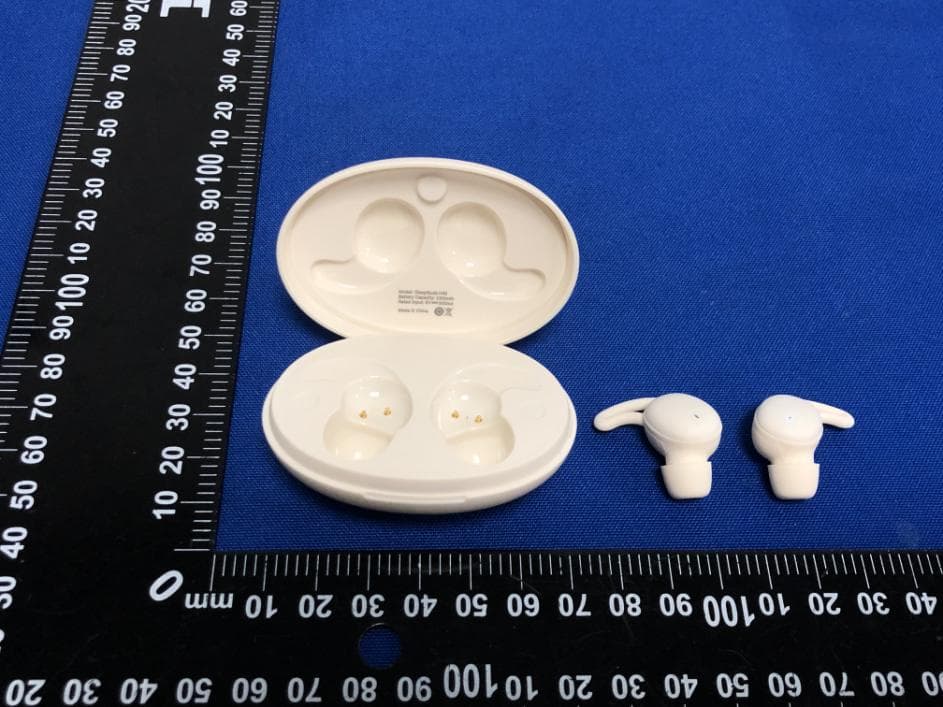
TJ7-H40
Jul 26, 2023TRUE WIRELESS EARBUDS
Equipment Class
DSS - Part 15 Spread Spectrum Transmitter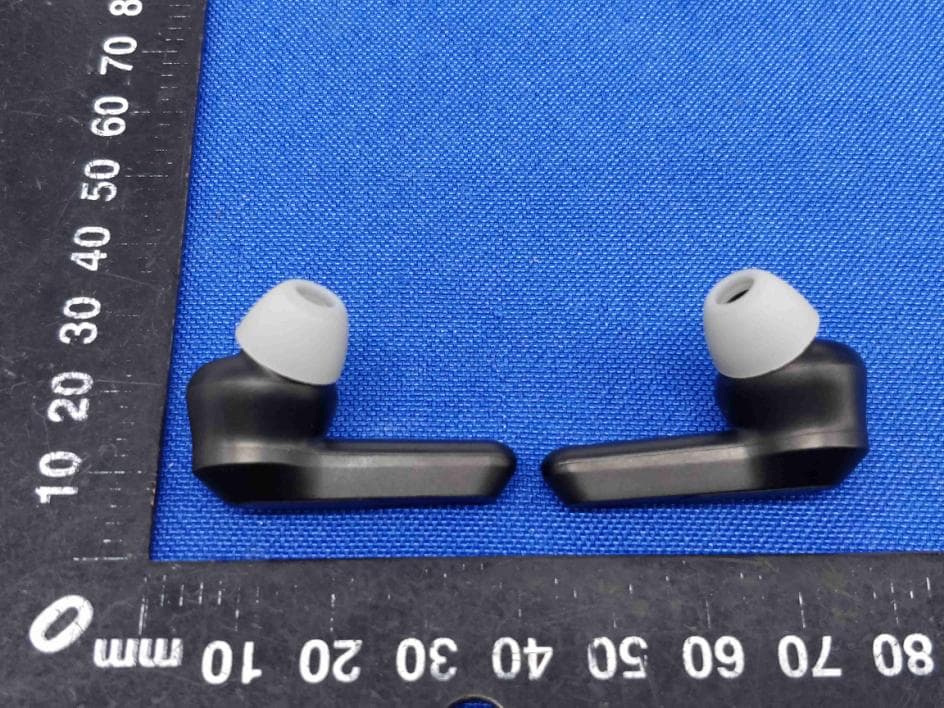
TJ7-H21B
Aug 02, 2021TRUE WIRELESS EARBUDS
Equipment Class
DSS - Part 15 Spread Spectrum Transmitter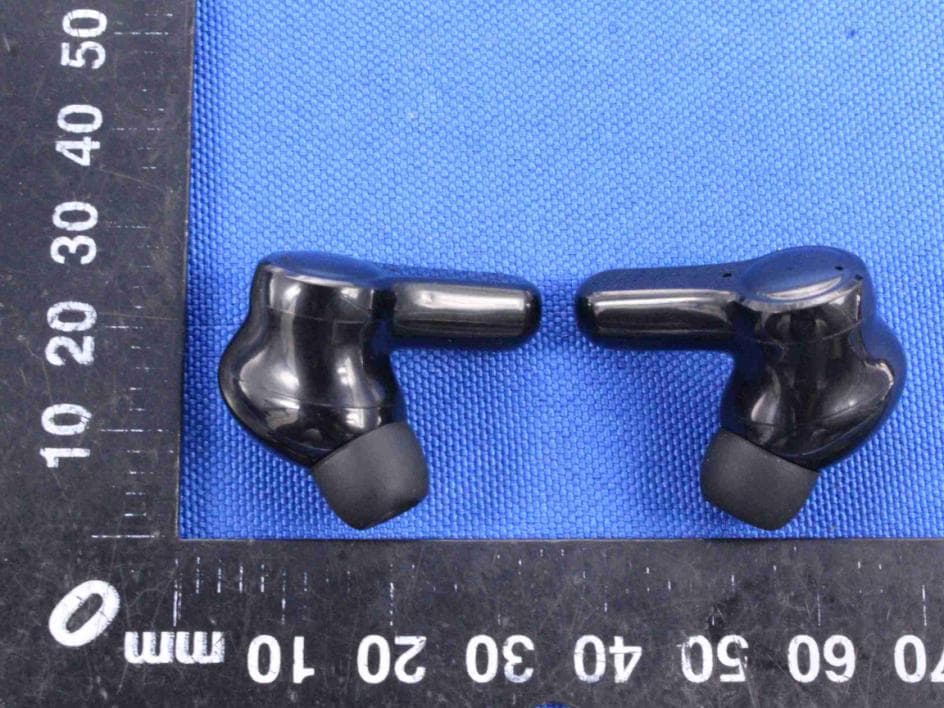
TJ7-H29
Jun 01, 2021TRUE WIRELESS EARBUDS
Equipment Class
DSS - Part 15 Spread Spectrum Transmitter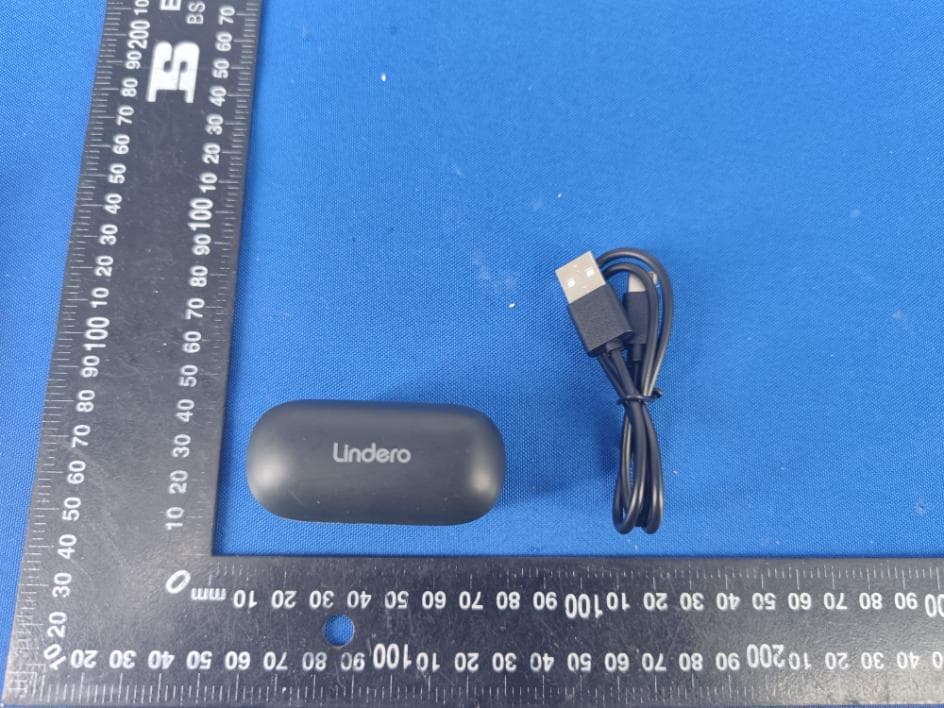
TJ7-H26
May 18, 2021TRUE WIRELESS EARBUDS
Equipment Class
DSS - Part 15 Spread Spectrum Transmitter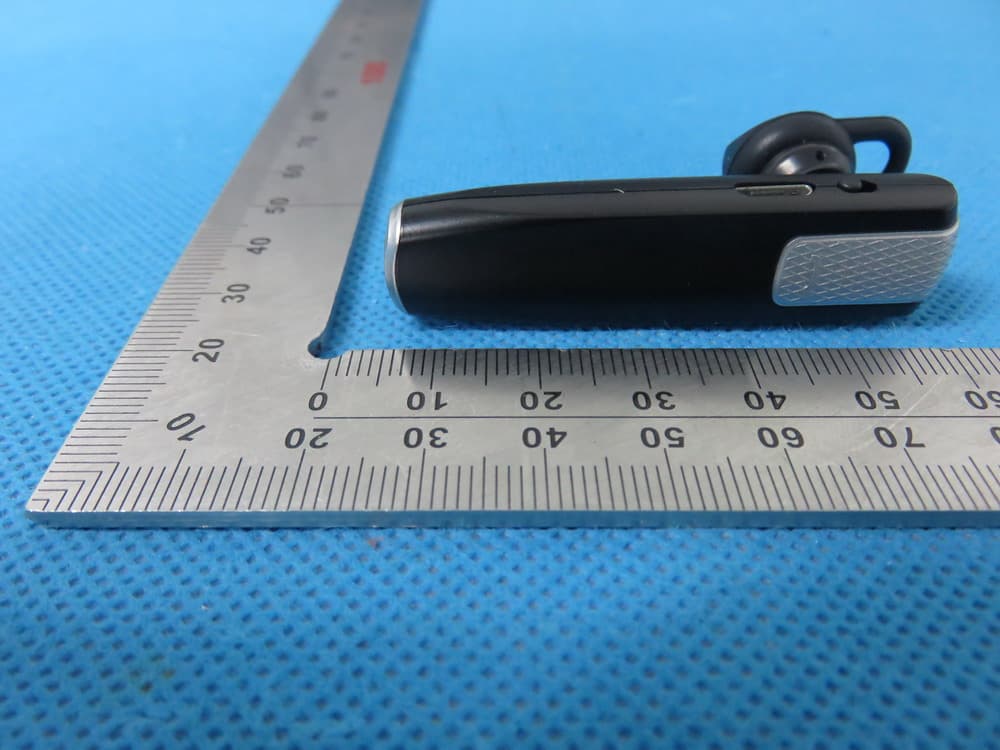
TJ7VALOREBTK-C5
Jul 14, 2015Bluetooth Headset
Equipment Class
DXX - Part 15 Low Power Communication Device Transmitter