TLDBLUECHECKFingerprint capture/identification device w/BT
Cogent Systems Inc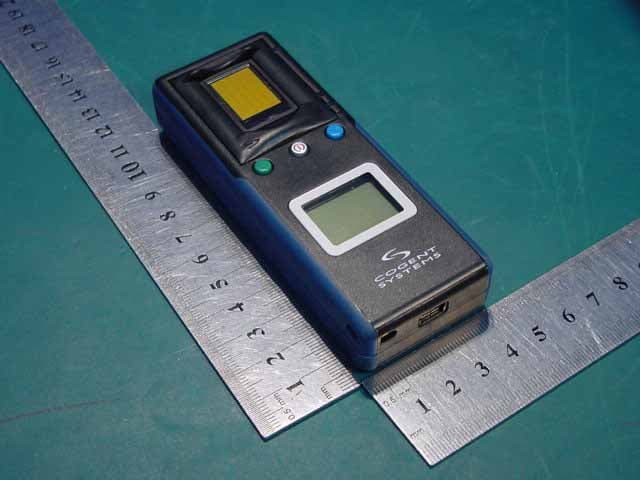
Click to zoom
Application Details
- Equipment Class
- DSS - Part 15 Spread Spectrum Transmitter
- Date of Grant
- Oct 16, 2006
- Application Purpose
- Original Equipment
- Date of Application
- Oct 15, 2006
- Equipment Note
- Fingerprint capture/identification device w/BT
- Frequency Range
- 2402.00000000 - 2480.00000000
- Company
- Cogent Systems Inc
- Country
- United States
Documents & Files
Document Text
Text extracted from the exhibit documents filed with the FCC. Open a document above to read the original.
Users Manual
LAFIS MobileID™ (with Cogent BlueCheck™ Capture Device) User Guide - Version 1.1 Cogent Document # IG-EXT-UG-572-0.00(1)...©2006 Cogent Systems, Inc. All rights reserved. This document contains proprietary and confidential information belonging to Cogent Systems, Inc. No part of this document may be reproduced, transmitted, stored in a retrieval system, or translated into any human or computer language, in any form or by any means—electronic, mechanical, magnetic, optical, chemical, manual, or otherwise—without the prior written permission of the copy- right owner, Cogent Systems, Inc. MobileID™ is the trademark of Cogent Systems, Inc. All trademarks and tradenames are the prop- erty of their respective owners. This guide is subject to change without notice. Document Revision History Document Version #DateComments 1.0 05/10/2006Initial draft written. 1.1 08/09/2006Updated to include the new BlueCheck fingerprint capture device. Table of Contents i • • • • • • Table of Contents Chapter 1:Overview ..................................................................................................1 MobileID System Features ........................................................................... 1 System Hardware Overview: The Cogent BlueCheck™ Fingerprint Capture Device and Pocket PC Personal Digital Assistant Device ........................... 2 BlueCheck Capture Device Features ........................................................... 3 BlueCheck Menu Options ............................................................................ 5 System Hardware Overview: Pocket PC Personal Digital Assistant ............ 6 Chapter 2:Key Terms ...............................................................................................7 Chapter 3:Performing the Initial Setup of MobileID (for Administrators only) ...9 Pairing the Bluetooth Enabled Devices ........................................................ 9 Chapter 4:Getting Started ......................................................................................17 Logging In .................................................................................................. 17 Turning on the BlueCheck Capture Device ................................................ 19 Calibrating the BlueCheck Capture Device ................................................ 19 Chapter 5:Performing a Quick Search Identification ..........................................21 Chapter 6:Performing an Identification Search ...................................................27 Chapter 7:Viewing Transaction Information ........................................................35 Viewing the Identification Information Returned by LAFIS ...................36 Viewing the Demographic Information Submitted to LAFIS .................36 Viewing the Prints Submitted to LAFIS ................................................37 Viewing LAFIS’s Response to the Identification Request ....................38 Returning to the Transaction Queue Window ......................................39 Chapter 8:Logging Out ..........................................................................................41 Appendix A:Configuring MobileID (for Administrators only) ................................43 Overview - Cogent Systems, Inc. Proprietary Information1 • • • • • • Chapter 1 • • • • • •• • • • • •• • • • • • Overview MobileID™ is an easy-to-use, wireless, automated, client/server fingerprint identification system for law enforcement officers and other personnel. Running on a commercially-available Personal Digital Assistant (PDA) device such as Pocket PC®, Cogent’s MobileID software delivers the power of an Automated Fingerprint Identification System (AFIS) in a portable handheld format. When combined with BlueCheck™, Cogent’s latest portable capture device, MobileID allows users to quickly and easily perform in-the-field fingerprint identifications. You can simply have a subject place his/her finger onto a fingerprint capture device for fast and easy identification. The software provides you with an assortment of tools for viewing, identifying, and saving records, allowing a one-to-one comparison of existing fingerprint records to verify identity. MobileID is not stand alone software; it works together with the LAFIS™ (LACRIS Automated Fingerprint Identification System) database, accessible from a PDA in the field. MobileID System Features MobileID system features include: • capturing fingerprint images; • performing searches against the CAFIS tenprint database; • identifying a subject; and • viewing and entering associated demographic information. 2 Overview - Cogent Systems, Inc. Proprietary Information • • • • • • System Hardware Overview: The Cogent BlueCheck™ Fingerprint Capture Device and Pocket PC Personal Digital Assistant Device Utilizing Bluetooth technology, BlueCheck captures high-quality, 500 dpi images. These images can be wirelessly transferred to the MobileID Pocket PC PDA for NIST packaging and submission to LAFIS over a wireless network. Submissions and responses are sent and received via standard wireless technology. Figure 1-1 BlueCheck Capture Device The specifications for the BlueCheck capture device are: •Dimensions: • Height: 4.45” • Width: 1.69” • Depth: 0.87” •Weight: 3 oz. •Resolution: 500 dpi •Power Supply: Li-Ion 3.7V 900mAh •Range: 5-10 meters, depending on operating environment • • • • • • BlueCheck Capture Device Features Overview - Cogent Systems, Inc. Proprietary Information 3 BlueCheck Capture Device Features Figure 1-2 describes the features of the BlueCheck capture device. Figure 1-2 BlueCheck Capture Device Features FeatureDescription Fingerprint Sensor Captures the subject’s fingerprint Green Button Used to begin the fingerprint capture process and to indicate missing/bandaged fingers On/Off Button Used to turn the BlueCheck device on and off Blue Button Used to cancel the fingerprint capture process and to calibrate the capture device Display …
Text truncated - open the document above for the full version.
Cover Letter(s)
COGENT SYSTEM, INC. Federal Communications Commission 7435 Okland Mills Road Columbia, MD 21046 Genelmen: This letter is to comply with section 0.457(d)(2)(i) pertaining to confidential material. COGENT SYSTEM, INC. would like the following documents regarding this submission for FCC ID: TLDBLUECHECK to be kept confidential. 1. schematics 2. block diagram the above documents contains trade secrets or technical data, which would customarily be guarded from competitors. We do not want the documents to be accessible to general public. Sincerely yours,
Cover Letter(s)
American Telecommunications Certification Body Inc. 6731 Whittier Ave, McLean, VA 22101 September 30, 2006 RE: FCC ID: TLDBLUECHECK_ATCB004073 Attention: Peter Lin I have a few comments on this Application. Please note that further comments may arise in response to answers provided to the questions below. 1. Please show on the schematics where the BT circuitry is located. If the BT circuitry is not on the provided schematics, please provide schematics of the BT transmitter. 2. Please note thate 15.247 is not a test method. Please also note that ANSI C63.4 2003 is not a proper test method for FHSS devices except for setup. Please note that testing of FHSS devices such as BT transmitters must be done in accordance with the approved FCC test method DA00705. Please provide a test report that shows the proper test methods of DA00705 have been followed and used. Please note a clear reference to the DA00705 in the report. 3. Please note that page 7 of the report states the device is compliant to 15.239 of the FCC rules. Please note that 15.239 is for FM modulators operating in the 87-107MHz range. Please note that this is a BT transmitter operating in the 2402-2480MHz range. Please report results to the proper CFR 47 rule part 15.247. 4. Please note that page 12 of the report states that the average conducted emissions “Reading” column at 2.269MHz is 159dBuV/m. While this may be a typographical error please correct the test report to show compliance to the limits found in the rules. 5. Please note that DA00705, the proper test method that must be referenced for FHSS devices, states that band edge compliance is to be made in both frequency hopping stopped mode and frequency hopping enabled mode. The test report only appears to show hopping enabled. Please provide evidence that the device is compliant to band edge requirements in the required hopping stopped mode as defined in DA00705. 6. Please note that for spurious emissions, even if all readings are greater than 20dB below the limit, the FCC requires that at least 6 readings, even if they are the noise floor at the harmonics of the transmitter fundamental, must be reported. Please note that your report only provides 2 spurious emissions readings. Please provide the necessary 6 readings for signals in the restricted bands. 7. FYI - Please note that for dwell measurements DH1 is not the worse case. Please note that the worse case dwell for a BT device is about 250-350-ms. Please note that as BT dwell is not an issue with FCC filings, when measured, the report must address the worse case dwell. 8. FYI - Please note that Power Spectral Density measurements are not a requirement for FCC approval and should not be included in BT test reports for FCC compliance. 9. Please note that as the device was tested to 15.247, the equipment type on the 731 should be DSS and not DXX. Please correct. 10. FYI – please note that as this device is also a computer peripheral device, the part 15B portion must either be certified or DoC. Please note that the label provided does not contain the DoC label for FCC as defined in 15.19(b) and the 731 does not request certification of the computer peripheral portion. Please note that the device label must address all FCC issues. If not certified the device must contain the DoC label specified in 15.19(b). Please address this issue. 11. Please note that no request for confidentiality was provided with this application. Please note that this means that the schematics, block diagram and operational description will be public view once it is uploaded to the FCC. If confidentiality is desired for these exhibits, please provide a properly signed request for confidentiality. Please make sure that the letter references part 0.459 as the rule section for requesting confidentiality. 12. FYI – please note that as the power output of this device is less than 1mW, collocation and rf exposure concerns do not have to be addressed in the manual. 13. Please note that this device appears to be more than sufficiently large to accommodate the 2- condition statement required in 15.19. Please provide proper justification in accordance with 15.19(a)(5) as to why this required statement is in the manual and not on the device. Unless z Page 2 September 30, 2006 reasonable justification can be made please provide a label on the product that contains this statement as required by 15.19(a). Please note that size does not appear to be a justifiable reason as there appears to be more than adequate room on the device for the statement. Dennis Ward mailto:[email protected] The items indicated above must be submitted before processing can continue on the above referenced application. Failure to provide the requested information may result in application termination. Correspondence should be considered part of the permanent submission and may be viewed from the Internet after a Grant of Equipment Authorization is issued. Please do not respond to this correspondence using the email reply button. In order for your response to be processed expeditiously, you must submit your documents through the AmericanTCB.com website. Also, please note that partial responses increase processing time and should not be submitted. Any questions about the content of this correspondence should be directed to the sender.
External Photos
Photo 1 Appearance of EUT Photo 2 Appearance of EUT
ID Label/Location Info
Label The Label must not be a stick-on paper label. The Label on these products must be permanently affixed to the product and readily visible at the time of purchase and must last the expected lifetime of the equipment not be readily detachable. Proposed Label Location on EUT Label
Internal Photos
Photo 1 Inside of EUT Photo 2 Inside of EUT Page 2/2 Photo 3 Inside of EUT
Operational Description
Operation description The main function of BlueCheck: Collect fingerprint and match with the fingerprint databases of this machine or match with the far-away place fingerprint databases via this blue tooth module, and then display the result on the LCD, at the same time giving a certain sound and light designation. In the electric circuit of the Bluecheck, after the fingerprint collected by Sensor, the fingerprint will be send to the microprocessor to process. Such as saving the fingerprint, running the customer software and storing certain quantity fingerprint template. The blue tooth module is used to transmit the wireless data to far-away computer. Meanwhile the USB also can communication with the far-away computer via USB data bus, including data transmission, software renew, and the battery recharge etc. The main function of the voltage examine circuit of LCD display, LED designation and the buzzer: The LCD shows the work menu and circulates result, at the same time shows the battery usage circumstance; The LED and buzzer are used as the subsidiary hint tool. For example, giving some necessity's hints of the BlueCheck work appearance and working result. Under the condition of shutting down refreshing, as the power supply designation, LED shows the condition of the charging. The electric voltage examination circuit provides the electric voltage condition of the battery. Real time clock circuit provides the precision interval time. The key and switch circuit charge for the processing of the top key on the BlueCheck, and opening or shut down of the BlueCheck. The USB-RS232 conversion circuit changes the Uart signal of the microprocessor to USB signal, integrating the BlueCheck with computer through the USB signal transmission fashion. The power supply management circuit and refresh the circuit to be responsible for provide the various work electric voltage according to the BlueCheck needs, and provide the designation when battery electric voltage is low; the device will shut down automatically for protection battery at exhaustion of the battery energy. When battery refreshing, this management circuit guarantee the battery safety refresh, and can stop refresh automatically when electricity be filled with.
Test Report
Report No.: WT068001564 Page 1/44 EMC TEST REPORT For Fingerprint capture/identification device with bluetooth Model Number:BlueCheck FCC ID: TLDBLUECHECK Report Number : WT068001564 Test Laboratory : Shenzhen Academy of Metrology and Quality Inspection EMC Laboratory Guangdong EMC Compliance Test Center Site Location : Bldg. of Metrology &Quality Inspection, Longzhu Road, Shenzhen, Guangdong, China Tel : 0086-755-26941637, 26941529, 26941531 Fax : 0086-755-26941545 Email : [email protected] Report No.: WT068001564 Page 2/44 TABLE OF CONTENTS TEST REPORT DECLARATION ........................................................................................................4 1. TEST RESULTS SUMMARY ...................................................................................................5 2. GENERAL INFORMATION ....................................................................................................6 2.1. Report information ............................................................................................................6 2.2. Laboratory Accreditation and Relationship to Customer .................................................6 2.3. Measurement Uncertainty .................................................................................................7 3. PRODUCT DESCRIPTION ......................................................................................................7 3.1. EUT Description ...............................................................................................................7 3.2. Related Submittal(s) / Grant (s) ........................................................................................7 3.3. Block Diagram of EUT Configuration..............................................................................8 3.4. Operating Condition of EUT ............................................................................................8 3.5. Support Equipment List ....................................................................................................8 3.6. Test Conditions .................................................................................................................8 4. TEST EQUIPMENT USED .......................................................................................................9 4.1. Test Equipment Used to Measure Conducted Disturbance ..............................................9 5. CONDUCTED DISTURBANCE TEST ..................................................................................11 5.1. Test Standard and Limit ..................................................................................................11 5.2. Test Procedure ................................................................................................................11 5.3. Test Arrangement............................................................................................................11 5.4. Test Data .........................................................................................................................12 6. MAXIMUM PEAK OUTPUT POWER .................................................................................16 6.1. Test Standard and Limit ..................................................................................................16 6.2. Test Procedure ................................................................................................................16 6.3. Test Arrangement............................................................................................................16 6.4. Test Data .........................................................................................................................16 7. HOPPING CHANNEL 20 DB BANDWIDTH .......................................................................17 7.1. Test Standard and Limit ..................................................................................................17 7.2. Test Procedure ................................................................................................................17 7.3. Test Arrangement............................................................................................................17 7.4. Test Data .........................................................................................................................17 8. 100KHZ BANDWIDTH OF BAND EDGES MEASUREMENT .........................................20 8.1. Test Standard and Limit ..................................................................................................20 8.2. Band Edge FCC 15.247(c) Limit ....................................................................................20 8.3. Test Procedure ................................................................................................................20 8.4. Test Arrangement............................................................................................................20 8.5. Test Data .........................................................................................................................20 9. SPURIOUS RADIATED EMISSION TEST ..........................................................................25 9.1. Test Standard and Limit ..................................................................................................25 Report No.: WT068001564 Page 3/44 9.2. Band Edge FCC 15.247(c) Limit ....................................................................................25 9.3. Test Procedure ................................................................................................................25 9.4. Test Arrangement............................................................................................................25 9.5. Test Data .........................................................................................................................25 10. NUMBER OF HOPPING FREQUENCY.......................................…
Text truncated - open the document above for the full version.
Test Setup Photos
Photo 1 Conducted Emission Test Photo 2 Conducted Emission Test Photo 3 Radiated Emission Test Photo 4 Radiated Emission Test
Contact Information
Applicant
Ankuo Wang(Asia General Manager)
Test Firm
Shenzhen Academy of Metrology & Quality InspectionPeter Lin
Technical Specifications
| # | Rule Parts | Frequency Range | Power Output |
|---|---|---|---|
| 1 | 15C | 2.40 GHz - 2.48 GHz | 46.00 µW |
Other Applications from Cogent Systems Inc
TLDMOBILEIDENTII
Dec 08, 2008Cogent Multifunction Fingerprint Scanner
Equipment Class
DTS - Digital Transmission System
TLDSARII
Nov 18, 2007STAND ALONE READER II
Equipment Class
DSS - Part 15 Spread Spectrum Transmitter
TLDSPS-TS
Mar 20, 2006FINGERPRINT ACCESS CONTROL READER
Equipment Class
DXX - Part 15 Low Power Communication Device Transmitter