TLGD06B1Printer with RFID Transmitter
Citizen Systems Japan Co., Ltd.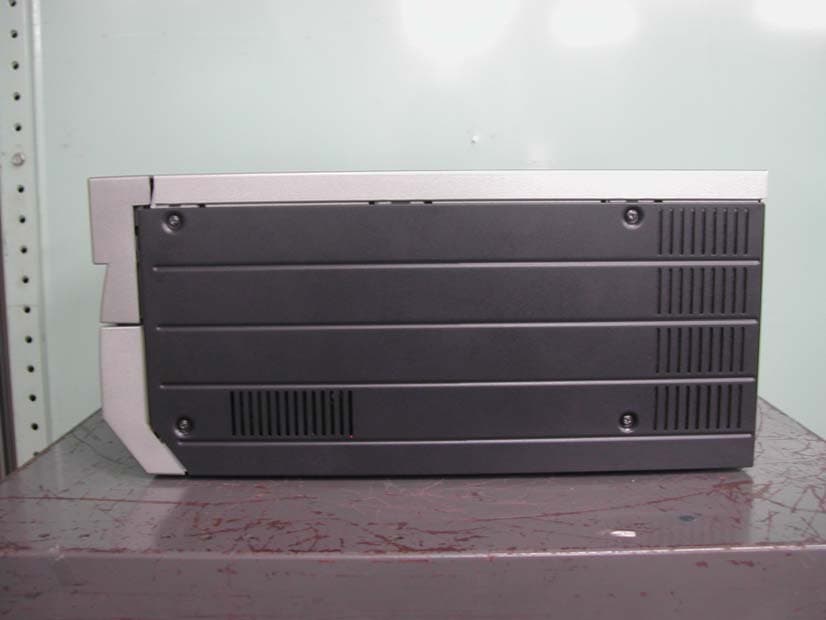
Click to zoom
Application Details
- Equipment Class
- DXX - Part 15 Low Power Communication Device Transmitter
- Date of Grant
- Apr 22, 2007
- Application Purpose
- Original Equipment
- Date of Application
- Apr 22, 2007
- Equipment Note
- Printer with RFID Transmitter
- Frequency Range
- 13.56000000 - 13.56000000
- Country
- Japan
Documents & Files
Document Text
Text extracted from the exhibit documents filed with the FCC. Open a document above to read the original.
Users Manual
Concerning Copyright The copyrights for this document are the property of CITIZEN SYSTEMS JAPAN CO.,LTD. Reproduction of any or all of the contents of this document without consent of the company is a violation of copyright law. However, one back-up copy may be made fo r non-commercial, personal purposes. Also, the contents of this document are subject to change in the future without prior notice. Concerning Safety Warnings Warnings concerning safety and use, and the contents of this document, conform to existing standards as of the date published. Concerning Modification This printer was planned, developed, and manufactured by CITIZEN SYSTEMS JAPAN CO., LTD, and for safety purposes, any modification of the device is prohibited. Introduction Thank you for purchasing this device. This document explains the handling and operation required to use this printer. Please read this document well before use. Be sure to read “For Safe Operation” (Pg 2-4), and operate the printer correctly. For Safe Operation Be sure to read this document before use. After reading, keep it in a safe place, where it can be re-read as needed. The warnings listed here are to ensure proper use of the device, to prevent physical injury to the customer or other persons, and to prevent property damage. Please obey these warnings. About “Warning” and “Caution” Listed below, the possible levels of injury or damage due to misuse are categorized as “Warning” and “Caution”, according to the degrees of danger involved. About the symbols The symbols shown have the following meanings: Accidents caused by failure to heed the warnings accompanying this symbol could lead to serious or fatal injury. Accidents caused by failure to heed the warnings accompanying this symbol could lead to physical injury or property damage. This symbol calls attention to contents of warnings and cautions. Details are indicated in or near this s ymbol. This symbol indicates prohibited actions. The prohibited actions are detailed within the symbol. This symbol designates necessary actions, and relevant content. Details of the actions are shown within the symbol. Use only with the designated voltage and frequency. Improper connection could cause electric shock or fire. Avoid overstressing outlets and using extension cords. The outlet could overheat and cause a fire. Do not damage, destroy, bundle, or alter the power cord. Also, placing heavy objects on, pulling on, or bending the cord excessively can damage it, and could cause a fire. Do not set the printer up in places with salinity or corrosive gases in the air. This coul d cause a fire. Do not block the vents. Heat could build up in the printer and cause a malfunction or fire. Do not stand on or place heavy objects on the printer. Also, do not use excessive force on the buttons, switches, terminals, etc. This could break the printer and cause injury to the user or others. Store the bag for the printer out of the reach of children. It could cause suffocation if placed over the head. Be careful to avoid injury or damages from the edges in the printer. Do not use this printer for applications where malfunction could be life-threatening (such as medical, space, aeronautic, or other applications that require extreme reliability). The printer weighs approximately 14 kg (31 lbs). When moving it, lift in a way that avoids excessive physical stress. Lifting recklessly or dropping the printer could cause injury. Locate the printer as close to an outlet as possible, and allow easy access to unplug the power cord in case of problems. If there is dust on the plug, clean it off thoroughly. It could cause electric shock or a short-out. If metal objects or liquids have fallen into the printer, and there is smoke, a strange odor, or any other apparent abnormality, immediately turn the power OFF, and unplug the power cord. Then contact a service representative. Do not continue using the printer if it is not operating properly. This could cause shock, short circuit, or fire. Be sure to attach the ground. Otherwise, it could short-circuit, causing electric shock or fire. Do not plug or unplug the cord with wet hands. This could cause electric shock. Do not open the inside of the printer, disassemble internal parts, or modify the printer. I t could cause electric shock, fire, or injury, or break the printer. For internal check-ups, adjustments, or repair, please contact a service representative. Do not set the printer up in dusty or overly humid places. This could cause fire or electric shock, or damage the printer. Do not set the printer up on an unstable surface. It could fall and cause injury to the user or others. Do not allow foreign objects to enter the printer. They could cause electric shock, short circuit, o r fire, or break the printer. If something falls into the printer, immediately turn the power OFF, and call a service representative. Do not open the cover while printing. This could break the printer. Do not spill or spray liquids or chemicals into the printer. When cleaning the cover, do not use thinner, trichloroethane, benzene, ketone- based cleaners, or chemically treated cloths. They could discolor or deteriorate the cover. At least once a year, unplug the power cord, and clean the prongs and the plug. If dust accumulates, it could cause a fire. When printing continuously for long periods of time in a small room, be sure to ventilate properly. If use is intended on a transportation vehicle (train, truck, ship, etc.), please talk to a representative in advance. When disposing of the printer, peripheral items, packaging, or media, please abide by local waste removal ordinances. For details, contact your local government offices. When unplugging the cord, grip the plug. Do not pull on the cord. It could damage the cord, an d cause electric shock or fire. When moving the printer, be sure to unplug the power cord. Otherwise, the cord may be damaged, which could cause fire or electric shock. When not using the …
Text truncated - open the document above for the full version.
External Photos
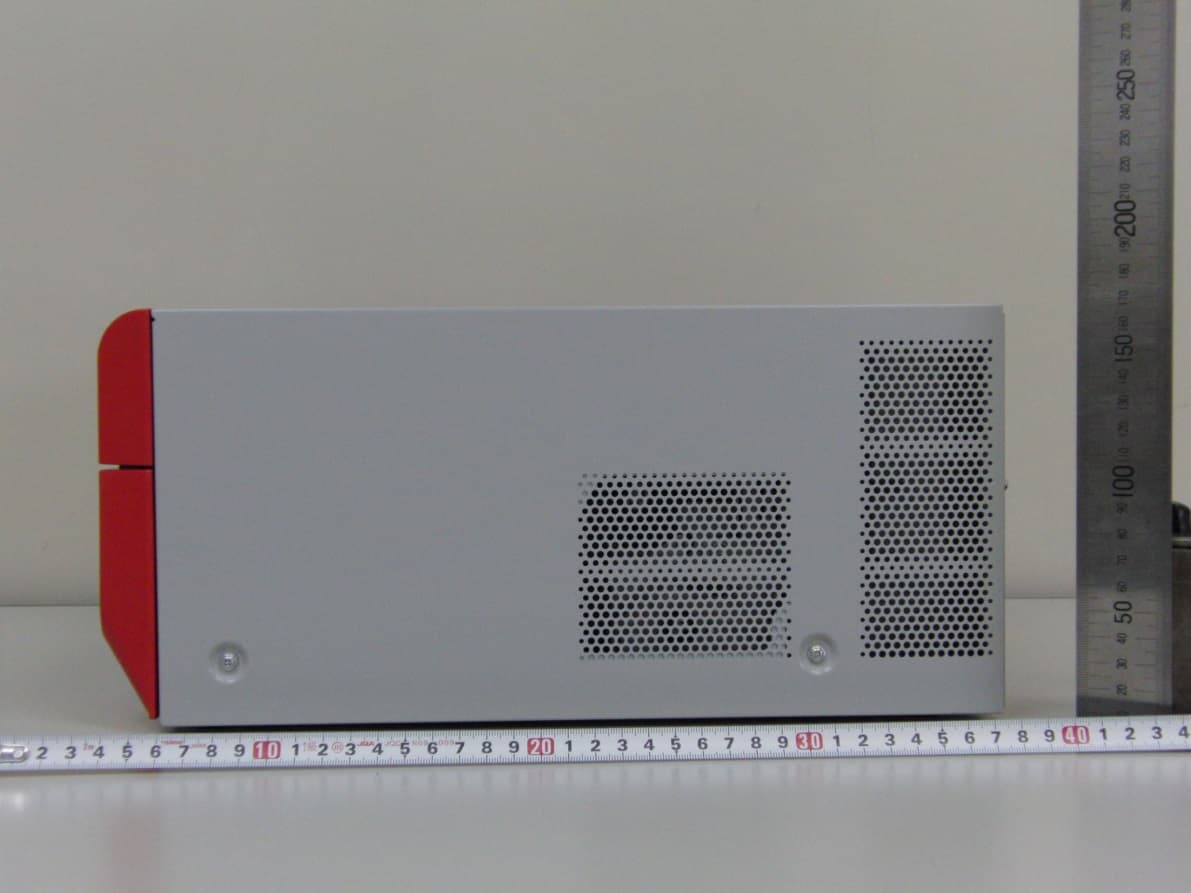
External Photographs Figure 3.0-1 PHOTO PRINTER External View- Front Figure 3.0-2 PHOTO PRINTER External View - Rear Figure 3.0-3 PHOTO PRINTER External View - RIGHT Figure 3.0-4 PHOTO PRINTER External View - LEFT
Internal Photos
Internal Photographs Figure 9.0-1 PHOTO PRINTER Internal View - Rear Figure 9.0-2 TOP VIEW OF MAIN BORAD Figure 9.0-3 BOTTOM VIEW OF MAIN BORAD Figure 9.0-4 PHOTO PRINTER Internal View- LEFT Figure 9.0-5 TOP and BOTTOM VIEW OF RFID Reader/Writer Module CONTROL BORAD Figure 9.0-6 TOP and BOTTOM VIEW OF RFID Reader/Writer Module ANT BORAD Figure 9.0-7 PHOTO PRINTER Internal View- TOP Figure 9.0-8 PHOTO PRINTER Internal View Figure 9.0-9 PHOTO PRINTER Internal View- Front Figure 9.0-10 TOP & BOTTOM VIEW OF JOINT BORAD
Parts List/Tune Up Info
Maximum Gain: -58.91dBi
Test Report
Page 2 of 22 Test Report No. R56906E-2 Cosmos Corporation COSMOS List of Contents Page 1. Description of Equipment Under Test ............................................................................................4 1.1 Product Description ....................................................................................................................4 1.2 Antenna Description...................................................................................................................4 2. General Information ...........................................................................................................................5 2.1 Test Methodology ........................................................................................................................5 2.2 Test Facility ................................................................................................................................5 2.3 Tractability..................................................................................................................................5 3. Summary of Test Results ...................................................................................................................5 4. Test Configuration ..............................................................................................................................6 4.1 Conducted Emission Measurement .........................................................................................6 4.2 Radiated Measurement in 3m Anechoic Chamber..................................................................6 4.3 Test Mode..................................................................................................................................7 5. Measurement Result...........................................................................................................................8 5.1 15. 207 AC Power Conducted Emission...................................................................................8 5.1.1 Setting Remarks ................................................................................................................8 5.1.2 Minimum Standard ...........................................................................................................8 5.1.3 Result .................................................................................................................................8 5.1.4 Measured Data ..................................................................................................................9 5.2 15. 209 Transmitter Radiated Emissions..............................................................................11 5.2.1 Setting Remarks ..............................................................................................................11 5.2.2 Minimum Standard .........................................................................................................12 5.2.3 Result ...............................................................................................................................12 5.2.4 Measured Data ................................................................................................................13 5.3 Maximum Carrier Output Power..........................................................................................15 5.3.1 Setting Remarks ..............................................................................................................15 5.3.2 Minimum Standard .........................................................................................................15 5.3.3 Result ...............................................................................................................................15 5.3.4 Measured Data ................................................................................................................16 5.4 Frequency Tolerance..............................................................................................................18 5.4.1 Setting Remarks ..............................................................................................................18 5.4.2 Minimum Standard .........................................................................................................18 5.4.3 Result ...............................................................................................................................18 5.4.4 Measured Data ................................................................................................................18 6. Photos ................................................................................................................................................19 6.1 Setup Photo (Conducted Emission)..........................................................................................19 6.2 Setup Photo (Radiated Emission) ............................................................................................20 7. List of Test Measurement Instruments ...........................................................................................22 Page 3 of 22 Test Report No. R56906E-2 Cosmos Corporation COSMOS 7.1 Conducted Emission Measurement ............................................................................................22 7.2 Radiated Emission Measurement...............................................................................................22 Page 4 of 22 Test Report No. R56906E-2 Cosmos Corporation COSMOS 1. Description of Equipment Under Test 1.1 Product Description Manufacturer : CITIZEN SYSTEMS JAPAN CO.,LTD. Model (referred to as the EUT) : DS80 Nominal Voltage : AC 100-240V, 50/60Hz Type of Modulation : ACK 10% Mode of Operation : duplex 1/2 duplex simplex other The type of the equipment : Stand-alone Combined Equipment Plug –In Card Other The type of the antenna : Integral external Other The type of power source : AC mains Dedicated AC adapter ( …
Text truncated - open the document above for the full version.
Contact Information
Applicant
Jun Ogawa(Safety Manager, Design Department)
Technical Contact
Cosmos CorporationDavid Watanuki
[email protected]+81-596-63-0707
2-3571 Ohnogi, Watarai-cho, Watarai-gun · Japan
Non-Technical Contact
Cosmos CorporationDavid Watanuki
[email protected]+81-596-63-0707
Test Firm
Cosmos CorporationEiji Asano
Technical Specifications
| # | Rule Parts | Frequency Range | Power Output | Tolerance |
|---|---|---|---|---|
| 1 | 15C | 13.56 MHz - 13.56 MHz | - | 0.0050000000 % |
Other Applications from Citizen Systems Japan Co., Ltd.
TLGD08C0
Jul 02, 2014DIGITAL PHOTO PRINTER
Equipment Class
DXX - Part 15 Low Power Communication Device Transmitter
TLGJR20M01
Mar 28, 2011Digital Photo Printer
Equipment Class
DXX - Part 15 Low Power Communication Device Transmitter
TLGJR10M01
Mar 28, 2011Digital Photo Printer
Equipment Class
DXX - Part 15 Low Power Communication Device Transmitter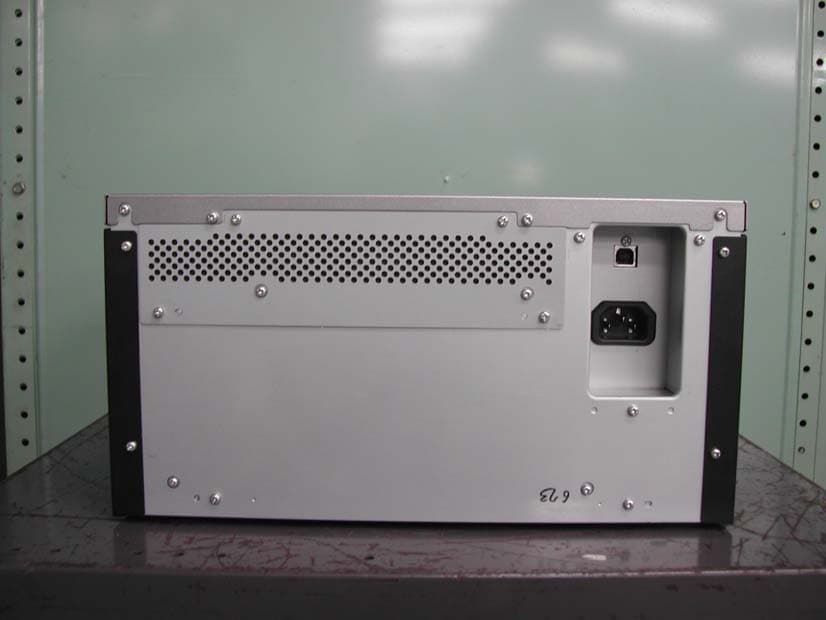
TLGD06B0
Apr 22, 2007Printer with RFID Transmitter
Equipment Class
DXX - Part 15 Low Power Communication Device Transmitter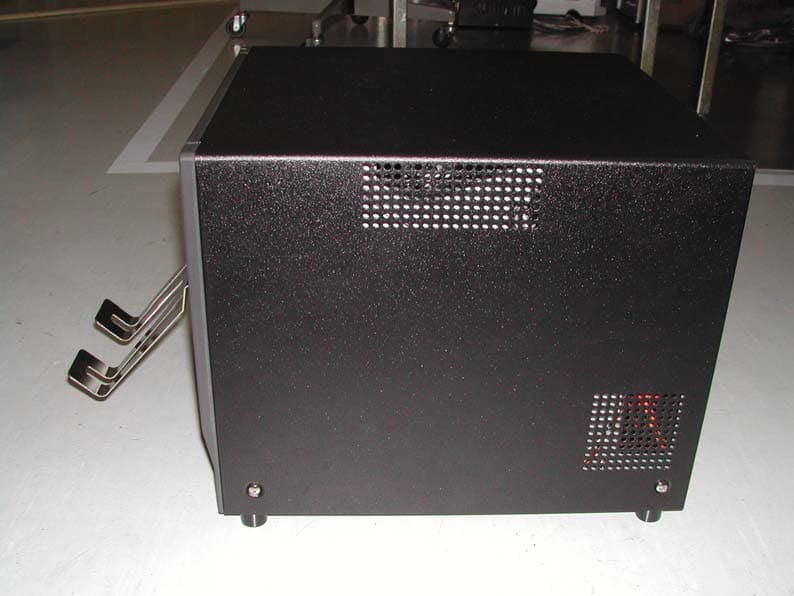
TLGH04A0
Nov 16, 2005Printer with RFID Transmitter
Equipment Class
DXX - Part 15 Low Power Communication Device Transmitter