TZIKT4530iPod Car Charger and FM Transmitter
Arts Electronics Co., Ltd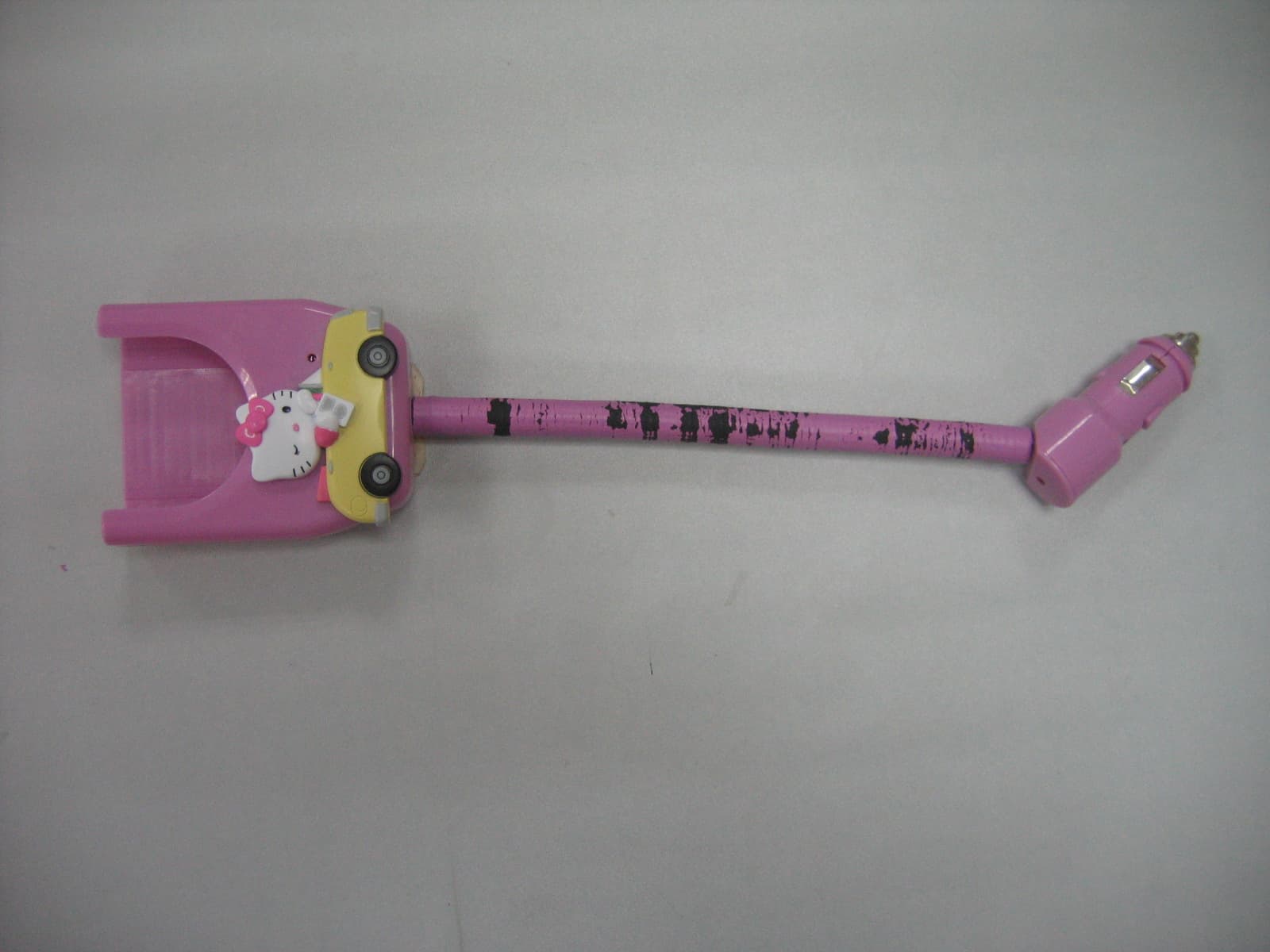
Click to zoom
Application Details
- Equipment Class
- DXX - Part 15 Low Power Communication Device Transmitter
- Date of Grant
- Mar 06, 2006
- Application Purpose
- Original Equipment
- Date of Application
- Mar 05, 2006
- Equipment Note
- iPod Car Charger and FM Transmitter
- Frequency Range
- 88.10000000 - 107.90000000
- Company
- Arts Electronics Co., Ltd
- Country
- China
Documents & Files
Document Text
Text extracted from the exhibit documents filed with the FCC. Open a document above to read the original.
Users Manual
Operating Instructions KT4530 FM Transmitter with Car Charger for iPod® PC | Mac (iPod® not included) 2 Getting Started (1) Switch on your iPod®. Press the Menu button and enter the Setting mode. Set “Sound Check” as “Off”. (2) Plug the dock connector of your Hello Kitty FM Transmitter into the dock connector port of your iPod® as shown below: (3) Plug the DC Cigarette Lighter Adaptor into the Car Cigarette Lighter . Your iPod® will start charging immediately. (4) Play some music on your iPod®. (5) Switch your radio to FM band and tune it to 88.0MHz. (6) To select other transmission frequencies, please see the below instructions. (7) Set your desired volume level by adjusting the volume control of your FM receiver. Installing the FM Transmitter Software In order to change the radio frequency that the FM Transmitter broadcasts on, you need to first install the software from the included CD driver: (1) Insert the included driver disc into your Mac® or PC. Mac® Users - Double click the installer icon “FM Transmitter” to launch the installer. PC Users – Run the file setup.exe located on the driver disc. (2) Open iTunes. You should now see a playlist called “FM Transmitter” in the Source column on the left side of the window. This playlist will contain a series of short audio files, all of which have radio frequencies as their names. You may also get the short audio files through the path: C:\Program Files\Kitty\FM Transmitter\ (3) Connect your iPod® to your Mac® or PC and sync the device with iTunes. The FM Transmitter playlist will be transferred to the iPod®. If you have changed the default preferences of your iPod®, you may have to manually transfer the playlist into your iPod®. NOTE: After the installation is completed, a word format readme file “Last minute details” will pop up. This file shows clearly the steps of placing the station playlist to your iPod®. Tuning the FM Transmitter The FM Transmitter can broadcast to any frequency on your FM radio. Once you have installed the station playlist on to your iPod®, follow these simple steps to tune your FM Transmitter to broadcast your music on a selected frequency. (1) Scan the FM stations on your radio to find an empty frequency. The one that does not have any talking or music on it will be preferable. (2) Navigate to the FM Transmitter stations playlist on your iPod® by selecting the Playlist from the Main Menu, then select “FM Transmitter”. (3) Scroll down and highlight the audio file with the name matching the frequency you found on your FM radio. Press the SELECT button (the button in the middle of your scroll wheel) to play the station. (4) As your chosen station begins to play, the light on the FM Transmitter will begin to blink rapidly. As soon as you see this, immediately press the PLAY/PAUSE button of your iPod®. The light on the FM transmitter will pulse three times slowly to let you know you have successfully changed the transmitting frequency. The FM Transmitter will now broadcast on the station frequency you selected. Press the MENU button on your iPod® to return to the Main Menu. Now you can navigate to your own music and start playing wirelessly. Special Tips for Operating the FM Transmitter 1. After the FM transmitter is unplugged, the transmission frequency will be reset. You may need to tune it again for the next use. 2. Your iPod® will automatically charge once it is connected to the car cigarette lighter. 3. To get the best sound quality, please select a FM station that is totally quiet and static. 4. If you find that reception is poor, please try to select other transmission and reception frequencies. 5. After the short audio files are added into your iPod’s library, they might be played. To avoid this, you should create a new playlist that includes all the songs except the short audio files. 6. If you experience distorted sound, set the EQ of your iPod® to “Flat” for better sound output. 3 Compliance with FCC Regulations This equipment has been tested and found to comply with the limits for a digital device, pursuant to Part 15 of the FCC Rules. These limits are designed to provide reasonable protection against harmful interference in a residential installation. This equipment generates, uses and can radiate radio frequency energy and, if not installed and used in accordance with the instructions, may cause harmful interference to radio communications. However, there is no guarantee that interference will not occur in a particular installation. If this equipment does cause harmful interference to radio or television reception, which can be determined by turning the equipment off and on, the user is encouraged to try to correct the interference by one or more of the following measures: - Reorient or relocate the receiving antenna. - Increase the separation between the equipment and receiver. - Connect the equipment into an outlet on a circuit different from that to which the receiver is connected. - Consult the dealer or an experienced radio technician for help. CAUTION: Changes or modifications not expressly approved by the party responsible for compliance could void the user’s authority to operate the equipment. NOTE: THE MANUFACTURER IS NOT RESPONSIBLE FOR ANY RADIO OR TV INTERFERENCE CAUSED BY UNAUTHORIZED MODIFICATIONS TO THIS EQUIPMENT. SUCH MODIFICATIONS COULD VOID THE USER’S AUTHORITY TO OPERATE THE EQUIPMENT.” Technical Specifications - Designed for all iPod® models except iPod® Shuffle - Built-in Antenna - Required Power Supplied by the Car Cigarette Lighter - FM Stereo Modulation - Frequency Range: 88.1MHz – 107.9MHz - Frequency Response: 50Hz to 15kHz - Operating Range: 10-30 ft (Limited by FCC Regulation) - FCC Compliant Care and Maintenance 1. Clean the unit with a damp (never wet) cloth. Solvent or detergent should never be used. 2. Avoid leaving the unit in direct sunlight or in hot, humid or dusty places. 3. Keep the unit away from heating appliances and sources of electrical noise such as fluorescen…
Text truncated - open the document above for the full version.
Block Diagram
Kt4530-blk.sch-1 - Tue Feb 07 20:33:35 2006 PDF created with FinePrint pdfFactory trial version http://www.fineprint.com
ID Label/Location Info
KT4530 Labelling Draft Size: W30mm X H15mm Printing Color: White Location: To be silk-screened on the back panel of the unit. Serial Number Label where: A: The year of manufacture B: The month of manufacture C: Sequence number (from 10001 to 99999) Size Requirement: Minimum W25mm X H5mm Colour Requirement: Black printing on white background Location: To be affixed on the back of the unit. Hello Kitty ® Model: KT4530 FM Transmitter with Car Charger for iPod® Freq: 88.1MHz – 107.9MHz FCC ID:TZIKT4530 This device complies with Part 15 of the FCC Rules. Operation is subject to the following two conditions: (1) this device may not cause harmful interference, and (2) this device must accept any interference received, including interference that may cause undesired operation. Made in China © 1976, 2006 Sanrio Co., Ltd. S/N: 2006 01 XXXXX AB C AR
Operational Description
1 Composing the audio-singal of different frequency and transcribe into the CD. 2 The user put the audio-singal into the iPod with the iTune of computer and set up a FOLDER. 3 The user can choose different frequency of FOLDER from FM TX of iPod. ④ FM TX receive the audio singal with the Line out of iPod, the audio singal become impulse and send to MCU IC1 after the IC1 han dling. According to the different impulse, MCU change the radiating frequency of IC3 FM TX IC, such as when receiving a impulse of 0. 5 ms, MCU will control the frequency of IC3 within 88.1MHz; If receiving a impulse of 0.6ms, MCU will control the frequency of IC3 wi thin 88.3MHz, analogical like this. The modulating mode of FM is same as FM transmitter. FM TX Operational Description 4
Schematics
Kt4530r.sch-1 - Wed Feb 08 11:00:05 2006 PDF created with FinePrint pdfFactory trial version http://www.fineprint.com
Test Report
Report No.: GLEMO060100173AV Page: 1 of 14 FCC ID: TZIKT4530 Authorized Signature: Jerry Chen Technical Manager This report refers to the General Conditions for Inspection and Testing Services, printed overleaf This report details the results of the testing carried out on one sample. The results contained in this test report do not relate to other samples of the same product. The manufacturer should ensure that all products in series production are in conformity with the product sample detailed in this report. This report may only be reproduced and distributed in full. If the product in this report is used in any configuration other than that detailed in the report, the manufacturer must ensure the new system complies with all relevant standards. Any mention of SGS International Electrical Approvals or testing done by SGS International Electrical Approvals in connection with, distribution or use of the product described in this report must be approved by SGS International Electrical Approvals in writing. Member of the SGS Group (Société Générale de Surveillance) SGS-CSTC Standards Technical Services Ltd. No.198 Kezhu Road, Science Town Economic& Technology Development District Guangzhou, China 510663Telephone: Telephone: +86 (0) 20 82155555 Fax: +86 (0) 20 82075059 Email: [email protected] FEDERAL COMMUNICATIONS COMMISSION Registration number: 282399 FCC TEST REPORT Application No. : GLEMO060100173AV Applicant: Arts Electronics Co.,Ltd FCC ID: TZIKT4530 Fundamental Carrier Frequency : 88.1MHz to 107.9MHz Equipment Under Test (EUT): Name: iPod Car Charger and FM Transmitter Model: KT4530 Band Name: Not supply by client Standards: FCC PART 15: 2005 Please refer to section 2 for further details. Date of Receipt: 20 February 2006 Date of Test: 5 to 17 February 2006 Date of Issue: 21 February 2006 Test Result : PASS * * In the configuration tested, the EUT complied with the standards specified above. SGS-CSTC Standards Technical Services Ltd. Report No.: GLEMO060100173AV Page: 2 of 14 FCC ID: TZIKT4530 2 Test Summary Test Test Requirement Stanadard Paragraph Result Radiated Emission (30MHz to 1000MHz) FCC PART 15 :2005Section 15.239 PASS Occupied Bandwidth FCC PART 15 :2005Section 15.239 PASS SGS-CSTC Standards Technical Services Ltd. Report No.: GLEMO060100173AV Page: 3 of 14 FCC ID: TZIKT4530 3 Contents Page 1 COVER PAGE ...........................................................................................................................................1 2 TEST SUMMARY....................................................................................................................................................2 3 CONTENTS..............................................................................................................................................................3 4 GENERAL INFORMATION...................................................................................................................................4 4.1 CLIENT INFORMATION....................................................................................................................................... 4 4.2 GENERAL DESCRIPTION OF E.U.T................................................................................................................... 4 4.3 DESCRIPTION OF SUPPORT UNITS................................................................................................................... 4 4.4 STANDARDS APPLICABLE FOR TESTING........................................................................................................... 4 4.5 TEST LOCATION................................................................................................................................................ 4 4.6 OTHER INFORMATION REQUESTED BY THE CUSTOMER.................................................................................. 4 4.7 TEST FACILITY................................................................................................................................................... 5 5 TEST RESULTS......................................................................................................................................................6 5.1 TEST INSTRUMENTS.......................................................................................................................................... 6 5.2 E.U.T. OPERATION........................................................................................................................................... 6 5.3 TEST PROCEDURE & MEASUREMENT DATA..................................................................................................... 7 5.3.1 Radiated Emissions...................................................................................................................................7 5.3.2 Occupied Bandwidth..........................................................................................................................12-14 SGS-CSTC Standards Technical Services Ltd. Report No.: GLEMO060100173AV Page: 4 of 14 FCC ID: TZIKT4530 4 General Information 4.1 Client Information Applicant Name:Arts Electronics Co.,Ltd Applicant Address: No.60 ShangXing Lu,ShangJiao Management District,Chang An Zhen,DongGuan City 4.2 General Description of E.U.T. Product Name: iPod Car Charger and FM Transmitter Model: KT4530 Power Supply: 12V Car Charger DC Power Cord: N/A- 4.3 Description of Support Units The EUT was tested as a peripheral unit:it must connet to an iPod and charge to Car and setup correctly. The transmitter have 100 channels in the 88.1MHz between 107.9MHz with 200KHz channel spacing can in exchange for choice by software setup. 4.4 Standards Applicable for Testing The customer requested FCC tests for a FM transmitter for iPod. The standard used was FCC PART 15, SUBPART C (2005) section 15.239. 4.5 Test Location All tests were performed at:- SGS-CSTC Standards Technical Services Co., Ltd., Guangzhou EM…
Text truncated - open the document above for the full version.
Contact Information
Applicant
SH Lee(Safety Engineer)
Technical Contact
SGS-CSTC Standards Technical Services Ltd.Stephen Guo
[email protected]86-20-8215-5301
198 Kezhu Rd, Scientech Pk Guangzhou · Guangzhou · China
Test Firm
SGS-CSTC Standards Technical Services Co., LtdJerry Chan
Technical Specifications
| # | Rule Parts | Frequency Range | Power Output |
|---|---|---|---|
| 1 | 15C | 88.1 MHz - 107.9 MHz | - |
Other Applications from Arts Electronics Co., Ltd
TZIUX598
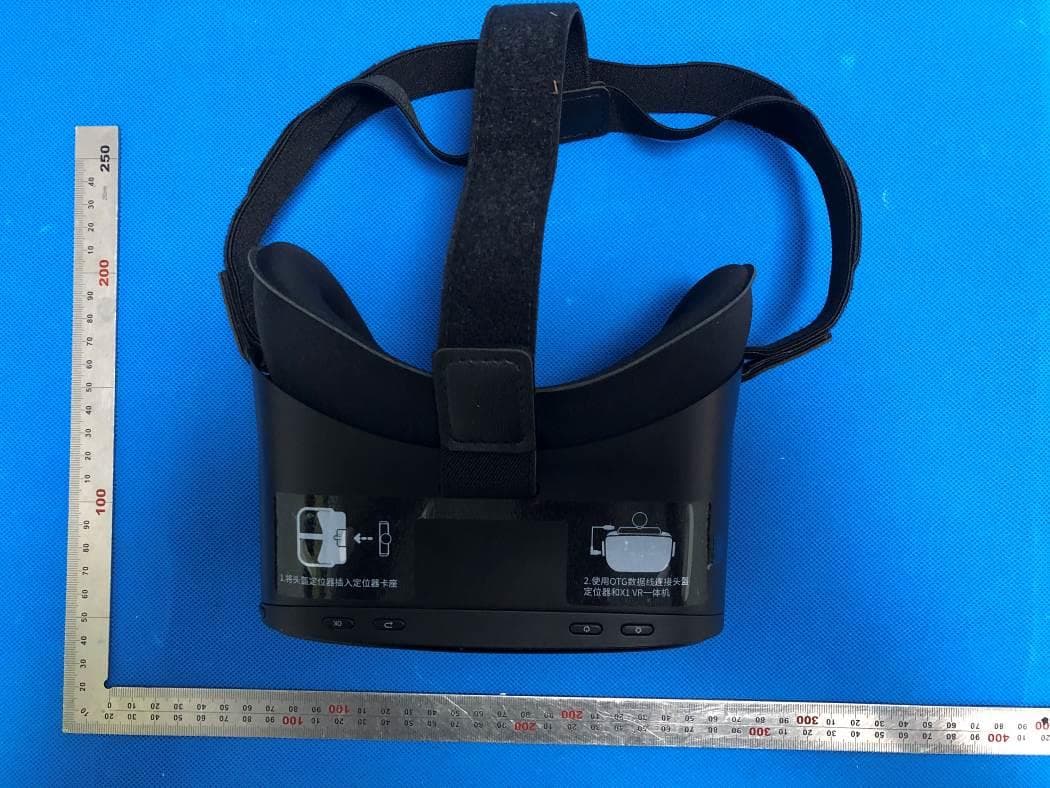
Sep 15, 2020Bluetooth & WIFI & 5G WIFI VR All-in-One HMD
Equipment Class
DTS - Digital Transmission System
TZIXRM10
Mar 26, 2020Job Site Charger Radio
Equipment Class
DSS - Part 15 Spread Spectrum Transmitter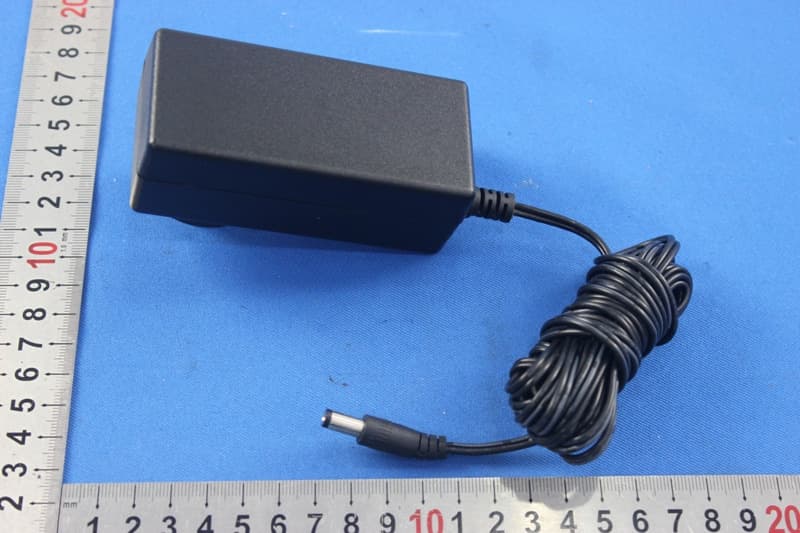
TZISDL9030DB
Nov 16, 2015PROFESSIONAL HD KARAOKE SYSTEM WITH BLUETOOTH
Equipment Class
DSS - Part 15 Spread Spectrum TransmitterTZISDL366
Sep 14, 2015HD KARAOKE SYSTEM WITH BLUETOOTH
Equipment Class
DSS - Part 15 Spread Spectrum Transmitter
TZI-CN897153
Sep 08, 2015Bluetooth Alarm Clock
Equipment Class
DSS - Part 15 Spread Spectrum Transmitter