U3N-XP5BLUETOOTH HEADSET
Sound ID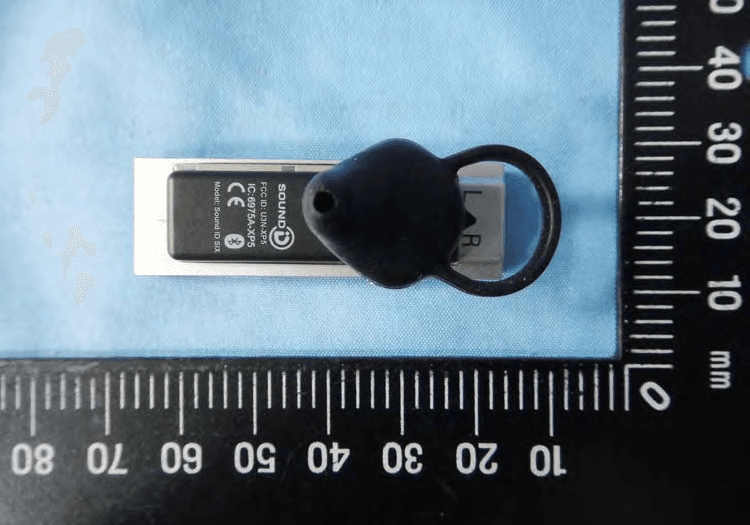
Click to zoom
Application Details
- Equipment Class
- DSS - Part 15 Spread Spectrum Transmitter
- Date of Grant
- Jun 07, 2011
- Application Purpose
- Original Equipment
- Date of Application
- Jun 07, 2011
- Equipment Note
- BLUETOOTH HEADSET
- Frequency Range
- 2402.00000000 - 2480.00000000
- Company
- Sound ID
- Country
- United States
Documents & Files
Document Text
Text extracted from the exhibit documents filed with the FCC. Open a document above to read the original.
Users Manual
Getting to know the SOUND ID SIX Thank you for choosing your Sound ID SIX Bluetooth Headset. With the SIX, Sound ID has redefined the handsfree experience. Compatible with all Bluetooth enabled mobile phones (2.0 and higher). Sound ID SIX combine innovation features into one sleek and powerful headset, plus the refined sound quality you've come to expect from Sound ID. • EarPrint 3.0 - Personalize your sound settings with the swirl of a finger, check battery status and create your own hands free Voice Menu. This App is free and is available for iPhone, Android 2.1 or higher and select Blackberry phones. Check www.soundid.com for a list of phones that are compatible with EarPrint. • 3X NoiseNavigation has three microphones that eliminate intrusive wind and unwanted background noise. • Clear Carbon Smart Touch Surface that controls volume, mute, and voice menu, • Caller ID and Voice Prompts give connection and status updates, and identify incoming calls from your favorite numbers • Voice Menu activates up to 5 favorite features, such as Voice Mail, Last Number Redial, or Auto Dial with just a touch. • All day RealComfort™ Ear Loops in small, medium and large plus an over the ear wearing option. • ActiveConnect allows connection to any two Bluetooth A2DP devices (Mobile phones, Tablets, PC’s) for music and video. • Pass Thru Mode amplifies your surrounding environment between calls. Fine tune amplification with PersonalSound. • Convenient On/Off switch • Micro USB Connectivity – charge headset and upgrade firmware with Micro USB connection. • Over 4 hours of talk time, 75 hours standby Achieve the Best Performance 1. Having the mobile phone on the opposite side as your headset or behind you will reduce wireless signals. Keep the mobile phone and headset on the same side, preferably line-of-sight. If you experience intermittent static, reposition the phone to find the best reception. 2. As you increase the separation between your phone and your headset the wireless signal strength will be reduced and will produce static and/or disconnect. Reduce the distance. 3. If you put your phone in a purse or briefcase, keep the purse or briefcase on the same side as the headset. Turning the Headset On The Sound ID SIX has a convenient On/Off Switch located on the side of the headset to ensure you conserve battery life and avoid accidental pocket-dialing. When the switch is down (GREEN showing) the power is on. When pushed up (RED showing) the power is off. Pairing with your Phone Initial Pairing If your headset has not been paired to a phone, just turn it on. • Select "LOOK FOR DEVICES" in the Bluetooth menu on your mobile phone. Some phones, such as the iPhone, will initiate this search automatically. Photo of a phone menu • Select "SOUND ID SIX" when it appears on your screen. If asked to enter a PIN, enter "0000". You should only have one Sound ID SIX in your phone Bluetooth menu at anytime. Manual Pairing Press and hold the main button on the headset for 3 seconds as you turn on your headset. The LED light should begin flashing Red and Green indicating “pairing mode”. Caution: be sure to remove or delete any previously paired Sound ID headsets from your phone’s Bluetooth menu before attempting to pair. . Answering a Call on Headset Sound ID has a simplified one button interface. To answer a call on your Sound ID SIX, press the main button area once. Note: if you answer an incoming call with most handsets, the audio will be routed to the handset and not the headset Transferring Call to Headset If you use the answer button on your mobile phone to answer a call, you may have to switch the audio source on the phone to your Sound ID SIX Headset. For more information, please consult the user guide for your mobile phone. Adjusting the Volume on Headset To manually adjust the volume use, the Touch Sensor Volume Control, by simply sliding your finger across the headset. Insert photo. For best performance, touch the center of the headset top cover and slide your finger from mouth towards ear to turn volume up, and from ear towards mouth to turn volume down. When you reach max or min volume you will hear a beep. In addition you may adjust volume using the phone’s volume buttons. The Sound ID SIX has built-in Automatic Volume Control (AVC). Once the volume is adjusted, the AVC will monitor and automatically adjust the volume based on the surrounding noise level. Voice Menu The Sound ID SIX has a built in Voice Menu. To initiate the Voice Menu press and hold the Main Button area for 2 seconds until you hear the headset say “Voice Menu”, then lift your finger. The voice prompt will scroll through the selections. Press the Main Button area again when you hear your desired selection. You can customize Voice Menu by accessing the EarPrint App. (see EarPrint section below) To activate Voice Dial within the voice menu selections your handset must support Voice Dialing. Check your handset user manual to determine if you can use this feature. Pass Thru Mode Pass Thru Mode amplifies the surroundings so you don’t have to remove the headset to hear. Pass Thru maybe activated via EarPrint by simply turning it ON or OFF under the Tools Menu. (screen shot). You may also select “Surround” for normal listening situation or “Focus” for noisy ones. It even gets better. You may fine tune Pass Thru Mode in the EarPrint PersonalSound Screen For added convenience, you may add “Pass Thru Mode” to your Voice Menu to activate or deactivate with a touch of a button. Mute/Un-Mute While in a call, hold your two fingers on the touch volume area (approximately 2 seconds) until you hear a voice prompt announcing “Mute/UnMute”. Charging your headset Charging the battery for the first time we recommend you charge for a minimum of 4 hours. Subsequent charges take up to 2.5 hours for a full charge. Disregard the green status light during the initial charge. When the headset is charging, the status light is RED. When the headset is fully charged,…
Text truncated - open the document above for the full version.
External Photos
1 of 6 External Photos Model Number: Sound ID SIX FCC ID: U3N-XP5 IC ID: 6975A-XP5 2 of 6 EUT Photo 1 ) EUT Photo 2 ) 3 of 6 EUT Photo 3 ) EUT Photo 4 ) 4 of 6 EUT Photo 5 ) EUT Photo 6 ) 5 of 6 EUT Photo 7 ) EUT Photo 8 ) 6 of 6 EUT Photo 9 )
Internal Photos
1 of 5 Internal Photos Model Number: Sound ID SIX FCC ID: U3N-XP5 IC ID: 6975A-XP5 2 of 5 EUT Photo 1 ) EUT Photo 2 ) 3 of 5 EUT Photo 3 ) EUT Photo 4 ) 4 of 5 EUT Photo 5 ) EUT Photo 6 ) 5 of 5 EUT Photo 7 )
Test Report
A Test Lab Techno Corp. Report Number: 1105FR13 1/65 FCC 47 CFR PART 15 SUBPART C Product Type : Bluetooth Headset Applicant : Sound ID Address : 2595 East Bayshore Road, Suite 200, Palo Alto, CA 94303, USA Trade Name : Sound ID Model Number : Sound ID SIX Test Specification : FCC 47 CFR PART 15 SUBPART C: Oct., 2010 Canada RSS-210 ISSUE 8: Dec., 2010 Canada RSS-Gen ISSUE 3: Dec., 2010 ANSI C63.4-2003 Issue Date : Jun. 01, 2011 Issue by A Test Lab Techno Corp. No. 140-1, Changan Street, Bade City, Taoyuan County 334, Taiwan R.O.C. Te l:+886-3-2710188 / Fax:+886-3-2710190 T aiwan Accreditation Foundation accreditation number: 1330 Note: This report shall not be reproduced except in full, without the written approval of A Test Lab Techno Corp. This document may be altered or revised by A Test Lab Techno Corp. personnel only, and shall be noted in the revision section of the document. The client should not use it to claim product endorsement by TAF, or any government agencies. The test results in the report only apply to the tested sample. Revision History Rev. Issue Date Revisions Revised By 00 Jun. 01, 2011 Initial Issue A Test Lab Techno Corp. Report Number: 1105FR13 2/65 A Test Lab Techno Corp. Report Number: 1105FR13 3/65 Verification Issued Date: 06/01/2011 Product Type : Bluetooth Headset Applicant : Sound ID Address : 2595 East Bayshore Road, Suite 200, Palo Alto, CA 94303, USA Trade Name : Sound ID Model Number : Sound ID SIX FCC ID : U3N-XP5 IC ID : 6975A-XP5 EUT Rated Voltage : DC 5.0V, 550mA Test Voltage : 120 Vac / 60 Hz Applicable Standard : FCC 47 CFR PART 15 SUBPART C: Oct., 2010 Canada RSS-210 ISSUE 8: Dec., 2010 Canada RSS-Gen ISSUE 3: Dec., 2010 ANSI C63.4-2003 Test Result : Complied Performing Lab. : A Test Lab Techno Corp. No. 140-1, Changan Street, Bade City, Taoyuan County 334, Taiwan R.O.C. Te l:+886-3-2710188 / Fax:+886-3-2710190 T aiwan Accreditation Foundation accreditation number: 1330 http://www.atl-lab.com.tw/e-index.htm The above equipment was tested by A Test Lab Techno Corp. The test data, data evaluation, test procedures, and equipment configurations shown in this report were made in accordance with the procedures given in ANSI C63.4: 2003 and the energy emitted by the sample tested as described in this report is in compliance with the requirements of FCC Rules Part 15.207, 15.209, 15.247 . The test results of this report relate only to the tested sample identified in this report. Approved By : Reviewed By : (Manager) (Miller Lee ) (Testing Engineer) (Gary Wu) TABLE OF CONTENTS 1 General Information ....................................................................................................................... 6 2 EUT Description ............................................................................................................................. 7 3 Test Methodology........................................................................................................................... 8 3.1. Mode of Operation .................................................................................................................. 8 3.2. EUT Exercise Software........................................................................................................... 9 3.3. Configuration of Test System Details......................................................................................9 3.4. Test Site Environment............................................................................................................. 9 4 Conducted Emission Measurement ........................................................................................... 12 4.1. Limit ...................................................................................................................................... 12 4.2. Test Instruments ................................................................................................................... 12 4.3. Test Setup............................................................................................................................. 12 4.4. Test Procedure...................................................................................................................... 13 4.5. Test Result ............................................................................................................................ 14 5 Radiated Interference Measurement .......................................................................................... 18 5.1. Limit ...................................................................................................................................... 18 5.2. Test Instruments ................................................................................................................... 18 5.3. Setup .................................................................................................................................... 19 5.4. Test Procedure...................................................................................................................... 20 5.5. Test Result ............................................................................................................................ 22 6 Maximum Conducted Output Power Measurement .................................................................. 28 6.1. Limit ...................................................................................................................................... 28 6.2. Test Setup............................................................................................................................. 28 6.3. Test Instruments ................................................................................................................... 28 6.4. Test Procedure...................................................................................................................... 28 6.5. Test Result .............................................................…
Text truncated - open the document above for the full version.
Contact Information
Applicant
Ahmad Shamsoddini(Director of System Engineering)
Test Firm
A Test Lab Techno CorpCountry Huang
Technical Specifications
| # | Rule Parts | Frequency Range | Power Output |
|---|---|---|---|
| 1 | 15C | 2.40 GHz - 2.48 GHz | 7.00 mW |
Other Applications from Sound ID
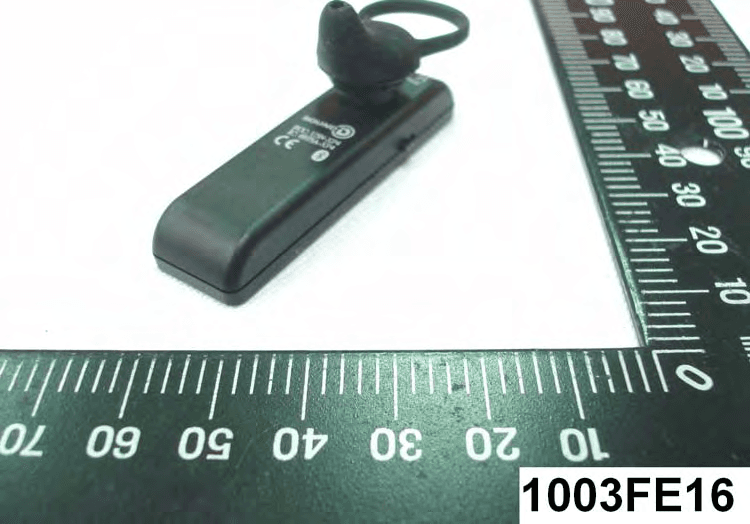
U3N-XP4
May 10, 2010BLUETOOTH HEADSET
Equipment Class
DSS - Part 15 Spread Spectrum Transmitter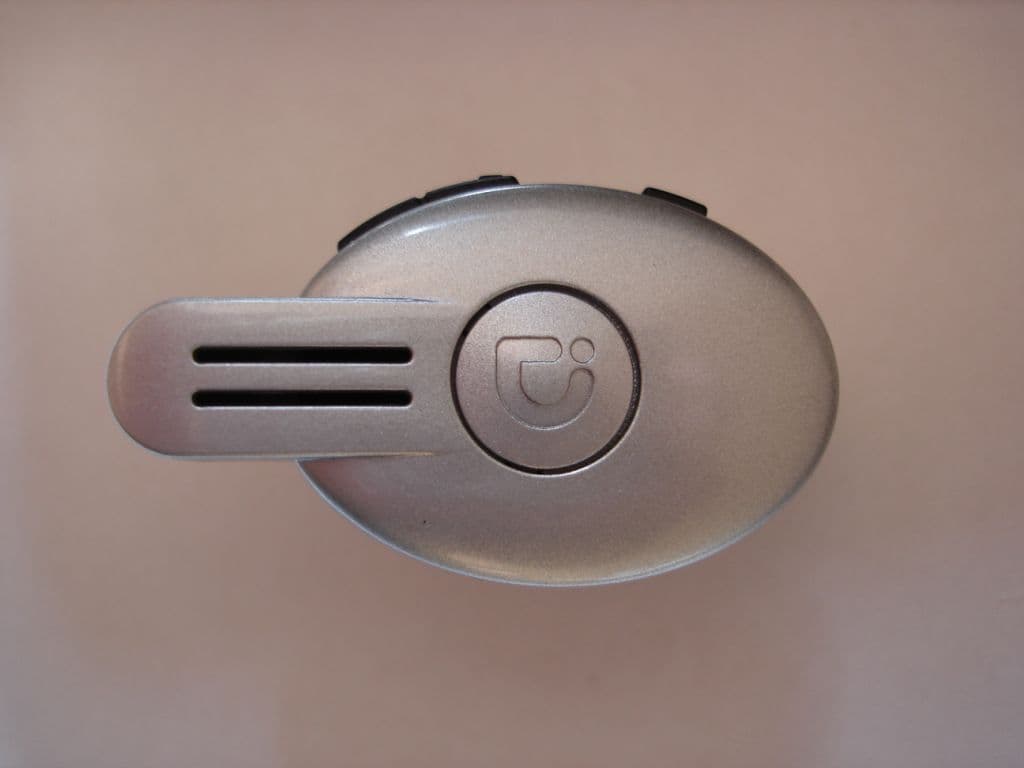
U3NSM100
Mar 15, 2007BT Headset
Equipment Class
DSS - Part 15 Spread Spectrum Transmitter