U3NSM100BT Headset
Sound ID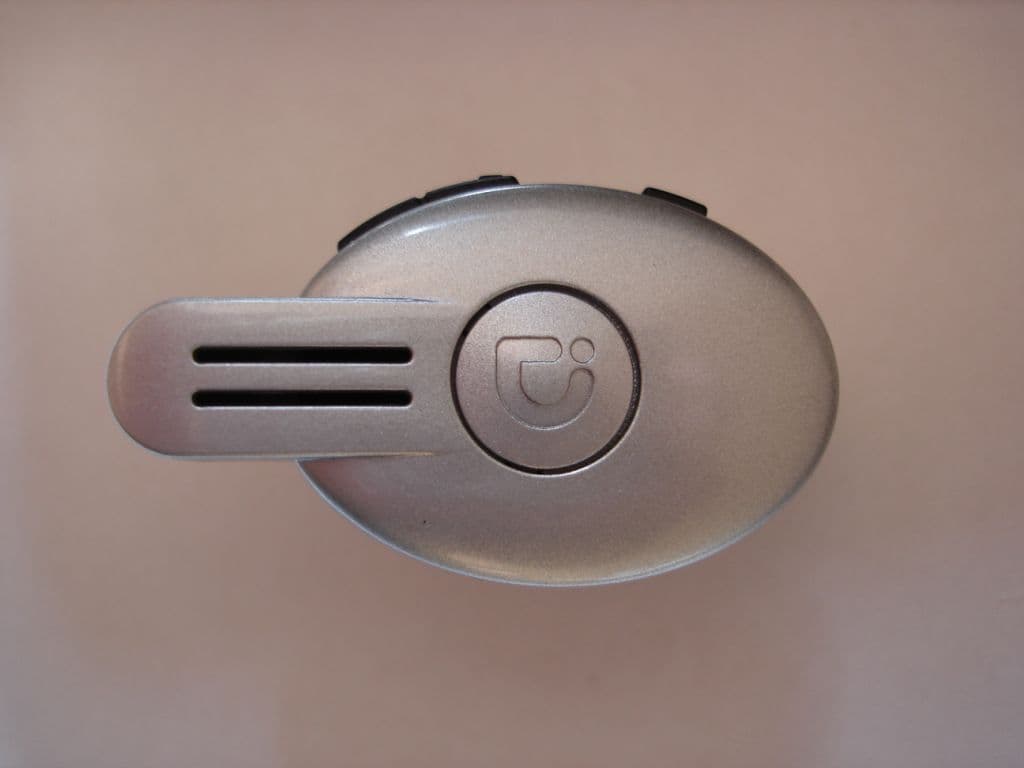
Click to zoom
Application Details
- Equipment Class
- DSS - Part 15 Spread Spectrum Transmitter
- Date of Grant
- Mar 15, 2007
- Application Purpose
- Original Equipment
- Date of Application
- Mar 15, 2007
- Equipment Note
- BT Headset
- Frequency Range
- 2402.00000000 - 2480.00000000
- Company
- Sound ID
- Country
- United States
Documents & Files
Document Text
Text extracted from the exhibit documents filed with the FCC. Open a document above to read the original.
Users Manual
SM100 EarModule User Manual Please take a few moments to read this user manual. It contains instructions for operating your SM100, along with other important information. www.soundid.com 95005101 rev: A Sound ID and the Sound ID logo are among the registered and unregistered trademarks of Sound ID. The Bluetooth trademarks are used by Sound ID under license. © Sound ID 2007 SM100 User Manual2 2/23/07 2:56 PM Page 1 About Your SM100 . . . . . . . . . . . . . . . . . . . . . . . . . . . . . . . . . . . . . . . . . . . . . . . . . . . . 2Getting Started 1. Charge Your Headset. . . . . . . . . . . . . . . . . . . . . . . . . . . . . . . . . . . . . . . . . . . . . . . 3 2. Pair your SM100 with a Bluetooth ® Mobile Phone. . . . . . . . . . . . . . . . . . . . . . . . . . . 4 3. Install the RealComfort Ear Loop and Position the SM100 EarModule . . . . . . . . . . . 5 How it Works . . . . . . . . . . . . . . . . . . . . . . . . . . . . . . . . . . . . . . . . . . . . . . . . . . . . . . . 7Advanced Operations . . . . . . . . . . . . . . . . . . . . . . . . . . . . . . . . . . . . . . . . . . . . . . . .9Operating Modes . . . . . . . . . . . . . . . . . . . . . . . . . . . . . . . . . . . . . . . . . . . . . . . . . . . . . . .10Care & Maintenance . . . . . . . . . . . . . . . . . . . . . . . . . . . . . . . . . . . . . . . . . . . . . . . . . . . . .12Safety Warnings . . . . . . . . . . . . . . . . . . . . . . . . . . . . . . . . . . . . . . . . . . . . . . . . . . . . . . . 1 3 Battery Information and Specifications . . . . . . . . . . . . . . . . . . . . . . . . . . . . . . . . . . . . . . 14Sound ID Limited Warranty . . . . . . . . . . . . . . . . . . . . . . . . . . . . . . . . . . . . . . . . . . . . . . . 15FCC Notice . . . . . . . . . . . . . . . . . . . . . . . . . . . . . . . . . . . . . . . . . . . . . . . . . . . . . . . . . . 15 Information for the User . . . . . . . . . . . . . . . . . . . . . . . . . . . . . . . . . . . . . . . . . . . . . . . . . 16Trademarks and Registered Trademarks . . . . . . . . . . . . . . . . . . . . . . . . . . . . . . . . . . . . . 17Contact Information . . . . . . . . . . . . . . . . . . . . . . . . . . . . . . . . . . . . . . . . . . . . . . . . . . . . 17 Table of Contents English Welcome.Thank you for purchasing the SM100 EarModule.Important NoticesThe volume control should be set at a reasonable sound level. Prolonged exposure toexcessive volume over time can lead to hearing impairment. If you suspect hearing problems, consult with your physician or an audiologist.The SM100 enables hands-free operation of mobile phones. Please obey mobile phonelaws while driving and pay full attention to the operation of the vehicle. Register Your SM100 OnlineVisit www.soundid.com to register your product online so we can provide you with the best possible service and support. SM100 User Manual2 2/23/07 2:56 PM Page 2 SIDE VIEW FRONT VIEW RealComfort Ear Loop Status Light Main Button Microphones Personalized Program Button Volume Up Volume Down Ear Tip Charging Socket 2 3 About Your SM100 English It is important to charge your SM100 battery for a minimum of five hours before you use theEarModule for the first time. Subsequent charges take up to three hours. When theEarModule is charging, the light is red. When fully charged, it is green. Note: To ensure a full first-time charge, please disregard the green status light until at least five hours have passed. Getting Started 1. Charge Your Headset English SM100 User Manual2 2/23/07 2:56 PM Page 3 4 5 You must pair your SM100 EarModule with your mobile phone before using it. 1. Turn off the SM100. Turn ON the phone and navigate to “Bluetooth Link.” 2. Press and hold the main button on the SM100 down for eight seconds, until the light flashes red and green. 3. Select LOOK FOR DEVICES on the mobile phone, and then select “Sound ID SM100” when it appears on the menu screen. 4. If asked to pair, select YES.5. If asked for a pin, passcode or passkey, enter “0000”.6. After successfully pairing, the SM100 status light will stop flashing and the device will remain ON. 2. Pair your SM100 with a Bluetooth ® Mobile Phone English There are three different Ear Loop sizes: large, medium, and small. The medium Ear Loopcomes pre-installed on the EarModule, so check its fit first. If it’s not comfortable, try theother two to find the best fit. If you need to change the Ear Loop and tip, gently pull it awayfrom the EarModule, then snap on the desired Ear Loop and line the tip up with the left orright ear preference (as shown on the EarModule). Large Medium (Installed on Device) Small 3. Install the RealComfort Ear Loop and Position the SM100 EarModule English SM100 User Manual2 2/23/07 2:56 PM Page 4 6 7 Then, gently insert the tip into your ear canal. Ensure that the Ear Loop is securely tuckedinto the back of the ear cavity and rotate it until snug. For the right ear, rotate EarModulecounterclockwise; for the left ear, clockwise. Then, align the microphones toward the mouth.You may need to use a mirror to confirm the position for the first time. Rotate Tip to Line Up With R Rotate Tip to Line Up With L (Approximately 45 degrees) Right Ear Fit SM100 Microphones are Positioned Towards Mouth Left Ear Fit Prior to using the SM100, make sure you charge the unit and pair it to a Bluetooth-enabledmobile phone as described in the “Getting Started” section.Turn ON Press and hold the Main Button for four seconds. The status light will be green. Turn Volume Up Press the Volume Up button for each level. When you hear a beep, you’ve reached the maximum volume. Turn Volume Down Press the Volume Down button for each level. When you hear a beep, you’ve reached the minimum volume. Make a call Use the mobile phone’s keypad to dial and select the “send” button. Answer a call Press the Main Button when the SM100 rings. End a call Press the Main Button . Tu r n O F F Press and hold the Main Button for four seconds. The status light will be red. How It Work…
Text truncated - open the document above for the full version.
External Photos
Sound ID model: SM100 external photos Front view Back view
ID Label/Location Info
Sound ID SM100
Internal Photos
Sound ID model: SM100 internal photos PCB Front view PCB Back view
Test Report
Bluetooth Qualification Test Facility (BQTF) FCC listed# 101450 IC recognized # 3925 CETECOM Inc. 411 Dixon Landing Road Milpitas, CA 95035 U.S.A. Phone: + 1 (408) 586 6200 Fax: + 1 (408) 586 6299 E-mail: [email protected] http://www.cetecom.com CETECOM Inc. is a Delaware Corporation with Corporation number: 2113686 Board of Directors: Dr. Harald Ansorge, Dr. Klaus Matkey, Hans Peter May V1.1 2003-03-01 The BLUETOOTH trademarks are owned by Bluetooth SIG, Inc., U.S.A. and licensed to CETECOM Inc. © Copyright by CETECOM FCC Test Report FCC Part 15.247 for FHSS systems CANADA RSS-210 No.: EMC_SOUND_002_06001_FCC15_RSS210_BT for the Sound ID DSP Bluetooth Headset with user selectable presets Model Number: SM100 FCC ID: U3NSM100 IC-ID: 6975A-SM100 TEST REPORT #:EMC_SOUND_002_06001_FCC15_RSS210_BT DATE: 2/27/2007 Test Report #: EMC_SOUND_002_06001_FCC15_RSS210_BT Date of Report : 2/27/2007 Page 2 of 54 Test Report Cover Sheet/Performance Test Data TEST REPORT NUMBER: EMC_SOUND_002_06001_FCC15_RSS210_BT EQUIPMENT MODEL NUMBER: SM100 CERTIFICATION NO: 6975A-SM100 MANUFACTURER : 6975A TESTED TO RADIO STANDARDS SPECIFICATION NO. : RSS 210 OPEN AREA TEST SITE INDUSTRY CANADA NUMBER: 3463 FREQUENCY RANGE (or fixed frequency): 2402 to 2480 MHz R.F. POWER IN WATTS: 0.00096W OCCUPIED BANDWIDTH (99% BW): 877.76 KHz TYPE OF MODULATION: GFSK EMISSION DESIGNATOR (TRC-43): 878KFXD ANTENNA INFORMATION: CHIP ANTENNA TRANSMITTER SPURIOUS (worst case): 41.11 dBuV/m @ 17.454GHz RECEIVER SPURIOUS (worst case): 40.54 dBuV/m @17.148GHz ATTESTATION: DECLARATION OF COMPLIANCE: I declare that the testing was performed or supervised by me; that the test measurements were made in accordance with the above-mentioned Industry Canada standard(s); and that the equipment identified in this application has been subjected to all the applicable test conditions specified in the Industry Canada standards and all of the requirements of the standard have been met. Signature: Val Tankov Project Engineer CETECOM Inc. 411 Dixon Landing Road Milpitas, CA 95035 Date: 2007-02-27 Test Report #: EMC_SOUND_002_06001_FCC15_RSS210_BT Date of Report : 2/27/2007 Page 3 of 54 TABLE OF CONTENTS Test Report Cover Sheet/Performance Test Data __________________________________________2 1 Assessment_____________________________________________________________________5 Technical responsibility for area of testing: ______________________________________________5 EMC & Radio __________________________________________________________________________________5 2 Administrative Data _____________________________________________________________6 2.1 Identification of the Testing Laboratory Issuing the SAR Assessment Report__________________6 2.2 Identification of the Client __________________________________________________________6 2.3 Identification of the Manufacturer ___________________________________________________6 3 Equipment under Test (EUT) ______________________________________________________7 3.1 Specification of the Equipment under Test_____________________________________________7 4 Subject Of Investigation __________________________________________________________8 5 Measurements __________________________________________________________________9 5.1 RESTRICTED BAND EDGE COMPLIANCE RADIATED §15.247/15.205 _________________9 5.1.1 LIMITS ________________________________________________________________________________9 5.1.2 Results Lower Restricted Band 2310 MHz to 2390 MHz ________________________________________10 5.1.3 Results Upper Restricted Band 2483.5 MHz to 2500 MHz _______________________________________12 5.2 TRANSMITTER SPURIOUS EMISSIONS RADIATED § 15.247/15.205/15.209 ____________14 5.2.1 LIMITS _______________________________________________________________________________14 5.2.2 RESULTS _____________________________________________________________________________15 5.3 Radiated Output Power ___________________________________________________________29 6 Measurements (CONDUCTED) ___________________________________________________32 6.1 MAXIMUM PEAK OUTPUT POWER § 15.247 (CONDUCTED) ________________________32 6.1.1 LIMIT SUB CLAUSE § 15.247 (b) (1) ______________________________________________________32 6.1.2 RESULTS: ____________________________________________________________________________32 6.2 20dB BANDWIDTH ______________________________________________________________36 6.2.1 RESULTS: ____________________________________________________________________________36 6.3 EMISSION LIMITATIONS § 15.247 (c) (1) _________________________________________40 6.4 CARRIER FREQUENCY SEPARATION____________________________________________44 6.4.1 LIMIT SUB CLAUSE § 15.247 (a) (1) ______________________________________________________44 6.4.2 RESULTS: ____________________________________________________________________________44 6.5 NUMBER OF HOPPING CHANNELS ______________________________________________46 6.5.1 LIMIT SUB CLAUSE § 15.247 (a) (1) (iii)___________________________________________________46 6.5.2 RESULTS: ____________________________________________________________________________46 6.6 TIME OF OCCUPANCY (DWELL TIME)___________________________________________48 6.6.1 LIMIT SUB CLAUSE § 15.247 (a) (1) (i) (ii) (iii) _____________________________________________48 6.6.2 RESULTS: ____________________________________________________________________________48 7 TEST EQUIPMENT AND ANCILLARIES USED FOR TESTS ________________________52 Test Report #: EMC_SOUND_002_06001_FCC15_RSS210_BT Date of Report : 2/27/2007 Page 4 of 54 8 BLOCK DIAGRAMS ___________________________________________________________53 Test Report #: EMC_SOUND_002_06001_FCC15_RSS210_BT Date of Report : 2/27/2007 Page 5 of 54 1 Assessment The following is in compliance with the applicable criteria specified in FCC rules Part 15.247 of the Code of Federal Regulations. Company Description Model # Sound ID DSP Bluetooth Headset with user selectable presets…
Text truncated - open the document above for the full version.
Test Setup Photos
TEST SET UP PHOTOS 1. RE Photo 2. Conducted photo
Contact Information
Applicant
Ahmad Shamsoddini(Director of System Engineering)
Test Firm
cetecom advanced GmbHGerald Schmidt
Technical Specifications
| # | Rule Parts | Frequency Range | Power Output |
|---|---|---|---|
| 1 | 15C | 2.40 GHz - 2.48 GHz | 960.00 µW |
Other Applications from Sound ID
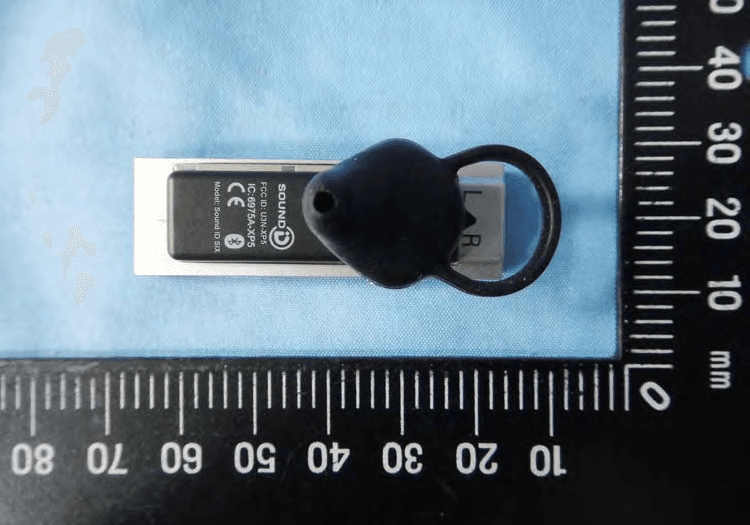
U3N-XP5
Jun 07, 2011BLUETOOTH HEADSET
Equipment Class
DSS - Part 15 Spread Spectrum Transmitter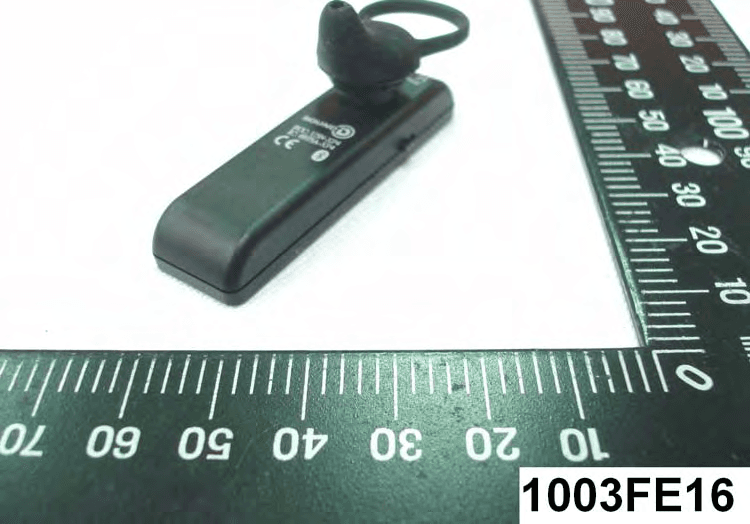
U3N-XP4
May 10, 2010BLUETOOTH HEADSET
Equipment Class
DSS - Part 15 Spread Spectrum Transmitter