U6OCA012Electronic Dictionary
INVENTEC BESTA CO.,LTD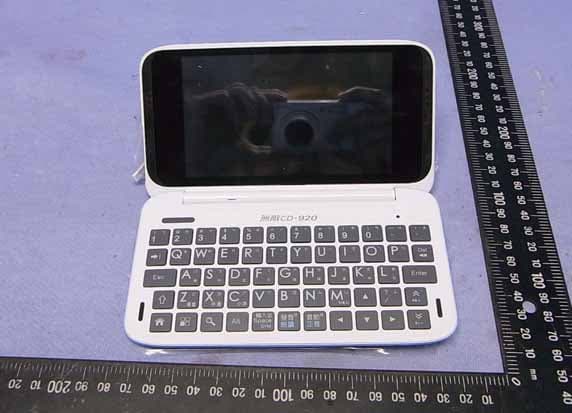
Click to zoom
Application Details
- Equipment Class
- DTS - Digital Transmission System
- Date of Grant
- Jul 18, 2013
- Application Purpose
- Original Equipment
- Date of Application
- Jul 17, 2013
- Equipment Note
- Electronic Dictionary
- Frequency Range
- 2412.00000000 - 2462.00000000
- Company
- INVENTEC BESTA CO.,LTD
- Country
- Taiwan
Documents & Files
Document Text
Text extracted from the exhibit documents filed with the FCC. Open a document above to read the original.
Users Manual
CD-920Cloud Dictionary User Manual Layout Screen Keyboard ON/OFF Key Speaker (right) RESET Microphone Speaker (left) LED Micro SD Slot Earphone Jack USB Jack 1 BESTA CD-920 Cloud Dictionary Power Source & Charger Connect device with power source as the picture 1 below. LED indicator stays orange, indicating that it is charging. • You can charge the device by connecting connector A with computer USB port . LED indicator light turns out 2 indicating that Charging is complete. The full charging time is about 4 hours 30 minutes. • The charging time will vary with the conditions of use and temperature, if you are using while charging, charging time will be extended. Unplug the USB cable. 3 Micro SD Card You can insert a Micro SD card to expand the memory. Insert: switch off the device first. Gently push the card into the card jack until you hear a sound. Remove : switch off the device first. Gently press the card until you hear a sound. Connector A Connector B • Main power is a rechargeable Li-batteries Inside. • Rechargeable battery can be used repeatedly, but it will eventually wear out. When the battery life is shortened, you should buy and replace it with a new one. • Do not disassemble the machine to replace the battery. • It is good for the device to use the specified adaptor of the device. • Please recycle batteries in accordance with local regulations. Use of the battery When transfer or open files on Micro SD, in order to avoid data loss or abnormal of the data . Please make sure the power is off, before inserting and removing card. Power On/Off Power Off: Long press ON/OFF key and then choose "Power off" Interval: When the device is unused, please press ON/OFF key gently. The screen enters power-saving mode. Awakening: On power-saving mode, press ON/OFF key to awaken this mode. Power On: Long press ON/OFF key till the start-up picture is shown. Stylus Stylus plugs in the pen slot. Please pull the stylus out by your finger and put it back to the slot to avoid loosing. 2 Keyboard There are some function keys in the keyboard, some function keys can be used alone, but other function keys need to be used with [ ] key. The same as Tab key of PC. Switch between small and capital letters. Back to the home page. Open the function menu. Open the search function. Combine with other keys with blue sign. 輸入法 ̇ Input a space. ̇ Select the symbol method with [ ] key. ̇ Select the input method with [ ] key. 發音 朗讀 ̇ Pronunciation. ̇ Read the whole passage with [] key. 音節 正音 ̇ Pronounce syllable by syllable. ̇ Open the pronunciation correction with [] key. ̇ Page down. ̇ Turn down the volume with [] key. ̇ Page up. ̇ Turn up the volume with [] key. Delete the selected string or letter. Home Page You could customize the wallpaper, widget, shortcut and the number of home pages. Search Open Google search. Voice Search Open Google voice search. Widget Touch to open the application. Status Bar Display status indicator and notice. Tool Bar Open browser. Open function menu. Open BESTA Market. * There are five shortcuts in tool bar, you can customize other four shortcuts except . Shortcut Touch to open the application. The Home page will change with the update of the Android OS. Voice Search Widget Tool Bar shortcut Status Bar Search 3 Touch-control It is good for the device to use the provided stylus. Selection-tapping Choose the function on the screen and tap it gently with the stylus. Make sure the stylus leave the screen after tapping. Long-tapping Open a new menu option or activate a selected option. Dragging Long tap and drag to move the option. Sliding Fast slide the screen and then browse the option. Zoom in/out Tap screen twice to zoom in/out the Web page and picture. Input When you want to input words, the language toolbar will be activated automatically in order to input words. Customize shortcut Long tap any shortcut to move it, you also can delete shortcut by long tapping and dragging it to “ ╳ ”. Open the function menu, you can long tap and drag the shortcut to home page. Customize widget Long tap any widget to move it, you also can delete widget by long tapping and dragging it to “ ╳ ”. Open the widgets menu, you can long tap and drag the widget to home page. Customize wallpaper Long tap empty area of home page to open a menu to choose wallpaper from Besta Album, Live Wallpapers, Super-HD Player, Wallpapers. Customize the number of home pages Long tap to view the content of screen preview, tap “” to add home page, tap “ ╳ ” to delete home page. The screen is set as the default desktop by tapping . Delete shortcut Sign Alarm More Battery indicator Fully charged Run out of power Charging Data synchronization Input method USB connection Mistake/caution Uploading Downloading Mute Airplane mode You can connect Wi-Fi Status of Wi-Fi Play MP3 Full storage Mail notification Calendar event Insert SD card SD card is removed USB debugging Data updating 4 Slide to page up/down Input words Insert the word You can change the cursor position to change the input position Select words Long tap the words, a blue indicator will appear on the screen to help you select words, slide blue indicator to set the selected range. When you select words, you can perform copy, cut, past and other operations in the toolbar. You can tap “DICTIONARIES" in toolbar to search the selected words in other dictionaries. Insert the word Copy the selected words Search the selected words 5 Wi-Fi & Networks The device provides the Wi-Fi function. Start Wi-Fi Start Wi-Fi in "Settings--Wireless & Networks". Connect ➀ Click Wi-Fi, the device begins to search available networks automatically. ➁ Choose the Wi-Fi network you want to connect . ➂ If need password, you should input the password to connect. ➃ Choose and connect 。 USB Computer Connection Please use specified USB cable to connect your device to PC. ➀ Use specified USB cable to connect the device to PC. ➁ Tap status bar to select "Connected as a media device", choose the Media devic…
Text truncated - open the document above for the full version.
External Photos
INVENTEC BESTA CO., LTD. Electronic Dictionary FCC ID. : U6OCA012 EUT External Photos Figure 1 General Appearance (Front & Side View) Figure 2 General Appearance (Back & Side View) INVENTEC BESTA CO., LTD. Electronic Dictionary FCC ID. : U6OCA012 Figure 3 General Appearance (USB Port) Figure 4 General Appearance (Opened Electronic Dictionary)
ID Label/Location Info
INVENTEC BESTA CO., LTD. Electronic Dictionary FCC ID. : U6OCA012 FCC ID Label Location z Label Placement Location
Internal Photos
INVENTEC BESTA CO., LTD. Electronic Dictionary FCC ID. : U6OCA012 EUT Internal Photos Figure 4 Internal View Figure 5 Internal View (Main Board, Front View) Module IC INVENTEC BESTA CO., LTD. Electronic Dictionary FCC ID. : U6OCA012 Figure 6 Internal View Figure 7 Internal View INVENTEC BESTA CO., LTD. Electronic Dictionary FCC ID. : U6OCA012 Figure 8 Internal View (Antenna PCB, Front View) Figure 9 Internal View (Antenna PCB, Back View) INVENTEC BESTA CO., LTD. Electronic Dictionary FCC ID. : U6OCA012 Figure 10 Internal View (Function Control Board, Front View) Figure 11 Internal View (Function Control Board, Back View) INVENTEC BESTA CO., LTD. Electronic Dictionary FCC ID. : U6OCA012 Figure 12 Internal View (Module Board, Front View) Figure 13 Internal View (Module Control Board, Back View) INVENTEC BESTA CO., LTD. Electronic Dictionary FCC ID. : U6OCA012 Figure 14 Internal View (Battery) Figure 15 Switching Power Supply (General Appearance/Front & Side View) INVENTEC BESTA CO., LTD. Electronic Dictionary FCC ID. : U6OCA012 Figure 16 Switching Power Supply (General Appearance/Back & Side View) Figure 17 Switching Power Supply (Appearance, Label View) INVENTEC BESTA CO., LTD. Electronic Dictionary FCC ID. : U6OCA012 Figure 18 USB Cable Figure 19 Earphone
RF Exposure Info
FCC ID:U6OCA012 Page 1 of 30 AUDIX Technology Corporation Report No. EM-F1020468 SAR TEST REOIRT FOR INVENTEC BESTA CO., LTD. Electronic Dictionary Model No.: CD-920 FCC ID: U6OCA012 Brand: BESTA Prepared for : INVENTEC BESTA CO., LTD. 10FL., No.36, Lane 513, Rui Guang Road, Nei Hu Dist., Taipei 114, Taiwan Prepared By : AUDIX Technology Corporation EMC Department No. 53-11, Dingfu, Linkou Dist., New Taipei City 244, Taiwan, R.O.C. Tel : (02) 2609-9301, 2609-2133 Fax : (02) 2609-9303 File Number : C1M1306243 Report Number : EM-F1020468 Date of Test : Jul. 16, 2013 Date of Report : Jul. 16, 2013 FCC ID:U6OCA012 Page 2 of 30 AUDIX Technology Corporation Report No. EM-F1020468 TABLE OF CONTENTS Description Page Test Report Verification ............................................................................................................................. 3 1.GENERAL INFORMATION.......................................................................................................................... 4 1.1.Description of Device (EUT) ................................................................................................................... 4 1.2.Antenna Information ................................................................................................................................ 5 1.3.Test Environment ..................................................................................................................................... 5 1.4.Description of Test Facility...................................................................................................................... 5 1.5.Measurement Uncertainty ........................................................................................................................ 6 2.TEST EQUIPMENT........................................................................................................................................ 7 3.SAR MEASUREMENT SYSTEM ................................................................................................................. 8 3.1.DASY5 System Description..................................................................................................................... 8 3.2.DASY5 E-Field Probe............................................................................................................................ 10 3.3.Robot ...................................................................................................................................................... 13 3.4.Light Beam Unit..................................................................................................................................... 13 3.5.Device Holder ........................................................................................................................................ 14 3.6.SAM Twin Phantom .............................................................................................................................. 14 4.TISSUE SIMULATING LIQUID ................................................................................................................. 15 4.1.The Recipes for 2450MHz Simulating Liquid Table .............................................................................15 4.2.Tissue Calibration Result ....................................................................................................................... 15 4.3.Tissue Dielectric Parameters for Head and Body Phantoms.................................................................. 16 5.SAR MEASUREMENT PROCEDURE........................................................................................................ 17 5.1.SAR System Check ................................................................................................................................ 17 5.2.SAR Measurement Procedure ................................................................................................................ 19 5.3.SAR Exposure Limits ............................................................................................................................ 19 5.4.Conducted Power Measurement............................................................................................................. 20 5.5.Exposure Positions Consideration.......................................................................................................... 21 5.6.SAR Test Result ..................................................................................................................................... 22 6.PHOTOGRAPHS OF MEASUREMENT ..................................................................................................... 29 APPENDIX I (Test Equipment Calibration Data) FCC ID:U6OCA012 Page 3 of 30 AUDIX Technology Corporation Report No. EM-F1020468 TEST REPORT VERIFICATION Applicant : INVENTEC BESTA CO., LTD. EUT Description : Electronic Dictionary FCC ID : U6OCA012 (A) Model NO. : CD-920 (B) Serial NO. : N/A (C) Brand : tina_huang (D) Power Supply : (1)DC 5V (Via USB) (2)DC 5V (Via Switching Power Supply) (3)DC 3.7V (Via Battery) Measurement Standards Used: FCC 47 CFR Part 2 (̺2.1093) IEEE 1528-2003 FCC OET Bulletin 65 Supplement C, June 2001 (Measurement: KDB 248227 D01, KDB 447498 D01v05, KDB 941225 D07v01) The device described above was tested by AUDIX Technology Corporation. The measurement results were contained in this test report and AUDIX Technology Corporation was assumed full responsibility for the accuracy and completeness of these measurements. Also, this report shows that the EUT to be technically compliance with the FCC OET Bulletin 65 Supplement C & IEEE 1528 requirements. This report applies to above tested sample only and shall not be reproduced in part without written approval of AUDIX Technology Corporation. Date of Test: Jul. 16, 2013 Date of Report: Jul. 16, 2013 Producer: (Tina Huang/Administrator) Signatory: (Ben Cheng/Manager) FCC ID:U6OCA012 P…
Text truncated - open the document above for the full version.
Test Report
FCC ID: U6OCA012 Page 1 of 71 AUDIX Technology Corporation Report No. EM-F1020466 APPLICATION FOR CERTIFICATION On Behalf of INVENTEC BESTA CO., LTD. Electronic Dictionary Model No.: CD-920 FCC ID: U6OCA012 Brand: BESTA Prepared for : INVENTEC BESTA CO., LTD. 10FL., No.36, Lane 513, Rui Guang Road, Nei Hu Dist., Taipei 114, Taiwan Prepared by : AUDIX Technology Corporation EMC Department No. 53-11, Dingfu, Linkou Dist., New Taipei City 244, Taiwan, R.O.C. Tel : (02) 2609-9301, 2609-2133 Fax: (02) 2609-9303 File Number : C1M1306243 Report Number : EM-F1020466 Date of Test : Jul. 02, 2013 ~ Jul. 05, 2013 Date of Report : Jul. 05, 2013 FCC ID: U6OCA012 Page 2 of 71 AUDIX Technology Corporation Report No. EM-F1020466 TABLE OF CONTENTS Description Page TEST REPORT CERTIFICATION ..............................................................................................4 1. GENERAL INFORMATION .................................................................................................. 5 1.1. Description of Device (EUT)........................................................................................................... 5 1.2. Antenna Information........................................................................................................................ 6 1.3. Data Rate Relative to Peak Output Power ....................................................................................... 6 1.4. Test Configuration for Each Test Item ............................................................................................ 7 1.5. Tested Supporting System Details ................................................................................................... 7 1.6. Description of Test Facility ............................................................................................................. 8 1.7. Measurement Uncertainty................................................................................................................ 8 2. CONDUCTED EMISSION MEASUREMET........................................................................ 9 2.1. Test Equipment ................................................................................................................................ 9 2.2. Block Diagram of Test Setup........................................................................................................... 9 2.3. Powerline Conducted Emission Limit [§15.207, Class B] ............................................................ 10 2.4. Operating Condition of EUT ......................................................................................................... 10 2.5. Test Procedure ............................................................................................................................... 10 2.6. Conducted Emission Measurement Results................................................................................... 11 3. RADIATED EMISSION MEASUREMENT ....................................................................... 16 3.1. Test Equipment .............................................................................................................................. 16 3.2. Test Setup ...................................................................................................................................... 17 3.3. Radiated Emission Limits (§15.209, RSS-210 §2.7/Table 2)........................................................ 19 3.4. Operating Condition of EUT ......................................................................................................... 19 3.5. Test Procedure ............................................................................................................................... 20 3.6. Test Results.................................................................................................................................... 21 4. 6dB BANDWIDTH MEASUREMENT ................................................................................ 43 4.1. Test Equipment .............................................................................................................................. 43 4.2. Block Diagram of Test Setup......................................................................................................... 43 4.3. Specification Limits [§15.247(a)(2)] ............................................................................................. 43 4.4. Operating Condition of EUT ......................................................................................................... 43 4.5. Test Procedure ............................................................................................................................... 43 4.6. Test Results.................................................................................................................................... 44 5. MAXIMUM PEAK OUTPUT POWER MEASUREMENT .............................................. 51 5.1. Test Equipment .............................................................................................................................. 51 5.2. Block Diagram of Test Setup......................................................................................................... 51 5.3. Specification Limits [§15.247(b)-(3)]............................................................................................ 51 5.4. Operating Condition of EUT ......................................................................................................... 51 5.5. Test Procedure ............................................................................................................................... 51 5.6. Test Results.................................................................................................................................... 52 6. EMISSION LIMITATIONS MEASUREMENT ................................................................. 53 7. BAND EDGES MEASUREMEN…
Text truncated - open the document above for the full version.
Contact Information
Applicant
Yuan Young Chang
Technical Contact
AUDIX Technology CorporationBen Cheng
[email protected]886 2609-9301
No. 53-11, Dingfu, Linkou Dist. · New Taipei City · Taiwan
Non-Technical Contact
AUDIX Technology CorporationJarwei Wang
[email protected]886 2609-9301
Test Firm
Audix Technology CorporationLeon Liu
Technical Specifications
| # | Rule Parts | Frequency Range | Power Output |
|---|---|---|---|
| 1 | 15C | 2.41 GHz - 2.46 GHz | 151.00 mW |
Other Applications from INVENTEC BESTA CO.,LTD
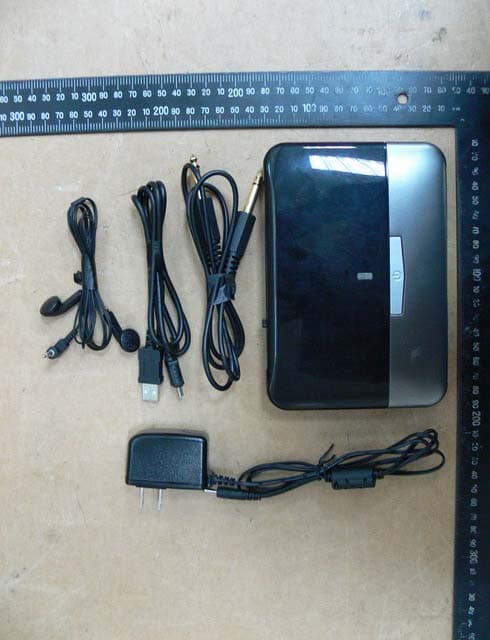
U6OCA913
Dec 01, 2014Digital Wireless Receiver
Equipment Class
DTS - Digital Transmission System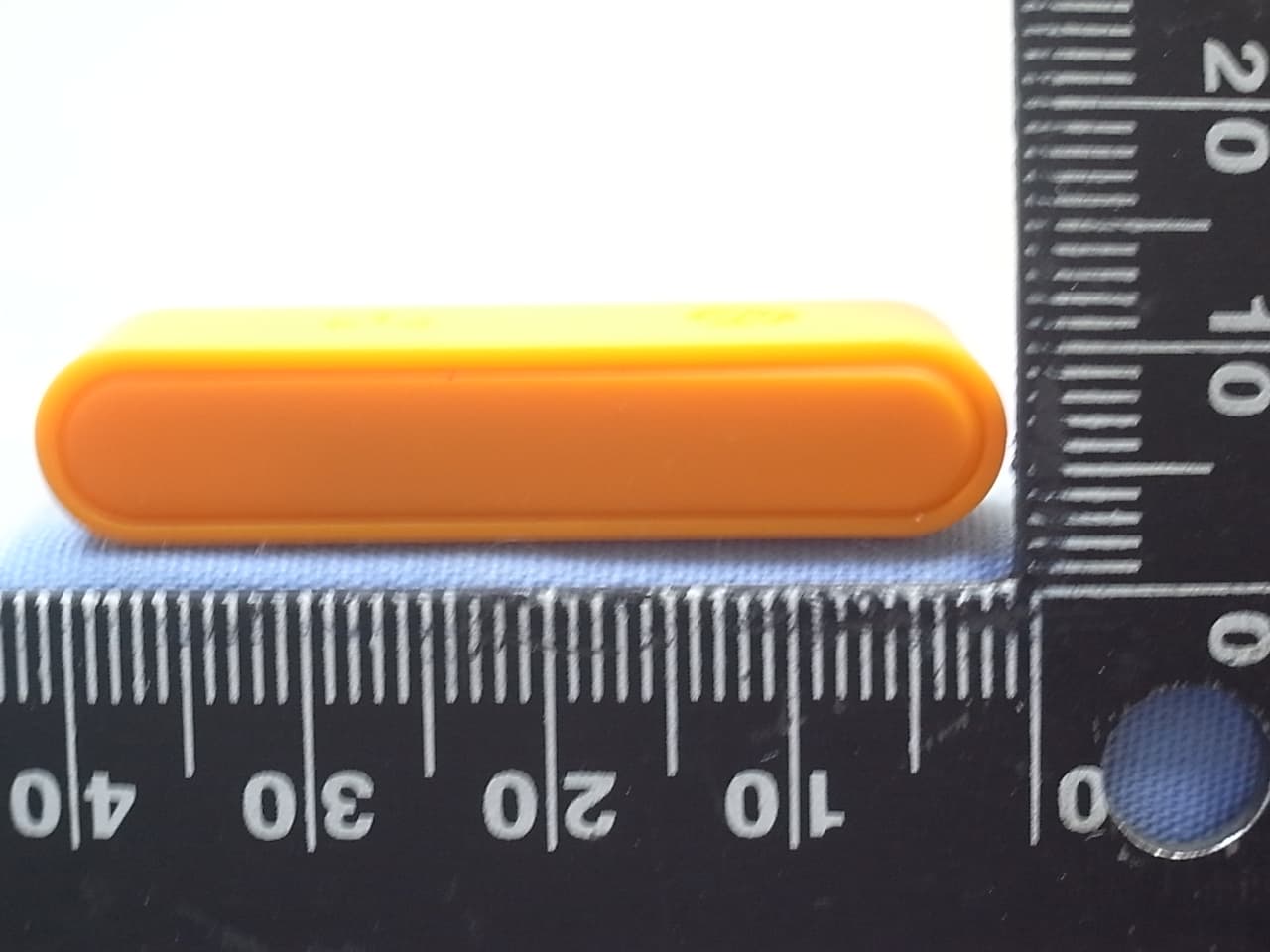
U6OG0S02
Dec 21, 2013HP Prime Wireless Dongle
Equipment Class
DTS - Digital Transmission System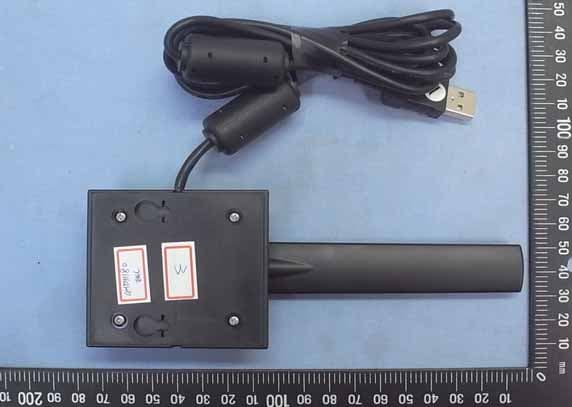
U6OG0S03
Dec 19, 2013HP Prime Wireless Antenna
Equipment Class
DTS - Digital Transmission System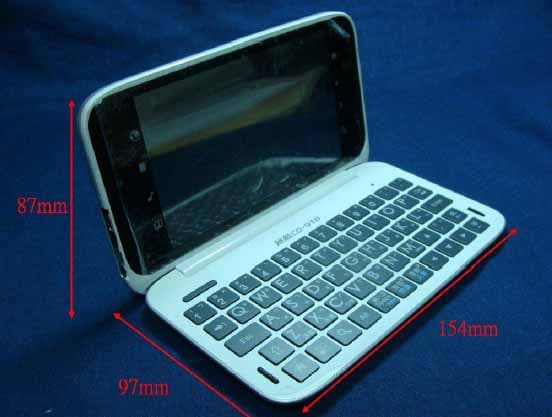
U6OCA017
Jan 15, 2012Electronic Dictionary
Equipment Class
DTS - Digital Transmission System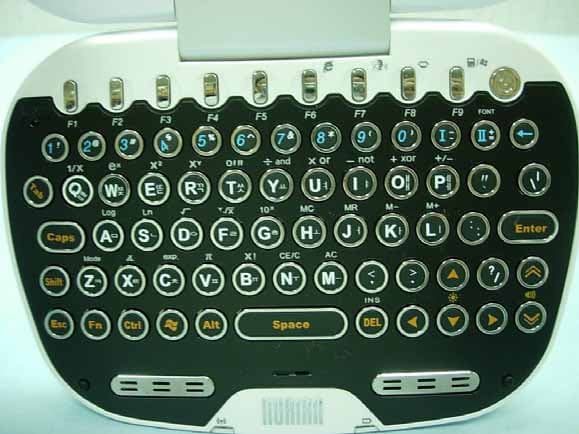
U6OKA015Z1
Aug 07, 2007Electronic Dictionary
Equipment Class
DTS - Digital Transmission System