U8G-P1930LITER6PEPWAVE / peplink Wireless Product
PISMO LABS TECHNOLOGY LIMITED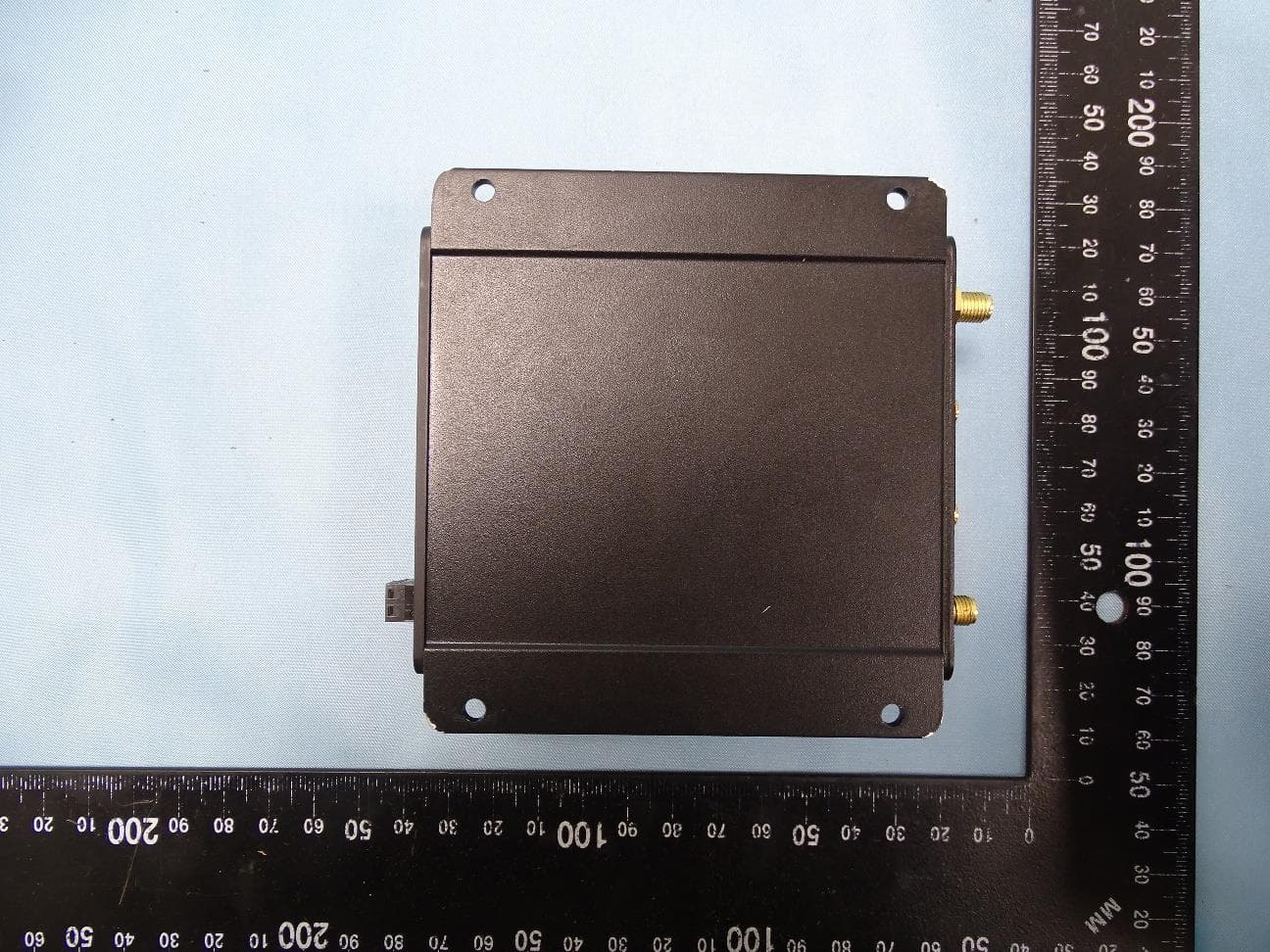
Click to zoom
Application Details
- Equipment Class
- JAD - Part 15 Class A Digital Device
- Date of Grant
- Apr 13, 2021
- Application Purpose
- Original Equipment
- Date of Application
- Apr 13, 2021
- Equipment Note
- PEPWAVE / peplink Wireless Product
- Country
- Hong Kong
Documents & Files
Document Text
Text extracted from the exhibit documents filed with the FCC. Open a document above to read the original.
Users Manual
Copyright & Trademarks Specifications are subject to change without notice. Copyright © 2019 Pepwave Ltd. All Rights Reserved. Pepwave and the Pepwave logo are trademarks of Pepwave Ltd. Other brands or products mentioned may be trademarks or registered trademarks of their respective owners. Pepwave MAX User Manual Pepwave Products: MAX BR1 Mini Pepwave Firmware 8.0.1 February 2020 https://www.peplink.com 2 Copyright @ 2020 Pepwave Table of Contents Introduction and Scope 7 Glossary 8 Product Features 9 Supported Network Features 9 WAN 9 LAN 10 VPN 10 Firewall 10 Captive Portal 10 Outbound Policy 10 AP Controller 11 QoS 11 Other Supported Features 11 Pepwave MAX Mobile Router Overview 13 MAX BR1 Mini 13 Advanced Feature Summary 17 Drop-in Mode and LAN Bypass: Transparent Deployment 17 QoS: Clearer VoIP 17 Per-User Bandwidth Control 18 High Availability via VRRP 18 USB Modem and Android Tethering 19 Built-In Remote User VPN Support 19 SIM-card USSD support 20 Installation 21 Preparation 21 Constructing the Network 21 Configuring the Network Environment 22 Mounting the Unit Wall Mount Car Mount IP67 Installation Guide 23 23 Connecting to the Web Admin Interface 24 https://www.peplink.com 3 Copyright @ 2020 Pepwave Configuring the LAN Interface(s) 26 Basic Settings 26 Port Settings 35 Captive Portal 35 Configuring the WAN Interface(s) 38 Ethernet WAN 39 DHCP Connection 42 Static IP Connection 43 PPPoE Connection 43 L2TP Connection 45 Cellular WAN 46 Wi-Fi WAN 53 Creating Wi-Fi Connection Profiles 59 WAN Health Check 60 Dynamic DNS Settings 62 Advanced Wi-Fi Settings 64 ContentHub Configuration 69 ContentHub 69 Configuring the ContentHub 69 Configure a website to be published from the ContentHub 70 Configure an application to be published from the ContentHub 71 MediaFast Configuration 73 Setting Up MediaFast Content Caching 73 Scheduling Content Prefetching 75 Viewing MediaFast Statistics 77 Bandwidth Bonding SpeedFusionTM / PepVPN 78 PepVPN 78 The Pepwave Router Behind a NAT Router 84 SpeedFusionTM Status 85 IPsec VPN 85 IPsec VPN Settings 86 Outbound Policy Management 90 Outbound Policy 90 Custom Rules for Outbound Policy 92 Algorithm: Weighted Balance 92 Algorithm: Persistence 93 https://www.peplink.com 4 Copyright @ 2020 Pepwave Algorithm: Enforced 94 Algorithm: Priority 95 Algorithm: Overflow 95 Algorithm: Least Used 96 Algorithm: Lowest Latency 96 Expert Mode 97 Inbound Access 97 Port Forwarding Service 97 UPnP / NAT-PMP Settings 99 NAT Mappings 100 QoS 101 User Groups 101 Bandwidth Control 102 Application 103 Application Prioritization 103 Prioritization for Custom Applications 103 DSL/Cable Optimization 104 Firewall 104 Outbound and Inbound Firewall Rules 105 Access Rules 105 Apply Firewall Rules to PepVpn Traffic 108 Intrusion Detection and DoS Prevention 108 Content Blocking 109 Application Blocking 109 Web Blocking 109 Customized Domains 110 Exempted User Groups 110 Exempted Subnets 110 URL Logging 110 OSPF & RIPv2 110 BGP 114 Remote User Access 116 L2TP with IPsec 117 OpenVPN 117 PPTP 118 Authentication Methods 118 https://www.peplink.com 5 Copyright @ 2020 Pepwave Miscellaneous Settings 120 High Availability 120 Certificate Manager 123 Service Forwarding 124 SMTP Forwarding 124 Web Proxy Forwarding 125 DNS Forwarding 126 Custom Service Forwarding 126 Service Passthrough 126 UART 128 GPS Forwarding 130 Ignition Sensing 130 Ignition Sensing installation 131 GPIO Menu 132 Grouped Networks 134 SIM Toolkit 134 AP - access point 137 AP Controller 137 Wireless SSID 137 Settings 141 AP Controller Status 146 Info 146 Access Point (Usage) 147 Wireless SSID 150 Wireless Client 150 Nearby Device 151 Event Log 152 Toolbox 153 System Settings 154 Admin Security 154 Firmware 157 Web admin interface : automatically check for updates 157 Web admin interface : install updates manually 158 The InControl method 159 Time 160 Schedule 160 Email Notification 161 https://www.peplink.com 6 Copyright @ 2020 Pepwave Event Log 163 SNMP 164 InControl 166 Configuration 167 Feature Add-ons 168 Reboot 168 Tools 168 Ping 168 Traceroute Test 169 PepVPN Test 170 Wake-on-LAN 170 CLI (Command Line Interface Support) 171 Status 172 Device 172 GPS Data 173 Active Sessions 174 Client List 175 WINS Client 176 UPnP / NAT-PMP 176 OSPF & RIPv2 177 BGP 177 SpeedFusion Status 177 Event Log 179 WAN Quality 181 Usage Reports 181 Real-Time 183 Hourly 183 Daily 184 Monthly 185 Appendix B: Declaration 189 https://www.peplink.com 7 Copyright @ 2020 Pepwave 1 Introduction and Scope Pepwave routers provide link aggregation and load balancing across multiple WAN connections, allowing a combination of technologies like 3G HSDPA, EVDO, 4G LTE, Wi-Fi, external WiMAX dongle, and satellite to be utilized to connect to the Internet. The MAX wireless SD-WAN router series has a wide range of products suitable for many different deployments and markets. Entry level SD-WAN models such as the MAX BR1 are suitable for SMEs or branch offices. High-capacity SD-WAN routers such as the MAX HD2 are suitable for larger organizations and head offices. This manual covers setting up Pepwave routers and provides an introduction to their features and usage. Tips Want to know more about Pepwave routers? Visit our YouTube Channel for a video introduction! https://youtu.be/13M-JHRAICA https://www.peplink.com 8 Copyright @ 2020 Pepwave Glossary The following terms, acronyms, and abbreviations are frequently used in this manual: Term Definition 3G 3rd generation standards for wireless communications (e.g., HSDPA) 4G 4th generation standards for wireless communications (e.g., LTE) DHCP Dynamic Host Configuration Protocol DNS Domain Name System EVDO Evolution-Data Optimized FQDN Fully Qualified Domain Name HSDPA High-Speed Downlink Packet Access HTTP Hyper-Text Transfer Protocol ICMP Internet Control Message Protocol IP Internet Protocol LAN Local Area Network MAC Address Media Access Control Address MTU Maximum Transmission Unit MSS Maximum Segment Size NAT Net…
Text truncated - open the document above for the full version.
Users Manual
https://www.peplink.com 101 Copyright @ 2020 Pepwave Client(s) an IP Network. Address This refers to the LAN hosts private IP address. The system maps this address to a number of public IP addresses (specified below) in order to facilitate inbound and outbound traffic. This option is only available when IP Address is selected. Range The IP range is a contiguous group of private IP addresses used by the LAN host. The system maps these addresses to a number of public IP addresses (specified below) to facilitate outbound traffic. This option is only available when IP Range is selected. Network The IP network refers to all private IP addresses and ranges managed by the LAN host. The system maps these addresses to a number of public IP addresses (specified below) to facilitate outbound traffic. This option is only available when IP Network is selected. Inbound Mappings This setting specifies the WAN connections and corresponding WAN-specific Internet IP addresses on which the system should bind. Any access to the specified WAN connection(s) and IP address(es) will be forwarded to the LAN host. This option is only available when IP Address is selected in the LAN Client(s) field. Note that inbound mapping is not needed for WAN connections in drop-in mode or IP forwarding mode. Also note that each WAN IP address can be associated to one NAT mapping only. Outbound Mappings This setting specifies the WAN IP addresses that should be used when an IP connection is made from a LAN host to the Internet. Each LAN host in an IP range or IP network will be evenly mapped to one of each selected WAN's IP addresses (for better IP address utilization) in a persistent manner (for better application compatibility). Note that if you do not want to use a specific WAN for outgoing accesses, you should still choose default here, then customize the outbound access rule in the Outbound Policy section. Also note that WAN connections in drop-in mode or IP forwarding mode are not shown here. Click Saveto save the settings when configuration has been completed. Important Note Inbound firewall rules override the Inbound Mappings settings. 18 QoS 18.1 User Groups LAN and PPTP clients can be categorized into three user groups: Manager, Staff, and Guest. https://www.peplink.com 102 Copyright @ 2020 Pepwave This menu allows you to define rules and assign client IP addresses or subnets to a user group. You can apply different bandwidth and traffic prioritization policies on each user group in the Bandwidth Control and Application sections (note that the options available here vary by model). The table is automatically sorted by rule precedence. The smaller and more specific subnets are put towards the top of the table and have higher precedence; larger and less specific subnets are placed towards the bottom. Click the Add button to define clients and their user group. Click the button to remove the defined rule. Two default rules are pre-defined and put at the bottom. They are All DHCP reservation clients and Everyone, and they cannot be removed. The All DHCP reservation client represents the LAN clients defined in the DHCP Reservation table on the LAN settings page. Everyone represents all clients that are not defined in any rule above. Click on a rule to change its group. Add / Edit User Group Subnet / IP Address From the drop-down menu, choose whether you are going to define the client(s) by an IP Address or a Subnet. If IP Address is selected, enter a name defined in DHCP reservation table or a LAN client's IP address. If Subnet is selected, enter a subnet address and specify its subnet mask. Group This field is to define which User Group the specified subnet / IP address belongs to. Once users have been assigned to a user group, their internet traffic will be restricted by rules defined for that particular group. Please refer to the following two sections for details. 18.2 Bandwidth Control You can define a maximum download speed (over all WAN connections) and upload speed (for each WAN connection) that each individual Staff and Guest member can consume. No limit can be imposed on individual Manager members. By default, download and upload bandwidth limits are set to unlimited (set as 0). https://www.peplink.com 103 Copyright @ 2020 Pepwave 18.3 Application 18.3.1 Application Prioritization On many Pepwave routers, you can choose whether to apply the same prioritization settings to all user groups or customize the settings for each group. Three application priority levels can be set: High, Normal, andLow. Pepwave routers can detect various application traffic types by inspecting the packet content. Select an application by choosing a supported application, or by defining a custom application manually. The priority preference of supported applications is placed at the top of the table. Custom applications are at the bottom. 18.3.2 Prioritization for Custom Applications Click the Add button to define a custom application. Click the button in the Action column to delete the custom application in the corresponding row. When Supported Applications is selected, the Pepwave router will inspect network traffic and prioritize the selected applications. Alternatively, you can select Custom Applications and define the application by providing the protocol, scope, port number, and DSCP value. https://www.peplink.com 104 Copyright @ 2020 Pepwave 18.3.3 DSL/Cable Optimization DSL/cable-based WAN connections have lower upload bandwidth and higher download bandwidth. When a DSL/cable circuit's uplink is congested, the download bandwidth will be affected. Users will not be able to download data at full speed until the uplink becomes less congested. DSL/Cable Optimization can relieve such an issue. When it is enabled, the download speed will become less affected by the upload traffic. By default, this feature is enabled. 19 Firewall A firewall is a mechanism that selectively filters data traffic between the WAN side (the Internet) and the…
Text truncated - open the document above for the full version.
Cover Letter(s)
PISMO LABS TECHNOLOGY LIMITED A8, 5/F, HK Spinners Industrial Building, Phase 6, 481 Castle Peak Road, Cheung Sha Wan, Hong Kong Tel: +852 2990 7600; Fax: +852 3007 0588 Date: April 08, 2021 Federal Communications Commission Office of Engineering and Technology Laboratory Division 7435 Oakland Mills Rd Columbia MD 21046-1609 Subject: Request for Confidentia lity FCC ID: U8G-P1930LITER6 To Whom It May Concern, Pursuant to the provisions of Sections 0.457 and 0.459 of Commission’s rules (47CFR §§0.457, 0.459), we are requesting the Commission to withhold the following attachment(s ) as confidential document from public disclosure indefinitely. Schematic Diagram Block Diagram Operational Description Above mentioned document contains detailed system and equipment description are considered as proprietary information in operation of the equipment. The public disclosure of above documents might be harmful to our company and would give competitor an unfair advantage in the market. It is our understanding that all measurement test reports, FCC ID label format and correspondent during certification review process cannot be granted as confidential documents and those information will be available for public review once the grant of equipment authorization is issued. Best Regards, ______________________ Antony Chong [email protected]
External Photos
PHOTOGRAPHS OF EUT Report No.: EP111328 TEL : 886-3-327-3456 Page Number : 1 of 9 FAX : 886-3-328-4978 Issued Date : Mar. 12, 2021 Report Version : 01 1. External Photograph of EUT Brand Name: PEPWAVE / peplink Model Name: MAX BR1 Mini MAX BR1 Mini LTE MAX BR1 Mini LTEA Pepwave MAX BR1 Mini Pepwave MAX BR1 Mini LTE Pepwave MAX BR1 Mini LTEA Peplink MAX BR1 Mini Peplink MAX BR1 Mini LTE Peplink MAX BR1 Mini LTEA MAX-BR1-MINI-LTE-US-T MAX-BR1-MINI-LTEA-W-T Sample 1 and Sample 2 PHOTOGRAPHS OF EUT Report No.: EP111328 TEL : 886-3-327-3456 Page Number : 2 of 9 FAX : 886-3-328-4978 Issued Date : Mar. 12, 2021 Report Version : 01 PHOTOGRAPHS OF EUT Report No.: EP111328 TEL : 886-3-327-3456 Page Number : 3 of 9 FAX : 886-3-328-4978 Issued Date : Mar. 12, 2021 Report Version : 01 PHOTOGRAPHS OF EUT Report No.: EP111328 TEL : 886-3-327-3456 Page Number : 4 of 9 FAX : 886-3-328-4978 Issued Date : Mar. 12, 2021 Report Version : 01 PHOTOGRAPHS OF EUT Report No.: EP111328 TEL : 886-3-327-3456 Page Number : 5 of 9 FAX : 886-3-328-4978 Issued Date : Mar. 12, 2021 Report Version : 01 PHOTOGRAPHS OF EUT Report No.: EP111328 TEL : 886-3-327-3456 Page Number : 6 of 9 FAX : 886-3-328-4978 Issued Date : Mar. 12, 2021 Report Version : 01 720510 PHOTOGRAPHS OF EUT Report No.: EP111328 TEL : 886-3-327-3456 Page Number : 7 of 9 FAX : 886-3-328-4978 Issued Date : Mar. 12, 2021 Report Version : 01 2. Photograph of Accessory Brand Name: PEPWAVE / peplink Model Name: MAX BR1 Mini MAX BR1 Mini LTE MAX BR1 Mini LTEA Pepwave MAX BR1 Mini Pepwave MAX BR1 Mini LTE Pepwave MAX BR1 Mini LTEA Peplink MAX BR1 Mini Peplink MAX BR1 Mini LTE Peplink MAX BR1 Mini LTEA MAX-BR1-MINI-LTE-US-T MAX-BR1-MINI-LTEA-W-T Specification of Accessory AC Adapter Brand Name DVE Model Name DSA-24PFM-12 FUS 120200 Remark: For accessories equipped with this EUT, please refer to the following photos. PHOTOGRAPHS OF EUT Report No.: EP111328 TEL : 886-3-327-3456 Page Number : 8 of 9 FAX : 886-3-328-4978 Issued Date : Mar. 12, 2021 Report Version : 01 720510 PHOTOGRAPHS OF EUT Report No.: EP111328 TEL : 886-3-327-3456 Page Number : 9 of 9 FAX : 886-3-328-4978 Issued Date : Mar. 12, 2021 Report Version : 01 ─────THE END──── AC Adapter
ID Label/Location Info
Default Access https://192.168.0.3 Username: admin Password: public Model: MAX BR1 Mini LTE Product Code:MAX-BR1-MINI-LTE-W-T Serial No.:2938-6089-D1B7 LAN MAC:A8-C0-EA-34-CA-20 AP Password:EA34CA20 M ade in Taiwan M8 HW0 This device complies with Part 15 of the FCC Rules. Operation is subjecttothefollowingtwoconditions:(1)thisdevicemaynot causeharmfulinterference,and(2)thisdevicemustacceptany interferencereceived,includinginterferencethatmaycause undesiredoperation. Contains FCC ID: RI7LE910CXNF FCC ID: U8G-P1930LITER6 IC: 20682-P1930LITER6 Contains IC: 5131A-LE910CXNF CAN ICES-003(A) / NMB-003(A)
ID Label/Location Info
Default Access https://192.168.0.3 Username: admin Password: public Model: MAX BR1 Mini LTE Product Code:MAX-BR1-MINI-LTE-W-T Serial No.:2938-6089-D1B7 LAN MAC:A8-C0-EA-34-CA-20 AP Password:EA34CA20 M ade in Taiwan M8 HW0 This device complies with Part 15 of the FCC Rules. Operation is subjecttothefollowingtwoconditions:(1)thisdevicemaynot causeharmfulinterference,and(2)thisdevicemustacceptany interferencereceived,includinginterferencethatmaycause undesiredoperation.
ID Label/Location Info
Default Access https://192.168.0.3 Username: admin Password: public Model: MAX BR1 Mini LTEA Product Code:MAX-BR1-MINI-LTE-W-T Serial No.:2938-6089-D1B7 LAN MAC:A8-C0-EA-34-CA-20 AP Password:EA34CA20 M ade i n Taiwan M8 HW0 This device complies with Part 15 of the FCC Rules. Operation is subjecttothefollowingtwoconditions:(1)thisdevicemaynot causeharmfulinterference,and(2)thisdevicemustacceptany interferencereceived,includinginterferencethatmaycause undesiredoperation. Contains FCC ID: RI7LE910CXNF FCC ID: U8G-P1930LITER6 IC: 20682-P1930LITER6 Contains IC: 5131A-LE910CXNF CAN ICES-003(A) / NMB-003(A)
ID Label/Location Info
Default Access https://192.168.0.3 Username: admin Password: public Model: MAX BR1 Mini LTEA Product Code:MAX-BR1-MINI-LTE-W-T Serial No.:2938-6089-D1B7 LAN MAC:A8-C0-EA-34-CA-20 AP Password:EA34CA20 M ade in Taiwan M8 HW0 This device complies with Part 15 of the FCC Rules. Operation is subjecttothefollowingtwoconditions:(1)thisdevicemaynot causeharmfulinterference,and(2)thisdevicemustacceptany interferencereceived,includinginterferencethatmaycause undesiredoperation.
ID Label/Location Info
Default Access https://192.168.50.1 Username: admin Password: admin Model: MAX BR1 Mini LTE Product Code:MAX-BR1-MINI-LTE-W-T Seria l No.:2931-D8D1-A5A9 LA N MAC:00-1A-DD-E3-DD-20 Input : 12V-48V ,12W max (Terminal Block) Input : 802.3AF (LAN2 / WAN) Input : 12V-48V ,12W max (DC Jack) Made in Taiwan M8 This device complies with Part 15 of the FCC Rules. Operation is subjecttothefollowingtwoconditions:(1)thisdevicemaynotcause harmfulinterference,and(2)thisdevicemustacceptanyinterference received,includinginterferencethatmaycauseundesiredoperation. Contains FCC ID: RI7LE910CXNF FCC ID: U8G-P1930LITER6 IC: 20682-P1930LITER6 Contains IC: 5131A-LE910CXNF CAN ICES-003(A) / NMB-003(A)
ID Label/Location Info
Default Access https://192.168.50.1 Username: admin Password: admin Model: MAX BR1 Mini LTE Product Code:MAX-BR1-MINI-LTE-W-T Seria l No.:2931-D8D1-A5A9 LA N MAC:00-1A-DD-E3-DD-20 Input : 12V-48V ,12W max (Terminal Block) Input : 802.3AF (LAN2 / WAN) Input : 12V-48V ,12W max (DC Jack) Contains FCC ID: N7NMC7455 FCC ID :U8G-P1930LITER6 IC: 20682-P1930LITER6 Contains IC: 2417C-MC7455 CAN ICES-003(A)/NMB-003(A) Made in Taiwan M8 This device complies with Part 15 of the FCC Rules. Operation is subjecttothefollowingtwoconditions:(1)thisdevicemaynotcause harmfulinterference,and(2)thisdevicemustacceptanyinterference received,includinginterferencethatmaycauseundesiredoperation.
ID Label/Location Info
Default Access https://192.168.50.1 Username: admin Password: admin Model: MAX BR1 Mini LTEA Product Code:MAX-BR1-MINI-LTE-W-T Seria l No.:2931-D8D1-A5A9 LA N MAC:00-1A-DD-E3-DD-20 Input : 12V-48V ,12W max (Terminal Block) Input : 802.3AF (LAN2 / WAN) Input : 12V-48V ,12W max (DC Jack) Made in Taiwan M8 This device complies with Part 15 of the FCC Rules. Operation is subjecttothefollowingtwoconditions:(1)thisdevicemaynotcause harmfulinterference,and(2)thisdevicemustacceptanyinterference received,includinginterferencethatmaycauseundesiredoperation. Contains FCC ID: RI7LE910CXNF FCC ID: U8G-P1930LITER6 IC: 20682-P1930LITER6 Contains IC: 5131A-LE910CXNF CAN ICES-003(A) / NMB-003(A)
ID Label/Location Info
Default Access https://192.168.50.1 Username: admin Password: admin Model: MAX BR1 Mini LTEA Product Code:MAX-BR1-MINI-LTE-W-T Seria l No.:2931-D8D1-A5A9 LA N MAC:00-1A-DD-E3-DD-20 Input : 12V-48V ,12W max (Terminal Block) Input : 802.3AF (LAN2 / WAN) Input : 12V-48V ,12W max (DC Jack) Contains FCC ID: N7NMC7455 FCC ID :U8G-P1930LITER6 IC: 20682-P1930LITER6 Contains IC: 2417C-MC7455 CAN ICES-003(A)/NMB-003(A) Made in Taiwan M8 This device complies with Part 15 of the FCC Rules. Operation is subjecttothefollowingtwoconditions:(1)thisdevicemaynotcause harmfulinterference,and(2)thisdevicemustacceptanyinterference received,includinginterferencethatmaycauseundesiredoperation.
Internal Photos
PHOTOGRAPHS OF EUT Report No.: EP111328 TEL : 886-3-327-3456 Page Number : 1 of 45 FAX : 886-3-328-4978 Issued Date : Mar. 12, 2021 Report Version : 01 1. Internal Photograph of EUT Brand Name: PEPWAVE / peplink Model Name: MAX BR1 Mini MAX BR1 Mini LTE MAX BR1 Mini LTEA Pepwave MAX BR1 Mini Pepwave MAX BR1 Mini LTE Pepwave MAX BR1 Mini LTEA Peplink MAX BR1 Mini Peplink MAX BR1 Mini LTE Peplink MAX BR1 Mini LTEA MAX-BR1-MINI-LTE-US-T MAX-BR1-MINI-LTEA-W-T 720510 PHOTOGRAPHS OF EUT Report No.: EP111328 TEL : 886-3-327-3456 Page Number : 2 of 45 FAX : 886-3-328-4978 Issued Date : Mar. 12, 2021 Report Version : 01 Sample 1 PHOTOGRAPHS OF EUT Report No.: EP111328 TEL : 886-3-327-3456 Page Number : 3 of 45 FAX : 886-3-328-4978 Issued Date : Mar. 12, 2021 Report Version : 01 PHOTOGRAPHS OF EUT Report No.: EP111328 TEL : 886-3-327-3456 Page Number : 4 of 45 FAX : 886-3-328-4978 Issued Date : Mar. 12, 2021 Report Version : 01 PHOTOGRAPHS OF EUT Report No.: EP111328 TEL : 886-3-327-3456 Page Number : 5 of 45 FAX : 886-3-328-4978 Issued Date : Mar. 12, 2021 Report Version : 01 PHOTOGRAPHS OF EUT Report No.: EP111328 TEL : 886-3-327-3456 Page Number : 6 of 45 FAX : 886-3-328-4978 Issued Date : Mar. 12, 2021 Report Version : 01 PHOTOGRAPHS OF EUT Report No.: EP111328 TEL : 886-3-327-3456 Page Number : 7 of 45 FAX : 886-3-328-4978 Issued Date : Mar. 12, 2021 Report Version : 01 PHOTOGRAPHS OF EUT Report No.: EP111328 TEL : 886-3-327-3456 Page Number : 8 of 45 FAX : 886-3-328-4978 Issued Date : Mar. 12, 2021 Report Version : 01 PHOTOGRAPHS OF EUT Report No.: EP111328 TEL : 886-3-327-3456 Page Number : 9 of 45 FAX : 886-3-328-4978 Issued Date : Mar. 12, 2021 Report Version : 01 PHOTOGRAPHS OF EUT Report No.: EP111328 TEL : 886-3-327-3456 Page Number : 10 of 45 FAX : 886-3-328-4978 Issued Date : Mar. 12, 2021 Report Version : 01 PHOTOGRAPHS OF EUT Report No.: EP111328 TEL : 886-3-327-3456 Page Number : 11 of 45 FAX : 886-3-328-4978 Issued Date : Mar. 12, 2021 Report Version : 01 PHOTOGRAPHS OF EUT Report No.: EP111328 TEL : 886-3-327-3456 Page Number : 12 of 45 FAX : 886-3-328-4978 Issued Date : Mar. 12, 2021 Report Version : 01 PHOTOGRAPHS OF EUT Report No.: EP111328 TEL : 886-3-327-3456 Page Number : 13 of 45 FAX : 886-3-328-4978 Issued Date : Mar. 12, 2021 Report Version : 01 PHOTOGRAPHS OF EUT Report No.: EP111328 TEL : 886-3-327-3456 Page Number : 14 of 45 FAX : 886-3-328-4978 Issued Date : Mar. 12, 2021 Report Version : 01 PHOTOGRAPHS OF EUT Report No.: EP111328 TEL : 886-3-327-3456 Page Number : 15 of 45 FAX : 886-3-328-4978 Issued Date : Mar. 12, 2021 Report Version : 01 PHOTOGRAPHS OF EUT Report No.: EP111328 TEL : 886-3-327-3456 Page Number : 16 of 45 FAX : 886-3-328-4978 Issued Date : Mar. 12, 2021 Report Version : 01 Sample 2 PHOTOGRAPHS OF EUT Report No.: EP111328 TEL : 886-3-327-3456 Page Number : 17 of 45 FAX : 886-3-328-4978 Issued Date : Mar. 12, 2021 Report Version : 01 PHOTOGRAPHS OF EUT Report No.: EP111328 TEL : 886-3-327-3456 Page Number : 18 of 45 FAX : 886-3-328-4978 Issued Date : Mar. 12, 2021 Report Version : 01 PHOTOGRAPHS OF EUT Report No.: EP111328 TEL : 886-3-327-3456 Page Number : 19 of 45 FAX : 886-3-328-4978 Issued Date : Mar. 12, 2021 Report Version : 01 PHOTOGRAPHS OF EUT Report No.: EP111328 TEL : 886-3-327-3456 Page Number : 20 of 45 FAX : 886-3-328-4978 Issued Date : Mar. 12, 2021 Report Version : 01 PHOTOGRAPHS OF EUT Report No.: EP111328 TEL : 886-3-327-3456 Page Number : 21 of 45 FAX : 886-3-328-4978 Issued Date : Mar. 12, 2021 Report Version : 01 PHOTOGRAPHS OF EUT Report No.: EP111328 TEL : 886-3-327-3456 Page Number : 22 of 45 FAX : 886-3-328-4978 Issued Date : Mar. 12, 2021 Report Version : 01 PHOTOGRAPHS OF EUT Report No.: EP111328 TEL : 886-3-327-3456 Page Number : 23 of 45 FAX : 886-3-328-4978 Issued Date : Mar. 12, 2021 Report Version : 01 PHOTOGRAPHS OF EUT Report No.: EP111328 TEL : 886-3-327-3456 Page Number : 24 of 45 FAX : 886-3-328-4978 Issued Date : Mar. 12, 2021 Report Version : 01 PHOTOGRAPHS OF EUT Report No.: EP111328 TEL : 886-3-327-3456 Page Number : 25 of 45 FAX : 886-3-328-4978 Issued Date : Mar. 12, 2021 Report Version : 01 PHOTOGRAPHS OF EUT Report No.: EP111328 TEL : 886-3-327-3456 Page Number : 26 of 45 FAX : 886-3-328-4978 Issued Date : Mar. 12, 2021 Report Version : 01 PHOTOGRAPHS OF EUT Report No.: EP111328 TEL : 886-3-327-3456 Page Number : 27 of 45 FAX : 886-3-328-4978 Issued Date : Mar. 12, 2021 Report Version : 01 PHOTOGRAPHS OF EUT Report No.: EP111328 TEL : 886-3-327-3456 Page Number : 28 of 45 FAX : 886-3-328-4978 Issued Date : Mar. 12, 2021 Report Version : 01 PHOTOGRAPHS OF EUT Report No.: EP111328 TEL : 886-3-327-3456 Page Number : 29 of 45 FAX : 886-3-328-4978 Issued Date : Mar. 12, 2021 Report Version : 01 PHOTOGRAPHS OF EUT Report No.: EP111328 TEL : 886-3-327-3456 Page Number : 30 of 45 FAX : 886-3-328-4978 Issued Date : Mar. 12, 2021 Report Version : 01 WWAN Module 1 (LE910C4-NF) PHOTOGRAPHS OF EUT Report No.: EP111328 TEL : 886-3-327-3456 Page Number : 31 of 45 FAX : 886-3-328-4978 Issued Date : Mar. 12, 2021 Report Version : 01 PHOTOGRAPHS OF EUT Report No.: EP111328 TEL : 886-3-327-3456 Page Number : 32 of 45 FAX : 886-3-328-4978 Issued Date : Mar. 12, 2021 Report Version : 01 WWAN Module 2 (MC7455) PHOTOGRAPHS OF EUT Report No.: EP111328 TEL : 886-3-327-3456 Page Number : 33 of 45 FAX : 886-3-328-4978 Issued Date : Mar. 12, 2021 Report Version : 01 PHOTOGRAPHS OF EUT Report No.: EP111328 TEL : 886-3-327-3456 Page Number : 34 of 45 FAX : 886-3-328-4978 Issued Date : Mar. 12, 2021 Report Version : 01 WWAN Main Antenna PHOTOGRAPHS OF EUT Report No.: EP111328 TEL : 886-3-327-3456 Page Number : 35 of 45 FAX : 886-3-328-4978 Issued Date : Mar. 12, 2021 Report Version : 01 PHOTOGRAPHS OF EUT Report No.: EP111328 TEL : 886-3-327-3456 Page Number : 36 of 45 FAX : 886-3-328-4978 Issued Date : Mar. 12, 2021 Report Version : 01 PHOTOGRAPHS OF EUT Report No.: EP111328 TEL : 886-3-327-3456 Page Number : 37 of 45 FAX : 886-3-328-…
Text truncated - open the document above for the full version.
Test Report
TEL : 886-3-327-3456 Page Number : 1 of 18 FAX : 886-3-328-4978 Issued Date : Mar. 16, 2021 Report Template No.: BU5-FD15B Version 2.5 Report Version : 01 FCC EMI TEST REPORT Report No. : FC111328 FCC EMI TEST REPORT FCC ID : U8G-P1930LITER6 Equipment : PEPWAVE / peplink Wireless Product Brand Name : PEPWAVE / peplink Model Name : MAX BR1 Mini MAX BR1 Mini LTE MAX BR1 Mini LTEA Pepwave MAX BR1 Mini Pepwave MAX BR1 Mini LTE Pepwave MAX BR1 Mini LTEA Peplink MAX BR1 Mini Peplink MAX BR1 Mini LTE Peplink MAX BR1 Mini LTEA MAX-BR1-MINI-LTE-US-T MAX-BR1-MINI-LTEA-W-T Applicant : PISMO LABS TECHNOLOGY LIMITED A8, 5/F, HK Spinners Industrial Building, Phase 6, 481 Castle Peak Road, Cheung Sha Wan, Hong Kong Manufacturer : PISMO LABS TECHNOLOGY LIMITED A8, 5/F, HK Spinners Industrial Building, Phase 6, 481 Castle Peak Road, Cheung Sha Wan, Hong Kong Standard : FCC 47 CFR FCC Part 15 Subpart B Class A The product was received on Jan. 14, 2021 and testing was started from Feb. 09, 2021 and completed on Feb. 23, 2021. We, Sporton International Inc. EMC & Wireless Communications Laboratory, would like to declare that the tested sample has been evaluated in accordance with the test procedures given in ANSI C63.4-2014 and has been in compliance with the applicable technical standards. The test results in this report apply exclusively to the tested model / sample. Without written approval of Sporton International Inc. EMC & Wireless Communications Laboratory, the test report shall not be reproduced except in full. TEL : 886-3-327-3456 Page Number : 2 of 18 FAX : 886-3-328-4978 Issued Date : Mar. 16, 2021 Report Template No.: BU5-FD15B Version 2.5 Report Version : 01 FCC EMI TEST REPORT Report No. : FC111328 Approved by: Louis Wu Sporton International Inc. EMC & Wireless Communications Laboratory No. 52, Huaya 1st Rd., Guishan Dist., Taoyuan City 333, Taiwan (R.O.C.) TEL : 886-3-327-3456 Page Number : 3 of 18 FAX : 886-3-328-4978 Issued Date : Mar. 16, 2021 Report Template No.: BU5-FD15B Version 2.5 Report Version : 01 FCC EMI TEST REPORT Report No. : FC111328 Table of Contents History of this test report ................................................................................................................................. 4 Summary of Test Result................................................................................................................................... 5 1. General Description ................................................................................................................................... 6 1.1. Product Feature of Equipment Under Test ....................................................................................... 6 1.2. Modification of EUT ........................................................................................................................... 6 1.3. Test Location ..................................................................................................................................... 7 1.4. Applicable Standards ........................................................................................................................ 7 2. Test Configuration of Equipment Under Test ......................................................................................... 8 2.1. Test Mode ......................................................................................................................................... 8 2.2. Connection Diagram of Test System ...............................................................…
Text truncated - open the document above for the full version.
Contact Information
Applicant
Antony Chong(Director of Hardware Engineering)
Test Firm
SPORTON International Inc.Alex Chen
Technical Specifications
| # | Rule Parts | Frequency Range | Power Output |
|---|---|---|---|
| 1 | 15B | - | - |
Other Applications from PISMO LABS TECHNOLOGY LIMITED

U8G-P1MT08
Apr 09, 2024Peplink Pepwave Wireless Product
Equipment Class
JAD - Part 15 Class A Digital Device
U8G-P1AX23
Mar 13, 2024Peplink Pepwave Wireless Product
Equipment Class
JAD - Part 15 Class A Digital Device
U8G-P1MT12
Mar 07, 2024Peplink Pepwave Wireless Product
Equipment Class
JAB - Part 15 Class B Digital Device
U8G-P1234
Mar 07, 2024Peplink Pepwave Wireless Product
Equipment Class
JAD - Part 15 Class A Digital DeviceU8G-P1MT015GM
Jan 21, 2024Peplink Pepwave Wireless Product
Equipment Class
JAD - Part 15 Class A Digital Device