U8G-P1AC200Peplink Pepwave Wireless Product
PISMO LABS TECHNOLOGY LIMITED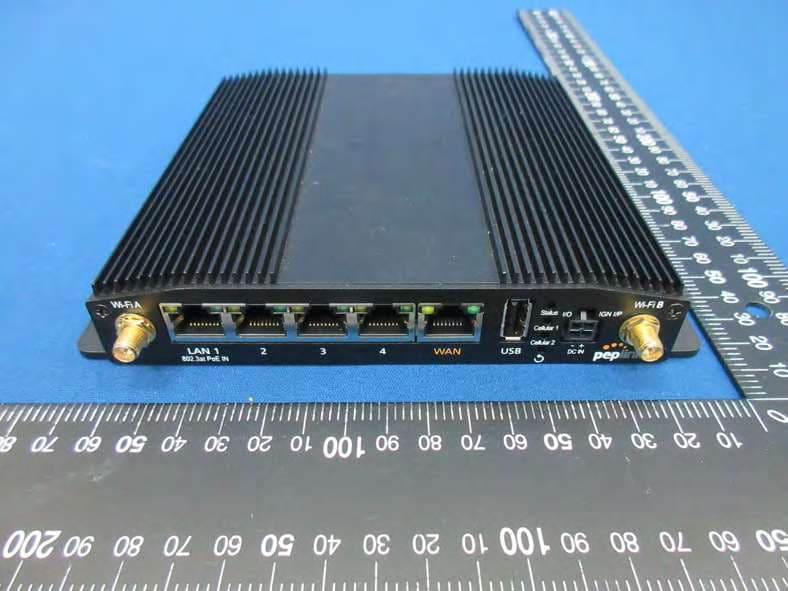
Click to zoom
Application Details
- Equipment Class
- JAD - Part 15 Class A Digital Device
- Date of Grant
- Aug 06, 2023
- Application Purpose
- Original Equipment
- Date of Application
- Aug 06, 2023
- Equipment Note
- Peplink Pepwave Wireless Product
- Country
- Hong Kong
Documents & Files
Document Text
Text extracted from the exhibit documents filed with the FCC. Open a document above to read the original.
Users Manual
MAX Series User Manual Pepwave Products: MAX 700 / HD2 / HD2 IP67 / HD2 Mini / HD2 MBX / HD Dome / HD Dome Pro / HD4 / HD4 MBX / MBX Mini / HD4 IP67 / Transit / Transit Duo / Transit 5G / Transit Core / Transit Mini / Transit Pro E / Transit Duo Pro / BR1 Classic / BR1 MK2 / BR1 Slim / BR1 ENT / BR1 M2M / BR1 Mini (HW2) / BR1 Mini (HW3) / BR1 Mini Core / BR1 Mini Core (HW3) / BR1 ESN / BR1 Pro LTE / BR1 Pro (CAT-20) / BR1 Pro 5G / BR2 Pro / BR1 IP55 / BR1 IP67 / BR2 IP55 / On-The-Go / HD2 with MediaFast / HD4 with MediaFast / SpeedFusion Engine / UBR LTE / UBR Plus / PDX Pepwave Firmware 8.3.0 March 2023 COPYRIGHT & TRADEMARKS Specifications are subject to change without notice. Copyright © 2021 Peplink Pepwave Ltd. All Rights Reserved. Pepwave and the Pepwave logo are trademarks of Peplink International Ltd. Other brands or products mentioned may be trademarks or registered trademarks of their respective owners. Table of Contents Introduction and Scope 8 Glossary 9 1 Product Features 10 1.1 Supported Network Features 10 1.2 Other Supported Features 13 2 Pepwave MAX Mobile Router Overview 14 2.1 MAX 700 14 2.2 MAX HD2 16 2.3 MAX HD2 IP67 18 2.4 MAX HD2 mini 19 2.5 MAX HD Dome 20 2.6 MAX HD Dome Pro 22 2.7 MAX Transit / MAX Transit Duo (CAT-12) 24 2.8 MAX Transit (CAT-18) 26 2.9 MAX Transit 5G 28 2.10 MAX Transit Mini 29 2.11 MAX Transit Pro E 30 2.12 MAX Transit Core 31 2.13 MAX Transit Duo Pro 33 2.14 MAX BR1 ESN 35 2.15 MAX HD2 and HD4 with MediaFast 36 2.16 MAX HD4 38 2.17 MAX HD4 MBX (CAT-12) 40 2.18 MAX HD2/4 MBX (CAT-20) 42 2.19 MAX HD2/4 MBX (5G) 44 2.20 MAX MBX Mini 46 2.21 MAX HD4 IP67 48 2.22 MAX BR1 Classic 49 2.23 MAX BR1 MK2 50 2.24 MAX BR1 Slim 52 2.25 MAX BR1 Mini (HW2) 53 2.26 MAX BR1 Mini (HW3) 55 2.27 MAX BR1 Mini Core 56 https://www.peplink.com 2 Copyright @ 2021 Peplink 2.28 MAX BR1 Mini Core (HW3) 57 2.29 MAX BR1 M2M 58 2.30 MAX BR1 ENT 59 2.31 MAX BR1 Pro 60 2.32 MAX BR1 Pro (CAT-20) 61 2.33 MAX BR1 Pro 5G 63 2.34 MAX BR2 Pro 65 2.35 MAX Hotspot 66 2.36 MAX BR1 IP55 67 2.37 MAX BR2 IP55 69 2.38 MAX BR1 IP67 70 2.39 MAX On-The-Go 71 2.40 SpeedFusion Engine 72 2.41 UBR LTE 72 2.42 UBR Plus 74 2.43 PDX 75 3 Advanced Feature Summary 76 3.1 Drop-in Mode and LAN Bypass: Transparent Deployment 76 3.2 QoS: Clearer VoIP 76 3.3 Per-User Bandwidth Control 77 3.4 High Availability via VRRP 77 3.5 USB Modem and Android Tethering 78 3.6 Built-In Remote User VPN Support 78 3.7 SIM-card USSD support 79 3.8 KVM Virtualization 79 3.9 DPI Engine 80 3.10 NetFlow 80 3.11 Wi-Fi Air Monitoring 80 3.12 SP Default Configuration 80 3.13 Peplink Relay 81 3.14 DNS over HTTPS (DoH) 81 3.15 Peplink InTouch 81 3.16 Synergy Mode 81 3.17 Virtual WAN on VLAN 82 4 Installation 83 4.1 Preparation 83 https://www.peplink.com 3 Copyright @ 2021 Peplink 4.2 Constructing the Network 83 4.3 Configuring the Network Environment 84 5 Mounting the Unit 85 5.1 Wall Mount 85 5.2 Car Mount 85 5.3 IP67 Installation Guide 85 5.4 PDX Accessory Kit Installation Guide 86 6 Connecting to the Web Admin Interface 93 7 SpeedFusion Connect Protect 95 7.1 Activate SpeedFusion Connect Protect 95 7.2 Enable SpeedFusion Connect Protect 96 7.3 Route by Cloud Application 101 7.4 Route by Wi-Fi SSID 102 7.5 Route by LAN Client 103 8 Configuring the LAN Interface(s) 105 8.1 Basic Settings 105 8.2 Port Settings 114 8.3 Captive Portal 115 9 Configuring the WAN Interface(s) 119 9.1 Ethernet WAN 122 9.2 Cellular WAN 130 9.3 Wi-Fi WAN 136 9.4 WAN Connection Settings (Common) 140 9.5 WAN Health Check 141 9.6 Bandwidth Allowance Monitoring 144 9.7 Additional Public IP address 145 9.8 Dynamic DNS Settings 145 10 SpeedFusion VPN 147 10.1 SpeedFusion VPN 148 11 IPsec VPN 158 11.1 IPsec VPN Settings 158 11.2 GRE Tunnel 162 12 OpenVPN 164 https://www.peplink.com 4 Copyright @ 2021 Peplink 13 Outbound Policy 165 13.1 Adding Rules for Outbound Policy 165 14 Port Forwarding 175 14.1 UPnP / NAT-PMP Settings 177 15 NAT Mappings 178 16 Media Fast 180 16.1 Setting Up MediaFast Content Caching 180 16.2 Viewing MediaFast Statistics 182 16.3 Prefetch Schedule 183 17 Edge Computing 185 17.1 Configuring the ContentHub 185 17.2 Configure a website for ContentHub 185 17.3 Configure an application for ContentHub 187 18 Docker 189 19 KVM 190 20 QoS 191 20.1 User Groups 192 20.2 Bandwidth Control 193 20.3 Application Queue 193 20.4 Application 194 21 Firewall 196 21.1 Access Rules 197 21.2 Content Blocking 205 22 Routing Protocols 207 22.1 OSPF & RIPv2 207 22.2 BGP 209 23 Remote User Access 214 24 Miscellaneous Settings 217 24.1 High Availability 217 24.2 RADIUS Server 221 24.3 Certificate Manager 223 24.4 Service Forwarding 224 https://www.peplink.com 5 Copyright @ 2021 Peplink 24.5 Service Passthrough 227 24.6 UART 228 24.7 GPS Forwarding 230 24.8 Ignition Sensing 231 Ignition Sensing installation 231 GPIO Menu 233 24.9 NTP Server 234 24.10 Grouped Networks 235 24.11 Remote SIM Management 236 24.12 SIM Toolkit 238 24.13 UDP Relay 240 25 AP 240 25.1 AP Controller 241 25.2 Wireless SSID 241 25.3 Wireless Mesh 247 25.4 Settings 248 26 AP Controller Status 255 26.1 Info 255 26.2 Access Point 257 26.3 Wireless SSID 260 26.4 Wireless Client 261 26.5 Mesh / WDS 261 26.6 Nearby Device 263 26.7 Event Log 263 27 Toolbox 264 28 System 264 28.1 Admin Security 265 28.2 Firmware 270 28.3 Time 272 28.4 Schedule 273 28.5 Email Notification 274 28.6 Event Log 277 28.7 SNMP 278 28.8 SMS Control 280 28.9 InControl 281 https://www.peplink.com 6 Copyright @ 2021 Peplink 28.10 Configuration 282 28.11 Feature Add-ons 283 28.12 Reboot 283 29 Tools 283 29.1 Ping 283 29.2 Traceroute Test 285 29.3 Wake-on-LAN 285 29.4 WAN Analysis 286 29.5 CLI (Command Line Interface Support) 289 30 Status 289 30.1 Device 290 30.2 GPS Data 291 30.3 Active Sessions 293 30.4 Client List 295 30.5 UPnP / NAT-PMP 296 30.6 OSPF & RIPv2 297 30.7 BGP 297 30.8 SpeedFusion VPN 297 30.9 Event Log 302 31 WAN Quality 303 32 Usage Reports 305 32.1 Real-Time 305 32.2 Hourly 305 32.3 Daily 306 32.4 Monthly 307 Append…
Text truncated - open the document above for the full version.
Users Manual
19 KVM MediaFast enabled routers now support KVM. Users will have to download and install Virtual Machine Manager to manage the KVM virtual machines. Through this, users are able to virtualise a Linux environment. For detailed configuration instructions, refer to our knowledge base articles: 1. How to install a Virtual Machine on Peplink/Pepwave - MediaFast/ContentHub Routers 2. How to Install Virtual Machine with USB storage on Peplink/Pepwave - MediaFast/ContentHub Routers https://www.peplink.com 191 Copyright @ 2021 Peplink 20 QoS 20.1 User Groups LAN and PPTP clients can be categorized into three user groups: Manager, Staff, and Guest . This menu allows you to define rules and assign client IP addresses or subnets to a user group. You can apply different bandwidth and traffic prioritization policies on each user group in the Bandwidth Control and Application sections (note that the options available here vary by model). The table is automatically sorted by rule precedence. The smaller and more specific subnets are put towards the top of the table and have higher precedence; larger and less specific subnets are placed towards the bottom. Click the Add button to define clients and their user group. Click the button to remove the defined rule. Two default rules are pre-defined and put at the bottom. They are All DHCP reservation clients and Everyone , and they cannot be removed. The All DHCP reservation client represents the LAN clients defined in the DHCP Reservation table on the LAN settings page. Everyone represents all clients that are not defined in any rule above. Click on a rule to change its group. Add / Edit User Group Grouped by From the drop-down menu, choose whether you are going to define the client(s) by an IP Address or a Subnet . If IP Address is selected, enter a name defined in DHCP reservation table or a LAN client's IP address. If Subnet is selected, enter a subnet address and specify its subnet mask. User Group This field is to define which User Group the specified subnet / IP address belongs to. Once users have been assigned to a user group, their internet traffic will be restricted by rules defined for that particular group. Please refer to the following two sections for details. https://www.peplink.com 192 Copyright @ 2021 Peplink 20.2 Bandwidth Control This section is to define how much minimum bandwidth will be reserved to each user group when a WAN connection is in full load . When this feature is enabled, a slider with two indicators will be shown. You can move the indicators to adjust each group's weighting. The lower part of the table shows the corresponding reserved download and uploads bandwidth value of each connection. By default, 50% of bandwidth has been reserved for Manager, 30% for Staff, and 20% for Guest. You can define a maximum download speed (over all WAN connections) and upload speed (for each WAN connection) that each individual Staff and Guest member can consume. No limit can be imposed on individual Managers. By default, download and upload bandwidth limits are set to unlimited (set as 0 ). 20.3 Application Queue This section is to define the QoS Application Queue. You can set guaranteed bandwidth for a queue and assign it to applications. Click the Add button to create the QoS Application Queue. https://www.peplink.com 193 Copyright @ 2021 Peplink Add Queue Name This setting specifies a name for the QoS Application Queue. Bandwidth Bandwidth to be reserved (for each WAN connection) for this queue. When WAN is congested, this bandwidth will remain available for applications assigned to this queue. Borrow Spare Bandwidth Enable this option if you want this queue to utilize WAN's unused bandwidth. 20.4 Application 20.4.1 Application Prioritization On many Pepwave routers, you can choose whether to apply the same prioritization settings to all user groups or customize the settings for each group. Three application priority levels can be set: ↑ High , ━ Normal , and ↓ Low . Pepwave routers can detect various application traffic types by inspecting the packet content. Select an application by choosing a supported application, or by defining a custom application manually. The priority preference of supported applications is placed at the top of the table. Custom applications are at the bottom. https://www.peplink.com 194 Copyright @ 2021 Peplink 20.4.2 Prioritization for Custom Applications Click the Add button to define a custom application. Click the button in the Action column to delete the custom application in the corresponding row. When Supported Applications is selected, the Pepwave router will inspect network traffic and prioritize the selected applications. Alternatively, you can select Custom Applications and define the application by providing the protocol, scope, port number, and DSCP value. 20.4.3 DSL/Cable Optimization DSL/cable-based WAN connections have lower upload bandwidth and higher download bandwidth. When a DSL/cable circuit's uplink is congested, the download bandwidth will be affected. Users will not be able to download data at full speed until the uplink becomes less congested. DSL/Cable Optimization can relieve such an issue. When it is enabled, the download speed will become less affected by the upload traffic. By default, this feature is disabled. 20.4.4 SpeedFusion VPN Traffic Optimization To enable this option to allow SpeedFusion VPN traffic has highest priority when WAN is congested. https://www.peplink.com 195 Copyright @ 2021 Peplink 21 Firewall A firewall is a mechanism that selectively filters data traffic between the WAN side (the Internet) and the LAN side of the network. It can protect the local network from potential hacker attacks, access to offensive websites, and/or other inappropriate uses. The firewall functionality of Pepwave routers supports the selective filtering of data traffic in both directions: ● ● ● Outbound (LAN to WAN) ● Inbound (WAN to LAN) ● Internal Network (VLAN to VLAN) ● Local Service …
Text truncated - open the document above for the full version.
Users Manual
CE Statement for Pepwave Routers ( MAX HD4 MBX For EM7565 ) https://www.peplink.com 351 Copyright @ 2021 Peplink https://www.peplink.com 352 Copyright @ 2021 Peplink 2.4GHz ( 2412 – 2472 MHz ) : 19.6 dBm 5GHz ( 5150 - 5250 MHz ) : 19.4 dBm WWAN : Refer 3GPP TS 36.521 -1 ( UE Power class ) This equipment complies with CE radiation exposure limits set forth for an uncontrolled environment. This equipment should be installed and operated with a minimum distance of 20cm between the radiator & your body. This equipment is restricted to indoor use only when operating in the 5150 to 5250 MHz frequency range in above countries. contact as: https://www.peplink.com/ https://www.peplink.com 353 Copyright @ 2021 Peplink UK Statement for Pepwave Routers ( MAX HD4 MBX For EM7565 ) https://www.peplink.com 354 Copyright @ 2021 Peplink https://www.peplink.com 355 Copyright @ 2021 Peplink CE Statement for Pepwave Routers ( MAX HD2 MBX / MAX HD4 MBX For LM960A18) https://www.peplink.com 356 Copyright @ 2021 Peplink https://www.peplink.com 357 Copyright @ 2021 Peplink 2.4GHz ( 2412 – 2472 MHz ) : 19.6 dBm 5GHz ( 5150 - 5250 MHz ) : 19.4 dBm WWAN : Refer 3GPP TS 36.521 -1 ( UE Power class ) This equipment complies with CE radiation exposure limits set forth for an uncontrolled environment. This equipment should be installed and operated with a minimum distance of 20cm between the radiator & your body. This equipment is restricted to indoor use only when operating in the 5150 to 5250 MHz frequency range in above countries. contact as: https://www.peplink.com/ https://www.peplink.com 358 Copyright @ 2021 Peplink UK Statement for Pepwave Routers ( MAX HD2 MBX / MAX HD4 MBX For LM960A18) https://www.peplink.com 359 Copyright @ 2021 Peplink https://www.peplink.com 360 Copyright @ 2021 Peplink CE Statement for Pepwave Routers (MAX HD2 MBX 5G / MAX HD4 MBX 5G For MV31-W) https://www.peplink.com 361 Copyright @ 2021 Peplink https://www.peplink.com 362 Copyright @ 2021 Peplink 2.4GHz ( 2412 – 2472 MHz ) : 19.6 dBm 5GHz ( 5150 - 5250 MHz ) : 19.4 dBm WWAN : Refer 3GPP TS 36.521 -1 ( UE Power class ) This equipment complies with CE radiation exposure limits set forth for an uncontrolled environment. This equipment should be installed and operated with a minimum distance of 20cm between the radiator & your body. This equipment is restricted to indoor use only when operating in the 5150 to 5250 MHz frequency range in above countries. contact as: https://www.peplink.com/ https://www.peplink.com 363 Copyright @ 2021 Peplink UK Statement for Pepwave Routers (MAX HD2 MBX 5G / MAX HD4 MBX 5G For MV31-W) https://www.peplink.com 364 Copyright @ 2021 Peplink https://www.peplink.com 365 Copyright @ 2021 Peplink FCC Requirements for Operation in the United States Federal Communications Commission (FCC) Compliance Notice: For MAX HD2 This equipment has been tested and found to comply with the limits for a Class A digital device, pursuant to part 15 of the FCC Rules. These limits are designed to provide reasonable protection against harmful interference when the equipment is operated in a commercial environment. This equipment generates, uses, and can radiate radio frequency energy and, if not installed and used in accordance with the instruction manual, may cause harmful interference to radio communications. Operation of this equipment in a residential area is likely to cause harmful interference in which case the user will be required to correct the interference at his own expense. Any changes or modifications not expressly approved by the party responsible for compliance could void the user's authority to operate this equipment. Radiation Exposure Statement This equipment complies with FCC RF radiation exposure limits set forth for an uncontrolled environment. This equipment should be installed and operated with a minimum distance of 50 centimeters between the radiator and your body. Industry Canada Statement (MAX HD2) This product meets the applicable Innovation, Science and Economic Development Canada technical specifications. Le présent produit est conforme aux spécifications techniques applicables d'Innovation, Sciences et Développement économique Canada. This device contains licence-exempt transmitter(s)/receiver(s) that comply with Innovation, Science and Economic Development Canada’s licence-exempt RSS(s). Operation is subject to the following two conditions: (1) This device may not cause interference. (2) This device must accept any interference, including interference that may cause undesired operation of the device. Le present appareil est conforme aux CNR d'Industrie Canada applicables aux appareils radio exempts de licence. L'exploitation est autorisee aux deux conditions suivantes: (1) l’appareil ne doit pas produire de brouillage, et (2) l’utilisateur de l’appareil doit accepter tout brouillage radioelectrique subi, meme si le brouillage est susceptible d’en https://www.peplink.com 366 Copyright @ 2021 Peplink (i) The device for operation in the band 5150–5250 MHz is only for indoor use to reduce the potential for harmful interference to co-channel mobile satellite systems; (ii) For devices with detachable antenna(s), the maximum antenna gain permitted for devices in the band 5725-5850 MHz shall be such that the equipment still complies with the e.i.r.p. limits specified for point-to-point and non-point-to-point operation as appropriate; and The high-power radars are allocated as primary users (i.e. priority users) of the band 5725-5850 MHz and that these radars could cause interference and/or damage to LE-LAN devices. (i) Le dispositif fonctionnant dans la bande 5150-5250 MHz est réservé uniquement pour une utilisation à l’intérieur afin de réduire les risques de brouillage préjudiciable aux systèmes de satellites mobiles utilisant les mêmes canaux; (ii) Le gain maximal d’antenne permis pour les dispositifs avec antenne(s) amovible(s) utilisant la bande 5725-5850 MHz doit se conformer à la limitation P.I.R.E spécif…
Text truncated - open the document above for the full version.
Attestation Statements
Certification designating a U.S. Agent for service of process: As required by section 2.911(d)(7), the applicant must designate a contact located in the United States for purposes of acting as the applicant’s agent for service of process, regardless of whether the applicant is a domestic or foreign entity. An applicant located in the United States may designate itself as the agent for service of process. In either scenario, the designation of the U.S. agent for service of process should be provided as an attachment to the equipment authorization application. The applicant must provide a written certification, which must: i. Be signed by both the applicant and designated agent for service of process, if the agent is different from the applicant. ii. Acknowledge the applicant’s consent and the designated agent’s obligation to accept service of process. iii. Provide a physical U.S. address and email for the designated agent. iv. Acknowledge the applicant’s acceptance to maintain an agent for no less than one year after the grantee has terminated all marketing and importation or the conclusion of any Commission-related proceeding involving the equipment. Unofficial information provided by FCC personnel on February 14, 2023, via the monthly call with the TCB Council: The Agent for Process of Service: • cannot be a TCB or affiliated with a TCB (e.g. could not be a person who works for a TCB or a company that owns or is owned by the TCB) • cannot be a [FCC recognised] Lab or affiliated with a test lab (e.g. could not be a person who works for a Lab or a company that owns or is owned by the Lab) • Agent can be Individual Entity or a Company Entity • Agent Entity must be located in US, US address/phone • Entity acting as Agent must have FRN (best practice, put FRN on Agent Letter) • Agent letter does not have to be FCC ID specific, can be general Agent for Grantee For devices being marketed or for which marketing has ceased for less than 1 year, if the Agent for Process of Service changes, then for every TC Number the TCB must request the FCC to put application into Audit Mode and Agent Letter needs to be updated (superseded). NOTE: The U.S. Agent for Service of Process should not be confused with the authorized agent used for signing the 731 form, other cover letters within the application, and/or the agent who may interface with the TCB. PISMO LABS TECHNOLOGY LIMITED A8, 5/F, HK Spinners Industrial Building, Phase 6, 481 Castle Peak Road, Cheung Sha Wan, Hong Kong U.S. Agent Designation for Service of Process ATTENTION: Federal Communications Commission Authorization and Evaluation Division 7435 Oakland Mills Road Columbia, MD 21046 USA REG ARDING: FCC Certification – Section 2.911(d)(7) Information Designated U.S. Agent Company Name: Approve-IT, Inc. Contact Name: Nathan Grinager Street Address: 8011 34 th Ave South, Suite 342 City/Province/Zip: Bloomington, MN 55425 Telephone No: 651-247-1678 Email: [email protected] FRN #: 0027533835 Th is letter is to confirm that we (“the Designated U.S. Agent) have accepted the responsibility to act as the Designated U.S. Agent for Service of Process as required by section 47 CFR 2.911(d)(7) on behalf of the Applicant noted below. U. S. Agent Signature: Da te: Sig ned by (Printed Name/Title): Nathan Grinager / Co-President *This letter must be dated within 1-year (update if other terms apply) of the date the application is submitted to the TCB for device certification The Applicant confirms its explicit consent and acknowledges that they must maintain an agent for no less than one year after terminating all marketing and importation OR the conclusion of any Commission-related proceeding involving the equipment. The applicant further acknowledges their responsibility to inform the FCC whenever the Designated U.S. Agent information above changes. Appl icant Company name: PISMO LABS TECHNOLOGY LIMITED Grantee Code: U8G Contact Name: Antony Chong Street Address: A8, 5/F, HK Spinners Industrial Building, Phase 6, 481 Castle Peak Road, City/Province/Zip: Cheung Sha Wan, Hong Kong Telephone No: 85229907600 Email: [email protected] Applicant Signature: Date: 3/9/2023 Signed by (Printed Name/Title): Antony Chong / Director of Hardware Engineering March 13, 2023
Attestation Statements
PISMO LABS TECHNOLOGY LIMITED A8, 5/F, HK Spinners Industrial Building, Phase 6, 481 Castle Peak Road, Cheung Sha Wan, Hong Kong Covered Equipment Certification Attestation Letter 7/19/2023 Nemko North America, Inc. 303 River Road Ottawa K1V 1H2 Canada ATTN.: Reviewing Engineer FCC ID: U8G-P1AC200 PISMO LABS TECHNOLOGY LIMITED (“the applicant”) certifies that the equipment for which authorization is sought is not “covered” equipment prohibited from receiving an equipment authorization pursuant to section 2.903 of the FCC rules. Note: If the equipment for which the applicant seeks authorization is produced by any of the entities identified on the current Covered List, the applicant should include an explanation on why the equipment is not “covered” equipment. PISMO LABS TECHNOLOGY LIMITED (“the applicant”) certifies that, as of the date of the filing of the application, the applicant is not identified on the Covered List as an entity producing “covered” equipment. Signed: Printed name: Antony Chong Title: Director of Hardware Engineering Company Name: PISMO LABS TECHNOLOGY LIMITED Date: 7/19/2023
Cover Letter(s)
PISMO LABS TECHNOLOGY LIMITED A8, 5/F, HK Spinners Industrial Building, Phase 6, 481 Castle Peak Road, Cheung Sha Wan, Hong Kong Subject: Request for confidentiality FCC ID: U8G-P1AC200 Dear FCC TCB, 1. Long-Term Confidentiality Pursuant to 47 CFR Section 0.459(a) & (b), we hereby request non-disclosure and confidential treatment of the following materials submitted in support of FCC certification application: Bill(s) of Material Block Diagrams Operational Description Operational Description (SW Security) Schematic Diagrams Tune-up Procedure Above materials contain secrets, proprietary and technical information, which would customarily be guarded from competitors under 47 CFR, section 0.457(d)(2). Disclosure or publication or any portion of this company confidential material to other parties could cause substantial competitive harm and provide unjustified benefits for competitors. 2. Short-Term Confidentiality (STC) Pursuant to Public Notice DA 04-1705 of the Commission’s policy, in order to comply with the marketing regulations in 47 CFR §2.803 and the importation rules in 47 CFR §2.1204, a pplicant hereby requests Short-Term Confidential treatment of the following materials (See notes below): Internal Photos User’s Manual Test Set-up Photos External Photos Justification: Date: 19/07/2023 Name and signature of applicant: Antony Chong
Cover Letter(s)
PISMO LABS TECHNOLOGY LIMITED A8, 5/F, HK Spinners Industrial Building, Phase 6, 481 Castle Peak Road, Cheung Sha Wan, Hong Kong ____________________ Model Name Declaration Date: July 19, 2023 To whom it may concern We, PISMO LABS TECHNOLOGY LIMITED, declare that our product “Peplink Pepwave Wireless Product, model: UBR Plus, UBR-PLUS-LTEA-US-T-PRM are identical in all electrical aspects in relating to the circuit design, PCB layout, electrical components used, internal wiring and function. The differences are only the model and market segmentation. UBR-PLUS-LT EA-US-T-PRM is our ordering using product code. Authorized Signature on behalf of PISMO LABS TECHNOLOGY LIMITED. Name: Antony Chong Position: Director of Hardware Engineering
ID Label/Location Info
Rev1 PRE-PRINTINGRED = ONLINE PRINTING CONTENT Serial No. Serial No. (Barcode) “Serial” Retrieve from databaseLabel ContentLabel Content “Barcode” *Checking: without hyphen LAN MAC“LAN MAC” *Checking: ends at “0” Made in Taiwan M? Country of Origin Input information CM Code HW?Hardware Version UBR-PLUS-LTEA-US-T-PRM Default Access https://192.168.50.1 Username: admin Password: admin UBR Plus Product Code / HVIN:UBR-PLUS-LTEA-US-T-PRM Serial No.:192E-D3F8-41D9 LAN MAC:10-56-CA-83-42-00 AP Password:CA834200 Input : 10-30V DC, 24W max (Power Port) FCC ID: U8G-P1AC200 Contains FCC ID: N7NEM74B IC: 20682-P1AC200 Contains IC: 2417C-EM74B CAN ICES-003(A) / NMB-003(A) Made in Taiwan M8HW3 Default Access https://192.168.50.1 Username: admin Password: admin UBR Plus Product Code / HVIN:UBR-PLUS-LTEA-US-T-PRM Input : 10-30V DC, 24W max (Power Port) FCC ID: U8G-P1AC200 Contains FCC ID: N7NEM74B IC: 20682-P1AC200 Contains IC: 2417C-EM74B CAN ICES-003(A) / NMB-003(A) Default Access https://192.168.50.1 Username: admin Password: admin UBR Plus Product Code / HVIN:UBR-PLUS-LTEA-US-T-PRM Serial No.:192E-D3F8-41D9 LAN MAC:10-56-CA-83-42-00 AP Password:CA834200 Input : 10-30V DC, 24W max (Power Port) FCC ID: U8G-P1AC200 Contains FCC ID: N7NEM74B IC: 20682-P1AC200 Contains IC: 2417C-EM74B CAN ICES-003(A) / NMB-003(A) Made in Taiwan M8HW3 AP Password“WPA Shared Key”
Contact Information
Applicant
Antony Chong(Director of Hardware Engineering)
Test Firm
DEKRA TESTING AND CERTIFICATION CO., LTD.Warren Lin
Technical Specifications
| # | Rule Parts | Frequency Range | Power Output |
|---|---|---|---|
| 1 | 15B | - | - |
Other Applications from PISMO LABS TECHNOLOGY LIMITED

U8G-P1MT08
Apr 09, 2024Peplink Pepwave Wireless Product
Equipment Class
JAD - Part 15 Class A Digital Device
U8G-P1AX23
Mar 13, 2024Peplink Pepwave Wireless Product
Equipment Class
JAD - Part 15 Class A Digital Device
U8G-P1MT12
Mar 07, 2024Peplink Pepwave Wireless Product
Equipment Class
JAB - Part 15 Class B Digital Device
U8G-P1234
Mar 07, 2024Peplink Pepwave Wireless Product
Equipment Class
JAD - Part 15 Class A Digital DeviceU8G-P1MT015GM
Jan 21, 2024Peplink Pepwave Wireless Product
Equipment Class
JAD - Part 15 Class A Digital Device