UDATDS-801BLUETOOTH HEADSET
Guangzhou Tendystar Telecom Co., Ltd.
Click to zoom
Application Details
- Equipment Class
- DSS - Part 15 Spread Spectrum Transmitter
- Date of Grant
- Dec 18, 2006
- Application Purpose
- Original Equipment
- Date of Application
- Dec 17, 2006
- Equipment Note
- BLUETOOTH HEADSET
- Frequency Range
- 2402.00000000 - 2480.00000000
- Country
- China
Documents & Files
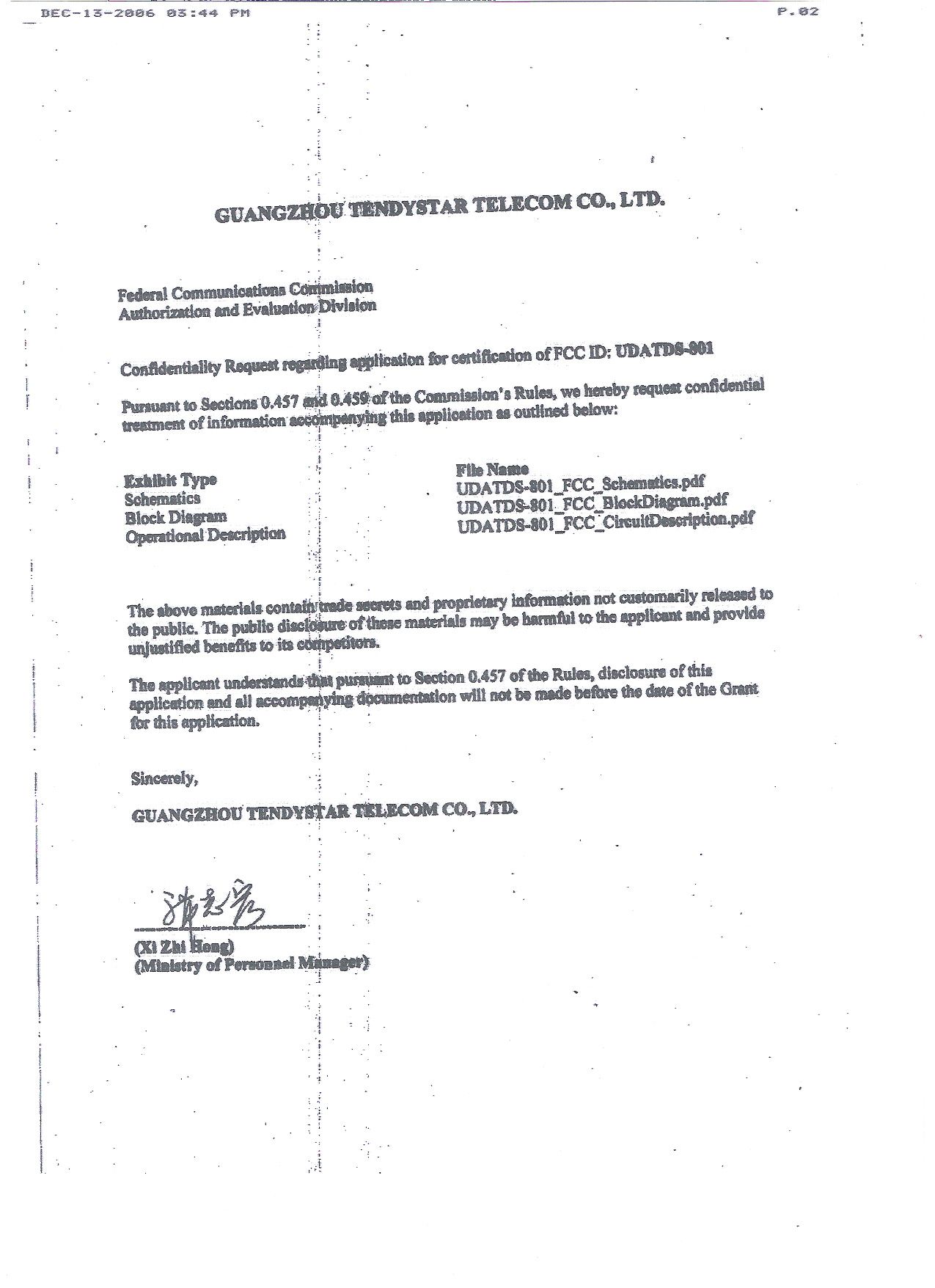
Document Text
Text extracted from the exhibit documents filed with the FCC. Open a document above to read the original.
Users Manual
Contents Introduction How to use Pairing Making and Hearing a call Dialing Hearing a calling Declining a calling Media playing Charging LED & Functional Alarm Quick Tips 1 2 3 4 4 5 5 6 7 8 9 Introduction TDS-801 looks like a round and smooth superposition of 2 pieces dishes. It can clip to any edge of clothes with its "mouth" in a way a sea mussel does. It is more convenient and comfort to use as the buzzer does not contact any place of users' body. The multifunctional panel in the central of the buzzer makes TDS-801 much easy to operate. Multifunctional controller and speakers are designed on the earphone line. It fatilitates users to switch to music and an in-coming calling freely during music-playing. TDS-801 is powered by in-built rechargeable high-energy lithium battery. Charging terminals are standard USB adaptors. It has features of fast-Pairing, long standby time and unique HIFI effect etc 1 How to use 2 Power Key Press it, turn on/ off bluetooth earphones. Volume Key ""\"-" Press it to adjust volume of the earphones. Previous">"\ Next"<" Press it to choose music during music-playing. Power On/Power Off/Play/Pause/Setup an AV connection Microphone Press it to search voice signal during speaking. USB Adapter It is used for charging via coupling with a computer or with bolt which is inbuilt a USB adapter. Call-MFB (Answer/End/Reject/Setup a handsfree connection) Volume Up Button Music-MFB Volume Down Button Charge Previous Next Music-MFB Microphone Pairing 3 Searching Press on POWER button for 3 seconds, turn on bluetooth earphones, it start searching at once. Meanwhile, the indicator flashes in blue with a crisp whisper sound. Pairing: Press on both Power and Volume buttons for 2-3 seconds, the indicator fashes alternately in red and blue with a crisp whisper sound. Now the bluetooth earphones get into pairing situation. Pairing via Bluetooth Media Player or mobile phone. Turn on bluetooth on a mobile phone. Find "search Bluetooth Equiment" feature. When searching is completed, choose bluetooth earphone on the searched list and press it. Input Pairing PIN code "0000" , Pairing is completed. (Generally, Mobile phone connets with bluetooth earphone automatically after Pairing. In the case that your mobile phone does not connect with the bluetooth earphone auto- maticly, please choose TDS-801 among the bluetooth euipment list on your mobile phone. ) 4 Making A Calling / Hearing A Calling Dialing Use Once the bluetooth earphone connects with your mobile phone or Media player successfully, you can hearing a calling or enjoying music via the bluetooth earphone. While connecting with a computer, the computer must be inbuilt bluetooth USB adapter. When connect with a Media player, the player must be of audio bluetooth dongle. While connecting with an Audio bluetooth adapter, PIN code is not needed. Make sure that the bluetooth earphone pairs well with your mobile phone, otherwise, please refer to PAIRING. When make a call on your mobile phone, voice signal transfers to the bluetooth earphone automatically. While a call gets though, the volume in earphone can be adjusted via the Volume button of the mobile phone or of the bluetooth earphone Press the multifuctional button to end a calling. Caution 5 Hearing A Calling Declining A Calling When the buzzer alarms, talk directly after pressing down the multifuctional button. Volume can be adjusted via the volume button either of the mobile phone or the bluetooth earphone. To get a good sound effect, please keep a proper distance between the microphone and the mouth during speaking. Press down the multifuntional button to end a calling. While the buzzer alarms, press down the multifuctional button of the bluetooth for 2-3 minutes, the calling will be turned off. Media Playing 6 Make sure the Media Player pairs with the bluetooth earphone. If not, please find the TDS-801 among the bluetooth euipment list on the mobile phone and press it. Then, remote control fucntion of the bluetooth earphone is activated automatically. Playing a video or an audio file in the Media Player, audio frequency signal transmits to the bluetooth earphone automatically. The volume can be adjusted by pressing volume button "" "-" . Pressing Previous button ">" and Next button "<" to select the music to be played. During playing, shallow press the multifuctional button, the music will be paused. Press the button again for 2-3 seconds, the music will continue. During playing, media player will pause automatically when a calling comes in. It will continue automatically when the calling ends. Caution Charging 7 There are two ways to charge the bluetooth earphone, one is via a USB cable charged on a computer. While another is via common socket. Charging period is 2 hours. But the first charging should be 8 hours. 1When voltage of the battery is too low, it is a normal case that the indicator on a charger does not work within half hour after it is charged. 2During charging, the indicator is red. When charging is completed, the indicator gets into blue. Caution LED & Functional Alarm 8 Power On The indicator flashes in blue fastly for 3 times, and the buzzer buzzes. Power Off The indicator flashes in red for once, then flashes fastly for 2 times, buzzes for 2 times. Pairing Mode It flashes in blue and red alternately, no buzzing. Charging It works in red. Charging Completed. It works in blue. Calling In It flashes in blue, it buzzes till the calling button is pressed. Standby Mode The indicator flashes once in 3 seconds in blue. 9 Quick Tips 1. The indicator does not work during charging. This is caused by low voltage of the battery. In the first harl hour of charging, it charges in tiny current mode. During this time, it is a normal case when the indicator does not work. 2. When the sound of earphone is too blurry. please adjust the distance between the microphone and mouth. Sometimes, this is caused by poor signal of comminication channel, in this case, you should turn off th…
Text truncated - open the document above for the full version.
External Photos
EXHIBIT 2 - EUT EXTERNAL PHOTOGRAPHS EUT View 1 EUT View 2
ID Label/Location Info
EXHIBIT 1- PRODUCT LABELING Proposed FCC ID Label Format FCC ID: UDATDS-801 Specifications: Text is Black in color. Labels are printed in indelible ink on permanent adhesive silk-screened onto the EUT or shall be affixed at a conspicuous location on the EUT. Proposed Label Location on EUT FCC ID Label Location
ID Label/Location Info
EXHIBIT 1- PRODUCT LABELING Proposed FCC ID Label Format FCC ID: UDATDS-801 Specifications: Text is Black in color. Labels are printed in indelible ink on permanent adhesive silk-screened onto the EUT or shall be affixed at a conspicuous location on the EUT. Proposed Label Location on EUT FCC ID Label Location
Internal Photos
EXHIBIT 3 - EUT INTERNAL PHOTOGRAPHS EUT Housing and Board View Solder Board-Component View 1 Solder Board-Component View 2
Test Report
Guangzhou Tendystar Telecom Co., Ltd. Model: TDS-801 REPORT NO.: STR06128021I PAGE 1 OF 30 FCC PART 15.247 FCC Part 15C Measurement and Test Report For Guangzhou Tendystar Telecom Co., Ltd. Rm1701-1702, New Century Commercial Trade Center, No.2-6 HongDe Road, Haizhu District, Guangzhou, Guangdong Province, China FCC ID: UDATDS-801 Report Concerns: Original Report Equipment Type: Bluetooth Headset Model: TDS-801 Report No.: STR06128021I Test/Witness Engineer: Innaz Lee Test Date: 2006-12-04 Prepared By: Shenzhen SEM.Test Compliance Service Co., Ltd Room 609-610, Baotong Building, Baomin 1 st Road, Baoan District, Shenzhen, Guangdong, P.R.C. (518133) Approved & Authorized By: PSQ Manager / Jandy So Note: This test report is limited to the above client company and the product model only. It may not be duplicated without prior permitted by SEM.Test Compliance Service Co., Ltd . Guangzhou Tendystar Telecom Co., Ltd. Model: TDS-801 REPORT NO.: STR06128021I PAGE 2 OF 30 FCC PART 15.247 TABLE OF CONTENTS 1. GENERAL INFORMATION ...................................................................................................................................4 1.1 PRODUCT DESCRIPTION FOR EQUIPMENT UNDER TEST (EUT)...............................................................................4 1.2 TEST STANDARDS..................................................................................................................................................4 1.3 RELATED SUBMITTAL(S)/GRANT(S) .......................................................................................................................4 1.4 TEST METHODOLOGY............................................................................................................................................5 1.5 TEST FACILITY.......................................................................................................................................................5 1.6 EUT EXERCISE SOFTWARE....................................................................................................................................5 1.7 ACCESSORIES EQUIPMENT LIST AND DETAILS.......................................................................................................5 1.8 EUT CABLE LIST AND DETAILS.............................................................................................................................5 2. SUMMARY OF TEST RESULTS ...........................................................................................................................6 3. §15.203 - ANTENNA REQUIREMENT..................................................................................................................7 3.1 STANDARD APPLICABLE........................................................................................................................................7 3.2 TEST RESULT.........................................................................................................................................................7 4. NUMBER OF HOPPING CHANNELS AND CHANNEL SPACING .................................................................8 4.1 STANDARD APPLICABLE........................................................................................................................................8 4.2 TEST EQUIPMENT LIST AND DETAILS.....................................................................................................................8 4.3 TEST PROCEDURE...................................................................................................................................................8 4.4 ENVIRONMENTAL CONDITIONS..............................................................................................................................8 4.5 SUMMARY OF TEST RESULTS/PLOTS......................................................................................................................9 5. DWELL TIME OF A HOPPING CHANNEL ......................................................................................................11 5.1 STANDARD APPLICABLE......................................................................................................................................11 5.2 TEST EQUIPMENT LIST AND DETAILS...................................................................................................................11 5.3 TEST PROCEDURE.................................................................................................................................................11 5.4 ENVIRONMENTAL CONDITIONS............................................................................................................................11 5.5 SUMMARY OF TEST RESULTS/PLOTS....................................................................................................................12 6. 20-DB BANDWIDTH ..............................................................................................................................................14 6.1 STANDARD APPLICABLE......................................................................................................................................14 6.2 TEST EQUIPMENT LIST AND DETAILS...................................................................................................................14 6.3 TEST PROCEDURE.................................................................................................................................................14 6.4 ENVIRONMENTAL CONDITIONS............................................................................................................................14 6.5 SUMMARY OF TEST RESULTS/PLOTS....................................................................................................................14 7. POWER OUTPUT...................................................................................................................................................17 7…
Text truncated - open the document above for the full version.
Test Setup Photos
EXHIBIT 4 - TEST SETUP PHOTOGRAPHS Radiation Emission Test Setup (30MHz to 1GHz) Radiation Emission Test Setup (Above 1GHz)
Contact Information
Applicant
Fang Zhou(General Manager)
Test Firm
Shenzhen Academy of Metrology & Quality InspectionPeter Lin
Technical Specifications
| # | Rule Parts | Frequency Range | Power Output |
|---|---|---|---|
| 1 | 15C | 2.40 GHz - 2.48 GHz | 2.00 mW |
Other Applications from Guangzhou Tendystar Telecom Co., Ltd.
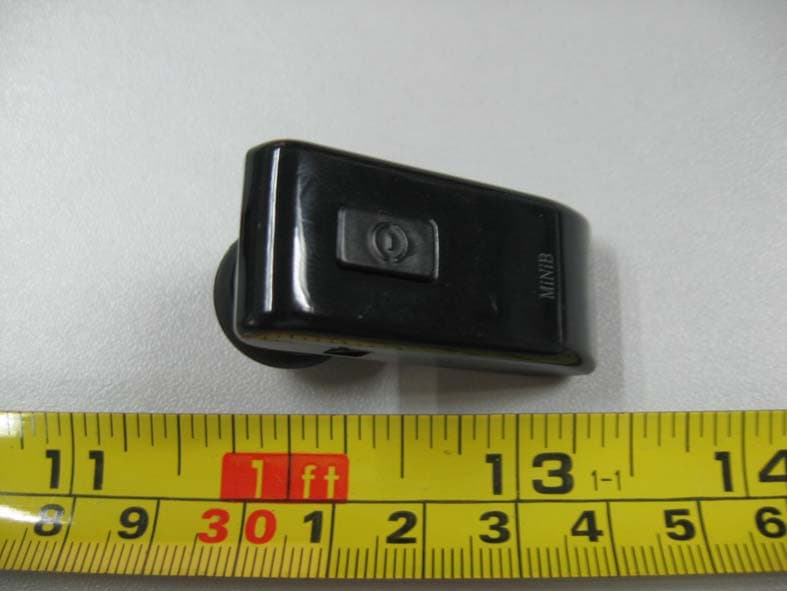
UDATDS-602S
Nov 18, 2007BLUETOOTH HEADSET
Equipment Class
DSS - Part 15 Spread Spectrum Transmitter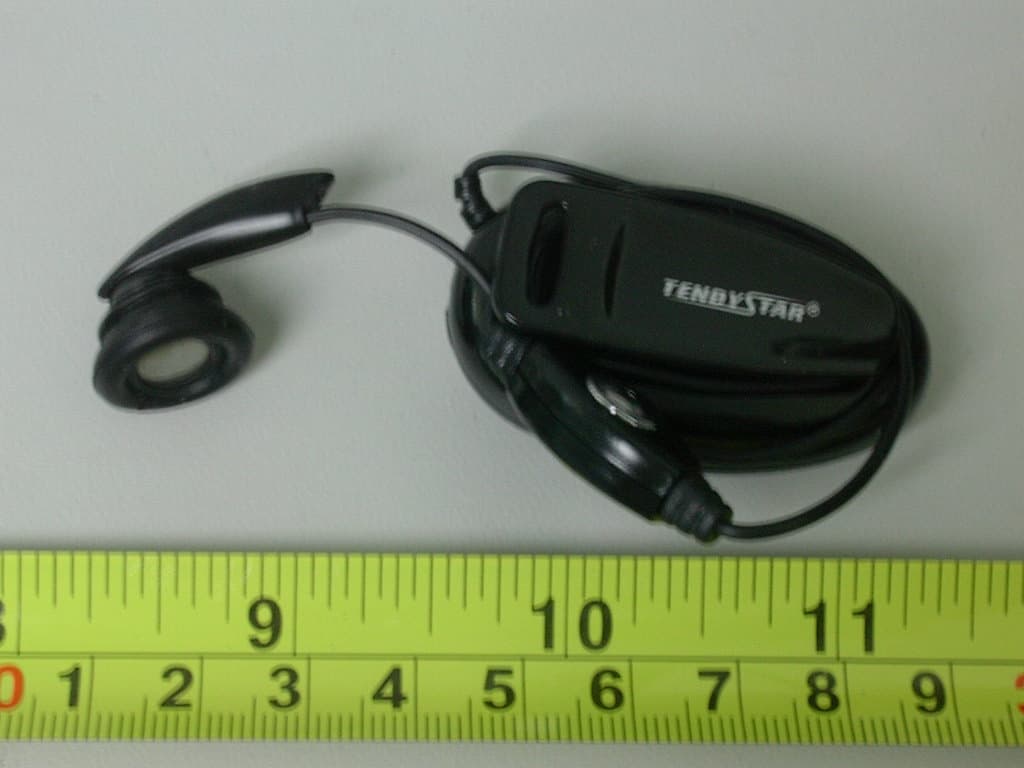
UDAE2
Jul 06, 2006BLUETOOTH HEADSET
Equipment Class
DSS - Part 15 Spread Spectrum Transmitter