UKWMANOVA-209CHTRAVELER RECHARGEABLE WIRELESS MOUSE
MANOVA International Ltd.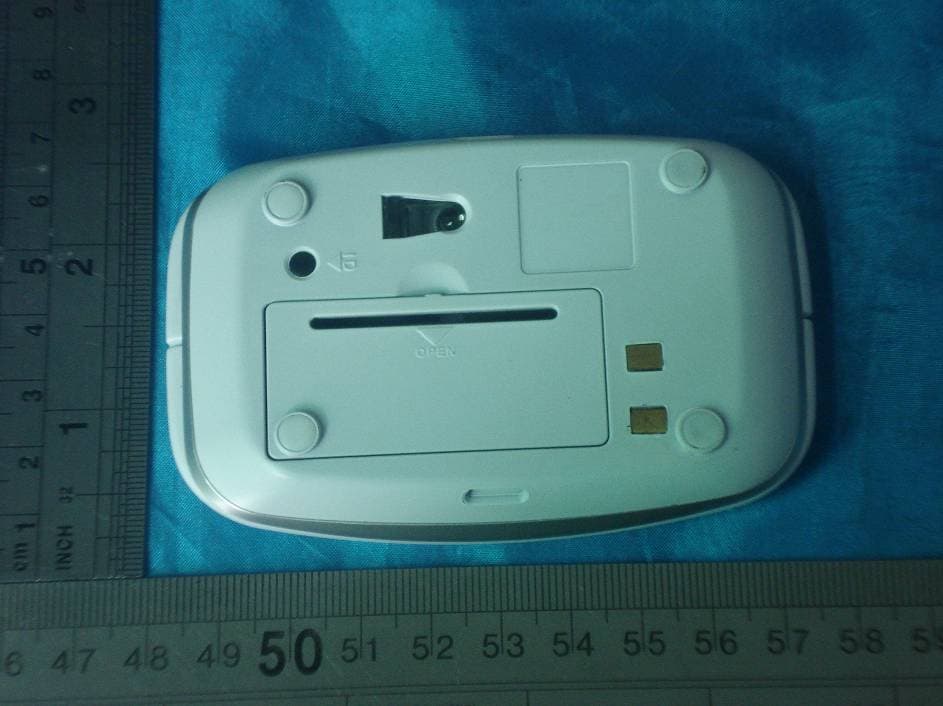
Click to zoom
Application Details
- Equipment Class
- DXX - Part 15 Low Power Communication Device Transmitter
- Date of Grant
- Mar 06, 2008
- Application Purpose
- Original Equipment
- Date of Application
- Mar 06, 2008
- Equipment Note
- TRAVELER RECHARGEABLE WIRELESS MOUSE
- Frequency Range
- 27.04200000 - 27.04200000
- Company
- MANOVA International Ltd.
- Country
- China
Documents & Files
Document Text
Text extracted from the exhibit documents filed with the FCC. Open a document above to read the original.
Users Manual
Instruction manual System requirements z IBM compatible system z Win98/Me/2000/XP z No need for driver z USB port z Mac OS 8.6 or above Install the battery z Use only two NiMH rechargeable batteries AAA (provided) z Press and release the battery door z Put the batteries into the mouse z Close the battery cover Install the receiver/charger base z You can plug the receiver/charger base directly to the USB port of your notebook or desktop PC z You can use an USB extension cable in order to have the receiver on your desk in case of desktop PC Charging the battery z With the receiver/charger base connected to computer with power on, place the mouse on the charger in correct direction, the lock latch on the base will click properly to hold the mouse. The amber color LED will lit to show charging in process z When the mouse is fully charged (approx. in 5 hrs every recharging), LED will turn into green. **(For charging new batteries for first time please allow 8 hrs total charging time even after LED turned into green) z When batteries depleted, the red LED on the mouse will blinks. Place the mouse back on the receiver/charger base which is connected to computer to re-charge. z In future whenever the mouse is not-in-use and placed on the receiver/charger base connected to computer (with power), the mouse will be kept freshly charged while put-in-place to store ID Setup z Put the receiver/charger base into the USB port of your computer, take out the mouse z Push the ID button on the receiver, the blue LED will blink. Then push once the ID button underneath the mouse (within 10 seconds), the blue LED of the receiver/base will blink quickly, and the connection between mouse and receiver is established. The light of the receiver/base will blink each time you move the mouse, showing mouse data transmission (ID set up distance : 0.60 m to 1.50 m) z After having the batteries changed, you have to reconnect the mouse with the receiver/base by repeating once more the ID set up z In case of interference between equipment, change the signal codes by repeating once more the ID set up. The interference between equipment will only happens when several mice are used at the same time z Working distance :0.60 m to 1.50 m (depending on user’s environment) Caution z Never put metal objects on the receiver/charger base especially risk of touching the charging contacts!! z USE ONLY NiMH 1.2V AAA rechargeable batteries as far as possible. If you use other batteries such as alkaline or carbon-zinc, DO NOT CHARGE the mouse by putting on the receiver/base connected to the computer!! Attention z Reduce the distance between the mouse and the receiver if the mouse does not work properly, or use an extension cable for receiver connecting the computer z If the mouse will not be used for a long time ,please remove the batteries z The mouse has a “sleep” function. Push any button to wake him up. z If you want to activate the “power cut”, push 3 seconds on the ID button of the mouse, this will save battery power. In order to activate the mouse, push again 3 seconds on the ID button. z The mouse does not function on metallic of glass surface ,nor on 3D mouse pad Remark :All trademarks and trade names are the property of their respective owners FCC NOTE: THE MANUFACTURER IS NOT RESPONSIBLE FOR ANY RADIO OR TV INTERFERENCE CAUSED BY UNAUTHORIZED MODIFICATIONS TO THIS EQUIPMENT. SUCH MODIFICATIONS COULD VOID THE USER'S AUTHORITY TO OPERATE THE EQUIPMENT.
Block Diagram
UM209无线鼠标方框图 .sch-1 - Tue Jan 08 19:24:59 2008
External Photos
DONGGUAN EMTEK CO., LTD. REPORT NO:E0801628E FCC ID:UKWMANOVA-209CH DATE: 03/05/2008
ID Label/Location Info
FCC ID:UKWMANOVA-209CH This device complies with Part 15 of the FCC Rules. Operation is subject to the following two conditions: 1. This device may not cause harmful interference,and 2. This device must accept any interference received, including interference that may cause undesired operation.
ID Label/Location Info
Proposed Label Location on EUT Proposed FCC Mark Location
Internal Photos
DONGGUAN EMTEK CO., LTD. REPORT NO:E0801628E FCC ID:UKWMANOVA-209CH DATE: 03/05/2008 Page 1 of 2 DONGGUAN EMTEK CO., LTD. REPORT NO:E0801628E FCC ID:UKWMANOVA-209CH DATE: 03/05/2008 Page 2 of 2
Operational Description
Circuit Description Mouse’s frequency will be automatically adjusted to pair with Receiver’s after 2 pcs AAA rechargeable batteries was loaded and the ID button pressed. When Users move the Mouse, the operation signal which the optical Mouse sensor IC PAN3101 detected is processed by the controller IC MA6221-S7K, converted to RF signal in 27MHZ, then got L3 & C12 by the 8 th pin of MA6221-S7K, last transmitted out through the built-in and circulating antenna. In the meantime, the port of the antenna connected to C12, another port is grounded, and the C8 & C9 is connected in parallel connection between the ports of antenna, they are made up of LC resonance circuit to adjust the capacity of C8 & C9 capacitor and insure the LC resonance frequency in 27MHZ.
Schematics
11 22 33 44 D D C C B B A A Title Number Revision Size A4 Date: 2008-2-15 Sheet of File: E:\AXU\um209pan301\UM209(PAN3101).SCHDrawn By: PCBANT -+ VBAT1UM-4(X2) SW_ZENCODER R3 4M7 L2 220uH L30.82UH D4MA729 C110U C622PC722P C11104 SW_ID C1075P C1233P C830P X1 76.8K C910P PD SW_RSW_MSW_L VBT + C18220U DCVRSVDIN R13*100K R14180K R10680K R11 1.2M VBT DCVRSVDIN R5560 D3 BTL LED SCLKSDIO J31L10nF LBUT 7 MBUT 6 RBUT 5 VDD 4 OSC2 3 VSS 2 OSC1 1 RFOUT 8 ORFIN0 9 ORFIN1 10 ORFO 11 TXD 12 PD 13 WA 14 WB 15 Z1IN 16 Z2IN 17 SDIO 18 SCLK 19 BATL 20 TYPE 21 TXCB 22 BBUT 23 FBUT 24 SVD_IN 25 DCVR 26 VL 27 VL_NM 28 U2MA6221-S7K(B 版, WCD 版, FWGE 版) C1333P C41P X227.042MHz C515P UM209 PAN3101 MA6221 EEP_CS J31HJ31L 0 0X X Sensor Sensor Sensor 0 +90 -180 X 10nF J31HJ31L 0 0X X Sensor Sensor Sensor 0 -90 +90 X 10nF Datecode=Bxxxxxxxxx Datecode=FWGExxxxxx SCLK SDIO X3 12MHZ D5 LED_CNTL R110R VDD3 C16 2U2 Q3 2N3906 R8100K R415K LED_CNTL 5 VDD 7 OSC_IN 1 OSC_OUT 2 SDIO 3 SCK 4 REFA 8 GND 6 U1PAN3101 C34.7uF R20Ashort or open R20A wake up open no have open WCD 版 B 版 FWGE 版 shorthave motion no have J31H0R VDD3 Q5 2N3906 R23 220K R2510K PD 10KR2110KR710KR6 10KR19 10KR20 10K R2 3K3R16 220KR22 Q4 2N3904 220KR9 C20.1U REV:01 Yuanmingxu
Test Report
DONGGUAN EMTEK CO., LTD. REPORT NO:E0801628E FCC ID: UKWMANOVA-209CH DATE: 03/05/2008 Page 1 of 23 ELECTROMAGNETIC EMISSIONS COMPLIANCE REPORT INTENTIONAL RADIATOR CERTIFICATION TO FCC PART 15 SUBPART C REQUIREMENT OF Traveler Rechargeable Wireless Mouse MODEL No.: UM-209CH Trademark: N/A FCC ID: UKWMANOVA-209CH REPORT NO: E0801628E ISSUE DATE: March 05, 2008 Prepared for MANOVA International Limited Flat A, 13 th Floor, Century Industrial Centre, 33-35 Au Pui Wan Street, Fo Tan, N.T., Hong Kong Prepared by DONGGUAN EMTEK CO., LTD No.281,Guantai Road,Nancheng District, Dongguan, Guangdong, China TEL: 86-769-22807078 FAX: 86-769-22807079 DONGGUAN EMTEK CO., LTD. REPORT NO:E0801628E FCC ID: UKWMANOVA-209CH DATE: 03/05/2008 Page 2 VERIFICATION OF COMPLIANCE Applicant: MANOVA International Limited Flat A, 13 th Floor, Century Industrial Centre, 33-35 Au Pui Wan Street, Fo Tan, N.T., Hong Kong Product Description: Traveler Rechargeable Wireless Mouse Trademark: N/A Model Number: UM-209CH Serial Number: N/A File Number: E0801628E Date of Test: Jan 27, 2008 to Feb 28, 2008 We hereby certify that: The above equipment was tested by DONGGUAN EMTEK CO., LTD. The test data, data evaluation, test procedures, and equipment configurations shown in this report were made in accordance with the procedures given in ANSI C63.4 (2003) and the energy emitted by the sample EUT tested as described in this report is in compliance with conducted and radiated emission limits of FCC Rules Part 15.227. The test results of this report relate only to the tested sample identified in this report. Approved By Nicol Lee / Q.A. Manager DONGGUAN EMTEK CO., LTD. DONGGUAN EMTEK CO., LTD. REPORT NO:E0801628E FCC ID: UKWMANOVA-209CH DATE: 03/05/2008 Page 3 Ta b l e o f C o n t e n t s 1. GENERAL INFORMATION ................................................................................................. 4 1.1 Product Description................................................................................................................................. 4 1.2 Related Submittal(s) / Grant (s)............................................................................................................... 4 1.3 Test Methodology ................................................................................................................................... 4 1.4 Special Accessories ................................................................................................................................. 4 1.5 Equipment Modifications ........................................................................................................................ 4 1.6 Test Facility............................................................................................................................................. 5 2. System Test Configuration......................................................................................................6 2.1 EUT Configuration.................................................................................................................................. 6 2.2 EUT Exercise .......................................................................................................................................... 6 2.3 Test Procedure......................................................................................................................................... 6 2.4 Limitation ................................................................................................................................................ 6 2.5 Configuration of Tested System.............................................................................................................. 8 3. Summary Of Test Results........................................................................................................9 4. Description of test modes......................................................................................................... 9 5. Conducted Emissions Test (Not applicable in this report).............................................. 10 5.1 Measurement Procedure:....................................................................................................................... 10 5.2 Test SET-UP (Block Diagram of Configuration).................................................................................. 10 5.3 Measurement Equipment Used: ............................................................................................................ 10 5.4 Measurement Result:............................................................................................................................. 10 5.5 Conducted Measurement Photos:............................................................................................................... 10 6. Radiated Emission Test .........................................................................................................11 6.1 Measurement Procedure ........................................................................................................................ 11 6.2 Test SET-UP (Block Diagram of Configuration).................................................................................. 12 6.3 Measurement Equipment Used: ............................................................................................................ 13 6.4 Measurement Result .............................................................................................................................. 13 6.5 Radiated Measurement Photos: ............................................................................................................. 16 7. Occupied Bandwidth..............................................................................................................17 7.1 Measurement Procedure ........................................................................................................................ 17 7.2 Test SET-U…
Text truncated - open the document above for the full version.
Test Setup Photos
DONGGUAN EMTEK CO.,LTD. REPORT NO:E0801628E FCC ID:UKWMANOVA-209CH DATE:03/05/2008 Radiated Emission Setup Photos: Frequency Below 30MHz Frequency Below 1000MHz
Contact Information
Applicant
Wayne Man
Test Firm
EMTEK (DONGGUAN) CO.,LTDSam Lv
Technical Specifications
| # | Rule Parts | Frequency Range | Power Output |
|---|---|---|---|
| 1 | 15C | 27.042 MHz - 27.042 MHz | - |
Other Applications from MANOVA International Ltd.
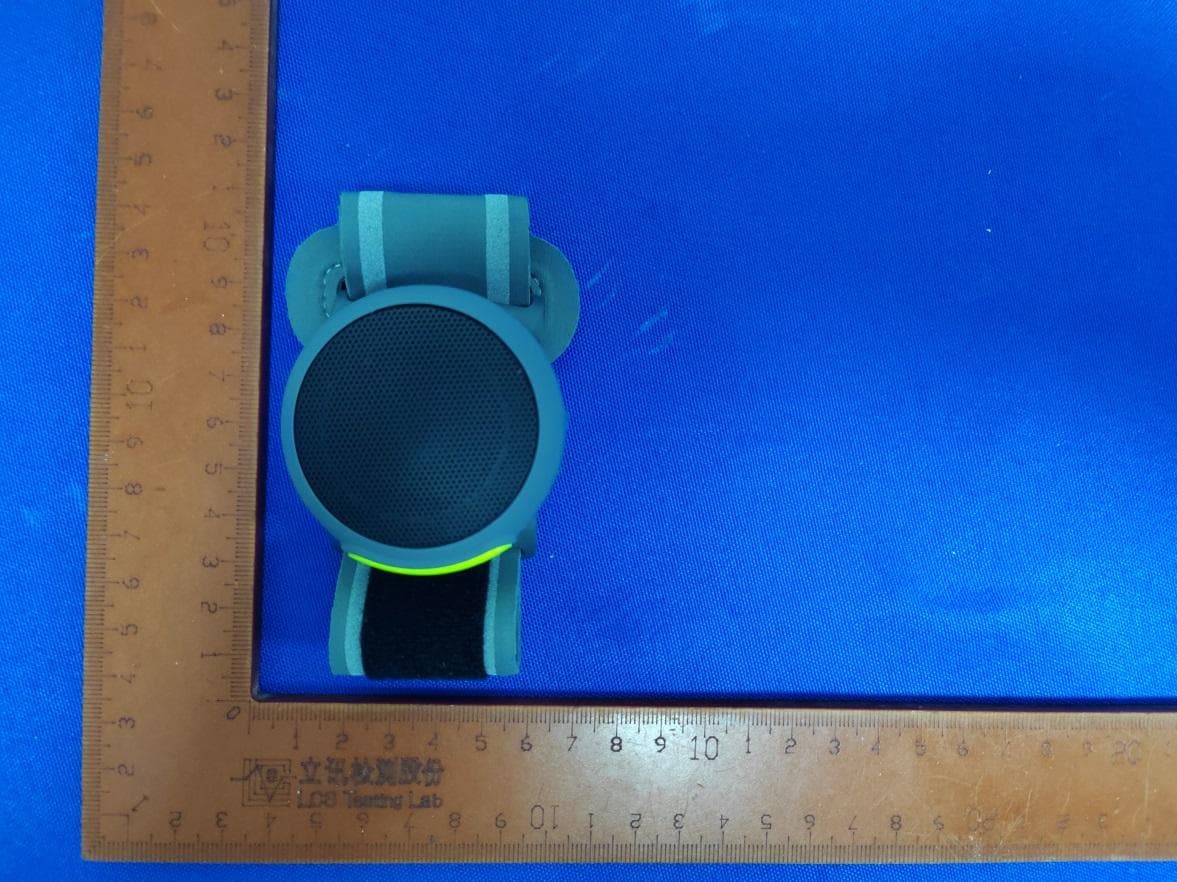
UKWMANOVABT208
Jul 17, 2024Wireless Speaker
Equipment Class
DSS - Part 15 Spread Spectrum Transmitter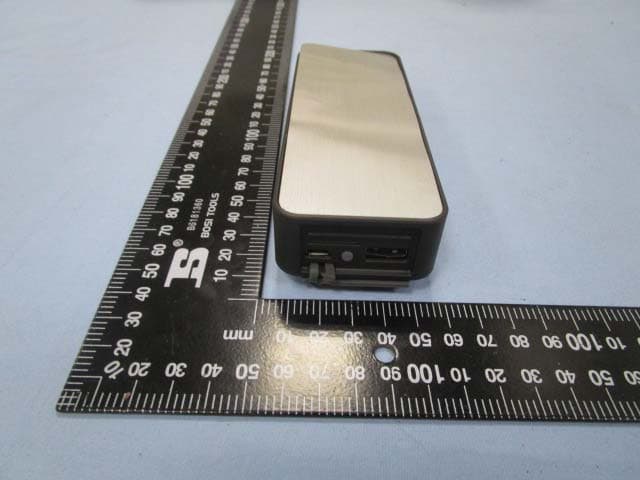
UKWMANOVAPB448
Jan 11, 2015HANDi - Bluetooth Speaker with Power Bank
Equipment Class
DSS - Part 15 Spread Spectrum Transmitter
UKWMANOVA-BT-78N
Sep 21, 2014SWiNG Bluetooth Speaker
Equipment Class
DSS - Part 15 Spread Spectrum Transmitter
UKWMANOVA-BT-68N
Dec 11, 2013Portable Stereo Bluetooth Speaker
Equipment Class
DSS - Part 15 Spread Spectrum Transmitter
UKWMANOVA-BT-18N
Dec 11, 2013Portable Bluetooth Speaker
Equipment Class
DSS - Part 15 Spread Spectrum Transmitter