UNH-MXP2802NU2C802.11n/g/b Wireless USB 2.0 Stick Adapter&Extension Cradle
Newer Technology, Inc.
Click to zoom
Application Details
- Equipment Class
- DTS - Digital Transmission System
- Date of Grant
- Jun 14, 2010
- Application Purpose
- Original Equipment
- Date of Application
- Jun 08, 2010
- Equipment Note
- 802.11n/g/b Wireless USB 2.0 Stick Adapter&Extension Cradle
- Frequency Range
- 2422.00000000 - 2452.00000000
- Company
- Newer Technology, Inc.
- Country
- United States
Documents & Files
Document Text
Text extracted from the exhibit documents filed with the FCC. Open a document above to read the original.
Users Manual
User Manual MAXPower® 802.11n/g/b USB 2.0 Adapter 2 Table of Contents Before You Start 3 Network Information 3 Introduction 4 Package Contents 4 Installation for Macintosh 5 Software Installation 5 Wireless Configuration 7 Adding the Utility to Startup Items 9 Installation for Windows 10 Installation 10 Wireless Configuration 11 Troubleshooting/FAQ 15 Contacting Tech Support 17 3 Before You Start... For your convenience, this is a short checklist of information re- quired to set up your MAXPower 802.11n/g/b USB 2.0 Adapter. You will also need this information prior to contacting Techni- cal Support. We recommend filling in the information into the spaces provided for easy reference. If you don’t know the infor- mation, you may need to consult your Router’s manual, your Internet Service Provider and/or your System Administrator. Network Information • Router Mfg/Model: • Router IP: . . . • Router Username: • Router Password: • SSID: • Channel: • Authentication Type: • Encryption Type: • Encryption Key: - or - Password: 4 Introduction Thank you for purchasing the Newer Technology MAXPower 802.11n/g/b USB 2.0 Adapter! This guide will walk you through the setup process step by step and get you up and running with your new wireless device quickly. Setup of the Newer Technology MAXPower 802.11n/g/b USB 2.0 Adapter is straightforward, but you do need to follow this guide for proper setup. We suggest reading through the whole manual before hooking up the MAXPower 802.11n/g/b USB 2.0 Adapter. Package Contents • MAXPower 802.11n/g/b USB 2.0 Adapter • USB Extension Cradle • Installation & Driver CD • User Manual Images and descriptions may vary slightly between this manual and the unit shipped. Please visit our Web site for the most recent specifications. 5 Installation for Macintosh Software Installation 1. You can find the Mac OS X drivers either on the included CD or download them from the following URL: http://www.newertech.com/downloads/maxpower_ usb_n.dmg 2. After you put the CD in your computer and it loads, or you double-click on the .dmg file you downloaded, the disk volume should appear. Open this to reveal folders with the different versions of the drivers. 3. Open the folder that corresponds to the Operating System you are running. There will be two .pkg files – an installer and an uninstaller. 4. Double click on the installer .pkg file. The installer will open. 5. Click “Continue”. 6 6. Click “Install”. 7. You will be prompted for your user name and password, please enter it and hit “OK”. Note: You must have Administrative privileges to install this software on your Mac. 8. When Prompted, close any other open Applications, and click “Continue Installation”. 7 9. Wait for the Installer to finish, then click the “Restart” button. Your computer will restart. The Wireless Utility software may open at startup. Quit the application and proceed with the installation. Even though the configuration utility may open immediately after installation, you must perform these steps as listed in order for your Adapter to work properly. Wireless Configuration Before configuring: 1. Insert the MAXPower 802.11n/g/b USB 2.0 Adapter into an open USB 2.0 port. The Wireless Utility should open auto- matically. You can just ignore it for the time being. 2. Go to the “Apple” menu and select “System Preferences”. 3. Click on the “Network” preference pane icon. 4. The “Detected a new Network port” dialog should pop up. Click “OK”. 5. Click “Apply” and close System Preferences. Configuring for use 1. When you inserted the MAXPower 802.11n/g/b USB 2.0 Adapter into a USB 2.0 port, the Wireless Utility should have opened automatically. If it did not, or you quit the program, you can find it in your Applications folder. 8 6. Click “OK” and go to the “Profiles” tab. Highlight the net- work you just added and click “Activate” to use that profile. You will notice the connection go from red to green when you are connected. Your wireless connection is now set up and ready to be used. 2. Once the Wireless Utility window is active, click on the “Site Survey” tab. You should see your wireless network listed here. If you don’t, click “Rescan”. If your network still doesn’t appear, consult your wireless router’s manual or technical support. 3. Click on the wireless network you want to connect so it is highlighted and click “Add Profile”. 4. In the “System Configura- tion” tab, you can name the profile and adjust any set- tings needed to connect to the network. As settings for wireless routers can vary, you will want to check your particular router’s manual or technical support for information regarding security settings and wireless configuration. 5. Click on “Authentication & Security” to enter any se- curity information needed to connect to your wireless network. 9 Adding the Utility to Startup Items If the Wireless Utility does not automatically open upon inser- tion of the wireless adapter, you can set the Wireless Utility to open on startup by performing the following steps. 1. Go to the “Apple” menu and select “System Preferences”. 2. Click on the “Accounts” Preference Pane. 3. Highlight the account you want to add the utility as a startup item and click on the “Login Items” tab. 4. Click the “+” sign at the bottom. 5. Select the Wireless Utility in your Applications folder. 6. Close the System Preferences window. 10 Installation for Windows Installation 1. Insert the included Install CD. Navigate to the “Windows Driver” folder and run the Installer. 2. Follow the instructions on the Installer Wizard, clicking “Next” when each step is completed. 3. After completing the Installer Wizard, click “Finish” and insert the MAXPower 802.11n/g/b USB 2.0 Adapter into an open USB 2.0 port. The software installation is now completed. DO NOT connect the MAXPower 802.11n/g/b USB 2.0 Adapter until you are instructed to do so. Improper insertion may result in unsuccessful installation of the device. 11 Wireless Configuration 1. In order t…
Text truncated - open the document above for the full version.
Cover Letter(s)
RF_160, Issue 02 Declaration of Authorization We Name: Newer Technology, Inc. Address: 2650 Bridge Lane, Woodstock,Illinois,United States City: Woodstock Country: United States Declare that: Name Representative of agent: Ms. Cathy Wang Agent Company name: Neutron Engineering, Inc. Address: No.3 Jinshagang 1 st Road, Shixia, Dalang Town City: Dong Guan Country: China is authorized to apply for Certification, completing and signing of the RF-731 form for Certification of the following product(s): Product description: 802.11n/g/b Wireless USB 2.0 Stick Adapter&Extension Cradle Type designation: NWTMXP2802NU2C Trademark: MAXPower on our behalf. Date: 2010-6-7 City: Woodstock Name: AMIE DRESSER Function: Product Development Manager Signature: ............................... Notes: (1): Required for FCC application (2): For FCC it must be the Grantee Code “owner” or the authorized agent.
External Photos
Neutron Engineering Inc. Project No.: 1005C171 Page 2 of 7 1005C171 1005C171 Neutron Engineering Inc. Project No.: 1005C171 Page 2 of 7 1005C171 1005C171
Internal Photos
Neutron Engineering Inc. Project No.: 1005C171 Page 3 of 7 1005C171 1005C171 Neutron Engineering Inc. Project No.: 1005C171 Page 3 of 7 1005C171 1005C171 Neutron Engineering Inc. Project No.: 1005C171 Page 4 of 7 1005C171 1005C171 Neutron Engineering Inc. Project No.: 1005C171 Page 4 of 7 1005C171 1005C171 Neutron Engineering Inc. Project No.: 1005C171 Page 5 of 7 1005C171 1005C171 Neutron Engineering Inc. Project No.: 1005C171 Page 5 of 7 1005C171 1005C171 Neutron Engineering Inc. Project No.: 1005C171 Page 6 of 7 1005C171 1005C171 Neutron Engineering Inc. Project No.: 1005C171 Page 6 of 7 1005C171 1005C171 Neutron Engineering Inc. Project No.: 1005C171 Page 7 of 7 1005C171 Neutron Engineering Inc. Project No.: 1005C171 Page 7 of 7 1005C171
RF Exposure Info
Neutron Engineering Inc. FCC RF EXPOSURE REPORT FCC ID: UNH-MXP2802NU2C Project No. : 1005C171 Equipment : 802.11n/g/b Wireless USB 2.0 Stick Adapter& Extension Cradle Model Name : NWTMXP2802NU2C Applicant : Newer Technology Inc. Address : 2650 Bridge Lane. Woodstock IL 60098 According: : FCC Guidelines for Human Exposure IEEE C95.1 Neutron Engineering Inc. No.3, Jinshagang 1st Road, ShiXia, Dalang Town, Dong Guan, China. TEL : (0769) 8318-3000 FAX : (0769) 8319-6000 Neutron Engineering Inc. GENERAL CONCULUSION: No evaluation required if power is below this threshold: F(GHz) P(mW) Low 2.412 High 2.462 24.620 Maximum measured transmitter power: Out Power (dBm) Out Power (mW) Conducted Power 11.89 15.453 EIRP Power 13.73 23.604 Note: Table for Filed Antenna Ant. Brand Model NameAntenna Type Connector Gain (dBi) 0 N/A N/A PIFA N/A 1.84 1 N/A N/A Printed AntennaN/A 1.62 Threshold for no SAR evaluation is 24.620mW. Transmitter power is 15.453mW. Conclusion: No SAR evaluation required since transmitter power is below FCC threshold
Test Report
Neutron Engineering Inc. Report No.: NEI-FCCP-1-1005C171 Page 2 of 109 Declaration Neutron represents to the client that testing is done in accordance with standard procedures as applicable and that test instruments used has been calibrated with the standards traceable to National Measurement Laboratory (NML) of R.O.C., or National Institute of Standards and Technology (NIST) of U.S.A. Neutron's reports apply only to the specific samples tested under conditions. It is manufacture’s responsibility to ensure that additional production units of this model are manufactured with the identical electrical and mechanical components. Neutron shall have no liability for any declarations, inferences or generalizations drawn by the client or others from Neutron issued reports. Neutron’s reports must not be used by the client to claim product endorsement by the authorities or any agency of the Government. This report is the confidential property of the client. As a mutual protection to the clients, the public and Neutron-self, extracts from the test report shall not be reproduced except in full with Neutron’s authorized written approval. Neutron’s laboratory quality assurance procedures are in compliance with the ISO Guide 17025 requirements, and accredited by the conformity assessment authorities listed in this test report. Limitation For the use of the authority's logo is limited unless the Test Standard(s)/Scope(s)/Item(s) mentioned in this test report is (are) included in the conformity assessment authorities acceptance respective. Neutron Engineering Inc. Report No.: NEI-FCCP-1-1005C171 Page 3 of 109 Table of Contents Page 1 . CERTIFICATION 5 2 . SUMMARY OF TEST RESULTS 6 2.1 TEST FACILITY 7 2.2 MEASUREMENT UNCERTAINTY 7 3 . GENERAL INFORMATION 8 3.1 GENERAL DESCRIPTION OF EUT 8 3.2 DESCRIPTION OF TEST MODES 10 3.3 TABLE OF PARAMETERS OF TEXT SOFTWARE SETTING 11 3.4 BLOCK DIGRAM SHOWING THE CONFIGURATION OF SYSTEM TESTED 11 3.5 DESCRIPTION OF SUPPORT UNITS 12 4 . EMC EMISSION TEST 13 4.1 CONDUCTED EMISSION MEASUREMENT 13 4.1.1 POWER LINE CONDUCTED EMISSION LIMITS 13 4.1.2 MEASUREMENT INSTRUMENTS LIST AND SETTING 13 4.1.3 TEST PROCEDURE 14 4.1.4 DEVIATION FROM TEST STANDARD 14 4.1.5 TEST SETUP 14 4.1.6 EUT OPERATING CONDITIONS 14 4.1.7 TEST RESULTS 15 4.2 RADIATED EMISSION MEASUREMENT 17 4.2.1 RADIATED EMISSION LIMITS 17 4.2.2 MEASUREMENT INSTRUMENTS LIST ANS SETTING 18 4.2.3 TEST PROCEDURE 19 4.2.4 DEVIATION FROM TEST STANDARD 19 4.2.5 TEST SETUP 20 4.2.6 EUT OPERATING CONDITIONS 20 4.2.7 TEST RESULTS (BETWEEN30 – 1000 MHZ) 21 4.2.8 TEST RESULTS (ABOVE 1000 MHZ) 23 5 . BANDWIDTH TEST 71 5.1 APPLIED PROCEDURES / LIMIT 71 5.1.1 MEASUREMENT INSTRUMENTS LIST 71 5.1.2 TEST PROCEDURE 71 5.1.3 DEVIATION FROM STANDARD 71 5.1.4 TEST SETUP 72 5.1.5 EUT OPERATION CONDITIONS 72 5.1.6 TEST RESULTS 73 Neutron Engineering Inc. Report No.: NEI-FCCP-1-1005C171 Page 4 of 109 Table of Contents Page 6 . PEAK OUTPUT POWER TEST 81 6.1 APPLIED PROCEDURES / LIMIT 81 6.1.1 MEASUREMENT INSTRUMENTS LIST 81 6.1.2 TEST PROCEDURE 81 6.1.3 DEVIATION FROM STANDARD 81 6.1.4 TEST SETUP 81 6.1.5 EUT OPERATION CONDITIONS 81 6.1.6 TEST RESULTS 82 7 . ANTENNA CONDUCTED SPURIOUS EMISSION 85 7.1 APPLIED PROCEDURES / LIMIT 85 7.1.1 MEASUREMENT INSTRUMENTS LIST 85 7.1.2 TEST PROCEDURE 85 7.1.3 DEVIATION FROM STANDARD 85 7.1.4 TEST SETUP 85 7.1.5 EUT OPERATION CONDITIONS 86 7.1.6 TEST RESULTS 87 8 . POWER SPECTRAL DENSITY TEST 95 8.1 APPLIED PROCEDURES / LIMIT 95 8.1.1 MEASUREMENT INSTRUMENTS LIST 95 8.1.2 TEST PROCEDURE 95 8.1.3 DEVIATION FROM STANDARD 95 8.1.4 TEST SETUP 95 8.1.5 EUT OPERATION CONDITIONS 95 8.1.6 TEST RESULTS 96 9 . EUT TEST PHOTO 108 Neutron Engineering Inc. Report No.: NEI-FCCP-1-1005C171 Page 5 of 109 1. CERTIFICATION Equipment : 802.11n/g/b Wireless USB 2.0 Stick Adapter&Extension Cradle Brand Name : MAXPower Model Name : NWTMXP2802NU2C Applicant : Newer Technology Inc. Factory : SHENZHEN HEWEISHUN NETWORK TECHNOLOGY CO.,LTD. Address : Tenda Industrial Park, No. 34-1, Shilong Rd., Shiyan Town, Bao'an District, Shenzhen, P.R.China. Date of Test : May. 25, 2010 ~ Jun. 02, 2010 Test Item : ENGINEERING SAMPLE Standards : FCC Part15, Subpart C(15.247) / ANCI C63.4 : 2003 The above equipment has been tested and found compliance with the requirement of the relative standards by Neutron Engineering Inc. EMC Laboratory. The test data, data evaluation, and equipment configuration contained in our test report (Ref No. NEI-FCCP-1-1005C171) were obtained utilizing the test procedures, test instruments, test sites that has been accredited by the Authority of NVLAP and TAF according to the ISO-17025 quality assessment standard and technical standard(s). Neutron Engineering Inc. Report No.: NEI-FCCP-1-1005C171 Page 6 of 109 2. SUMMARY OF TEST RESULTS Test procedures according to the technical standards: FCC Part15 (15.247) , Subpart C Standard Section Test Item Judgment Remark 15.207 Conducted Emission PASS 15.247(d) Antenna conducted Spurious Emission PASS 15.247(a)(2) 6dB Bandwidth PASS 15.247(b)(3) Peak Output Power PASS 15.247(d) Radiated Spurious Emission Limit:Table 15.209/15.205 PASS 15.247(e) Power Spectral Density PASS 15.203 Antenna Requirement PASS 1.1307 1.1310 2.1091 2.1093 RF Exposure Compliance PASS NOTE: (1)” N/A” denotes test is not applicable in this Test Report Neutron Engineering Inc. Report No.: NEI-FCCP-1-1005C171 Page 7 of 109 2.1 TEST FACILITY The test facilities used to collect the test data in this report is CB03/DG-C03 at the location of No.3,Jinshagang 1st Road, ShiXia, Dalang Town, Dong Guan, China.523792 Neutron's test firm number is 319330 2.2 MEASUREMENT UNCERTAINTY Where relevant, the following measurement uncertainty levels have been estimated for tests performed on the EUT as specified in CISPR 16-4-2: The reported uncertainty of measurement y ± U,where expended uncertainty U is based on a standard uncertainty multiplied by a coverage factor of k=2,providing a level of confidence of approximately…
Text truncated - open the document above for the full version.
Test Setup Photos
Neutron Engineering Inc. Report No.: NEI-FCCP-1-1005C171 Page 114 of 115 10. EUT TEST PHOTO Conducted Measurement Photos Neutron Engineering Inc. Report No.: NEI-FCCP-1-1005C171 Page 114 of 115 10. EUT TEST PHOTO Conducted Measurement Photos Neutron Engineering Inc. Report No.: NEI-FCCP-1-1005C171 Page 115 of 115 Radiated Measurement Photos Neutron Engineering Inc. Report No.: NEI-FCCP-1-1005C171 Page 115 of 115 Radiated Measurement Photos
Contact Information
Applicant
AMIE DRESSER(Product Development Manager)
Technical Contact
Neutron Engineering, Inc.Steven Lu
[email protected]+86-769-83183000
No.3,Jinshagang 1st Rd, ShiXia,Dalang · Dongguan City · China
Test Firm
BTL Inc.Daisy Dai
Technical Specifications
| # | Rule Parts | Frequency Range | Power Output |
|---|---|---|---|
| 2 | 15C | 2.42 GHz - 2.45 GHz | 15.00 mW |
Other Applications from Newer Technology, Inc.
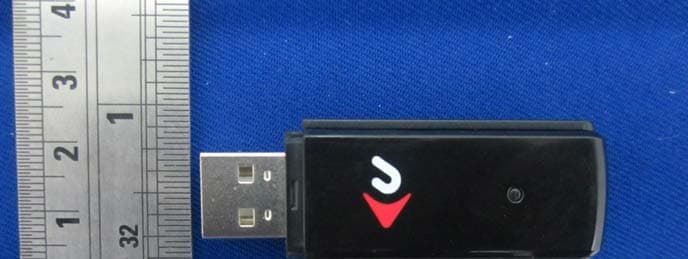
UNH-MXP3802NU2C
Jul 12, 2012802.11n/g/b Wireless USB 2.0 Stick Adapter & Extension Cradle
Equipment Class
DTS - Digital Transmission System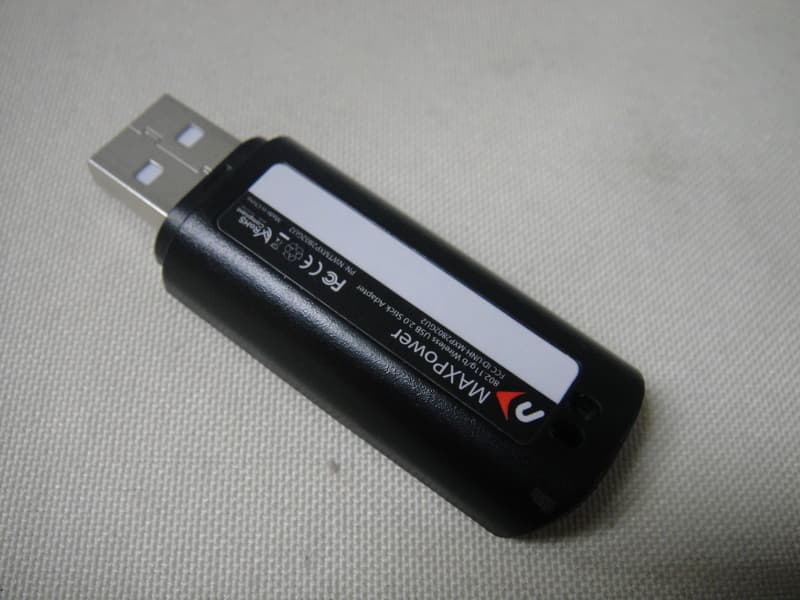
UNH-MXP2802GU2
Jun 13, 2010802.11g/b Wireless USB 2.0 Stick Adapter
Equipment Class
DTS - Digital Transmission System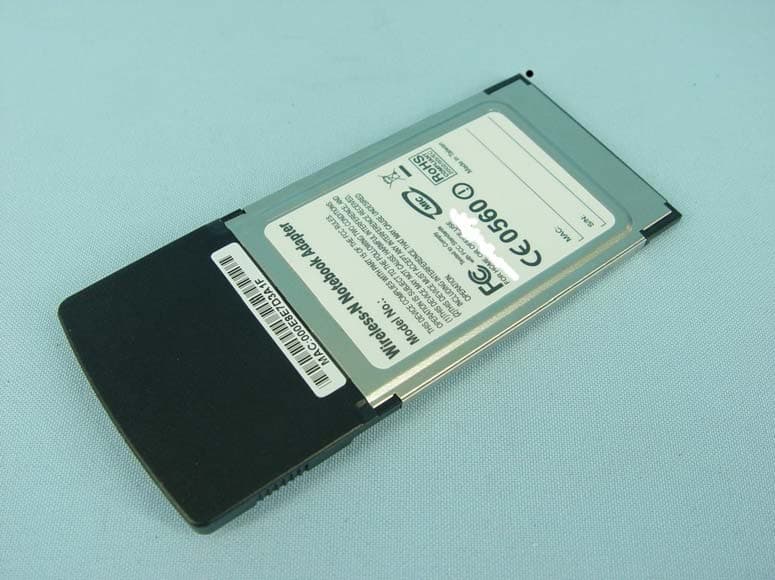
UNH-MXP802NPCM
Dec 06, 2007Wireless-N Notebook Adapter
Equipment Class
DTS - Digital Transmission System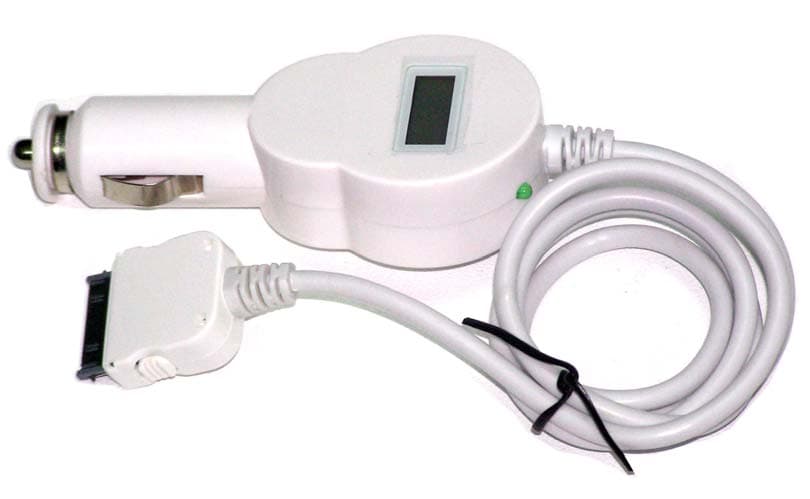
UNHCCH-YY888
Oct 18, 2006TRAFFICJAMZ
Equipment Class
DXX - Part 15 Low Power Communication Device Transmitter