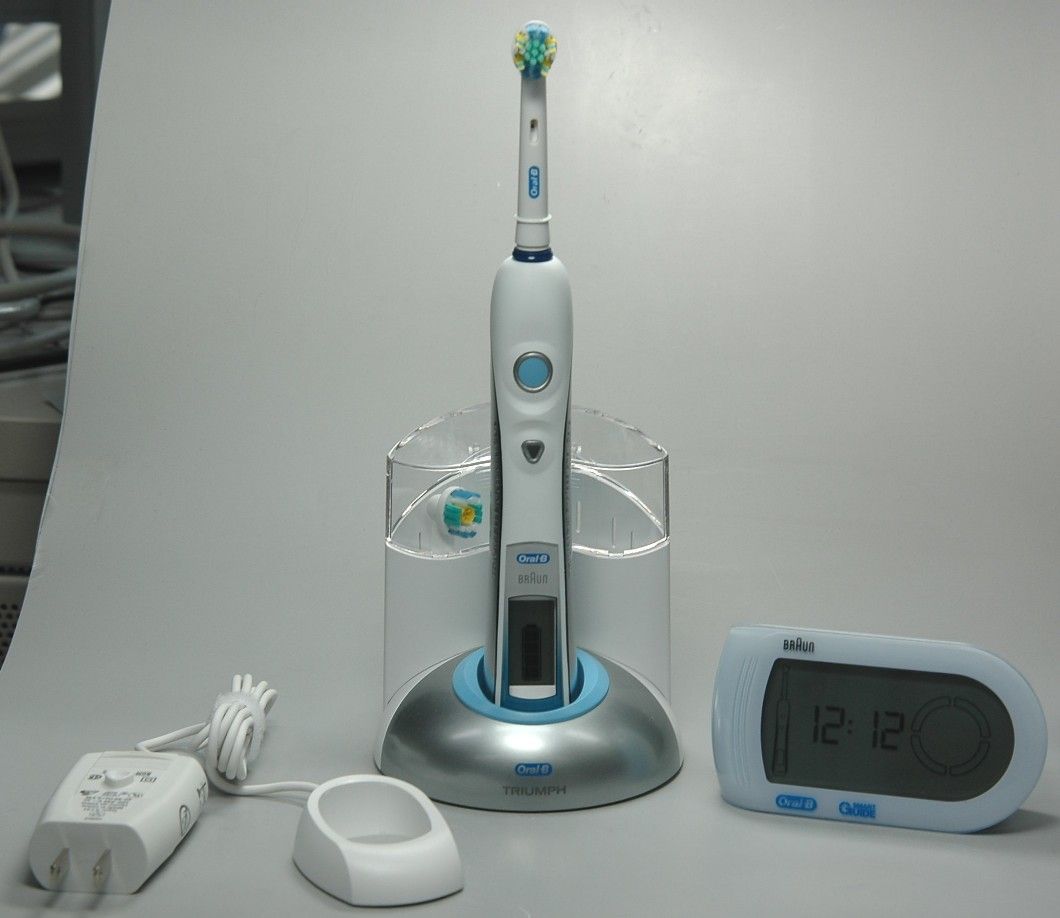
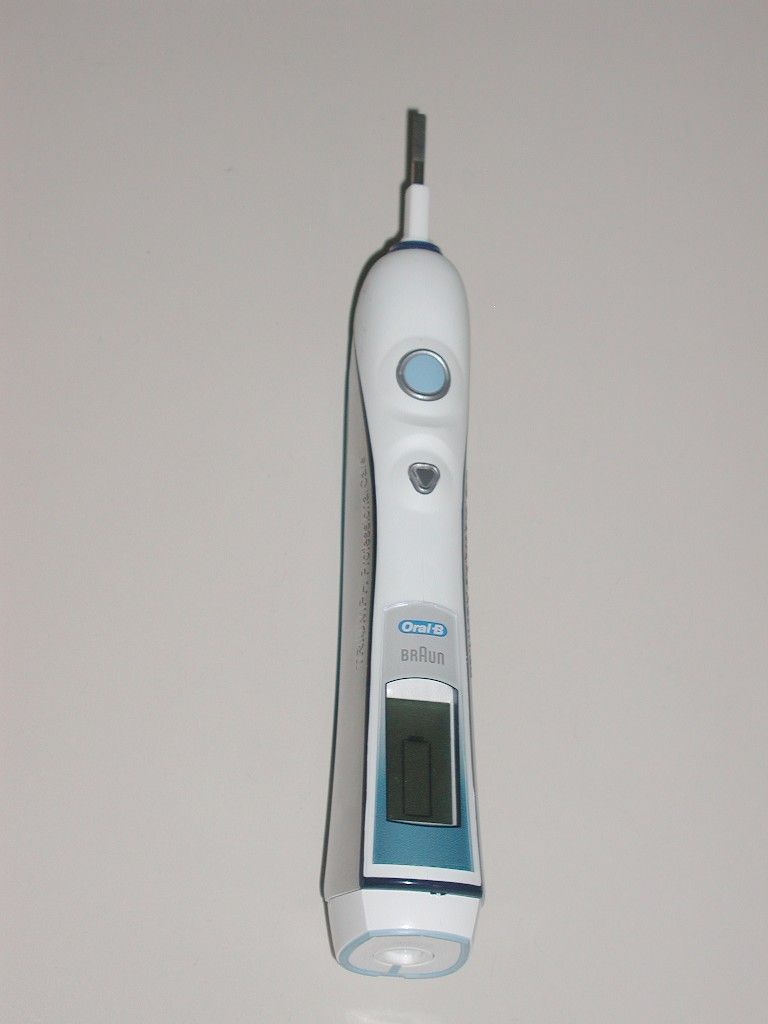
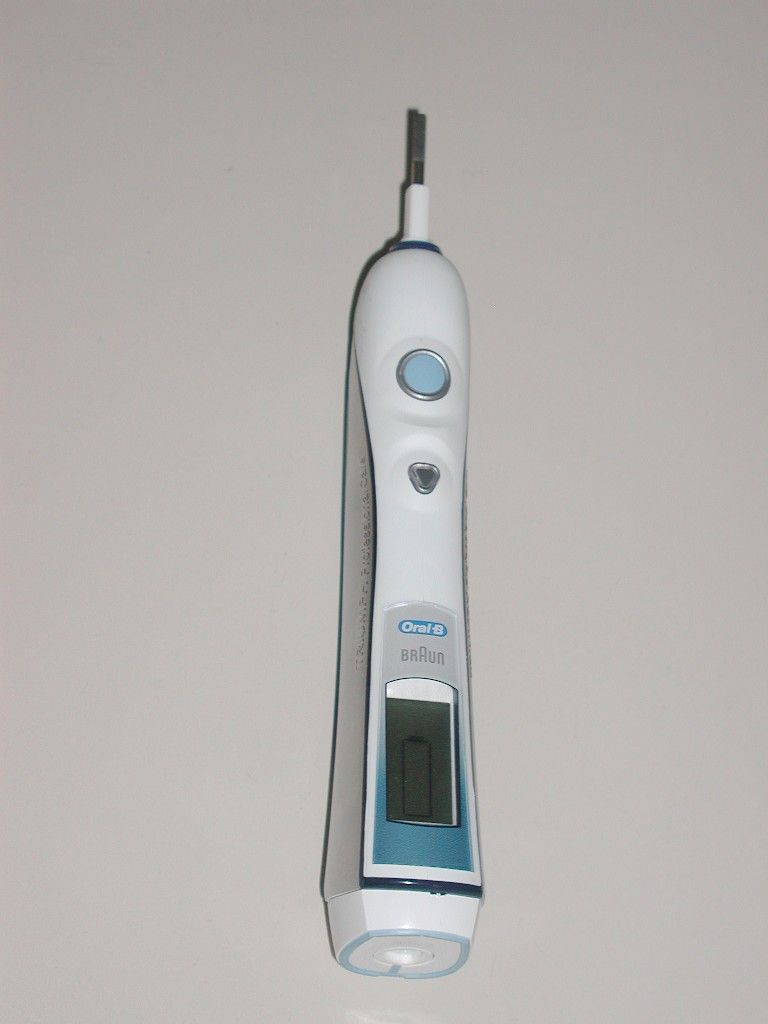
USQ3738Electric Toothbrush
Braun GmbH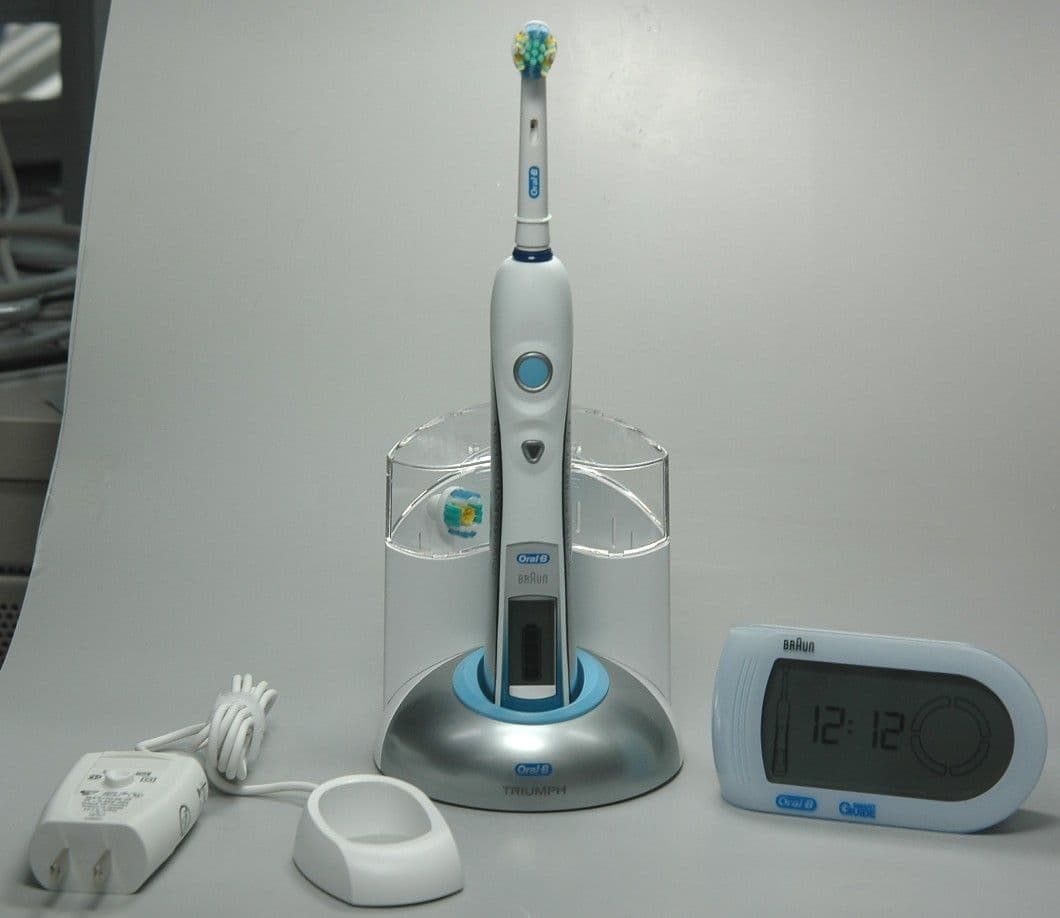
Click to zoom
Application Details
- Equipment Class
- DXT - Part 15 Low Power Transceiver, Rx Verified
- Date of Grant
- May 02, 2007
- Application Purpose
- Original Equipment
- Date of Application
- Apr 26, 2007
- Equipment Note
- Electric Toothbrush
- Frequency Range
- 13.56000000 - 13.56000000
- Company
- Braun GmbH
- Country
- Germany
Documents & Files
Document Text
Text extracted from the exhibit documents filed with the FCC. Open a document above to read the original.
Users Manual
Oral-B ® powered by WITH WIRELESS WIRELESS 3738_FCC_1_D30_NA_S1.indd 13738_FCC_1_D30_NA_S1.indd 125.04.2007 14:00:52 Uhr25.04.2007 14:00:52 Uhr English 4 Español 13 Français 22 Internet: www.oralb.com www.braun.com Braun GmbH Frankfurter Straße 145 61476 Kronberg/Germany D 30.546.4 X D 30.546.4 D 30.526.4 X D 30.516.4 Type 3731 Modelo 3731 Modèle 3731 3738_FCC_1 GB/E/F Printed in Germany Impreso en Alemania Imprimé en Allemagne 3738_FCC_1_D30_NA_S2.indd 13738_FCC_1_D30_NA_S2.indd 125.04.2007 14:01:34 Uhr25.04.2007 14:01:34 Uhr Oral-B Oral- B a j b c d e g f h i k l m Oral-B 3 4 2 1 3738_FCC_1_D30_NA_S3.indd 13738_FCC_1_D30_NA_S3.indd 125.04.2007 14:02:24 Uhr25.04.2007 14:02:24 Uhr 4 IMPORTANT SAFEGUARDS Oral-B Triumph with SmartGuide has been carefully designed to offer you and your family a new and unique brushing experience that is both safe and effective. However, when using electrical products, basic safety precautions should always be followed. Read all instructions before using. DANGER In order to reduce the risk of electrocution: 1. Do not place or store the charger where it can fall or be pulled into a tub or sink. 2. Do not place the charger in water or other liquid. 3. Do not reach for a charger that has fallen into water. Unplug immediately. WARNING To reduce the risk of burns, electrocution, fire or injury: 1. Close supervision is necessary when this product is used by or near children or invalids. 2. Use this product only for its intended use as described in this manual. Do not use attachments not recommended by the manufacturer. 3. Keep cord away from heated surfaces. 4. Never drop the appliance or insert any object into any opening of the appliance. 5. Never operate this product if it has been dropped or damaged, if it is not working properly, or if the SmartPlug is damaged or has been dropped into water. If any of these occur, please contact a service center and return the product for examination and repair. 6. This appliance is provided with a SmartPlug with integrated Safety Extra Low Voltage power supply. Do not exchange or manipulate any part of it. SAVE THESE INSTRUCTIONS 3738_FCC_1_D30_NA.indd 43738_FCC_1_D30_NA.indd 425.04.2007 14:07:10 Uhr25.04.2007 14:07:10 Uhr 5 English You have chosen the smartest toothbrush in the world – with Oral-B SmartGuide. Oral-B Triumph with SmartGuide is the first toothbrush with a wireless display, designed to go beyond ordinary clean to improve your oral health. With its many state-of-the-art features powered by Braun technology and inspired by the dental experts at Oral-B, you can feel confident that you are brushing at your best. New Oral-B Triumph now with SmartGuide uses an interactive wireless display to help you optimize your brushing experience. Its innovative brushing technology delivers ultimate plaque removal and its advanced Oral-B FlossAction brushhead features MicroPulse bristles to gently penetrate between teeth. It provides such a thorough clean that you won’t believe how great you feel about your teeth. Oral-B Triumph with SmartGuide is brought to you by Oral-B, the brand more dentists use themselves worldwide. Important • To avoid electromagnetic interference and/or compatibility conflicts, deactivate the radio transmission of your toothbrush before carrying or using it in restricted surroundings such as aircrafts or specially marked areas in hospitals (see «Deactivating the radio transmission»). • Persons with pacemakers should always keep the toothbrush more than six inches (15 centi- meters) from the pacemaker when turned on. If at any time you suspect interference is taking place, deactivate the radio transmission of your toothbrush before using it (see «Deactivating the radio transmission»). Description a Oral-B FlossAction brushhead b On/off button c Mode button d Handle e Handle display f SmartPlug charger (includes charging ring and SmartPlug) g Base plate h Base station i Protective cover j Oral-B ProWhite brushhead (not with all models) k SmartGuide display unit l Wall mount m Adhesive tape First use Before brushing for the first time, charge your toothbrush. Plug the SmartPlug into an electrical outlet and place the handle (d) on the charging ring (see «Connecting and charging»). • To activate the SmartGuide display unit (k), remove the battery compartment cover on the back and insert the two batteries (type AA) with correct polarity (see symbol in the battery compartment). • A flashing «12:00» on the SmartGuide display indicates that time can be adjusted. Press the «set» button, located in the battery compartment, until «12h» is displayed. • By briefly pressing the «h/min» button, you can toggle between a «12h» or «24h» daytime format. Push the «set» button to confirm your choice. • Then the hour digit starts flashing. Press the «h/min» button until the right hour appears and confirm with the «set» button. Proceed the same way to set both minute digits. If you prefer not using this clock feature, the flashing «12:00» will disappear automatically after 24h. set h/min set h/min 1 2 set h/min set h/min 1 2 set h/min set h/min t h/min set t h/min set t h/min set t h/min set 3738_FCC_1_D30_NA.indd 53738_FCC_1_D30_NA.indd 525.04.2007 14:07:10 Uhr25.04.2007 14:07:10 Uhr 6 You can start your toothbrush by pressing the on/off button (b). To avoid splashing, guide the brushhead to your teeth before switching the appliance on. Connecting and charging Your toothbrush has a waterproof handle, is electrically safe and is designed for use in the bathroom. To assemble the base station (h) as a charging unit, detach the base plate (g) first ( 1, page 3). Place the charging ring into the base station and attach the base plate as shown ( 2 and 3, page 3). Then insert the protective cover (i) on the back of your base station (see diagram 4, page 3). • Plug the SmartPlug into an electrical outlet and place the toothbrush handle (d) on the charging unit. A battery symbol should appear in the handle display (e). The battery sym…
Text truncated - open the document above for the full version.
Users Manual
Oral-B ® powered by WITH WIRELESS WIRELESS 3738_FCC_1_D30_NA_S1.indd 13738_FCC_1_D30_NA_S1.indd 125.04.2007 14:00:52 Uhr25.04.2007 14:00:52 Uhr English 4 Español 13 Français 22 Internet: www.oralb.com www.braun.com Braun GmbH Frankfurter Straße 145 61476 Kronberg/Germany D 30.546.4 X D 30.546.4 D 30.526.4 X D 30.516.4 Type 3731 Modelo 3731 Modèle 3731 3738_FCC_1 GB/E/F Printed in Germany Impreso en Alemania Imprimé en Allemagne 3738_FCC_1_D30_NA_S2.indd 13738_FCC_1_D30_NA_S2.indd 125.04.2007 14:01:34 Uhr25.04.2007 14:01:34 Uhr Oral-B Oral- B a j b c d e g f h i k l m Oral-B 3 4 2 1 3738_FCC_1_D30_NA_S3.indd 13738_FCC_1_D30_NA_S3.indd 125.04.2007 14:02:24 Uhr25.04.2007 14:02:24 Uhr 4 IMPORTANT SAFEGUARDS Oral-B Triumph with SmartGuide has been carefully designed to offer you and your family a new and unique brushing experience that is both safe and effective. However, when using electrical products, basic safety precautions should always be followed. Read all instructions before using. DANGER In order to reduce the risk of electrocution: 1. Do not place or store the charger where it can fall or be pulled into a tub or sink. 2. Do not place the charger in water or other liquid. 3. Do not reach for a charger that has fallen into water. Unplug immediately. WARNING To reduce the risk of burns, electrocution, fire or injury: 1. Close supervision is necessary when this product is used by or near children or invalids. 2. Use this product only for its intended use as described in this manual. Do not use attachments not recommended by the manufacturer. 3. Keep cord away from heated surfaces. 4. Never drop the appliance or insert any object into any opening of the appliance. 5. Never operate this product if it has been dropped or damaged, if it is not working properly, or if the SmartPlug is damaged or has been dropped into water. If any of these occur, please contact a service center and return the product for examination and repair. 6. This appliance is provided with a SmartPlug with integrated Safety Extra Low Voltage power supply. Do not exchange or manipulate any part of it. SAVE THESE INSTRUCTIONS 3738_FCC_1_D30_NA.indd 43738_FCC_1_D30_NA.indd 425.04.2007 14:07:10 Uhr25.04.2007 14:07:10 Uhr 5 English You have chosen the smartest toothbrush in the world – with Oral-B SmartGuide. Oral-B Triumph with SmartGuide is the first toothbrush with a wireless display, designed to go beyond ordinary clean to improve your oral health. With its many state-of-the-art features powered by Braun technology and inspired by the dental experts at Oral-B, you can feel confident that you are brushing at your best. New Oral-B Triumph now with SmartGuide uses an interactive wireless display to help you optimize your brushing experience. Its innovative brushing technology delivers ultimate plaque removal and its advanced Oral-B FlossAction brushhead features MicroPulse bristles to gently penetrate between teeth. It provides such a thorough clean that you won’t believe how great you feel about your teeth. Oral-B Triumph with SmartGuide is brought to you by Oral-B, the brand more dentists use themselves worldwide. Important • To avoid electromagnetic interference and/or compatibility conflicts, deactivate the radio transmission of your toothbrush before carrying or using it in restricted surroundings such as aircrafts or specially marked areas in hospitals (see «Deactivating the radio transmission»). • Persons with pacemakers should always keep the toothbrush more than six inches (15 centi- meters) from the pacemaker when turned on. If at any time you suspect interference is taking place, deactivate the radio transmission of your toothbrush before using it (see «Deactivating the radio transmission»). Description a Oral-B FlossAction brushhead b On/off button c Mode button d Handle e Handle display f SmartPlug charger (includes charging ring and SmartPlug) g Base plate h Base station i Protective cover j Oral-B ProWhite brushhead (not with all models) k SmartGuide display unit l Wall mount m Adhesive tape First use Before brushing for the first time, charge your toothbrush. Plug the SmartPlug into an electrical outlet and place the handle (d) on the charging ring (see «Connecting and charging»). • To activate the SmartGuide display unit (k), remove the battery compartment cover on the back and insert the two batteries (type AA) with correct polarity (see symbol in the battery compartment). • A flashing «12:00» on the SmartGuide display indicates that time can be adjusted. Press the «set» button, located in the battery compartment, until «12h» is displayed. • By briefly pressing the «h/min» button, you can toggle between a «12h» or «24h» daytime format. Push the «set» button to confirm your choice. • Then the hour digit starts flashing. Press the «h/min» button until the right hour appears and confirm with the «set» button. Proceed the same way to set both minute digits. If you prefer not using this clock feature, the flashing «12:00» will disappear automatically after 24h. set h/min set h/min 1 2 set h/min set h/min 1 2 set h/min set h/min t h/min set t h/min set t h/min set t h/min set 3738_FCC_1_D30_NA.indd 53738_FCC_1_D30_NA.indd 525.04.2007 14:07:10 Uhr25.04.2007 14:07:10 Uhr 6 You can start your toothbrush by pressing the on/off button (b). To avoid splashing, guide the brushhead to your teeth before switching the appliance on. Connecting and charging Your toothbrush has a waterproof handle, is electrically safe and is designed for use in the bathroom. To assemble the base station (h) as a charging unit, detach the base plate (g) first ( 1, page 3). Place the charging ring into the base station and attach the base plate as shown ( 2 and 3, page 3). Then insert the protective cover (i) on the back of your base station (see diagram 4, page 3). • Plug the SmartPlug into an electrical outlet and place the toothbrush handle (d) on the charging unit. A battery symbol should appear in the handle display (e). The battery sym…
Text truncated - open the document above for the full version.
Cover Letter(s)
Non-Conformities FCC ID: USQ3738 (CKC CS Ref # E07 -000030-01) The items listed below represent requests for infor mation following review of this application for cer tification under United States (FCC) regulations. . Further question may arise pending review of responses to t hese items. OK # Non-Conformity or Comment Submitted Response Respondent / Date of Response X 1 The ID label indicated for the FCC is missing t he colon. Please amend ID label to state FCC ID: USQxxxxx. Updated label provided CKC Labs / 4/27/07 X 2 The confidentiality letter supplied lists FCC I D USQ-3738 while the ID label states USQ3738, please clarify which ID number is t o be used. Updated cover letter provided CKC Labs / 4/27/07 X 3 Users manual is missing statement required by 1 5.21 (Changes or modifications could void the users authority to ope rate the equipment). Updated manual provided. CKC Labs / 4/27/07
Test Report
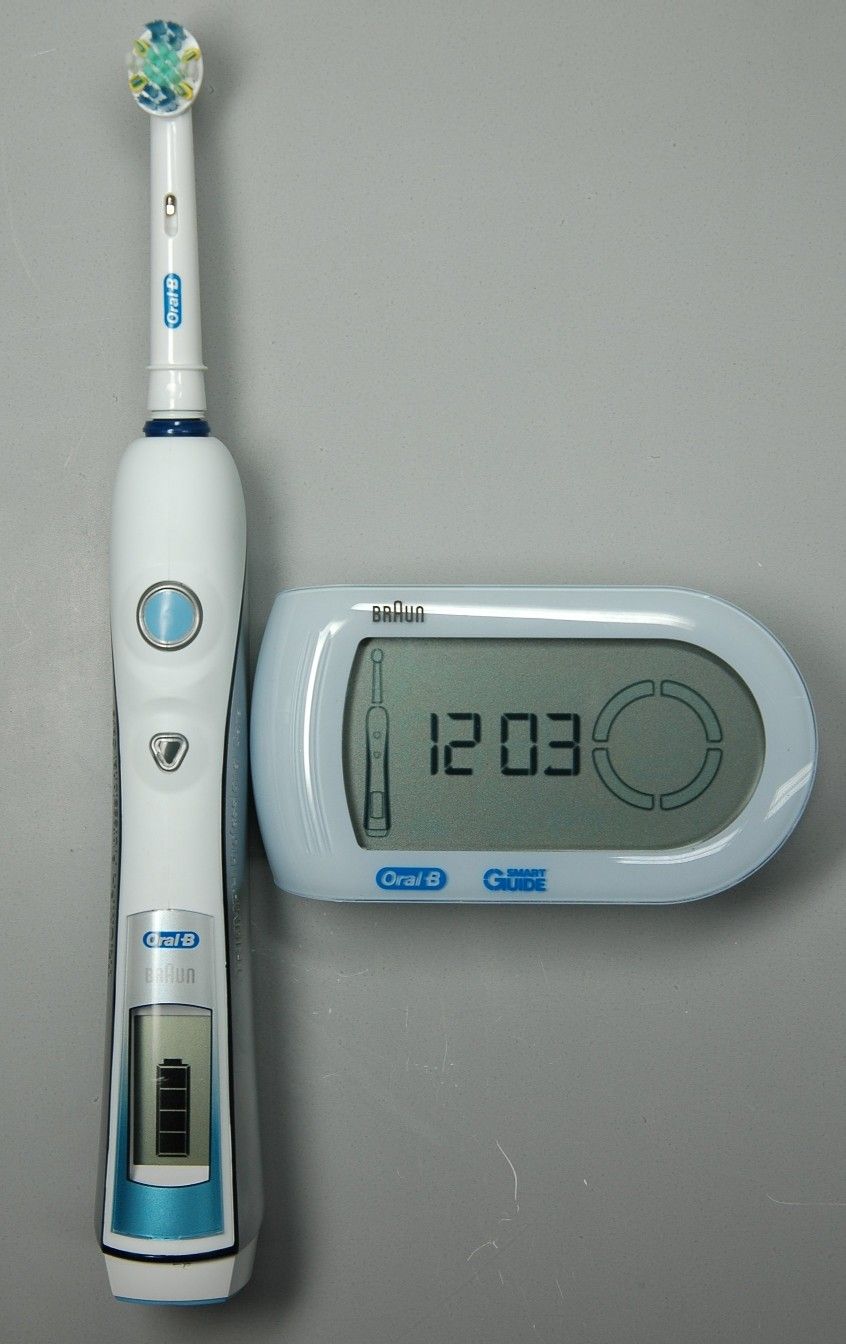
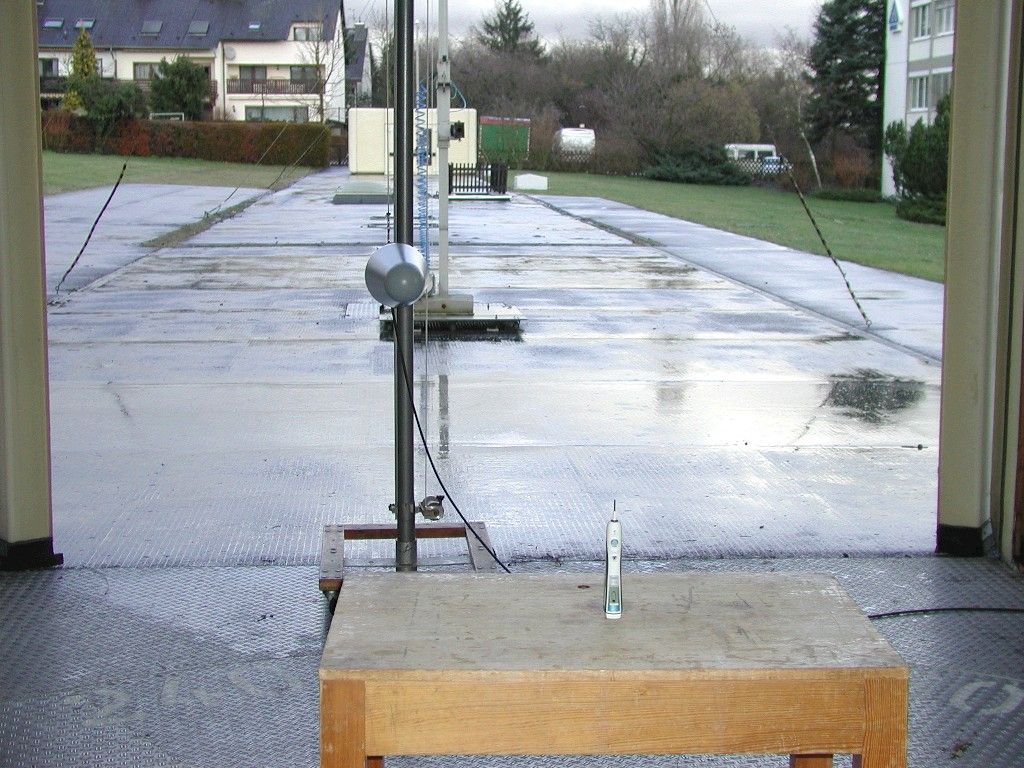
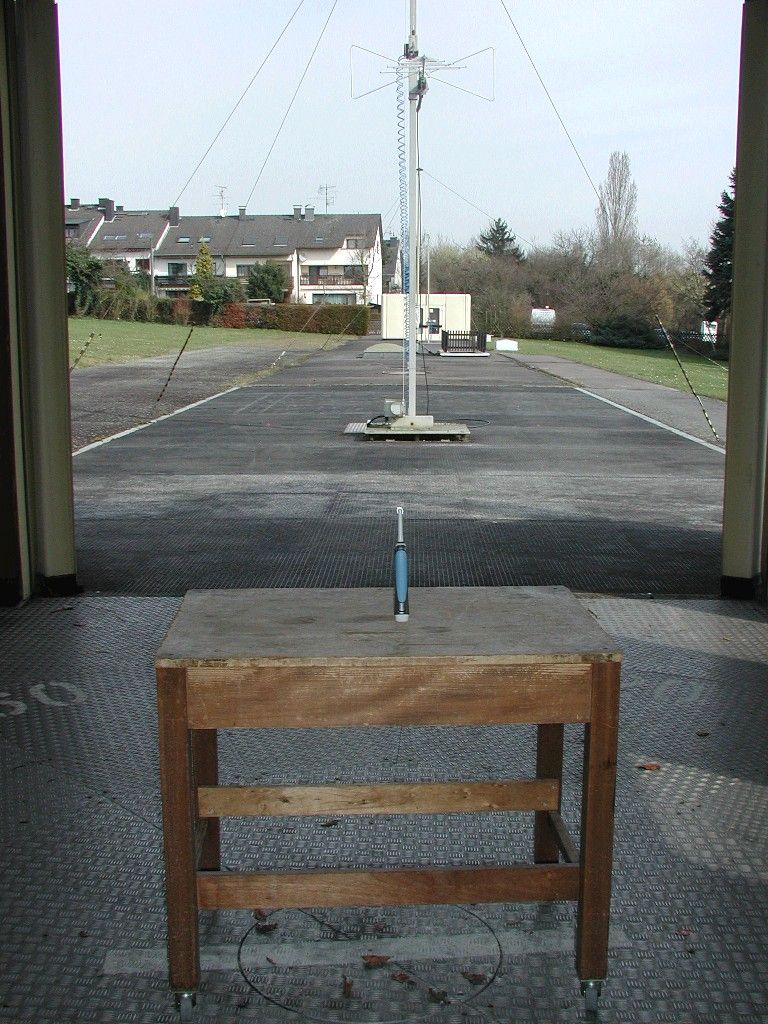
VDE Testing and Certification Institute File number: 263300-2570-0076/82048 (Testreport-FG43-2-82048.doc) Page 2 of 23 Contents Directory 1 Description of the sample (EUT)..................................................................3 1.1 General description.................................................................................................. 3 1.2 Technical Specifications ......................................................................................... 4 1.2.1 Transmitter ................................................................................................................................4 2 Summary of test results ...............................................................................8 2.1 Transmitter test results ........................................................................................... 8 2.1.1 Evaluation against §15.249 (Operation within the 2400-2483.5 MHz band) ............................8 2.1.2 Evaluation against §15.209 (Radiated emission limits for intentional radiators, general requirements) ............................................................................................................................8 2.2 Receiver test results ................................................................................................ 8 3 Test and measuring results .........................................................................9 3.1 Radiated emissions in the frequency range 1 GHz to 25 GHz ............................. 9 3.1.1 Summary Section......................................................................................................................9 3.1.2 Detailed Test protocol .............................................................................................................10 3.2 Measurement of the electric field strength (30 MHz – 1000 MHz) ...................... 12 3.2.1 Summary Section....................................................................................................................12 3.2.2 Detailed Test Protocol.............................................................................................................13 3.3 Measurement of radiated emissions (9 kHz – 30 MHz) ....................................... 14 3.3.1 Summary Section....................................................................................................................14 3.3.2 Detailed Test Protocol.............................................................................................................15 4 Measurement data ......................................................................................17 4.1 Test results: Electric field strength, 1 GHz to 25 GHz......................................... 17 4.2 Test results: Electric field strength ...................................................................... 20 4.2.1 Frequency range 30 MHz ... 1000 MHz ..................................................................................20 5 Photographs................................................................................................22 This Test report contains only the results of a single investigation carried out on the product submitted. It is not a generally valid judgement by the VDE Testing and Certification Institute regarding the properties of similar products taken from current production. It does not apply to all VDE specifications applicable to the Tested products. It does not entitle the applicant to use the VDE certification mark and the mark "GS = geprüfte Sicherheit (approved safety)". This Test report may only be passed to a third party in its complete wording including this preamble and the date of issue. Any publication or reproduction require the prior written approval of the VDE Testing and Certification Institute. VDE Testing and Certification Institute File number: 263300-2570-0076/82048 (Testreport-FG43-2-82048.doc) Page 3 of 23 1 Description of the sample (EUT) 1.1 General description Type of EUT: The object of this test report is a power tooth brush with radio transmitter operating in the 2400 - 2483.5 MHz band and an RFID tagged brush head operating at 13.56 MHz. It is part of a rechargeable power tooth brush application (Triumph with SmartGuide) with external display unit consisting of • Hand piece (with 2.4 GHz transmitter and 13.56 MHz transceiver) Type 3738 • Display Unit (SmartGuide) with built-in 2,4 GHz receiver Type 3741 • SmartCharger, Type 3731 • Brush head with RFID tag • Stand The battery-powered display unit (3741) and the SmartCharger (3731) with stand are not objects of this test report. These devices are objects of other reports. Hand piece and tagged brush head are considered to be one unit. Intended use, typical applications: Electric tooth brush for domestic dental care. It will be used indoors only. The 2.4 GHz radio transmitter utilized in the tooth brush is intended to transmit information on • the operating mode, • the duration of operation, • low battery • pressure on the brush and • Necessity for a change of brush to the SmartGuide display unit with built-in receiver. To identify the brush in use, the brush is equipped with an RFID tag that is being read by a 13.56 MHz transceiver built into the hand piece as well. Brand name: BRAUN Model/Type Designation: 3738 Serial Number: None Equipment Type: Fix or mobile Signal flow direction: Operation in the 2400 - 2483,5 MHz band: Simplex Operation at 13,56 MHz: Duplex Construction of the equipment: Operation in the 2400 - 2483,5 MHz band Two units: One transmitter in the hand piece (Model 3738) and one receiver in the display unit (Model 3731) Operation at 13,56 MHz: One 13,56 MHz transceiver built in the hand piece and one transponder built in the brush. During normal operation, hand piece and brush can be considered as one unit. Note: "UNIT" means a physically separate item of the equipment. The equipment under test may consist of two separate units. VDE Testi…
Text truncated - open the document above for the full version.
Contact Information
Applicant
Domenik Schulenberg(Compliance Manager)
Technical Contact
CKC Laboratories, Inc.Mary Ellen Clayton
[email protected]209-966-5240
5046 Sierra Pines Dr. · Mariposa · United States
Test Firm
VDE Testing and Certification InstituteStephan Kloska
Technical Specifications
| # | Rule Parts | Frequency Range | Power Output |
|---|---|---|---|
| 1 | 15C | 13.56 MHz - 13.56 MHz | - |
Other Applications from Braun GmbH
USQ3786
Feb 19, 2023Power Toothbrush Charger
Equipment Class
DTS - Digital Transmission System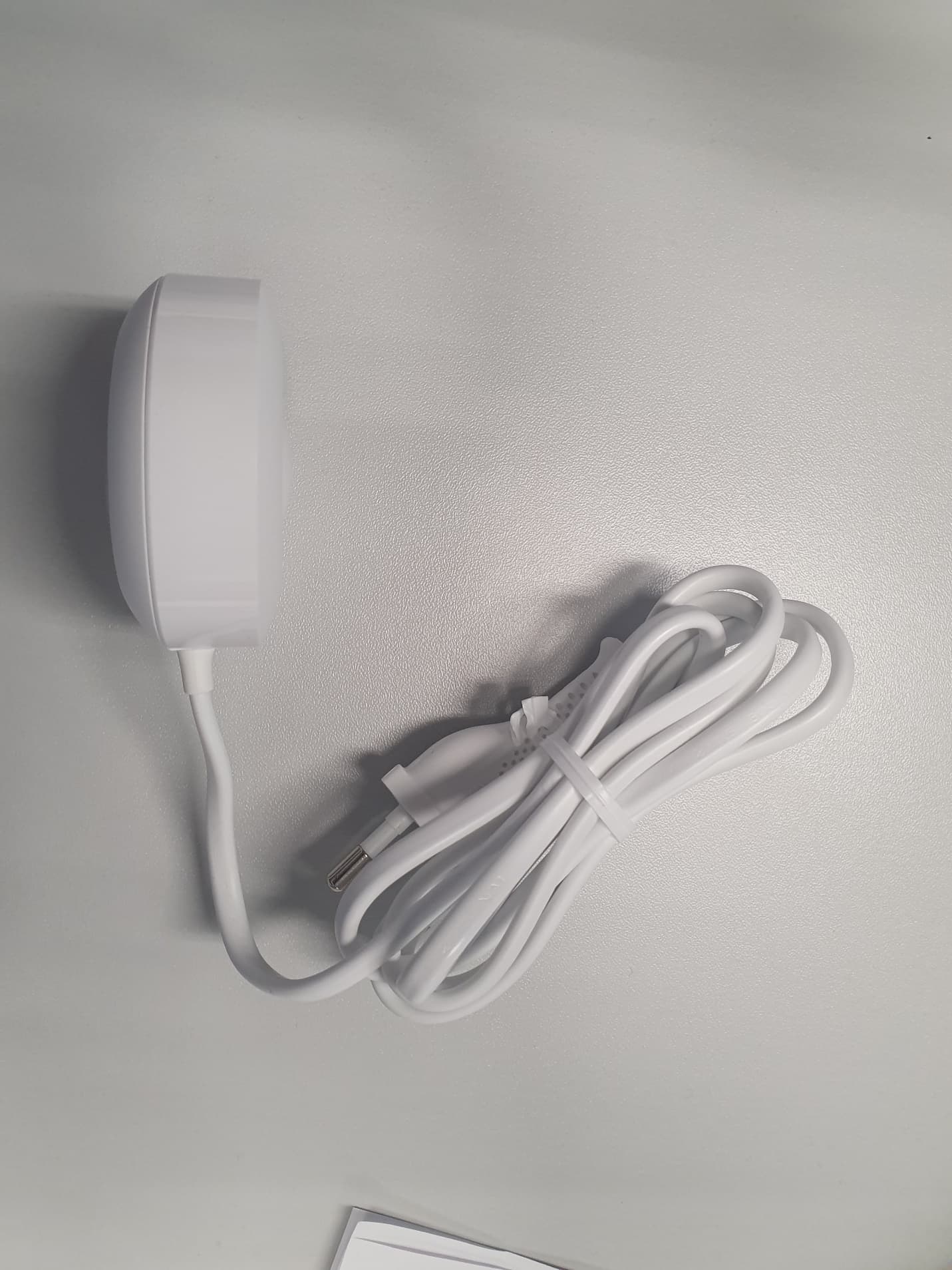
USQ3768
Jan 05, 2020Electric Toothbrush Charger
Equipment Class
8CC - Part 18 Consumer DeviceUSQ3758
Jan 02, 2020Electric Toothbrush with Bluetooth LE
Equipment Class
DTS - Digital Transmission System
USQ3764
Jun 08, 2014Electric Toothbrush with Wireless Display
Equipment Class
DTS - Digital Transmission System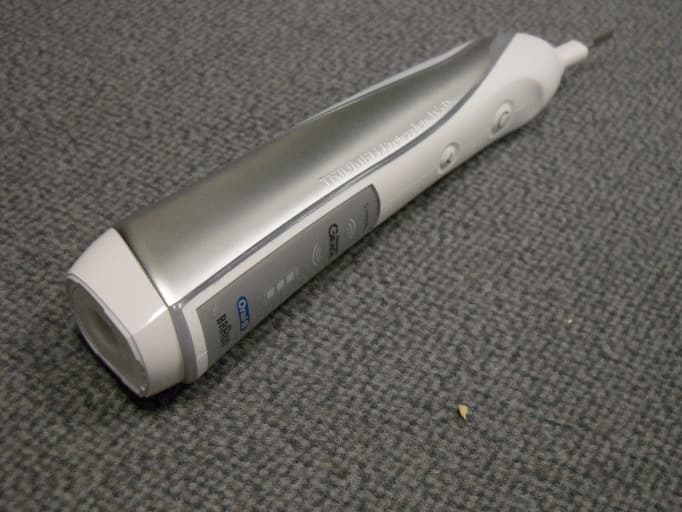
USQ3762
Apr 20, 2011Electric Toothbrush with wireless display
Equipment Class
DXT - Part 15 Low Power Transceiver, Rx Verified