UVD-10M6Android MID
Shen Zhen MTC Co., LTD
Click to zoom
Application Details
- Equipment Class
- DTS - Digital Transmission System
- Date of Grant
- May 23, 2013
- Application Purpose
- Original Equipment
- Date of Application
- May 21, 2013
- Equipment Note
- Android MID
- Frequency Range
- 2412.00000000 - 2462.00000000
- Company
- Shen Zhen MTC Co., LTD
- Country
- China
Documents & Files
Document Text
Text extracted from the exhibit documents filed with the FCC. Open a document above to read the original.
Users Manual
Please read this User Manual carefully to ensure proper use of this product and keep this manual for future reference. User Manual of Android MID MD1005 Table of Contents 1 Important Safety Instructions....................................................... Connectors................................................................................ User Operations.......................................................................... 1. .............................................................. Boot and shutdown 2. ............................................Screen of opening and closing 3. .........................................................................Home menu 4. ......................................................................... Application 5. ................................................................................. Music 6. ............................................................................. Settings Specification............................................................................. 2 4 5 6 6 6 7 7 8 8 11 Features.................................................................................... Important Safety Instructions 2 Warning: To reduce the risk of electric shock, do not remove the cover or back. There are no user-serviceable parts inside. Refer servicing to qualified personnel. Warning: To prevent fire or electric shock hazard, do not expose the unit to rain or moisture. Do not expose the Adaptor and tablet to water (dripping or splashing) and no objects filled with liquids, such as vases, should be placed on the unit. Keep the tablet away from direct sunlight and heat source such as radiators or stoves. Do not block the ventilation openings. Slots and openings on the unit are provided for ventilation. The openings should never be blocked by placing your tablet on a cushion, sofa or other similar surface. Do not place the tablet on unstable cart, stand, tripod, bracket or table. The unit may fall, resulting in possible damage or injury. Never place heavy or sharp objects on the LCD panel or frame. Only use the AC adapter included with tablet. Using any other adapter will void your warranty. Unplug the power from the outlet when the unit is not in use. Attention should be drawn to the environmental aspects of battery disposal. WARNNING: The battery (battery or batteries or battery pack) shall not be exposed to excessive heat such as sunshine, fire or the like. WARNNING: Excessive sound pressure from earphones or headph ones can cause hearing loss. WARNNING: Only use attachments/accessories specified provided by the manufacturer, the tablet is supplied by AC adapter, the AC adapter is used as disconnect device, the disconnect device shall remain readily operable. Caution:To ensure that maximum sound levels are respected, the required headphone model is supplied with the device". To prevent possible hearing damage, do not listen at high volume levels of long periods. This marking indicates that this product should not be disposed with other household wastes throughout the EU. To prevent possible harm to the environment or human health from uncontrolled waste disposal, recycle it responsibly to promote the sustainable reuse of material resources. To return your used device, please use the return and collection systems or contact the retailer where the product was purchased. They can take this product for environmental safe recycling. The symbol indicates that dangerous voltages constituting a risk of electric shock are present within this unit. The symbol indicates that there are important operating and maintenance instructions in the literature accompanying this unit. CAUTION: When the apparatus was in electrostatic circumstance, it may be malfunction and need to reset by user. The USB memory stick should be plug in the unit directly. USB extension cable should not be used to avoid failing of data transferring and interference caused. 3 4 1. Front Camera 2. 3. Power 4. Vol+ / Vol- 5. Back Camera 6. Reset 7. Earphone 8. USB 9. HDMI 10. TF-Card 11. DC in 12. Mic LCD Display+Touch Panel 5 Connectors 12 345 6 7 8 9 10 11 12 User Operations 6 1. Boot and shutdown Boot After long pressing 4 seconds for the power button, you can see the boot logo. The system is access into screen locking status after opening. Shutdow 1 .Long press the power button, then will popup the "Power off " options. 2. Click “OK”button to shutdown . 2. Screen of opening and closing It will be closed during the screen idling. 1.After idling period of time,screen will be automatically closed to save the battery. 2. In the screen opening condition,press the power button, the screen can immediately shutdown.Opening in screen closed condition. If screen is in the closed position,you can long press power button to activate the screen. Enter locked condition after opening it, press "lock" icon and slide right for unlocking. 3. Home menu The home menu screen will show the common application. You can use the application short cut and customize your home menu interface . and press the application icon can directly run the application. 7 4 . Application 1.Choose to visit the application. 2. If you want to quit the application menu , press the return icon to a page or press home icon to directly returns home menu. 4.1 Install Applications (1) Install the apk file in external mass storage device by AppInstaller. (2) Download and install various applications in Android market or local app market. 4.2 Uninstall Applications Enter Settings application, select Apps->All, then select the application which you want to uninstall then press Disable button. 8 5. Music Press the Music item to enter music player, choose the music files, then start to playback the file. Your music is divided into five categories: artists, albums, songs, playlists and .Now playing. Choose a classification to check list contents. If you enter a classification, always choose until you have to play songs. For …
Text truncated - open the document above for the full version.
Cover Letter(s)
Shen Zhen MTC Co., LTD FCC Confidentiality Request Number: CF303 Version: V05 Date: 21-05-2012 (Permanent or also called long term confidentiality is the normal method to keep certain docuements confidential, and may apply to schematics, block diagrams, operational description and bill of materials.) To: Federal Communications Commission Equipment Authorization Branch 7435 Oakland Mills Road Columbia, MD 21046 Pursuant to 47 CFR Section 0.459(a) & (b), we, (the applicant / grantee) Company nameShen Zhen MTC Co., LTD Address31-32/F A Xing He Shi Ji Bldg, 3069 Cai Tian Road CityShenzhen CountryChina request for this certification filing under: Grantee CodeProduct Number FCC ID:UVD-10M6 to maintain permanent confidentiality for the following documents submitted within this application: (please cross what is applicable, or add other documents) ExhibitDescription VOperational Descriptionexplaining the functioning of the block diagram VBlock Diagramsshowing the systematic building blocks of the EUT VSchematics Diagramsshowing components, their values and interconnection Above materials crossed contain secrets, proprietary and technical information, which would customarily be guarded from competitors under 47 CFR, section 0.457(d)(2). Disclosure or publication or any portion of this company confidential material to other parties could cause substantial competitive harm and provide unjustified benefits for competitors. We understand that pursuant to 47 CFR section 0.457(d)(1)(ii) disclosure of the applicant and all accompanying documentation will not be made before the date of the grant. The documents indicated as confidential above, are not publicly available elsewhere. Attestation: City and Country:Date:Name: (this must be a person) Function:Signature: (or official company stamp) Enschede, The Netherlands 2013-05-20M.Koop (authorized) Manager
Cover Letter(s)
[company header] FCC Authorization Letter Number: CF304 Version: V03 Date: 01-08-2011 We, (the approval holder) Company name Shen Zhen MTC Co., LTD Address 31-32/F A Xing He Shi Ji Bldg, 3069 Cai Tian Road, Shen Zhen, P.R.China City Shenzhen, Country China declare that the following representative (agent): Name (person) Tony Wu Company name Shenzhen Bontek Compliance Laboratory Co., Ltd. Address 1/F, Block East H-3,OCT Eastern Ind. Zone, Qiaocheng East Road, Nanshan, City Shenzhen,Guangdong Country China is hereby authorized to apply the following equipment for certification on our behalf: Product Description Android MID Type or Model(s) MD1001, MD1005, MD10** (* can from 0 to 9), 10D8, DWA1015D Tradename or Brand(s) AMTC, Mitravele r, digital stream We also authorize Teleconformity (Mr. M. Koop, Manager Certification, Address: Rietven 31, 7534NH Enschede, the Netherlands) to apply and sign this application for certification, registration or filing on our behalf (as representative agent or certifier). Attestation: City and Country: Date: Name: (this must be a person) Function:Signature: (or official company stamp) Shenzhen 2013-5-16 Jian Kang Supervisor
External Photos
EUT EXTERNAL PHOTOGRAPHS EUT –Whole View EUT-Front View EUT-Rear View EUT-Side View EUT –Adapter View EUT –Adapter Mark
Internal Photos
EUT INTERNAL PHOTOGRAPHS EUT –Uncovered View Antenna Location EUT PCB View EUT PCB View EUT PCB View EUT Battery View EUT –WI-FI Module View EUT LCD View
RF Exposure Info
Report No.: BCT13ER142E Page 1 of 2 FCC ID: UVD-10M6 APPENDIX: FCC §15.247 (i) & §1.1307 (b) (1) & §2.1091- MAXIMUM PERMISSIBLE EXPOSURE (MPE) EUT Description: Android MID Model No.: MD1005 FCC ID: UVD-10M6 RF Exposure Calculation Result: 802.11b/g/n: Frequency: 2412-2462 MHz Modulation: DSSS (CCK, OFDM, DBPSK, DQPSK) Mid-Channel: 2.412 GHz (channel 01) Antenna Gain: G = 1 dBi Standard Applicable According to subpart 15.247 (i) and subpart 1.1307 (b)(1), 2.1091 systems operating under the provisions of this section shall be operated in a manner that ensures the public is not exposed to RF energy level in excess of the communication guidelines. Limits for General Population/Uncontrolled Exposure Limits for General Population/Uncontrolled Exposure Frequenc y Range (MHz) Electric Field Strength Magnetic Field Strength Power Density (mw/cm 2 Averagin g Time (Minutes) 0.3-1.34 614 1.63 *(100) 30 1.34-30 824/f 2.19/f *(180/f 2 ) 30 30-300 27.5 0.073 0.2 30 300-1500 / / f/1500 30 1500-100,000 / / 1.0 30 f = frequency in MHz * = Plane-wave equivalent power density Test Data Predication of MPE limit at a given distance: S = PG/4πR² Where: S = power density (in appropriate units, e.g. mW/cm2) P = power input to the antenna (in appropriate units, e.g., mW). G = power gain of the antenna in the direction of interest relative to an isotropic radiator, the power gain factor, is normally numeric gain. R = distance to the center of radiation of the antenna (appropriate units, e.g., cm) Report No.: BCT13ER142E Page 2 of 2 FCC ID: UVD-10M6 Items Value Maximum peak output power at antenna input terminal: 10.6 (dBm) Maximum peak output power at antenna input terminal: 11.48(mW) Predication frequency: 2412 (MHz) Antenna Gain (typical): 1 (dBi) Maximum Antenna Gain: 10 (numeric) The predicted power density level of EUT: 1.0 (mW/cm2) Minimum distance of SAR Test Exclusion: 0.33cm Result: According to the table of SAR Test Exclusion Thresholds for 100 MHz – 6 GHz and ≤ 50 mm in KDB447498, The minimum distance of SAR Test Exclusion calculated is 0.33cm. The EUT is at least 0. 33 cm away from user’s body when used(as showed in the following picture). It is determined as mobile equipment and complies with the MPE limit.
RF Exposure Info
Supplementary Remarks Photos Size of the Tablet:270mm(Length) * 175mm(Width)* 12.36mm(thickness) Antenna to front edge shortest distance 8 mm 12.36mm(thickne ss) So Antenna to bottom edge exact shortest distance 12.36-5.97 mm=6.39mm Antenna to TOP edge exact shortest distance 5.97 mm
Test Report
Test Report of FCC CFR 47 Part 15 Subpart C On Behalf of Shen Zhen MTC Co., LTD FCC ID: UVD-10M6 Product Description: Android MID Model No.: MD1005 Supplementary Model: MD1001, MD10** (* can from 0 to 9), 10D8, DWA1015D Brand Name: AMTC, Mitraveler, digital stream Prepared for: Shen Zhen MTC Co., LTD 31-32/F A Xing He Shi Ji Bldg, 3069 Cai Tian Road, Shen Zhen, P.R.China Prepared by: Shenzhen Bontek Compliance Testing Laboratory Co., Ltd. 1/F, Block East H-3, OCT Eastern Ind. Zone, Qiaocheng East Road, Nanshan, Shenzhen, China Tel: 86-755-86337020 Fax: 86-755-86337028 Report No.: BCT13ER142E Issue Date: May 16, 2013 Test Date: May 6~16, 2013 Tested by: Reviewed by: Lion Cai Kendy Wang Approved by: Tony Wu Report No.: BCT13ER142E Page 2 of 73 FCC ID: UVD-10M6 TABLE OF CONTENTS 1. GENERAL INFORMATION........................................................................................................................ 4 1.1 PRODUCT DESCRIPTION FOR EQUIPMENT UNDER TEST (EUT) .................................................................. 4 1.2 TEST STANDARDS ................................................................................................................................... 5 1.3 TEST FACILITY ........................................................................................................................................ 5 2. SYSTEM TEST CONFIGURATION ........................................................................................................... 6 2.1 EUT CONFIGURATION ............................................................................................................................. 6 2.2 EUT EXERCISE ....................................................................................................................................... 6 2.3 GENERAL TEST PROCEDURES ................................................................................................................. 6 2.4 MEASUREMENT UNCERTAINTY ................................................................................................................. 6 2.5 LIST OF MEASURING EQUIPMENTS USED .................................................................................................. 7 3. SUMMARY OF TEST RESULTS ............................................................................................................... 8 4. TEST OF AC POWER LINE CONDUCTED EMISSION ........................................................................... 9 4.1 APPLICABLE STANDARD ........................................................................................................................... 9 4.2 TEST SETUP DIAGRAM ............................................................................................................................ 9 4.3 TEST RESULT ......................................................................................................................................... 9 5. TEST OF MAXIMUM PEAK OUTPUT POWER ...................................................................................... 12 5.1 APPLICABLE STANDARD ......................................................................................................................... 12 5.2 EUT SETUP .......................................................................................................................................... 12 5.3 TEST EQUIPMENT LIST AND DETAILS ...................................................................................................... 12 5.4 TEST PROCEDURE ................................................................................................................................ 12 5.5 TEST RESULT ....................................................................................................................................... 12 6. TEST OF PEAK POWER SPECTRAL DENSITY ................................................................................... 22 6.1 APPLICABLE STANDARD ......................................................................................................................... 22 6.2 EUT SETUP .......................................................................................................................................... 22 6.3 TEST EQUIPMENT LIST AND DETAILS ...................................................................................................... 22 6.4 TEST PROCEDURE ................................................................................................................................ 22 6.5 TEST RESULT ....................................................................................................................................... 22 7. TEST OF 6DB BANDWIDTH ................................................................................................................... 32 7.1 APPLICABLE STANDARD ......................................................................................................................... 32 7.2 EUT SETUP .......................................................................................................................................... 32 7.3 TEST EQUIPMENT LIST AND DETAILS ...................................................................................................... 32 7.4 TEST PROCEDURE ................................................................................................................................ 32 7.5 TEST RESULT ....................................................................................................................................... 32 8. TEST OF CONDUCTED SPURIOUS EMISSION .................................................................................... 43 8.1 APPLICABLE STANDARD ......................................................................................................................... 43 8.2 EUT SETUP ..................................................................................................…
Text truncated - open the document above for the full version.
Test Setup Photos
TEST SETUP PHOTOGRAPHS Conducted Emission Conducted Emission Radiated Emission 30MHz To 1G Radiated Emission 30MHz To 1G Radiation Emission Less Than 30 MHz Radiated Emission Above 1GHz
Contact Information
Applicant
Jian Kang(Gerneral Manager)
Technical Contact
Test Firm
Bontek Compliance Testing Laboratory LtdTony Wu
Technical Specifications
| # | Rule Parts | Frequency Range | Power Output |
|---|---|---|---|
| 1 | 15C | 2.41 GHz - 2.46 GHz | 11.40 mW |
Other Applications from Shen Zhen MTC Co., LTD
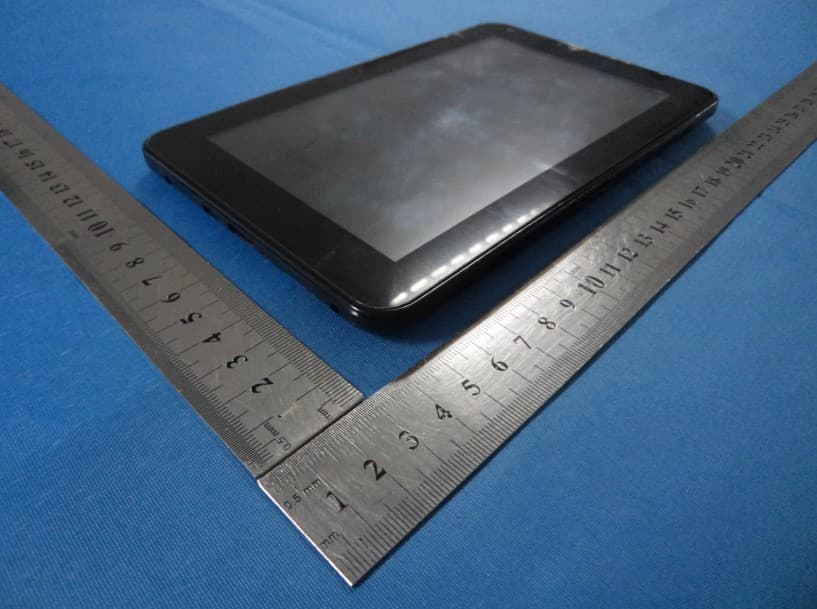
UVD-7M6XS
Nov 17, 2013Android MID
Equipment Class
JBP - Part 15 Class B Computing Device Peripheral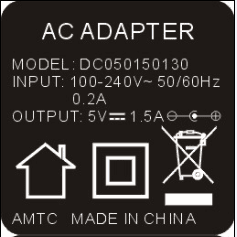
UVD-7M6
Mar 04, 2013Android MID
Equipment Class
DTS - Digital Transmission System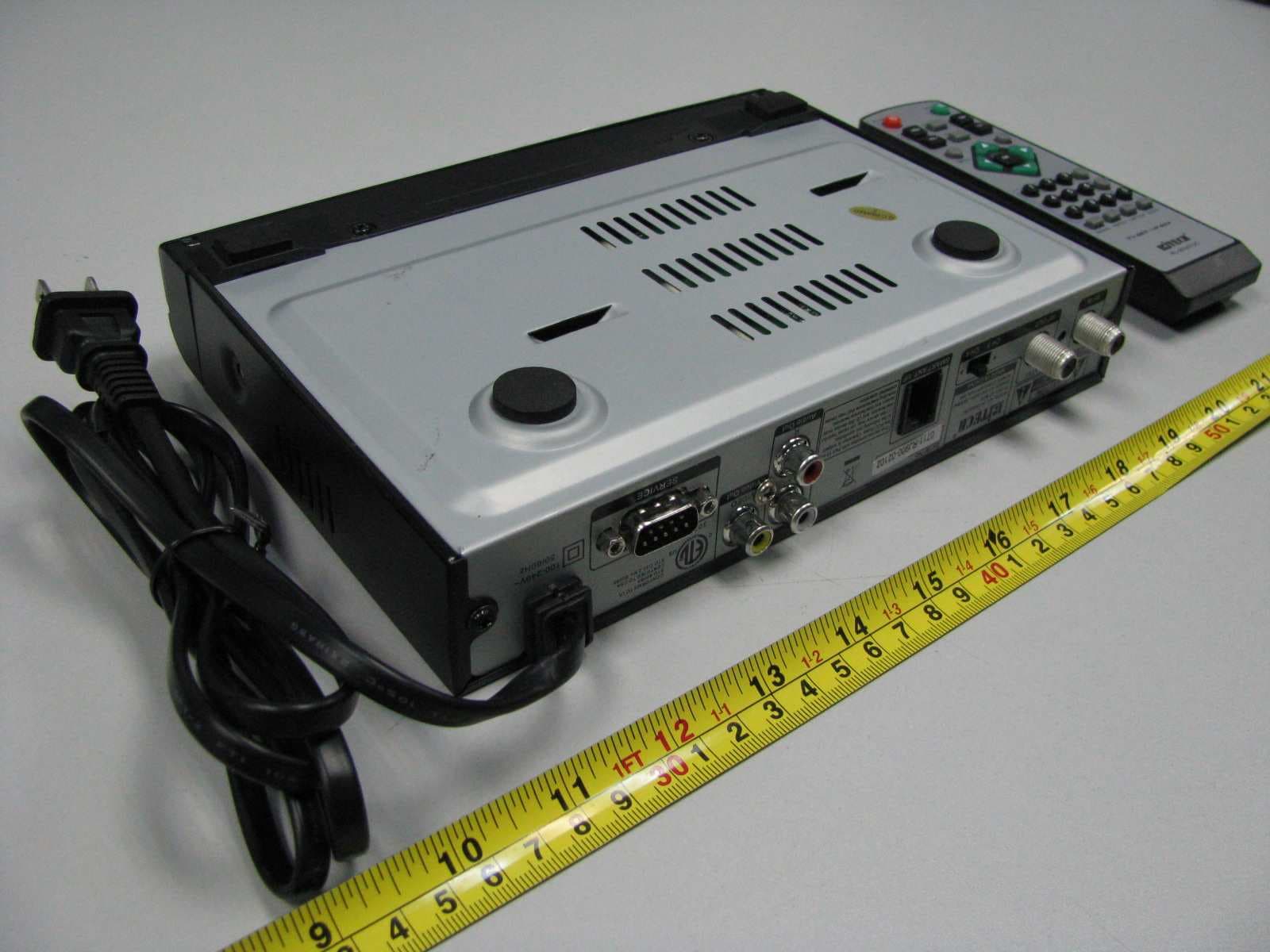
UVD20071228001
Apr 02, 2008ATSC Converter Box
Equipment Class
HID - Part 15 TV Interface Device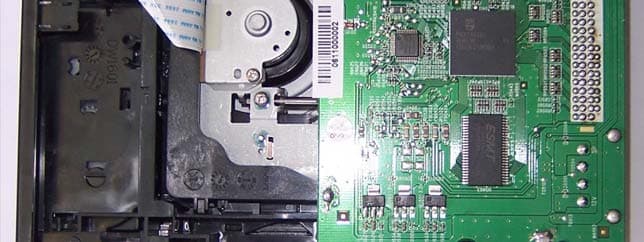
UVD200612AMTCDW18
Feb 06, 2007DVD ReWriter
Equipment Class
JBP - Part 15 Class B Computing Device Peripheral