UVZRF1100HF RFID Reader
ACA Digital Corporation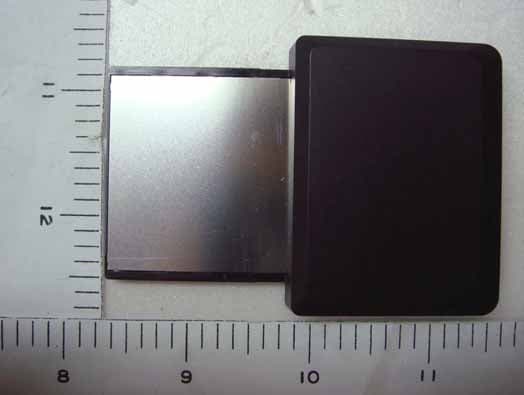
Click to zoom
Application Details
- Equipment Class
- DXX - Part 15 Low Power Communication Device Transmitter
- Date of Grant
- Feb 17, 2008
- Application Purpose
- Original Equipment
- Date of Application
- Feb 17, 2008
- Equipment Note
- HF RFID Reader
- Frequency Range
- 13.56000000 - 13.56000000
- Company
- ACA Digital Corporation
- Country
- Taiwan
Documents & Files
Document Text
Text extracted from the exhibit documents filed with the FCC. Open a document above to read the original.
Users Manual
HF RFID Reader RF1100 User Manual © Copyright 2007 ACA Digital Corporation, All Rights Reserved. All rights reserved. This manual is protected by copyright and distributed under licenses restricting its use, copying and distribution. No part of this manual may be reproduced in any form, electronic or otherwise, without the express permission of ACA Digital Corporation. RF1100 User Guide i Table of Contents Introduction .............................................. 1 Package Contents .................................................1 System Requirements ............................................1 Installation ................................................ 2 Installing the RF1100 RFID Reader .............................2 Installing the RF1100 Driver on a Laptop......................3 How to Use the RFID UI Utility ........................ 6 About the ISO Cards ..............................................8 Specifications............................................. 9 RF1100 User Guide 1 Introduction Congratulations on your purchase of our RF1100 RFID reader. This product is designed for use with any PDAs, handheld devices, or laptops with a PCMCIA or CF card interface slot. The RF1100 provides a high frequency transmission speed which allows communication between the contactless cards and a host, such as PDAs or laptops. Package Contents • One RF1100 RFID reader • One CD with User Manual and RFID UI executable files System Requirements Before using the RF1100 RFID reader, make sure your PDA or laptop meets the following requirements: • Operating system: Windows® CE 5.0 and above for PDA; Windows® 2000/XP/XP Embedded for laptops • One PCMCIA or Type-I or Type-II CF interface slot • PDA synchronization software installed (ActiveSync required) RF1100 User Guide 2 Installation Installing the RF1100 RFID Reader The RF1100 RFID reader can be inserted into any CF slots or PCMCIA (via adapter) slots of any compatible PDAs or laptops. When using a PCMCIA slot, first install the RF1100 to the supplied CF to PCMCIA card adapter as shown. Slightly insert the RF1100 into card adapter. If the card is unable to slide in, flip the card adapter and slide into again. Then insert the RF1100 RFID reader into the PDA or laptop PCMCIA card slot as shown. RF1100 CF to PCMCIA card adapter RF1100 User Guide 3 If your laptop does not have a CF or PCMCIA card slot, you need to connect a multi-slot card reader to the laptop, then insert the RF1100 reader into the CF slot as shown. Installing the RF1100 Driver on a Laptop Before using the RF1100 RFID reader on a laptop with Windows 2000/XP/XP Embedded installed, you need to install a software driver onto the computer first. Follow the steps below to start the installation: 1. Make sure that the PDA synchronization software (Active- Sync suggested) is installed on your laptop. 2. Insert the RF1100 RFID reader into the CF or PCMCIA (via adapter) card slot of the laptop. If you have purchased HT1100 and would like to use with RF1100. See HT1100 User Manual for the assembly instructions. Card reader Note RF1100 User Guide 4 3. The following window appears. Select Install from a list or specific location (Advanced), then click Next to con- tinue. 4. Select the directory where the driver is located. Click Next. 5. Click Continue Anyway when the following hardware warning message appears. RF1100 User Guide 5 6. The installation process starts. 7. When the installation is complete, click Finish to close the wizard. RF1100 User Guide 6 How to Use the RFID UI Utility The RF1100 RFID reader can be used to work with any ISO 14443A/B and 15693 contactless cards. The contactless cards can transmit UID data to the RFID reader when they are in an applicable read range. To launch the RFID UI, do the following: 1. Insert the RF1100 RFID reader into the PDA or laptop CF or PCMCIA (via adapter) slot. 2. Locate the RFID UI executable file copied to the PDA or laptop. Double click or tap on the corresponding execut- able file to open the RFID UI. (RFID_ceUI_v1007.exe for PDA and RFID_x86UI_v1008.exe for laptop.) When using the laptop to execute the RFID UI program, make sure that the RF1100 driver is installed on the laptop before use. Refer to the section “Installing the RF1100 Driver on a Laptop” on page 3 for more details. Software driver is not required for some of ACA products such as HT1100 and HT1300. Note RF1100 User Guide 7 3. There are three tabs at the top of the RFID UI screen: 15693, 1443A, and 1443B. Select the tab depending on the ISO card type to read its unique identification code (UID). 4. Click or tap Auto on the bottom of the RFID UI screen to scan for an available COM port for use. When complete, the “Set protocol 15693/ 1443A/1443B OK” mes- sage appears in the status bar as shown. Updated driver will be released at any time without notice, please contact your local service centre. Note RF1100 User Guide 8 5. Place the ISO card within a distance of the RF1100 RFID reader (see maximum reading distance of each card in the section “About the ISO Cards”). Then click or tap Exe- cute on the screen to read the ISO card UID. 6. The ISO card UID is displayed on the screen. About the ISO Cards The supported operating frequency and reading distance of each ISO card type are described as follows: Card TypeISO-1443 (A & B)ISO-15693 Operating Frequency13.56 MHz13.56 MHz Maximum Reading Distance 4-6 cm10cm RF1100 User Guide 9 Specifications ItemsHF RFID Reader Module Model No.RF1100 Host Support Windows 2000/XP/XP Embedded, Windows CE 5.0 Interface TypeCompact Flash Type-1 Standard SupportISO14443A/ ISO14443B/ ISO15693 Reader TypeContactless Operating Frequency13.56MHz DC Source5V from CF Interface Current Consumption a) Idle mode: 7mA b) RF-OFF mode: 8.5mA c) RF-ON mode: 160mA Operating Distance a) 4cm from the top cover surface of HT1100 b) 6cm for NB/PDA installation c) Up to 10cm for large-size antenna options Host InterfaceCF interface Host Communication Baud Rate 115200…
Text truncated - open the document above for the full version.
Cover Letter(s)
RF_160, Issue 02 Declaration of Authorization We Name: ACA Digital Corporation Address: 17F, No.866-7, ZhongZhen Rd. City: Zhonghe City, Taipei County, Country: Taiwan R.O.C. Declare that: Name Representative of agent: Delia Feng. (1) Agent Company Name: Exclusive Certification Corporation Address: 4F-2, No.28 Lang 78, Xing-Ai Rd. City: Nei-hu Taipei City 114 Country Taiwan, R.O.C. is authorized to apply for Certification of the following product(s): Product description: HF RFID Reader Type designation: RF1100 Trademark: ACA-Digital on our behalf. Date: 2008/01/03 City: Taipei Name: Arthur Dai (2) Function: Manager/ Product Assurance Signature: Notes: (1): Required for FCC application (2): For FCC it must be the Grantee Code “owner” or the authorized agent.
External Photos
Exclusive Certification Corp. Tel:886-2-2792-3366 Fax:886-2-2792-1100 Issued date: Jan. 22, 2008 1 of 4 FCC Test Report: FI08010301-A Appendix A. Photographs of EUT 08010301-A 08010301-A
ID Label/Location Info
Label & Location Model No. : RF1100 Product Name : HF RFID Reader Module Caution!! This device complies with Part 15 of the FCC Rules. Operation is subject to the following two condition: (1)This device may not cause harmful interference. (2)This device must accept any interference received. Made in Taiwan UVZRF1100 ACA Digital
Internal Photos
Exclusive Certification Corp. Tel:886-2-2792-3366 Fax:886-2-2792-1100 Issued date: Jan. 22, 2008 2 of 4 FCC Test Report: FI08010301-A 08010301-A Exclusive Certification Corp. Tel:886-2-2792-3366 Fax:886-2-2792-1100 Issued date: Jan. 22, 2008 3 of 4 FCC Test Report: FI08010301-A 08010301-A 08010301-A Exclusive Certification Corp. Tel:886-2-2792-3366 Fax:886-2-2792-1100 Issued date: Jan. 22, 2008 4 of 4 FCC Test Report: FI08010301-A 08010301-A 08010301-A
Test Report
Exclusive Certification Corp. Tel:886-2-2792-3366 Fax:886-2-2792-1100 Issued date: Jan. 22, 2008 1 of 24 FCC Test Report: FI08010301-A FCC TEST REPORT according to FCC Rules and Regulations Part 15 Subpart C Applicant : ACA Digital Corporation Address : 17F, No.866-7, ZhongZhen Rd. Zhonghe City, Taipei County, Taiwan, R.O.C Equipment : HF RFID Reader Model No. : RF1100 FCC ID : UVZRF1100 Trade Name : ACA Digital Laboratory Accreditation The test result refers exclusively to the test presented test model / sample., Without written approval of Exclusive Certification Corp. the test report shall not be reproduced except in full. The EUT is also considered as a kind of computer peripheral, because the connection to computer is necessary for typical use. It has been verified to comply with the requirements of FCC Part 15, Subpart B, Class B (DoC). The test report has been issued separately. Exclusive Certification Corp. Tel:886-2-2792-3366 Fax:886-2-2792-1100 Issued date: Jan. 22, 2008 2 of 24 FCC Test Report: FI08010301-A Contents 1. Report of Measurements and Examinations .................................................................................... 4 1.1 List of Measurements and Examinations ................................................................................... 4 2. Test Configuration of Equipment under Test ................................................................................... 5 2.1 Feature of Equipment under Test............................................................................................... 5 2.2 RF Specifications ....................................................................................................................... 5 2.3 Test Manner ............................................................................................................................... 5 2.4 Description of Test System......................................................................................................... 6 2.5 Connection Diagram of Test System.......................................................................................... 6 2.6 General Information of Test........................................................................................................ 7 2.7 Measurement Uncertainty .......................................................................................................... 7 2.8 History of this test report ............................................................................................................ 8 3. Test of Conducted Emission.............................................................................................................. 9 3.1 Test Limit.................................................................................................................................... 9 3.2 Test Procedures......................................................................................................................... 9 3.3 Typical Test Setup ...................................................................................................................10 3.4 Measurement equipment ......................................................................................................... 10 3.5 Test Result and Data................................................................................................................ 11 3.6 Test Photographs .....................................................................................................................13 4. Test of Radiated Emission ...............................................................................................................14 4.1 Test Limit.................................................................................................................................. 14 4.2 Test Procedures.......................................................................................................................14 4.3 Typical Test Setup ....................................................................................................................15 4.4 Measurement equipment ......................................................................................................... 15 4.5 Test Result and Data................................................................................................................16 4.6 Test Photographs .....................................................................................................................21 5. Frequency Stability ........................................................................................................................... 22 5.1 Test Limit .................................................................................................................................. 22 5.2 Test Procedure .........................................................................................................................22 5.3 Test Setup Layout ....................................................................................................................22 5.4 Measurement equipment ......................................................................................................... 22 5.5 Test Result and Data................................................................................................................23 6. Restricted Bands of Operation ........................................................................................................24 6.1 Labeling Requirement ..............................................................................................................24 Appendix A. Photographs of EUT...................................................................................A1 ~ A4 Exclusive Certification Corp. Tel:886-2-2792-3366 Fax:886-2-2792-1100 Issued date: Jan. 22, 2008 3 of 24 FCC Test Report: FI08010301-A CERTIFICATE OF COMPLIANCE according to FCC Rules and Regulations Part 15 Subpart …
Text truncated - open the document above for the full version.
Test Setup Photos
Exclusive Certification Corp. Tel:886-2-2792-3366 Fax:886-2-2792-1100 Issued date: Jan. 22, 2008 13 of 24 FCC Test Report: FI08010301-A 3.6 Test Photographs Front View Rear View Exclusive Certification Corp. Tel:886-2-2792-3366 Fax:886-2-2792-1100 Issued date: Jan. 22, 2008 21 of 24 FCC Test Report: FI08010301-A 4.6 Test Photographs Front View Rear View
Contact Information
Applicant
Ken Lu(Deputy Manager Product Assurance)
Technical Contact
ACA Digital CorporationArthur Dai
[email protected]+886-2-8228-1121
17F, No.866-7, Zhongzheng Rd. · Taipei · Taiwan
Test Firm
Cerpass Technology CorporationAnson Chou
Technical Specifications
| # | Rule Parts | Frequency Range | Power Output | Tolerance |
|---|---|---|---|---|
| 1 | 15C | 13.56 MHz - 13.56 MHz | - | 0.0098000000 % |
Other Applications from ACA Digital Corporation
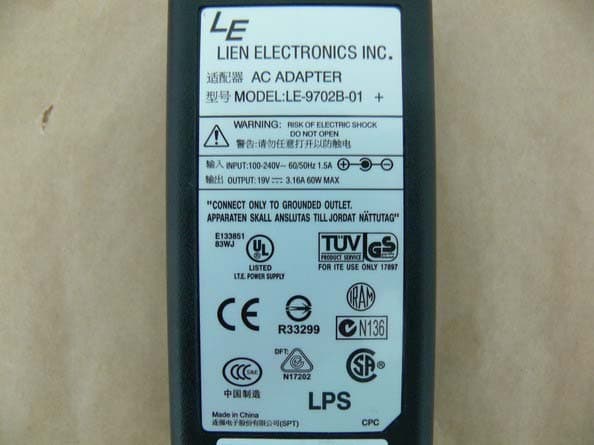
UVZS10A
Sep 20, 2009Rugged Tablet PC
Equipment Class
DSS - Part 15 Spread Spectrum Transmitter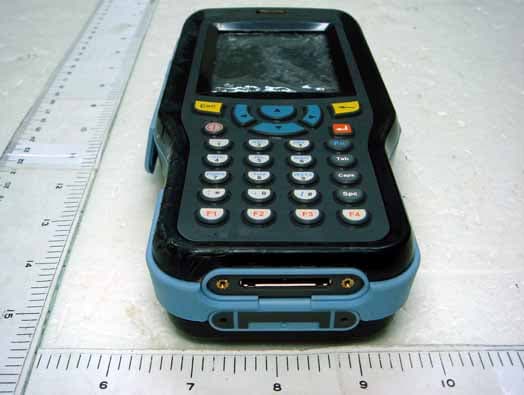
UVZHT1100
Jan 09, 2008HT1100 Handy Terminal
Equipment Class
DTS - Digital Transmission System
UVZCT1100
Jul 07, 2007CT1100 Pen Tablet
Equipment Class
DTS - Digital Transmission System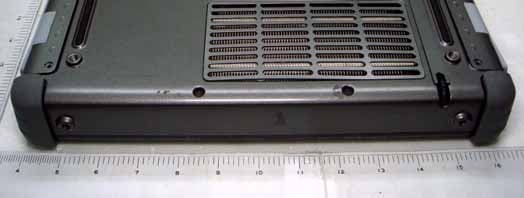
UVZXT1100
May 29, 2007XT1100 Rugged Tablet PC
Equipment Class
DTS - Digital Transmission System