UZ7ES405BENTERPRISE SMARTPHONE
Zebra Technologies Corporation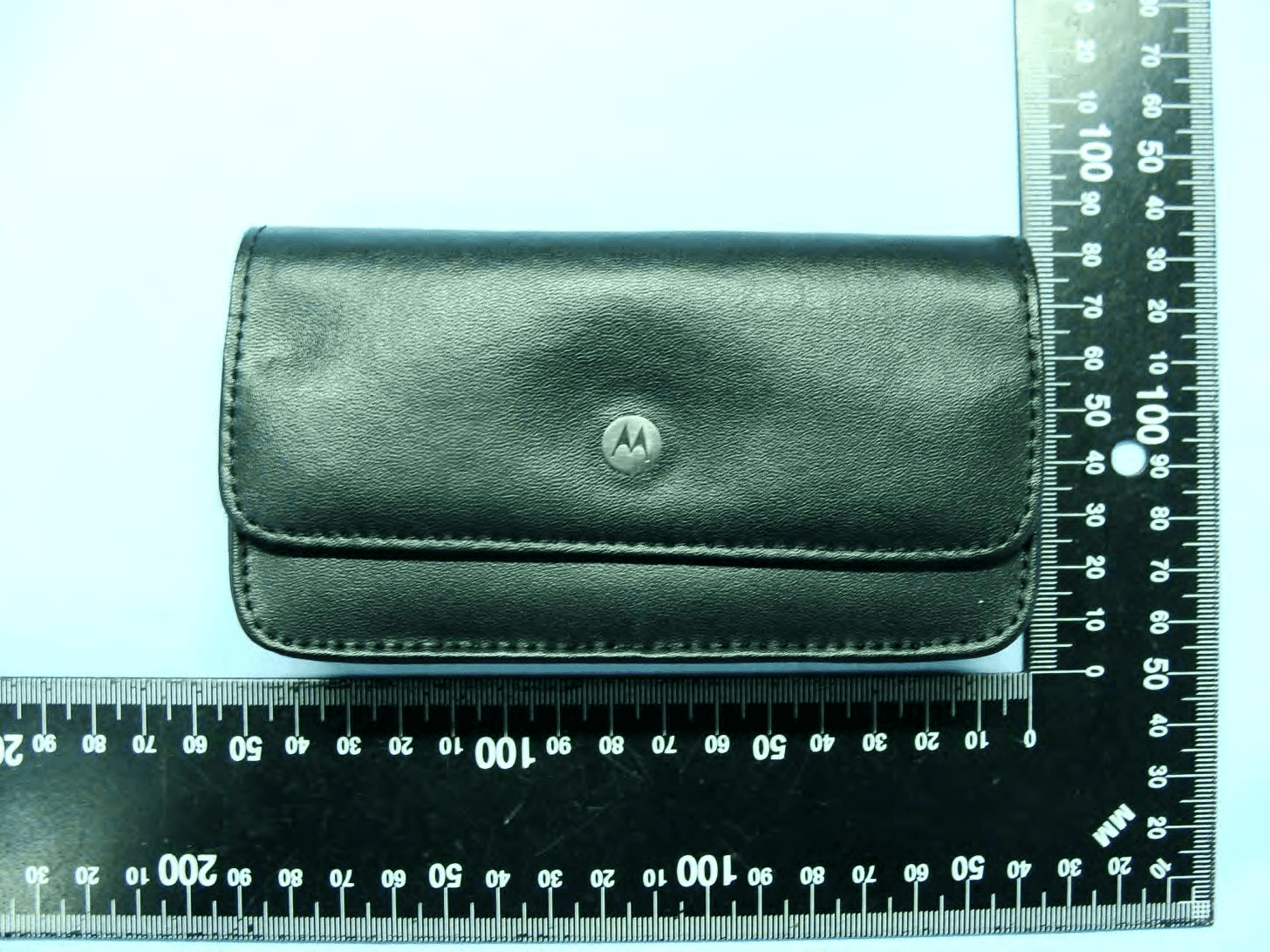
Click to zoom
Application Details
- Equipment Class
- NII - Unlicensed National Information Infrastructure TX
- Date of Grant
- May 06, 2010
- Application Purpose
- Original Equipment
- Date of Application
- Apr 08, 2010
- Equipment Note
- ENTERPRISE SMARTPHONE
- Frequency Range
- 5500.00000000 - 5700.00000000
- Country
- United States
Documents & Files
Document Text
Text extracted from the exhibit documents filed with the FCC. Open a document above to read the original.
Users Manual
ES400 Regulatory Guide DRAFT 02/26/10 Regulatory Information This guide applies to the following Model: ES405B. All Motorola devices are designed to be compliant with rules and regulations in locations they are sold and will be labeled as required. Any changes or modifications to Motorola equipment, not expressly approved by Motorola, could void the user's authority to operate the equipment. Declared maximum operating temperature: 40°C. This guide is available in local languages, translations can be downloaded from the following website: http://www.motorola.com/enterprisemobility/support/. UL Listed Products with GPS Underwriters Laboratories Inc. (UL) has not tested the performance or reliability of the Global Positioning System (GPS) hardware, operating software or other aspects of this product. UL has only tested for fire, shock or casualties as outlined in UL’s Standard(s) for Safety for Information Technology Equipment, UL60950-1. UL Certification does not cover the performance or reliability of the GPS hardware and GPS operating software. UL MAKES NO REPRESENTATIONS, WARRANTIES OR ERTIFICATIONS WHATSOEVER REGARDING THE PERFORMANCE OR RELIABILITY OF ANY GPS RELATED FUNCTIONS OF THIS PRODUCT. Bluetooth ® Wireless Technology This is an approved Bluetooth product. For more information or to view the End Product Listing, please visit http://www.bluetooth.org/tpg/listings.cfm. Wireless Devices Country Approvals Regulatory markings, subject to certification, are applied to the device signifying the radio(s) are approved for use in the following countries: United States, Canada, Japan, Australia, and Europe 1 . Please refer to the Motorola Declaration of Conformity (DoC) for details of other country markings. This is available at http://www.motorola.com/ Business/US-EN/Document+Library/Declaration+of+Conformity. Note 1: Europe includes Austria, Belgium, Bulgaria, Czech Republic, Cyprus, Denmark, Estonia, Finland, France, Germany, Greece, Hungary, Iceland, Ireland, Italy, Latvia, Liechtenstein, Lithuania, Luxembourg, Malta, Netherlands, Norway, Poland, Portugal, Romania, Slovak Republic, Slovenia, Spain, Sweden, Switzerland and the United Kingdom. Country Roaming This device incorporates the International Roaming feature (IEEE802.11d) which will ensure the product operates on the correct channels for the particular country of use. Ad-Hoc Operation Ad-Hoc operation is limited to Channels 36-48 (5150-5250 MHz). Use of this band is restricted to Indoor Use Only, any other use will make the operation of this device illegal. CAUTIONOnly use Motorola approved and UL Listed accessories, battery packs and battery chargers. Do NOT attempt to charge damp/wet mobile computers or batteries. All components must be dry before connecting to an external power source. NOTEUnder certain adverse conditions, interference may be experienced when using a headset while simultaneously charging; if this occurs either remove the headset or cease charging. DRAFT 02/26/10 Frequency of Operation – FCC and IC 5 GHz Only The use in the UNII (Unlicensed National Information Infrastructure) band 1 (5150-5250 MHz) is restricted to Indoor Use Only; any other use will make the operation of this device illegal. Health and Safety Recommendations Ergonomic Recommendations • Reduce or eliminate repetitive motion • Maintain a neutral postures • Reduce or eliminate excessive force • Keep objects that are used frequently within easy reach • Perform tasks at correct heights • Reduce or eliminate vibration • Reduce or eliminate direct pressure • Provide adjustable workstations • Provide adequate clearance • Provide a suitable working environment • Improve work procedures • Alternate hands whenever possible when performing a repetitive task. Vehicle Installation RF signals may affect improperly installed or inadequately shielded electronic systems in motor vehicles (including safety systems). Check with the manufacturer or its representative regarding your vehicle. You should also consult the manufacturer of any equipment that has been added to your vehicle. An air bag inflates with great force. DO NOT place objects, including either installed or portable wireless equipment, in the area over the air bag or in the air bag deployment area. If in-vehicle wireless equipment is improperly installed and the air bag inflates, serious injury could result. Position your device within easy reach. Be able to access your device without removing your eyes from the road. Note: Connection to an alert device that will cause a vehicle horn to sound or lights to flash, on receipt of a call on public roads, is not permitted. Safety on the Road Do not take notes or use the device while driving. Jotting down a “to do” list or flipping through your address book takes attention away from your primary responsibility, driving safely. When driving a car, driving is your first responsibility - Give full attention to driving. Check the laws and regulations on the use of wireless devices in the areas where you drive. Always obey them. When using a wireless device behind the wheel of a car, practice good common sense and remember the following tips: 1.Get to know your wireless device and any features such as speed dial and redial. If available, these features help you to place your call without taking your attention off the road. 2.When available, use a hands free device. 3.Let the person you are speaking with know you are driving; if necessary, suspend the call in heavy traffic or hazardous weather conditions. Rain, sleet, snow, ice, and even heavy traffic can be hazardous. 4.Dial sensibly and assess the traffic; if possible, place calls when you are not moving or before pulling into traffic. Try to plan calls when your car will be stationary. If you need to make a call while moving, dial only a few numbers, check the road and your mirrors, then continue. 5.Do not engage in stressful or emotional conversations that may be distracting. Make people you are talking w…
Text truncated - open the document above for the full version.
Users Manual
ES400 User Guide 02/08/10 ES400 User Guide 72E-xxxxxx-01 Rev. 110909 January 2010 iiES400 User Guide © 2010 by Motorola, Inc. All rights reserved. No part of this publication may be reproduced or used in any form, or by any electrical or mechanical means, without permission in writing from Motorola. This includes electronic or mechanical means, such as photocopying, recording, or information storage and retrieval systems. The material in this manual is subject to change without notice. The software is provided strictly on an “as is” basis. All software, including firmware, furnished to the user is on a licensed basis. Motorola grants to the user a non-transferable and non-exclusive license to use each software or firmware program delivered hereunder (licensed program). Except as noted below, such license may not be assigned, sublicensed, or otherwise transferred by the user without prior written consent of Motorola. No right to copy a licensed program in whole or in part is granted, except as permitted under copyright law. The user shall not modify, merge, or incorporate any form or portion of a licensed program with other program material, create a derivative work from a licensed program, or use a licensed program in a network without written permission from Motorola. The user agrees to maintain Motorola’s copyright notice on the licensed programs delivered hereunder, and to include the same on any authorized copies it makes, in whole or in part. The user agrees not to decompile, disassemble, decode, or reverse engineer any licensed program delivered to the user or any portion thereof. Motorola reserves the right to make changes to any software or product to improve reliability, function, or design. Motorola does not assume any product liability arising out of, or in connection with, the application or use of any product, circuit, or application described herein. No license is granted, either expressly or by implication, estoppel, or otherwise under any Motorola, Inc., intellectual property rights. An implied license only exists for equipment, circuits, and subsystems contained in Motorola products. MOTOROLA and the Stylized M Logo and Symbol and the Symbol logo are registered in the US Patent & Trademark Office. Bluetooth is a registered trademark of Bluetooth SIG. Microsoft, Windows and ActiveSync are either registered trademarks or trademarks of Microsoft Corporation. All other product or service names are the property of their respective owners. Motorola, Inc. One Motorola Plaza Holtsville, New York 11742-1300 http://www.motorola.com/enterprisemobility Patents This product is covered by one or more of the patents listed on the website: www.motorola.com/ enterprisemobility/patents. iii Revision History Changes to the original manual are listed below: ChangeDateDescription -01 Rev. 01251001/25/10draft ivES400 User Guide Table of Contents Patents.................................................................................................................................................. ii Revision History .................................................................................................................................... iii About This Guide Introduction ........................................................................................................................................... xiii Documentation Set ......................................................................................................................... xiii Configurations....................................................................................................................................... xiii Software Versions........................................................................................................................... xiv Chapter Descriptions ............................................................................................................................ xv Notational Conventions......................................................................................................................... xvi Related Documents .............................................................................................................................. xvi Service Information ............................................................................................................................... xvii Chapter 1: Getting Started Unpacking ............................................................................................................................................ 1-1 Setting Up the ES400 .......................................................................................................................... 1-2 Installing a microSD Card .............................................................................................................. 1-2 Installing the SIM Card (Optional) .................................................................................................. 1-3 Installing the Battery ...................................................................................................................... 1-4 Powering On the ES400 ................................................................................................................ 1-5 Setup ................................................................................................................................................... 1-6 Motorola Home Screen .................................................................................................................. 1-6 Motorola Lock ................................................................................................................................ 1-6 Removing the microSD Card ............................................................................................................... 1-7 Removing the SIM Card ..........................................................................…
Text truncated - open the document above for the full version.
Users Manual
Chapter 7 Bluetooth Introduction Bluetooth-equipped devices can communicate without wires, using frequency-hopping spread spectrum (FHSS) radio frequency (RF) to transmit and receive data in the 2.4 GHz Industry Scientific and Medical (ISM) band (802.15.1). Bluetooth wireless technology is specifically designed for short-range (10 meters (30 feet)) communication and low power consumption. ES400s with Bluetooth capabilities can exchange information (e.g., files, appointments, and tasks) with other Bluetooth enabled devices such as printers, access points, and other Enterprise Smart Phones. To use the ES400 as a modem, create a dial-up modem connection between a computer and ES400. Adaptive Frequency Hopping Adaptive Frequency Hopping (AFH) is a method of avoiding fixed frequency interferers, and can be used with Bluetooth voice. All devices in the piconet (Bluetooth network) must be AFH-capable in order for AFH to work. There is no AFH when connecting and discovering devices. Avoid making Bluetooth connections and discoveries during critical 802.11b communications. AFH for Bluetooth consists of four main sections: •Channel Classification - A method of detecting an interference on a channel-by-channel basis, or pre-defined channel mask. •Link Management - Coordinates and distributes the AFH information to the rest of the Bluetooth network. •Hop Sequence Modification - Avoids interference by selectively reducing the number of hopping channels. •Channel Maintenance - A method for periodically re-evaluating the channels. When AFH is enabled, the Bluetooth radio “hops around” (instead of through) the 802.11b high-rate channels. AFH coexistence allows Motorola Enterprise Smart Phones to operate in any infrastructure. The Bluetooth radio in this ES400 operates as a Class 2 device power class. The maximum output power is 2.5 mW and the expected range is 10 meters (32.8 feet). A definition of ranges based on power class is difficult to obtain due to power and device differences, and whether one measures open space or closed office space. NOTEIt is not recommended to perform Bluetooth wireless technology inquiry when high rate 802.11b operation is required. 7 - 2ES400 Mobile Computer User Guide Security The current Bluetooth specification defines security at the link level. Application-level security is not specified. This allows application developers to define security mechanisms tailored to their specific need. Link-level security occurs between devices, not users, while application-level security can be implemented on a per-user basis. The Bluetooth specification defines security algorithms and procedures needed to authenticate devices, and if needed, encrypt the data flowing on the link between the devices. Device authentication is a mandatory feature of Bluetooth while link encryption is optional. Pairing of Bluetooth devices is accomplished by creating an initialization key that is used to authenticate the devices and create a link key for them. Entering a common PIN number in the devices being paired generates the initialization key. The PIN number is never sent over the air. By default, the Bluetooth stack responds with no key when a key is requested (it is up to user to respond to the key request event). Authentication of Bluetooth devices is based-upon a challenge-response transaction. Bluetooth allows for a PIN number or passkey that is used to create other 128-bit keys used for security and encryption. The encryption key is derived from the link key used to authenticate the pairing devices. Also worthy of note is the limited range and fast frequency hopping of the Bluetooth radios that makes long-distance eavesdropping difficult. Recommendations are: •Perform pairing in a secure environment •Keep PIN codes private and don't store the PIN codes in the ES400 •Implement application-level security. The Microsoft stack supports Smart-pairing. For detailed information, refer to the Microsoft MSDN. Bluetooth7 - 3 Bluetooth Configuration The following services are supported: •OBEX Object Push Services •Hands-Free Audio Gateway Services •Serial Port Services •Personal Area Networking Services •PBAP Services •Dial-Up Networking Services •HID Client Services •A2DP/AVRCP Services •File Transfer profile •General Audio/Video Distribution Profile •SIM Access Profile •Headset Profile •Generic Object Exchange Profile •Service Discovery Access profile •Generic Access Profile. The following COM ports available: •COM5 •COM9. Bluetooth Power States Cold Boot Performing a cold boot retain the state of the Bluetooth radio prior to the cold boot. Warm Boot Performing a warm boot retain the state of the Bluetooth radio prior to the warm boot. Suspend When there is an active Bluetooth connection, the Bluetooth radio goes into low power mode maintaining the active connection. When there is no active connection, the Bluetooth radio turns off. 7 - 4ES400 Mobile Computer User Guide Resume When the ES400 resumes, Bluetooth turns on if it was on prior to suspend. Turning Bluetooth On and Off Turn off the Bluetooth radio to save power or if entering an area with radio restrictions (e.g., an airplane). When the radio is off, other Bluetooth devices cannot see or connect to the ES400. Turn on the Bluetooth radio to exchange information with other Bluetooth devices (within range). Communicate only with Bluetooth radios in close proximity. Enabling Bluetooth To enable Bluetooth: 1.Ta p Wireless Manager and then tap the Bluetooth bar or Ta p Start > Setting > Bluetooth icon > Mode tab. Figure 7-1 Bluetooth Mode Tab 2.Check the Turn On Bluetooth checkbox. 3.Ta p OK. Disabling Bluetooth To disable Bluetooth: 1.Ta p Wireless Manager and then tap the Bluetooth bar or Ta p Start > Setting > Bluetooth icon > Mode tab. NOTEIf there is an active Bluetooth connection between the ES400 and another Bluetooth device and there is no data activity, the ES400 will timeout. However, if the user presses the Power button on the ES400, the E…
Text truncated - open the document above for the full version.
Cover Letter(s)
Regulatory Engineering Motorola, Inc., Enterprise Mobility Solutions One Motorola Plaza, | Holtsville, NY 11742 | 1.631.738.2400 phone | 1.631.627.7179 fax | www.motorola.com Date: 12 th March, 2010 Federal Communications Commission Authorization and Evaluation Division Short-Term Confidentiality Request FCC ID: UZ7ES405B Pursuant to DA 04-1705 of the Commission’s public notice, we request short- term confidential treatment for the following information until 180 days after the Grant Date of Equipment Authorization in order to ensure sensitive business information remains confidential until the actual marketing of the device: External Photos (file: ES405B_ExtPho.pdf) Internal Photos (file: ES405B_IntPho.pdf) Test Setup Photos (file: ES405B_Tsup.pdf) User Manual (file: ES405B_UserMan.pdf) Yours sincerely, ________________________________ Marco Belli Manager - Motorola EMS Regulatory +44 1256 484296 [email protected]
External Photos
Photographs of EUT Report No.: EP010103 Model Name: ES405B SPORTON INTERNATIONAL INC. Page Number : 1 of 46 TEL : 886-3-327-3456 Issued Date : Mar. 18, 2010 FAX : 886-3-328-4978 Report Version : Rev. 01 FCC ID : UZ7ES405B IC : 109AN-ES405B 1. External Photograph of EUT EUT with Battery 1 <1540mAh> Photographs of EUT Report No.: EP010103 Model Name: ES405B SPORTON INTERNATIONAL INC. Page Number : 2 of 46 TEL : 886-3-327-3456 Issued Date : Mar. 18, 2010 FAX : 886-3-328-4978 Report Version : Rev. 01 FCC ID : UZ7ES405B IC : 109AN-ES405B EUT with Battery 1 <1540mAh> Photographs of EUT Report No.: EP010103 Model Name: ES405B SPORTON INTERNATIONAL INC. Page Number : 3 of 46 TEL : 886-3-327-3456 Issued Date : Mar. 18, 2010 FAX : 886-3-328-4978 Report Version : Rev. 01 FCC ID : UZ7ES405B IC : 109AN-ES405B EUT with Battery 1 <1540mAh> Photographs of EUT Report No.: EP010103 Model Name: ES405B SPORTON INTERNATIONAL INC. Page Number : 4 of 46 TEL : 886-3-327-3456 Issued Date : Mar. 18, 2010 FAX : 886-3-328-4978 Report Version : Rev. 01 FCC ID : UZ7ES405B IC : 109AN-ES405B EUT with Battery 1 <1540mAh> Photographs of EUT Report No.: EP010103 Model Name: ES405B SPORTON INTERNATIONAL INC. Page Number : 5 of 46 TEL : 886-3-327-3456 Issued Date : Mar. 18, 2010 FAX : 886-3-328-4978 Report Version : Rev. 01 FCC ID : UZ7ES405B IC : 109AN-ES405B EUT with Battery 1 <1540mAh> Photographs of EUT Report No.: EP010103 Model Name: ES405B SPORTON INTERNATIONAL INC. Page Number : 6 of 46 TEL : 886-3-327-3456 Issued Date : Mar. 18, 2010 FAX : 886-3-328-4978 Report Version : Rev. 01 FCC ID : UZ7ES405B IC : 109AN-ES405B EUT with Battery 1 <1540mAh> Photographs of EUT Report No.: EP010103 Model Name: ES405B SPORTON INTERNATIONAL INC. Page Number : 7 of 46 TEL : 886-3-327-3456 Issued Date : Mar. 18, 2010 FAX : 886-3-328-4978 Report Version : Rev. 01 FCC ID : UZ7ES405B IC : 109AN-ES405B EUT with Battery 2 <3080mAh> Photographs of EUT Report No.: EP010103 Model Name: ES405B SPORTON INTERNATIONAL INC. Page Number : 8 of 46 TEL : 886-3-327-3456 Issued Date : Mar. 18, 2010 FAX : 886-3-328-4978 Report Version : Rev. 01 FCC ID : UZ7ES405B IC : 109AN-ES405B EUT with Battery 2 <3080mAh> Photographs of EUT Report No.: EP010103 Model Name: ES405B SPORTON INTERNATIONAL INC. Page Number : 9 of 46 TEL : 886-3-327-3456 Issued Date : Mar. 18, 2010 FAX : 886-3-328-4978 Report Version : Rev. 01 FCC ID : UZ7ES405B IC : 109AN-ES405B EUT with Battery 2 <3080mAh> Photographs of EUT Report No.: EP010103 Model Name: ES405B SPORTON INTERNATIONAL INC. Page Number : 10 of 46 TEL : 886-3-327-3456 Issued Date : Mar. 18, 2010 FAX : 886-3-328-4978 Report Version : Rev. 01 FCC ID : UZ7ES405B IC : 109AN-ES405B EUT with Battery 2 <3080mAh> Photographs of EUT Report No.: EP010103 Model Name: ES405B SPORTON INTERNATIONAL INC. Page Number : 11 of 46 TEL : 886-3-327-3456 Issued Date : Mar. 18, 2010 FAX : 886-3-328-4978 Report Version : Rev. 01 FCC ID : UZ7ES405B IC : 109AN-ES405B EUT with Battery 2 <3080mAh> Photographs of EUT Report No.: EP010103 Model Name: ES405B SPORTON INTERNATIONAL INC. Page Number : 12 of 46 TEL : 886-3-327-3456 Issued Date : Mar. 18, 2010 FAX : 886-3-328-4978 Report Version : Rev. 01 FCC ID : UZ7ES405B IC : 109AN-ES405B 720510 EUT with Battery 2 <3080mAh> Photographs of EUT Report No.: EP010103 Model Name: ES405B SPORTON INTERNATIONAL INC. Page Number : 13 of 46 TEL : 886-3-327-3456 Issued Date : Mar. 18, 2010 FAX : 886-3-328-4978 Report Version : Rev. 01 FCC ID : UZ7ES405B IC : 109AN-ES405B List of Accessory: Specification of Accessory AC Adapter Brand Name MOTOROLA Model Name IU08-2050120-WP Power Rating I/P:100-240Vac, 50-60Hz, 0.2A; O/P: 5Vdc, 1.2A Battery 1 Brand Name MOTOROLA Model Name 82-118523-01 Power Rating 3.7Vdc, 1540mAh, 5.70Wh Type Li-ion Battery 2 Brand Name MOTOROLA Model Name 82-118524-01 Power Rating 3.7Vdc, 3080mAh, 11.40Wh Type Li-ion Earphone Brand Name VXI Model Name VR 10 Signal Line Type 1.8 meter non-shielded cable with ferrite core USB Cable Brand Name MOTOROLA Model Name 25-128458-01R Signal Line Type 1.5 meter shielded cable without ferrite core Holster Brand Name MOTOROLA Model Name SG-ES4021210-01R LCD Panel Brand Name SAMSUNG Model Name 3.0"VGA PenTile Cradle Brand Name MOTOROLA Model Name CRD400-1000 Camera Brand Name MOTOROLA JABIL Model Name 3Mpixels Remark: For accessories equipped with this EUT, please refer to the following photos. 2. Photograph of Accessory Photographs of EUT Report No.: EP010103 Model Name: ES405B SPORTON INTERNATIONAL INC. Page Number : 14 of 46 TEL : 886-3-327-3456 Issued Date : Mar. 18, 2010 FAX : 886-3-328-4978 Report Version : Rev. 01 FCC ID : UZ7ES405B IC : 109AN-ES405B Photographs of EUT Report No.: EP010103 Model Name: ES405B SPORTON INTERNATIONAL INC. Page Number : 15 of 46 TEL : 886-3-327-3456 Issued Date : Mar. 18, 2010 FAX : 886-3-328-4978 Report Version : Rev. 01 FCC ID : UZ7ES405B IC : 109AN-ES405B Photographs of EUT Report No.: EP010103 Model Name: ES405B SPORTON INTERNATIONAL INC. Page Number : 16 of 46 TEL : 886-3-327-3456 Issued Date : Mar. 18, 2010 FAX : 886-3-328-4978 Report Version : Rev. 01 FCC ID : UZ7ES405B IC : 109AN-ES405B Photographs of EUT Report No.: EP010103 Model Name: ES405B SPORTON INTERNATIONAL INC. Page Number : 17 of 46 TEL : 886-3-327-3456 Issued Date : Mar. 18, 2010 FAX : 886-3-328-4978 Report Version : Rev. 01 FCC ID : UZ7ES405B IC : 109AN-ES405B Battery 1 Photographs of EUT Report No.: EP010103 Model Name: ES405B SPORTON INTERNATIONAL INC. Page Number : 18 of 46 TEL : 886-3-327-3456 Issued Date : Mar. 18, 2010 FAX : 886-3-328-4978 Report Version : Rev. 01 FCC ID : UZ7ES405B IC : 109AN-ES405B Battery 1 Photographs of EUT Report No.: EP010103 Model Name: ES405B SPORTON INTERNATIONAL INC. Page Number : 19 of 46 TEL : 886-3-327-3456 Issued Date : Mar. 18, 2010 FAX : 886-3-328-4978 Report Version : Rev. 01 FCC ID : UZ7ES405B IC : 109AN-ES405B Battery 2 Photographs of EUT Report No.: EP010103 Model Name: ES405B SPORTON INTERNATIONAL INC. Page Nu…
Text truncated - open the document above for the full version.
ID Label/Location Info
Regulatory Engineering Motorola, Inc., Enterprise Mobility Solutions O n e M o t o r o l a P l a z a , | Hol ts v i l l e, NY 11742 | 1.631.738.2400 phone | 1.631.627.7179 fax | www.motorol a.c om Rear side of EUT FCC Label Battery compartment
ID Label/Location Info
Regulatory Engineering Motorola, Inc., Enterprise Mobility Solutions O n e M o t o r o l a P l a z a , | Hol ts v i l l e, NY 11742 | 1.631.738.2400 phone | 1.631.627.7179 fax | www.motorol a.c om ES405B LABEL
Internal Photos
Photographs of EUT Report No.: EP010103 Model Name: ES405B SPORTON INTERNATIONAL INC. Page Number : 29 of 46 TEL : 886-3-327-3456 Issued Date : Mar. 18, 2010 FAX : 886-3-328-4978 Report Version : Rev. 01 FCC ID : UZ7ES405B IC : 109AN-ES405B 3. Internal Photograph of EUT Photographs of EUT Report No.: EP010103 Model Name: ES405B SPORTON INTERNATIONAL INC. Page Number : 30 of 46 TEL : 886-3-327-3456 Issued Date : Mar. 18, 2010 FAX : 886-3-328-4978 Report Version : Rev. 01 FCC ID : UZ7ES405B IC : 109AN-ES405B Photographs of EUT Report No.: EP010103 Model Name: ES405B SPORTON INTERNATIONAL INC. Page Number : 31 of 46 TEL : 886-3-327-3456 Issued Date : Mar. 18, 2010 FAX : 886-3-328-4978 Report Version : Rev. 01 FCC ID : UZ7ES405B IC : 109AN-ES405B Photographs of EUT Report No.: EP010103 Model Name: ES405B SPORTON INTERNATIONAL INC. Page Number : 32 of 46 TEL : 886-3-327-3456 Issued Date : Mar. 18, 2010 FAX : 886-3-328-4978 Report Version : Rev. 01 FCC ID : UZ7ES405B IC : 109AN-ES405B Photographs of EUT Report No.: EP010103 Model Name: ES405B SPORTON INTERNATIONAL INC. Page Number : 33 of 46 TEL : 886-3-327-3456 Issued Date : Mar. 18, 2010 FAX : 886-3-328-4978 Report Version : Rev. 01 FCC ID : UZ7ES405B IC : 109AN-ES405B Photographs of EUT Report No.: EP010103 Model Name: ES405B SPORTON INTERNATIONAL INC. Page Number : 34 of 46 TEL : 886-3-327-3456 Issued Date : Mar. 18, 2010 FAX : 886-3-328-4978 Report Version : Rev. 01 FCC ID : UZ7ES405B IC : 109AN-ES405B Photographs of EUT Report No.: EP010103 Model Name: ES405B SPORTON INTERNATIONAL INC. Page Number : 35 of 46 TEL : 886-3-327-3456 Issued Date : Mar. 18, 2010 FAX : 886-3-328-4978 Report Version : Rev. 01 FCC ID : UZ7ES405B IC : 109AN-ES405B Photographs of EUT Report No.: EP010103 Model Name: ES405B SPORTON INTERNATIONAL INC. Page Number : 36 of 46 TEL : 886-3-327-3456 Issued Date : Mar. 18, 2010 FAX : 886-3-328-4978 Report Version : Rev. 01 FCC ID : UZ7ES405B IC : 109AN-ES405B Photographs of EUT Report No.: EP010103 Model Name: ES405B SPORTON INTERNATIONAL INC. Page Number : 37 of 46 TEL : 886-3-327-3456 Issued Date : Mar. 18, 2010 FAX : 886-3-328-4978 Report Version : Rev. 01 FCC ID : UZ7ES405B IC : 109AN-ES405B Photographs of EUT Report No.: EP010103 Model Name: ES405B SPORTON INTERNATIONAL INC. Page Number : 38 of 46 TEL : 886-3-327-3456 Issued Date : Mar. 18, 2010 FAX : 886-3-328-4978 Report Version : Rev. 01 FCC ID : UZ7ES405B IC : 109AN-ES405B Photographs of EUT Report No.: EP010103 Model Name: ES405B SPORTON INTERNATIONAL INC. Page Number : 39 of 46 TEL : 886-3-327-3456 Issued Date : Mar. 18, 2010 FAX : 886-3-328-4978 Report Version : Rev. 01 FCC ID : UZ7ES405B IC : 109AN-ES405B Photographs of EUT Report No.: EP010103 Model Name: ES405B SPORTON INTERNATIONAL INC. Page Number : 40 of 46 TEL : 886-3-327-3456 Issued Date : Mar. 18, 2010 FAX : 886-3-328-4978 Report Version : Rev. 01 FCC ID : UZ7ES405B IC : 109AN-ES405B 720510 Photographs of EUT Report No.: EP010103 Model Name: ES405B SPORTON INTERNATIONAL INC. Page Number : 41 of 46 TEL : 886-3-327-3456 Issued Date : Mar. 18, 2010 FAX : 886-3-328-4978 Report Version : Rev. 01 FCC ID : UZ7ES405B IC : 109AN-ES405B GPS Antenna <Rx> WLAN Main Antenna <Tx/Rx> WLAN Aux. Antenna <Rx> WWAN Antenna <Tx/Rx> Bluetooth Antenna <Tx/Rx> 4.6 cm 8.8 cm 2.8 cm Photographs of EUT Report No.: EP010103 Model Name: ES405B SPORTON INTERNATIONAL INC. Page Number : 42 of 46 TEL : 886-3-327-3456 Issued Date : Mar. 18, 2010 FAX : 886-3-328-4978 Report Version : Rev. 01 FCC ID : UZ7ES405B IC : 109AN-ES405B WWAN Antenna <Tx/Rx> Photographs of EUT Report No.: EP010103 Model Name: ES405B SPORTON INTERNATIONAL INC. Page Number : 43 of 46 TEL : 886-3-327-3456 Issued Date : Mar. 18, 2010 FAX : 886-3-328-4978 Report Version : Rev. 01 FCC ID : UZ7ES405B IC : 109AN-ES405B WLAN Main Antenna <Tx/Rx> Photographs of EUT Report No.: EP010103 Model Name: ES405B SPORTON INTERNATIONAL INC. Page Number : 44 of 46 TEL : 886-3-327-3456 Issued Date : Mar. 18, 2010 FAX : 886-3-328-4978 Report Version : Rev. 01 FCC ID : UZ7ES405B IC : 109AN-ES405B WLAN Aux. Antenna <Rx> Photographs of EUT Report No.: EP010103 Model Name: ES405B SPORTON INTERNATIONAL INC. Page Number : 45 of 46 TEL : 886-3-327-3456 Issued Date : Mar. 18, 2010 FAX : 886-3-328-4978 Report Version : Rev. 01 FCC ID : UZ7ES405B IC : 109AN-ES405B Bluetooth Antenna <Tx/Rx> Photographs of EUT Report No.: EP010103 Model Name: ES405B SPORTON INTERNATIONAL INC. Page Number : 46 of 46 TEL : 886-3-327-3456 Issued Date : Mar. 18, 2010 FAX : 886-3-328-4978 Report Version : Rev. 01 FCC ID : UZ7ES405B IC : 109AN-ES405B …
Text truncated - open the document above for the full version.
Contact Information
Applicant
Qianlin Zhou(Regulatory Specialist)
Test Firm
Sporton International Inc.Alex Chen
Technical Specifications
| # | Rule Parts | Frequency Range | Power Output |
|---|---|---|---|
| 3 | 15E | 5.50 GHz - 5.70 GHz | 29.00 mW |
Other Applications from Zebra Technologies Corporation
UZ7DS8288R
Jun 29, 2026Cordless Scanner
Equipment Class
DTS - Digital Transmission SystemUZ7DS8208R
Jun 29, 2026Cordless Scanner
Equipment Class
DSS - Part 15 Spread Spectrum TransmitterUZ7TCW01G
Jun 23, 2026Touch Computer
Equipment Class
CBE - Citizens Band End User DevicesUZ7TCW010
May 29, 2026Touch Computer
Equipment Class
NII - Unlicensed National Information Infrastructure TXUZ7TC101B
Apr 29, 2026Touch Computer
Equipment Class
DSS - Part 15 Spread Spectrum Transmitter