V3J-JBFJawbone
Aliph com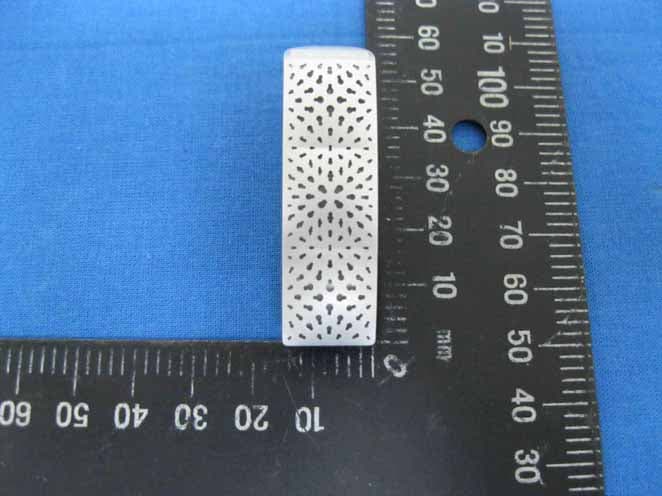
Click to zoom
Application Details
- Equipment Class
- DSS - Part 15 Spread Spectrum Transmitter
- Date of Grant
- Nov 24, 2010
- Application Purpose
- Original Equipment
- Date of Application
- Nov 24, 2010
- Equipment Note
- Jawbone
- Frequency Range
- 2402.00000000 - 2480.00000000
- Company
- Aliph com
- Country
- United States
Documents & Files
Document Text
Text extracted from the exhibit documents filed with the FCC. Open a document above to read the original.
Users Manual
USER GUIDE para espanol, flip over CONTENTS FARADAY ANATOMY Page 4 POWER UP 6 1 GET COMFORTABLE 8 2 GET CONNECTED 11 3 GET TALKING & MORE 14 4 GET APPS & UPDATES 17 SAFETY INFORMATION 19 VISIT JAWBONE.COM/SUPPORT FOR TUTORIAL VIDEOS AND DOCUMENTATION IN OTHER LANGUAGES FARADAY ANATOMY HARDWARE TALK BUTTON MICRO USB LED RING ON/OFF SWITCH VOICE ACTIVITY SENSOR IF THE LED RING IS . . . FLASHING WHITE Jawbone is trying to connect to your phone. FLASHING RED Battery is low. Power up! FLASHING RED + WHITE Jawbone is in pairing mode and ready to connect to your phone. Go to your phone's Bluetooth® settings to connect. POWER UP GET JUICED Your Jawbone is partially charged and ready to use right out of the box. FOR A FULL CHARGE Plug it into your wall charger or a USB port on your computer. 格式化: 字型: (英文)新細 明體, (中文) 新細明體 格式化: 字型: (英文)新細 明體, (中文) 新細明體, 12 點 TO HEAR REMAINING BATTERY LIFE Press the TALK BUTTON when not on a call. LED RING WHEN BATTERY IS LOW The LED RING flashes RED. WHEN FULLY CHARGED The LED RING turns WHITE. NOTE It takes 27 minutes to get your Jawbone 80% charged in Fast Charge Mode. A full charge takes 60 minutes in Fast Charge Mode. TECH SPECS TALK TIME Up to 4.5 hours STANDBY More than 8 days RANGE 33 feet (10 meters) 1 GET COMFORTABLE 1.1 FIND YOUR FIT Mix and match to select the most comfortable and secure fit option. EARLOOP OPTIONAL 1.2 DROP, TWIST, & POINT 1 For the most secure fit, place your Jawbone in your ear pointing down. 2 Then, twist it upwards so it points directly at your mouth. 1.3 ENSURE BEST QUALITY Jawbone works regardless of position, but you will get the best performance if the Voice Activity Sensor physically touches your cheek and points directly at your mouth. VOICE ACTIVITY SENSOR Watch video tutorials at JAWBONE.COM/FIT 2 GET CONNECTED 2.1 PREPARE YOUR JAWBONE 1 Press & hold the TALK BUTTON 2 Slide the POWER SWITCH on 3 Wait for the LED RING to flash red & white 4 Release the TALK BUTTON 2.2 PREPARE YOUR PHONE Turn on Bluetooth®. ON AN IPHONE® Go to SETTINGS > GENERAL > and enable BLUETOOTH ON A BLACKBERRY® Go to SETTINGS/OPTIONS > BLUETOOTH and enable BLUETOOTH OTHER CELL PHONES Go to JAWBONE.COM/PAIRING or review the instruction manual that came with your phone. 2.3 MAKE THE CONNECTION Go to your phone's Bluetooth® settings. ADD OR SEARCH FOR DEVICES When “Jawbone FARADAY" appears, select it. IF ASKED FOR A PASSCODE Enter “0000" This is a one-time event per phone. To pair your Jawbone headset to another phone, repeat steps 2.1 to 2.3. 3 GET TALKING & MORE 3.1 ANSWER/END A CALL Press the TALK BUTTON on your Jawbone to both answer and end a call. DECLINE AN INCOMING CALL Hold the TALK BUTTON for 2 seconds. 3.2 MAKE A CALL Use your phone to dial as usual. Listen and talk through your Jawbone. ACTIVATE VOICE DIALING Hold the TALK BUTTON until you hear a beep, then release and follow the voice prompts. REDIAL LAST NUMBER Press the TALK BUTTON twice. 3.3 SIMULTANEOUS CALLS To switch between calls, press the TALK BUTTON. To end one call and switch to the other, press the TALK BUTTON twice. 3.4 ADJUST THE VOLUME Use the volume control on your phone. Or, while on a call or listening to music, PRESS + HOLD the TALK BUTTON and the volume level will cycle up and down. When you find the most comfortable volume level, release the button and your volume will be set. 3.5 MUSIC & MORE STREAM AUDIO WITH A2DP Use your FARADAY to listen to your music, podcasts, turn-by-turn directions and other audio on A2DP-enabled phones. 4 GET APPS & MORE Jawbone MYTALK lets you personalize and update your Jawbone FARADAY via the web. Visit MYTALK.JAWBONE.COM PERSONALIZE AUDIO APPS Change the voice that tells you information such as battery life and caller ID. DIAL APPS Customize your TALK BUTTON to speed dial your favorite number, or link directly to 411, voice- to-text, and other voice services. INNOVATIONS Try our newest software creations designed exclusively for your Jawbone FARADAY. UPDATES SOFTWARE Make sure you are using the latest version of the Jawbone FARADAY software by logging on to MYTALK.JAWBONE.COM EXTRAS Extras is a repository of helpful Apps that can enhance your FARADAY experience. We don't endorse or certify these services - but they might just change the way you use your FARADAY. ‧ Do not use the Jawbone® headset in a sauna or steam room. ‧ Do not keep your Jawbone® headset near a sink or other wet areas. < IC RSS-GEN 7.1.5> This device complies with RSS 210 of Industry Canada. "Operation is subject to the following two conditions: (1) this device may not cause interference, and (2) this device must accept any interference, including interference that may cause undesired operation of the device." < FCC 15.19, 15.21 and RF Exposure > FCC Notice This device complies with Part 15 of the FCC Rules. Operation is subject to the following two conditions: (1) This device may not cause harmful interference, and (2) This device must accept any interference received, including interference that may cause undesired operation. FCC / IC Caution -Any changes or modifications not expressly approved by the party responsible for compliance could void the user's authority to operate this equipment. -This device and its antenna(s) must not be co-located or operating in conjunction with any other antenna or transmitter.
Cover Letter(s)
1 Lucy Tsai From: [email protected] Sent: Wednesday, November 24, 2010 5:48 PM To: Lucy Tsai Cc: Lucy Tsai; [email protected]; [email protected]; [email protected]; [email protected] Subject: 回信: Aliph com, FCC ID: V3J-JBF, Assessment NO.: AN10T1186, Notice#1--> Updated(991125) Attachments: JBF_Internal Photos(991125).pdf; JBF_FCC Test Setup Photo(991125).pdf; JBF_User_Guide(991125).pdf; JBF_Theory of operation(991125).pdf; JBF_Report(FCC Part 15C-1)991125.pdf Dear Lucy: Thank you for your notice and please see my belowing reply and find all updated files(991125), and if there is no any problems,client wish to get the cert. today,thank you for the help. Should you have any question,please feel free to let me know,thanks. 感謝您對程智的支持,若您有任何問題,歡迎您隨時以電話,傳真或電子郵件與我們連絡,我們將竭誠的為您服務。 寄件人: <[email protected]> 收件人: <[email protected]> 副本抄送: <[email protected]> 日期: 2010/11/22 上午 10:41 主旨: Aliph com, FCC ID: V3J-JBF, Assessment NO.: AN10T1186, Notice#1 Hi, Daphne, 2 Please address following issues. Q#1: Please remove external photos from the exhibit of internal photo. ANS:Please find the updated Internal Photo(991125). Q#2: According to the label format, the FCC ID is planning to be affixed onto the earphone ring. Please confirm that the earphone ring is immovable. ANS:Yes,after confirmed with the client, the FCC ID is using the laser engraved on the earphone ring ,so it will not be removed away. Q#3: For radiated emission test below 1GHz, per the test setup photos, EUT was placed on the edge of the table during the test which is failed to meet the ANSI C63.4. For stand-alone device, EUT should be placed on the center of the table. Please re-do the test. ANS:Please find the updated EUT setup photo(991125) & Test report(991125). Q#4: Please provide an updated user manual to include related statements per 15.19, 15.21 and RF exposure statements. ANS:Please find the updated User guide(991125). Q#5: Please check the block diagram and operational description again, the crystal frequency indicated inside the documents is different. ANS:Please find the updated OpD(991125). Q#6: The antenna information indicated on the operational description does not agree with antenna specification. ANS:Please find the updated OpD(991125)which has been revised. Q#7: The maximum output power indicated on the operational description is 0-20dBm. The variance is too wide to be acceptable. Please address. ANS:Please find the updated OpD(991125)which has been revised. Best Regards, Lucy Tsai/UL CCS The items indicated above must be submitted before processing can continue on the above referenced application. Failure to provide the requested information within 30 days of the original e-mail date may result in application dismissal and forfeiture of the filing fee. Also, please note that partial responses increase processing time and should not be submitted. Any questions about the content of this correspondence should be directed to the e-mail address listed below the name of the sender. Revised documentation should not be emailed, but instead should be submitted through "Add Attachment?function at the UL-CCS website. Please have your Assessment Number and FCC ID/IC Certification number handy. You may use the following link: https://cert.ccsemc.com/filing/ ______________________________________________________________ This e-mail transmission is confidential and intended solely for being reviewed by the recipient(s) identified above. If you are not an identified recipient, please ensure that this communication remains confidential and promptly return it to the sender. Please contact immediately by phone (Tel: 886-2-2299-9720) for any problem with this transmission. Thank you for your attention.
External Photos
Report No.T100825301 Page 1 of 25 External Photo (Hex Black) Report No.T100825301 Page 2 of 25 Report No.T100825301 Page 3 of 25 Report No.T100825301 Page 4 of 25 External Photo (Hex Brown) Report No.T100825301 Page 5 of 25 Report No.T100825301 Page 6 of 25 Report No.T100825301 Page 7 of 25 External Photo (Perf White) Report No.T100825301 Page 8 of 25 Report No.T100825301 Page 9 of 25 Report No.T100825301 Page 10 of 25 External Photo (Perf Red) Report No.T100825301 Page 11 of 25 Report No.T100825301 Page 12 of 25
Internal Photos
Report No.T100825301 Page 13 of 25 Internal Photo Report No.T100825301 Page 14 of 25 Report No.T100825301 Page 15 of 25 Report No.T100825301 Page 16 of 25 Report No.T100825301 Page 17 of 25 Report No.T100825301 Page 18 of 25 Report No.T100825301 Page 19 of 25 Report No.T100825301 Page 20 of 25 Report No.T100825301 Page 21 of 25 Report No.T100825301 Page 22 of 25 Power Adapter Photo Report No.T100825301 Page 23 of 25 Report No.T100825301 Page 24 of 25 USB Cable Photo Report No.T100825301 Page 25 of 25
Test Report
FCC IDV3J-JBF Report No.T100825301-RP1 Page 1 of 85 This report shall not be reproduced except in full, without the written approval of Compliance Certification Services. FCC 47 CFR PART 15 SUBPART C AND ANSI C63.4:2003 TEST REPORT For Jawbone Model : JBF Trade Name : Jawbone Issued for Aliph com 99 Rhode Island,3 rd Floor San Francisco, CA94134 Issued by Compliance Certification Services Inc. Tainan Lab. No. 8, Jiu Cheng Ling, Jiaokeng Village, Sinhua Township, Tainan Hsien 712, Taiwan R.O.C. TEL: +886-6-580-2201 FAX: +886-6-580-2202 http://www.ccsrf.com E-Mail : [email protected] Note: This report shall not be reproduced except in full, without the written approval of Compliance Certification Services Inc. This document may be altered or revised by Compliance Certification Services Inc. personnel only, and shall be noted in the revision section of the document. The client should not use it to claim product endorsement by TAF or any government agencies. The test results in the report only apply to the tested sample. FCC IDV3J-JBF Report No.T100825301-RP1 Page 2 of 85 This report shall not be reproduced except in full, without the written approval of Compliance Certification Services. Revision History Rev. Issue Date Revisions Effect Page Revised By 00 11/23/2010 Initial Issue All Page 85 Joanna Wen FCC IDV3J-JBF Report No.T100825301-RP1 Page 3 of 85 This report shall not be reproduced except in full, without the written approval of Compliance Certification Services. TABLE OF CONTENTS TITLE PAGE NO. 1. TEST REPORT CERTIFICATION ................................................................................ 4 2. EUT DESCRIPTION ..................................................................................................... 4 2.1 DESCRIPTION OF EUT & POWER ....................................................................... 5 3. DESCRIPTION OF TEST MODES ............................................................................... 6 4. TEST METHODOLOGY ............................................................................................... 7 5. FACILITIES AND ACCREDITATION ........................................................................... 7 5.1 FACILITIES............................................................................................................ 7 5.2 ACCREDITATIONS................................................................................................ 8 5.3 MEASUREMENT UNCERTAINTY ......................................................................... 8 6. SETUP OF EQUIPMENT UNDER TEST...................................................................... 9 7. FCC PART 15.247 REQUIREMENTS.......................................................................... 10 7.1 20dB BANDWIDTH FOR HOPPING...................................................................... 10-15 7.2 MAXIMUM PEAK OUTPUT POWER..................................................................... 16-21 7.3 HOPPING CHANNEL SEPARATION..................................................................... 22-27 7.4 NUMBER OF HOPPING FREQUENCY USED ...................................................... 28-30 7.5 DWELL TIME ON EACH CHANNEL ...................................................................... 31-45 7.6 CONDUCTED SPURIOUS EMISSION.................................................................. 46-53 7.7 RADIATED EMISSION........................................................................................... 54-72 7.8 CONDUCTED EMISSION ......................................................................................73-79 APPENDIX I SETUP PHOTOS ........................................................................................ 80-85 FCC IDV3J-JBF Report No.T100825301-RP1 Page 4 of 85 This report shall not be reproduced except in full, without the written approval of Compliance Certification Services. 1. TEST REPORT CERTIFICATION Applicant Aliph com Address 99 Rhode Island,3 rd Floor San Francisco, CA94134 Equipment Under Test Jawbone Model JBF Trade Name Jawbone Tested Date August 25 ~ September 14, 2010 November 23, 2010 APPLICABLE STANDARD Standard Test Result FCC Part 15 Subpart C AND ANSI C63.4:2003 PASS WE HEREBY CERTIFY THAT: The above equipment has been tested by Compliance Certification Services Inc., and found compliance with the requirements set forth in the technical standards mentioned above. The results of testing in this report apply only to the product/system, which was tested. Other similar equipment will not necessarily produce the same results due to production tolerance and measurement uncertainties. Approved by: Reviewed by: Jeter Wu Eric Yang Section Manager Senior Engineer FCC IDV3J-JBF Report No.T100825301-RP1 Page 5 of 85 This report shall not be reproduced except in full, without the written approval of Compliance Certification Services. 2. EUT DESCRIPTION 2.1 DESCRIPTION OF EUT & POWER Product Name Jawbone Model Number JBF Received Date August 25, 2010 Frequency Range 2402MHz to 2480MHz f = 2402 + nMHz, n = 0, .....78 Transmit Power 6.35 dBm (0.0043W) Channel Spacing 1MHz Channel Number 79 Channels Transmit Data Rate GFSK (1Mbps), π/4-DQPSK (2Mbps), 8-DPSK (3Mbps) Type of Modulation Frequency Hopping Spread Spectrum Frequency Selection by software / firmware Transmitter Classification portable device Antenna Type Monopole Antenna, Antenna Gain : 1.97dBi DC Power Cord Type Shielded USB cable 9cm / 1.5m (detachable) Normal Mode: 3.7VDC(Battery Powered) Power Source Charging Mode: 5.0VDC (From Notebook PC, Powered From Host Device & power adapter) RF Exposure Evaluation Since the EUT is classed portable device, and the maximum peak power is 6.35 dBm (<13.6dBm), the MPE evaluation is not required and no SAR consideration applied. I/O Port Micro USB port × 1 Power Adapter : No. Manufacturer Model No. Power Input Power Output 1 JAWBONE SPA-K901 100-240V , 50/60Hz , 0.1A 5.0V , 550mA Remark : 1. The sample selected for test w…
Text truncated - open the document above for the full version.
Test Setup Photos
FCC IDV3J-JBF Report No.T100825301-RP1 Page 80 of 85 This report shall not be reproduced except in full, without the written approval of Compliance Certification Services. APPENDIX I SETUP PHOTOS RADIATED EMISSION SETUP Below 1 GHz FCC IDV3J-JBF Report No.T100825301-RP1 Page 81 of 85 This report shall not be reproduced except in full, without the written approval of Compliance Certification Services. Above 1 GHz FCC IDV3J-JBF Report No.T100825301-RP1 Page 82 of 85 This report shall not be reproduced except in full, without the written approval of Compliance Certification Services. FCC IDV3J-JBF Report No.T100825301-RP1 Page 83 of 85 This report shall not be reproduced except in full, without the written approval of Compliance Certification Services. ANTENNA PORT CONDUCTED RF MEASUREMENT SETUP FCC IDV3J-JBF Report No.T100825301-RP1 Page 84 of 85 This report shall not be reproduced except in full, without the written approval of Compliance Certification Services. CONDUCTED EMISSION SETUP Power Adapter FCC IDV3J-JBF Report No.T100825301-RP1 Page 85 of 85 This report shall not be reproduced except in full, without the written approval of Compliance Certification Services. Charge Mode
Contact Information
Applicant
Dileep Goyal(Director of System and Material)
Test Firm
Compliance Certification ServicesThu Chan
Technical Specifications
| # | Rule Parts | Frequency Range | Power Output |
|---|---|---|---|
| 1 | 15C | 2.40 GHz - 2.48 GHz | 4.30 mW |
Other Applications from Aliph com
V3J-JL03
Dec 18, 2014Band
Equipment Class
DTS - Digital Transmission System
V3J-JL04
Oct 26, 2014Band
Equipment Class
DTS - Digital Transmission System
V3J-JL06
Oct 06, 2014Bluetooth device
Equipment Class
DTS - Digital Transmission System
V3J-JC01
Nov 06, 2013Headset
Equipment Class
DSS - Part 15 Spread Spectrum Transmitter
V3J-J2013
Jul 07, 2013J2013
Equipment Class
DTS - Digital Transmission System