VLJ80-8388-001.9GHz DECT Codless Phone_Handset Unit
Binatone Electronics International Ltd.
Click to zoom
Application Details
- Equipment Class
- PUE - Part 15 Unlicensed PCS portable Tx held to ear
- Date of Grant
- Apr 02, 2012
- Application Purpose
- Original Equipment
- Date of Application
- Apr 02, 2012
- Equipment Note
- 1.9GHz DECT Codless Phone_Handset Unit
- Frequency Range
- 1921.53600000 - 1928.44800000
- Country
- China
Documents & Files
Document Text
Text extracted from the exhibit documents filed with the FCC. Open a document above to read the original.
Users Manual
Userís Guide HS1101 Android Home Phone Warning Use only the power adapter, battery pack and telephone line cord provided in the box. ï Make and receive callsï Receive telephone messages and record memos using the digital answer machine ï Send and receive Emailsï Take photos and record videosï Surf the Internet via wireless connectionï Listen to music via loud speaker or earphonesï View pictures, videos and slideshowsï Listen to Internet radio broadcastsï Read and download eBooks ï Discover and download Android applicationsï Check Stock Prices and Stock Informationï Check current weather and weather forecast ï Read News with RssFeedï Check Calendar and Agendaï Set alarmï Perform simple Calculation Welcome... to your new Motorola Android Home Phone! Please retain your original dated sales receipt for your records. For warranty service of your Motorola product, you will need to provide a copy of your dated sales receipt to confirm warranty status. Registration is not required for warranty coverage.For product-related questions, please call: US and Canada: 1-888-331-3383 On the Web: www.motorola.com IMPORTANTOnly use the telephone line cord supplied.This equipment is not designed to make emergency telephone calls during power failures. Alternative arrangements should be made for access to emergency services.Got everything?ï Handsetï Baseï Li-ion Rechargeable Battery Packï Handset Back Coverï Power Adapterï Telephone Line Cordï Micro-USB cableï User's Guideï Quick Start Guide This User's Guide provides you with all the information you need to get the most from your phone.Before you make your first call or surf the Internet, you will need to set up your phone. Follow the simple instructions in 'Getting Started', on the next few pages. 41. Getting started ..............................................12 1.1 Connecting the base......................................... 141.2 Installing and charging the handset battery pack ...................................................... 14 1.3 Insert and Mount memory card......................... 151.4 Unmount and Remove memory card................ 161.5 Switch on your Motorola HS1101 ..................... 161.6 Switch off your Motorola HS1101 ..................... 16 2. Using the touchscreen .................................173. Using the onscreen keyboard .....................18 3.1 Enter text and numbers .................................... 183.2 Switch between input modes............................ 183.3 Change keyboard language ............................. 183.4 Modify keyboard settings.................................. 183.5 Add words to User dictionary............................ 183.6 Accept or Reject Dictionary Suggestions ......... 193.7 Edit text............................................................. 19 4. Set up your Motorola HS1101 with Welcome Wizard ...........................................19 4.1 Display .............................................................. 20 4.2 Sound settings...................................................20 4.2.1 Phone ringtone .....................................20 4.2.2 Volume .................................................20 4.3 Wi-Fi settings.....................................................204.4 Date & time settings ..........................................21 4.4.1 Set time zone .......................................21 4.4.2 Set time ................................................21 4.4.3 Set time format .....................................21 4.4.4 Select date format ................................21 5. Set date and time.......................................... 22 5.0.1 Set Date ...............................................22 5.0.2 Set Time ...............................................22 5.0.3 Select Time Zone .................................22 5.0.4 Select Time Format ..............................22 5.0.5 Select Date Format ..............................22 6. Getting to know your phone........................ 23 6.1 Overview of the handset....................................236.2 Handset LCD display.........................................256.3 Notifications panel .............................................256.4 Overview of the base.........................................26 5 6.5 Home Screen .................................................... 266.6 Extended Home Screen ....................................266.7 Wake up the phone ...........................................266.8 Lock the screen of your Motorola HS1101 ........27 6.8.1 Lock with a pattern, PIN or password ....27 6.8.2 Disable screen unlock security ............. 27 6.9 Screen Rotation................................................. 276.10 Recalibrate the touch screen............................. 28 7. Personalizing your HS1101 ......................... 28 7.1 Display Settings................................................. 28 7.1.1 Set Wallpaper .......................................28 7.1.2 Adjust Screen Brightness ..................... 29 7.1.3 Set screen timeout ...............................29 7.1.4 Re-arrange items on your home screen ........................................ 29 7.1.5 Add apps to your home screen ............29 7.1.6 Remove an item from your home screen ........................................ 29 7.1.7 Add Folders to your home screen ........29 7.1.8 To rename a folder ............................... 30 7.1.9 Add items to the folders on your home screen ........................................ 30 7.2 Sound Settings .................................................. 30 7.2.1 Set silent mode .................................... 30 7.2.2 Set volume ........................................... 30 7.2.3 Set Phone ringtone .............................. 31 7.2.4 Set Intercom ringtone ........................... 31 7.2.5 Set Paging ringtone ............................. 31 7.2.6 Set default notification ringtone ............ 31 7.2.7 Enable or Disable Audible Touch tones .....................…
Text truncated - open the document above for the full version.
Users Manual
Userís Guide MBP2000PU Android Home Phone Warning Use only the power adapter, battery pack and telephone line cord provided in the box. ï Make and receive callsï Receive telephone messages and record memos using the digital answer machine ï Send and receive Emailsï Take photos and record videosï Surf the Internet via wireless connectionï Listen to music via loud speaker or earphonesï View pictures, videos and slideshowsï Listen to Internet radio broadcastsï Read and download eBooks ï Discover and download Android applicationsï Check Stock Prices and Stock Informationï Check current weather and weather forecast ï Read News with RssFeedï Check Calendar and Agendaï Set alarmï Perform simple Calculation Welcome... to your new Motorola Android Home Phone! Please retain your original dated sales receipt for your records. For warranty service of your Motorola product, you will need to provide a copy of your dated sales receipt to confirm warranty status. Registration is not required for warranty coverage.For product-related questions, please call: US and Canada: 1-888-331-3383 On the Web: www.motorola.com IMPORTANTOnly use the telephone line cord supplied.This equipment is not designed to make emergency telephone calls during power failures. Alternative arrangements should be made for access to emergency services.Got everything?ï Handsetï Baseï Li-ion Rechargeable Battery Packï Handset Back Coverï Power Adapterï Telephone Line Cordï Micro-USB cableï User's Guideï Quick Start Guide This User's Guide provides you with all the information you need to get the most from your phone.Before you make your first call or surf the Internet, you will need to set up your phone. Follow the simple instructions in 'Getting Started', on the next few pages. 41. Getting started ..............................................12 1.1 Connecting the base......................................... 141.2 Installing and charging the handset battery pack ...................................................... 14 1.3 Insert and Mount memory card......................... 151.4 Unmount and Remove memory card................ 161.5 Switch on your Motorola MBP2000PU .............. 16 1.6 Switch off your Motorola MBP2000PU .............. 16 2. Using the touchscreen .................................173. Using the onscreen keyboard .....................18 3.1 Enter text and numbers .................................... 183.2 Switch between input modes............................ 183.3 Change keyboard language ............................. 183.4 Modify keyboard settings.................................. 183.5 Add words to User dictionary............................ 183.6 Accept or Reject Dictionary Suggestions ......... 193.7 Edit text............................................................. 19 4. Set up your Motorola MBP2000PU with Welcome Wizard ...........................................19 4.1 Display .............................................................. 20 4.2 Sound settings...................................................20 4.2.1 Phone ringtone .....................................20 4.2.2 Volume .................................................20 4.3 Wi-Fi settings.....................................................204.4 Date & time settings ..........................................21 4.4.1 Set time zone .......................................21 4.4.2 Set time ................................................21 4.4.3 Set time format .....................................21 4.4.4 Select date format ................................21 5. Set date and time.......................................... 22 5.0.1 Set Date ...............................................22 5.0.2 Set Time ...............................................22 5.0.3 Select Time Zone .................................22 5.0.4 Select Time Format ..............................22 5.0.5 Select Date Format ..............................22 6. Getting to know your phone........................ 23 6.1 Overview of the handset....................................236.2 Handset LCD display.........................................256.3 Notifications panel .............................................256.4 Overview of the base.........................................26 5 6.5 Home Screen .................................................... 266.6 Extended Home Screen ....................................266.7 Wake up the phone ...........................................266.8 Lock the screen of your Motorola MBP2000PU .27 6.8.1 Lock with a pattern, PIN or password ....27 6.8.2 Disable screen unlock security ............. 27 6.9 Screen Rotation................................................. 276.10 Recalibrate the touch screen............................. 28 7. Personalizing your MBP2000PU .................. 28 7.1 Display Settings................................................. 28 7.1.1 Set Wallpaper .......................................28 7.1.2 Adjust Screen Brightness ..................... 29 7.1.3 Set screen timeout ...............................29 7.1.4 Re-arrange items on your home screen ........................................ 29 7.1.5 Add apps to your home screen ............29 7.1.6 Remove an item from your home screen ........................................ 29 7.1.7 Add Folders to your home screen ........29 7.1.8 To rename a folder ............................... 30 7.1.9 Add items to the folders on your home screen ........................................ 30 7.2 Sound Settings .................................................. 30 7.2.1 Set silent mode .................................... 30 7.2.2 Set volume ........................................... 30 7.2.3 Set Phone ringtone .............................. 31 7.2.4 Set Intercom ringtone ........................... 31 7.2.5 Set Paging ringtone ............................. 31 7.2.6 Set default notification ringtone ............ 31 7.2.7 Enable or Disable Audible Touch tones ..............................…
Text truncated - open the document above for the full version.
Cover Letter(s)
BINATONE ELECTRONICS INTERNATIONAL LTD. Floor 23A, 9 Des Voeux Road West, Sheung Wan, Hong Kong Tel: +852 28027388 Fax: +852 28028138 Website : www.binatoneonline.com ________________________________________ . Appendix B1 Letter of Agency for FCC Certification Aug. 31, 2011 To whom it may concern, Letter of Agency I, an officer of Binatone Electronics International Limited do hereby authorize Intertek Testing Services (Mr. Ken Sit/Mr. Melvin Nip) to act on our behalf in front of the Federal Communications Commission with respect to all matters relating to certification of equipment under Part 15 and/or Part 95 of the FCC Rules until further notice. I further certify that no party (as defined in §1.2002(b) of CFR 47, 2004) to this application, including myself, is subject to a denial of federal benefits, that includes FCC benefits, pursuant to Section 5301 of the Anti-Drug Abuse Act of 1988, 21 U.S.C., 862. Regards, Paul Tsui Product Operation Director
Cover Letter(s)
BINATONE ELECTRONICS INTERNATIONAL LTD. Floor 23A, 9 Des Voeux Road West, Sheung Wan, Hong Kong Tel: +852 28027388 Fax: +852 28028138 Website : www.binatoneonline.com ________________________________________ . Aug. 31, 2011 To whom it may concern, Request for Permanent Confidentiality Under FCC Part 15 Certification FCC ID: VLJ80-8388-00 Request is hereby submitted by Binatone Electronics International Limited to withhold permanently from public review certain portions of the application for equipment certification for the referenced FCC identifiers. This request for confidentiality is made pursuant to 47 CFR § 0.457(d) and 0.459 of the FCC Rules. In particular, the following sections of the application are to be kept permanently confidential and Binatone Electronics International Limited reserves the right to discern which parties can obtain access to these information: • Schematics • Detailed Block diagrams • Detailed Operational/Functional Description The rationale for request for confidentiality is as followings: This information represents intellectual property of Binatone Electronics International Limited and it is subject to competition. We have invested considerable time and materials in research and development to produce the referenced product. Disclosure of the permanently confidential portions of this application to competitors would not only give them significant competitive advantages in developing similar products, but would also disclose successful implementation of unpublished, leading edge technology developed by us. If you have questions or need further information, please contact the undersigned. Regards, Paul Tsui Product Operation Director
Cover Letter(s)
BINATONE ELECTRONICS INTERNATIONAL LTD. Floor 23A, 9 Des Voeux Road West, Sheung Wan, Hong Kong Tel: +852 28027388 Fax: +852 28028138 Website : www.binatoneonline.com ________________________________________ . Aug. 31, 2011 To whom it may concern, Declarations FCC ID: VLJ80-8388-00 IC: 4522A-80838800 I, the undersigned, hereby declare that 1. The device does not use the provisions of 47CFR 15.323 (c) (6), random waiting mechanism is not used in this system. 2. The provisions of 47CFR 15.323 (c) (10) and 47CFR 15.323 (c) (11) are not used to extend the range of spectrum occupied over space or time for the purpose of denying fair access to spectrum to other devices. 3. Only the handset will act as the initiating device, which will initiate the establishment of the duplex connection. 4. The device complies with the provisions of 47CFR 15.319(f). The device shall automatically discontinue transmission in case of either absence of information to transmit or operational failure. These provisions are not intended to preclude transmission of control and signaling information or use of repetitive codes used by certain digital technologies to complete frame or burst intervals. The following table explains the reaction of device in case of either absence of information to transmit or operational failure after a connection of its companion device is established. Circumstances Reaction of Base Unit Reaction of Handset 1 Switch-off companion device B N/A 2 On hook by companion device B N/A 3 Remove power from companion device B A 4 Switch-off device N/A C 5 On hook device N/A C 6 Remove power from device A C A – Connection is terminated and, transmission ceases. B – Connection is terminated but device transmits control or signaling information. C – Connection is terminated but companion device transmits control or signaling information. N/A – Not applicable represents the device does not contain a hook switch or a power off switch. If you have questions or need further information, please contact the undersigned. Regards, Paul Tsui, Product Operation Director
Cover Letter(s)
BINATONE ELECTRONICS INTERNATIONAL LTD. Floor 23A, 9 Des Voeux Road West, Sheung Wan, Hong Kong Tel: +852 28027388 Fax: +852 28028138 Website : www.binatoneonline.com ________________________________________ . 31 Aug, 2011 To whom it may concern, Label Location Justification FCC ID: VLJ80-8388-00 Request is hereby submitted by Binatone Electronics International Limited to request an alternative method of positively identifying the equipment, pursuant to 47 CFR § 2.925(f) of the FCC Rules. The FCC identifier for handset will be placed in the battery compartment and the following requirements are confirmed to meet: a) The FCC identifier will visible at the time of purchase, by either of the following approaches: • Marketing the device without the battery installed, or • Providing instruction (stated on the box, user manual, or additional documentation) directing the user as to where to find the FCC label. b) The user accessible area will not require any special tools for access and the FCC label will not be placed on a removable part. The user manual has already included the FCC statements, pursuant to 47 CFR § 15.19(a)(3), 15.21 and 15.105(b). If you have questions or need further information, please contact the undersigned. Sincerely, ___ Paul Tsui, Product Operation Director
External Photos
INTERTEK TESTING SERVICES External Photos FCC ID: VLJ80-8388-00 IC: 4522A-80838800 external photos - 1 of 4 HK11090333 Job Number HK11090333 Job Number INTERTEK TESTING SERVICES External Photos FCC ID: VLJ80-8388-00 IC: 4522A-80838800 external photos - 2 of 4 INTERTEK TESTING SERVICES External Photos FCC ID: VLJ80-8388-00 IC: 4522A-80838800 external photos - 3 of 4 INTERTEK TESTING SERVICES External Photos FCC ID: VLJ80-8388-00 IC: 4522A-80838800 external photos - 4 of 4
ID Label/Location Info
FCC ID:VLJ80-8388-00IC:4522A-80838800 FCC ID:VLJ80-8388-00 IC:4522A-80838800 CORDLESS TELEPHONEDC 5.8V 600mA / 5.8V 1000mA CLASS (CLASSE) 2MADE IN CHINA BS label ASize: 29.5L12WmmMaterial: 80g art paperBackground: BlackText color: White BS label BSize: 49.5L41.5WmmMaterial: 80g art paperBackground: BlackText color: White BS Serial number label Size: 24L10WmmMaterial: 80g art paperBackground: WhiteText color: Black HS Serial number label Size: 20L10WmmMaterial: 80g art paperBackground: WhiteText color: BlackHS label Size: 20L12WmmMaterial: 80g art paperBackground: BlackText color: WhiteHS FCC label Size: 20L10WmmMaterial: 80g art paperBackground: WhiteText color: Black FCC ID: VLJ80-8388-00 THIS DEVICE COMPLIES WITH PART 15 OF THE FCC RULES. OPERATION IS SUBJECT TO THE FOLLOWING TWO CONDITIONS: 1)THIS DEVICE MAY NOT CAUSE HARMFUL INTERFERENCE,AND2)THIS DEVICE MUST ACCEPT ANY INTERFERENCE RECEIVED,INCLUDING INTERFERENCE THAT MAY CAUSE UNDESIRED OPERATION.PRIVACY OF COMMUNICATION MAY NOT BEENSURED WHEN USING THIS PHONE.IC: 4522A-80838800COMPLIES WITH 47 CFR PART 68REGISTRATION NO.:US:BINW400B80-838800RINGER EQUIVALENCE:0.0BUSOC JACK: RJ11C/W HAC Model: MBP2000PU S/N: XXXXXXXXXXX Model: MBP2000PU S/N: XXXXXXXXXXX Model: MBP2000PU S/N: XXXXXXXXXXX Model: MBP2000PU S/N:XXXXXXXXXXX MBP2000PU and HS1101 LABEL ARTWORK FCC ID: VLJ80-8388-00 THIS DEVICE COMPLIES WITH PART 15 OF THE FCC RULES. OPERATION IS SUBJECT TO THE FOLLOWING TWO CONDITIONS: 1)THIS DEVICE MAY NOT CAUSE HARMFUL INTERFERENCE,AND2)THIS DEVICE MUST ACCEPT ANY INTERFERENCE RECEIVED,INCLUDING INTERFERENCE THAT MAY CAUSE UNDESIRED OPERATION.PRIVACY OF COMMUNICATION MAY NOT BEENSURED WHEN USING THIS PHONE.IC: 4522A-80838800COMPLIES WITH 47 CFR PART 68REGISTRATION NO.:US:BINW400B80-838800RINGER EQUIVALENCE:0.0BUSOC JACK: RJ11C/W HAC CORDLESS TELEPHONEDC 5.8V 600mA / 5.8V 1000mA CLASS (CLASSE) 2MADE IN CHINA 5V, 1A 5V, 1A label for following two modelsM odel:MBP2000PU M odel:HS1101 label for following two modelsM odel:MBP2000PU M odel:HS1101
Internal Photos
INTERTEK TESTING SERVICES Internal photos FCC ID: VLJ80-8388-00 IC: 4522A-80838800 internal photos - 1 of 10 Base Unit assembly Base Unit Main PCB comp side INTERTEK TESTING SERVICES Internal photos FCC ID: VLJ80-8388-00 IC: 4522A-80838800 internal photos - 2 of 10 Base Unit Antenna Base Unit Main PCB solder side INTERTEK TESTING SERVICES Internal photos FCC ID: VLJ80-8388-00 IC: 4522A-80838800 internal photos - 3 of 10 Base Unit Page Key front side Base Unit Page Key rear side INTERTEK TESTING SERVICES Internal photos FCC ID: VLJ80-8388-00 IC: 4522A-80838800 internal photos - 4 of 10 Base Unit Charging Pins front side Base Unit Charging Pins rear side INTERTEK TESTING SERVICES Internal photos FCC ID: VLJ80-8388-00 IC: 4522A-80838800 internal photos - 5 of 10 Base Unit DECT RF Module comp front side Base Unit DECT RF Module comp rear side INTERTEK TESTING SERVICES Internal photos FCC ID: VLJ80-8388-00 IC: 4522A-80838800 internal photos - 6 of 10 Handset assembly Handset Main PCB comp side INTERTEK TESTING SERVICES Internal photos FCC ID: VLJ80-8388-00 IC: 4522A-80838800 internal photos - 7 of 10 Handset Main PCB solder side Handset Camera INTERTEK TESTING SERVICES Internal photos FCC ID: VLJ80-8388-00 IC: 4522A-80838800 internal photos - 8 of 10 Handset WiFi Antenna Handset DECT RF Module comp side INTERTEK TESTING SERVICES Internal photos FCC ID: VLJ80-8388-00 IC: 4522A-80838800 internal photos - 9 of 10 Handset WiFi RF Module comp side Handset Monitor View 1 INTERTEK TESTING SERVICES Internal photos FCC ID: VLJ80-8388-00 IC: 4522A-80838800 internal photos - 10 of 10 Handset Monitor View 2 Handset Monitor View 3
RF Exposure Info
©2011 A Test Lab Techno Corp. A Test Lab Techno Corp. Changan Lab:No. 140 -1, Changan Street, Bade City, Taoyuan County, Taiwan R.O.C. Te l:886-3-271-0188 / Fax:886-3-271-0190 SAR EVALUATION REPORT Test Report No. : 1109FS15-02 Applicant : Binatone Electronics International Limited EUT Type : 1.9GHz DECT6.0 Cordless Handset with WiFi feature FCC ID : VLJ80-8388-00 Trade Name : Motorola Model Number : HS1101, MBP2000PU Dates of Receive : Sep. 22, 2011 Dates of Test : Sep. 24, 2011 Date of Issued : Mar. 13, 2012 Test Environment : Ambient Temperature: 22 ±2 ° C Relative Humidity:40 - 70 % Test Specification : Standard C95.1-1992 IEEE Std. 1528-2003 2.1093;FCC/OET Bulletin 65 Supplement C [July 2001] Max. SAR : 0.00485 W/kg UPCS Head SAR 0.02100 W/kg UPCS Body SAR Test Lab Location : Chang-an Lab 1. The test operations have to be performed with cautious behavior, the test results are as attached. 2. The test results are under chamber environment of A Test Lab Techno Corp. A Test Lab Techno Corp. does not assume responsibility for any conclusions and generalizations drawn from the test results with regard to other specimens or samples. 3. The measurement report has to be written approval of A Test Lab Techno Corp. It may only be reproduced or published in full. This report shall not be reproduced except in full, without the written approval of A Test Lab Techno Corp. The test results in the report only apply to the tested sample. Approved By : Tested By : (Sam Chuang ) (Alex Wu) Report Number: 1109FS15-02Page 1 of 66 Contents 1. Description of Equipment under Test (EUT) .................................................................................................. 3 2. Introduction .................................................................................................................................................... 4 3. SAR Definition ............................................................................................................................................... 4 4. SAR Measurement Setup .............................................................................................................................. 5 5. System Components ..................................................................................................................................... 6 5.1 DASY5 E-Field Probe System ............................................................................................................ 6 5.2 Data Acquisition Electronic (DAE) System ......................................................................................... 9 5.3 Robot .................................................................................................................................................. 9 5.4 Measurement Server .......................................................................................................................... 9 5.5 Device Holder for Transmitters ......................................................................................................... 10 5.6 Phantom - SAM v4.0......................................................................................................................... 10 5.7 Data Storage and Evaluation .............................................................................................................11 6. Test Equipment List ..................................................................................................................................... 14 7. Tissue Simulating Liquids ............................................................................................................................ 15 7.1 Ingredients ........................................................................................................................................ 16 7.2 Recipes ............................................................................................................................................. 16 7.3 Liquid Confirmation ........................................................................................................................... 17 8. Measurement Process................................................................................................................................. 18 8.1 Device and Test Conditions .............................................................................................................. 18 8.2 System Performance Check ............................................................................................................. 19 8.3 Dosimetric Assessment Setup .......................................................................................................... 22 8.4 Spatial Peak SAR Evaluation............................................................................................................ 24 9. Measurement Uncertainty............................................................................................................................ 25 10. SAR Test Results Summary ........................................................................................................................ 28 10.1 Head SAR ......................................................................................................................................... 28 10.2 Body SAR ......................................................................................................................................... 29 10.3 Std. C95.1-1992 RF Exposure Limit ................................................................................................. 30 11. Conclusion ................................................................................................................................................... 31 12. References .................................................................................................................................................. 31 Appendix A - System Performance Check..........…
Text truncated - open the document above for the full version.
RF Exposure Info
SAR Test Setup Photographs EUT Back side EUT Front side EUT Top side ©2011 A Test Lab Techno Corp. Report Number: 1109FS15-02Page 1 of 7 Right Head Setup Figure 2. Right Head SAR Test Setup (Cheek) Figure 3. Right Head SAR Test Setup (Tilted) EUT Top side EUT Back side EUT Front side ©2011 A Test Lab Techno Corp. Report Number: 1109FS15-02Page 2 of 7 Left Head Setup Figure 4. Left Head SAR Test Setup (Cheek) Figure 5. Left Head SAR Test Setup (Tilted) EUT Top side EUT Front side EUT Back side ©2011 A Test Lab Techno Corp. Report Number: 1109FS15-02Page 3 of 7 Body Setup (The front surface to phantom 0mm) Figure 6. Body SAR Test Setup (Flat Section) EUT Front side EUT Top side EUT Back side ©2011 A Test Lab Techno Corp. Report Number: 1109FS15-02Page 4 of 7 Body Setup (The back surface to phantom 0mm) Figure 7. Body SAR Test Setup (Flat Section) EUT Front side EUT Top side EUT Back side ©2011 A Test Lab Techno Corp. Report Number: 1109FS15-02Page 5 of 7 Body Setup (The front surface with headset to phantom 0mm) Figure 8. Body SAR Test Setup (Flat Section) EUT Front side EUT Top side EUT Back side ©2011 A Test Lab Techno Corp. Report Number: 1109FS15-02Page 6 of 7 Body Setup (The back surface with headset to phantom 0mm) Figure 9. Body SAR Test Setup (Flat Section) EUT Front side EUT Top side EUT Back side ©2011 A Test Lab Techno Corp. Report Number: 1109FS15-02Page 7 of 7
RF Exposure Info
SAR EUT Photographs EUT Photo ( 1 ) EUT Photo ( 2 ) ©2011 A Test Lab Techno Corp. Report Number: 1109FS15-02Page 1 of 5 EUT Photo ( 3 ) EUT Photo ( 4 ) ©2011 A Test Lab Techno Corp. Report Number: 1109FS15-02Page 2 of 5 EUT Photo ( 5 ) EUT Photo ( 6 ) ©2011 A Test Lab Techno Corp. Report Number: 1109FS15-02Page 3 of 5 EUT Photo ( 7 ) EUT Photo ( 8 ) ©2011 A Test Lab Techno Corp. Report Number: 1109FS15-02Page 4 of 5 EUT Photo ( 9 )…
Text truncated - open the document above for the full version.
Contact Information
Applicant
Sam Lee(Product Director)
Technical Contact
Intertek Testing Services Hong Kong Ltd.Melvin Nip
[email protected]852-2173-8888
Flat D, 5/F., Garment Centre, · Kowloon · Hong Kong
Non-Technical Contact
Intertek Testing Services Hong Kong Ltd.Melvin Nip
[email protected]852-2173-8888
Test Firm
Intertek Testing Services Hong Kong Ltd.Billy Chow
Technical Specifications
| # | Rule Parts | Frequency Range | Power Output |
|---|---|---|---|
| 1 | 15D | 1.92 GHz - 1.93 GHz | 106.00 mW |
Other Applications from Binatone Electronics International Ltd.

VLJ-NV531BU
Jul 03, 2022Video Baby Monitor
Equipment Class
DSS - Part 15 Spread Spectrum Transmitter
VLJ-MH002W
Mar 02, 2021Bluetooth Headset
Equipment Class
DSS - Part 15 Spread Spectrum Transmitter
VLJ-ST600
Feb 09, 20215-in-1 Nursery Humidifier
Equipment Class
DSS - Part 15 Spread Spectrum Transmitter
VLJ-SP025
Feb 01, 2021Portable Bluetooth Music Speaker
Equipment Class
DCD - Part 15 Low Power Transmitter Below 1705 kHz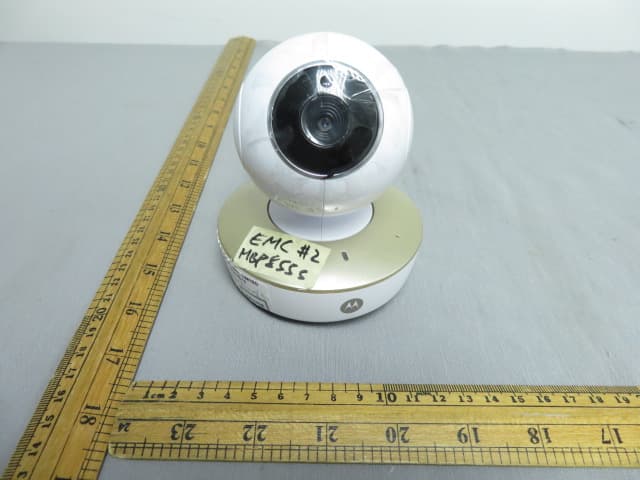
VLJ-MBP855BU
Dec 17, 20205inch Wi-Fi Video Baby Monitor
Equipment Class
DSS - Part 15 Spread Spectrum Transmitter