VNK-15560MKP-4100p Wireless Calculator Keypad & Mouse
Trust International BV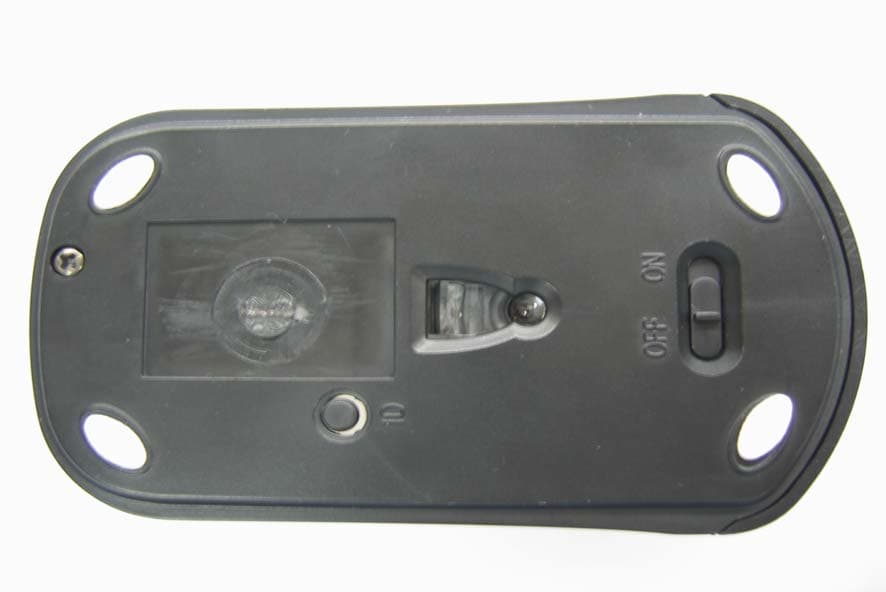
Click to zoom
Application Details
- Equipment Class
- DXX - Part 15 Low Power Communication Device Transmitter
- Date of Grant
- Nov 14, 2007
- Application Purpose
- Original Equipment
- Date of Application
- Nov 14, 2007
- Equipment Note
- KP-4100p Wireless Calculator Keypad & Mouse
- Frequency Range
- 27.09500000 - 27.09500000
- Company
- Trust International BV
- Country
- Netherlands
Documents & Files
Document Text
Text extracted from the exhibit documents filed with the FCC. Open a document above to read the original.
Users Manual
IMPORTANT INFORMATION, READ THIS FIRST!! English Instruction manual See the user’s guide with instructions how to use the product. Troubleshooting See www.trust.com/15560 for up-to-date FAQs, drivers and instruction manuals. For extensive service, register at www.trust.com/register. Safety instructions Before use, read safety information at www.trust.com/safety. Only use this device as indicated in the user’s guide. Device is intended for home or office use, except when otherwise indicated. Do not open or repair this device. Do not use the device in a damp environment. Clean the device with a dry cloth. FCC+ IC This device complies with Canadian ICES-003 and Part 15 of the FCC Rules. Operation is subject to the following two conditions: (1) this device may not cause harmful interference, and (2) this device must accept any interference received, including interference that may cause undesired operation. This equipment has been tested and found to comply with the limits for a Class B digital device, pursuant to Part 15 of the FCC Rules. These limits are designed to provide reasonable protection against harmful interference in a residential installation. This equipment generates, uses and can radiate radio frequency energy and, if not installed and used in accordance with the instructions, may cause harmful interference to radio communications. However, there is no guarantee that interference will not occur in a particular installation. If this equipment does cause harmful interference to radio or television reception, which can be determined by turning the equipment off and on, the user is encouraged to try to correct the interference by one or more of the following measures: - Reorient or relocate the receiving antenna. - Increase the separation between the equipment and receiver. - Connect the equipment into an outlet on a circuit different from that to which the receiver is connected. - Consult the dealer or an experienced radio/TV technician for help. Caution: Any changes or modifications not expressly approved by the party responsible for compliance could void the user's authority to operate the equipment. CE This device meets the essential requirements and other relevant conditions of the applicable European directives. The Declaration of Conformity (DoC) is available at www.trust.com/15560/ce. WEEE If possible, dispose of the device at a recycling centre. Do not dispose of the device with the household waste. Warranty & copyright This device has a two-year product warranty which is valid from the date of purchase. See www.trust.com/warranty for more information. It is forbidden to reproduce any part of this instruction manual without the permission of Trust International B.V. All information in this document and the user’s guide is subject to change without notice. Trust International B.V. can’t take any responsibility for any error that may appear in this document or in the user’s guide. INFORMATION IMPORTANTE, A LIRE AVANT UTILISATION!! Français Mode d’emploi Veuillez consulter le guide de l'utilisateur comportant des instructions pour utiliser ce produit. Dépannage Allez sur le site www.trust.com/15560 pour accéder aux réponses aux questions fréquemment posées, aux pilotes et aux manuels mis à jour. Pour obtenir un service étendu, enregistrez-vous sur le site www.trust.com/register. Instructions de sécurité Avant utilisation, consultez les informations relatives à la sécurité sur www.trust.com/safety. Utilisez cet appareil uniquement comme décrit dans le guide de l'utilisateur. L'appareil est prévu pour usage privé ou professionel, sauf mention contraire. N'ouvrez, ni réparez jamais l'appareil vous-même. N'utilisez pas cet appareil dans un environnement humide. Nettoyez l'appareil à l'aide d'un chiffon sec. FCC+ IC Cet appareil respecte l'ICES-003 Canadienne et la section 15 de la norme FCC. L'utilisation est soumise aux deux conditions suivantes : (1) cet appareil ne cause aucune interférence nocive, et (2) cet appareil accepte toute interférence réceptionnée, y compris les interférences causant un effet non-désiré. Avertissement : Toute modification ou changement n'étant pas expressivement approuvée par l'autorité responsable de l'approbation de la norme annule l'autorité de l'utilisateur à faire fonctionner l'appareil. CE Ce produit répond aux principales exigences et autres dispositions pertinentes des directives européennes en vigueur. La Déclaration de conformité (DoC) est disponible sur le site www.trust.com/15560/ce. WEEE Si possible, mettez l'appareil au rebut dans un centre de recyclage. Ne jetez pas l'appareil avec les ordures ménagères. Garantie et copyright Une garantie de deux ans s'applique à compter de la date d'achat de l'appareil. Pour plus d'informations, consulter le site Web www.trust.com/warranty. Toute reproduction totale ou partielle du présent manuel est interdite. Elle doit faire l'objet d'une autorisation préalable de Trust International B.V. Toute information contenue dans ce document et dans le guide de l'utilisateur est sujet à changement sans préavis. Trust International B.V. ne peut être tenu responsable pour les éventuelles erreurs apparaissant dans ce document ou dans le guide de l'utilisateur. INFORMACIÓN IMPORTANTE, LÉALA PRIMERAMENTE!! Español Manual de instrucciones Consulte las instrucciones de uso del producto en el manual del usuario. Resolución de problemas Vaya a www.trust.com/15560 y consulte las FAQs, los controladores y los manuales de instrucción más actualizados. Para un mayor servicio regístrese en www.trust.com/register Instrucciones de seguridad Antes de usar este producto, lea la información de seguridad en www.trust.com/safety . Emplee este producto sólo conforme a lo indicado en el manual de instrucciones. Este dispositivo está diseñado con la intensión de uso en casa u oficina, excepto si está indicado lo contrario. No abra nunca este dispositivo ni lo repare usted mismo.No use este dispositivo en lugares húmedos. Limpie el …
Text truncated - open the document above for the full version.
Users Manual
UK FR ES PT User’s manual KP-4100P WIRELESS CALCULATOR KEYPAD & MOUSE Version 1.0 KP-4100p Wireless Calculator Keypad & Mouse A B C D F E H G J K I N L M O P R T U Q S Insert batteries 1 2 8 H. ON KP-4100p Wireless Calculator Keypad & Mouse 3 4 Connect to PC 5 KP-4100p Wireless Calculator Keypad & Mouse Use 6 7 8 NumLock = ON NumLock = OFF 9 10 Calculator Mode KP-4100p Wireless Calculator Keypad & Mouse 1 UK Product information A: LCD screen B: Battery low indicator C: Mode Calculator / Keypad D: Send data E: Calculator functions F: TAB / decimal selection G: Reset button H: Battery compartment H: Battery compartment I : ID button J: On / Off K: Dongle compartment L: Dongle M: Indicator N: Indicator O: Wheel / Third mouse button P: Left and right mouse button Q: Battery compartment R: ID button S: On / Off T: USB recharge cable U: USB extension adapter Insert batteries 1 Open battery compartment (Q). Insert rechargeable batteries. Switch (S): ON 2 Connect USB cable (T) to mouse and USB port of PC. Green indicator (N) flashes 3x. Recharge for 8 hrs. Mouse can be used while recharging 3 Indicator lits when batteries are full. Disconnect cable (T). Mouse is ready to use. 4 Insert battery in compartment (H). Switch (J): ON. Take dongle (L) out of compartment (K). Connect to PC 5 PC off. Connect dongle (L) to USB port of PC. PC on. Use 6 Press NumLock key to activate or inactivate numeric keys. Display shows ‘ON’ when active. 7 NumLock active: See picture to see functions of keys. Use TAB (F) for same function as TAB on your keyboard. 8 NumLock inactive: See picture to see functions of keys. 9 Press Mode (C) to switch from keypad to calculator, and vice versa. See display what mode is chosen. Press Send (D) to send display data to application program on PC. 10 Calculator mode: See picture to see functions of keys. Use TAB (F) to set decimal display. Note Troubleshooting • If wireless connection is bad: (1) . Press ID button (I or R) to use different ID code, (2) use USB extension adapter (U) together with cable (T) to change position of dongle (L). • In case keypad would function incorrectly, press reset button (G). KP-4100p Wireless Calculator Keypad & Mouse 2 Energy • Only use alkaline AAA batteries for keypad. Only use rechargeable AAA NiMH 650 mA batteries for mouse. • Keypad will enter sleep mode when it is not used for 4 minutes. Press NumLock key to activate keypad (keypad will start in calculator mode). To save energy, turn the device off after use. • Indicator (B) flashes when battery of keypad is low. • Never recharge the keypad battery provided and never throw it onto a fire. • Observe local regulations when disposing of batteries. KP-4100p Wireless Calculator Keypad & Mouse 1 FR Informations sur les produits Informations sur les produits A : écran LCD A : écran LCD B : témoin de décharge des piles B : témoin de décharge des piles C : mode calculateur / clavier C : mode calculateur / clavier D : envoi de données D : envoi de données E : fonctions de calculateur E : fonctions de calculateur F : sélection TAB / décimal F : sélection TAB / décimal G : bouton de réinitialisation G : bouton de réinitialisation H : compartiment à piles H : compartiment à piles I : bouton ID I : bouton ID J : marche/arrêt J : marche/arrêt K : compartiment de clé électronique K : compartiment de clé électronique L : clé électronique L : clé électronique M : témoin M : témoin N : témoin N : témoin O : molette / troisième bouton de souris O : molette / troisième bouton de souris P : bouton de souris gauche et droite P : bouton de souris gauche et droite Q : compartiment à piles Q : compartiment à piles R : bouton ID R : bouton ID S : marche/arrêt S : marche/arrêt T : câble de recharge USB T : câble de recharge USB U : adaptateur d’extension USB U : adaptateur d’extension USB Insérez les piles. 1 Ouvrez le compartiment à piles (Q). Insérez les piles rechargeables. Appuyez sur le bouton S. 2 Connectez le câble USB (T) à la souris et au port USB de l’ordinateur. Le témoin vert (N) clignote 3 fois. Mettez en charge pendant 8 heures. La souris peut être utilisée lors de la mise en charge. 3 Le témoin s‘allume lorsque les piles sont pleines. Débranchez le câble (T). La souris est prête à l’emploi. 4 Insérez les piles dans le compartiment (H). Appuyez sur le bouton J. Sortez la clé électronique (L) du compartiment (K). Connectez au PC 5 Ordinateur éteint. Connectez la clé électronique (L) au port USB du PC. Ordinateur allumé. Utilisation 6 Appuyez sur la touche VerrNum pour activer ou désactiver les touches numériques. L’écran indique ON lorsque le pavé numérique est actif. 7 VerrNum actif : reportez-vous à l’illustration pour voir les fonctions des touches. Utilisez TAB (F) pour la même fonction que la touche TAB sur votre clavier. 8 VerrNum inactif : reportez-vous à l’illustration pour voir les fonctions des touches. 9 Appuyez sur Mode (C) pour passez du clavier au calculateur et vice versa. Regardez l’affichage pour voir quel mode est choisi. Appuyez sur Envoyer (D) pour envoyer des données d’affichage vers le programme d'application sur le PC. 10 Moe calculateur : reportez-vous à l’illustration pour voir les fonctions des touches. Utilisez TAB (F) pour définir l’affichage des décimales. Note Dépannage • Si la connexion sans fil est mauvaise : (1) . appuyez sur le bouton ID (I ou R) pour utiliser un code d’identification différent, (2) utilisez l’adaptateur d’extension USB avec le câble (T) pour modifier la position de la clé électronique (L). • En cas de fonctionnement incorrect du clavier, appuyez sur le bouton de réinitialisation (G). KP-4100p Wireless Calculator Keypad & Mouse 2 Energie • Utilisez uniquement des piles AAA alcalines pour le clavier. Utilisez uniquement des piles AAA NiMH 650 mA rechargeables pour la souris. • Le clavier passe en mode de veille lorsqu’il n’est pas utilisé pendant 4 minutes. Appuyez sur la touche VerrNum pour activer le clavier (le clavier démarre en mode calculateur). Pour éco…
Text truncated - open the document above for the full version.
Block Diagram
RF OSC (27.095 MHz) RF CIRCUIT CPU OSC (3.64 MHz) OSC (18.43 MHz) DC-DC CONVERT BAT 2051 OPTICAL SENSO R VCC SS S Battery Charger Circuit Block Diagram (TRANSMITER) OSC (6MHz) RF Receiver USB CHIP USB CONNECTOR SS OSC (26.64MHz) Block Diagram (Receiver)
External Photos
Report No: ER/2005/A0021-02 ID: VNK-15560M Issue Date: Oct. 09, 2007 This document is issued by the Company subject to its General Conditions of Service printed overleaf or available on request and accessible at www.sgs.com. Attention is drawn to the limitations of liability, indemnification, and Jurisdictional issued defined therein. Unless otherwise stated, the results shown in this test report refer only to the sample(s) tested. This document cannot be reproduced except in full, without prior approval of Company. Any unauthorized alteration, forgery or falsification of the content or appearance of this report is unlawful and offenders may be prosecuted to the fullest extent of the law. 此報告是遵循本公司訂定之通用服務條款所製作發放, 請注意此條款列印於背面,亦可在www.sgs.com 中查閱。將本公司之義務,免責,管轄權皆明確規範之。除非另有說明,此報告結果僅對檢驗之樣品負責。本報告未經本 公司書面許可,不可部份複製。對本報告內容或外觀之任何未經授權之變更、偽造、竄改皆屬非法,違犯者將會被依法追訴。 SGS Taiwan Ltd. No. 134, Wu Kung Rd., Wuku Industrial Zone, Taipei Country, Taiwan. / 台北縣五股工業區五工路134號 台灣檢驗科技股份有限公司 t (886-2) 2299-3939 f (886-2) 2298-2698 www.sgs.com.tw APPENDIX 2 EXTERNAL OF EUT Report No: ER/2005/A0021-02 ID: VNK-15560M Issue Date: Oct. 09, 2007 Page: 2 of 28 This document is issued by the Company subject to its General Conditions of Service printed overleaf or available on request and accessible at www.sgs.com. Attention is drawn to the limitations of liability, indemnification, and Jurisdictional issued defined therein. Unless otherwise stated, the results shown in this test report refer only to the sample(s) tested. This document cannot be reproduced except in full, without prior approval of Company. Any unauthorized alteration, forgery or falsification of the content or appearance of this report is unlawful and offenders may be prosecuted to the fullest extent of the law. 此報告是遵循本公司訂定之通用服務條款所製作發放, 請注意此條款列印於背面,亦可在www.sgs.com 中查閱。將本公司之義務,免責,管轄權皆明確規範之。除非另有說明,此報告結果僅對檢驗之樣品負責。本報告未經本 公司書面許可,不可部份複製。對本報告內容或外觀之任何未經授權之變更、偽造、竄改皆屬非法,違犯者將會被依法追訴。 SGS Taiwan Ltd. No. 134, Wu Kung Rd., Wuku Industrial Zone, Taipei Country, Taiwan. / 台北縣五股工業區五工路134號 台灣檢驗科技股份有限公司 t (886-2) 2299-3939 f (886-2) 2298-2698 www.sgs.com.tw All of EUT Front View of EUT Report No: ER/2005/A0021-02 ID: VNK-15560M Issue Date: Oct. 09, 2007 Page: 3 of 28 This document is issued by the Company subject to its General Conditions of Service printed overleaf or available on request and accessible at www.sgs.com. Attention is drawn to the limitations of liability, indemnification, and Jurisdictional issued defined therein. Unless otherwise stated, the results shown in this test report refer only to the sample(s) tested. This document cannot be reproduced except in full, without prior approval of Company. Any unauthorized alteration, forgery or falsification of the content or appearance of this report is unlawful and offenders may be prosecuted to the fullest extent of the law. 此報告是遵循本公司訂定之通用服務條款所製作發放, 請注意此條款列印於背面,亦可在www.sgs.com 中查閱。將本公司之義務,免責,管轄權皆明確規範之。除非另有說明,此報告結果僅對檢驗之樣品負責。本報告未經本 公司書面許可,不可部份複製。對本報告內容或外觀之任何未經授權之變更、偽造、竄改皆屬非法,違犯者將會被依法追訴。 SGS Taiwan Ltd. No. 134, Wu Kung Rd., Wuku Industrial Zone, Taipei Country, Taiwan. / 台北縣五股工業區五工路134號 台灣檢驗科技股份有限公司 t (886-2) 2299-3939 f (886-2) 2298-2698 www.sgs.com.tw Back View of EUT Side View of EUT
ID Label/Location Info
FCC ID LABEL FORMAT AND LOCATION Applicant: Trust International BV FCC ID: VNK-15560M
Internal Photos
Report No: ER/2005/A0021-02 ID: VNK-15560M Issue Date: Oct. 09, 2007 This document is issued by the Company subject to its General Conditions of Service printed overleaf or available on request and accessible at www.sgs.com. Attention is drawn to the limitations of liability, indemnification, and Jurisdictional issued defined therein. Unless otherwise stated, the results shown in this test report refer only to the sample(s) tested. This document cannot be reproduced except in full, without prior approval of Company. Any unauthorized alteration, forgery or falsification of the content or appearance of this report is unlawful and offenders may be prosecuted to the fullest extent of the law. 此報告是遵循本公司訂定之通用服務條款所製作發放, 請注意此條款列印於背面,亦可在www.sgs.com 中查閱。將本公司之義務,免責,管轄權皆明確規範之。除非另有說明,此報告結果僅對檢驗之樣品負責。本報告未經本 公司書面許可,不可部份複製。對本報告內容或外觀之任何未經授權之變更、偽造、竄改皆屬非法,違犯者將會被依法追訴。 SGS Taiwan Ltd. No. 134, Wu Kung Rd., Wuku Industrial Zone, Taipei Country, Taiwan. / 台北縣五股工業區五工路134號 台灣檢驗科技股份有限公司 t (886-2) 2299-3939 f (886-2) 2298-2698 www.sgs.com.tw APPENDIX 3 INTERNAL OF EUT Report No: ER/2005/A0021-02 ID: VNK-15560M Issue Date: Oct. 09, 2007 Page: 2 of 28 This document is issued by the Company subject to its General Conditions of Service printed overleaf or available on request and accessible at www.sgs.com. Attention is drawn to the limitations of liability, indemnification, and Jurisdictional issued defined therein. Unless otherwise stated, the results shown in this test report refer only to the sample(s) tested. This document cannot be reproduced except in full, without prior approval of Company. Any unauthorized alteration, forgery or falsification of the content or appearance of this report is unlawful and offenders may be prosecuted to the fullest extent of the law. 此報告是遵循本公司訂定之通用服務條款所製作發放, 請注意此條款列印於背面,亦可在www.sgs.com 中查閱。將本公司之義務,免責,管轄權皆明確規範之。除非另有說明,此報告結果僅對檢驗之樣品負責。本報告未經本 公司書面許可,不可部份複製。對本報告內容或外觀之任何未經授權之變更、偽造、竄改皆屬非法,違犯者將會被依法追訴。 SGS Taiwan Ltd. No. 134, Wu Kung Rd., Wuku Industrial Zone, Taipei Country, Taiwan. / 台北縣五股工業區五工路134號 台灣檢驗科技股份有限公司 t (886-2) 2299-3939 f (886-2) 2298-2698 www.sgs.com.tw Open View of EUT – 1 Internal of EUT – 1 Report No: ER/2005/A0021-02 ID: VNK-15560M Issue Date: Oct. 09, 2007 Page: 3 of 28 This document is issued by the Company subject to its General Conditions of Service printed overleaf or available on request and accessible at www.sgs.com. Attention is drawn to the limitations of liability, indemnification, and Jurisdictional issued defined therein. Unless otherwise stated, the results shown in this test report refer only to the sample(s) tested. This document cannot be reproduced except in full, without prior approval of Company. Any unauthorized alteration, forgery or falsification of the content or appearance of this report is unlawful and offenders may be prosecuted to the fullest extent of the law. 此報告是遵循本公司訂定之通用服務條款所製作發放, 請注意此條款列印於背面,亦可在www.sgs.com 中查閱。將本公司之義務,免責,管轄權皆明確規範之。除非另有說明,此報告結果僅對檢驗之樣品負責。本報告未經本 公司書面許可,不可部份複製。對本報告內容或外觀之任何未經授權之變更、偽造、竄改皆屬非法,違犯者將會被依法追訴。 SGS Taiwan Ltd. No. 134, Wu Kung Rd., Wuku Industrial Zone, Taipei Country, Taiwan. / 台北縣五股工業區五工路134號 台灣檢驗科技股份有限公司 t (886-2) 2299-3939 f (886-2) 2298-2698 www.sgs.com.tw Internal of EUT – 2
Operational Description
Work Basis Optical Mouse: 1. When the mouse was moved, the optical sensor would detect the different between two points, and then the sensor will send the signal to the MCU. 2. The MCU will encode the signal and modulate the signal that uses FSK modulation type). 3. Through the 27 MHz RF circuit transmit the modulation signal. Receiver: 1. When the receiver receives the modulation signal will demodulate signal through RF circuit. And responds signal to MCU. 2. The MCU meeting decodes the signal PC acceptable format. ps. FSK: Frequency Shift Key MCU: Micro Control Unit RF: Radio Frequency
Schematics
1 2 3 4 5 6 78 ABCD 8 7 6 5 4 3 2 1 D CBA Title Number Revision Size A3 Date: 21-Sep-2007 Sheet of File: C:\Documents and Settings\rd8\My Documents\96001v161.DDB Drawn By: 96001 MCK-9600 Vin 3 GND 1 Vout 2 U19337A D11N5819 L1330uH BAT3V C2100u/16V C30.1u C10.1u R5470K VDD_B VDD 14 VSS 3 VSS 5 X2 16 PW 2 PD 8 SCLK 6 SDIO 7 DATA 13 NC 9 X1 15 LKY 17 RKY 18 ZKY 1 Z1/IPKY 10 Z2 11 COM 12 RST 4 U3 MDT2010 COM A CB SW2ENCODER LBRBMBZ1_B4 X13.64MHz RF_DATA R920K VDD R147K R247K R1627K R191.5K C12102 C1015P X3 CH1:13.5475M C13100P C110.1u C14100P C16100P R1733 R157.5K R144.7K Q42N3904 Q32N3904 ANT SW3ID VDD R1347K R1247K R1147K SW6MB SDIO SW5RBSW4LB SCLKPD R184K7 Q52N3904 R2075K L32.2uH C20100P C21102 C2582P Z2_B5 VDD Q2 2N3906 R21100K R2247K C2410u D3 1N4148 D41N4148 天線 : 21 CM R240 C15NC C7NC C22NC SW1 GND 12 GND 10 XA 2 XB 3 YA 4 YB 5 PD 15 SCLK 1 SDIO 16 XY_LED 6 OSCI 9 OSCO 11 REFA 7 REFB 8 R_BIN 14 VDD 13 U22051 R647K R747K R847K R1015K C510uF C610uF C40.1u C170.1u LEDLED VDD X218.432MHz VDD SENSOR R2510 R447K L42.2uH C8104P C9103 R271(1/4w) R29100K R2647K R23220 R31300K R32220 R3047K R331.8K R31K R2847K LED1LED Q6 3904 D2IN4001 TIMER 1 LED 2 OSC 3 GND 4 IDET 5 VDET 6 PWM 7 VDD 8 U6LS2364T VDD3 VCC C1847u/10V Vout 2 Vin 3 GND 1 U4BL8503 C191u G 1 D 3 S 2 U5SPP-2301 AB AB 1.5
Test Report
Report No: ER/2005/A0021-02 ID: VNK-15560M Issue Date: Oct. 09, 2007 Page: 1 of 19 This document is issued by the Company subject to its General Conditions of Service printed overleaf or available on request and accessible at www.sgs.com. Attention is drawn to the limitations of liability, indemnification, and Jurisdictional issued defined therein. Unless otherwise stated, the results shown in this test report refer only to the sample(s) tested. This document cannot be reproduced except in full, without prior approval of Company. Any unauthorized alteration, forgery or falsification of the content or appearance of this report is unlawful and offenders may be prosecuted to the fullest extent of the law. 此報告是遵循本公司訂定之通用服 務條款所製作發放, 請注意此條款列印於背面,亦可在www.sgs.com 中查閱。將本公司之義務,免責,管轄權皆明確規範之。除非另有說明,此報告結果僅對檢驗之樣品 負責。本報告未經本公司書面許可,不可部份複製。對本報告內容或外觀之任何未經授權之變更、偽造、竄改皆屬非法,違犯者將會被依法追訴。 SGS Taiwan Ltd. No. 134, Wu Kung Rd., Wuku Industrial Zone, Taipei Country, Taiwan. / 台北縣五股工業區五工路134號 台灣檢驗科技股份有限公司 t (886-2) 2299-3939 f (886-2) 2298-2698 www.sgs.com.tw ELECTROMAGNETIC EMISSIONS COMPLIANCE REPORT INTENTIONAL RADIATOR CERTIFICATION TO FCC PART 15 SUBPART C REQUIREMENT OF Product Name: KP-4100p Wireless Calculator Keypad & Mouse Brand Name: Trust Model Name: 15560 (Mouse) Model Differences: N/A FCC ID: VNK-15560M Report No.: ER/2005/A0021-02 Issue Date: Oct. 09, 2007 FCC Rule Part: §15.227 Prepared for Trust International BV Laan van Barcelona 600, 3317 DD, DORDRECHT, The Netherlands Prepared by SGS Taiwan Ltd. No. 134, Wu Kung Rd., Wuku Industrial Zone, Taipei County, Taiwan. Note: This report shall not be reproduced except in full, without the written approval of SGS Taiwan Ltd. This document may be altered or revised by SGS Taiwan Ltd. personnel only, and shall be noted in the revision section of the document. Report No: ER/2005/A0021-02 ID: VNK-15560M Issue Date: Oct. 09, 2007 Page: 2 of 19 This document is issued by the Company subject to its General Conditions of Service printed overleaf or available on request and accessible at www.sgs.com. Attention is drawn to the limitations of liability, indemnification, and Jurisdictional issued defined therein. Unless otherwise stated, the results shown in this test report refer only to the sample(s) tested. This document cannot be reproduced except in full, without prior approval of Company. Any unauthorized alteration, forgery or falsification of the content or appearance of this report is unlawful and offenders may be prosecuted to the fullest extent of the law. 此報告是遵循本公司訂定之通用服務條款所製作發放, 請注意此條款列印於背面,亦可在www.sgs.com 中查閱。將本公司之義務,免責,管轄權皆明確規範之。除非另有說明,此報告結果僅對檢驗之樣品負責。本報告未經本 公司書面許可,不可部份複製。對本報告內容或外觀之任何未經授權之變更、偽造、竄改皆屬非法,違犯者將會被依法追訴。 SGS Taiwan Ltd. No. 134, Wu Kung Rd., Wuku Industrial Zone, Taipei Country, Taiwan. / 台北縣五股工業區五工路134號 台灣檢驗科技股份有限公司 t (886-2) 2299-3939 f (886-2) 2298-2698 www.sgs.com.tw VERIFICATION OF COMPLIANCE Applicant: Trust International BV Laan van Barcelona 600, 3317 DD, DORDRECHT, The Netherlands Product Description: KP-4100p Wireless Calculator Keypad & Mouse FCC ID Number: VNK-15560M Brand Name: Trust Model No.: 15560 Model Difference: N/A File Number: ER/2005/A0021-02 Date of Test: Oct. 02, 2007 ~ Oct. 08, 2007 Date of EUT Received: Oct. 02, 2007 We hereby certify that: The above equipment was tested by SGS Taiwan Ltd. The test data, data evaluation, test procedures, and equipment configurations shown in this report were made in accordance with the procedures given in ANSI C63.4 (2003) and the energy emitted by the sample EUT tested as described in this report is in compliance with conducted and radiated emission limits of FCC Rules Part 15.227 The test results of this report relate only to the tested sample identified in this report. Test By: Date Oct. 09, 2007 Jazz Huang/Engineer Prepared By: Date Oct. 09, 2007 Elisa Chen/Asst. Supervisor Approved By Date Oct. 09, 2007 Vincent Su/Manager Report No: ER/2005/A0021-02 ID: VNK-15560M Issue Date: Oct. 09, 2007 Page: 3 of 19 This document is issued by the Company subject to its General Conditions of Service printed overleaf or available on request and accessible at www.sgs.com. Attention is drawn to the limitations of liability, indemnification, and Jurisdictional issued defined therein. Unless otherwise stated, the results shown in this test report refer only to the sample(s) tested. This document cannot be reproduced except in full, without prior approval of Company. Any unauthorized alteration, forgery or falsification of the content or appearance of this report is unlawful and offenders may be prosecuted to the fullest extent of the law. 此報告是遵循本公司訂定之通用服務條款所製作發放, 請注意此條款列印於背面,亦可在www.sgs.com 中查閱。將本公司之義務,免責,管轄權皆明確規範之。除非另有說明,此報告結果僅對檢驗之樣品負責。本報告未經本 公司書面許可,不可部份複製。對本報告內容或外觀之任何未經授權之變更、偽造、竄改皆屬非法,違犯者將會被依法追訴。 SGS Taiwan Ltd. No. 134, Wu Kung Rd., Wuku Industrial Zone, Taipei Country, Taiwan. / 台北縣五股工業區五工路134號 台灣檢驗科技股份有限公司 t (886-2) 2299-3939 f (886-2) 2298-2698 www.sgs.com.tw Version Version No. Date 00 Oct. 09, 2007 Report No: ER/2005/A0021-02 ID: VNK-15560M Issue Date: Oct. 09, 2007 Page: 4 of 19 This document is issued by the Company subject to its General Conditions of Service printed overleaf or available on request and accessible at www.sgs.com. Attention is drawn to the limitations of liability, indemnification, and Jurisdictional issued defined therein. Unless otherwise stated, the results shown in this test report refer only to the sample(s) tested. This document cannot be reproduced except in full, without prior approval of Company. Any unauthorized alteration, forgery or falsification of the content or appearance of this report is unlawful and offenders may be prosecuted to the fullest extent of the law. 此報告是遵循本公司訂定之通用服務條款所製作發放, 請注意此條款列印於背面,亦可在www.sgs.com 中查閱。將本公司之義務,免責,管轄權皆明確規範之。除非另有說明,此報告結果僅對檢驗之樣品負責。本報告未經本 公司書面許可,不可部份複製。對本報告內容或外觀之任何未經授權之變更、偽造、竄改皆屬非法,違犯者將會被依法追訴。 SGS Taiwan Ltd. No. 134, Wu Kung Rd., Wuku Industrial Zone, Taipei Country, Taiwan. / 台北縣五股工業區五工路134號 台灣檢驗科技股份有限公司 t (886-2) 2299-3939 f (886-2…
Text truncated - open the document above for the full version.
Test Setup Photos
Report No: ER/2005/A0021-02 ID: VNK-15560M Issue Date: Oct. 09, 2007 This document is issued by the Company subject to its General Conditions of Service printed overleaf or available on request and accessible at www.sgs.com. Attention is drawn to the limitations of liability, indemnification, and Jurisdictional issued defined therein. Unless otherwise stated, the results shown in this test report refer only to the sample(s) tested. This document cannot be reproduced except in full, without prior approval of Company. Any unauthorized alteration, forgery or falsification of the content or appearance of this report is unlawful and offenders may be prosecuted to the fullest extent of the law. 此報告是遵循本公司訂定之通用服務條款所製作發放, 請注意此條款列印於背面,亦可在www.sgs.com 中查閱。將本公司之義務,免責,管轄權皆明確規範之。除非另有說明,此報告結果僅對檢驗之樣品負責。本報告未經本 公司書面許可,不可部份複製。對本報告內容或外觀之任何未經授權之變更、偽造、竄改皆屬非法,違犯者將會被依法追訴。 SGS Taiwan Ltd. No. 134, Wu Kung Rd., Wuku Industrial Zone, Taipei Country, Taiwan. / 台北縣五股工業區五工路134號 台灣檢驗科技股份有限公司 t (886-2) 2299-3939 f (886-2) 2298-2698 www.sgs.com.tw APPENDIX 1 PHOTOGRPHS OF SET UP Report No: ER/2005/A0021-02 ID: VNK-15560M Issue Date: Oct. 09, 2007 This document is issued by the Company subject to its General Conditions of Service printed overleaf or available on request and accessible at www.sgs.com. Attention is drawn to the limitations of liability, indemnification, and Jurisdictional issued defined therein. Unless otherwise stated, the results shown in this test report refer only to the sample(s) tested. This document cannot be reproduced except in full, without prior approval of Company. Any unauthorized alteration, forgery or falsification of the content or appearance of this report is unlawful and offenders may be prosecuted to the fullest extent of the law. 此報告是遵循本公司訂定之通用服務條款所製作發放, 請注意此條款列印於背面,亦可在www.sgs.com 中查閱。將本公司之義務,免責,管轄權皆明確規範之。除非另有說明,此報告結果僅對檢驗之樣品負責。本報告未經本 公司書面許可,不可部份複製。對本報告內容或外觀之任何未經授權之變更、偽造、竄改皆屬非法,違犯者將會被依法追訴。 SGS Taiwan Ltd. No. 134, Wu Kung Rd., Wuku Industrial Zone, Taipei Country, Taiwan. / 台北縣五股工業區五工路134號 台灣檢驗科技股份有限公司 t (886-2) 2299-3939 f (886-2) 2298-2698 www.sgs.com.tw Radiated Emission Setup Photos Report No: ER/2005/A0021-02 ID: VNK-15560M Issue Date: Oct. 09, 2007 This document is issued by the Company subject to its General Conditions of Service printed overleaf or available on request and accessible at www.sgs.com. Attention is drawn to the limitations of liability, indemnification, and Jurisdictional issued defined therein. Unless otherwise stated, the results shown in this test report refer only to the sample(s) tested. This document cannot be reproduced except in full, without prior approval of Company. Any unauthorized alteration, forgery or falsification of the content or appearance of this report is unlawful and offenders may be prosecuted to the fullest extent of the law. 此報告是遵循本公司訂定之通用服務條款所製作發放, 請注意此條款列印於背面,亦可在www.sgs.com 中查閱。將本公司之義務,免責,管轄權皆明確規範之。除非另有說明,此報告結果僅對檢驗之樣品負責。本報告未經本 公司書面許可,不可部份複製。對本報告內容或外觀之任何未經授權之變更、偽造、竄改皆屬非法,違犯者將會被依法追訴。 SGS Taiwan Ltd. No. 134, Wu Kung Rd., Wuku Industrial Zone, Taipei Country, Taiwan. / 台北縣五股工業區五工路134號 台灣檢驗科技股份有限公司 t (886-2) 2299-3939 f (886-2) 2298-2698 www.sgs.com.tw Conducted Emission Setup Photos
Contact Information
Applicant
Mr. Bernard Schrijvers Schrijvers(Manager Research & Development)
Test Firm
SGS Taiwan Ltd.Nelson Bai
Technical Specifications
| # | Rule Parts | Frequency Range | Power Output |
|---|---|---|---|
| 1 | 15C | 27.095 MHz - 27.095 MHz | - |
Other Applications from Trust International BV
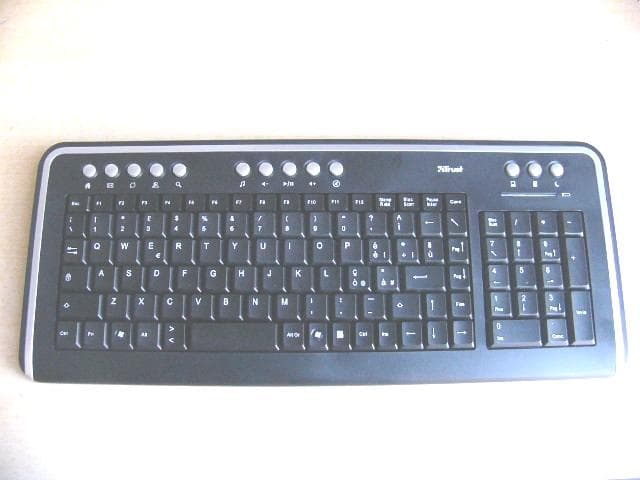
VNK-15555
Dec 12, 2007TRUST US DS-3200 WLOPT SL DESK
Equipment Class
DXX - Part 15 Low Power Communication Device Transmitter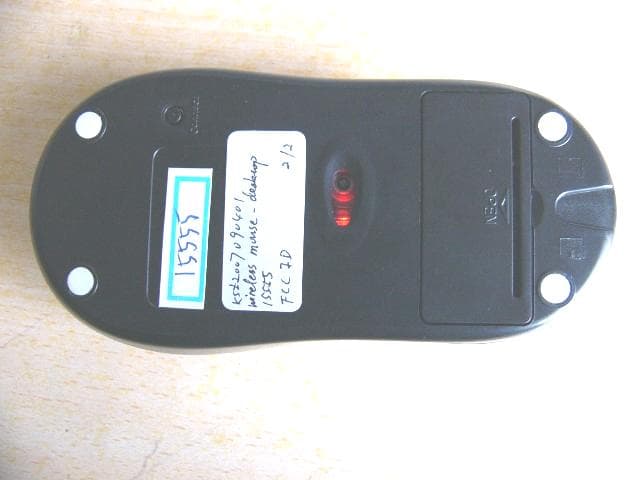
VNK15555
Dec 12, 2007TRUST US DS-3200 WLOPT SL DESK
Equipment Class
DXX - Part 15 Low Power Communication Device Transmitter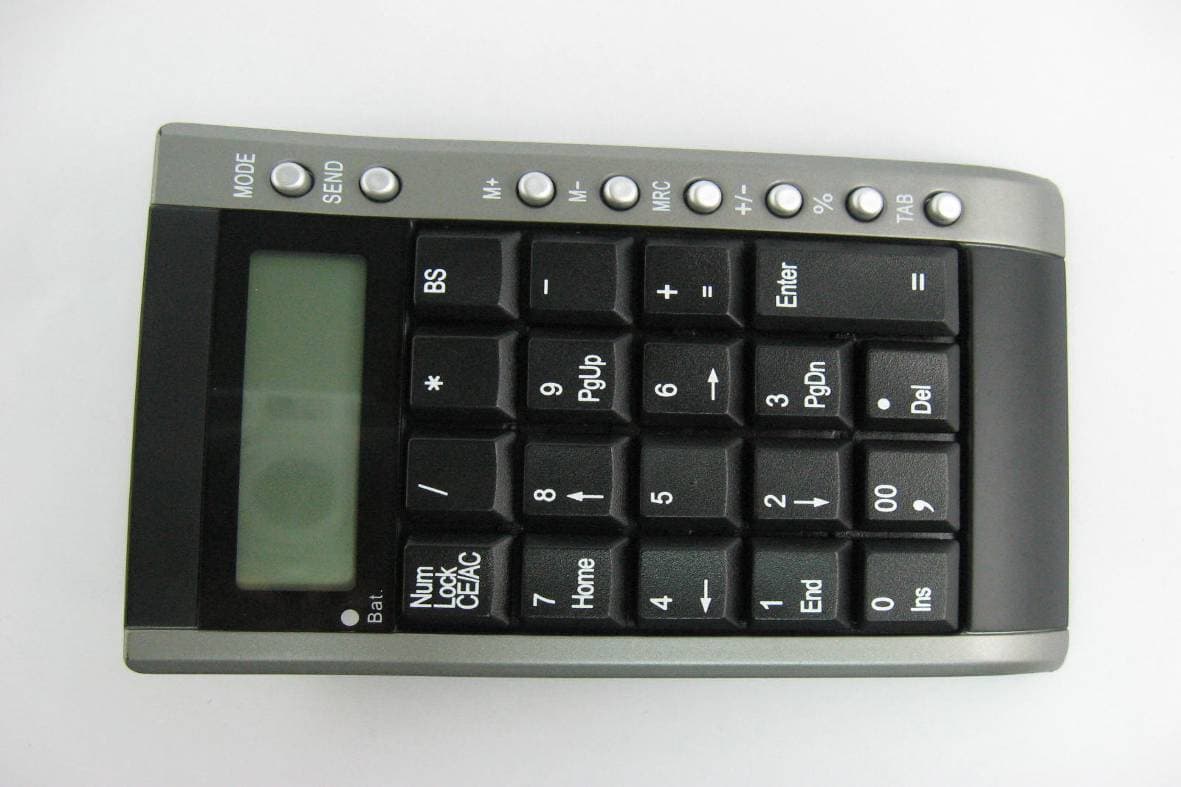
VNK-15560K
Nov 14, 2007KP-4100p Wireless Calculator Keypad & Mouse
Equipment Class
DXX - Part 15 Low Power Communication Device Transmitter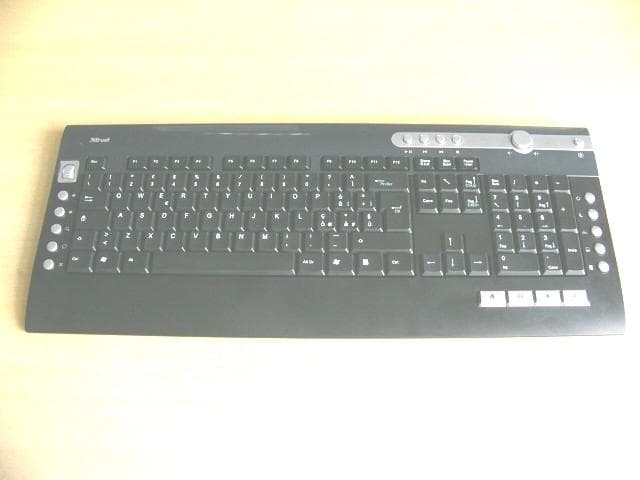
VNK15554
Sep 19, 2007TRUST US DS-3250 MULTIMEDIA DESKSET-KEYBOARD
Equipment Class
DXX - Part 15 Low Power Communication Device Transmitter