VOZ-TBK104Industrial Wireless Keyboard
Jinghong Industrial (Hong Kong) Co., Limited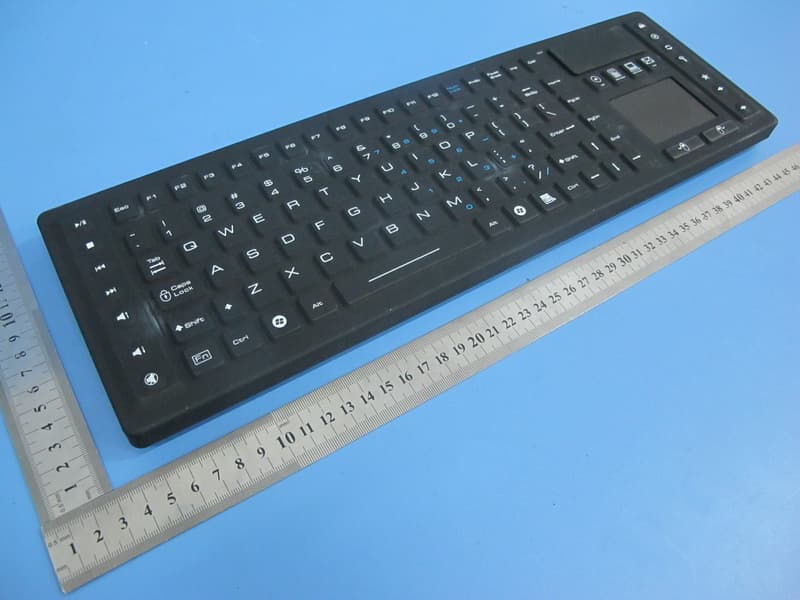
Click to zoom
Application Details
- Equipment Class
- DXX - Part 15 Low Power Communication Device Transmitter
- Date of Grant
- May 07, 2015
- Application Purpose
- Original Equipment
- Date of Application
- May 06, 2015
- Equipment Note
- Industrial Wireless Keyboard
- Frequency Range
- 2402.00000000 - 2474.00000000
- Country
- China
Documents & Files
Document Text
Text extracted from the exhibit documents filed with the FCC. Open a document above to read the original.
Users Manual
User Manual for JH-TBK104 Industrial Wireless Keyboard Product Features • A tailor-made wireless keyboard with touchpad, rigid and rugged, waterproof and washable, made of silicone • 2.4 GHz digital radio frequency technology • Automatic synchronization between the Keyboard and Receiver • Working distance up to 10 meters (30 feet) • Compatible with Windows ® 8/7/Vista ® /XP/2000/ME/98 • Operated by 1.5V 2pcs battery Specifications Keyboard dimensions: 419(L) x 133(W) x 14(T) mm Keyboard net weight: 750 g Radio frequency: 2402 – 2474 MHz Type of modulation: GFSK Power consumption: Working –22 mA Max. Standby - 1 mA Sleep - 50 μA Standby time: 1.5 Sec. (in case of no operation) Sleep time: 30 Sec. (In case of no operation) Battery voltage range for keyboard working: 1.5 – 3.3 V Low power indication: < 1.5 V Battery Compartment and Nano USB Receiver Installation and Connection 1. Remove the battery compartment cover. 2. 1.5V 2pcs battery insert 3. Replace the battery compartment cover. 4. Remove the Nano USB Receiver from the back of the keyboard. 5. Plug the Nano USB Receiver into a USB port on your computer. 6. A message pops out on your computer screen “An USB device is found” or “A driver software is being installed”, after a while a new message shows “The device is ready for use”. 7. Test the Keyboard by pressing the Window ® key on the Keyboard. If the key is functional, the connection is completed and the Keyboard is working with your computer properly, otherwise, you should try another USB port on your computer by following step 5 to step 7 Media and Hot Keys There are 18 media and hot keys located on the keyboard. The media and hot keys are shortcuts to your default web browser, Microsoft ® Outlook ® , Windows ® Media Player. They also control basic playback of Windows ® Media Player. Each function of the media and hot keys see the table below. Windows Legend Function Play/Pause (Works only on Windows ® Media Player) Stop (Works only on Windows ® Media Player) Volume Up (Works only on Windows ® Media Player) Volume Down (Works only on Windows ® Media Player) Mute (Works only on Windows ® Media Player) Next Track (Works only on Windows ® Media Player) Previous Track (Works only on Windows ® Media Player) Windows ® Start Windows Legend Function Home (Launch default web browser) Stop (Stop browsing) Refresh (Refresh the page) Search (Launch Windows ® Search) Favorites (Open Favorites in default web browser) Back (Back to previous page) Forward (Go to next page) Mail (Launch Microsoft ® Outlook ® ) Media (Launch Windows ® Media Player) Calculator (Launch Windows ® Calculator) My Computer (Launch My Computer) Caps Lock, Num Lock and Numeric Keypad Caps Lock sets the keyboard to type in all uppercase letters. There is a numeric keypad on the keyboard, located on the composite keys 7, 8, 9, 0, U, I, O, P, J, K, L, ;, M, . and /, printed in blue color. The Num Lock engages the numeric keypad. When Caps Lock is not engaged, press the Fn and the composite keys at the same time can also type numbers and *, -, +, / and .. Cleaning the Keyboard The keyboard is water resistance. You can clean the keyboard with water and diluted solution of the most popular cleaners. Caution: The battery compartment is not waterproof. Getting water into the battery compartment will cause the battery damaged. Sleep (Power Saving) Mode If the Keyboard has not being used for 30 seconds, it will automatically enter into Sleep mode to save the power of the battery. To wake up the Keyboard from Sleep mode, press any key on the Keyboard. Notes 1. Each set of keyboard and receiver is paired by manufacturer. Do not mix up the keyboard with other receivers; 2. Do not stab the keyboard with knife or sharp objects 3. Do not let the keyboard to be in contact with oil, gasoline, high-molecular solvent like acetone, toluene, etc. Troubleshooting In case of no response after checking battery, the connection between keyboard and receiver may be lost. Press the Fn and Esc keys at the same time to repair (force connect) the keyboard and the receiver. After the LED Indicator goes off from quick flash, try the keyboard again. Disclaimer Windows ® is a registered trademark of Microsoft Corporation. This item is not manufactured, sponsored, endorsed or distributed by Microsoft Corporation. FCC Statement This equipment has been tested and found to comply with the limits for a Class B digital device, pursuant to part 15 of the FCC rules. These limits are designed to provide reasonable protection against harmful interference in a residential installation. This equipment generates, uses and can radiate radio frequency energy and, if not installed and used in accordance with the instructions, may cause harmful interference to radio communications. However, there is no guarantee that interference will not occur in a particular installation. If this equipment does cause harmful interference to radio or television reception, which can be determined by turning the equipment off and on, the user is encouraged to try to correct the interference by one or more of the following measures: -Reorient or relocate the receiving antenna. -Increase the separation between the equipment and receiver. -Connect the equipment into an outlet on a circuit different from that to which the receiver is connected. -Consult the dealer or an experienced radio/TV technician for help. To assure continued compliance, any changes or modifications not expressly approved by the party. Responsible for compliance could void the user’s authority to operate this equipment. (Example- use only shielded interface cables when connecting to computer or peripheral devices). This equipment complies with Part 15 of the FCC Rules. Operation is subject to the following two conditions: (1) This device may not cause harmful interference, and (2) This device must accept any interference received, including interference that may cause undesired operation. Caution: Any changes or modification…
Text truncated - open the document above for the full version.
Cover Letter(s)
SCS-F18: Project and Product Certification Representative Authorization Letter Page 1 of 3 Rev 5.0 775 Montague Expressway Milpitas, CA 95035 Tel: 408-526-1188 Fax: 408-526-1088 Email: [email protected] Project and Product Certification Representative Authorization Letter Reason for Amendment (current / obsolete) Revision History Approved Date From To Initial Release (obsolete) 1.0 1.0 Nov-14-2006 Revised wording (obsolete) 1.0 2.0 Sept–25-2007 Updated company template (obsolete) 2.0 3.0 Jan-31-2012 Updated letter information (obsolete) 3.0 4.0 May-23-2014 Added FCC ID field (current) 4.0 5.0 Sept 16 2014 SCS-F18: Project and Product Certification Representative Authorization Letter Page 2 of 3 Rev 5.0 JINGHONG INDUSTRIAL (HONGKONG)CO.,LIMITED 2015-04-22 To: SIEMIC, INC. 775 Montague Expressway, Milpitas, CA 95035 USA Dear Sir/Madam, Re: Product Certification Representative Authorization Letter We, _____ JINGHONG INDUSTRIAL (HONGKONG)CO.,LIMITED _____hereby authorize SIEMIC, Inc. to act as a Certification Body for certifying for the following project(s): (Industrial Wireless Keyboard, JH-TBK104) FCC ID: VOZ-TBK104 Sincerely, Client’s signature Client’s name / title Alan Zhu /General Manager Contact information / address La 2, Block B, Hengmingzhu, Bao Tian Industry, Qianjin 2 Rd., Baoan District, Shenzhen, China
Cover Letter(s)
SCS-F19: Confidentiality Request Letter Page 1 of 4 Rev 4.0 775 Montague Expressway Milpitas, CA 95035 Tel: 408-526-1188 Fax: 408-526-1088 Email: [email protected] Confidentiality Request Letter Reason for Amendment (current / obsolete) Revision History Approved Date From To Initial Release (obsolete) 1.0 1.0 Nov-14-2006 Adding CFR 2.459 (obsolete) 1.0 2.0 August – 11 - 2008 Updated company template & Added text box (obsolete) 2.0 3.0 Jan-31-2012 Added IC confidentiality letter form (current) 3.0 4.0 March-26-2015 SCS-F19: Confidentiality Request Letter Page 2 of 4 Rev 4.0 JINGHONG INDUSTRIAL (HONGKONG)CO.,LIMITED 2015-04-22 To: Federal Communications Commission Authorization and Evaluation Division 7435 Oakland Mills Road Columbia, MD Subject: Permanent Confidentiality Request for FCC ID: VOZ-TBK104 We hereby request confidential treatment of information accompanying this application as outlined below: - Block Diagram - Schematics - Operational Description The above materials contain trade secrets and proprietary information not customarily released to the public. The public disclosure of these materials may be harmful to the applicant and provide unjustified benefits to its competitors. The applicant understands that pursuant to Section 0.457 & 0.459 of the Rules, disclosure of this application and all accompanying documentation will not be made before the date of the Grant for this application. Sincerely, Client’s signature Client’s name / title Alan Zhu/ General Manager Contact information / address La 2, Block B, Hengmingzhu, Bao Tian Industry, Qianjin 2 Rd., Baoan District, Shenzhen, China
External Photos
Report No.: TB-RF143930 Page: 3 of 7 TB-RF-075-1.0 Appendix III EUT External Photographs Photo 1 Appearance of EUT Photo 2 Appearance of EUT Report No.: TB-RF143930 Page: 4 of 7 TB-RF-075-1.0 Photo 3 Appearance of EUT Photo 4 Appearance of EUT
ID Label/Location Info
Report No.: TB-RF143930 Page: 2 of 7 TB-RF-075-1.0 Appendix II ID Label Location FCC ID LOCATION
ID Label/Location Info
Report No.: TB-FCC143930 Page: 1 of 7 TB-RF-074-1.0 Appendix IID Label FCC ID: VOZ-TBK104 JINGHONG INDUSTRIAL (HONGKONG)CO.,LIMITED Model: JH-TBK104 This device complies with part 15 of the FCC Rules. Operation is subject to the following two conditions: (1) This device may not cause harmful interference, and (2) this device must accept any interference received, including interference that may cause undesired operation.
Internal Photos
Report No.: TB-RF143930 Page: 5 of 7 TB-RF-075-1.0 Appendix IV EUT Internal Photographs Photo 5 Appearance of PCB Photo 6 Appearance of PCB Report No.: TB-RF143930 Page: 6 of 7 TB-RF-075-1.0 Photo 7 Appearance of PCB Antenna
Test Report
Shenzhen Toby Technology Co., Ltd. Report No.: TB-FCC143930 Page: 1 of 32 TB-RF-074-1.0 1A/F., Bldg.6, Yusheng Industrial Zone, The National Road No.107 Xixiang Section 467, Xixiang, Bao’an, Shenzhen, China Tel: +86 75526509301 Fax: +86 75526509195 FCC Radio Test Report FCC ID: VOZ-TBK104 Report No. : TB-FCC143930 Applicant : JINGHONG INDUSTRIAL (HONGKONG)CO.,LIMITED Equipment Under Test (EUT) EUT Name : Industrial Wireless Keyboard Model No. : JH-TBK104 Serial No. : N/A Brand Name : N/A Receipt Date : 2015-04-17 Test Date : 2015-04-18 to 2015-04-22 Issue Date : 2015-04-23 Standards : FCC Part 15, Subpart C (15.249: 2014) Test Method : ANSI C63.10: 2013 Conclusions : PASS In the configuration tested, the EUT complied with the standards specified above, The EUT technically complies with the FCC requirements Test/Witness Engineer : Approved& Authorized : This report details the results of the testing carried out on one sample. The results contained in this test report do not relate to other samples of the same product. The manufacturer should ensure that all products in series production are in conformity with the product sample detailed in the report. Report No.: TB-FCC143930 Page: 2 of 32 TB-RF-074-1.1 Contents CONTENTS ............................................................................................................................................. 2 1. GENERAL INFORMATION ABOUT EUT ............................................................................. 3 1.1 Client Information ................................................................................................................. 3 1.2 General Description of EUT (Equipment Under Test) ................................................... 3 1.3 Block Diagram Showing the Configuration of System Tested ...................................... 4 1.4 Description of Support Units .............................................................................................. 4 1.5 Description of Test Mode .................................................................................................... 4 1.6 Description of Test Software Setting ................................................................................ 5 1.7 Test Facility ........................................................................................................................... 6 2. TEST SUMMARY ....................................................................................................................... 7 3. CONDUCTED EMISSION TEST ............................................................................................. 8 3.1 Test Standard and Limit ...................................................................................................... 8 3.2 Test Setup ............................................................................................................................. 8 3.3 Test Procedure ..................................................................................................................... 8 3.4 Test Equipment Used .......................................................................................................... 9 3.5 EUT Operating Mode .......................................................................................................... 9 3.6 Test Data ............................................................................................................................... 9 4. RADIATED EMISSION TEST ................................................................................................ 10 4.1 Test Standard and Limit .................................................................................................... 10 4.2 Test Setup ........................................................................................................................... 11 4.3 Test Procedure ................................................................................................................... 12 4.4 EUT Operating Condition ................................................................................................. 13 4.5 Test Equipment .................................................................................................................. 13 4.6 Test Data ............................................................................................................................. 13 5. BANDWIDTH TEST ................................................................................................................. 28 5.1 Test Setup ........................................................................................................................... 28 5.2 Test Procedure ................................................................................................................... 28 5.3 EUT Operating Condition ................................................................................................. 28 5.4 Test Equipment .................................................................................................................. 28 5.5 Test Data ............................................................................................................................. 28 6. ANTENNA REQUIREMENT ................................................................................................... 32 6.1 Standard Requirement ...................................................................................................... 32 6.2 Antenna Connected Construction ................................................................................... 32 6.3 Result ................................................................................................................................... 32 Report No.: TB-FCC143930 Page: 3 of 32 TB-RF-074-1.1 1. General Information about EUT 1.1 Client Information Applicant : JINGHONG INDUSTRIAL (HONGKONG)CO.,LIMITED Address : La 2, Block B, Hengmingzhu, Bao Tian Industry, Qianjin 2 Rd., Baoan Di…
Text truncated - open the document above for the full version.
Test Setup Photos
Report No.: TB-RF143930 Page: 7 of 7 TB-RF-075-1.0 Appendix V EUT Test Photographs Photo of Setup for Radiated Emission (Above 1 GHz) Photo of Setup for Radiated Emission (Bellow 1 GHz)
Contact Information
Applicant
Alan Zhu(General Manager)
Test Firm
Shenzhen Toby Technology Co., Ltd.Justin Zhang
Technical Specifications
| # | Rule Parts | Frequency Range | Power Output |
|---|---|---|---|
| 1 | 15C | 2.40 GHz - 2.47 GHz | - |
Other Applications from Jinghong Industrial (Hong Kong) Co., Limited
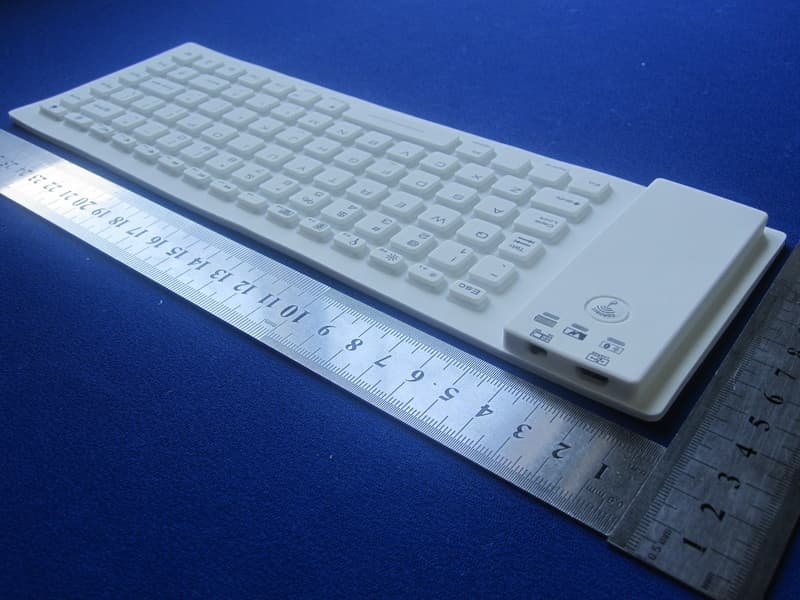
VOZ-FR85BT
Jul 06, 2012Silicone Flexible Bluetooth Keyboard
Equipment Class
DSS - Part 15 Spread Spectrum Transmitter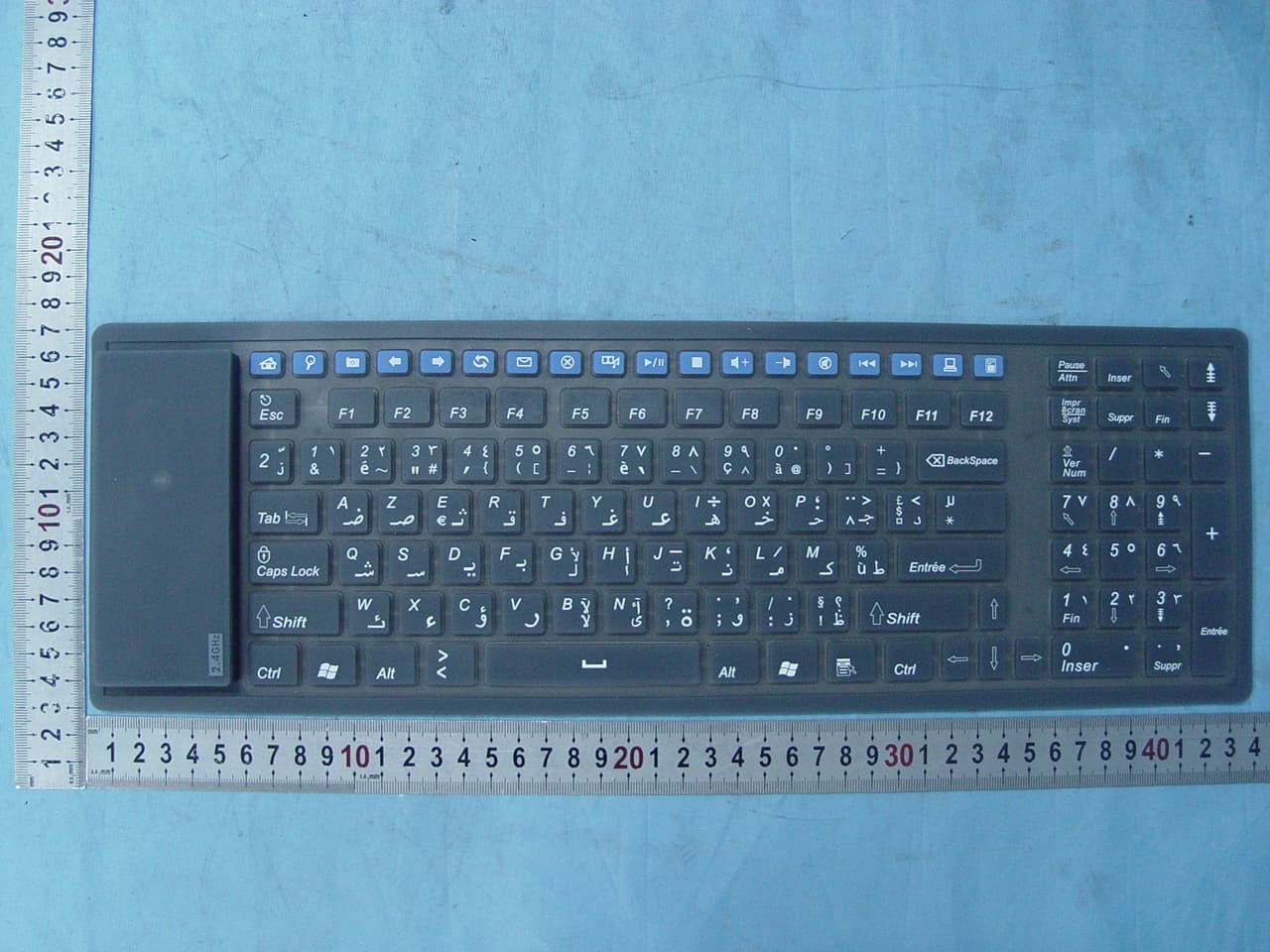
VOZFK126MW
Sep 27, 2007Wireless Silicone Keyboard
Equipment Class
DXX - Part 15 Low Power Communication Device Transmitter