VYTLP-7665802.11 b/g/n WIRELESS PIC CARD
Loopcomm Technology,.Inc.
Click to zoom
Application Details
- Equipment Class
- DTS - Digital Transmission System
- Date of Grant
- Jul 29, 2010
- Application Purpose
- Original Equipment
- Date of Application
- Jul 29, 2010
- Equipment Note
- 802.11 b/g/n WIRELESS PIC CARD
- Frequency Range
- 2422.00000000 - 2452.00000000
- Company
- Loopcomm Technology,.Inc.
- Country
- Taiwan
Documents & Files
Document Text
Text extracted from the exhibit documents filed with the FCC. Open a document above to read the original.
Users Manual
1 Table of Contents 1.Introduction...................................................................................................................................3 1.1Welcome......................................................................................................................3 1.2Product Feature.........................................................................................................3 1.3Contents of Package...................................................................................................3 1.4Before you begin.........................................................................................................4 2.Designing Your PCI Adapter........................................................................................................4 3.Installation.....................................................................................................................................5 3.1Install Your PCI Adapter...........................................................................................5 3.2Install Driver and Utility...........................................................................................5 4.Utility Configure...........................................................................................................................8 4.1 WZC............................................................................................................................8 4.1.1Ralink Wireless Utility (RaUI) or Windows Zero Configuration (WZC)....8 4.1.2Use WZC to configure wireless NIC...............................................................9 4.2RaUI..........................................................................................................................13 4.2.1Start.................................................................................................................13 4.2.1.1 Start RaUI.....................................................................................................13 4.2.2Profile..............................................................................................................18 4.2.2.1Profile......................................................................................................18 4.2.2.2Add/Edit Profile.....................................................................................20 4.2.2.3Example to Add Profile in Profile.........................................................21 4.2.3Network...........................................................................................................23 4.2.3.1Network...................................................................................................23 4.2.3.2Example on Adding Profile in Network...............................................25 4.2.4Advanced.........................................................................................................27 4.2.5Statistics...........................................................................................................27 4.2.6WMM..............................................................................................................29 4.2.6.1WMM......................................................................................................29 4.2.6.2Example to Configure to Enable DLS (Direct Link Setup)................29 4.2.6.3Example to Configure to Enable Wi-Fi Multi-Media.........................30 4.2.6.4Example to Configure to Enable WMM-Power Save.........................31 4.2.7WPS.................................................................................................................32 4.2.7.1WPS.........................................................................................................32 4.2.7.2WPS Information on AP........................................................................34 4.2.7.3Example to Add to Registrar Using PIN Method................................35 4.2.7.4Example to Add to Registrar Using PBC Method...............................37 4.2.7.5Example to Configure a Network/AP Using PIN or PBC Method.....41 4.2.8About...............................................................................................................42 4.2.9Link Status......................................................................................................43 4.3Security.....................................................................................................................44 4.3.1Auth.\Encry. Setting-WEP/TKIP/AES.........................................................44 4.3.2802.1x Setting..................................................................................................44 4.3.3Example to Reconnect 802.1x Authenticated Connection after 802.1x Authenticated connection is failed in Profile...................................................................46 4.3.4Example to Configure Connection with WEP on........................................47 4.3.5Example to Configure connection with WPA-PSK......................................50 4.3.6Example to configure connection with WPA................................................51 5.Trouble Shooting.........................................................................................................................54 2 1.Introduction 1.1Welcome PCI Adapter connects you with IEEE802.11n networks at receiving rate up to an incredible 300Mbps! By using the reflection signal, 802.11n technology increases the range and reduces "dead spots in the wireless coverage area. Unlike ordinary wireless networking of 802.11b/g standards that are confused by wireless reflections, 802.11n can actually use these reflections to increase four times transmission range of 802.11g products. Besides, when both ends of the wireless link are 802.11n products, The PCI can utilize twice radio band to increase three times transmission speed of ordinary 802.11g standard products, and can comply with ba…
Text truncated - open the document above for the full version.
External Photos
Spectrum Research & Testing Lab., Inc. No. 101-10, Ling 8, Shan-Tong Li, Chung-Li City, Taoyuan, Taiwan, R.O.C. Reference No.: A10053102 Photo Page: 1 of 3 PHOTOS OF EUT Spectrum Research & Testing Lab., Inc. No. 101-10, Ling 8, Shan-Tong Li, Chung-Li City, Taoyuan, Taiwan, R.O.C. Reference No.: A10053102 Photo Page: 2 of 3 PHOTOS OF EUT Spectrum Research & Testing Lab., Inc. No. 101-10, Ling 8, Shan-Tong Li, Chung-Li City, Taoyuan, Taiwan, R.O.C. Reference No.: A10053102 Photo Page: 3 of 3 PHOTOS OF EUT
ID Label/Location Info
Spectrum Research & Testing Lab., Inc. No. 101-10, Ling 8, Shan-Tong Li, Chung-Li City, Taoyuan, Taiwan, R.O.C. Sample of FCC ID Label The device is so small that the 2 parts warning statement does not have to go on the device. It will be really hard to read. We remove the 2 parts statement from the device since we already have it in the manual. FCC ID :VYTLP-7665
Internal Photos
Spectrum Research & Testing Lab., Inc. No. 101-10, Ling 8, Shan-Tong Li, Chung-Li City, Taoyuan, Taiwan, R.O.C. Reference No.: A10053102 Photo Page: 1 of 3 PHOTOS OF EUT Spectrum Research & Testing Lab., Inc. No. 101-10, Ling 8, Shan-Tong Li, Chung-Li City, Taoyuan, Taiwan, R.O.C. Reference No.: A10053102 Photo Page: 2 of 3 PHOTOS OF EUT Spectrum Research & Testing Lab., Inc. No. 101-10, Ling 8, Shan-Tong Li, Chung-Li City, Taoyuan, Taiwan, R.O.C. Reference No.: A10053102 Photo Page: 3 of 3 PHOTOS OF EUT
Operational Description
TECHNOLOGICAL SPEC. 1. Product Name: 802.11 b/g/n Wireless PCI Card Model: LP-7665 Brand: LOOPCOMM 2. Power Source: ■ DC 3.3 V, A; □ AC V, A 3. Frequency Band: 2.400GHz ~ 2.484GHz Carrier Frequency: 2.412 ~ 2.462 ; 2422 ~ 2452 GHz 4. Number of Channel: 11 5. Channel Spacing: 5 MHz 6. RF Output Power (ERP or EIRP) : 11n(20M):0.023W ; 11n(40M):0.009W ; 11g : 0.026W ; 11b : 0.026W 7. I.F.: MHz; L.O.: MHz 8. Modulation Type: b: DSSS ; g/n: OFDM 9. Duty Cycle: % 10. Mode of operation (duplex, simplex, half duplex) : Half duplex 11. Bit Rate of Transmission: b: 1, 2, 5.5,11Mbps ; g: 6, 9, 12, 18, 24, 36, 48, 54Mbps 11n(20M) : 13,26,39,52,78,104,117,130Mbps 11n(40M) : 27,54,81,108,162,216,243,270,300Mbps 12. Antenna Type: Reversed SMA Dipole 13. Antenna gain: 2 dBi 14. Operating Temperature Range: 0 ~ 55 °C 15. Channel bandwidth : 20 MHZ
Operational Description
FCC ID: VYTLP-7665 Operational Description of the equipment The EUT is an 802.11 b/g/n Wireless PCI Card with 11 channels. This device provided four kinds of transmitting speed 1, 2, 5.5 and 11Mbps and the device of RF carrier is DBPSK, DQPSK and CCK (IEEE 802.11b). The device provided of eight kinds of transmitting speed 6, 9, 12, 18, 24, 36, 48 and 54Mbps the device of RF carrier is BPSK, QPSK, 16QAM and 64QAM (IEEE 802.11g). The device provided of eight kinds of transmitting speed 13,26,39,52,78,104,117 and 130Mbps in 802.11n(20M-BW) mode and 27,54,81,108,162,216,243,270 and 300Mbps(40M-BW) the device of RF carrier is BPSK, QPSK, 16QAM and 64QAM (IEEE 802.11n), the IEEE 802.11n is Multiple In, Multiple Out” (MIMO) technology and two antennas to support 2(Transmit) * 2(Receive) MIMO technology. This 802.11 b/g/n Wireless PCI Card, compliant with IEEE 802.11b and IEEE 802.11g/n, is a high-efficiency Wireless LAN card. It allows your computer to connect to a wireless network and to share resources, such as files or printers without being bound to the network wires. Operation in 2.4GHz Direst Sequence Spread Spectrum (DSSS) and Orthogonal Frequency Division Multiplexing (OFDM) radio transmission, the 802.11 b/g/n Wireless PCI Card Wired Equivalent Protection (WEP) algorithm is used. In addition, its standard compliance ensures that it can communicate with any IEEE 802.11b and IEEE 802.11g/n network. More detailed information see as bellow : PRODUCT 802.11 b/g/n Wireless PCI Card MODEL NO. LP-7665 BRAND LOOPCOMM POWER SUPPLY DC power source from PC 3.3V CABLE N/A FREQUENCY BAND 2.400GHz ~ 2.483.5GHz CARRIER FREQUENCY 2.412GHz ~ 2.462GHz ; 2.422GHz ~ 2.452GHz CHANNEL SPACING 5 MHz NUMBER OF CHANNEL b/g/n(20M):11 ; n(40M):7 CHANNEL SPACING 20MHz RF OUTPUT POWER 11n(20M):0.023W ; 11n(40M):0.009W 11g : 0.026W ; 11b : 0.026W MODULATION TYPE 11b : DSSS ; 11g/n : OFDM BIT RATE OF TRANSMISSION 11b: 1, 2, 5.5, 11Mbps 11g: 6, 9, 12, 18, 24, 36, 48, 54Mbps 11n(20M) : 13,26,39,52,78,104,117, 130Mbps 11n(40M) : 27,54,81,108,162,216,243,270,300Mbps MODE OF OPERATION Half Duplex ANTENNA TYPE Reverse SMA Dipole ANTENNA GAIN 2 dBi OPERATING TEMPERATURE RANGE 0 ~ 55°C
Test Report
Spectrum Research & Testing Lab., Inc. No. 101-10, Ling 8, Shan-Tong Li, Chung-Li City, Taoyuan, Taiwan TEST REPORT Reference No.: A10070601 Report No.:FCCA10070601 FCC ID : VYTLP-7665 Page:2 of 138 Date: Jul. 13, 2010 FMNG-059.10 REPORT Table of Contents 1. DOCUMENT POLICY AND TEST STATEMENT................................................. 4 1.1 DOCUMENT POLICY ......................................................................................... 4 1.2 TEST STATEMENT ............................................................................................ 4 1.3 EUT MODIFICATION.......................................................................................... 4 2. DESCRIPTION OF EUT AND TEST MODE ....................................................... 5 2.1 GENERAL DESCRIPTION OF EUT ................................................................... 5 2.2 DESCRIPTION OF EUT INTERNAL DEVICE .................................................... 5 2.3 DESCRIPTION OF TEST MODE ....................................................................... 6 2.4 DESCRIPTION OF SUPPORT UNIT.................................................................. 6 2.5 EUT OPERATING CONDITION.......................................................................... 7 3. DESCRIPTION OF APPLIED STANDARDS....................................................... 7 4 . TECHNICAL CHARACTERISTICS TEST .......................................................... 8 4.1 CONDUCTED EMISSION TEST ........................................................................ 8 4.1.1 LIMIT ............................................................................................................... 8 4.1.2 TEST EQUIPMENT ......................................................................................... 8 4.1.3 TEST SETUP................................................................................................... 9 4.1.4 TEST PROCEDURE........................................................................................ 9 4.1.5 TEST RESULT............................................................................................... 10 4.2 RADIATED EMISSION TEST ........................................................................... 15 4.2.1 LIMIT ............................................................................................................. 15 4.2.2 TEST EQUIPMENT ....................................................................................... 16 4.2.3 TEST SET-UP................................................................................................ 17 4.2.4 TEST PROCEDURE...................................................................................... 19 4.2.5 TEST RESULT............................................................................................... 20 4.3 BANDWIDTH TEST .......................................................................................... 54 4.3.1 LIMIT ............................................................................................................. 54 4.3.2 TEST EQUIPMENT ....................................................................................... 54 4.3.3 TEST SET-UP................................................................................................ 54 4.3.4 TEST PROCEDURE...................................................................................... 54 4.3.5 EUT OPERATING CONDITION..................................................................... 54 4.3.6 TEST RESULT............................................................................................... 55 4.4.2 TEST EQUIPMENT ....................................................................................... 71 Spectrum Research & Testing Lab., Inc. No. 101-10, Ling 8, Shan-Tong Li, Chung-Li City, Taoyuan, Taiwan TEST REPORT Reference No.: A10070601 Report No.:FCCA10070601 FCC ID : VYTLP-7665 Page:3 of 138 Date: Jul. 13, 2010 FMNG-059.10 REPORT 4.4.3 TEST SET-UP................................................................................................ 72 4.4.4 TEST PROCEDURE...................................................................................... 72 4.4.5 EUT OPERATING CONDITION..................................................................... 72 4.4.6 TEST RESULT............................................................................................... 73 4.5 BAND EDGE TEST .......................................................................................... 93 4.5.1 LIMIT ............................................................................................................. 93 4.5.2 TEST EQUIPMENT ....................................................................................... 94 4.5.3 TEST SET-UP................................................................................................ 95 4.5.4 TEST PROCEDURE...................................................................................... 96 4.5.5 EUT OPERATING CONDITION..................................................................... 96 4.5.6 TEST RESULT............................................................................................... 97 4.6 POWER DENSITY TEST .............................................................................. 113 4.6.1 LIMIT ........................................................................................................... 113 4.6.2 TEST EQUIPMENT ..................................................................................... 113 4.6.3 TEST SET-UP.............................................................................................. 113 4.6.4 TEST PROCEDURE.................................................................................... 113 4.6.5 EUT OPERATING CONDITION................................................................... 113 4.6.6 TEST RESULT.........................................................................................…
Text truncated - open the document above for the full version.
Test Setup Photos
Spectrum Research & Testing Lab., Inc. No. 101-10, Ling 8, Shan-Tong Li, Chung-Li City, Taoyuan, Taiwan TEST REPORT Reference No.: A10070601 Report No.:FCCA10070601 FCC ID : VYTLP-7665 Page:135 of 138 Date: Jul. 13, 2010 ̇ˠˡ ̊ˀ˃ˈˌˁ˄˃ʳ˥ ̆ˣˢ˥˧ 6. PHOTOS OF TESTING - Conducted test Spectrum Research & Testing Lab., Inc. No. 101-10, Ling 8, Shan-Tong Li, Chung-Li City, Taoyuan, Taiwan TEST REPORT Reference No.: A10070601 Report No.:FCCA10070601 FCC ID : VYTLP-7665 Page:136 of 138 Date: Jul. 13, 2010 ̇ˠˡ ̊ˀ˃ˈˌˁ˄˃ʳ˥ ̆ˣˢ˥˧ - Radiated test (below 1G , TX + RX) Spectrum Research & Testing Lab., Inc. No. 101-10, Ling 8, Shan-Tong Li, Chung-Li City, Taoyuan, Taiwan TEST REPORT Reference No.: A10070601 Report No.:FCCA10070601 FCC ID : VYTLP-7665 Page:137 of 138 Date: Jul. 13, 2010 ̇ˠˡ ̊ˀ˃ˈˌˁ˄˃ʳ˥ ̆ˣˢ˥˧ - Radiated test (above 1G , TX + RX)
Contact Information
Applicant
Jane Lee(vice president)
Test Firm
Spectrum Research & Testing Laboratory, IncJohnson Ho
Technical Specifications
| # | Rule Parts | Frequency Range | Power Output |
|---|---|---|---|
| 2 | 15C | 2.42 GHz - 2.45 GHz | 9.00 mW |
Other Applications from Loopcomm Technology,.Inc.

VYTLP-8014
Dec 15, 2015AC 600 Wireless PCle Card
Equipment Class
NII - Unlicensed National Information Infrastructure TX
VYTLP-8697N
Aug 02, 2015Compact 802.11 B/G/N Wireless USB Dongle (2T2R)
Equipment Class
DTS - Digital Transmission System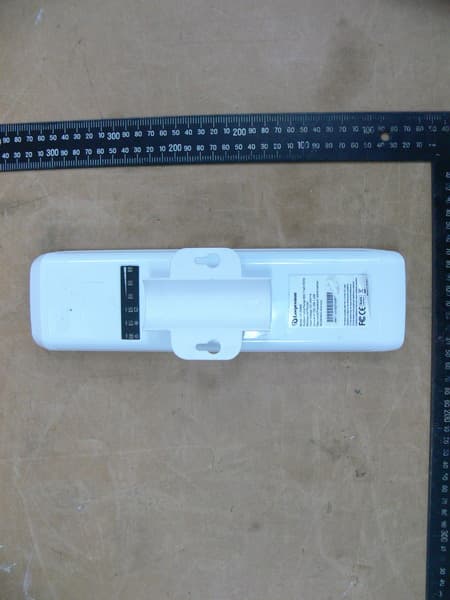
VYTLP2596KUS
Jun 07, 2015Outdoor Long Range 802.11a/n 5GHz Wi-Fi AP/CPE/Bridge
Equipment Class
NII - Unlicensed National Information Infrastructure TX
VYT-LP2396K
Mar 24, 2015Outdoor 2.4GHz Wireless AP/CPE/Bridge
Equipment Class
DTS - Digital Transmission System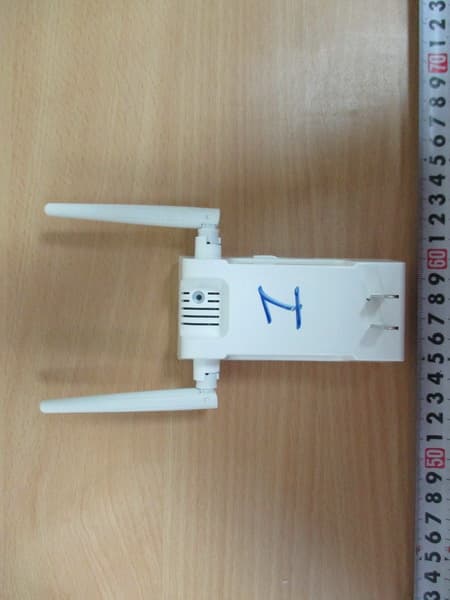
VYTLP8696P
Jul 04, 2014802.11 b/g/n 2.4G Indoor Wireless Smart Repeater (2T2R)
Equipment Class
DTS - Digital Transmission System