WIYUPT1000-BVPOS Terminal
CASTLES TECHNOLOGY CO., LTD.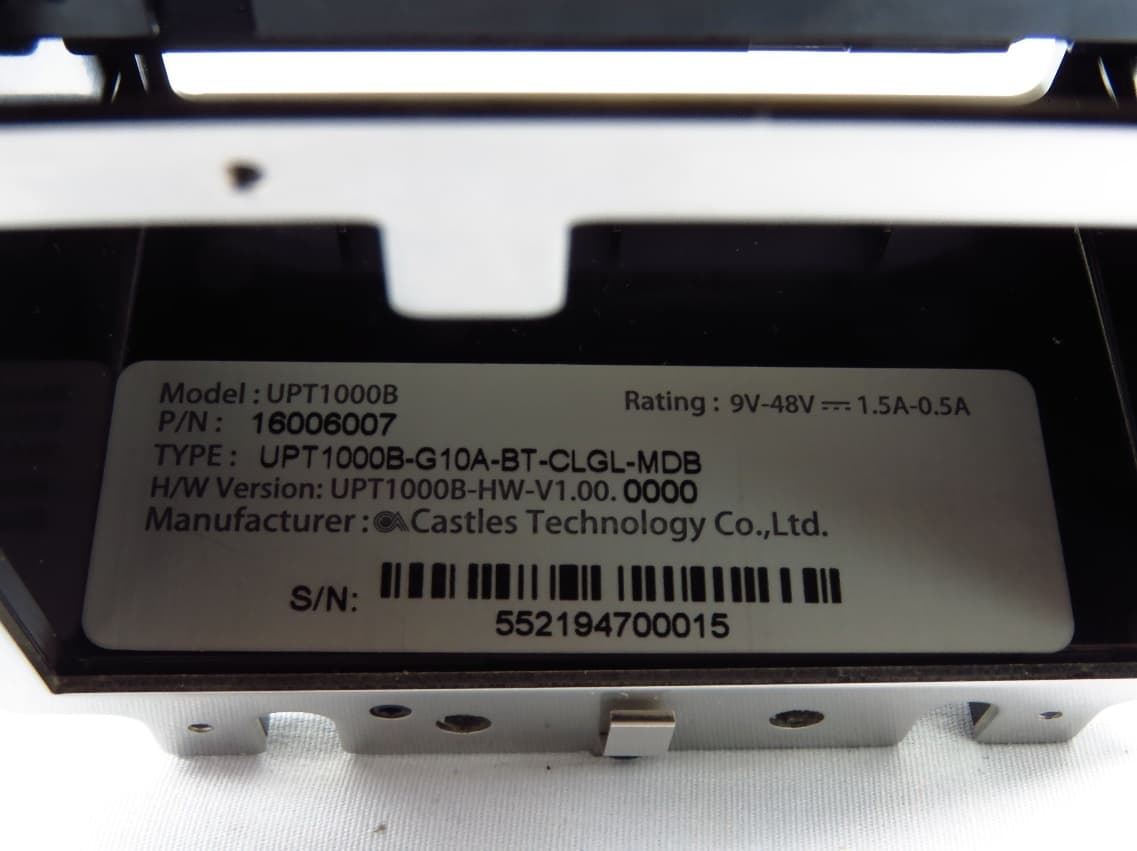
Click to zoom
Application Details
- Equipment Class
- DXX - Part 15 Low Power Communication Device Transmitter
- Date of Grant
- Mar 14, 2020
- Application Purpose
- Original Equipment
- Date of Application
- Mar 14, 2020
- Equipment Note
- POS Terminal
- Frequency Range
- 13.56000000 - 13.56000000
- Company
- CASTLES TECHNOLOGY CO., LTD.
- Country
- Taiwan
Documents & Files
Document Text
Text extracted from the exhibit documents filed with the FCC. Open a document above to read the original.
Users Manual
UPT1000B(Certification) Book 2 User Manual Confidential Version 1.1 Feb. 2020 CASTLES TECHNOLOGY Castles Technology Co., Ltd. 6F, No. 207-5, Sec. 3, Beixin Rd., Xindian District, New Taipei City 23143, Taiwan R.O.C. http://www.castech.com.tw Castles Technology Co., Ltd. Confidential • All Right Reserved. Pg. 2 WARNING Information in this document is subject to change without prior notice. No part of this publication may be reproduced, transmitted, stored in a retrieval system, nor translated into any human or computer language, in any form or by any means, electronic, mechanical, magnetic, optical, chemical, manual, or otherwise, without the prior written permission of Castles Technology Co., Ltd. All trademarks mentioned are proprietary of their respective owners. Castles Technology Co., Ltd. Confidential • All Right Reserved. Pg. 3 Revision History Version Date Descriptions Author 1.0 Feb 13, 2020 Initial creation. Jeffrey 1.1 Feb 24, 2020 Modify for certification Jeffrey Castles Technology Co., Ltd. Confidential • All Right Reserved. Pg. 4 Contents 1. Introduction .................................................................................................................. 5 2. Hardware Setup ............................................................................................................ 6 2.1. Parts of the UPT1000B ........................................................................................ 6 3. Program manager ........................................................................................................ 8 4. Appendix .................................................................................................................... 11 4.1. FCC Warning ..................................................................................................... 11 Castles Technology Co., Ltd. Confidential • All Right Reserved. Pg. 5 1. Introduction This document provides a guideline on operating and configuring Castles UPT1000B. The scope of this document includes setting up the UPT1000B, basic operation, application life cycle, and some advance features. Castles Technology Co., Ltd. Confidential • All Right Reserved. Pg. 6 2. Hardware Setup 2.1. Parts of the UPT1000B Front View MSR LED Contactless Reader MSR LED Indicator Proximity Sensor Bill Acceptor 2.8”Touch Screen LED Indicator ICC Reader Castles Technology Co., Ltd. Confidential • All Right Reserved. Pg. 7 Rear View SIM SAM Power USB Port COM BT Antenna GSM Antenna Castles Technology Co., Ltd. Confidential • All Right Reserved. Pg. 8 3. Program manager The UPT1000B is the terminal without keypad. Please follow the steps below to connect PC and UPT1000B for controlling. Power on UPT1000B and connect COM Port to PC. Run the application program such as “TeraTerm” or “PuTTY” on PC. Select “Serial port” to set the com port. The baud rate should be set to “115200”. Press any key on keyboard to refresh screen if doesn’t show “Program Manager” on “Tera Term” or PuTTY“. COM Port Castles Technology Co., Ltd. Confidential • All Right Reserved. Pg. 9 Once the power is on in normal status, UPT1000B will enter Program Manager if no default application selected. All user applications are listed in Program Manager. User can select an application and run the application, view the application info, delete the application, or set application to the default one to run once the power is on. Users may enter System Menu to configure UPT1000B settings. Program Manager Press [0] button to enter System Menu. Press [1] button to toggle default application selection. Press [2] button to delete application. Press [3] button to view application info. Program Manager -----------01/02 1.App1 2.App2 0:Download Castles Technology Co., Ltd. Confidential • All Right Reserved. Pg. 10 Press [OK] button to run application. Press [ ↑ ] or [↓] as the up and down button to select application. System Menu Page 1 Page 2 Page 3 Press [↑] button to previous page. Press [↓] button to next page. System Menu 1.Download AP 2.System Info 3.Memory Status 4.Sys Settings 5.Test Utility 6.Factory Reset 7.Power Off 8.FK PWD Change 9.Share obj Mng 0:Download System Menu 1.Embedded TMS 2.Font Mng 3.Debug Tools 4.ULD KEY HASH 5.HW Detect 6.Bluetooth Setup 7.Plug-in Mng 8.Key Injection 9.TP Calibration 0:Download System Menu 1.Key Bridge 0:Download Castles Technology Co., Ltd. Confidential • All Right Reserved. Pg. 11 4. Appendix 4.1. FCC Warning Federal Communication Commission Interference Statement This device complies with Part 15 of the FCC Rules. Operation is subject to the following two conditions: (1) This device may not cause harmful interference, and (2) this device must accept any interference received, including interference that may cause undesired operation. This equipment has been tested and found to comply with the limits for a Class B digital device, pursuant to Part 15 of the FCC Rules. These limits are designed to provide reasonable protection against harmful interference in a residential installation. This equipment generates, uses and can radiate radio frequency energy and, if not installed and used in accordance with the instructions, may cause harmful interference to radio communications. However, there is no guarantee that interference will not occur in a particular installation. If this equipment does cause harmful interference to radio or television reception, which can be determined by turning the equipment off and on, the user is encouraged to try to correct the interference by one of the following measures: Reorient or relocate the receiving antenna. Increase the separation between the equipment and receiver. Connect the equipment into an outlet on a circuit different from that to which the receiver is connected. Consult the dealer or an experienced radio/TV technician for help. FCC Caution: Any changes or modifications not expressly approved by the party responsible for compliance could void th…
Text truncated - open the document above for the full version.
External Photos
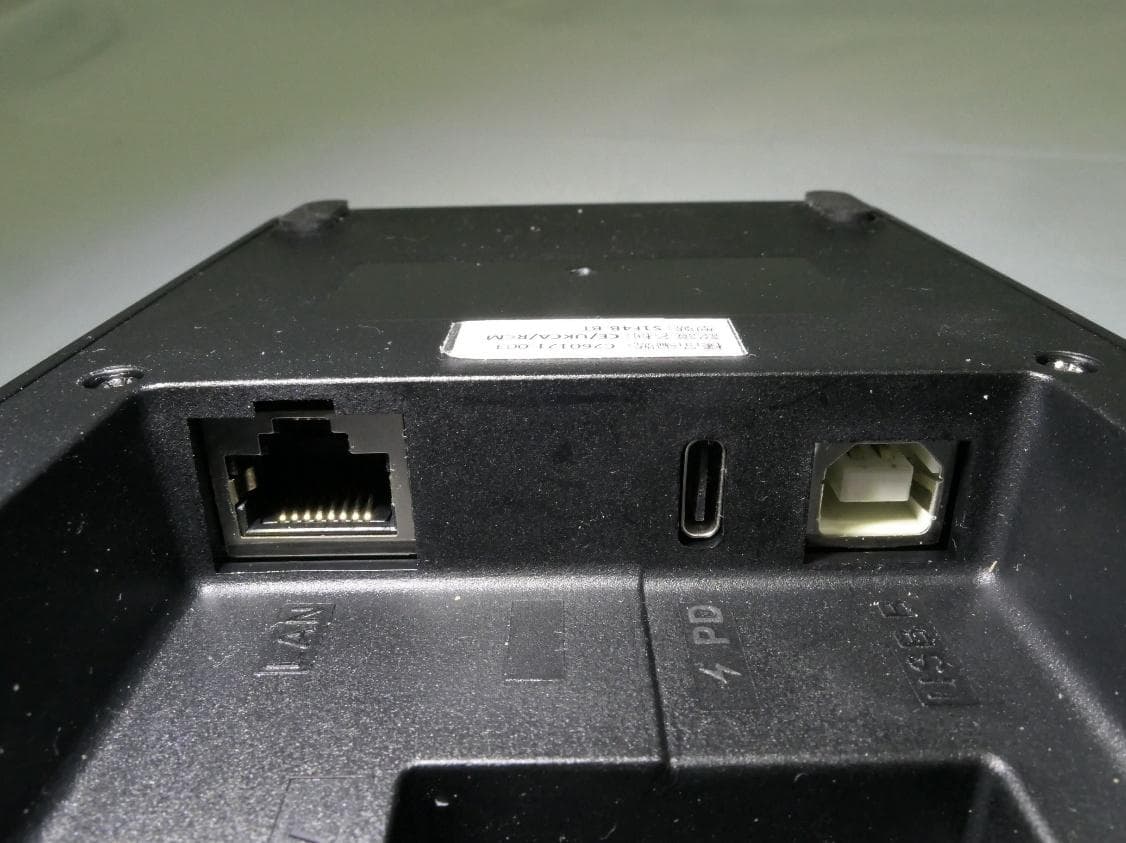
Reference No.: 191209C13-1 Page No. 1 / 4 CONSTRUCTION PHOTOS OF EUT Reference No.: 191209C13-1 Page No. 2 / 4 Reference No.: 191209C13-1 Page No. 3 / 4 Reference No.: 191209C13-1 Page No. 4 / 4
ID Label/Location Info
109.02.27 PET刷銀 紅色部分 加工廠自印 E209688 I.T.E U1B 認證板機身貼紙
Internal Photos
Reference No.: 191209C13-2 Page No. 1 / 9 CONSTRUCTION PHOTOS OF EUT NFC antenna Reference No.: 191209C13-2 Page No. 2 / 9 Reference No.: 191209C13-2 Page No. 3 / 9 NFC module Reference No.: 191209C13-2 Page No. 4 / 9 Reference No.: 191209C13-2 Page No. 5 / 9 Reference No.: 191209C13-2 Page No. 6 / 9 Reference No.: 191209C13-2 Page No. 7 / 9 Reference No.: 191209C13-2 Page No. 8 / 9 Reference No.: 191209C13-2 Page No. 9 / 9
Test Report
Report No.: RF191209C13-1 Page No. 1 / 30 Report Format Version: 6.1.1 FCC Test Report Report No.: RF191209C13-1 FCC ID: WIYUPT1000-BV Test Model: UPT1000B Received Date: Dec. 09, 2019 Test Date: Feb. 11 ~ Feb. 19, 2020 Issued Date: Feb. 26, 2020 Applicant: CASTLES TECHNOLOGY CO., LTD. Address: 6F, NO. 207-5, SEC. 3, BEIXIN RD., XINDIAN DISTRICT, NEW TAIPEI CITY 23143, TAIWAN (R. O. C.) Issued By: Bureau Veritas Consumer Products Services (H.K.) Ltd., Taoyuan Branch Lin Kou Laboratories Lab Address: No. 47-2, 14th Ling, Chia Pau Vil., Lin Kou Dist., New Taipei City, Taiwan Test Location: No.19, Hwa Ya 2nd Rd., Wen Hwa Vil., Kwei Shan Dist., Taoyuan City 33383, TAIWAN FCC Registration / Designation Number: 788550 / TW0003 This report is for your exclusive use. Any copying or replication of this report to or for any other person or entity, or use of our name or trademark, is permitted only with our prior written permission. This report sets forth our findings solely with respect to the test samples identified herein. The results set forth in this report are not indicative or representative of the quality or characteristics of the lot from which a test sample was taken or any similar or identical product unless specifically and expressly noted. Our report includes all of the tests requested by you and the results thereof based upon the information that you provided to us. You have 60 days from date of issuance of this report to notify us of any material error or omission caused by our negligence, provided, however, that such notice shall be in writing and shall specifically address the issue you wish to raise. A failure to raise such issue within the prescribed time shall constitute your unqualified acceptance of the completeness of this report, the tests conducted and the correctness of the report contents. Unless specific mention, the uncertainty of measurement has been explicitly taken into account to declare the compliance or non-compliance to the specification. The report must not be used by the client to claim product certification, approval, or endorsement by TAF or any government agencies. Report No.: RF191209C13-1 Page No. 2 / 30 Report Format Version: 6.1.1 Table of Contents Release Control Record .................................................................................................................................. 3 1 Certificate of Conformity ...................................................................................................................... 4 2 Summary of Test Results ..................................................................................................................... 5 2.1 Measurement Uncertainty ................................................................................................................... 5 2.2 Modification Record ............................................................................................................................ 5 3 General Information .............................................................................................................................. 6 3.1 General Description of EUT ................................................................................................................ 6 3.2 Description of Test Modes ................................................................................................................... 6 3.2.1 Test Mode Applicability and Tested Channel Deta .............................................................................. 7 3.3 Description of Support Units ............................................................................................................... 8 3.3.1 Configuration of System under Test .................................................................................................... 8 3.4 General Description of Applied Standards .......................................................................................... 8 4 Test Types and Results ........................................................................................................................ 9 4.1 Radiated Emission Measurement ....................................................................................................... 9 4.1.1 Limits of Radiated Emission Measurement ......................................................................................... 9 4.1.2 Test Instruments ................................................................................................................................ 10 4.1.3 Test Procedures .................................................................................................................................. 11 4.1.4 Deviation from Test Standard ............................................................................................................ 12 4.1.5 Test Set Up ........................................................................................................................................ 12 4.1.6 EUT Operating Conditions ................................................................................................................. 12 4.1.7 Test Results ....................................................................................................................................... 13 4.2 Conducted Emission Measurement .................................................................................................. 21 4.2.1 Limits of Conducted Emission Measurement .................................................................................... 21 4.2.2 Test Instruments ................................................................................................................................ 21 4.2.3 Test Procedures ................................................................................................................................. 22 4.2.4 Deviation from Test Standard .........................................................…
Text truncated - open the document above for the full version.
Test Setup Photos
Reference No.: 191209C13 Page No. 1 / 6 PHOTOGRAPHS OF THE TEST CONFIGURATION BT Conducted Emission Test Reference No.: 191209C13 Page No. 2 / 6 Radiated Emission below 1GHz Test Reference No.: 191209C13 Page No. 3 / 6 Radiated Emission above 1GHz Test Reference No.: 191209C13 Page No. 4 / 6 NFC Conducted Emission Test Reference No.: 191209C13 Page No. 5 / 6 Radiated Emission Test (9kHz ~ 30MHz) Reference No.: 191209C13 Page No. 6 / 6 Radiated Emission Test (Frequency above 30MHz)
Contact Information
Applicant
Evelyn Chen(Project Manager of Product Certification Team)
Test Firm
Bureau Veritas CPS(H.K.) Ltd., Taoyuan BranchLiu Ken
Technical Specifications
| # | Rule Parts | Frequency Range | Power Output |
|---|---|---|---|
| 1 | 15C | 13.56 MHz - 13.56 MHz | - |
Other Applications from CASTLES TECHNOLOGY CO., LTD.
WIYS1F4BBT001
Apr 02, 2026POS Cradle
Equipment Class
DSS - Part 15 Spread Spectrum Transmitter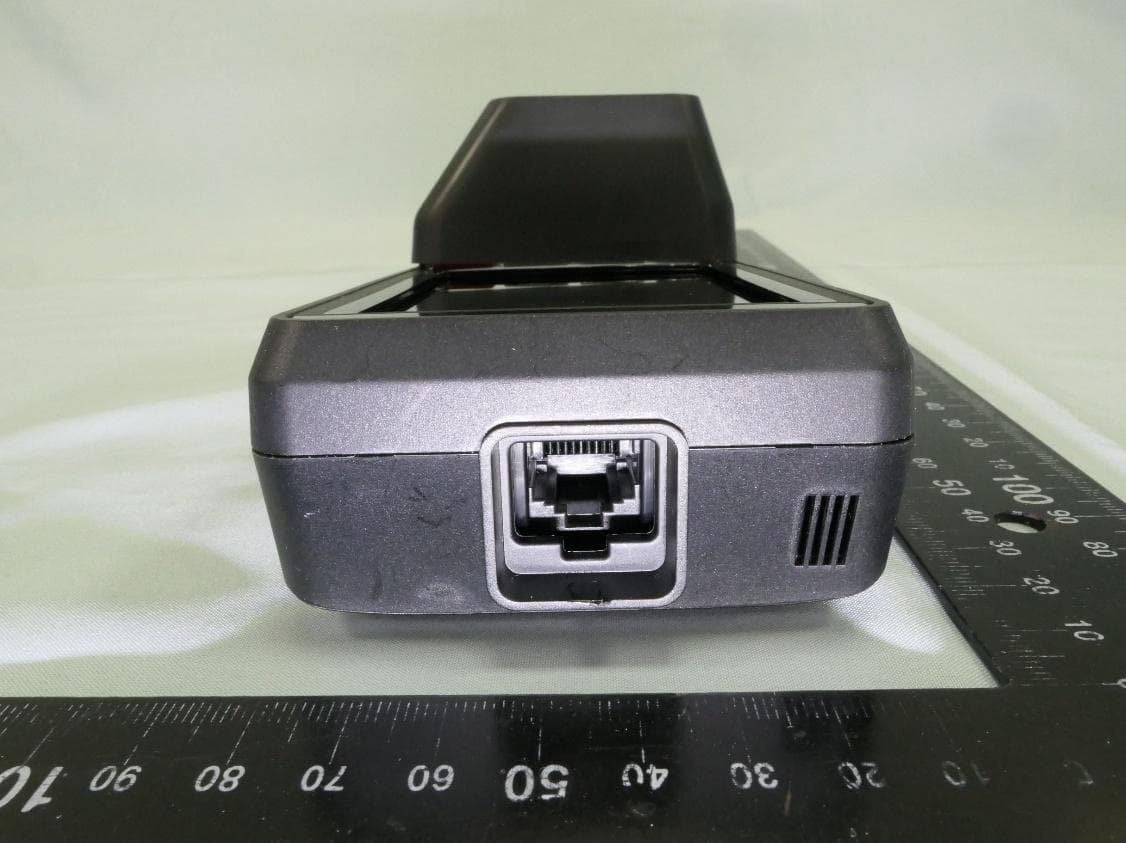
WIYV1P35001
Feb 04, 2026POS Terminal
Equipment Class
DXX - Part 15 Low Power Communication Device TransmitterWIYS1E4PRO001
Nov 20, 2025POS Terminal
Equipment Class
DXX - Part 15 Low Power Communication Device Transmitter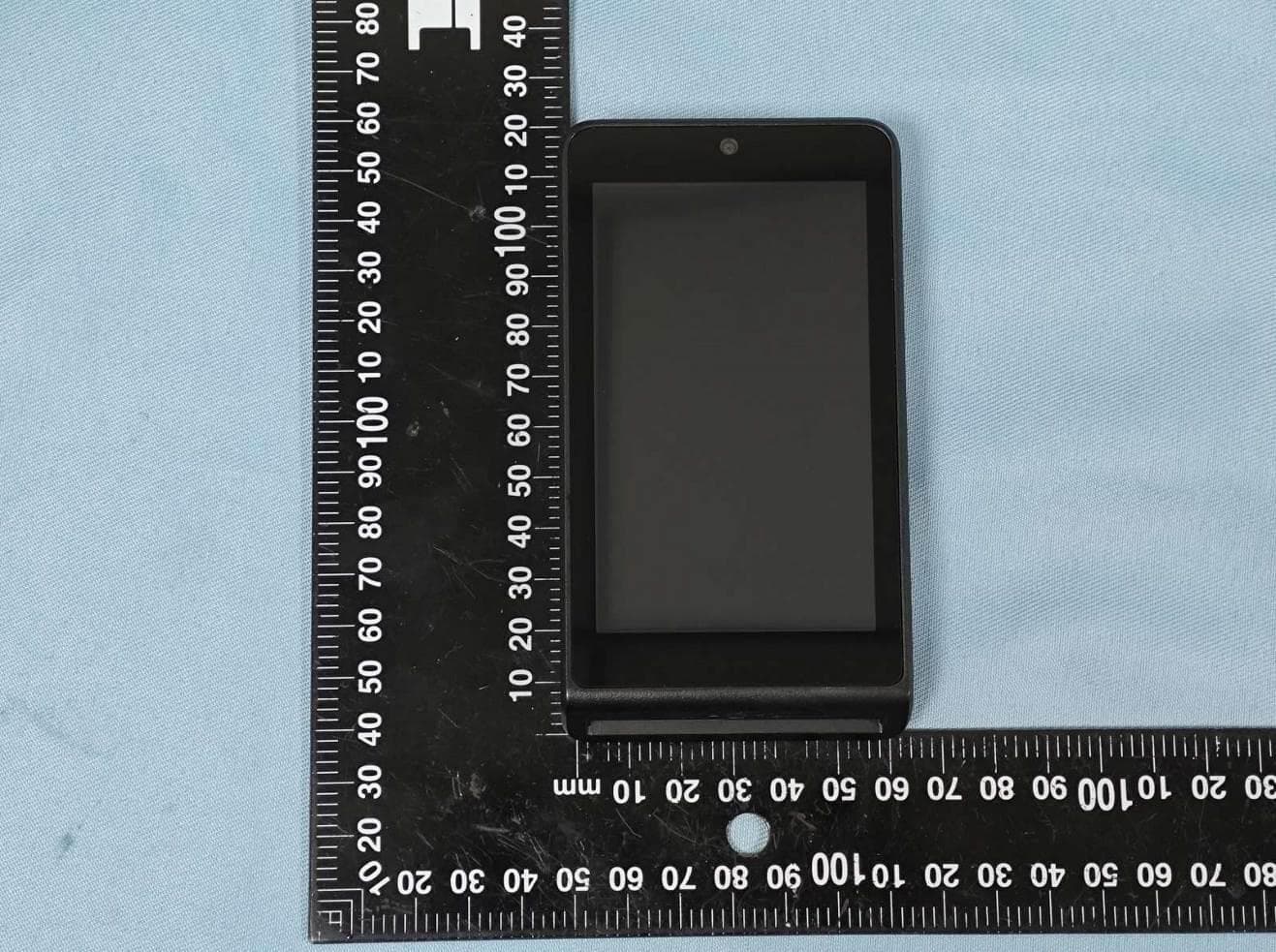
WIYS1MINI2001
May 19, 2025POS Terminal
Equipment Class
DSS - Part 15 Spread Spectrum Transmitter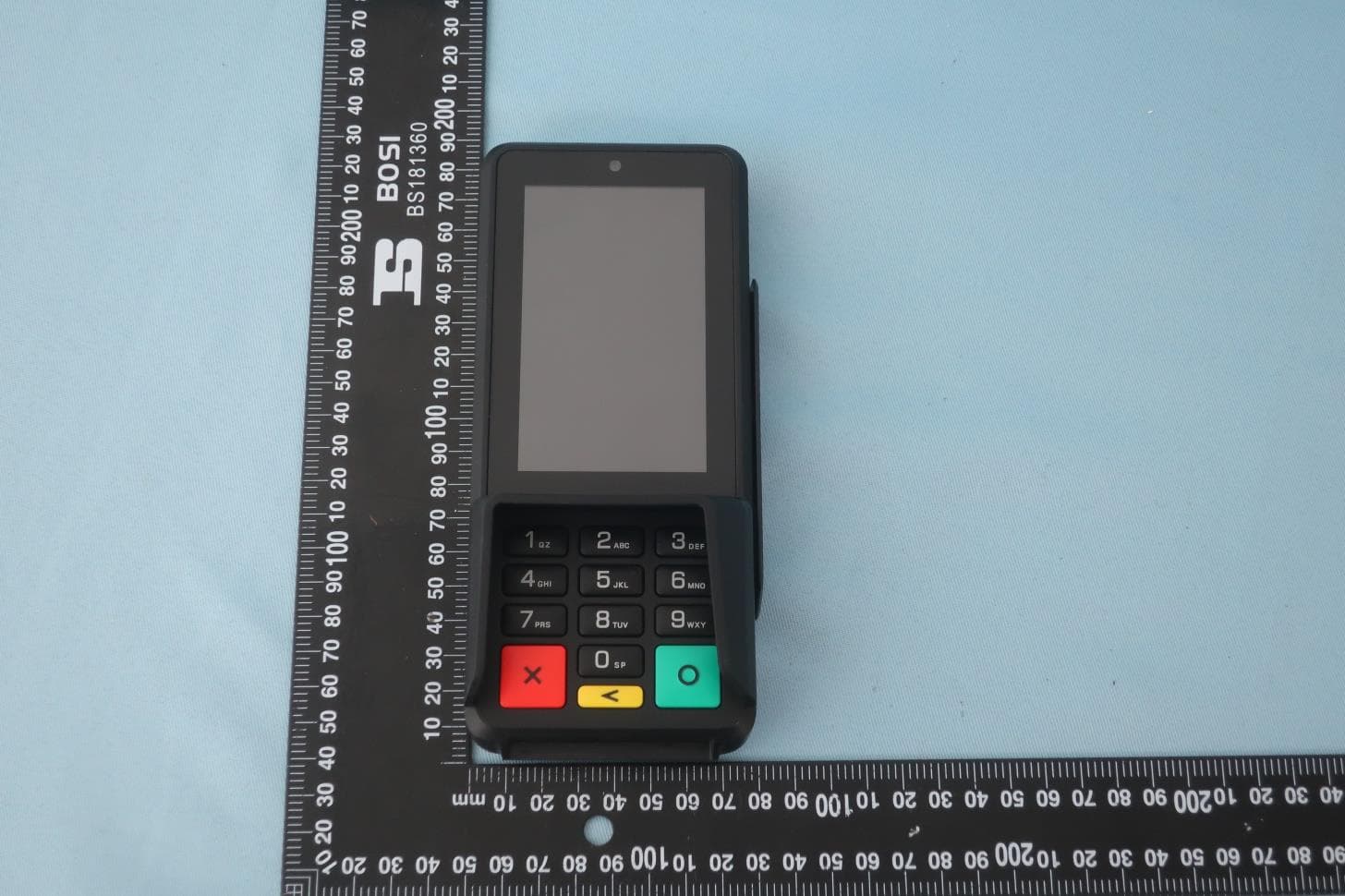
WIYS1P2001
Jul 28, 2024POS Terminal
Equipment Class
DSS - Part 15 Spread Spectrum Transmitter