WJK-TB3124RDVWIRELESS TABLET
JULONG EDUCATIONAL TECHNOLOGY CO., LTD.Application Details
- Equipment Class
- DXX - Part 15 Low Power Communication Device Transmitter
- Date of Grant
- Jun 06, 2010
- Application Purpose
- Original Equipment
- Date of Application
- Jun 06, 2010
- Equipment Note
- WIRELESS TABLET
- Frequency Range
- 2402.00000000 - 2480.00000000
- Country
- China
Documents & Files
Document Text
Text extracted from the exhibit documents filed with the FCC. Open a document above to read the original.
Users Manual
1 Important Note z Keep the IPBOARD(JL-)Tablet (TB3124RDV(T/8)) away from the equipment with strong magnetic filed! z Keep out of direct sunlight. Important Note z Only can be written on or controlled with Julong’s specialized electronic pens. z Make sure IPBOARD(JL-) Tablet(TB3124RDV(T/8))is properly connected to the transceiver, and the driver is correctly installed. General Note z IPBOARD(JL-) Tablet(TB3124RDV(T/8)) should be charged for about 2.5 hours before first-use. Please charge it when in low battery. IPBOARD(JL-)Tablet(TB3124RDV(T/8)) can keep normal operation continuously for about 10 hours (The charger indicator is red while charging, and it turns green after full charged.) z Do not scratch the surface or frame of the tablet with sharp or hard objects. 2 Content Important Note..........................................................................................................................................1 Content......................................................................................................................................................2 I Introduction .........................................................................................................................................3 1 Brief Introduction...................................................................................................................................3 II Unpacking IPBOARD(JL-)Tablet (TB3124RDV(T/8)) ...................................................................4 1 IPBOARD(JL-) Tablet (TB3124RDV(T/8)) Set.................................................................................4 2 Standard Accessories..............................................................................................................................6 III Installation of IPBOARD Vote Edition ...............................................................................................7 IV Run the Software ..............................................................................................................................14 1 Start IPBOARD Vote Edition driver.......................................................................................................14 2 Start IPBOARD Vote Edition................................................................................................................14 3 Start voting manage system...................................................................................................................14 V Features of IPBOARD(JL-)Tablet (TB3124RDV(T/8)) ................................................................16 1 Functions of the icons on the teacher’s tablet and student’s tablet.............................................................16 2 Introduction of two assignments by teachers...........................................................................................18 3 Set Questions.......................................................................................................................................18 4 Combined with IPBOARD(JL-)Tablet (TB3124RDV(T/8)) to answer questions interactively...............19 VI Description of Function Keys..........................................................................................................22 1 The Function keys on Teacher’ s tablet................................................................................................22 2 The Function Keys on Student’s tablet................................................................................................23 VII Performance Specifications ............................................................................................................24 3 I Introduction 1 Brief Introduction IPBOARD(JL-)Tablet (TB3124RDV(T/8)) enables students to participate more actively in class than ever before, and it is the smart way to provide in-class immediate assessment for users. It is bringing a revolution to the education filed. One-to-multi wireless tablet (JL- TB3124RDV(T/8)) support has been added to IPBOARD Vote Edition. Using the related software or buttons, teachers can designate a student to write on the tablet, as well as conducting application of the software or restricting student’s writing permission. It allows students to answer questions in the form of full sentences, numbers, symbols, etc.; in addition, teachers can conduct test with the buttons on the tablet in the course of answering, such as switching questions, checking the correct answer, tracking students’ performance and viewing answer statistic, etc. Each student has the chance to express opinions through student terminal, moreover, teachers can get the feedback of students’ in-class performance timely by using the tablet. 4 II Unpacking IPBOARD(JL-)Tablet (TB3124RDV(T/8)) 1 IPBOARD(JL-)Tablet (TB3124RDV(T/8)) Set The interactive system of IPBOARD(JL-)Tablet consists of IPBOARD Vote Edition, IPBOARD(JL-) Tablet (TB3124RDV(T/8)), transceiver and electronic pens. And there are two types of IPBOARD(JL-) Tablet (TB3124RDV(T/8)): IPBOARD(JL-)Tablet for teachers (teacher’s tablet) and IPBOARD(JL-) Tablet for students (student’s tablet). Front face of 1-to-16 IPBOARD(JL-)Tablet for teachers (The models of IPBOARD(JL-)Tablet: 1/8 (T8), 1/16 (T16), 1/24 (T24), 1/32 (T32), 1/48 (T48). The image is for reference only, subject to the delivered goods.) Sleep&W ake Key LCD Screen Writing&Controlling Area LCD Screen Sleep&W ake Key Voting Area 5 IPBOARD(JL-)Tablet for students Profile Back face ¾ If the tablet network conflicts with the nearby wireless device, users can modify the ID number to solve such problem. ¾ Device ID is corresponding to the student’s number, which can be used to identify different terminals. In addition, the Device ID of teacher’s tablet is a fixed value of 999. Charge Interface Power Switch Pad ROHS Identifier Screw Stopper NetID、 DeviceID 6 2 Standard Accessories Standard Accessories include: Description Quantit…
Text truncated - open the document above for the full version.
Cover Letter(s)
JULONG EDUCATIONAL TECHNOLOGY CO., LTD. June 4, 2010. Federal Communications Commission Authorization and Evaluation Division 1435 Oakland Mills Road Columbia, MD 21046 SUBJECT: FCC Application for FCC ID: WJK-TB3124RDV To Whom It May Concern: We, the undersigned, hereby attest to the fact that we will apply the Declaration of Conformity or Certification procedure to the Class B computer peripheral portion of the USB Transceiver (which is a part of the system that operates with the IPBOARD Tablet). Regards, JULONG EDUCATIONAL TECHNOLOGY CO., LTD. <SIGNATURE of WEIHONG LU> ------------------------------- WEIHONG LU (TECH MANAGER)
Cover Letter(s)
JULONG EDUCATIONAL TECHNOLOGY CO., LTD FCC ID: WJK-TB3124RDV POWER OF ATTORNEY April 26, 2010 Federal Communications Commission Authorization and Evaluation Division 7435 Oakland Mills Road Columbia, MD 21046 To Whom It May Concern: We, JULONG EDUCATIONAL TECHNOLOGY CO., LTD, hereby authorize Most Technology Service Co., Ltd. (Terry YANG/ Manager) on our behalf, to apply to the Federal Communications Commission on our equipment. Any and all acts carried out by Most Technology Service Co., Ltd. (Terry YANG/ Manager) on our behalf shall have the same effect as acts of our own. This authorization expires on May 28, 2010. This is to advise that we are in full compliance with the Anti-Drug Abuse Act. We, JULONG EDUCATIONAL TECHNOLOGY CO., LTD are not subject to a denial of federal benefits pursuant to Section 5301 of the Anti-Drug Act of 1988, 21 USC853a, and no party to the application is subject to a denial of federal benefits pursuant to that section. Name: WeiHong Lu Title: Product Manager Date: April 26, 2010
External Photos
FCC ID: WJK-TB3124RDV Report No.: MOST100409F1 FRONT VIEW OF SAMPLE BACK VIEW OF SAMPLE FCC ID: WJK-TB3124RDV Report No.: MOST100409F1 LEFT VIEW OF SAMPLE RIGHT VIEW OF SAMPLE FCC ID: WJK-TB3124RDV Report No.: MOST100409F1 TOP VIEW OF SAMPLE BOTTOM VIEW OF SAMPLE FCC ID: WJK-TB3124RDV Report No.: MOST100409F1 Photo of Adapter
Internal Photos
FCC ID: WJK-TB3124RDV Report No.: MOST100409F1 INTERNAL PHOTO OF SAMPLE – 1 INTERNAL PHOTO OF SAMPLE - 2 FCC ID: WJK-TB3124RDV Report No.: MOST100409F1 INTERNAL PHOTO OF SAMPLE - 3 INTERNAL PHOTO OF SAMPLE-4
Operational Description
Operation Description 1. Keyboard The keyboard circuit is a rectangle matrix. The power on is alone, the line is low electronic level. 2. Signal manage The sample has a MCU module, that it controlled the entire keyboard working, it screens the keyboard every time whichever the keyboard war pressed or not. When a key was pressed, The MCU can read it’s the details information and transmit it to the main device. 3. Power Supply The power is supplied by 3 * nickel-hydrogen battery, when the battery is low power, it can be charged by USB port. 4. Wireless Module The sample is used 2.4 GHz wireless communication module, it was connected with MCU and to transmit data.
Parts List/Tune Up Info
Tune Up Description Product Wireless Tablet Trade Name IPBOARD(JL-)/ Whiteboard (WB-) Model Number TB3124RDV(T/8) Power Supply DC 3.6 V by 3* battery or charged by Adapter (AC 120V/60Hz) Frequency Range 2402 MHz -2480MHz Modulation Type QPSK Channel Number 16 (2402MHz, 2410MHz, 2415MHz, 2420MHz, 2425MHz, 2430MHz, 2435MHz, 2440MHz, 2445MHz, 2450MHz, 2455MHz, 2460MHz, 2465 MHz, 2470 MHz, 2475 MHz,2480 MHz) Temperature Range -20°C ~ 55°C
Test Report
FCC 47 CFR PART 15 SUBPART C TEST REPORT For Applicant : JULONG EDUCATIONAL TECHNOLOGY CO., LTD Address : 4/F, Building T3, Keji Road South, Hi-Tech Industrial Park, Nanshan District , Shenzhen, China Product Name: Wireless Tablet Model Name: TB3124RDV(T/8),B3124RDV(T16) ,TB3124RDV(T24) , TB3124RDV(T32),TB3124RDV(T48), TB3124RDV(S), TB(I) Brand Name : IPBOARD(JL-)/ Whiteboard (WB-) FCC ID : WJK-TB3124RDV Report No. : MOST100409F1 Date of Issue : April 26, 2010 Issued by :Most Technology Service Co., Ltd. Address : No.5, 2nd Langshan Road, North District, Hi-tech Industrial Park, Nanshan, Shenzhen, Guangdong, China Tel : 86-755-8617 0306 Fax : 86-755-8617 0310 The report consists 36 pages in total. It may be duplicated completely for legal use with the approval of the applicant. It should not be reproduced except in full, without the written approval of our laboratory. The client should not use it to claim product endorsement by MOST. The test results in the report only apply to the tested sample. The test report shall be invalid without all the signatures of testing engineers, reviewer and approver. FCC ID: WJK-TB3124RDV Report No.: MOST100409F1 Page 2 of 36 TABLE OF CONTENTS 1.VERIFICATION OF CONFORMITY .............................................................................................................. 3 2. GENERAL INFORMATION ............................................................................................................................ 4 2.1 Product Information ...................................................................................................................................... 4 2.2 Objective ...................................................................................................................................................... 5 2.3 Test Standards and Results .......................................................................................................................... 5 2.4 Environmental Conditions............................................................................................................................. 5 3. TEST FACILITY.............................................................................................................................................. 6 3.1TEST FACILITY............................................................................................................................................. 6 3.2 GENERAL TEST PROCEDURES ................................................................................................................ 6 3.3 FCC PART 15.205 RESTRICTED BANDS OF OPERATIONS..................................................................... 7 4. SETUP OF EQUIPMENT UNDER TEST ....................................................................................................... 8 4.1 SUPPORT EQUIPMENT.............................................................................................................................. 8 4.2 TEST EQUIPMENT LIST ............................................................................................................................. 9 5. 47 CFR Part 15C 15.249 Requirements....................................................................................................... 10 5.1 Spurious Emission Test .............................................................................................................................. 10 5.1.1 Requirement............................................................................................................................................ 10 5.1.2 Test Description ........................................................................................................................................11 5.1.3 Test Description ....................................................................................................................................... 12 5.1.4 Test Result............................................................................................................................................... 13 5.2 Band Edge ................................................................................................................................................. 22 5.2.1 Requirement............................................................................................................................................ 22 5.2.2 Test Description ....................................................................................................................................... 22 5.2.3Test Result................................................................................................................................................ 22 5.3 Power Line Conducted Emission Test ........................................................................................................ 24 5.3.1 Limits of Line Conducted Emission Test .................................................................................................. 24 5.3.2 BLOCK DIAGRAM OF TEST SETUP...................................................................................................... 24 5.3.3 PRELIMINARY PROCEDURE OF LINE CONDUCTED EMISSION TEST ............................................. 25 5.3.4 FINAL PROCEDURE OF LINE CONDUCTED EMISSION TEST ........................................................... 25 5.3.5 TEST RESULT OF LINE CONDUCTED EMISSION TEST ..................................................................... 26 APPENDIX 1 .................................................................................................................................................... 28 PHOTOGRAPHS OF TEST SETUP................................................................................................................. 28 APPENDIX 2 ...................................................................................................................................................…
Text truncated - open the document above for the full version.
Test Setup Photos
FCC ID: WJK-TB3124RDV Report No.: MOST100409F1 Radiated Emission Test Setup Conducted Emission Test Setup
Contact Information
Applicant
WEIHONG LU(TECH MANAGER)
Test Firm
Most Technology Service Co., Ltd.Mark Wen
Technical Specifications
| # | Rule Parts | Frequency Range | Power Output |
|---|---|---|---|
| 1 | 15C | 2.40 GHz - 2.48 GHz | - |
Other Applications from JULONG EDUCATIONAL TECHNOLOGY CO., LTD.
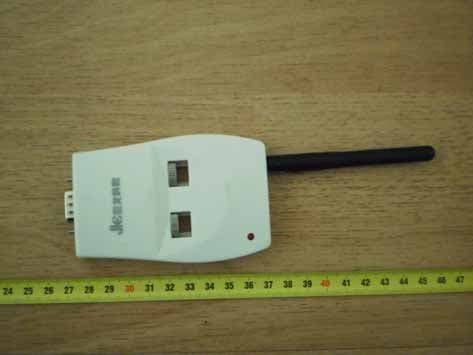
WJK-L-RFBT1
Sep 07, 2010wireless module transmitter
Equipment Class
DXX - Part 15 Low Power Communication Device Transmitter
WJKJL-V2
Feb 02, 2010VOTE
Equipment Class
DXX - Part 15 Low Power Communication Device Transmitter