WX9RC30001207Razer Charging Dock
Razer (Asia Pacific) Pte Ltd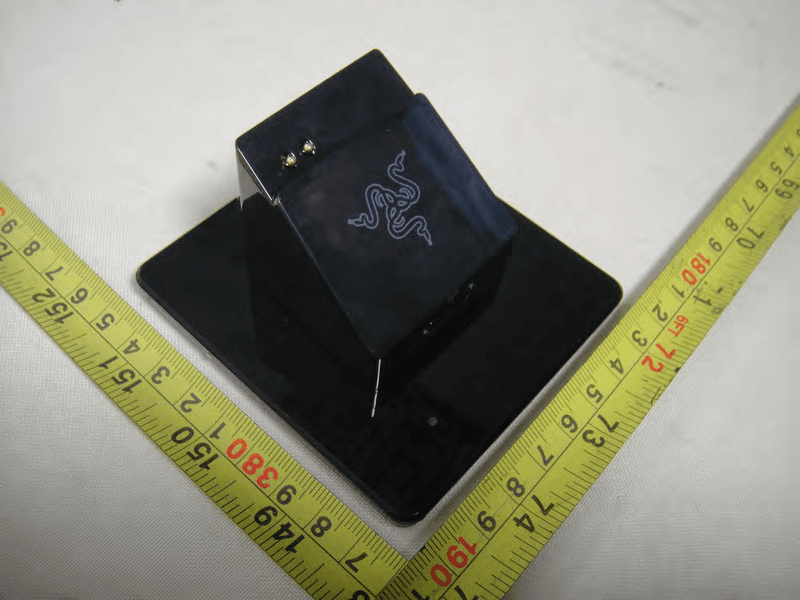
Click to zoom
Application Details
- Equipment Class
- DXT - Part 15 Low Power Transceiver, Rx Verified
- Date of Grant
- May 29, 2011
- Application Purpose
- Original Equipment
- Date of Application
- May 29, 2011
- Equipment Note
- Razer Charging Dock
- Frequency Range
- 2402.00000000 - 2480.00000000
- Company
- Razer (Asia Pacific) Pte Ltd
- Country
- Singapore
Documents & Files
Document Text
Text extracted from the exhibit documents filed with the FCC. Open a document above to read the original.
Users Manual
Razer Mamba2012_MultiSku_MasterGuide Rev: 110506 Open Size : 204mm x 81mm with customed diecut Diecut : Razer Blade box Printing : 2C (Grayscale & Pantone 802C) x 5C (CMYK & Pantone 802C) Pages : 40 pages Material : (Cover) 230 gsm woodfree paper + blind emboss logo (Contents) 105 gsm artpaper with matt varnish Finishing : Trim & fold to size 102mm x 81mm Binding : Saddle-stitch IMPORTANT NOTE: Printer are require to paginate and product films accordingly to the page number as shown on FA. MASTER GUIDE elite ergonomic gaming mouse www.razerzone.com | 3 2 | For Gamers. by Gamers. ™ www.razerzone.com | 76 | For Gamers. by Gamers. ™ www.razerzone.com | 98 | For Gamers. by Gamers. ™ www.razerzone.com | 5 4 | For Gamers. by Gamers. ™ www.razerzone.com | 11 10 | For Gamers. by Gamers. ™ www.razerzone.com | 13 12 | For Gamers. by Gamers. ™ www.razerzone.com | 15 14 | For Gamers. by Gamers. ™ www.razerzone.com | 17 16 | For Gamers. by Gamers. ™ www.razerzone.com | 19 18 | For Gamers. by Gamers. ™ www.razerzone.com | 21 20 | For Gamers. by Gamers. ™ www.razerzone.com | 23 22 | For Gamers. by Gamers. ™ www.razerzone.com | 25 24 | For Gamers. by Gamers. ™ www.razerzone.com | 27 26 | For Gamers. by Gamers. ™ www.razerzone.com | 29 28 | For Gamers. by Gamers. ™ www.razerzone.com | 31 30 | For Gamers. by Gamers. ™ www.razerzone.com | 33 32 | For Gamers. by Gamers. ™ www.razerzone.com | 35 www.razerzone.com | 37 34 | For Gamers. by Gamers. ™ 36 | For Gamers. by Gamers. ™ contents 02 Introduction 02 Package Contents / System Requirements 04 Key Features 06 Installation / Registration / Technical Support 11 Configuring Your Razer Mamba 22 Using Your Razer Mamba 26 Glossary 28 Safety and Maintenance 31 Important Product Information Guide packaGe contents • Razer Mamba Gaming Mouse • Charging Dock • Lithium-Ion Polymer Battery • USB Cable • Quick Start Guide • Master Guide system requirements • PC / Mac with USB port • Windows ® 7 / Windows Vista ® / Windows ® XP or Mac OS X (v10.5 to 10.6) • Internet connection (for driver installation) • 75MB of free hard disk space The new Razer Mamba returns with an ultra-precise 4G Dual Sensor System, that makes use of both a laser and an optical sensor to enhance tracking precision by calibrating to different surfaces and allowing adjustment of liftoff tracking distance. With an improved battery life for more untethered gaming enjoyment, a new multicolored LED for personalization, and outfitted with an industry-leading gaming grade wireless technology, the Razer Mamba is still in a league of its own. elite ergonomic gaming mouse installation / reGistration / technical support key Features Default button assignments BATTERY LIFE/SENSITIVITY STAGE INDICATOR BEHAVIOR The Razer Mamba has a Battery Life/Sensitivity LED Indicator on its left side, which displays the status of battery life/sensitivity stage. configuring your razer mamba NOTE: For Mac configuration, please download the Driver Help (within the Mac Drivers) from www.razersupport.com for detailed information. RAZER SYNAPSE ONBOARD MEMORY With Razer Synapse, all settings will be saved on the profile selected and will apply on another computer even without the Razer Mamba Configurator installed. ASSIGN BUTTONS TAB In the Assign Buttons tab, you can assign various functions to each of the buttons based on your own preferences. The following functions are possible: LEFT CLICK Perform a left mouse click. RIGHT CLICK Perform a right mouse click. SCROLL CLICK Click once on the assigned button to scroll click. DOUBLE CLICK Perform a double click with the assigned button. MACRO If the button function or key is not listed, or if you would like to assign a macro to a button, select “Macro” from the dropdown menu. In addition, all saved macros will be shown on a sub dropdown menu for quick selection when you mouse over the “Macro” option. TEMPORARY DPI SWITCH If the designated button is held, the mouse will switch to the user-defined temporary DPI whilst in-game until the button is released (at which point it will return to the original set sensitivity). SENSITIVITY STAGE UP/DOWN Switch the current sensitivity stage to the next/previous stage. MOUSE BUTTON 5 Assign a “Forward” command in Windows Explorer / Internet Explorer. MOUSE BUTTON 4 Assign a “Back” command in Windows Explorer / Internet Explorer. ON-THE-FLY SENSITIVITY Enable change of sensitivity settings on the fly without the need to enter the configuration menu. Refer to ‘Using Your Razer Mamba’ for more details. SINGLE KEY Activate a key on your keyboard. PROFILE Switch to a profile on the fly and immediately load all your pre-configured mouse settings. When you select “Profile” from the dropdown menu, a sub-menu will appear that allows you to choose your desired profile. SCROLL UP Scroll up the page you are currently viewing. SCROLL DOWN Scroll down the page you are currently viewing. BUTTON OFF Disable any function on the assigned button. BATTERY LIFE INDICATOR BEHAVIOR - 100% Battery 3 green lit LEDs ( ) - 70% Battery 2 green lit LEDs ( ) - 30% Battery 1 green lit LED (�� ) - 5% Battery 1 green blinking LED (�� ) SENSITIVITY STAGE INDICATOR BEHAVIOR - Sensitivity Stage 1 2 green and 1 red lit LEDs ( ) - Sensitivity Stage 2 1 green and 2 red lit LEDs ( ) - Sensitivity Stage 3 3 red lit LEDs ( ) - Sensitivity Stage 4 2 red and 1 green lit LEDs ( ) - Sensitivity Stage 5 1 red and 2 green lit LEDs ( ) TWEAK PERFORMANCE TAB MANAGE PROFILES TAB In the Manage Profiles tab, you can create and activate customized profiles based on the application you have launched. a. Current: Indicates the current active profile. b. Profile: Indicates the profile number c. Profile Name: Right-click on this row and select “Rename” to enter a profile name of your choice. d. Application: Right-click on this row and select “Assign Application” to open up directory browsing. Select the executable file of the program you want the profile to be linked to. e. Auto Switch: Check the box to …
Text truncated - open the document above for the full version.
External Photos
Neutron Engineering Inc. Project No.: 1105C004 Page 2 of 8 1105C004 1105C004 Neutron Engineering Inc. Project No.: 1105C004 Page 2 of 8 1105C004 1105C004 Neutron Engineering Inc. Project No.: 1105C004 Page 3 of 8 1105C004 1105C004 Neutron Engineering Inc. Project No.: 1105C004 Page 3 of 8 1105C004 1105C004
Internal Photos
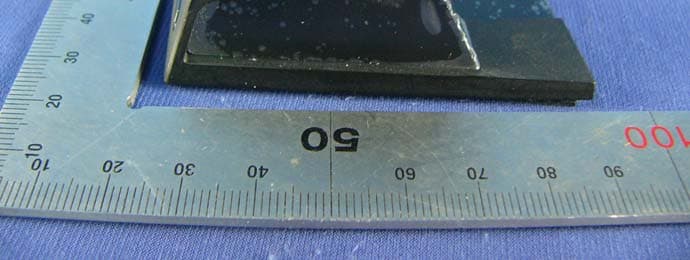
Neutron Engineering Inc. Project No.: 1105C004 Page 4 of 8 1105C004 1105C004 Neutron Engineering Inc. Project No.: 1105C004 Page 4 of 8 1105C004 1105C004 Neutron Engineering Inc. Project No.: 1105C004 Page 5 of 8 1105C004 1105C004 Neutron Engineering Inc. Project No.: 1105C004 Page 5 of 8 1105C004 1105C004 Neutron Engineering Inc. Project No.: 1105C004 Page 6 of 8 1105C004 1105C004 Neutron Engineering Inc. Project No.: 1105C004 Page 6 of 8 1105C004 1105C004 Neutron Engineering Inc. Project No.: 1105C004 Page 7 of 8 1105C004 1105C004 Neutron Engineering Inc. Project No.: 1105C004 Page 7 of 8 1105C004 1105C004 Neutron Engineering Inc. Project No.: 1105C004 Page 8 of 8 1105C004
Operational Description
Operation Description MC9S08JM60, U9, which is the Microcontroller and provide low-cost, high-performance with 60KB Flash of the chip, and it doesn’t have to work with special voltage. A 12 MHz Crystal(X5) is used for reference. CYRF6936, U10, which is the main RF IC, it provides a complete Wireless USB SPI to antenna wireless modes. The CYRF6936 IC adds a range of enhanced features, including increased operating voltage range, reduced supply current in all operating modes, higher data rate options, and reduced crystal start up, synthesizer settling and link turnaround times. In addition, the DC Voltage is supplied from Host system. And the power rating is I/P AC 120V/60Hz, O/P DC 5V. A 12 MHz Crystal (X4) is used for reference also. Printed antenna is used with antenna gain 2.50 dBi, operating frequency is 2402~2480 MHz. Technical Summary 2.4GHz wireless communication technique Laser technique Mouse DPI change(800-6400) Low power consumption Wired and wireless combo With battery charge circuit High polling rate(1000) Charge dock with blue background Charge cable lock technique
Test Report
Neutron Engineering Inc. Report No.: NEI-FICP-1-1105C004 Page 2 of 62 Declaration Neutron represents to the client that testing is done in accordance with standard procedures as applicable and that test instruments used has been calibrated with the standards traceable to National Measurement Laboratory (NML) of R.O.C., or National Institute of Standards and Technology (NIST) of U.S.A. Neutron's reports apply only to the specific samples tested under conditions. It is manufacture’s responsibility to ensure that additional production units of this model are manufactured with the identical electrical and mechanical components. Neutronshall have no liability for any declarations, inferences o r generalizations drawn by the client or others from Neutron issued reports. Neutron’s reports must not be used by the client to claim product endorsement by the authorities or any agency of the Government. This report is the confidential property of the client. As a mutual protection to the clients, the public and Neutron-self, extracts from the test report shall not be reproduced except in full with Neutron’s authorized written approval. Neutron’s laboratory quality assurance procedures are in compliance with the ISO Guide 17025 requirements, and accredited by the conformity assessment authorities listed in this test report. Limitation For the use of the authority's logo is limited unless the Test Standard(s)/Scope(s)/Item(s) mentioned in this test report is (are) included in the conformity assessment authorities acceptance respective. Neutron Engineering Inc. Report No.: NEI-FICP-1-1105C004 Page 3 of 62 Table of Contents Page 1 . CERTIFICATION 5 2 . SUMMARY OF TEST RESULTS 6 2.1 TEST FACILITY 7 2.2 MEASUREMENT UNCERTAINTY 7 3 . GENERAL INFORMATION 8 3.1 GENERAL DESCRIPTION OF EUT 8 3.2 DESCRIPTION OF TEST MODES 10 3.3 BLOCK DIGRAM SHOWING THE CONFIGURATION OF SYSTEM TESTED 11 3.4 DESCRIPTION OF SUPPORT UNITS 12 4 . EMC EMISSION TEST 13 4.1 CONDUCTED EMISSION MEASUREMENT 13 4.1.1 POWER LINE CONDUCTED EMISSION LIMITS 13 4.1.2 MEASUREMENT INSTRUMENTS LIST 13 4.1.3 TEST PROCEDURE 14 4.1.4 DEVIATION FROM TEST STANDARD 14 4.1.5 TEST SETUP 14 4.1.6 EUT OPERATING CONDITIONS 14 4.1.7 TEST RESULTS 15 4.2 RADIATED EMISSION MEASUREMENT 17 4.2.1 RADIATED EMISSION LIMITS 17 4.2.2 MEASUREMENT INSTRUMENTS LIST 18 4.2.3 TEST PROCEDURE 19 4.2.4 DEVIATION FROM TEST STANDARD 19 4.2.5 TEST SETUP 20 4.2.6 EUT OPERATING CONDITIONS 21 4.2.7 TEST RESULTS (BELOW 30MHz) 22 4.2.8 TEST RESULTS (BETWEEN 30 – 1000 MHz) 23 4.2.9 TEST RESULTS (ABOVE 1000 MHz) 31 4.2.10 TEST RESULTS (2400 – 2483.5 MHz) 49 5 . BANDWIDTH TEST 50 5.1 MEASUREMENT INSTRUMENTS LIST 50 5.2 TEST PROCEDURE 50 5.3 DEVIATION FROM STANDARD 50 5.4 TEST SETUP 50 5.5 EUT OPERATION CONDITIONS 50 5.6 TEST RESULTS 51 Neutron Engineering Inc. Report No.: NEI-FICP-1-1105C004 Page 4 of 62 Table of Contents Page 6 . ANTENNA CONDUCTED SPURIOUS EMISSION 53 6.1 APPLIED PROCEDURES / LIMIT 53 6.1.1 MEASUREMENT INSTRUMENTS LIST 53 6.1.2 TEST PROCEDURE 53 6.1.3 DEVIATION FROM STANDARD 53 6.1.4 TEST SETUP 53 6.1.5 EUT OPERATION CONDITIONS 53 6.1.6 TEST RESULTS 54 7 . EUT TEST PHOTO 59 Neutron Engineering Inc. Report No.: NEI-FICP-1-1105C004 Page 5 of 62 1. CERTIFICATION E q u i p m e n t : Razer Charging Dock Brand Name : RAZER Model Name. : RC30-001207 A p p l i c a n t : Razer (Asia-Pacific) Pte Ltd Date of Test : May. 03, 2011 ~ May. 09, 2011 T e s t I t e m : ENGINEERING SAMPLE Standards : FCC Part15, Subpart C(15.249)/ ANSI C63.4 : 2003 ; Canada RSS-210:2010 The above equipment has been tested and found compliance with the requirement of the relative standards by Neutron Engineering Inc. EMC Laboratory. The test data, data evaluation, and equipment configuration contained in our test report (Ref No. NEI-FICP-1-1105C004) were obtained utilizing the test procedures, test instruments, test sites that has been accredited by the Authority of NVLAP and TAF according to the ISO-17025 quality assessment standard and technical standard(s). Neutron Engineering Inc. Report No.: NEI-FICP-1-1105C004 Page 6 of 62 2. SUMMARY OF TEST RESULTS Test procedures according to the technical standards: FCC Part15, Subpart C (15.249) Canada RSS-210:2010 StandardSection FCC RSS-210 Test Item Judgment Remark 15.207 Conducted Emission PASS 15.209 Radiated Emission PASS 15.249 A2.9(a) Radiated Spurious Emission PASS NOTE: (1)” N/A” denotes test is not applicable in this Test Report Neutron Engineering Inc. Report No.: NEI-FICP-1-1105C004 Page 7 of 62 2.1 TEST FACILITY The test facilities used to collect the test data in this report is DG-C02/DG-CB03at the location of No.3,Jinshagang 1st Road, ShiXia, Dalang Town,Dong Guan, China.523792 Neutron's test firm number for FCC 319330 Neutron's test firm number for IC 4428B-1 2.2 MEASUREMENT UNCERTAINTY Where relevant, the following measurement uncertainty levels have been estimated for tests performed on the EUT as specified in CISPR 16-4-2: The reported uncertainty of measurement y ± U,where expended uncertainty U is based on a standard uncertainty multiplied by a coverage factor of k=2,providing a level of confidence of approximately 95 %。 A. Conducted Measurement : Test Site Method Measurement Frequency Range U,(dB) NOTE DG-C02 CISPR 150 KHz ~ 30MHz 1.94 B. Radiated Measurement : Test Site Method Measurement Frequency Range Ant. H / V U,(dB) NOTE 30MHz ~ 200MHz V 2.48 30MHz ~ 200MHz H 2.16 200MHz ~ 1,000MHz V 2.50 DG-CB03 CISPR 200MHz ~ 1,000MHz H 2.66 Neutron Engineering Inc. Report No.: NEI-FICP-1-1105C004 Page 8 of 62 3. GENERAL INFORMATION 3.1 GENERAL DESCRIPTION OF EUT Equipment Razer Charging Dock Brand Name RAZER Model Name. RC30-001207 OEM Brand/Model Name N/A Model Difference N/A Product Description The EUT is a Razer Charging Dock. Product Type Low Power Communication Device Operation Frequency: 2402~2480 MHz Modulation Type: GFSK Date rate: 1Mbps Number of Channel 79CH .Please see Note 2. Antenna Designation: Printed antenna Antenna Gain(Peak) 2.…
Text truncated - open the document above for the full version.
Test Setup Photos
Neutron Engineering Inc. Report No.: NEI-FICP-1-1105C004 Page 55 of 58 7. EUT TEST PHOTO Conducted Measurement Photos Wireless Link Neutron Engineering Inc. Report No.: NEI-FICP-1-1105C004 Page 55 of 58 7. EUT TEST PHOTO Conducted Measurement Photos Wireless Link Neutron Engineering Inc. Report No.: NEI-FICP-1-1105C004 Page 56 of 58 Radiated Measurement Photos 9K~30MHz Neutron Engineering Inc. Report No.: NEI-FICP-1-1105C004 Page 56 of 58 Radiated Measurement Photos 9K~30MHz Neutron Engineering Inc. Report No.: NEI-FICP-1-1105C004 Page 57 of 58 Radiated Measurement Photos 30M~1000MHz Neutron Engineering Inc. Report No.: NEI-FICP-1-1105C004 Page 57 of 58 Radiated Measurement Photos 30M~1000MHz Neutron Engineering Inc. Report No.: NEI-FICP-1-1105C004 Page 58 of 58 Radiated Measurement Photos Above 1000MHz Neutron Engineering Inc. Report No.: NEI-FICP-1-1105C004 Page 58 of 58 Radiated Measurement Photos Above 1000MHz
Contact Information
Applicant
Johnsen Tia(Sr. Regulatory Compliance Engineer (Asia Pacific))
Test Firm
BTL Inc.Daisy Dai
Technical Specifications
| # | Rule Parts | Frequency Range | Power Output |
|---|---|---|---|
| 1 | 15C | 2.40 GHz - 2.48 GHz | - |
Other Applications from Razer (Asia Pacific) Pte Ltd
WX9RC30007702
May 15, 2012Charging Dock
Equipment Class
DXX - Part 15 Low Power Communication Device Transmitter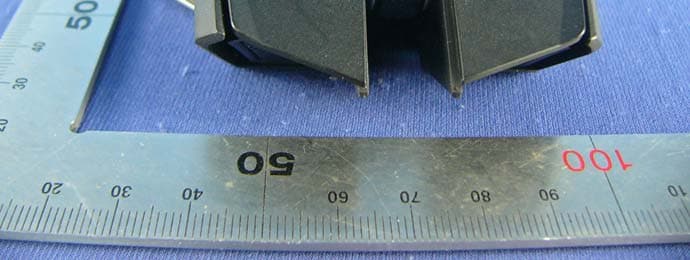
WX9RC30007701
May 15, 2012Razer Gaming Mouse
Equipment Class
DXX - Part 15 Low Power Communication Device Transmitter
WX9RC30006502
Sep 26, 2011SWTOR Charging Dock
Equipment Class
DXX - Part 15 Low Power Communication Device Transmitter
WX9RC30006501
Sep 26, 2011SWTOR Wireless Gaming Mouse
Equipment Class
DXX - Part 15 Low Power Communication Device Transmitter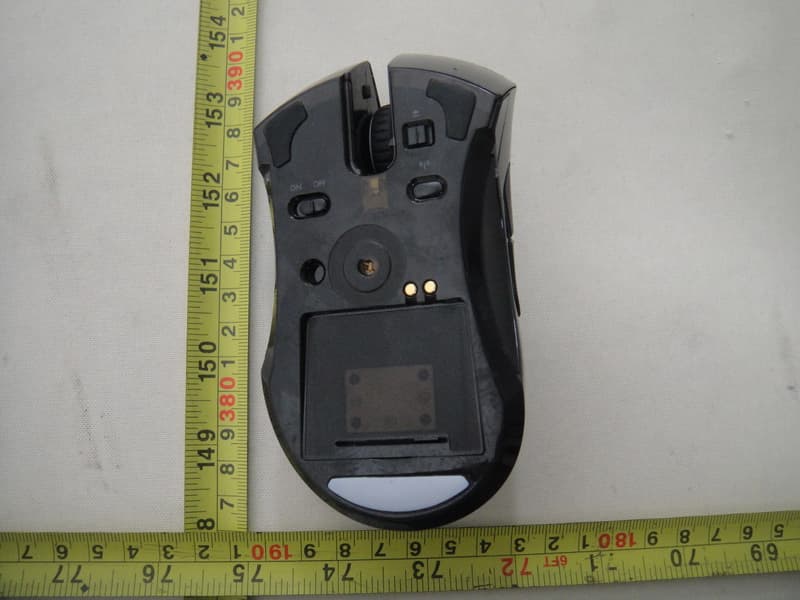
WX9RC30001206
May 29, 2011Razer Mamba Elite Ergonomic Gaming Mouse
Equipment Class
DXT - Part 15 Low Power Transceiver, Rx Verified