WX9RC30007701Razer Gaming Mouse
Razer (Asia Pacific) Pte Ltd
Click to zoom
Application Details
- Equipment Class
- DXX - Part 15 Low Power Communication Device Transmitter
- Date of Grant
- May 15, 2012
- Application Purpose
- Original Equipment
- Date of Application
- May 15, 2012
- Equipment Note
- Razer Gaming Mouse
- Frequency Range
- 2402.00000000 - 2480.00000000
- Company
- Razer (Asia Pacific) Pte Ltd
- Country
- Singapore
Documents & Files
Document Text
Text extracted from the exhibit documents filed with the FCC. Open a document above to read the original.
Users Manual
MASTER GUIDE for gamers. by gamers. TM www.razerzone.com P l a c e h o l d e r L O G O © 2012 All Rights Reserved. Razer USA Ltd and affiliated companies. xx | For Gamers. by Gamers. ™ www.razerzone.com | xx contents 01 Introduction 02 Package Contents / System Requirements / Registration 02 Key Features 03 Installing Your Razer Ouroboros 04 Using Your Razer Ouroboros 08 Configuring Your Razer Ouroboros 15 Safety and Maintenance 17 Important Product Information Guide YOUR SETTINGS, ANYTIME, ANYWHERE THE WORLD’S FIRST CLOUD BASED STORAGE FOR PERSONALIZED GAMING SETTINGS Razer Synapse 2.0 is a unified configurator for all next generation Razer gaming mice, keyboards, keypads, and other Razer devices. Through this single platform, not only can you customize settings on all your Razer peripherals; these settings are also automatically stored in a cloud making them accessible from any computer, anytime anywhere. For more information about this free software, and Razer Synapse 2.0 compatible products, please visit www.razerzone.com/synapse2 Note : To unleash the full feature set of your product, please download and install the Synapse 2.0 software. Please create an account to login to the free service. package contents / system requirements / registration PACKAGE CONTENTS • Razer Ouroboros Gaming Mouse • 4 Side Trigger Panels • Rechargeable NiMH AA Battery • Charging Dock • USB Connector Cable • Quick Start Guide • Master Guide SYSTEM REQUIREMENTS • PC or Mac with USB port • Windows® 7 / Windows Vista® / Windows® XP (32-bit) / Mac OS X (10.6-10.7) • Internet connection • 100MB of free hard disk space REGISTRATION Please visit www.razerzone.com/registration/ for online product registration. What you’ll get: • 2 years limited manufacturer’s warranty • Free online technical support at www.razersupport.com key features I L G H K J A B D E F C A. Left Mouse Button B. Right Mouse Button C. Scroll Wheel D. Sensitivity Stage Up E. Sensitivity Stage Down F. Adjustable Palm Rest and Rear Panel G. Mouse Button 7 H. Mouse Button 6 I. Left Trigger J. Mouse Button 9 K. Mouse Button 10 L. Right Trigger M. Ultraslick Mouse Feet N. Left Trigger Switch O. Right Trigger Switch P. 4G Dual Sensor System Q. Rear Panel Button R. Recliner Wheel S. Rechargeable NiMH AA Battery T. USB Connector Cable U. Side Trigger Panels V. Charging Dock W. Pairing Button P l a c e h o l d e r L O G O The Razer Ouroboros ambidextrous wireless gaming mouse is a potent weapon packed with enough lethal features to obliterate the competition. Designed for gamers who prefer an ambidextrous design, it offers fully customizable ergonomics and fit for every hand size, big or small, by allowing adjustment of the arched palm rest and back. Two interchangeable side panels ensure you’re using your preferred grip-style at all times. Game for hours on end while minimizing fatigue and maximizing comfort, as your enemies rage-quit from exhaustion. Razer’s highly advanced, award-winning 4G Dual Sensor System can be found in the Razer Ouroboros. This gaming-grade mouse sensor combines a laser and an optical sensor to enhance tracking precision and detect surfaces ten times faster than previous generation sensors. Its all-new DPI clutch lets you temporarily reduce or increase the DPI as you game, so you can go from high-sensitivity assault to low-sense sniper then back to assault as you need. With the Razer Ouroboros, you’re getting the absolute performance standard of pro-gamers today to match whatever game you play – whether it is a first-person shooter, real-time strategy, or role-playing game. The Razer Ouroboros also features an ultra-low 1ms latency wireless play that is as responsive and as precise as it is when it is corded. You’re as free to swipe and destroy as your play style dictates. With this phenomenal, all-in-one, juggernaut of a gaming mouse, achieving victorious gaming is easy. 1 | For Gamers. by Gamers. ™ www.razerzone.com | 2 Pull Back V W U U S T G. Mouse Button 7 H. Mouse Button 6 I. Left Trigger J. Mouse Button 9 K. Mouse Button 10 L. Right Trigger M. Ultraslick Mouse Feet N. Left Trigger Switch O. Right Trigger Switch P. 4G Dual Sensor System Q. Rear Panel Button R. Recliner Wheel S. Rechargeable NiMH AA Battery T. USB Connector Cable U. Side Trigger Panels V. Charging Dock W. Pairing Button installing your razer Ouroboros Note: You may skip Steps 1-3 if you already have a Razer Synapse 2.0 installed and have an existing account. Step 1: Download the Razer Synapse 2.0 installer from http://www.razersupport.com. Step 2: Run the installer and follow the onscreen instructions. Step 3: Register for a Razer Synapse 2.0 account and confirm your new account. Step 4: Plug the Razer Ouroboros into the USB port of your computer. Step 5: Open Razer Synapse 2.0 and login to your account. Step 6: Wait until the software automatically downloads and installs. using your razer Ouroboros For best results, please charge the battery fully the first time you use the Razer Ouroboros. A completely depleted battery can charge up to 90% in approximately 4 hours and up to 100% in another 4 hours. The Razer Ouroboros requires a USB connection that is able to supply sufficient power during battery charging process. The battery charging process of the Razer Ouroboros may be affected if connected to a non-powered USB hub or non-powered USB ports found on certain keyboards and other peripherals When not using your Razer Ouroboros’s battery for more than 30 days, be sure to remove and store the battery in a fully charged state. For extended periods of inactivity we recommend removing the charged battery from the mouse. This will prevent damage to the battery due to an overly discharged state. If the mouse has not been used for more than 30 days, the battery might need to be recharged before usage. WIRELESS MODE: 1. Press the Rear Extension Panel Button and detach the rear panel. 3. Insert the battery into the compartment then close the battery cover. Insert +…
Text truncated - open the document above for the full version.
Cover Letter(s)
Razer (Asia Pacific) Pte Ltd. 514 Chai Chee Lane #07- 01-06 Singapore 469029 FCC Confidentiality Request Number: CF303 Version: V01 Date: 01-02-2010 To the FCC and FCC TCB handling this application for certification Pursuant to 47 CFR Section 0.459(a) & (b), we, (the applicant / grantee) Company name Razer (Asia Pacific) Pte Ltd. Addresss 514 Chai Chee Lane #07-01-06 Singapore 469029 City Singapore Country Singapore request non-disclosure and confidential treatment for our certification under: Grantee Code Product Number FCC ID: WX9 RC30007701 of the following materials submitted within this certification application: (please cross what is applicable, or add other documents) x Operational Description x Block Diagrams x Schematics Diagrams Above materials contain secrets, proprietary and technical information, which would customarily be guarded from competitors under 47 CFR, section 0.457(d)(2). Disclosure or publication or any portion of this company confidential material to other parties could cause substantial competitive harm and provide unjustified benefits for competitors. We understand that pursuant to 47 CFR section 0.457(d)(1)(ii) disclosure of the applicant and all accompanying documentation will not be made before the date of the grant. Attestation: City and Country: Date: Name: (this must be a person) Function: Signature: (or official company stamp) Singapore, Singapore 2012-05-11 Johnsen Tia Senior Engineer
Cover Letter(s)
DoC We, Company Name: Razer (Asia Pacific) Pte Ltd. Address: 514 Chai Chee Lane #07-01-06 Singapore 469029 Postal/Zip: 469029 City: Singapore State/Province: Country: Singapore Contact Person: Mr. Ms. Name: Johnsen Tia Function: Senior Engineer Email: [email protected] Web: Phone: +65 6571 6828 Fax: +65 6505 2199 declare for the equipment identified by: Product Description Razer Gaming Mouse Type or Model(s) RC30-007701 Tradename or Brand(s) Razer that: This device complies with Part 15 of the FCC Rules. Operation is subject to the following two conditions: (1) this device may not cause harmful interference, and (2) this device must accept any interference received, including interference that may cause undesired op- eration. The following documents are subject to this declaration: Test Firm or Laboratory: Test Report Number: Date of issue: Compliance Certification Services Inc. (Linkuo Laboratory) SZ120522B01 -EF Attestation: City and Country: Date: Name: (this must be a person) Function: Signature: (or official company stamp) Singapore, Singapore 2012-05-21 Johnsen Tia Senior Engineer
Cover Letter(s)
Razer (Asia Pacific) Pte Ltd. 514 Chai Chee Lane #07-01-06 Singapore 469029 FCC Authorization Letter Number: CF304 Version: V03 Date: 01-18-2011 We, (the approval holder) Company name Razer (Asia Pacific) Pte Ltd. Addresss 514 Chai Chee Lane #07-01-06 Singapore 469029 City Singapore Country Singapore declare that the following representative (agent): Name (person) Aven zhou Function Supervisor Company name Compliance Certification Services (Shenzhen) Inc. Addresss No10-1, Mingkeda Logistics Park, No.18 Huanguan South RD. Guan lan Town, Baoan District, Shenzhen China City Shenzhen Country China is hereby authorized to apply the following equipment for certification on our behalf: Product Description Razer Gaming Mouse Type or Model(s) RC30-007701 Tradename or Brand(s) Razer We also authorize Teleconformity (Mr. M. Koop, Manager Certification, Address: Rietven 31, 7534NH Enschede, the Netherlands) to apply and sign this application for certification, registration or filing on our behalf (as representative agent or certifier). Attestation: City and Country: Date: Name: (this must be a person) Function: Signature: (or official company stamp) Singapore, Singapore 2012-05-11 Johnsen Tia Senior Engineer
External Photos
Report No.: SZ120508B06-RP Page 1/3 Report No.: SZ120508B06-RP Page 2/4 . Report No.: SZ120508B06-RP Page 3/4 . Report No.: SZ120508B06-RP Page 4/4 .
Internal Photos
Report No.: SZ120508B06-RP Page 1/4 Internal Photos of EUT Report No.: SZ120508B06-RP Page 2/8 . Report No.: SZ120508B06-RP Page 3/8 . Report No.: SZ120508B06-RP Page 4/8 . Report No.: SZ120508B06-RP Page 5/8 . Report No.: SZ120508B06-RP Page 6/8 . Report No.: SZ120508B06-RP Page 7/8 . Report No.: SZ120508B06-RP Page 8/8 .
Test Report
Reference No.:SZ120508B06-RP Report No: SZ120522B01-RP FCC ID: WX9RC30007701 Page 1 of 27 This report shall not be reproduced except in full, without the written approval of Compliance Certification Services. FCC 47 CFR PART 15 SUBPART C for Razer Gaming Mouse Model: RC30-007701 Brand: RAZER Test Report Number: SZ120522B01-RP Issued for Razer (Asia-Pacific) Pte Ltd 514 Chai Chee Lane #07-01~06.Singapore 469029 Issued by: COMPLIANCE CERTIFICATION SERVICES (SHENZHEN) INC. No.10-1, Mingkeda Logistics Park, No.18, Huanguan South Rd., Guan Lan Town, Baoan District, Shenzhen, China TEL: 86-755-28055000 FAX: 86-755-28055221 Issued Date: May 21, 2012 Note: This report shall not be reproduced except in full, without the written approval of Compliance Certification Services Inc. This document may be altered or revised by Compliance Certification Services Inc. personnel only, and shall be noted in the revision section of the document. The client should not use it to claim product endorsement by TAF, A2LA, NVLAP, NIST or any government agencies. The test result of this report relate only to the tested sample identified in this report. Reference No.:SZ120508B06-RP Report No: SZ120522B01-RP FCC ID: WX9RC30007701 Page 2 of 27 This report shall not be reproduced except in full, without the written approval of Compliance Certification Services. Revision History Rev. Issue No. Revisions Effect Page Revised By 00 SZ120508B06-RP Initial Issue ALL Amay Tang 01 SZ120522B01-RP Update Report ALL Amay Tang Note: (Rev.01: SZ120522B01-RP) 1. The applicant updated the Product name based on the report SZ120508B06-RP. 2. The other information, please refer to the Report No.: SZ120508B06-RP and this report. Reference No.:SZ120508B06-RP Report No: SZ120522B01-RP FCC ID: WX9RC30007701 Page 3 of 27 This report shall not be reproduced except in full, without the written approval of Compliance Certification Services. TABLE OF CONTENTS 1 TEST CERTIFICATION ...........................................................................................4 2 EUT DESCRIPTION.................................................................................................5 3 TEST METHODOLOGY...........................................................................................6 3.1. DESCRIPTION OF TEST MODES.......................................................................................6 4 TEST METHODOLOGY...........................................................................................7 4.1. EUT EXERCISE ...................................................................................................................7 4.2. FCC PART 15.205 RESTRICTED BANDS OF OPERATIONS............................................7 5 INSTRUMENT CALIBRATION ................................................................................8 6 SETUP OF EQUIPMENT UNDER TEST .................................................................8 6.1. DESCRIPTION OF SUPPORT UNITS .................................................................................8 6.2. CONFIGURATION OF SYSTEM UNDER TEST..................................................................8 7 FACILITIES AND ACCREDITATIONS ....................................................................9 7.1. FACILITIES ..........................................................................................................................9 7.2. ACCREDITATIONS ..............................................................................................................9 7.3. MEASUREMENT UNCERTAINTY .......................................................................................9 8 FCC PART 15.249 REQUIREMENTS ...................................................................10 8.1. BAND EDGES MEASUREMENT .......................................................................................10 8.2. POWER LINE CONDUCTED EMISSIONS MEASUREMENT ...........................................12 8.3. SPURIOUS EMISSIONS MEASUREMENT .......................................................................20 Reference No.:SZ120508B06-RP Report No: SZ120522B01-RP FCC ID: WX9RC30007701 Page 4 of 27 This report shall not be reproduced except in full, without the written approval of Compliance Certification Services. 1 TEST CERTIFICATION Product Razer Gaming Mouse Model RC30-007701 Brand RAZER Tested May 08~10, 2012 Applicant Razer (Asia-Pacific) Pte Ltd 514 Chai Chee Lane #07-01~06.Singapore 469029 Manufacturer Razer Technology Development (Shenzhen) Co., Ltd 302B room, East Wing, 3F, Block 2, Phase 1 of Vision Business Park, Keji South Rd, Hi-Tech Industrial Park, Shenzhen 518057, China APPLICABLE STANDARDS STANDARD TEST RESULT FCC 47 CFR Part 15 Subpart C No non-compliance noted DEVIATION FROM APPLICABLE STANDARD None We hereby certify that: The above equipment was tested by Compliance Certification Services Inc. The test data, data evaluation, test procedures, and equipment configurations shown in this report were made in accordance with the procedures given in ANSI C63.4:2009 and the energy emitted by the sample EUT tested as described in this report is in compliance with the requirements of FCC Rules Part 15.207, 15.209, 15.249. The test results of this report relate only to the tested sample EUT identified in this report. Approved by: Reviewed by: Tom Gan Supervisor of EMC Dept. Compliance Certification Service Inc. Aven Zhou Supervisor of Report Dept. Compliance Certification Service Inc. Reference No.:SZ120508B06-RP Report No: SZ120522B01-RP FCC ID: WX9RC30007701 Page 5 of 27 This report shall not be reproduced except in full, without the written approval of Compliance Certification Services. 2 EUT DESCRIPTION Product Razer Gaming Mouse Model Number RC30-007701 Trade Name RAZER Model Discrepancy N/A Serial Number SZ120522B01-RP Power Supply DC 1.5V supplied by the battery or DC 5V supplied by the PC Frequency Range 2400-2483.5MHz Transmit Power Peak: 80.79dBuV/m (Max.) Average:74.73 dB…
Text truncated - open the document above for the full version.
Test Setup Photos
Report No.: SZ120508B06-RP FCC ID: WX9RC30007701 Page 1/1 PHOTOGRAPHS OF THE TEST CONFIGURATION CONDUCTED EMISSION TEST Report No.: SZ120508B06-RP FCC ID: WX9RC30007701 Page 2 . RADIATED EMISSION TEST Below 1GHz Above 1GHz
Contact Information
Applicant
Johnsen Tia(Sr. Regulatory Compliance Engineer (Asia Pacific))
Technical Contact
TeleconformityMark Koop
[email protected]+31 84 8395876
Rietven 31 · Enschede, Overyssel · Netherlands
Test Firm
Compliance Certification Services (Shenzhen) Inc.Harry Li
Technical Specifications
| # | Rule Parts | Frequency Range | Power Output |
|---|---|---|---|
| 1 | 15C | 2.40 GHz - 2.48 GHz | - |
Other Applications from Razer (Asia Pacific) Pte Ltd
WX9RC30007702
May 15, 2012Charging Dock
Equipment Class
DXX - Part 15 Low Power Communication Device Transmitter
WX9RC30006502
Sep 26, 2011SWTOR Charging Dock
Equipment Class
DXX - Part 15 Low Power Communication Device Transmitter
WX9RC30006501
Sep 26, 2011SWTOR Wireless Gaming Mouse
Equipment Class
DXX - Part 15 Low Power Communication Device Transmitter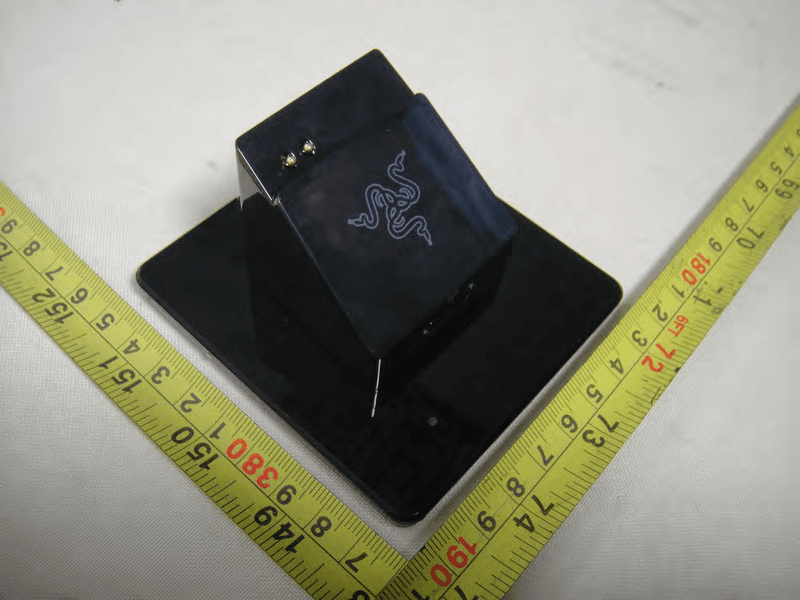
WX9RC30001207
May 29, 2011Razer Charging Dock
Equipment Class
DXT - Part 15 Low Power Transceiver, Rx Verified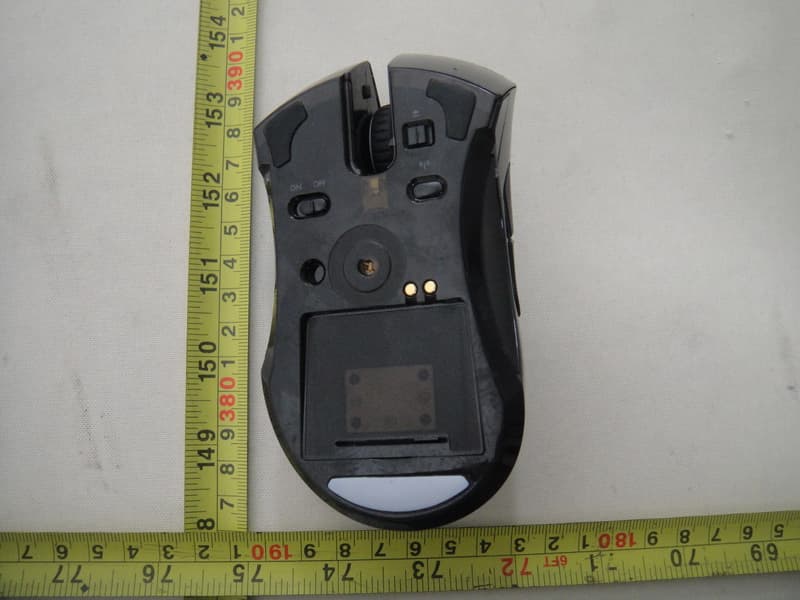
WX9RC30001206
May 29, 2011Razer Mamba Elite Ergonomic Gaming Mouse
Equipment Class
DXT - Part 15 Low Power Transceiver, Rx Verified