X4LT200Martian Notifier
SilverPlus, Inc.
Click to zoom
Application Details
- Equipment Class
- DTS - Digital Transmission System
- Date of Grant
- Apr 01, 2014
- Application Purpose
- Original Equipment
- Date of Application
- Mar 30, 2014
- Equipment Note
- Martian Notifier
- Frequency Range
- 2402.00000000 - 2480.00000000
- Company
- SilverPlus, Inc.
- Country
- Taiwan
Documents & Files
Document Text
Text extracted from the exhibit documents filed with the FCC. Open a document above to read the original.
Users Manual
QUICK CONNECT GUIDE v1 M MARTIAN MARTIAN NOTIFIER Complete User Manual is available at martiannotifier.com/manual Getting Started Make sure these items are in the box: Setting the Time Gently pull out the watch crown (knob on right side of watch) and rotate it to set the time. When set, push the crown back in until you hear a click. Tu r n i n g Yo u r Wa t c h O n Press and hold Bottom Left Button for 2 seconds. Turning Your Watch Off Press and hold Bottom Left Button for 2 seconds. Micro-USB cable MARTIAN NOTIFIER Congratulations on the purchase of your new Martian Notifier smartwatch! Our goal at Martian Watches is to deliver an outstanding product to make Life on Earth more convenient when used as a companion to your Smartphone. Enjoy! 1. Top Button Launches voice commands (and dismisses them on iOS), accepts changes made in Martian Menu, and scrolls notification history forward. 2. Bottom Button Tu r n s w a t c h o n a n d o ff, accesses status bar, scrolls through Martian Menu, and scrolls notification history backward. 3. LED Indicator Notifies users of events. Green: Incoming call and battery fully charged. Red: Low battery or charging. Blue: Incoming notification. 4. OLED Display Shows incoming caller ID, text ID, and notifications. Displays battery level and other information. 5. Watch Glass Ta p t o d i s m i s s i n c o m i n g n o t i f i c a t i o n s , d i s m i s s n o t i f i c a t i o n h i s t o r y, and recall last notification for up to 5 minutes after it was received. Controls and Displays There are Two Buttons on your watch... top left and bottom left. The watch crown, on the right, is used only to set the time and is not a button. The watch glass also functions as a button for some features. Checking Battery Level With the watch turned on, quick-press* the bottom left button to view the Watch menu. The battery icon is in the far left of the display. If the white part of the icon is less than 50%, your watch should be charged more fully before pairing. Charging the Watch The charging cable can be plugged into your computer’s USB port (or a power outlet via a USB wall adapter, sold separately). Note: Martian Notifier requires the special Micro USB cable included in the package*. • A solid red light will appear when the watch is receiving power. • A solid green light indicates the watch is fully charged. Full charge is reached in approximately 2-3 hours from a power outlet, 3-4 hours when charging from a computer. Battery Life - Martian Notifier allows 4-5 days of use time. The time piece will run for approximately 2 years on its separate battery. * For quick-press, press button(s) completely but quickly – for a fraction of a second. Before Pairing Martian Notifier • Turn “ON” Bluetooth on your smartphone or other device For iOS : go to Settings > Bluetooth > Toggle On For Android : go to Settings > Bluetooth > Toggle On • Download the FREE Martian Notifier App for your device (App Store or Play Store) • Android: Turn “ON” accessibility for Martian Notifier in your phone (instructions!) Un-Pairing Martian Notifier Yo u r MARTIAN Notifier can only be paired with one device at a time. Once paired, if you wish to use your Watch with a different device, you need to un-pair it from the current device before pairing with the next device. For iOS : go to Settings > Bluetooth > Martian Notifier > “Forget Device” For Android : go to Settings > Bluetooth > Martian Notifier > “Unpair” Pairing to iOS Devices (iPhone, iPad and iPod) Start-up is most easily accomplished in the following sequence: On your Martian Notifier: Tu r n o n y o u r w a t c h (long-press the bottom button). Before pairing, your watch battery should be charged to at least 50%. On your iOS Device: 1. Turn “ON” Bluetooth on your smartphone or other iOS device. 2. Download the Martian Notifier App (Go to the App Store; search for “martian notifier”; Download “Martian Notifier” app to your device). 3. Open the app and go to the Home tab. Turn the “Tap to connect” toggle button to “ON”. 4. After a moment, a 6-digit number will appear on your Martian. Type the number into the field that pops up on your device and tap “Pair”. 5. If pairing is successful, “Paired to Smart” will appear on the watch’s OLED, and “Watch and app are connected” will show on the App. Note: If pairing is not successful, turn watch off and back on, turn your device’s Bluetooth off and back on, then start again at item 3 above. Pairing to Android Devices Start-up is most easily accomplished in the following sequence: On your Martian Notifier: Tu r n o n y o u r w a t c h (long-press the bottom button). Before pairing your watch, battery should be charged to at least 50%. On your Android Device: 1. Turn “ON” Bluetooth on your smartphone or other Android device. 2. Download the Martian Notifier App (Go to the Play Store; search for “martian notifier”; download “Martian Notifier” app to your device). 3. Open the app and go to the Home tab. Tap the “Start” button. 4. A pop-up will appear that says “Please turn on Android in your watch’s settings”. (Continued on next page) Pairing to Android Devices (cont.) On your Martian Notifier: Tu r n o n “ A n d ro i d ” o n y o u r w a t c h . • Quick-press the bottom button twice to access the Martian Menu. • Quick-press the bottom button repeatedly until “Setup” appears. • Quick-press the top button to enter the Setup menu. • Quick-press the bottom button repeatedly until “Android” appears. • Quick-press the top button to place a “checkmark” in the box. The LED light will flash blue and the OLED displays “Pair from app”. On your Android Device: 1. Tap “OK” to continue. 2. A pop-up will appear that says “Select a device to connect”. Tap “scan for devices”. 3. A list of available devices will appear. Tap on “Martian Notifier”. 4. After a moment, a 6-digit number will appear on your Martian and on the App. If the numbers match, tap “Pair”. If the numbers don’t match, tap “Cancel” and tap “Start” to begin a…
Text truncated - open the document above for the full version.
Attestation Statements
Attestation for FCC Declaration of Conformity FCC ID: X4LT200 Please be notified that we, the undersigned, SilverPlus, Inc., declares that the product which bears the above FCC ID is also compliant with the FCC requirements for DoC. The test report number supporting the DoC is MLT1401P15001. Testing in regards to this report was done by Max Light Technology Co. Ltd., located at Room 5, 8F, No.125, Section 3 Roosevelt Road, Taipei, Taiwan. which has been accredited in accordance to all of the requirements of 47CFR 2.948 (d) and (e) of the FCC rules . Sincerely, _____________________________________ (Signature) Original written signature of authorized signer: Ming Yish Chen -- Vice President
Cover Letter(s)
AGENCY AUTHORIZATION LETTER To whom it may concern: We, the undersigned SilverPlus, Inc. hereby authorize Max Light Technology Co. Ltd. (MLT) of Taiwan to act on our behalf in all matters relating to all processes required in the FCC Part 15 approval and any communication needed with the national authority. Any and all acts carried out by MLT on our behalf shall have the same effects as acts of our own. For questions regarding the authorization, please contact us. Thank you! Sincerely yours, _____________________________________ (Signature) Original written signature of authorized signer: Ming Yish Chen -- Vice President Printed name of authorized signer / Title Date: February 27, 2014
Cover Letter(s)
Date: February 27, 2014 Federal Communications Commission Office of Engineering and Technology Equipment Authorization Division 7345 Oakland Mills Road Columbia, Maryland 21046 Subject: Permanent Confidentiality request for FCC ID: X4LT200 To Whom It May Concern, Pursuant to sections 0.457 and 0.459 of CFR 47, the applicant requests permanent confidential treatment of the following information accompanying this application: Block Diagrams Schematics Operational Descriptions The above materials contain trade secrets and proprietary information not customarily released to the public. The public disclosure of these matters might be harmful to the applicant and provide unjustified benefits to its competitors. Sincerely, _____________________________________ (Signature) Original written signature of authorized signer: Ming Yish Chen -- Vice President
External Photos
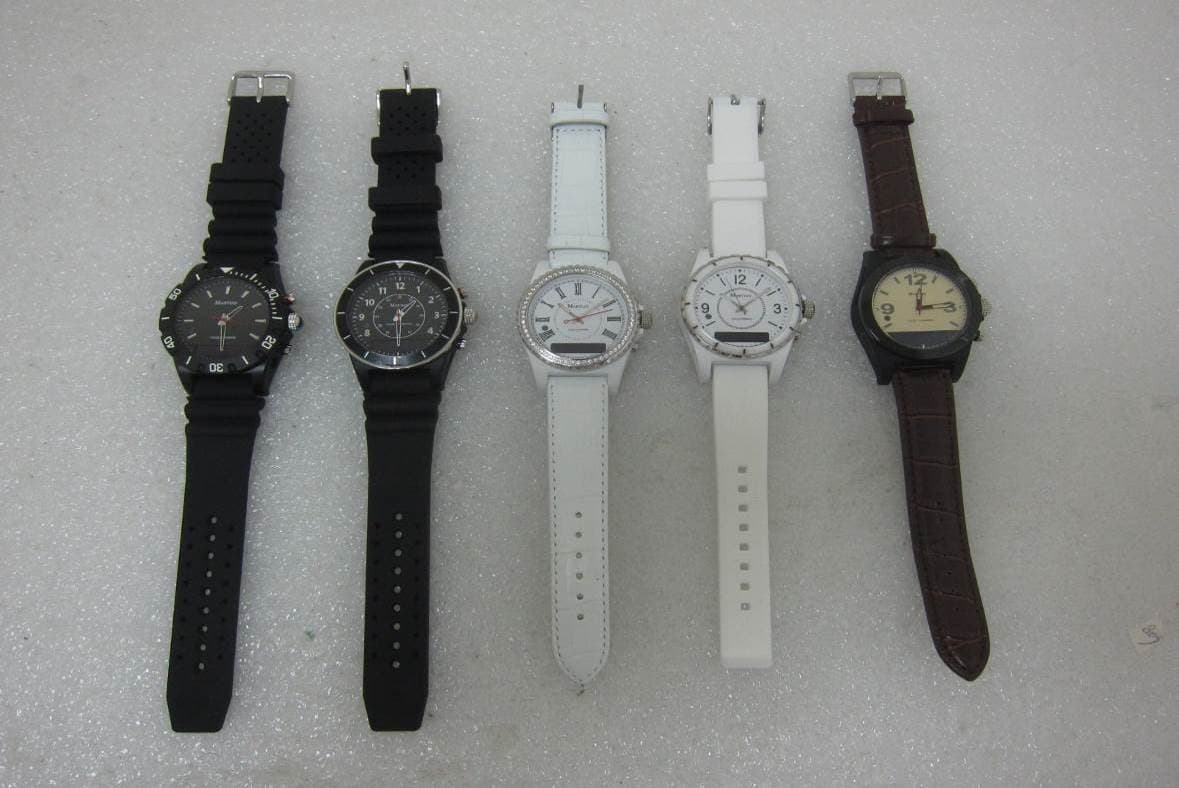
Report Number: MLT1401P15001 Photograph of EUT
ID Label/Location Info
Report Number: MLT1401P15001 Label Format: Label Position: Equipment Label 2.5cmX2.5cm This device complies with Part15 of the FCC Rules. Operation is subject to the following two conditions: (1) This device may not cause harmful interference, and (2) This device must accept any interference received , including Interference that may cause undesired operation. Trade Name: SilverCare Model No. : T200 FCC ID: X4LT200 Rear View
Internal Photos
Report Number: MLT1401P15001 Report Number: MLT1401P15001
RF Exposure Info
Page: 1 / 2 Report Number: MLT1401P15001 M M a a x x i i m m u u m m P P e e r r m m i i s s s s i i b b l l e e E E x x p p o o s s u u r r e e 1. Introduction In this document, we try to prove the safety of radiation harmfulness to the human body for our product. The limit for Maximum Permissible Exposure (MPE) specified in FCC 1.1310 is followed. The Gain of the antenna used in this product is measured in a Fully Anechoic Chamber (FAC), and also the maximum total power input to the antenna is measured. Through the Friis transmission formula and the maximum gain of the antenna, we can calculate the distance, away from the product, where the limit of MPE is reached. Although the Friis transmission formula is a far field assumption, the calculated result of that is an over-prediction for near field power density. We will take that as the worst case to specify the safety range. 2. Description of EUT Equipment Martian Notifier Applicant Name SilverPlus, Inc. Applicant Address 17F., No.659, Sec. 1, Neihu Rd., Taipei City 114, Taiwan Manufacturer Name SilverPlus, Inc. Manufacturer Address 17F., No.659, Sec. 1, Neihu Rd., Taipei City 114, Taiwan Model No T200 FCC ID X4LT200 3. Classification The antenna of this product, under normal use condition, is at least 5cm away from the body of the user. Warning statement to the user for keeping at least 5cm or more separation distance with the antenna should be included in users manual. So, this device is classified as Mobile Device. 4. Friis Formula Friis transmission formula : Pd = (Pout*G) / (4*pi*r^2) Page: 2 / 2 Report Number: MLT1401P15001 Where Pd = power density in mW/cm^2 Pout = output power to antenna in mW G = gain of antenna in linear scale Pi = 3.1416 R = distance between observation point and center of the radiator in cm (20cm) 5. RF Exposure Limit : According to FCC 1. 1310: The criteria listed in the following table shall be used to evaluate the environmental impact of human exposure to radio frequency (RF) radiation as specified in 1.1307(b) LIMITS FOR MAXIMUM PERMISSIBLE EXPOSURE (MPE) Frequency Range (MHz) Electric Field Strength (V/m) Magnetic Field Strength (A/m) Power Density (mW/cm^2) Average Time (minutes) (A)Limits For Occupational / Control Exposures 300-1500 F/300 6 1500-100,000 5 6 (B)Limits For General Population / Uncontrolled Exposure 300-1500 F/1500 30 1500-100,000 1 30 6. Test Result: BT Testing Result MPE Limit Frequency (MHz) Max RF Power (mW) TX Antenna Gain (dBi) (mW/cm^2) (mW/cm^2) 2402 1.169 2.2 0.0062 1 2441 1.349 2.2 0.0071 1 2480 1.315 2.2 0.0069 1 BLE Testing Result MPE Limit Frequency (MHz) Max RF Power (mW) TX Antenna Gain (dBi) (mW/cm^2) (mW/cm^2) 2402 1.426 2.2 0.0075 1 2440 1.538 2.2 0.0081 1 2480 1.607 2.2 0.0085 1
Test Report
Page: 1 / 44 Report Number: MLT1401P15001-2 (FCC : Part 15 Subpart C (15.247) / ANSI C63.4-2003) Classification : (DTS) Digital Transmission System Product :Martian Notifier Trade Name :SilverPlus Model No. :T200 Applicant :SilverPlus, Inc. Applicant Address :17F., No.659, Sec. 1, Neihu Rd., Taipei City 114, Taiwan Page: 2 / 44 Report Number: MLT1401P15001-2 Report Number MLT1401P15001-2 Applicant SilverPlus, Inc. Product Martian Notifier Sample Received Date 2014/1/2 Sample Tested Date 2014/1/2 ~ 2014/2/14 Report Prepared By Jesse Tien Signature Date Prepared 2014/2/27 Report Authorized By Roger Chen Signature Date Authorized 2014/2/27 Test By Max Light Technology Co., Ltd. Room 5, 8F, No.125, Section 3 Roosevelt Road, Taipei, Taiwan., R.O.C. Office : Tel: 886-2-2363-2447 Fax: 886-2-2363-2597 Lab. : Tel: 886-2-2663-3486 Fax: 886-2-2663-3582 It may be duplicated completely for legal use with the allowance of the applicant. It shall not be reproduced except in full, without the written approval of our laboratory. Page: 3 / 44 Report Number: MLT1401P15001-2 Table of Contents : HISTORY OF TEST REPORT ................................................................................................. 4 1. GENERAL............................................................................................................................ 6 2. CONDUCTED EMISSIONS REQUIREMENTS ................................................................. 10 3. RADIATED EMISSIONS REQUIREMENTS (BELOW 1GHZ) ........................................... 13 4. MAXIMUM CONDUCTED OUTPUT POWER REQUIREMENTS...................................... 19 5. MINIMUM 6DB RF BANDWIDTH REQUIREMENTS......................................................... 22 6. MAXIMUM POWER DENSITY REQUIREMENTS............................................................. 25 7. OUT OF BAND CONDUCTED SPURIOUS EMISSIONS REQUIREMENTS .................... 28 8. BAND EDGES REQUIREMENTS...................................................................................... 33 9. RADIATED EMISSIONS REQUIREMENTS (ABOVE 1GHZ) ............................................ 35 10. ANTENNA REQUIREMENTS .......................................................................................... 41 APPENDIX I - EUT TEST SETUP ......................................................................................... 42 APPENDIX II - BRAND / TRADE NAME & MODEL NO. MULTIPLE LISTEE ....................... 44 Page: 4 / 44 Report Number: MLT1401P15001-2 History of Test Report Original Report Issue Date: 2014/2/27 ■ No additional attachment □ additional attachments were issued as in the following record: Attachment No. Issue Date Description MLT1401P15001-2 2014/2/27 Original report Page: 5 / 44 Report Number: MLT1401P15001-2 CERTIFICATION We here by verify that : The test data, data evaluation, test procedures and equipment configurations shown in this report were made in accordance with the procedures given in ANSI C63.4-2003. All test were conducted by MLT(Max Light Technology Co.,Ltd) Room 5, 8F, No.125, Section 3 Roosevelt Road, Taipei, Taiwan, R.O.C Also, we attest to the accuracy of each. We further submit that the energy emitted by the sample EUT tested as described in the report is in compliance with Class B radiated and conducted emission limit of FCC Rules Part 15 Subpart C (15.247). Applicant Name SilverPlus, Inc. Applicant Address 17F., No.659, Sec. 1, Neihu Rd., Taipei City 114, Taiwan Manufacturer Name SilverPlus, Inc. Manufacturer Address 17F., No.659, Sec. 1, Neihu Rd., Taipei City 114, Taiwan Equipment Martian Notifier Model No T200 FCC ID X4LT200 Report Prepared By Jesse Tien Signature Report Authorized By Roger Chen Signature Page: 6 / 44 Report Number: MLT1401P15001-2 1. General 1.1 Introduction The following measurement report is submitted on behalf of SilverPlus, Inc. In support of a Class B Digital Device certification in accordance with Part2 Subpart J and Part 15 Subpart C of the Commission’s and Regulations. 1.2 Customer Details Applicant Name SilverPlus, Inc. Applicant Address 17F., No.659, Sec. 1, Neihu Rd., Taipei City 114, Taiwan Manufacturer Name SilverPlus, Inc. Manufacturer Address 17F., No.659, Sec. 1, Neihu Rd., Taipei City 114, Taiwan 1.3 Technical data of EUT Equipment Martian Notifier Model No T200 FCC ID X4LT200 Power Type Battery 3.7V Type of Modulation Bluetooth 4.0 – LE : GFSK Carrier Frequency of Each Channel 40 Channel (37 Hopping + 3 advertising channel) Type of Antenna Chip Antenna Frequency of Channel See Next page During testing the EUT was operated at Tx or Rx mode for each emission measured. This was done in order to ensure that maximum emission levels were attained. Page: 7 / 44 Report Number: MLT1401P15001-2 Frequency of Each Channel (Working Frequency) Channel Frequency (MHz) Channel Frequency (MHz) Channel Frequency (MHz) Channel Frequency (MHz) 0 2402 10 2422 20 2442 30 2462 1 2404 11 2424 21 2444 31 2464 2 2406 12 2426 22 2446 32 2466 3 2408 13 2428 23 2448 33 2468 4 2410 14 2430 24 2450 34 2470 5 2412 15 2432 25 2452 35 2472 6 2414 16 2434 26 2454 36 2474 7 2416 17 2436 27 2456 37 2476 8 2418 18 2438 28 2458 38 2478 9 2420 19 2440 29 2460 39 2480 1.4 Summary Of Tests 47 CFR Part 15 Subpart C Reference Test Results Note 15.207 Conducted Emission PASS 15.209 Radiated Emission PASS 15.247(c) Transmitter Radiated Emissions PASS 15.247(b) Max. Output Power PASS 15.247(a)(2) 6dB RF Bandwidth PASS 15.247(e) Max. Power Density PASS 15.247(c) Out of Band Conducted Spurious EmissionPASS 15.247(d) Band Edge Measurement PASS 15.203 Antenna Requirement PASS 1.5 Description of Support Equipment In order to construct the minimum system which required by the ANSI C63.4-2003, following equipments were used as the support units. Page: 8 / 44 Report Number: MLT1401P15001-2 1.6 Configuration of System Under Test Charged by PC Operate EUT Page: 9 / 44 Report Number: MLT1401P15001-2 1.7 Test Procedure All measurements contained in this report …
Text truncated - open the document above for the full version.
Test Setup Photos
Report Number: MLT1401P15001 Photograph of Conducted Measurement Front View of The Test Configuration Rear View of The Test Configuration) Report Number: MLT1401P15001 Photograph of Radiated Measurement Front View of The Test Configuration (PC charge) Rear View of The Test Configuration (PC charge) Report Number: MLT1401P15001 Front View of The Test Configuration Rear View of The Test Configuration Report Number: MLT1401P15001 Front View of The Test Configuration Rear View of The Test Configuration Report Number: MLT1401P15001
Contact Information
Applicant
Ming-Yish Chen
Technical Contact
Test Firm
Max Light Technology Co., Ltd.Jesse Tien
Technical Specifications
| # | Rule Parts | Frequency Range | Power Output |
|---|---|---|---|
| 1 | 15C | 2.40 GHz - 2.48 GHz | 1.60 mW |
Other Applications from SilverPlus, Inc.
X4LT300
Jul 27, 2015Martian Voice Command Watch 2
Equipment Class
DSS - Part 15 Spread Spectrum Transmitter
X4LMW100
Mar 06, 2013Martian Watch
Equipment Class
DTS - Digital Transmission System
X4LHC100LL
Apr 21, 2010SilverCare Health Care System
Equipment Class
DSS - Part 15 Spread Spectrum Transmitter
X4LHC100WW
Apr 21, 2010SilverCare Health Care System
Equipment Class
DSS - Part 15 Spread Spectrum Transmitter
X4LHC100BB
Apr 21, 2010SilverCare Health Care System
Equipment Class
DSS - Part 15 Spread Spectrum Transmitter