X8FM13-535LINXGolf GPS watch
SkyHawke Technologies, LLC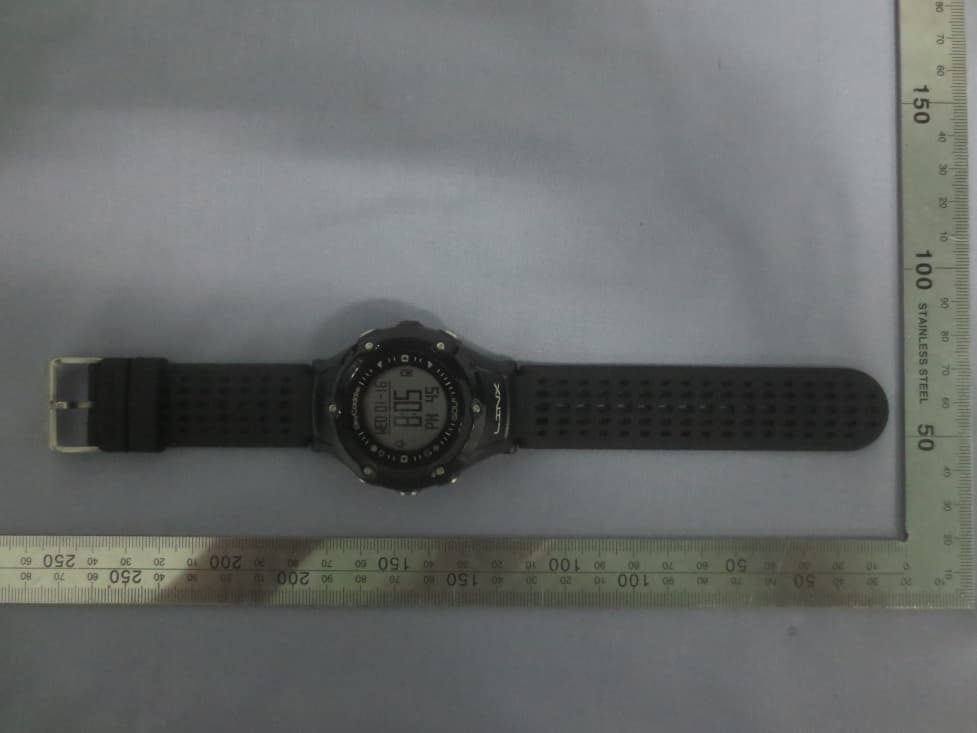
Click to zoom
Application Details
- Equipment Class
- DTS - Digital Transmission System
- Date of Grant
- Jun 02, 2014
- Application Purpose
- Original Equipment
- Date of Application
- Jun 02, 2014
- Equipment Note
- Golf GPS watch
- Frequency Range
- 2402.00000000 - 2480.00000000
- Company
- SkyHawke Technologies, LLC
- Country
- United States
Documents & Files
Document Text
Text extracted from the exhibit documents filed with the FCC. Open a document above to read the original.
Users Manual
MARK SET LIGHT MENU UP DOWN OK/ RESET/ VIEW PRESS HOLD BATTERY LEVEL BACK 2 ACTIVATING AND REGISTERING YOUR SkyCaddie ® LINX ™ There are two ways to register you LINX: • Via Bluetooth ® on your smart device • Via CaddieSync ® Express on your Computer Activate Your LINX via Bluetooth ® 1.Using your smartphone or tablet, go to the Google Play ® Store or the Apple ® App Store SM to download the SkyGolf Mobile App. 2.Follow the onscreen directions in the installed app to login or set up your SkyGolf user account and to register your LINX. Make sure Bluetooth is enabled on your smart device. Now you’re ready to • Update and download course maps • Update and upload scores • Receive incoming phone call and text message notifications Activate your LINX via the enclosed USB cable IMPORTANT: Before you connect the enclosed USB cable to your computer, please go to www.MySkyCaddie.com first and follow the onscreen directions to install the latest version of CaddieSync Express on your computer and to obtain the latest drivers for your SkyCaddie. 1. On your computer, go to www.MySkyCaddie.com and follow the onscreen directions. 2. On your LINX, select CODE in the Main Menu to display your unique 8-character Access Code. 3. To complete activation, the website will ask you to log into your SkyGolf account or to create a user account, should you not yet have one. 3 CHARGING YOUR SKYCADDIE LINX Please fully charge your LINX before first use. HOW TO CHARGE USING THE ENCLOSED USB CABLE NOTE: Always make sure the charging contacts on your SkyCaddie LINX and surrounding area are dry and clean of any dirt or debris to ensure proper electrical contact and to prevent corrosion. 1. Align the charging clip with the contacts on the back of the LINX watch. 2. Connect the charging clip securely. 3. Insert the USB plug into a USB port on your computer, or a SkyCaddie wall charger. 4. If connected correctly, CHARGE will display. 5. When fully charged, FULL CHARGE will display. NOTE: It is recommended that the battery is recharged after every round of golf or odometer session as these functions require GPS and deplete a battery charge at a much higher rate than non-GPS Modes. A full charge should provide up to 8 hours of golf or odometer usage. The Battery Level indicator displays on the right side of the LINX screen. If this indicator starts blinking, your battery is low and needs to be fully charged as soon as possible. When the battery is low, GOLF and ODOMETER Modes will not be available. CHARGING CONTACTS LINX MODES Your SkyCaddie LINX is versatile and includes several Modes: • GOLF*: View distances, track your score, and measure shot distances. • TIME: View the current time and date. • ODOMETER*: Track and save info about your walk, run, or ride. • STOPWATCH: Track elapsed time and individual lap times. • TIMER: 3 adjustable timers that count down to 0. • ALARM: 5 alarms that can alert you at specific times of the day. • SCORES: View and manage saved GOLF scores and stats. • WORKOUTS: View and manage saved ODOMETER sessions. • LOCATION*: Display your current GPS location. • SETTINGS: Adjust various settings for your LINX. • INFO: Display information about your LINX. • DEMO: Demonstrates the GOLF features. • CODE: Display your activation Access Code. • TURN OFF: Turn your LINX off. (To turn your LINX back on, press and hold the MENU button.) *NOTE: A GPS signal is required for these modes. You must be outdoors with a clear view of the sky. We recommend that you start these activities with a fully charged battery as they consume battery capacity at a much higher rate than non-GPS Modes. 4 CHANGING MODES To change Modes: 1. Press and hold the MENU button until the Menu list appears. 2. Use the UP/DOWN buttons to scroll through Menu items. 3. Press the OK button to select the highlighted Menu item. GOLF MODE Starting a New Round Make sure you are outside and near the course you are going to play. 1. Press and hold the MENU button until the Menu list appears. 2. Highlight GOLF using the UP/DOWN buttons. 3. Press the OK button to confirm. 4. If prompted, highlight NEW GAME and press the OK button. 5. The LINX will turn on the GPS and auto-search for nearby courses. It may take a few minutes for the LINX to acquire a GPS signal. 6. When the search is completed, a list of nearby courses will display. 7. Highlight the correct course using the UP/DOWN buttons. 8. Press the OK button to open the highlighted course. Playing Golf To change between the GREEN, TARGETS, INFO and INTELLIGREEN † Views, press the OK button. Press and hold the OK button to view and edit your score and stats at any time. HINT: When you take a break, set your LINX to TIME Mode to save battery power. After your break, return to GOLF Mode and resume your round or start a new round. 5 INFO View displays current time and elapsed time since starting your round. After changing to other Views, your LINX will automatically return to the GREEN View if no button is pressed for several seconds. TARGETS View displays distances to hazards, carries and layups located ahead from your position on the hole. Please Note: A full TrueGround ® Target List requires a SkyCaddie Membership † . See p. 8 for details. INTELLIGREEN † View displays the shape of the green from your angle of approach. You can move the crosshairs, if desired: 6 LAYUP 150Y OUT LAYUP BNK R target TARGETS INTELLIGREEN 157 menu golf time demo MENU • Use the UP button to adjust the pin location from the 6 toward the 12 o’clock position. • Use the DOWN button to adjust the pin location from the 9 toward the 3 o’clock position. The LINX will display the updated distance to the pin accordingly. Requires a SkyCaddie Membership † . See p. 8 for details. † Upgrade your LINX with a SkyCaddie Membership and receive these additional features: • IntelliGreen ® Technology providing actual green shape. • TrueGround ® Target List with up to 40 hazards, carries and layups per hole. • Sync with SkyGolf.com or the SkyGol…
Text truncated - open the document above for the full version.
External Photos
Report No: CCIS14050033701 Shenzhen Zhongjian Nanfang Testing Co., Ltd. Project No.: CCIS140500337RF No.B-C, 1/F., Building 2, Laodong No.2 Industrial Park, Xixiang Road, Bao’an District, Shenzhen, Guangdong, China Telephone: +86 (0) 755 23118282 Fax: +86 (0) 755 23116366 Page 36 of 45 8 EUT Constructional Details Report No: CCIS14050033701 Shenzhen Zhongjian Nanfang Testing Co., Ltd. Project No.: CCIS140500337RF No.B-C, 1/F., Building 2, Laodong No.2 Industrial Park, Xixiang Road, Bao’an District, Shenzhen, Guangdong, China Telephone: +86 (0) 755 23118282 Fax: +86 (0) 755 23116366 Page 37 of 45 Report No: CCIS14050033701 Shenzhen Zhongjian Nanfang Testing Co., Ltd. Project No.: CCIS140500337RF No.B-C, 1/F., Building 2, Laodong No.2 Industrial Park, Xixiang Road, Bao’an District, Shenzhen, Guangdong, China Telephone: +86 (0) 755 23118282 Fax: +86 (0) 755 23116366 Page 38 of 45
ID Label/Location Info
Label and label location Label: Label size: 25.0mm x12.0mm Label location
Internal Photos
Report No: CCIS14050033701 Shenzhen Zhongjian Nanfang Testing Co., Ltd. Project No.: CCIS140500337RF No.B-C, 1/F., Building 2, Laodong No.2 Industrial Park, Xixiang Road, Bao’an District, Shenzhen, Guangdong, China Telephone: +86 (0) 755 23118282 Fax: +86 (0) 755 23116366 Page 39 of 44 Report No: CCIS14050033701 Shenzhen Zhongjian Nanfang Testing Co., Ltd. Project No.: CCIS140500337RF No.B-C, 1/F., Building 2, Laodong No.2 Industrial Park, Xixiang Road, Bao’an District, Shenzhen, Guangdong, China Telephone: +86 (0) 755 23118282 Fax: +86 (0) 755 23116366 Page 40 of 44 Report No: CCIS14050033701 Shenzhen Zhongjian Nanfang Testing Co., Ltd. Project No.: CCIS140500337RF No.B-C, 1/F., Building 2, Laodong No.2 Industrial Park, Xixiang Road, Bao’an District, Shenzhen, Guangdong, China Telephone: +86 (0) 755 23118282 Fax: +86 (0) 755 23116366 Page 41 of 44 Report No: CCIS14050033701 Shenzhen Zhongjian Nanfang Testing Co., Ltd. Project No.: CCIS140500337RF No.B-C, 1/F., Building 2, Laodong No.2 Industrial Park, Xixiang Road, Bao’an District, Shenzhen, Guangdong, China Telephone: +86 (0) 755 23118282 Fax: +86 (0) 755 23116366 Page 42 of 44 Report No: CCIS14050033701 Shenzhen Zhongjian Nanfang Testing Co., Ltd. Project No.: CCIS140500337RF No.B-C, 1/F., Building 2, Laodong No.2 Industrial Park, Xixiang Road, Bao’an District, Shenzhen, Guangdong, China Telephone: +86 (0) 755 23118282 Fax: +86 (0) 755 23116366 Page 43 of 44 Report No: CCIS14050033701 Shenzhen Zhongjian Nanfang Testing Co., Ltd. Project No.: CCIS140500337RF No.B-C, 1/F., Building 2, Laodong No.2 Industrial Park, Xixiang Road, Bao’an District, Shenzhen, Guangdong, China Telephone: +86 (0) 755 23118282 Fax: +86 (0) 755 23116366 Page 44 of 44 -----End of report------
RF Exposure Info
RF exposure evaluation According to 447498 D01 General RF Exposure Guidance v05. The 1‐g and 10‐g SAR test exclusion thresholds for 100 MHz to 6 GHz at test separation distances ≤ 50 mm are determined by: [(max. power of channel, including tune‐up tolerance, mW)/ (min. test separation distance, mm)] ∙ [ f(GHz) ] ≤ 3.0 for 1‐g SAR and ≤ 7.5 for 10‐g extremity SAR, where z f(GHz) is the RF channel transmit frequency in GHz z Power and distance are rounded to the nearest mW and mm before calculation z The result is rounded to one decimal place for comparison The device was worn on the human hand, and the distance between antennas and human is 5mm. The maximum output power of EUT is ‐16.51dBm =0.02 mW, so the calculated result is: (0.02mW /5mm) •[ (GHz)402.2 ] =0.006 <3.0 for 1‐g SAR Then SAR evaluation is not required
Test Report
Authorized Bru c Laborato This report d to other sam should ensur This report m that detailed This docum e alteration, for to the fullest and such sa m 1 Applican Address Equipme Produc Model Trade m FCC ID: Applicab Date of s Date of T Date of r Test Res * In the co S Signature: ce Zhang ory Manager etails the resu ples of the sa re that all prod may only be re in the report, ent cannot be rgery or falsific extent of the mple(s) are re Cove F nt: s of Applic ent Under ct Name: No.: mark: ble standa sample re Test: report iss sult: onfiguration t Shenzhe r ults of the test me product a ducts in series eproduced and the manufactu e reproduced cation of the c law. Unless ot tained for 90 d er Page FCC S cant: 2 S r Test (EUT G M S X ards: F eceipt: 1 1 ued: 3 P tested, the E en Zhon ting carried ou nd does not p production ar d distributed in urer must ens except in fu content or app therwise state days only. C R SkyHawke 74 Comm e States 3915 T) Golf GPS w M13-535D SkyGolf X8FM13-53 FCC CFR T 6 May 201 6 May to 3 0 May 201 PASS * UT complied ngjian N ut on one sam permit the use re in conformit n full. If the pr ure the new sy ll, without pri pearance of th ed the results s REP Technolog erce Park 57 watch 35LINX Title 47 Pa 14 30 May 201 14 d with the sta Nanfang mple. The resu of the CCIS p ty with the pro roduct in this r ystem complie or written ap is document is shown in this POR gies, LLC Drive Rid g rt 15 Subp 14 andards spec Testing Report N ults contained product certific oduct sample d report is used es with all rele pproval of the s unlawful and test report ref RT (B geland, Mis part C Sect cified above. g Co., L No: CCIS1 in this test re cation mark. T detailed in this in any configu evant standard e Company. A d offenders m fer only to the BLE) ssissippi, U tion 15.247 Ltd. 140500337 port do not re The manufactu s report. uration other t ds. Any unauthori ay be prosecu sample(s) tes United 7 701 elate urer than ized uted sted Shenzhen Zh No.B-C, 1/F. Bao’an Distri Telephone: + 2 Ver Versi Prepar e Review hongjian Nanfa , Building 2, L ct, Shenzhen , +86 (0) 755 23 rsion ion No. 00 ed by: wed by: ang Testing C aodong No.2 , Guangdong, 3118282 Fax: 30 Pr Co., Ltd. Industrial Par China +86 (0) 755 2 Date 0 May 2014 Report C roject En k, Xixiang Roa 23116366 4 Clerk ngineer ad, Date: Date: Report N Pr Descri Orig No: CCIS1 roject No.: CC iption inal 30 May 2 30 May 2 140500337 CIS140500337 Page 2 of 4 2014 2014 701 RF 4 Report No: CCIS14050033701 Shenzhen Zhongjian Nanfang Testing Co., Ltd. Project No.: CCIS140500337RF No.B-C, 1/F., Building 2, Laodong No.2 Industrial Park, Xixiang Road, Bao’an District, Shenzhen, Guangdong, China Telephone: +86 (0) 755 23118282 Fax: +86 (0) 755 23116366 Page 3 of 44 3 Contents Page 1 COVER PAGE ................................................................................................................................................... 1 2 VERSION ........................................................................................................................................................... 2 3 CONTENTS ....................................................................................................................................................... 3 4 TEST SUMMARY .............................................................................................................................................. 4 5 GENERAL INFORMATION .............................................................................................................................. 5 5.1 CLIENT INFORMATION ............................................................................................................................................ 5 5.2 GENERAL DESCRIPTION OF E.U.T. ....................................................................................................................... 5 5.3 TEST ENVIRONMENT AND MODE ............................................................................................................................ 7 5.4 DESCRIPTION OF SUPPORT UNITS ........................................................................................................................ 7 5.5 LABORATORY FACILITY.......................................................................................................................................... 7 5.6 LABORATORY LOCATION ....................................................................................................................................... 7 5.7 TEST INSTRUMENTS LIST ....................................................................................................................................... 8 6 TEST RESULTS AND MEASUREMENT DATA ............................................................................................. 9 6.1 ANTENNA REQUIREMENT: ...................................................................................................................................... 9 6.2 CONDUCTED EMISSION ....................................................................................................................................... 10 6.3 CONDUCTED OUTPUT POWER ............................................................................................................................ 13 6.4 OCCUPY BANDWIDTH .......................................................................................................................................... 15 6.5 POWER SPECTRAL DENSITY ............................................................................................................................... 18 6.6 BAND EDGE ......................................................................................................................................................... 20 6.6.1 Conducted Emission Method ..................................................................................................................... 20 6.6.2 Radiated Emission Method .......…
Text truncated - open the document above for the full version.
Test Setup Photos
Report No: CCIS14050033701 Shenzhen Zhongjian Nanfang Testing Co., Ltd. Project No.: CCIS140500337RF No.B-C, 1/F., Building 2, Laodong No.2 Industrial Park, Xixiang Road, Bao’an District, Shenzhen, Guangdong, China Telephone: +86 (0) 755 23118282 Fax: +86 (0) 755 23116366 Page 35 of 44 7 Test Setup Photo Radiated Spurious Emission
Contact Information
Applicant
Richard Root(VP of Technology)
Test Firm
Shenzhen Zhongjian Nanfang Testing Co.,LtdBruce Zhang
Technical Specifications
| # | Rule Parts | Frequency Range | Power Output |
|---|---|---|---|
| 1 | 15C | 2.40 GHz - 2.48 GHz | 22.00 µW |
Other Applications from SkyHawke Technologies, LLC
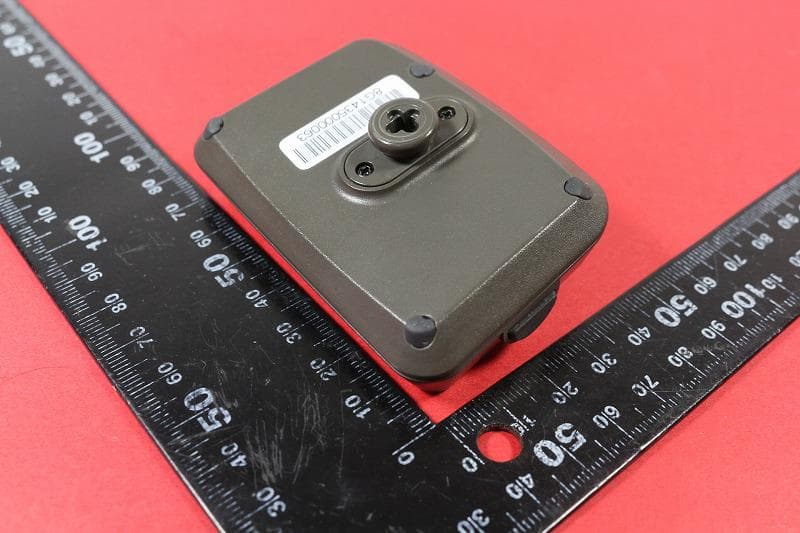
X8F-GT2
Oct 24, 2015Game Tracker
Equipment Class
DXX - Part 15 Low Power Communication Device Transmitter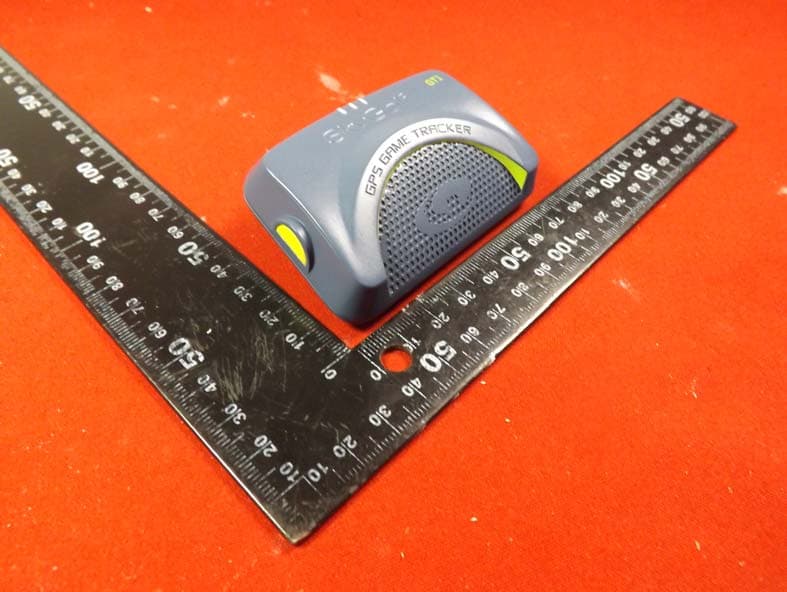
X8F-GT1
May 17, 2015Game Tracker
Equipment Class
DTS - Digital Transmission System
X8F-SCTOUCH
Apr 29, 2015SkyCaddie
Equipment Class
DSS - Part 15 Spread Spectrum Transmitter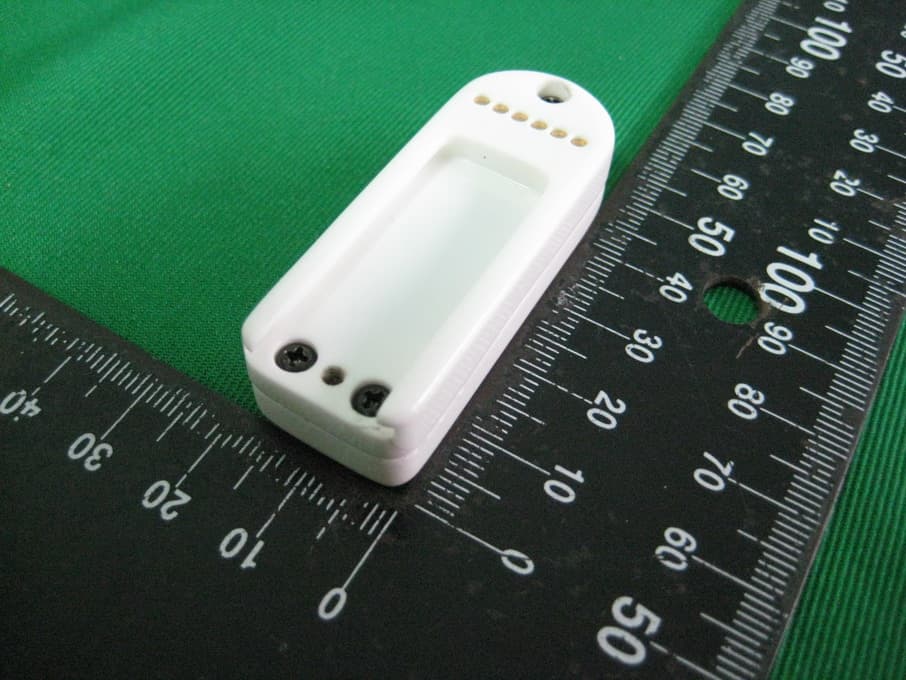
X8F-SKYPRO-BT
Apr 08, 2013Skypro Bluetooth Device
Equipment Class
DSS - Part 15 Spread Spectrum Transmitter