XBI8101019MID
SUNGALE ELECTRONICS (SHENZHEN) CO., LTD.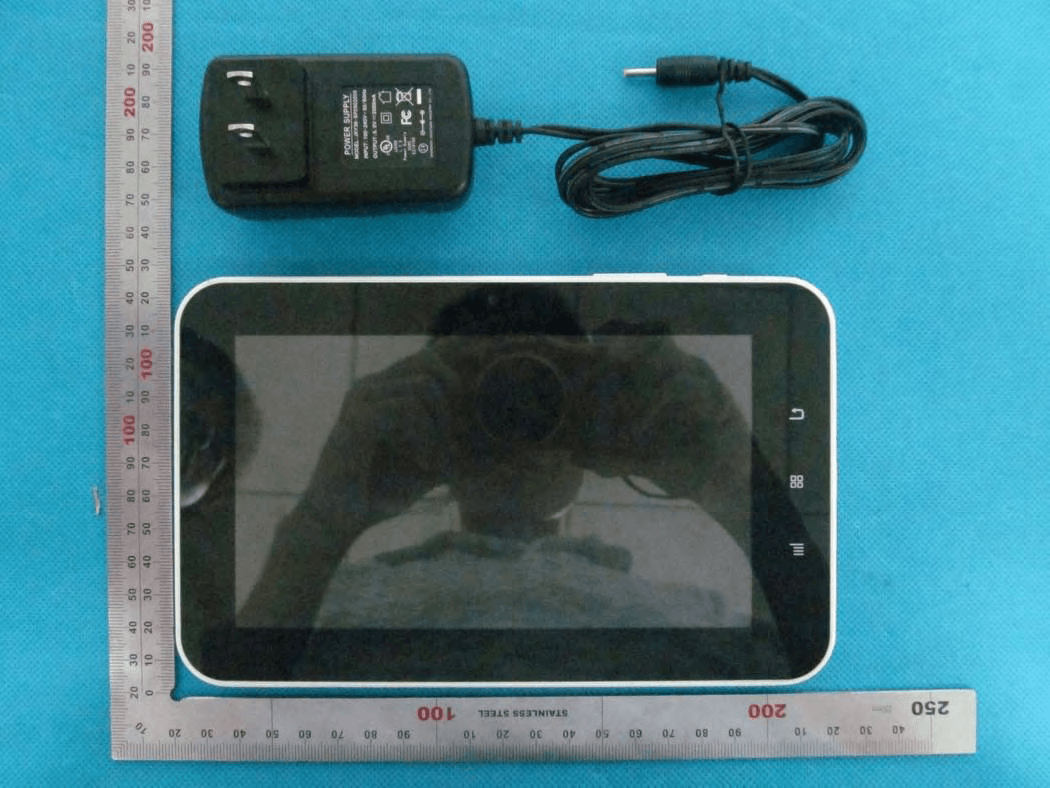
Click to zoom
Application Details
- Equipment Class
- DTS - Digital Transmission System
- Date of Grant
- Jun 04, 2013
- Application Purpose
- Original Equipment
- Date of Application
- Jun 04, 2013
- Equipment Note
- MID
- Frequency Range
- 2422.00000000 - 2452.00000000
- Country
- China
Documents & Files
Document Text
Text extracted from the exhibit documents filed with the FCC. Open a document above to read the original.
Users Manual
MID User Manual Model Name: ID733WTA Brand Name: SUNGALE FCC ID: XBI8101019 Safety Precautions Product Overview Functions of Button and Port Accessories Connectivity Insert Micro SD Card Connect to PC Setting Limited Warranty Battery Charge Getting Started Application Introduction Status Icon Briefing Touch Screen Operation Home Screen Management Keyboard User Guide Wi-Fi Setting Language Setting Screen Rotation Sleep Mode Web Browser Managing Application Troubleshooting 2 3 CONTENTS 5 10 12 15 19 20 Safety Precautions 2 For advanced operations such as Dev tools, it is suggested to be operated by professional engineers. Images and screenshots used in this user manual may differ in appearance from the actual product. Content in this user manual may differ from the product, or from software provided by service providers or carriers, and is subject to change without prior notice. Keep your device dry. Do not use or store your device in dusty, dirty areas. Do not place your device on slopes. If your device falls, it can be damaged. Do not place your device in too hot or too cold areas. Do not place your device with metal objects such as keys and necklaces. Do not place your device near magnetic fields. Simply put, do not drop, throw, or sit on your device, for obvious reasons. Do not use your device near other electronic devices. Please do not use your device in thundery days. Keep your device away from liquid substance. Do not place your device near or in heaters, microwaves, hot cooking equipment, or high pressure containers. 3 Functions of Button and Port Product Overview This section is to tell you functions of each button and port, battery charge. 12 3 5 6 7 8 10 1112 13 14 15 9 4 Indicator light Menu Main menu Return Camera Power on/off Volume down Volume up MIC Earphone Reset HDMI slot USB DC IN TF card 1.Go to Menu Options 2.Go to Home Screen 3.Press to return to the previous screen. 4.Indicator Light 5. Front-facing camera 6. Press to increase the volume level 7.Press to decrease the Volume level 8. Press and hold on for more than 3 seconds to turn on or turn off the unit. One quick press to turn the screen on and off. 9. Microphone 10. Audio output connection for headphones. 11. Press to reset the tablet if it freezes or otherwise behaves abnormally. Use an ultra thin stick or a paperclip to gently press this key. 12. Connect to a TV or other display. 13. USB Slot, connect to a PC or other external devices to transfer data.. 14.Charge and power the tablet with the included power adapter. 15.Load external Micro SD card here. Product Overview Battery Charge Use the power adapter or USB cable to charge the battery of your Cyberus. The indicator light will show blue light when charging and light off when charging finished. Accessories are listed as following: 4 Accessories Getting Started This section is to introduce general application of main menu, touch screen, keyboard, etc. 1.Press and hold the power button for more than 3 seconds to boot up. The Android booting image will appear on the screen, booting needs about 45 seconds. After booting finished, below screen will appear. 2.Slide the Lock icon to unlock the screen, 5 3.Then you will obtain the main menu as below: Getting Started 4.Now, you can touch on the icons to enjoy your photos, music, video, ebooks, games..., Touch the icon ( ) listing on the top right screen, you can enjoy more APPs. Application Introduction Photo:Display your favorite pictures. Music:Meditate in your beloved songs. Kindle: Read ebooks in various formats. Browser:Browse websites on the internet, search content you want to know. YouTube: Watch YouTube videos updated everyday, register or log in to YouTube. Market:Android market for you to download thousands of applications. Super-HD Player: Play your favorite videos. Setting: Configure the unit. Documents to got: View and edit WORD, EXCEL, SLIDESHOW and PDF files. File Manager: Manage the files in the memory or SD card. TuneIn Radio: Listen to the internet radio. 6 Status Icon Briefing Means that the router is available and shows the signal intensity. Means that your battery is being charged. Shows that you are downloading some applications or files. Means that your device is connecting with computers. Getting Started Touch Screen Operation Touch:Simply touch an icon to select and run an item. Touch and hold: Touch and hold some items to show an alternate action. Slide:Use your finger or stylus to gently slide on the screen to up or down, right or left horizontally to change the view on some screens. To slide, touch the screen and quickly move your finger across the screen without lifting your finger. Do not pause on the screen with your finger or you may accidentally enter an item by mistake. In that case, just tap the Return button to go back to last interface. Drag:Touch and hold the icon for about 2 seconds and move your finger or stylus to the destination. Lock:Press power button once to lock the screen, and press the power bottom again to unlock it. Home Screen Management 1. Create a shortcut icon: Touch and hold an application icon, and drag it to the home screen to create a shortcut icon on home screen. 2. Delete a shortcut icon: Touch and hold the shortcut icon until there is an “X Remove” icon appearing on the top edge of the screen, drag the application shortcut icon to the “X Remove” icon and the application will be deleted from your home screen. Note: You can only create shortcut icon of an application but not a folder contains more than one application. 3. You can create 5 home screens at most. If you want to go to another home screen, just touch the blank area of the screen and slide left or right. 7 Getting Started 8 1 2 3 4 5 6 7 8 1 2 3 4 5 6 7 8 9 Widgets:You can use these small Apps directly from the home screen. Notification bar: Show notification icons such as time, network signal strength, and battery level, touch a icon to display more detail, and touch the bar to open the full not…
Text truncated - open the document above for the full version.
Cover Letter(s)
Ersteller: D. Brandhorst Revision: 00 Erstelldatum: 21.06.07 Datum: 00.00.00 Seite 1 von 1 Date: 14 May 2013 Subject: Ad Hoc Mode Function Declaration FCC ID: XBI8101019 To Whom it may concern, This device is acting as slave and operating in the 2.4GHz (2412 – 2462 MHz) band. Ad Hoc function is supported but not able to operate on non-US frequencies. Please contact the onesigned below or the authorized agent for this filing. Thankyou. Regards , SUNGALE ELECTRONICS (SHENZHEN) CO., LTD. Contactperson: De Gang Yang Title: Manager
Cover Letter(s)
SERIES MODEL INFORMATION NC820 NC830 NC850 NC860 NC870 NC900 NC700 NC810 NC822 NC833 NC852 NC862 NC880 NC910 NC710 NC812 NC823 NC836 NC856 NC863 NC828 NC868 NC816 NC813 NC826 NC838 NC858 NC866 NC818 ID800WTA ID812WTA ID822WTA ID830WTAID860WTAID870WTA ID880WTAID890WTA ID802WTA ID816WTA ID826WTA ID836WTAID866WTAID809WTA ID819WTA ID803WTA ID818WTA ID828WTA ID838WTAID868WTAID808WTA ID806WTA ID900WTA ID910WTA ID920WTA ID930WTAID970WTAID980WTA ID979WTAID988WTA ID902WTA ID912WTA ID922WTA ID933WTAID971WTAID981WTA ID978WTAID975WTA ID903WTA ID913WTA ID917WTA ID936WTAID972WTAID982WTA ID977WTAID908WTA ID905WTA ID915WTA ID906WTA ID976WTAID973WTAID986WTA ID907WTA ID732WTA ID750WTA ID772WTA ID780WTAID790WTAID798WTA ID756WTAID738WTA ID733WTA ID753WTA ID773WTA ID782WTAID792WTAID795WTA ID778WTAID788WTA ID736WTA ID755WTA ID776WTA ID783WTAID793WTAID796WTA ID786WTA ID1019WTA ID1036WTA ID1050WTA ID1060WTA ID1070WTA ID1077WTA ID1073WTA ID1063WTA ID1058WTA ID1039WTA ID1053WTA ID1062WTA ID1072WTA ID1067WTA ID1057WTA ID435WTA ID4320WTA ID4330WT ID4336WTA ID4360WTA ID4322WTA ID436WTA ID4321WTA ID4331WTA ID4338WTA ID4366WTAID437WTA ID1100WTA ID1106WTA ID1102WTA ID1105WTA ID1101WTA ID1300WTA ID1301WTA ID1302WTA ID1305WTA ID1308WTA AD1500 STB372 STB500 STB600 STB623 STB630 STB375 STB510 STB602 STB625 STB633 STB378 STB512 STB607 STB627 STB637 STB638 STB517 STB608 STB628 STB636
Cover Letter(s)
May 14, 2013 Federal Communication Commission Authorization and Evaluation Division FCC ID: XBI8101019 Re: Confidentiality Request Pursuant to Sections 0.457 and 0.459 of the Commission’s Rules, the applicant hereby requests confidential treatment of information applied this application as outlined below: 1: Block Diagram 2: Circuit Diagram 3: Operational Description 4:Parts List The above materials contain trade secrets and proprietary information not customarily released to the public. The public disclosure of these matters might be harmful to the applicant and provide unjustified benefits to its competitors. The Applicant understands that pursuant to Rules 0.457, disclosure of this Application and all accompanying documentation will not be made before the date of the Grant for this application. Sincerely, Company:SUNGALE ELECTRONICS (SHENZHEN) CO., LTD. Contact Person: De Gang Yang Title:Manager
External Photos
External Photos TOTAL VIEW OF EUT TOP VIEW OF EUT BOTTOM VIEW OF EUT FRONT VIEW OF EUT BACK VIEW OF EUT LEFT VIEW OF EUT RIGHT VIEW OF EUT
ID Label/Location Info
FCC ID Label Location MID Model: ID733WTA Trade Name: SUNGALE FCC ID: XBI8101019 Series see attachment
Internal Photos
Internal Photos OPEN VIEW OF EUT-1 OPEN VIEW OF EUT-2 INTERNAL VIEW OF EUT-1 INTERNAL VIEW OF EUT-2
RF Exposure Info
RF Exposure (FCC ID: XBI8101019) Applicable Standard According to §1.1307(b)(5), systems operating under the provisions of this section shall be operated in a manner that ensure that the public is not exposed to radio frequency energy level in excess of the Commission’s guideline. This is a Portable device. KDB447498 D01 V05 was used as the guidance. Maximum measured transmitter Conducted Power: 802.11b Maximum Peak Conducted Power (dBm) Maximum Conducted Power (AV)(dBm) Maximum Conducted Power (mW) 11.42 9.52 8.95 Maximum measured transmitter Conducted Power: 802.11g Maximum Peak Conducted Power (dBm) Maximum Conducted Power (AV)(dBm) Maximum Conducted Power (mW) 10.74 8.85 7.67 Maximum measured transmitter Conducted Power: 802.11n HT20 Maximum Peak Conducted Power (dBm) Maximum Conducted Power (AV)(dBm) Maximum Conducted Power (mW) 10.25 8.33 6.8 Maximum measured transmitter Conducted Power: 802.11n HT40 Maximum Peak Conducted Power (dBm) Maximum Conducted Power (AV)(dBm) Maximum Conducted Power (mW)) 8.36 6.46 4.43 Refer to 447498 25 D01 General RF Exposure Guidance v05 Appendix A, you see that for Maximum Conducted Output Power 8.95mW (<10mW), so no SAR is required.
Test Report
Report No.: AGC00074130401FE04 Page 1 of 68 FCC Test Report Report No.: AGC00074130401FE04 FCC ID : XBI8101019 APPLICATION PURPOSE : Original Equipment PRODUCT DESIGNATION : MID BRAND NAME : SUNGALE MODEL NAME : ID733WTA, PF810, ID1019WTA CLIENT : SUNGALE ELECTRONICS (SHENZHEN) CO., LTD. DATE OF ISSUE : June 6,2013 STANDARD(S) : FCC Part 15 Rules REPORT VERSION : V1.1 Attestation of Global Compliance (Shenzhen) Co., Ltd CAUTION: This report shall not be reproduced except in full without the written permission of the test laboratory and shall not be quoted out of context. Report No.: AGC00074130401FE04 Page 2 of 68 Report Revise Record Report Version Revise Time Issued Date Valid VersionNotes V1.0 / May 8,2013 Invalid Original Report V1.1 1 st June 6,2013 Valid Revise model name Report No.: AGC00074130401FE04 Page 3 of 68 TABLE OF CONTENTS 1. VERIFICATION OF CONFORMITY ...................................................................................... 5 2. GENERAL INFORMATION .................................................................................................. 6 2.1. PRODUCT DESCRIPTION ........................................................................................................... 6 2.2. TABLE OF CARRIER FREQUENCYS .......................................................................................... 6 2.3. IEEE 802.11N MODULATION SCHEME ...................................................................................... 7 2.4. RELATED SUBMITTAL(S) / GRANT (S) ....................................................................................... 7 2.5. TEST METHODOLOGY................................................................................................................ 7 2.6. SPECIAL ACCESSORIES ............................................................................................................ 7 2.7. EQUIPMENT MODIFICATIONS ................................................................................................... 7 3. MEASUREMENT UNCERTAINTY........................................................................................ 8 4. DESCRIPTION OF TEST MODES ........................................................................................ 8 5. SYSTEM TEST CONFIGURATION ...................................................................................... 9 5.1. CONFIGURATION OF EUT SYSTEM .......................................................................................... 9 5.2. EQUIPMENT USED IN EUT SYSTEM ......................................................................................... 9 5.3. SUMMARY OF TEST RESULTS .................................................................................................. 9 6. TEST FACILITY .................................................................................................................. 10 7. PEAK OUTPUT POWER .................................................................................................... 11 7.1. MEASUREMENT PROCEDURE ................................................................................................ 11 7.2. TEST SET-UP (BLOCK DIAGRAM OF CONFIGURATION) ....................................................... 11 7.3. LIMITS AND MEASUREMENT RESULT .................................................................................... 12 8. 6DB BANDWIDTH .............................................................................................................. 14 8.1. MEASUREMENT PROCEDURE ................................................................................................ 14 8.2. TEST SET-UP (BLOCK DIAGRAM OF CONFIGURATION) ....................................................... 14 8.3. LIMITS AND MEASUREMENT RESULTS .................................................................................. 15 9. CONDUCTED SPURIOUS EMISSION ............................................................................... 25 9.1. MEASUREMENT PROCEDURE ................................................................................................ 25 9.2. TEST SET-UP (BLOCK DIAGRAM OF CONFIGURATION) ....................................................... 25 9.3. MEASUREMENT EQUIPMENT USED ....................................................................................... 25 9.4. LIMITS AND MEASUREMENT RESULT .................................................................................... 25 10. MAXIMUM CONDUCTED OUTPUT POWER SPECTRAL DENSITY .............................. 28 10.1 MEASUREMENT PROCEDURE ............................................................................................... 28 10.2 TEST SET-UP (BLOCK DIAGRAM OF CONFIGURATION) ...................................................... 28 10.3 MEASUREMENT EQUIPMENT USED ...................................................................................... 28 10.4 LIMITS AND MEASUREMENT RESULT ................................................................................... 28 Report No.: AGC00074130401FE04 Page 4 of 68 11. RADIATED EMISSION ..................................................................................................... 38 11.1. MEASUREMENT PROCEDURE .............................................................................................. 38 11.2. TEST SETUP ............................................................................................................................ 39 11.3. LIMITS AND MEASUREMENT RESULT .................................................................................. 40 11.4. TEST RESULT .......................................................................................................................... 40 12. BAND EDGE EMISSION .................................................................................................. 49 12.1. MEASUREMENT PROCEDURE .............................................................................................. 49 12.2. TEST SET-UP .......…
Text truncated - open the document above for the full version.
Test Setup Photos
Test Setup Photos FCC LINE CONDUCTED EMISSION TEST SETUP FCC RADIATED EMISSION TEST SETUP
Contact Information
Applicant
Limei Wu(Quality Assistant Manager)
Test Firm
Attestation of Global Compliance Shenzhen Co. Ltd.Forrest Lei
Technical Specifications
| # | Rule Parts | Frequency Range | Power Output |
|---|---|---|---|
| 2 | 15C | 2.42 GHz - 2.45 GHz | 4.40 mW |
Other Applications from SUNGALE ELECTRONICS (SHENZHEN) CO., LTD.
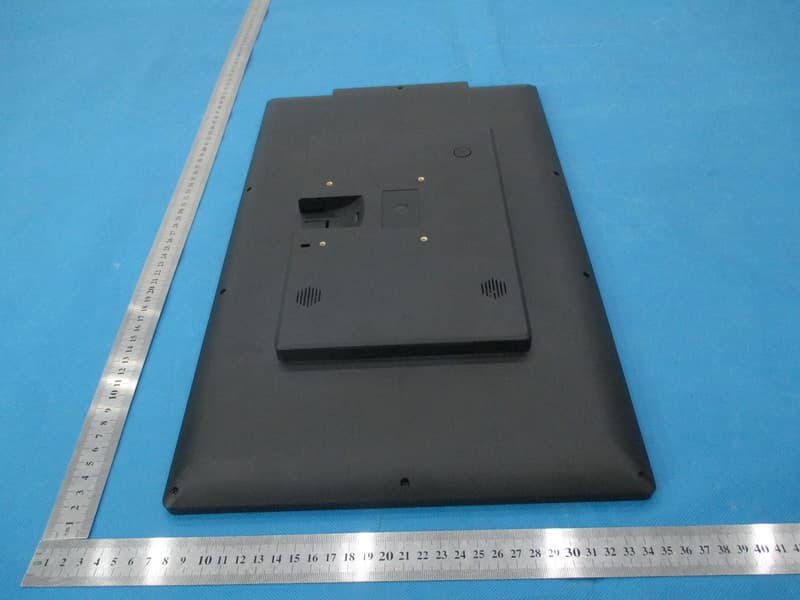
XBI19003200
Jan 20, 2015Cloud Digital Photo Frame
Equipment Class
DTS - Digital Transmission System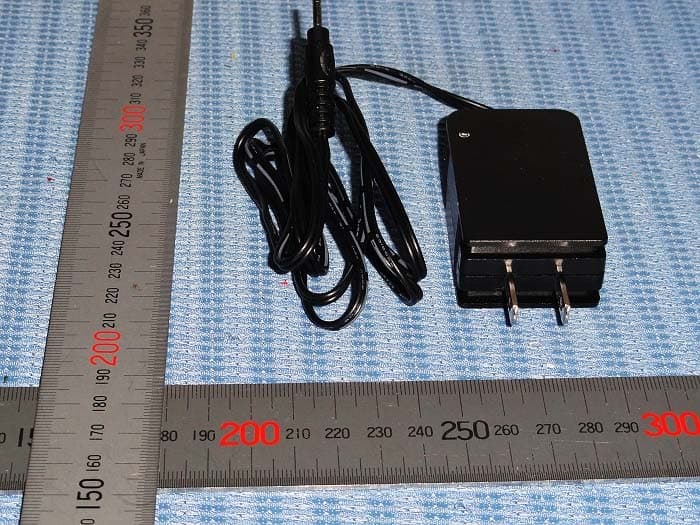
XBI9821036
Jul 14, 2013MID
Equipment Class
DTS - Digital Transmission System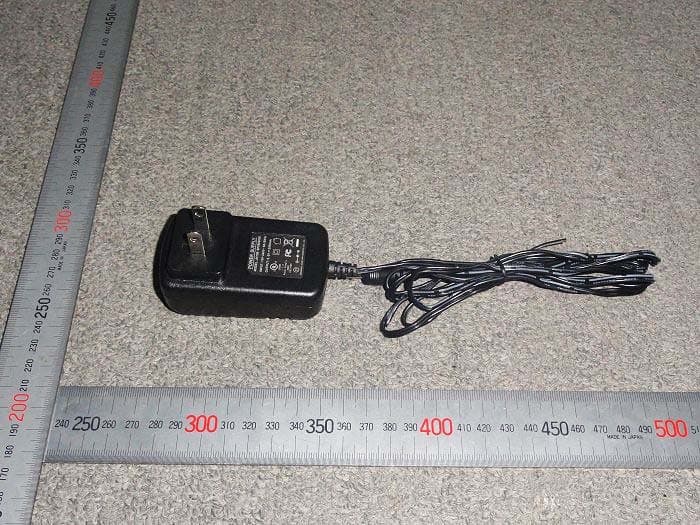
Apr 29, 2012
Equipment Class
JBP - Part 15 Class B Computing Device Peripheral