XBI9821036MID
SUNGALE ELECTRONICS (SHENZHEN) CO., LTD.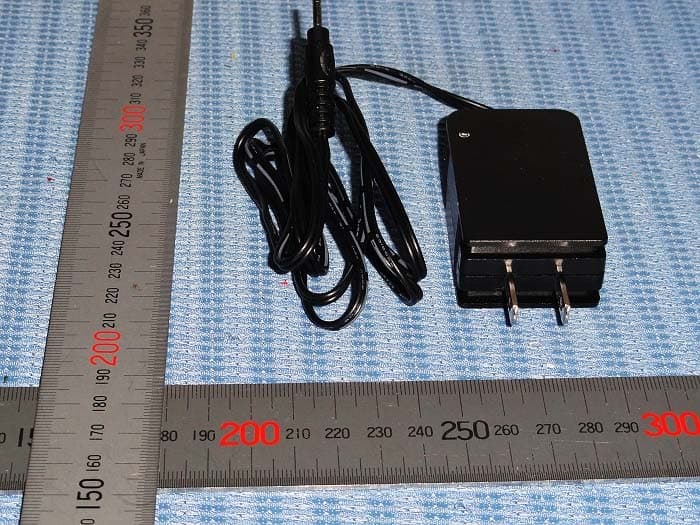
Click to zoom
Application Details
- Equipment Class
- DTS - Digital Transmission System
- Date of Grant
- Jul 14, 2013
- Application Purpose
- Original Equipment
- Date of Application
- Jul 14, 2013
- Equipment Note
- MID
- Frequency Range
- 2412.00000000 - 2462.00000000
- Country
- China
Documents & Files
Document Text
Text extracted from the exhibit documents filed with the FCC. Open a document above to read the original.
Users Manual
MODEL: ID982WTA User Manual For ongoing product improvement, this manual is subject to change without prior notice. 9.7" Tablet Safety Precautions Product Overview Functions of Button and Port Accessories Connectivity Insert Micro SD Card Connect to PC Setting Limited Warranty Battery Charge Getting Started Application Introduction Status Icon Briefing Touch Screen Operation Home Screen Management Keyboard User Guide Wi-Fi Setting Language Setting Screen Rotation Sleep Mode Web Browser Managing Application Specifications Troubleshooting FCC and Safety information 2 3 CONTENTS 5 9 11 14 18 19 17 3 4 4 6 6 7 7 9 9 10 11 13 13 13 14 16 20 Safety Precautions 2 For advanced operations such as Dev tools, it is suggested to be operated by professional engineers. Images and screenshots used in this user manual may differ in appearance from the actual product. Content in this user manual may differ from the product, or from software provided by service providers or carriers, and is subject to change without prior notice. Keep your device dry. Do not use or store your device in dusty, dirty areas. Do not place your device on slopes. If your device falls, it can be damaged. Do not place your device in too hot or too cold areas. Do not place your device with metal objects such as keys and necklaces. Do not place your device near magnetic fields. Simply put, do not drop, throw, or sit on your device, for obvious reasons. Do not use your device near other electronic devices. Please do not use your device in thundery days. Keep your device away from liquid substance. Do not place your device near or in heaters, microwaves, hot cooking equipment, or high pressure containers. 3 Functions of Button and Port Product Overview This section is to tell you functions of each button and port, battery charge. 1.Front-facing camera 2.Press and hold on for more than 3 seconds to turn on or turn off the unit. One quick press to turn the screen on and off. 3.Charge and power the tablet with the included power adapter. 4.USB Slot, connect to other external devices to transfer data 5. Load external Micro SD card here. 6. USB Slot, connect to a PC to transfer data 7.Audio output connection for headphones. 8. Press to reset the tablet if it freezes or otherwise behaves abnormally. Use an ultra thin stick or a paperclip to gently press this key. 9. Back-facing camera 10.Press to return to the previous screen. 11. Long press HOME/V+ button to Home Screen, press HOME/V+ button to increase the volume. 12.Long press MENU/V- button to Menu Options, press MENU/V- button to decrease the volume. 13.Speaker Micro SD card reader 1 Front camera 3 4 5 2 Menu / Volume down DC IN Micro USB Host Earphone jack 6 Power on/off Home / Volume up Micro USB device 7 8 Reset 10 11 12 9 13 Speaker Back camera Back Product Overview Battery Charge Use the power adapter or USB cable to charge the battery of your Cyberus. The indicator light will show blue light when charging and light off when charging finished. Accessories are listed as following: 4 Accessories Getting Started This section is to introduce general application of main menu, touch screen, keyboard, etc. 1.Press and hold the power button for more than 3 seconds to boot up. The Android booting image will appear on the screen, booting needs about 45 seconds. After booting finished, below screen will appear. 2.Slide the Lock icon to right to unlock the screen, 5 3.Then you will obtain the main menu as below: Getting Started 4.Now, you can touch on the icons to enjoy your photos, music, video, ebooks, games..., Touch the icon ( ) listing on the top right screen, you can enjoy more APPs. Application Introduction Gallery:Display your favorite pictures and video. Music:Meditate in your beloved songs. Kindle: Read ebooks in various formats. Browser:Browse websites on the internet, search content you want to know. YouTube: Watch YouTube videos updated everyday, register or log in to YouTube. Play Store: Android Play Store for you to download thousands of applications. Setting: Configure the unit. Documents to go: View and edit WORD, EXCEL, SLIDESHOW and PDF files. File Manager: Manage the files in the memory or SD card. 6 Status Icon Briefing Means that the router is available and shows the signal intensity. Means that your battery is being charged. Shows that you are downloading some applications or files. Means that your device is connecting with computers. Getting Started Touch Screen Operation Touch:Simply touch an icon to select and run an item. Touch and hold: Touch and hold some items to show an alternate action. Slide:Use your finger to gently slide on the screen to up or down, right or left horizontally to change the view on some screens. To slide, touch the screen and quickly move your finger across the screen without lifting your finger. Do not pause on the screen with your finger or you may accidentally enter an item by mistake. In that case, just tap the Return button to go back to last interface. Drag:Touch and hold the icon for about 2 seconds and move your finger to the destination. Lock:Press power button once to lock the screen, and press the power bottom again to unlock it. Home Screen Management 1. Create a shortcut icon: Touch and hold an application icon, and drag it to the home screen to create a shortcut icon on home screen. 2. Delete a shortcut icon: Touch and hold the shortcut icon until there is an “X Remove” icon appearing on the top edge of the screen, drag the application shortcut icon to the “X Remove” icon and the application will be deleted from your home screen. Note: You can only create shortcut icon of an application but not a folder contains more than one application. 3. You can create 5 home screens at most. If you want to go to another home screen, just touch the blank area of the screen and slide left or right. 7 Getting Started 8 1 2 3 4 5 6 9 10 1 2 3 4 5 6 7 8 9 Widgets:You can use these small Apps directly from the home screen. Notification bar: Show…
Text truncated - open the document above for the full version.
Cover Letter(s)
DATE : July 05, 2013 Nemko Canada Inc 303 River Road Ottawa, Ontario, Canada K1V 1H2 Attn: Director of Certification Authority to Act as Agent On our behalf, I appoint _ SHENZHEN TIMEWAY TECHNOLOGY CONSULTING CO LTD ,5/F,Block 4, Anhua Industrial Zone.,No.8 TaiRan Rd.CheGongMiao,FuTian District, Shenzhen,CHINA.,Hanson Chueng_,. to act as our agent in the preparation of this application for equipment certification. I certify that submitted documents properly describe the device or system for which equipment certification is sought. I also certify that each unit manufactured, imported or marketed, as defined in the Federal Communications Commission’s regulations will have affixed to it a label identical to that submitted for approval with this application. For instances where our authorized agent signs the application for certification on our behalf, I acknowledge that all responsibility for complying with the terms and conditions for certification, as specified by Nemko Canada Inc, still resides with SUNGALE ELECTRONICS (SHENZHEN) CO.,LTD/ YANGYONG RIVER INDUSTRIAL DISTRICT,SHAPU,SONGGANG, SHENZHEN,518105,P.R.CHINA Dated this July 05, 2013 By: Limei Wu Signature Printed Title: Quality Assistant Manager On behalf of : SUNGALE ELECTRONICS (SHENZHEN)CO.,LTD。 Telephone: 0755-27428875
Cover Letter(s)
SUNGALE ELECTRONICS (SHENZHEN) CO.,LTD Yongyong industrial zone, Shapu, Songgang, Baoan District, Shenzhen, 518105, China Statement Date: July 05, 2013 FCC ID: XBI9821036 Product Name: MID Model Name: ID982WTA,NC820,NC830,NC850,NC860,NC870,NC900,NC700, NC810,NC822, NC833,NC852,NC862,NC880,NC910,NC710,NC812,NC823,NC836, NC856,NC863,NC828,NC868,NC816,NC813,NC826,NC838,NC858, NC866,NC818, ID800WTA,ID812WTA,ID822WTA,ID830WTA,ID860WTA,ID870WTA,ID880WTA, ID890WTA,ID802WTA,ID816WTA,ID826WTA,ID836WTA, ID866WTA,ID809WTA, ID819WTA,ID803WTA,ID818WTA,ID828WTA, ID838WTA,ID868WTA,ID808WTA , ID806WTA,ID900WTA,ID910WTA, ID920WTA,ID930WTA,ID970WTA,ID980WTA, ID979WTA,ID988WTA, ID902WTA,ID912WTA,ID922WTA,ID933WTA,ID971WTA, ID981WTA, ID978WTA,ID975WTA,ID903WTA,ID913WTA,ID917WTA,ID936WTA, ID972WTA, ID977WTA,ID908WTA,ID905WTA,ID915WTA, ID906WTA,ID976WTA, ID973WTA,ID986WTA,ID907WTA,ID732WTA, ID750WTA,ID722WTA,ID780WTA, ID790WTA,ID798WTA,ID756WTA, ID738WTA,ID753WTA,ID773WTA,ID782WTA, ID792WTA,ID795WTA, ID778WTA,ID788WTA,ID736WTA,ID755WTA,ID776WTA, ID783WTA , ID793WTA,ID796WTA,ID786WTA,ID1036WTA,ID1050WTA,ID1060WTA, ID1070WTA,ID1077WTA,ID1073WTA,ID1063WTA,ID1058WTA,ID1039WTA,ID1053WTA, ID1062WTA,ID1072WTA,ID1067WTA,ID1057WTA,ID435WTA,ID4320WTA,ID4330WTA, ID4336WTA,ID4360WTA, ID4322WTA, ID4321WTA,ID4331WTA,ID4338WTA,ID4366WTA, ID437WTA,ID1100WTA,ID1106WTA,ID1102WTA,ID1105WTA,ID1101WTA, ID1300WTA, ID1301WTA,ID1302WTA,ID1305WTA,ID1308WTA,STB372,STB500,STB600,STB623, STB630,STB375,STB510,STB602, STB625,STB633,STB378, STB512,STB607,STB627, STB637,STB638, STB517,STB608,STB628,STB636,AD1500 SUNGALE ELECTRONICS (SHENZHEN) CO.,LTD Yongyong industrial zone, Shapu, Songgang, Baoan District, Shenzhen, 518105, China We SUNGALE ELECTRONICS (SHENZHEN) CO., LTD Hereby that The product MID with has employed the RF Modular with model name RL-UM02BS-RTL8723VAU.The RF chip is RTL8723AS-VAU.The modular has WIFI and Bluetooth function. But in the product, the Bluetooth function is permanently disabled by software Your assistance on this matter is highly appreciated. Yours sincerely, Signature: Company Name: SUNGALE ELECTRONICS (SHENZHEN) CO., LTD
Cover Letter(s)
SUNGALE ELECTRONICS (SHENZHEN) CO.,LTD Yongyong industrial zone, Shapu, Songgang, Baoan District, Shenzhen, 518105, China Statement We SUNGALE ELECTRONICS (SHENZHEN) CO., LTD Are applying for FCC DOC for MID with model number: ID982WTA,NC820,NC830,NC850,NC860,NC870,NC900,NC700,NC810,NC822, NC833, NC852,NC862,NC880,NC910,NC710,NC812,NC823,NC836,NC856,NC863,NC828, NC868,NC816,NC813,NC826,NC838,NC858, NC866,NC818,ID800WTA,ID812WTA, ID822WTA,ID830WTA,ID860WTA,ID870WTA,ID880WTA,ID890WTA,ID802WTA, ID816WTA,ID826WTA,ID836WTA, ID866WTA,ID809WTA,ID819WTA,ID803WTA, ID818WTA,ID828WTA, ID838WTA,ID868WTA,ID808WTA ,ID806WTA,ID900WTA, ID910WTA, ID920WTA,ID930WTA,ID970WTA,ID980WTA,ID979WTA,ID988WTA, ID902WTA,ID912WTA,ID922WTA,ID933WTA,ID971WTA,ID981WTA, ID978WTA, ID975WTA,ID903WTA,ID913WTA,ID917WTA,ID936WTA, ID972WTA, ID977WTA, ID908WTA,ID905WTA,ID915WTA, ID906WTA,ID976WTA,ID973WTA,ID986WTA, ID907WTA,ID732WTA, ID750WTA,ID722WTA,ID780WTA,ID790WTA,ID798WTA, ID756WTA, ID738WTA,ID753WTA,ID773WTA,ID782WTA,ID792WTA,ID795WTA, ID778WTA,ID788WTA,ID736WTA,ID755WTA,ID776WTA, ID783WTA, ID793WTA, ID796WTA,ID786WTA,ID1036WTA,ID1050WTA,ID1060WTA, ID1070WTA,ID1077WTA, ID1073WTA,ID1063WTA,ID1058WTA,ID1039WTA,ID1053WTA,ID1062WTA,ID1072WTA, ID1067WTA,ID1057WTA,ID435WTA,ID4320WTA,ID4330WTA,ID4336WTA,ID4360WTA, ID4322WTA, ID4321WTA,ID4331WTA,ID4338WTA,ID4366WTA, ID437WTA,ID1100WTA, ID1106WTA,ID1102WTA,ID1105WTA,ID1101WTA, ID1300WTA,ID1301WTA,ID1302WTA, ID1305WTA,ID1308WTA,STB372,STB500,STB600,STB623,STB630,STB375,STB510, STB602, STB625,STB633,STB378, STB512,STB607,STB627,STB637,STB638, STB517, STB608,STB628,STB636,AD1500 SUNGALE ELECTRONICS (SHENZHEN) CO.,LTD Yongyong industrial zone, Shapu, Songgang, Baoan District, Shenzhen, 518105, China The FCC DOC application will be completed before sell. Your assistance on this matter is highly appreciated. Yours sincerely, Signature: Company Name: SUNGALE ELECTRONICS (SHENZHEN) CO., LTD
Cover Letter(s)
DATE :July 05, 2013 Equipment Autorisation Division Federal Communications Commission 7435 Oakland Mills Road Columbia, MD 21046 FCC ID: _ XBI 9821036 __ __ Product Name: _ MID Request for Confidentiality Pursuant to Sections 0.457 and 0.459 of the commissions rules, we hereby request that the following documents be held confidential: (List here the documents for which you are seeking confidentiality – for example ...) • Schematics • Block diagram • Operational Description These materials contain trade secrets and proprietary information and are not customarily released to the public. The public disclosure of this information might be harmful to the company and provide unjustified benefits to our competitors. Dated this July 05, 2013 By: Limei Wu Signature Printed Title: Quality Assistant Manager On behalf of : SUNGALE ELECTRONICS (SHENZHEN)CO.,LTD。 Telephone: 0755-27428875
Cover Letter(s)
SUNGALE ELECTRONICS (SHENZHEN) CO.,LTD Yongyong industrial zone, Shapu, Songgang, Baoan District, Shenzhen, 518105, China Statement We SUNGALE ELECTRONICS (SHENZHEN) CO., LTD Hereby that The product MID , with models Number as follows: ID982WTA,NC820,NC830,NC850,NC860,NC870,NC900,NC700,NC810,NC822, NC833, NC852,NC862,NC880,NC910,NC710,NC812,NC823,NC836,NC856,NC863,NC828, NC868,NC816,NC813,NC826,NC838,NC858, NC866,NC818,ID800WTA,ID812WTA, ID822WTA,ID830WTA,ID860WTA,ID870WTA,ID880WTA,ID890WTA,ID802WTA, ID816WTA,ID826WTA,ID836WTA, ID866WTA,ID809WTA,ID819WTA,ID803WTA, ID818WTA,ID828WTA, ID838WTA,ID868WTA,ID808WTA ,ID806WTA,ID900WTA, ID910WTA, ID920WTA,ID930WTA,ID970WTA,ID980WTA,ID979WTA,ID988WTA, ID902WTA,ID912WTA,ID922WTA,ID933WTA,ID971WTA,ID981WTA, ID978WTA, ID975WTA,ID903WTA,ID913WTA,ID917WTA,ID936WTA, ID972WTA, ID977WTA, ID908WTA,ID905WTA,ID915WTA, ID906WTA,ID976WTA,ID973WTA,ID986WTA, ID907WTA,ID732WTA, ID750WTA,ID722WTA,ID780WTA,ID790WTA,ID798WTA, ID756WTA, ID738WTA,ID753WTA,ID773WTA,ID782WTA,ID792WTA,ID795WTA, ID778WTA,ID788WTA,ID736WTA,ID755WTA,ID776WTA, ID783WTA, ID793WTA, ID796WTA,ID786WTA,ID1036WTA,ID1050WTA,ID1060WTA, ID1070WTA,ID1077WTA, ID1073WTA,ID1063WTA,ID1058WTA,ID1039WTA,ID1053WTA,ID1062WTA,ID1072WTA, ID1067WTA,ID1057WTA,ID435WTA,ID4320WTA,ID4330WTA,ID4336WTA,ID4360WTA, ID4322WTA, ID4321WTA,ID4331WTA,ID4338WTA,ID4366WTA, ID437WTA,ID1100WTA, ID1106WTA,ID1102WTA,ID1105WTA,ID1101WTA, ID1300WTA,ID1301WTA,ID1302WTA, ID1305WTA,ID1308WTA,STB372,STB500,STB600,STB623,STB630,STB375,STB510, STB602, STB625,STB633,STB378, STB512,STB607,STB627,STB637,STB638, STB517, STB608,STB628,STB636,AD1500 SUNGALE ELECTRONICS (SHENZHEN) CO.,LTD Yongyong industrial zone, Shapu, Songgang, Baoan District, Shenzhen, 518105, China are all identical in interior structure, electrical circuits and components, and just model names are different for the marketing requirement. Your assistance on this matter is highly appreciated. Yours sincerely, Signature: Company Name: SUNGALE ELECTRONICS (SHENZHEN) CO., LTD
External Photos
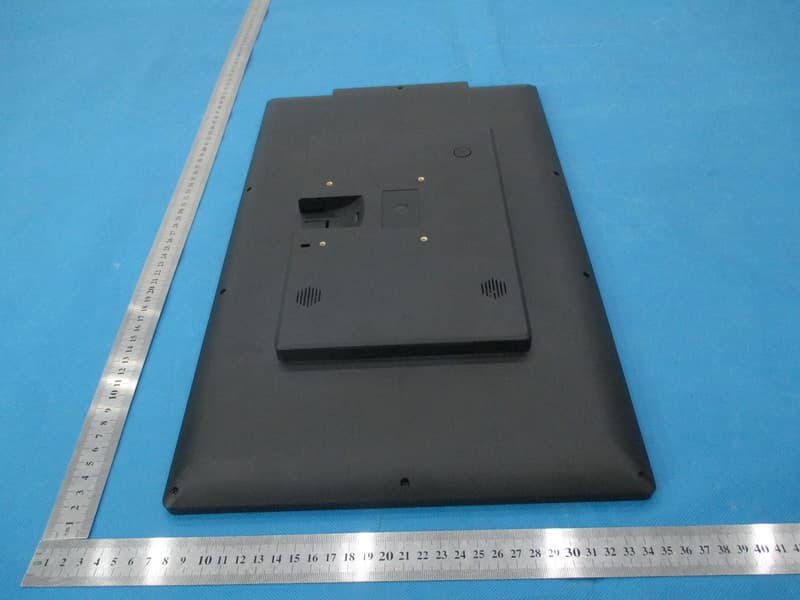
Photo for the EUT Photo for the EUT Power Supply
ID Label/Location Info
T h i s d e v i c e c o m p l i e s w i t h p a r t 1 5 o f t h e F C C r u l e s . O p e r a t i o n i s s u b j e c t t o t h e f o l l o w i n g t w o c o n d i t i o n s ( 1 ) t h i s d e v i c e m a y n o t c a u s e h a r m f u l i n t e r f e r e n c e , a n d ( 2 ) t h i s d e v i c e m u s t a c c e p t a n y i n t e r f e r e n c e r e c e i v e d , i n c l u d i n g i n t e r f e r e n c e t h a t m a y c a u s e u n d e s i r e d o p e r a t i o n .
Internal Photos
Photo for the EUT Photo for the EUT Photo for the EUT Photo for the EUT Photo for the EUT Photo for the EUT
RF Exposure Info
RF Exposure Applicable Standard According to §1.1307(b)(5), systems operating under the provisions of this section shall be operated in a manner that ensure that the public is not exposed to radio frequency energy level in excess of the Commission’s guideline. This is a Portable device. The Section 4.3.1 and Appendix A of KDB447498 D01 V05 was used as the guidance. Calculation Result (Worse Case): [(max. power of channel, including tune-up tolerance, mW)/(min. test separation distance, mm)] · [√f(GHz)] =6.8/5 * 1.6= 2.2, this value is less than 3.0 for 1-g SAR and ≤ 7.5 for 10-g extremity SAR. The SAR measurement is not necessary.
Test Report
ISO/IEC17025Accredited Lab. Report No: FCC 1306060 File reference No: 2013-07-05 Applicant: SUNGALE ELECTRONICS (SHENZHEN) CO.,LTD Product: MID Model No: Please see page 4 and 5 Trademark: SUNGALE Test Standards: FCC Part 15 Subpart C, Paragraph 15.247 Test result: It is herewith confirmed and found to comply with the requirements set up by ANSI C63.4,FCC Part 15 Subpart C, Paragraph 15.247 regulations for the evaluation of electromagnetic compatibility Approved By Jack Chung Manager Dated: July 05, 2013 Results appearing herein relate only to the sample tested The technical reports is issued errors and omissions exempt and is subject to withdrawal at SHENZHEN TIMEWAY TECHNOLOGY CONSULTING CO., LTD 5/F,Block 4, Anhua Industrial Zone.,No.8 TaiRan Rd.CheGongMiao,FuTian District, Shenzhen,CHINA. Tel (755) 83448688 Fax (755) 83442996 Report No: 1306060 Page 2 of 95 Date: 2013-07-05 The report refers only to the sample tested and does not apply to the bulk. This report is issued in confidence to the client and it will be strictly treated as such by the Shenzhen Timeway Technology Consulting Co .,Ltd. It may not be reproduced rather in its entirety or in part and it may not be used for adverting. The client to whom the report is issued may, however, show or send it . or a certified copy there of prepared by the Shenzhen Timeway Technology Consulting co .,Ltd to his customer. Supplier or others persons directly concerned. Shenzhen Timeway Technology Consulting co .,Ltd will not, without the consent of the client enter into any discussion of correspondence with any third party concerning the contents of the report. In the event of the improper use of the report. The Shenzhen Timeway Technology Consulting co .,Ltd reserves the rights to withdraw it and to adopt any other remedies which may be appropriate. Special Statement: The testing quality ability of our laboratory meet with “Quality Law of People’s Republic of China” Clause 19. The testing quality system of our laboratory meet with ISO/IEC-17025 requirements, which is approved by CNAL. This approval result is accepted by MRA of APLAC. Our test facility is recognized, certified, or accredited by the following organizations: CNAL-LAB Code: L2292 The EMC Laboratory has been assessed and in compliance with CNAL/AC01:2002 accreditation criteria for testing Laboratories (identical to ISO/IEC 17025:1999 General Requirements) for the Competence of testing Laboratories. FCC-Registration No.: 899988 The EMC Laboratory has been registered and fully described in a report filed with the (FCC) Federal Communications commission. The acceptance letter from the FCC is maintained in our files. Registration No.: 899988. IC- Registration No.: IC5205A-02 The EMC Laboratory has been registered and fully described in a report filed with the (IC) Industry Canada. The acceptance letter from the IC is maintained in our files. Registration IC No.: 5205A-02. Report No: 1306060 Page 3 of 95 Date: 2013-07-05 The report refers only to the sample tested and does not apply to the bulk. This report is issued in confidence to the client and it will be strictly treated as such by the Shenzhen Timeway Technology Consulting Co .,Ltd. It may not be reproduced rather in its entirety or in part and it may not be used for adverting. The client to whom the report is issued may, however, show or send it . or a certified copy there of prepared by the Shenzhen Timeway Technology Consulting co .,Ltd to his customer. Supplier or others persons directly concerned. Shenzhen Timeway Technology Consulting co .,Ltd will not, without the consent of the client enter into any discussion of correspondence with any third party concerning the contents of the report. In the event of the improper use of the report. The Shenzhen Timeway Technology Consulting co .,Ltd reserves the rights to withdraw it and to adopt any other remedies which may be appropriate. Test Report Conclusion Content 1.0 General Details ................................................................................................ 4 1.1 Test Lab Details................................................................................................ 4 1.2 Applicant Details.............................................................................................. 4 1.3 Description of EUT .......................................................................................... 4 1.4 Submitted Sample............................................................................................. 5 1.5 Test Duration.................................................................................... 5 1.6 Test Uncertainty.................................................................................. 5 1.7 Test By.......................................................................................................... 5 2.0 List of Measurement Equipment......................................................................... 6 3.0 Technical Details............................................................................................. 9 3.1 Summary of Test Results..................................................................................... 9 3.2 Test Standards.................................................................................................. 9 4.0 EUT Modification.............................................................................................9 5.0 Power Line Conducted Emission Test...................................................................... 10 5.1 Schematics of the Test........................................................................................ 10 5.2 Test Method and Test Procedure............................................................................ 10 5.3 Configuration of the EUT.................................................................................... 10 5.4 EUT Operating Condition..........................................................................…
Text truncated - open the document above for the full version.
Test Setup Photos
Conducted Emission Test Setup: Radiated Emission Test Setup:
Contact Information
Applicant
Limei Wu(Quality Assistant Manager)
Test Firm
Shenzhen Timeway Testing LaboratoriesJack Chung
Technical Specifications
| # | Rule Parts | Frequency Range | Power Output |
|---|---|---|---|
| 1 | 15C | 2.41 GHz - 2.46 GHz | 6.81 mW |
Other Applications from SUNGALE ELECTRONICS (SHENZHEN) CO., LTD.
XBI19003200
Jan 20, 2015Cloud Digital Photo Frame
Equipment Class
DTS - Digital Transmission System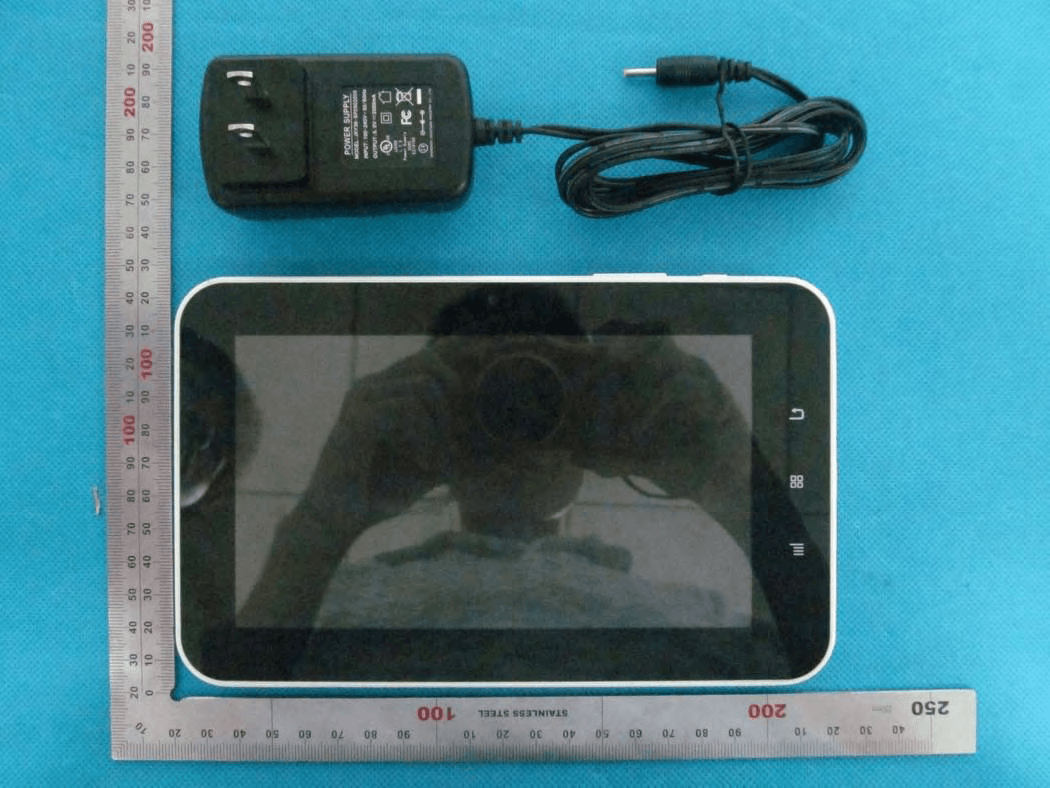
XBI8101019
Jun 04, 2013MID
Equipment Class
DTS - Digital Transmission System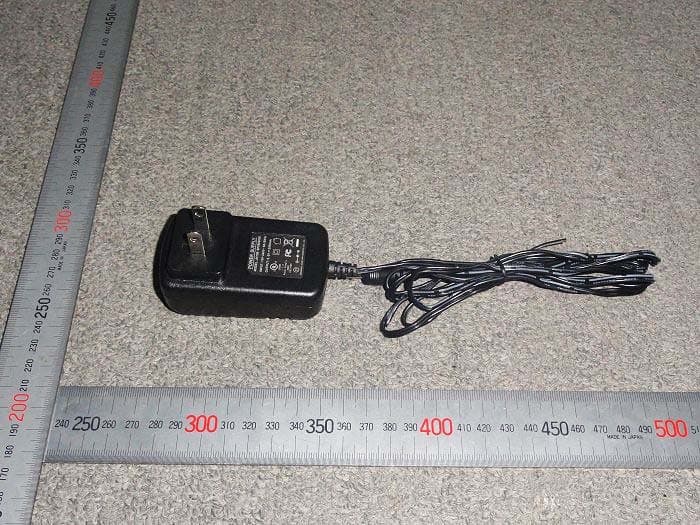
Apr 29, 2012
Equipment Class
JBP - Part 15 Class B Computing Device Peripheral