XZJ-BR-USBBMW USB Stick
Bron International Ltd.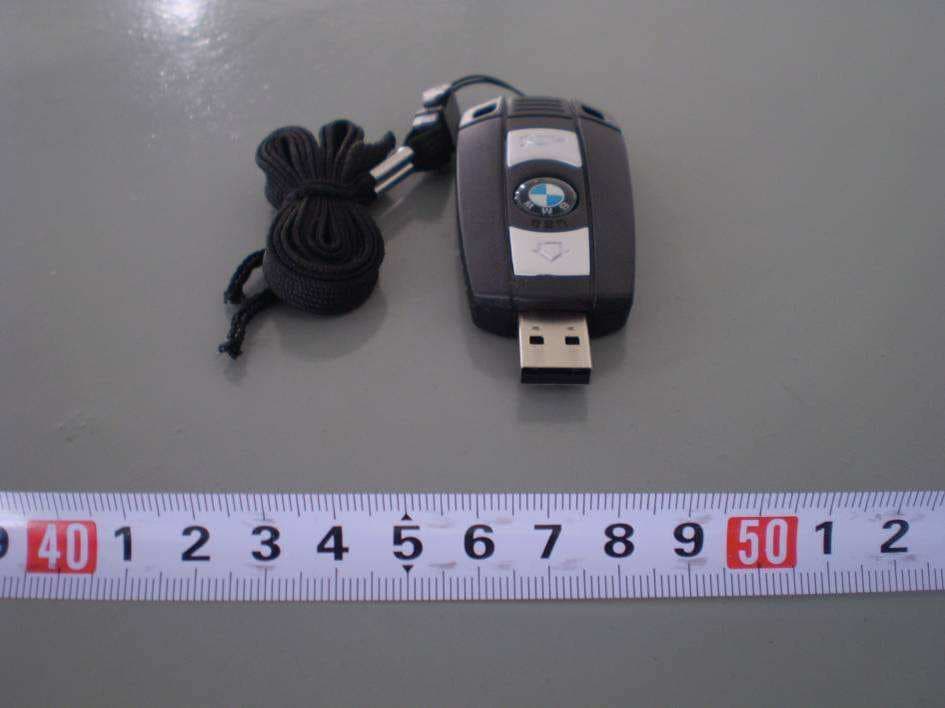
Click to zoom
Application Details
- Equipment Class
- JBP - Part 15 Class B Computing Device Peripheral
- Date of Grant
- Dec 16, 2009
- Application Purpose
- Original Equipment
- Date of Application
- Dec 16, 2009
- Equipment Note
- BMW USB Stick
- Company
- Bron International Ltd.
- Country
- China
Documents & Files
Document Text
Text extracted from the exhibit documents filed with the FCC. Open a document above to read the original.
Users Manual
USB Flash Drive User’s Manual V1.3.3 Introduction Thank you for your purchasing the USB Drive. This manual will guide you through the usages of the USB Drive and of all management tools coming with it. USB drive is a storage device with features such as light-weighted, shack-tolerable, and plug-and-play. By plugging it into the USB port of you PC or MAC computer, you can easily copy or move your data or files around without any external power supply. The USB drive also supports security protection and can be formatted as a USB ZIP Drive, or as a boot- disk with Hard Disk Drive (HDD) format. With the help of the tools, you are able to partition a general purpose, or secure, or a boot USB disk. You can also readjust the capacities of each partition. Features of the USB Drive: • Support USB 2.0 specification • Provide Hardware + Software dual level data protection • 3 bytes (24 bit) real time hardware ECC to correct data errors • Only Support administrator level security • Provide both USB HDD boot and USB ZIP boot functionality (need PC motherboard’s support) • Support partition of general purpose, secure, or USB boot disk • Work on both PC and MAC computers • No driver needed (except windows 98) • Plug and play, hot-removable • No external power supply required • Small size, light-weighted, shock-tolerable, portable • Working environment: 0 °C ~45 °C • Working power supply: 5V DC (supplied by computer through USB port) • Operating Current: ≤80mA Precautions of Use Please read this manual carefully before using this USB drive and all its accompany application tools in order for you to safely use this USB drive. The following items will tell you how to operate this product correctly and safely. Please read carefully and make sure you understand the items before reading any other portion of this manual. WARNING! • Do not attempt to disassemble or change any part of this product. This manual does not include any information on disassembling or changing any part of the product. • Do not immerse this product into water or any other fluid. In case water or any other fluid is purred onto this product, please pull it out immediately from the computer. Otherwise, the liquid may cause short of electrical connections and may further cause fire. • Do not plug or unplug this product with wet hand since that may cause short of electrical connections and may further cause fire. • Do not put this product close to fire or at locations with high temperatures. • Do not put this product close to electromagnetical interference sources. Putting the product under electromagnetical interference may cause malfunction or data error or even lose of data of this product. System Requirements: The followings are required for properly using this product or installing the software coming with it: • Computer: IBM PC/AT or compatible, Power Macintosh, PowerBook, iMAC or iBook • Operation System: Windows 98, Windows ME, Windows 2000, Windows XP, Windows Vista , Linux 2.4 and up, MAC OS 9.2 or up. • Connection port: USB • Minimum Hard Disk Drive space: 3 MB Important Notice: • Since there is no built-in Mass Storage Driver coming with Windows 98, you must install the driver which comes with this product in order to properly use the product under Windows 98. • You can directly use this product on most of the platforms currently available. But, to properly use the application tools coming together with the product, you have to run the setup program which comes with this product. The setup program will automatically install the drivers required by the applications. • All software programs coming together with this product can be run under Microsoft Windows OS, MAC OS, and Linux OS. • The basic functions of the USB drive can be used under Microsoft Windows OS. Descriptions of the Parts of the USB Drive: • USB Interface: This is the connector to be plugged into the computer USB Interface Installation 1. MS Windows 98 OS i. Start up your computer ii. Insert the accompanied CD-ROM disc into your CD-ROM drive of the computer iii. Plug the USB drive into a USB port of the computer iv. Windows will display the message “Find new hardware”. Please follow the windows steps to install the expected software from the CBUMSS directory of the CD-ROM drive until the process finishes. 2. MS Windows ME/2000/XP Vista OS i. Start up your computer ii. Plug the USB drive into a USB port of the computer iii. Windows will display the “find New Hardware” dialogue box and will indicate that the system will automatically install related drivers. You only need to click the OK button and let the computer find and install the proper driver for you. 3. MAC OS 9.2 or up i. Start up your computer ii. Plug the USB drive into a USB port of the computer iii. MAC OS will automatically detect the USB drive and install it 4. Linux Kernel 2.4 or up i. Start up your computer ii. Get into the root directory of your computer OS system iii. Plug the USB drive into a USB port of the computer iv. For installing the USB drive, please enter “mount/dev/sda1/mnt” v. For uninstalling the USB drive, please enter “umount/mnt” Basic Operations 1. Plug In After plugging the drive into the USB port of your computer, you can see the icon of the removable disk drive from the file system manager Windows Explorer, as shown in the following figure. 2. Read Data or Files You can do any kind of operations on this USB drive just as you work on any Hard Disk Drive, such as file read, write, copy, or delete. 3. Unplug After finishing your operations, you can unplug the device But for Windows WE and Windows 2000, you’d better follow the steps here to safely unplug your USB drive from your computer: When you plug the device into the USB port of your computer, you can see the icon as shown in the following figure: • Double clicking this icon, the “Safely Remove Hardware” dialogue box will show up. • Select the device from the list in the box and press the “STOP” button. Then, the OS will promote…
Text truncated - open the document above for the full version.
Block Diagram
Bron International Ltd. (HK) Model Name:BR-USB Technology Information: 1. USB version2.0/1.1 supported 2. Supports full-speed (12MB/S) 3. 12MHz CR YST AL 4. VCC= 5V
Cover Letter(s)
Bron International Ltd. _____________________________________________________________________ SCS-F18: Project and Product Certification Representative Authorization Letter Page 1 of 2 Rev 2.0 2206 Ringwood Avenue San Jose, CA 95131 Tel: 408-526-1188 Fax: 408-526-1088 Email: [email protected] Project and Product Certification Representative Authorization Letter Revision History Reason for Amendment (current / obsolete) From To Approved Date Initial Release (current) 1.0 1.0 Nov-14-2006 Revised wording (current) 1.0 2.0 Sept–25-2007 Bron International Ltd. _____________________________________________________________________ SCS-F18: Project and Product Certification Representative Authorization Letter Page 2 of 2 Rev 2.0 (December 10, 2009) To: SIEMIC, INC. 2206 Ringwood Avenue, San Jose, CA 95131 USA Dear Sir/Madam, Re: Project and Product Certification Representative Authorization Letter We, _ Bron International Ltd._ hereby authorize SIEMIC, INC. to act as a Certification Body for certifying for the following project(s): Product description: BMW USB Stick model name: BR-USB We affirm that between SIEMIC and _ Bron International Ltd._ , any difference in understanding, including test plan, measurement methods, applicable standards and relevant procedures and processes have been resolved prior to commencement of testing activities. Sincerely, Signature: Name :Qing Yu Title: Egineer Company Name: Bron International Ltd. Address: Flat J.6/f.Block 3,Camelpaint Building 60 Hoi Yuen Road, Kwun Tong Kowloon- Hong Kong Telephone: +86-020-27979739 Fax No.: +86-020-28868887
External Photos
EUT External Photo
ID Label/Location Info
FCC ID: XZJ-BR-USB This device complies with Part 15 of the FCC Rules. Operation is subject to the following two conditions: (1) this device may not cause harmful interference, and (2) this device must accept any interference received, including interference that may cause undesired operation. Label Location Label location
Internal Photos
Photograph 2: EUT Internal Photo
Operational Description
Applicant: Bron International Ltd(HK). Operation Description The USB Drive a SOC(system on chip) chip CBM2092,most of function can be finished by one chip , such as file read, write, copy, or delete, and it is the part of USB Drive operating circuit. The communications is made of U2(CBM2092), MEMORY U1, it make the computer USB port power to support the USB Drive working. clock ocsillator is made of U2 intemal circuit and Y1. and it can supply the power for clock pulse. U2 will be process, U1 is memory chip, computer can react the datat toU2,U1 will finish all the data read, write, copy, or delete. Press bottom pop-up USB Interface USB Interface: This is the connector to be plugged into the computer Press bottom draw back Interface
Test Report
BRON INTERNATIONAL LTD. BMW USB Stick Model: BR-USB September 7, 2009 Report No.: 902574 (This report supersedes NONE) Modifications made to the product : None This Test Report is Issued Under the Authority of: Calvin Mou Compliance Engineer Jackson Chen Technical Manager This test report may be reproduced in full only. Test result presented in this test report is applicable to the representative sample only. Title: EMC Test Report for BMW USB Stick Model: BR-USB To: FCC Part 15 Subpart B Class B: Jul. 2008 ,ANSI C63.4:2003 Serial#: 902574 Issue Date: September 7, 2009 Page 2 of 42 www.siemic.com.cn Laboratory Introduction ATION SIEMIC, headquartered in the heart of Silicon Valley, with superior facilities in US and Asia, is one of the leading independent testing and certification facilities providing customers with one-stop shop services for Compliance Testing and Global Certifications. In addition to testing and certification, SIEMIC provides initial design reviews and compliance management through out a project. Our extensive experience with China, Asia Pacific, North America, European, and international compliance requirements, assures the fastest, most cost effective way to attain regulatory compliance for the global markets. Accreditations for Conformity Assessment Country/Region Accreditation Body Scope USA FCC, A2LA EMC , RF/Wireless , Telecom Canada IC, A2LA, NIST EMC, RF/Wireless , Telecom Taiwan BSMI , NCC , NIST EMC, RF, Telecom , Safety Hong Kong OFTA , NIST RF/Wireless ,Telecom Australia NATA, NIST EMC, RF, Telecom , Safety Korea KCC/RRA, NIST EMI, EMS, RF , Telecom, Safety Japan VCCI, JATE, TELEC, RFT EMI, RF/Wireless, Telecom Mexico NOM, COFETEL, Caniety Safety, EMC , RF/Wireless, Telecom Europe A2LA, NIST EMC, RF, Telecom , Safety Accreditations for Product Certifications Country Accreditation Body Scope USA FCC TCB, NIST EMC , RF , Telecom Canada IC FCB , NIST EMC , RF , Telecom Singapore iDA, NIST EMC , RF , Telecom Title: EMC Test Report for BMW USB Stick Model: BR-USB To: FCC Part 15 Subpart B Class B: Jul. 2008 ,ANSI C63.4:2003 Serial#: 902574 Issue Date: September 7, 2009 Page 3 of 42 www.siemic.com.cn This page has been left blank intentionally. Title: EMC Test Report for BMW USB Stick Model: BR-USB To: FCC Part 15 Subpart B Class B: Jul. 2008 ,ANSI C63.4:2003 Serial#: 902574 Issue Date: September 7, 2009 Page 4 of 42 www.siemic.com.cn CONTENTS 1 EXECUTIVE SUMMARY & EUT INFORMATION ............................................................................................................. 5 2 TECHNICAL DETAILS .................................................................................................................................................. 6 3 MODIFICATION ............................................................................................................................................................ 7 4 TEST SUMMARY .......................................................................................................................................................... 8 5 MEASUREMENTS, EXAMINATION AND DERIVED RESULTS ........................................................................................ 9 ANNEX A. TEST INSTRUMENTATION ................................................................................................................................. 15 ANNEX B. EUT AND TEST SETUP PHOTOGRAPHS ........................................................................................................... 18 ANNEX C. TEST SETUP AND SUPPORTING EQUIPMENT ................................................................................................... 24 ANNEX D. USER MANUAL / BLOCK DIAGRAM / SCHEMATICS / PART LIST ....................................................................... 28 ANNEX E. SIEMIC ACCREDITATION CERTIFICATES .......................................................................................................... 29 Title: EMC Test Report for BMW USB Stick Model: BR-USB To: FCC Part 15 Subpart B Class B: Jul. 2008 ,ANSI C63.4:2003 Serial#: 902574 Issue Date: September 7, 2009 Page 5 of 42 www.siemic.com.cn 1 Executive Summary & EUT information The purpose of this test program was to demonstrate compliance of the Bron International Ltd. BMW USB Stick , against the current Stipulated Standards. The BMW USB Stick has demonstrated compliance with the FCC Part 15 Subpart B Class B: Jul. 2008, ANSI C63.4:2003. EUT Information EUT Description BMW USB Stick Model No BR-USB Serial No N/A FCC ID XZJ-BR-USB Input Power USB 5VDC Classification Per Stipulated Test Standard Class B Emission Product Title: EMC Test Report for BMW USB Stick Model: BR-USB To: FCC Part 15 Subpart B Class B: Jul. 2008 ,ANSI C63.4:2003 Serial#: 902574 Issue Date: September 7, 2009 Page 6 of 42 www.siemic.com.cn 2 TECHNICAL DETAILS Purpose Compliance testing of BMW USB Stick with stipulated standards Applicant / Client Bron International Ltd. Flat J. 6/f. Block 3, Camelpaint Building 60 Hoi Yuen Road, Kwun Tong Kowloon – Hong Kong Manufacturer Bron International Ltd. Flat J. 6/f. Block 3, Camelpaint Building 60 Hoi Yuen Road, Kwun Tong Kowloon – Hong Kong Laboratory performing the tests SIEMIC Nanjing (China) Laboratories NO.2-1,Longcang Dadao, Yuhua Economic Development Zone, Nanjing, China Tel:+86(25)86730128/86730129 Fax:+86(25)86730127 Email:[email protected] Test report reference number 902574 Date EUT received September 4, 2009 Standard applied See page 4 Dates of test (from – to) September 5~September 6, 2009 No of Units #1 Equipment Category ITE Trade Name BMW Microprocessor (s) Unidentified RF Operating Frequency (ies) N/A Clock/Oscillator Frequency (ies) 12MHz Rated Input Power USB 5VDC Port/Connectors USB Title: EMC Test Report for BMW USB Stick Model: BR-USB To: FCC Part 15 Subpart B Class B: Jul. 2008 ,ANSI C63.4:2003 Serial#: 902574 Issue Date: September 7, 2009 Page 7 of 42 www.siemic.com.cn 3 MODIFICATION NONE Title: EMC Test Report …
Text truncated - open the document above for the full version.
Test Setup Photos
Test Set-up Photo Conducted Emission Set-up Front View Conducted Emission Set-up Side View Radiated Emission Set-up Front View Radiated Emission Set-up Rear View
Contact Information
Applicant
Qing Yu
Test Firm
SIEMIC (Nanjing-China) LaboratoriesLeslie Bai
Technical Specifications
| # | Rule Parts | Frequency Range | Power Output |
|---|---|---|---|
| 1 | 15B | - | - |
Other Applications from Bron International Ltd.
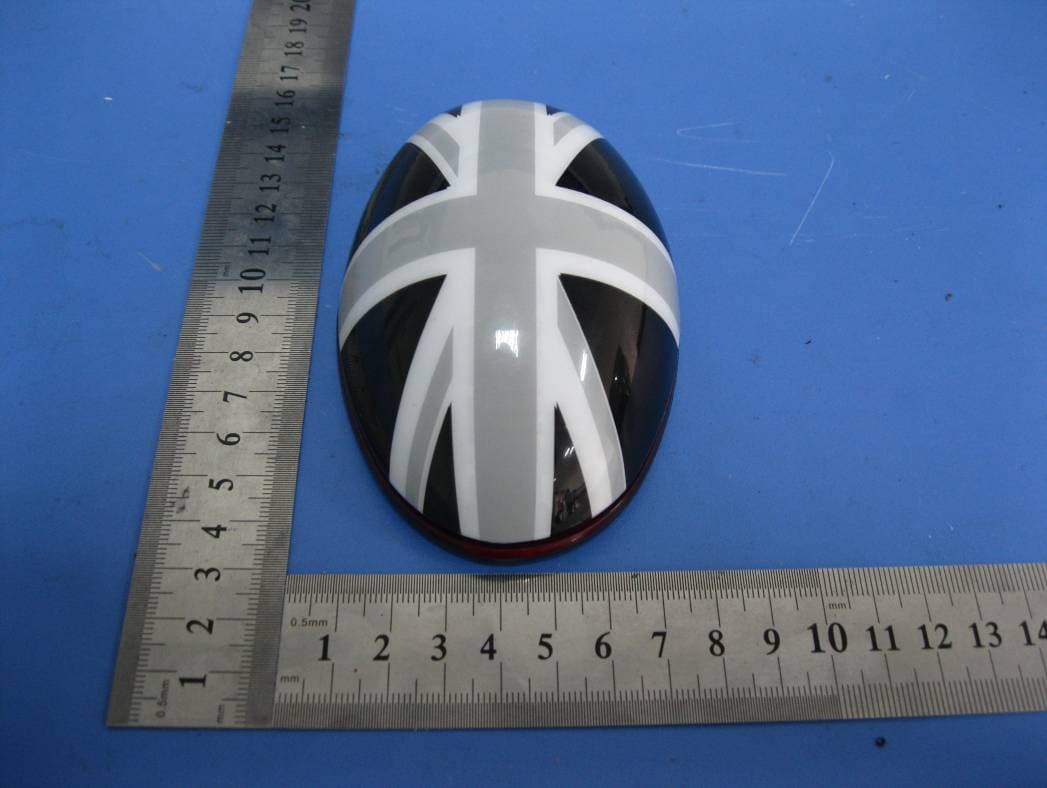
XZJMCM
Jun 05, 2012MINI Wireless Computer Mouse
Equipment Class
DXX - Part 15 Low Power Communication Device Transmitter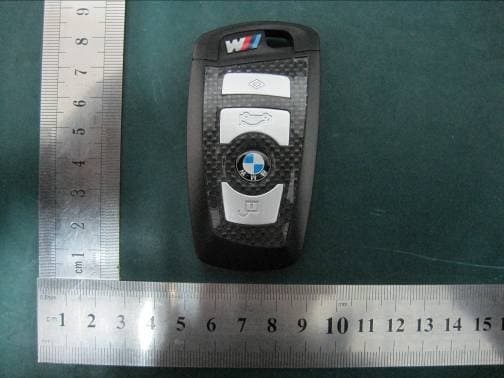
XZJ-CUSB
Jan 26, 2011BMW CUSB
Equipment Class
JBP - Part 15 Class B Computing Device Peripheral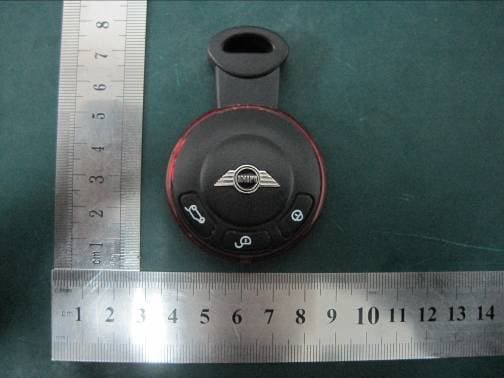
XZJ-BR-MUSB2
Jan 06, 2011BMW MUSB
Equipment Class
JBP - Part 15 Class B Computing Device Peripheral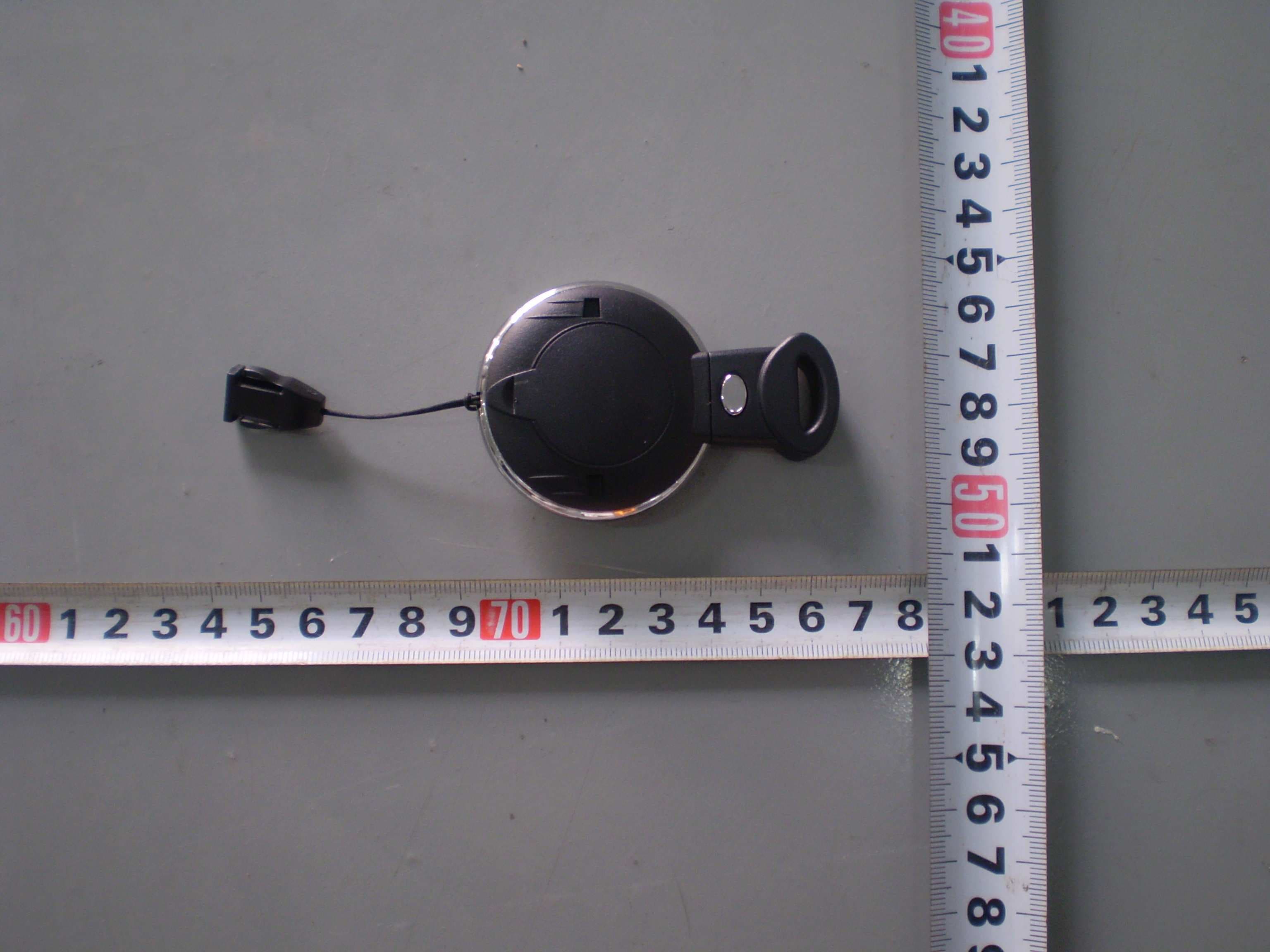
XZJ-BR-MUSB
Jan 18, 2010Mini USB Stick
Equipment Class
JBP - Part 15 Class B Computing Device Peripheral