Y2R-ISSDTrek Portable Wireless iSSD
Trek Technology (S) Pte Ltd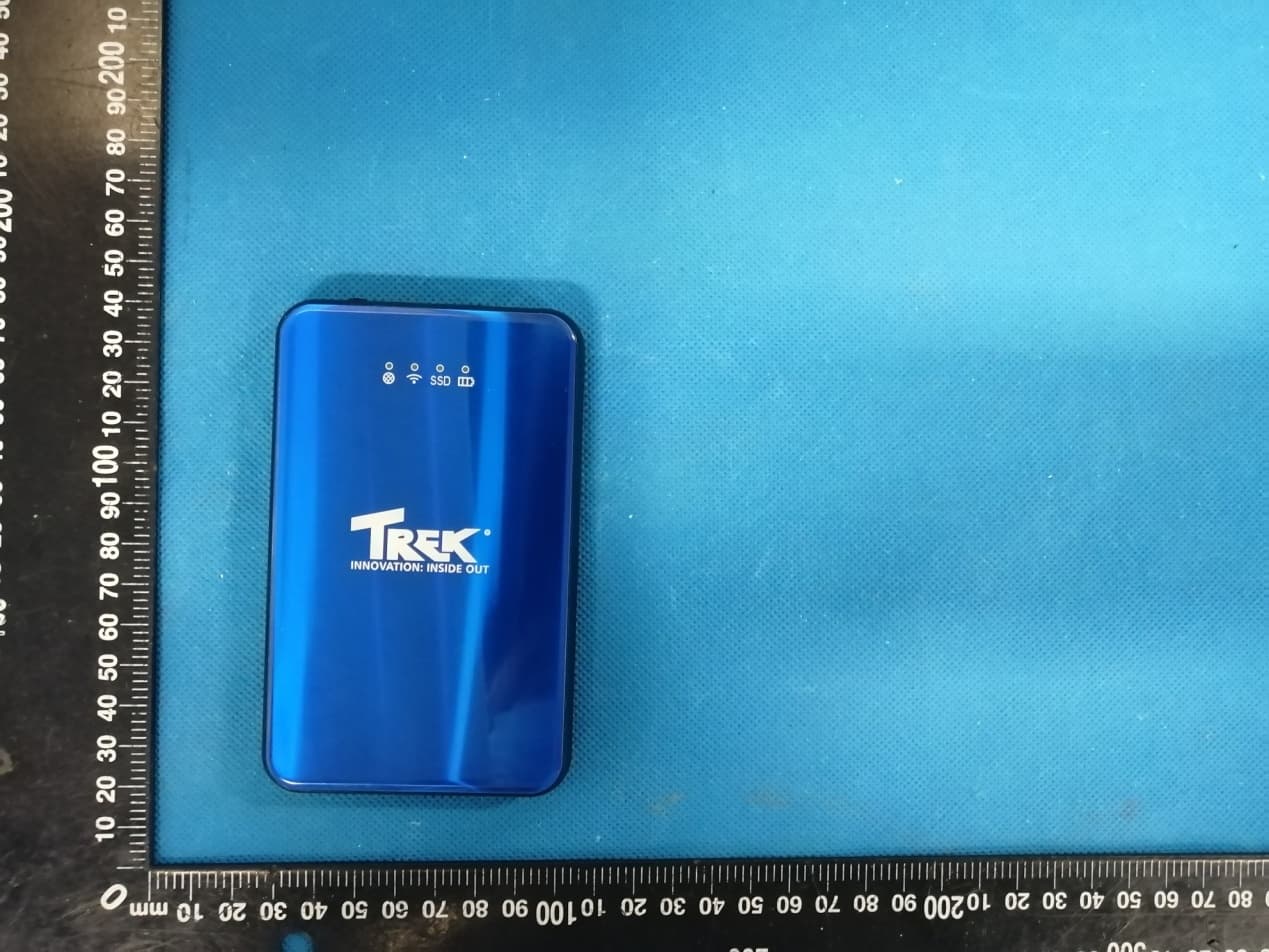
Click to zoom
Application Details
- Equipment Class
- DCD - Part 15 Low Power Transmitter Below 1705 kHz
- Date of Grant
- Jun 14, 2020
- Application Purpose
- Original Equipment
- Date of Application
- Jun 14, 2020
- Equipment Note
- Trek Portable Wireless iSSD
- Frequency Range
- 0.12500000 - 0.12500000
- Company
- Trek Technology (S) Pte Ltd
- Country
- Singapore
Documents & Files
Document Text
Text extracted from the exhibit documents filed with the FCC. Open a document above to read the original.
Users Manual
User Manual User Manual Trek Portable Wireless iSSD V01 User Manual User Manual 1. Inside the box 1. Trek Portable Wireless iSSD ----------------------------------- 1PC 2. USB –A to USB-C Cable ------------------------------------------1PC 3. User Manual--------------------------------------------------------1PC 4. MicroSD -SD Card Adaptor -------------------------------------1PC 5. Pouch Bag ----------------------------------------------------------1PC Hardware Description: USB –A 5V⎓2A LED Indicator (Output & Digital Companion) Wireless Charging SD Card Slot Transmitter 5V⎓1A USB-C 5V⎓2A Power Button (Input & Data Transfer) Wireless Charging Reset Button Receiver 5V⎓1A 3 2 6 8 4 5 1 7 User Manual Battery Level Indicator SSD Read/Write Indicator Wireless Indicator Internet Indicator Item Function Description Battery Level Indicator LED battery level indicator: Red light 0 – 30% Blue light 30 – 65% Green light 65 – 100% Battery charging – LED light flashing Fully charged – LED green light stay on SSD Indicator SSD Data Read/Write -> Led flashing SSD Other condition -> Led off Wireless Indicator Power on –> Led light on Wi-Fi signal on and data transfer Internet Indicator Connected to internet -> Led light on Disconnect from internet -> Led light off USB – A Interface 5V⎓2A (Output) and digital companion USB 3.1 – C Interface 5V⎓2A (Input) and data transfer SD Card Slot In wireless mode, double press power button, SD Card will one touch backup to SSD. SD Card expansion feature in digital companion Power Button Turn on/off USB mode -> short press once Turn on/off wireless mode -> long press 3sec Reset Button In wireless mode, restore from factory setting -> long press 10 sec Wireless Charging 5V⎓1A wireless charging output, to charge wireless 4 3 2 1 User Manual Transmitter charging compatible device. Wireless Charging Receiver 5V⎓1A wireless charging input, allow iSSD being charge by any wireless charging compatible charger device Hardware Specification: Device Name Trek Portable Wireless iSSD Storage Capacity 240GB/480GB/1TB Color Black/ Blue/ Red Material Aluminum Alloy Frame with Glass Cover Dimension/Weight 120 x75 x 15mm /230g Interface Port 1 x USB 3.1 Type C (10Gbps) 1 x USB 2.0 Type A Female Port (5V, 2A) 1 x Qi Standard Wireless Charging Transmitter 1 x Qi Standard Wireless Charging Receiver 1 x SDXC Card Slot Wireless Interface 2.4Ghz IEEE802.11 b/g/n 300Mbps Wireless Security WEP 64/128, WPA,WPA2 Battery Capacity 3000mAh Power Output 5V⎓2A Wireless Charging Standard Qi Compatible Wireless Charging Power 5W Wireless Charging Distance 0 – 10mm Wireless Charging Receiver (Input) 5V⎓1A Wireless Charging 5V⎓1A Transmitter (Output) APP Trek iSSD (Android/iOS) iSSD Windows (PC) Systems Compatibility Windows 7/8 and 10 Mac OS v10.11 and above Android 4.4 and above iOS 8.0 and above SD Card Max Capacity 256GB Playback Format Supported Support major playback format. (DOCX, PPTX, XLSX, TXT, JPG, PNG, MP3, AVI, WMV, FLV, MKV, RMVB and more) USB Digital Companion Supported Operating Environment Operating Temperature 0 0 C to 65 0 C Operating Humidity 10% to 90% RH Storage Temperature -40 0 C to 70 0 C Storage Humidity 5% to 90% RH Package Contents 1x Trek Portable Wireless iSSD 1x USB Type-C Data Cable 1x User Manual 1x MicroSD -SD Card Adaptor 1x Pouch Bag Disclaimer: Trek Portable Wireless iSSD support USB mass storage mode only in Mac OS v10.11 and above. User Manual 2. Operational Manual 2.1 Power on/off Press power button once to turn SSD On /Off. 2.2 Connect to PC as normal portable SSD (USB mode) To link device to PC, use USB C Cable and press power button once for PC to access SSD storage. Press again to disconnect SSD. 2.3 Wireless connection a. First, scan QR code in user manual or in App Store/Play Store search for “Trek iSSD”, download and installed. b. Long press power button for 3 seconds, battery and wireless indicator led light on, wait 30 seconds to activate WiFi. Default WiFi hotspot name: Trek iSSD Default password: 123456789 c. Mobile phone/tablet connection with WiFi connected to Trek iSSD. Open app, select LAN login. Key in default login name: admin and default password: 123456789.Click login. d. PC connection with WiFi connected to Trek iSSD. Open “My Computer”, in address link key in “:\\192.168.10.1” Key in default login name: admin and default password: 123456789.Click login. User Manual 2.4 Battery Charging To charge device, connect device to any power source using USB-C cable or place device above any Qi-Certified wireless charging pad. For optimal charging performance, place device directly above wireless charging logo. 2.5 Power Bank Connect iSSD to mobile phone (or other device) using USB-A port, then press power button once to turn on and start charging. Or place the mobile device or any other device with wireless charging capability above the wireless charge logo of the iSSD and turn iSSD on. (Press power button once) 3. Mobile APP Introduction 3.1 Upload File Access to device folder, click on top-right “Upload” button, select upload file category, select files to be uploaded, and click “Upload” button to start upload. (Similar method for others file type) 3.2 Download/Delete/Rename To download, erase or rename file. Select edit at the top right. A pop- up will appear at the bottom on the screen. Click on corresponding action to proceed. User Manual 3.3 Online Playback/View Click on respective photo, music, video, or documents to start view or playback. 3.4 Tool Box a. Photo Album/ Contact Backup Backup photo album and contact is same method. Select photo album and click on “Backup Now” button to start backup. b. Digital Companion (External storage device backup) Backup files from other devices (USB thumbdrive, SD Card or microSD) to iSSD or vice versa. Select Digital Companion Select backup disk (files backup from) Select target disk (files backup to) Click “Start backup” to backup 1 2 3 4 1 2 4 3 User Manual c. WiFi Setting …
Text truncated - open the document above for the full version.
Cover Letter(s)
Letter of Declaration Co mpany: Trek Technology (S) Pte Ltd Address: 30 Loyang Way #07-13/14/15 Loyang Industrial Estate Singapore 508769 P roduct Name: Trek Portable Wireless iSSD Model Number: iSSD FCC Identifier: Y2R-ISSD Compliant with KDB680106 D01 RF Exposure Wireless Charging Apps v03 section 5,b: (1) Power transfer frequency is less than 1 MHz. -The device operate in the frequency range 125KHz. (2) Output power from each primary coil is less than or equal to 15 watts. -The maximum output power of the primary coil is 5W (3) The transfer system includes only single primary and secondary coils. This includes charging systems that may have multiple primary coils and clients that are able to detect and allow coupling only between individual pairs of coils. -The transfer system including two charging system, but they cannot transmit simultaneously, so only single primary coils is to detect and allow each time. (4) Client device is placed directly in contact with the transmitter. -The EUT is placed directly in contact with the transmitter (5) M obile exposure conditions only (portable exposure conditions are not covered by this exclusion). -The EUT is mobile exposure condiction only. (6) The aggregate H-field strengths at 15 cm surrounding the device and 20 cm above the top surface from all simultaneous transmitting coils are demonstrated to be less than 50% of the MPE limit. - The EUT meet the conditions. Nam e: Hansi Limin Date: June. 11, 2020 Title: Senior Engineer Signature of applicant:
Cover Letter(s)
Trek Technology (S) Pte Ltd Agent Authorization Company: Trek Technology (S) Pte Ltd Address: 30 Loyang Way #07-13/14/15 Loyang Industrial Estate Singapore 508769 Product Name: Trek Portable Wireless iSSD Model Number(s ): iSSD Product Description: Trek Portable Wireless iSSD We authorize MiCOM Labs Inc., 575 Boulder Court, Pleasanton, California 94566, USA, to act on our behalf on all matters concerning the certification of above named equipment. We declare that MiCOM Labs Inc. is allowed to forward all information related to the approval and certification of equipment to the regulatory agencies as required and to discuss any issues concerning the approval application. Any and all acts carried out by MiCOM Labs on our behalf shall have the same effect as acts of our own. Signature: Date: June. 11, 2020 Name: Hansi Limin Title: Senior Engineer Company: Trek Technology (S) Pte Ltd
Cover Letter(s)
< Trek Technology (S) Pte Ltd > Office of Engineering Technology Federal Communications Commission 7435 Oakland Mills Road Columbia, MD21046 Date: June. 11, 2020 Subject; Request for Long Term Confidentiality FCC ID: Y2R-ISSD To Whom It May Concern, Pursuant to the provisions of the Commission’s rules Title 47 Sections §0.457 and §0.459, we are requesting the Commission to withhold the following attachment(s) as confidential documents from public disclosure indefinitely. These documents contain detailed system and equipment descriptions and are considered as proprietary information in operation of the equipment. The public disclosure of these documents might be harmful to our company and would give competitors an unfair advantage in the market. Schematic Diagram Block Diagram Parts List Operational Description Tune-up Procedure It is our understanding that all measurement test reports, FCC ID label format and correspondence during the certification review process cannot be granted as confidential documents and this information will be available for public review once the grant of equipment authorization is issued. Name: Hansi Limin Date: June. 11, 2020 Title: Senior Engineer Signature of applicant:
External Photos
Annex A External Photos Report No.: HK2005081216-1E/2E/3E Page 1 of 3 Report No.: HK2005081216-1E/2E/3E Page 2 of 3 Report No.: HK2005081216-1E/2E/3E Page 3 of 3
ID Label/Location Info
FCC ID LABEL: Ca. 5mm x 10mm Include in manual: This device complies with part 15 of the FCC Rules. Operation is subject to the following two conditions: (1) This device may not cause harmful interference, and (2) this device must accept any interference received, including interference that may cause undesired operation. Label Location FCC ID: Y2R-ISSD
Internal Photos
Annex B Internal Photos Report No.: HK2005081216-1E/2E/3E Page 1 of 5 Wireless Antenna Report No.: HK2005081216-1E/2E/3E Page 2 of 5 Report No.: HK2005081216-1E/2E/3E Page 3 of 5 2.4G Antenna Report No.: HK2005081216-1E/2E/3E Page 4 of 5 Report No.: HK2005081216-1E/2E/3E Page 5 of 5
RF Exposure Info
Page 1 of 8 Report No.: HK2005081216-3E FCC TEST REPORT Test report On Behalf of Trek Technology (S) Pte Ltd For Trek Portable Wireless iSSD Model No.: iSSD FCC ID: Y2R-ISSD Prepared for : Trek Technology (S) Pte Ltd 30 Loyang Way #07-13/14/15 Loyang Industrial Estate Singapore 508769 Prepared By : Shenzhen HUAK Testing Technology Co., Ltd. 1F, B2 Building, Junfeng Zhongcheng Zhizao Innovation Park, Fuhai Street, Bao'an District, Shenzhen City, China Date of Test: May. 23 2020 ~ June. 01, 2020 Date of Report: June. 01, 2020 Report Number: HK2005081216-3E Page 2 of 8 Report No.: HK2005081216-3E Note: 1. For a more detailed features description, please refer to the manufacturer’s specifications or the User's Manual. 2. Channel List Channel Frequency (KHz) Channel Frequency (MHz) Channel Frequency (MHz) Channel Frequency (MHz) 01 125 The EUT antenna is Coil Antenna. No antenna other than that furnished by the responsible party shall be used with the device. 2. SUMMARY OF TEST RESULTS 2.1 Test procedures according to the technical standards: FCC KDB680106 D01 RF Exposure Wireless Charging Apps v03 FCC CFR 47 Standard Section Test Item Judgment Remark FCC CFR 47 part1, 1.1310 KDB680106 D01v03 (3)(3) Electric Field Strength (E ) (V /m) PASS Magnetic Field Strength (H ) (A/m) PASS 2.2 MEASUREMENT UNCERTAINTY The reported uncertainty of measurement y ±U,where expended uncertainty U is based on a standard uncertainty multiplied by a coverage factor of k=2,providing a level of confidence of approximately 95 %。 No. Item Uncertainty 1 All emissions,radiated(<30M)(9KHz-30MHz) ±2.45dB 2 Temperature ±0.5°C 3 Humidity ±2% Page 3 of 8 Report No.: HK2005081216-3E 2.3 Test Instruments Description Brand Model No. Frequency Range Calibrated Date Calibrated Until Broadband Field Meter NARDA NBM-550 - Dec. 26, 2019 Dec. 25, 2020 Magnetic Field Meter NARDA ELT-400 1 – 400kHz Dec. 26, 2019 Dec. 25, 2020 Magnetic Probe NARDA HF-3061 300kHz – 30MHz Dec. 26, 2019 Dec. 25, 2020 Magnetic Probe NARDA HF-0191 27 – 1000MHz Dec. 26, 2019 Dec. 25, 2020 Broadband Field Meter NARDA NBM-550 - Dec. 26, 2019 Dec. 25, 2020 Electric Field Meter COMBINOVA EFM 200 5Hz – 400kHz Dec. 26, 2019 Dec. 25, 2020 E-Field Probe NARDA EF-0391 100kHz – 3GHz Dec. 26, 2019 Dec. 25, 2020 E-Field Probe NARDA EF-6091 100MHz – 60GHz Dec. 26, 2019 Dec. 25, 2020 NOTE: 1. The calibration interval of the above test instruments is 12 months . Page 4 of 8 Report No.: HK2005081216-3E 3. MAXIMUM PERMISSIBLE EXPOSURE 3.1 MAXIMUM PERMISSIBLE EXPOSURE Limit of Maximum Permissible Exposure Limits for Occupational / Controlled Exposure Frequency Range (MHz) Electric Field Strength (E) (V/m) Magnetic Field Strength (H) (A/m) Power Density (S) (mW/ cm²) Averaging Time |E|²,|H|² or S (minutes) 0.3-3.0 614 1.63 (100)* 6 3.0-30 1842 / f 4.89 / f (900 / f)* 6 30-300 61.4 0.163 1.0 6 300-1500 F/300 6 1500-100,000 5 6 Limits for General Population / Uncontrolled Exposure Frequency Range (MHz) Electric Field Strength (E) (V/m) Magnetic Field Strength (H) (A/m) Power Density (S) (mW/ cm²) Averaging Time |E|²,|H|² or S (minutes) 0.3-1.34 614 1.63 (100)* 30 1.34-30 824/f 2.19/f (180 / f)* 30 30-300 27.5 0.073 0.2 30 300-1500 F/1500 30 1500-100,000 1 30 Note 1: f = frequency in MHz ; *Plane-wave equivalent power density Note 2: For the applic able limit, see FCC 1.1310, 680106 D01 RF Exposure Wirel ess Charging Apps v03 Note 3: Emissions between 100 kHz to 300 kHz should be assessed versus the limits at 300 kHz in Tabl e 1 of Section 1.1310: 614 V/m and 0.815A/m. A KDB inquiry is required to determine the applicable exposure limits belo w 100 kHz. Page 5 of 8 Report No.: HK2005081216-3E 4. TEST PROCEDURE a. For devices designed for typical desktop applications, such a wireless charging pads, RF exposure evaluation should be conducted assuming a user separation distance of (H-field & E- field strengths for all sides is 15cm, H-field strengths of top side is 20cm). E and H field strength measurements or numerical modeling may be used to demonstrate compliance. Measurements should be made from all sides and the top of the primary/client pair, with the 15 cm measured from the center of the probe(s) to the edge of the device. 4.1 TEST SETUP 4.2 RESULT OF MAXIMUM PERMISSIBLE EXPOSURE Page 6 of 8 Report No.: HK2005081216-3E For Full load mode: E-Field Strength at 15 cm from the edges surrounding the EUT (V/m) Frequency Range (MHz) Te s t Position A Te s t Position B Te s t Position C Te s t Position D Te s t Position E Limits Te s t (V/m) 0.125 1.66 1.47 1.32 1.41 1.20 614 H-Field Strength at 15 cm from the edges surrounding the EUT (A/m) Frequency Range (MHz) Te s t Position A Te s t Position B Te s t Position C Te s t Position D Te s t Position E Limits Te s t (A/m) 0.125 0.69 0.70 0.25 0.11 0.45 1.63 For Half Load mode: E-Field Strength at 15 cm from the edges surrounding the EUT (V/m) Frequency Range (MHz) Te s t Position A Te s t Position B Te s t Position C Te s t Position D Te s t Position E Limits Te s t (V/m) 0.125 1.12 1.47 1.25 1.73 1.34 614 H-Field Strength at 15 cm fro m the edges surrounding the EUT (A /m) Frequency Range (MHz) Te s t Position A Te s t Position B Te s t Position C Te s t Position D Te s t Position E Limits Te s t (A/m) 0.125 0.31 0.45 0.22 0.17 0.57 1.63 Page 7 of 8 Report No.: HK2005081216-3E For No load mode: E-Field Stre ngth at 15 cm from the edges surrounding the EUT (V/m) Frequency Range (MHz) Te s t Position A Te s t Position B Te s t Position C Te s t Position D Te s t Position E Limits Te s t (V/m) 0.125 1.25 1.37 1.65 1.45 1.66 614 H-Field Strength at 15 cm from the edges surrounding the EUT (A/m) Frequency Range (MHz) Te s t Position A Te s t Position B Te s t Position C Te s t Position D Te s t Position E Limits Te s t (A /m) 0.125 0.57 0.68 0.44 0.49 0.60 1.63 Remark: According KDB 680106 D01 RF Exposure Wireless Charging App v03, section 5, b). The aggregate H-field strengths at 15 cm surrounding the device and 20 cm above the top surfa…
Text truncated - open the document above for the full version.
Test Report
Page 1 of 21 Report No.: HK2005081216-2E FCC TEST REPORT Test report On Behalf of Trek Technology (S) Pte Ltd For Trek Portable Wireless iSSD Model No.: iSSD FCC ID: Y2R-ISSD Prepared for : Trek Technology (S) Pte Ltd 30 Loyang Way #07-13/14/15 Loyang Industrial Estate Singapore 508769 Prepared By : Shenzhen HUAK Testing Technology Co., Ltd. 1F, B2 Building, Junfeng Zhongcheng Zhizao Innovation Park, Fuhai Street, Bao'an District, Shenzhen City, China Date of Test: May. 18, 2020 ~ May. 25, 2020 Date of Report: M a y. 25, 2020 Report Number: HK2005081216-2E Page 2 of 21 Report No.: HK2005081216-2E TEST RESULT CERTIFICATION Applicant’s name ................. : Trek Technology (S) Pte Ltd Address ................................. : 30 Loyang Way #07-13/14/15 Loyang Industrial Estate Singapore 508769 Manufacture's Name ............ : Shenzhen Huishen Jizhi Technology Co., Ltd. Address ................................. : 306A, No. 1, Langrong Road, Xinshi Community, Dalang Street, Longhua District, Shenzhen, China Product description Trade Mark: Trek Product name ........................... : Trek Portable Wireless iSSD Model and/or type reference : iSSD Standards ............................. : FCC Rules and Regulations Part 15 Subpart C (Section 15.209), ANSI C63.10: 2013 This publication may be reproduced in whole or in part for non-commercial purposes as long as the Shenzhen HUAK Testing Technology Co., Ltd. is acknowledged as copyright owner and source of the material. Shenzhen HUAK Testing Technology Co., Ltd. takes no responsibility for and will not assume liability for damages resulting from the reader's interpretation of the reproduced material due to its placement and context. Date of Test ............................................ : Date (s) of performance of tests ............. : May. 18, 2020 ~ May. 25, 2020 Date of Issue ........................................... : May. 25, 2020 Test Result ............................................... : Pass Testing Engineer : (Gary Qian) Technical Manager : (Eden Hu) Authorized Signatory : (Jason Zhou) Page 3 of 21 Report No.: HK2005081216-2E Table of Contents Page 1 . TEST SUMMARY 5 1.1 TEST PROCEDURES AND RESULTS 5 1.2 TEST FACILITY 5 1.3 MEASUREMENT UNCERTAINTY 5 2. GENERAL INFORMATION 6 2.1 General Description of EUT 6 2.2. Carrier Frequency of Channels 7 2.3 Operation of EUT during testing 7 2.4 Description of Test Setup 7 2.5 Measurement Instruments List 8 3. CONDUCTED EMISSION TEST 9 3.1 Block Diagram of Test Setup 9 3.2 Conducted Power Line Emission Limit 9 3.3 Test Procedure 9 3.4 Test Result 9 4. Occupied Bandwidth 12 4.1 Block Diagram of Test Setup 12 4.2 Rules and specifications 12 4.3 Test Procedure 12 4.4 Test Result 12 5. RADIA TED EMISSIONS 14 5.1 Block Diagram of Test Setup 14 5.2 Rules and specifications 15 5.3 Test Procedure 16 5.4 Test Result 16 6 ANTENNA REQUIREMENT 19 7. PHOTOGRAPH OF TEST 20 7.1 Radiated Emission 20 7.2 Conducted Emission 21 8. PHOTOGRAPH OF TEST 21 Page 4 of 21 Report No.: HK2005081216-2E ** Modifited History ** Revison Description Issued Data Remark Revsion 1.0 Initial Test Report Release 2020/06/01 Jason Zhou Page 5 of 21 Report No.: HK2005081216-2E 1. TEST SUMMARY 1.1 TEST PROCEDURES AND RESULTS DESCRIPTION OF TEST section number RESULT CONDUCTED EMISSIONS TEST 15.207 COMPLIANT RADIATED EMISSION TEST 15.209 COMPLIANT OCCUPIED BANDWIDTH MEASUREMENT 15.215 COMPLIANT ANTENNA REQUIREMENT 15.203 COMPLIANT Note: 1. PASS: Test item meets the requirement. 2. Fail: Test item does not meet the requirement. 3. N/A: Test case does not apply to the test object. 4. The test result judgment is decided by the limit of test standard. 1.2 TEST FACILITY Test Firm : Shenzhen HUAK Testing Technology Co., Ltd. Address 1F, B2 Building, Junfeng Zhongcheng Zhizao Innovation Park, Fuhai Street, Bao'an District, Shenzhen City, China 1.3 MEASUREMENT UNCERTAINTY Measurement Uncertainty Conducted Emission Expanded Uncertainty = 2.23dB, k=2 Radiated emission expanded uncertainty(9kHz-30MHz) = 3.08dB, k=2 Radiated emission expanded uncertainty(30MHz-1000MHz) = 4.42dB, k=2 Radiated emission expanded uncertainty(Above 1GHz) = 4.06dB, k=2 Page 6 of 21 Report No.: HK2005081216-2E 2. GENERAL INFORMATION 2.1 General Description of EUT Equipment Trek Portable Wireless iSSD Model Name iSSD Serial No. N/A Model Difference N/A Trade Mark Trek FCC ID Y2R-ISSD Antenna Type Coil Antenna Antenna Gain 0dBi BT Operation frequency 125KHz Number of Channels 1 Modulation Type ASK Power Source Input: DC 5V 2A from Type-C or DC 3.7V from Battery Output: 5V from USB Wireless Output: DC 5V, 1A Power Rating Input: DC 5V 2A from Type-C or DC 3.7V from Battery Output: 5V from USB Wireless Output: DC 5V, 1A Page 7 of 21 Report No.: HK2005081216-2E 2.2. Carrier Frequency of Channels Operation Frequency each of channel Channel Frequency 1 125KHz 2.3 Operation of EUT during testing Operating Mode The mode is used: Transmitting mode 2.4 Description of Test Setup Operation of EUT during testing AC Plug ● Adapter information Model: HW-059200CHQ Input: 100-240, 50/60Hz, 0.5A Output: 5VDC, 2A ● Mobile phones information Model: S6 Input: 5VDC The sample was placed (0.8m below 1GHz, 1.5m above 1GHz) above the ground plane of 3m chamber. Measurements in both horizontal and vertical polarities were performed. During the test, each emission was maximized by: having the EUT continuously working, investigated all operating modes, rotated about all 3 axis (X, Y & Z) and considered typical configuration to obtain worst position, manipulating interconnecting cables, rotating the turntable, varying antenna height from 1m to 4m in both horizontal and vertical polarizations.The emissions worst-case are shown in Test Results of the following pages. The worst case is X position. Adapter EUT Mobile phones Page 8 of 21 Report No.: HK2005081216-2E 2.5 Measurement Instruments List Item Equipment Manufacturer Model No. Serial No. Last Cal. Cal. Interval 1. L.I.S.N. Artificial Main…
Text truncated - open the document above for the full version.
Test Setup Photos
Test Model:iSSD Radiated Emission Conducted Emission
Contact Information
Applicant
Hansi Limin(Senior Engineer)
Technical Contact
Test Firm
Shenzhen HUAK Testing Technology Co., Ltd.Jason Zhou
[email protected]+86-755-23029901
Technical Specifications
| # | Rule Parts | Frequency Range | Power Output |
|---|---|---|---|
| 1 | 15C | 0.125 MHz - 0.125 MHz | - |
Other Applications from Trek Technology (S) Pte Ltd
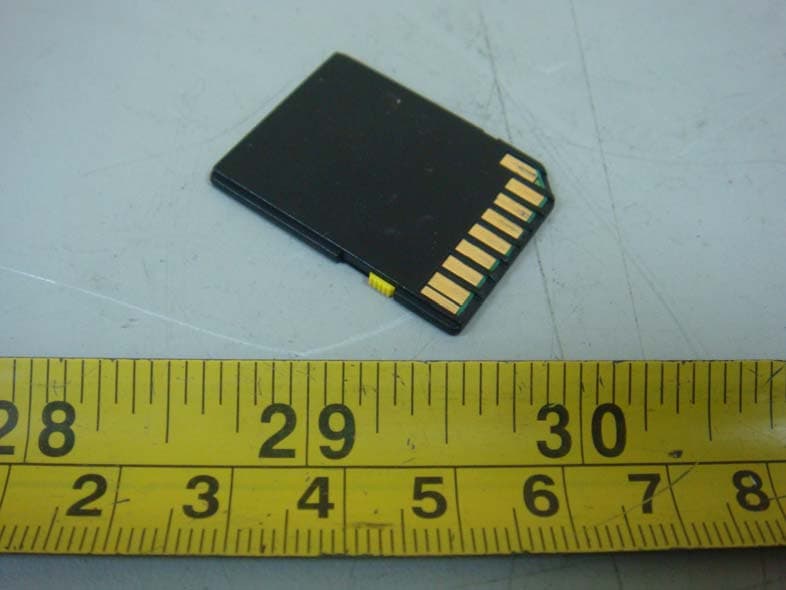
Y2RFCPRO
Jun 13, 2011FLUCARD pro
Equipment Class
DTS - Digital Transmission System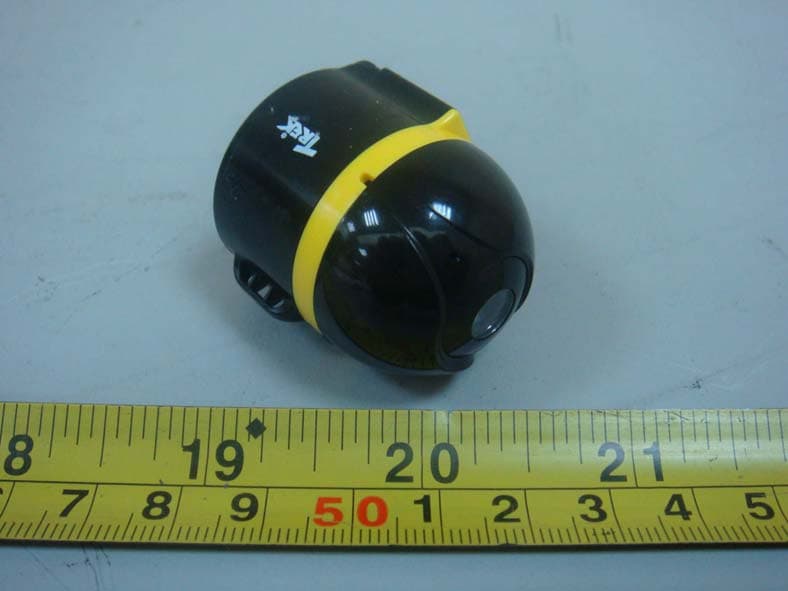
Y2RAIBALL
Jan 16, 2011Wireless Camera
Equipment Class
DTS - Digital Transmission System