Y3GGALAPAD7G2Galapad 7
Galaxy Microsystems Ltd.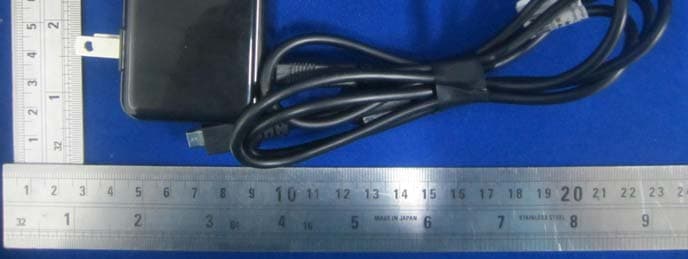
Click to zoom
Application Details
- Equipment Class
- DSS - Part 15 Spread Spectrum Transmitter
- Date of Grant
- Sep 08, 2013
- Application Purpose
- Original Equipment
- Date of Application
- Sep 08, 2013
- Equipment Note
- Galapad 7
- Frequency Range
- 2402.00000000 - 2480.00000000
- Company
- Galaxy Microsystems Ltd.
- Country
- Hong Kong
Documents & Files
Document Text
Text extracted from the exhibit documents filed with the FCC. Open a document above to read the original.
Users Manual
1 Contents Read Before Proceeding .......... 1 Safety Precautions ................... 1 Personal Information and Data Security ................ ................ 2 Getting Started ............... .............. 4 1. Key Functions at Your Finger tips .................... ................... 4 2. Inserting SD card .............. 5 3. Charging the battery ...... 5 4. About the Status bar ....... 6 Basic operations ............... ........... 7 1. Turning your pad on and off 7 2 2. Desktop manager .............. 7 Main operations ............... ............ 9 1. Entertainment ..................... 9 2. Email ...................... ................... 10 3. Contancts ................ .............. 11 4. Getting Connected .......... 12 5. Using Other Applications .................. ............... 14 6. Managing Your Pad ........ 16 1 Read Before Proceeding Safety Precautions Please read the safety precautions carefully to ensure the correct use of your pad. 1. Do not crash, throw, or puncture your pad Avoid the falling, squeezing, and bending of your pad. 2. Do not use your pad in a moist environment, such as the bathroom. Prevent your pad from being soaked or washed in liquid. 3. Do not switch on your pad when it is prohibited to use pads or when the pad may cause interference or danger. 4. Do not use your pad while driving. 5. Follow any rules or regulations in hospitals and health care facilities. Switch off your pad near medical apparatus. 6. Switch off your pad in aircraft. The pad may cause interference to control equipment of the aircraft. 7. Switch off your pad near high-precision electronic devices. The pad may affect the performance of these devices. 8. Do not attempt to disassemble your pad or its accessories. Only qualified personnel are allowed to service or repair the pad. 9. Do not place your pad or its accessories in containers with a strong electromagnetic field. 10. Do not place magnetic storage media near your pad. 2 Radiation from the pad may erase the information stored on them. 11. Do not put your pad in a high-temperature place or use it in a place with flammable gas such as a gas station. 12. Keep your pad and its accessories away fromchildren. Do not allow children to use your pad without guidance. 13. Use only approved batteries and chargers to avoid the risk of explosions. 14. Observe any laws or regulations on the use of wireless devices. Respect others’ privacy and legal rights when using your wireless device. 15. Strictly follow the relevant instructions of this manual while using the USB cable. Otherwise your pad or PC may be damaged. 16. Content is just for your reference, for standard profiles, please refer to that displayed actually. Personal Information and Data Security The use of some functions or third-party applications on your device could result in your personal information and data being lostor becoming accessible to others. Several measures are recommended to help you protect personal and confidential information. z Place your device in a safe area to prevent it from unauthorized use. z Set your device screen to lock and create a password or unlock pattern to open it. z Periodically back up personal information kept on your 3 SIM/USIM card, memory card, or stored in your device memory. If you change to a different device, be sure to move or delete any personal information on your old device. z If you are worried about viruses when you receive messages or emails from a stranger, you can delete them without opening them. z If you use your device to browse the Internet, avoid websites that might pose a security risk to avoid theft of your personal information. z If you use services such as WLAN tether or Bluetooth, set passwords for these services to prevent unauthorized access. When these services are not in use, turn them off. z Install or upgrade device security software and regularly scan for viruses. z Be sure to obtain third-party applications from a legitimate source. Downloaded third-party applications should be scanned for viruses. z Some applications require and transmit location information. As a result, a third-party may be able to share your location information. z Your device may provide detection and diagnostic information to third-party application providers. Third party vendors use this information to improve their products and services. 4 Getting Started All the pictures in this guide are for your reference only. Your pad’s actual display features may be different to those described here, depending on its software version. 1. Key Functions at Your Finger tips Name Function 1 SD card port Insert the SD card. SIM card port Insert the SIM card. 2 Secondary camera Convenient autodyne. 3 Volume keys Press to accommodate the volume and start up silence mode when there is an incoming call. 4 Power key Press to turn on or off the pad. 5 Camera Take the photo. 6 Earpad jack Insert earpad. 5 7 Charge/USB Port Connect USB line. 8 HDMI port Use the D data line to connect the TV 2. Inserting SD card Insert SD card with the metal contacts facing down and the cut corner aligned with that of the slot. 3. Charging the battery New batteries are shipped partially charged. Before you can use your pad, you need to charge the battery. Some batteries will have best performance after several full charge/discharge cycles. 1. Connect data cable and charger, plug one end into your pad’s data port. 2. Plug the other end of the charger into the appropriate electrical outlet (100~240V AC). 3. When your pad indicates that the battery is fully charged, remove the charger. Notes: 1. Before charge, make sure the battery is installed in the pad. 2. The battery can discharge gradually even when your pad is powered off. If the battery is drained for a long time, the information stored in the pad could possibly be lost. So even you don’t need to use your pad for a long period, you should charge the battery some times to keep it away from drained. 3. You need longer chargi…
Text truncated - open the document above for the full version.
External Photos
EXHIBIT B - EUT EXTERNAL PHOTOGRAPHS EUT – All View EUT – Top View EUT –Bottom View EUT – Right Side View EUT – Left Side View EUT – Adapter View EUT – Adapter Label View
Internal Photos
EXHIBIT B - EUT EXTERNAL PHOTOGRAPHS EUT –Uncover View EUT – Main Board Off View EUT – Wifi&Bluetooth Antenna View EUT – GPS Antenna View EUT – 3G Antenna View EUT – Main Board Top With Shielding View EUT – Main Board Top Without Shielding View EUT –Main Board Bottom With Shielding View EUT –Main Board Bottom Without Shielding View EUT – Battery View EUT – Screen Display Uncover View EUT –Screen Display View IC 1808 IC 1805 FL 1801
Test Report
R2DG130319001-00A Note: This test report is prepared for the customer shown above and for the device described herein. It may not be duplicated or used in part without prior written consent from Bay Area Compliance Laboratories Corp. This report must not be used by the customer to claim product certification, approval, or endorsement by NVLAP*, or any agency of the Federal Government. * This report may contain data that are not covered by the NVLAP accreditation and shall be marked with an asterisk “★” (Rev.2). This report is valid only with a valid digital signature. The digital signature may be available only under the Adobe software above version 7.0. FCC PART 15.247 TEST REPORT For Galaxy Microsystems Ltd. Room 1101-1103, 11/F, Enterprise Square Two, 3 Sheung Yuet Road, Kowloon Bay, Kowloon, Hong Kong Report Type: Original Report Product Type: Galapad 7 Test En gineer: Leon Chen Re port Number: R2DG130508007-00B Re port Date: 2013-07-31 Reviewed By: Ivan Cao RF Leade r Test Laboratory: Bay Area Compliance Laboratories Corp. (Dongguan) No.69 Pulongcun, Puxinhu Industrial Zone, Tangxia, Dongguan, Guangdong, China Tel: +86-769-86858888 Fax: +86-769-86858891 www.baclcorp.com.cn FCC ID: Y3GGALAPAD7G2 Bay Area Compliance Laboratories Corp. (Dongguan) Report No.: R2DG130508007-00B FCC Part 15.247 Page 2 of 68 TABLE OF CONTENTS GENERAL INFORMATION ....................................................................................................................................... 4 PRODUCT DESCRIPTION FOR EQUIPMENT UNDER TEST (EUT) ..................................................................................... 4 OBJECTIVE ................................................................................................................................................................... 4 RELATED SUBMITTAL(S)/GRANT(S) ............................................................................................................................. 4 TEST METHODOLOGY .................................................................................................................................................. 4 TEST FACILITY ............................................................................................................................................................. 5 SYSTEM TEST CONFIGURATION .......................................................................................................................... 6 DESCRIPTION OF TEST CONFIGURATION ...................................................................................................................... 6 EUT EXERCISE SOFTWARE .......................................................................................................................................... 6 EQUIPMENT MODIFICATIONS ....................................................................................................................................... 6 SUPPORT EQUIPMENT LIST AND DETAILS .................................................................................................................... 6 EXTERNAL CABLE ........................................................................................................................................................ 7 BLOCK DIAGRAM OF TEST SETUP ................................................................................................................................ 7 SUMMARY OF TEST RESULTS ............................................................................................................................... 8 FCC §15.247 (i) & §1.1310 & §2.1093- RF EXPOSURE ............................................................................................... 9 APPLICABLE STANDARD .............................................................................................................................................. 9 TEST RESULT ............................................................................................................................................................... 9 FCC §15.203 - ANTENNA REQUIREMENT ........................................................................................................... 10 APPLICABLE STANDARD ............................................................................................................................................ 10 ANTENNA CONNECTOR CONSTRUCTION .................................................................................................................... 10 FCC §15.207 (a) – AC LINE CONDUCTED EMISSIONS ..................................................................................... 11 APPLICABLE STANDARD ............................................................................................................................................ 11 MEASUREMENT UNCERTAINTY .................................................................................................................................. 11 EUT SETUP ................................................................................................................................................................ 11 EMI TEST RECEIVER SETUP ....................................................................................................................................... 12 TEST PROCEDURE ...................................................................................................................................................... 12 CORRECTED AMPLITUDE & MARGIN CALCULATION ................................................................................................. 12 TEST EQUIPMENT LIST AND DETAILS ......................................................................................................................... 13 TEST RESULTS SUMMARY .......................................................................................................................................... 13 TEST DATA ..................................…
Text truncated - open the document above for the full version.
Test Setup Photos
EXHIBIT D - TEST SETUP PHOTOGRAPHS Conducted Emissions - Front View Conducted Emissions – Side View Radiated Emission -Front View (Below 1GHz) Radiated Emission - Rear View (Below 1GHz) Radiated Emission -Front View (Above 1GHz) Radiated Emission - Rear View (Above 1GHz)
Contact Information
Applicant
Edward Chow(Product Director)
Test Firm
Bay Area Compliance Laboratories Corp. (Dongguan)John Chan
[email protected]86-769-86858888
Technical Specifications
| # | Rule Parts | Frequency Range | Power Output |
|---|---|---|---|
| 1 | 15C | 2.40 GHz - 2.48 GHz | 2.45 mW |
Other Applications from Galaxy Microsystems Ltd.

Y3G-HOF-M2
Oct 07, 2023HOF ACE WIRELESS GAMING MOUSE
Equipment Class
DSS - Part 15 Spread Spectrum Transmitter
Y3G-HOF-M1
Aug 13, 2022GAMING MOUSE
Equipment Class
DSS - Part 15 Spread Spectrum Transmitter
Oct 24, 2013
Equipment Class
DTS - Digital Transmission System
Y3GGALAPAD6
Sep 27, 2013Smart phone
Equipment Class
PCE - PCS Licensed Transmitter held to ear
Y3G-GSKU-WHDI-T10
Mar 29, 2011WHDI Stick
Equipment Class
DTS - Digital Transmission System