YHLBLUG50MEGAMobile Phone
BLU Products, Inc.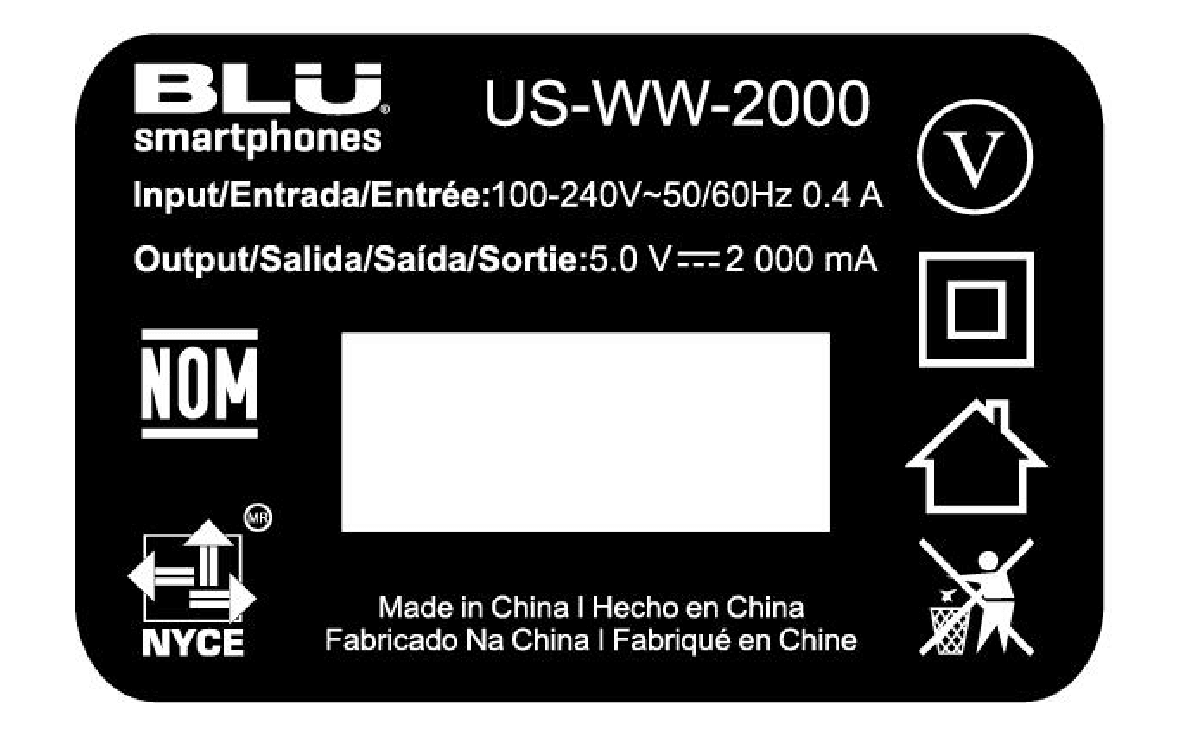
Click to zoom
Application Details
- Equipment Class
- JBP - Part 15 Class B Computing Device Peripheral
- Date of Grant
- Jul 26, 2020
- Application Purpose
- Original Equipment
- Date of Application
- Jul 26, 2020
- Equipment Note
- Mobile Phone
- Company
- BLU Products, Inc.
- Country
- United States
Documents & Files
Document Text
Text extracted from the exhibit documents filed with the FCC. Open a document above to read the original.
Users Manual
1 G50 MEGA USER MANUAL 2 Table of Contents Safety Information ....................................................................................................... 4 Appearance and Key Function .................................................................................. 7 Introduction ................................................................................................................. 10 Call Functions ............................................................................................................ 12 Notifications Bar ......................................................................................................... 14 Contacts ...................................................................................................................... 16 Messaging .................................................................................................................. 20 Bluetooth & Wi-Fi ....................................................................................................... 23 3 Gmail ........................................................................................................................... 26 Play Store.................................................................................................................... 28 Camera ........................................................................................................................ 30 Music ........................................................................................................................... 34 FM Radio .................................................................................................................... 36 Sound Recorder ......................................................................................................... 38 File ............................................................................................................................... 39 Calendar ...................................................................................................................... 40 Alarm Clock ................................................................................................................ 42 Settings ....................................................................................................................... 43 Storage ........................................................................................................................ 48 Troubleshooting ......................................................................................................... 49 4 Safety Information Please carefully read the terms below: Use Safely Do not use the phone in situations where it might cause danger. Transportation Safety Please observe all transportation laws and regulations. Please drive with both hands on the wheel. PLEASE DRIVE RESPONSIBLY - DO NOT TEXT AND DRIVE Hospital Safety Please follow hospital rules and limitations. Please turn off your mobile phone when near medical instruments. Airport Safety Remember to follow all airport and flight safety regulations. Please do not use your phone during flight. Chemical Warning Do not use your mobile phone around fuels or chemicals. 5 Temperature Warning Do not subject your phone to extreme temperature conditions. Water Hazard Your phone is not waterproof. Keep your phone away from water or liquid to avoid damage. Emergency Calls Make sure your mobile phone is switched on and in a service area. In home screen, tap the phone key and dial the emergency number. Accessories and Batteries Use only Blu authorized batteries and accessories. Information Backup Remember to keep a written record of all important information. Battery Safety and Precautions - For better performance and longer battery life, it is recommended that you charge the battery fully before using the mobile phone for the first time. - The optimum performance of a new battery is typically achieved after two or three complete charge cycles. Note: Keep in mind that continuous overcharging will affect long term battery life. - While charging, keep the mobile phone out the reach of children. - Store the battery in a cool and dry place away from direct sunlight and water. 6 - Do not expose batteries to extreme temperatures (below -8°C (18°F) or above 43°C (110°F). - Immediately stop using the battery if it produces an odor, cracks and leaks, overheats, distorts or has any other type of physical damage. - Avoid using the charger near or around liquids. If the charger comes in contact with water or any liquids, immediately unplug it from the outlet to reduce the risk of overheating, charger malfunction, electric shock or fire. Warning: Please be careful with the disposal of used batteries. Do not throw away batteries with daily waste. Please follow local environmental laws and guidelines for proper waste disposal. Cleaning and Maintenance - Avoid using the handset and accessories in excessively moist areas to avoid malfunction. - Use a soft, dry cloth to clean the handset, battery and charger. - Do not use alcohol, thinner, benzene or any other solvent to clean the handset. 7 Appearance and Key Function 8 Volume Power Back Home Menu Front Camera 9 Rear Camera Speaker Fingerprint sensor Flash 10 Introduction Installation of the SIM Card Warning: Please keep the SIM card out of the reach of children. The SIM card and its contact are easily damaged due to scratching or bending. Please use caution when carrying, installing or taking out the SIM card. NB: Please contact your cellular phone service provider directly to obtain your SIM card. To insert SIM card: 1. Remove the card slot. Insert the SIM card. 2. Insert the SD card. (For additional storage capacity) 3.Insert card slot, and power on phone. 11 Slot 2 & Memory card Slot 1 12 Power On and Off On - Please ensure the SIM card has been properly inserted into the phone. Long press the Power key to switch the phone on. Off - In standby m…
Text truncated - open the document above for the full version.
External Photos
Bay Area Compliance Laboratories Corp. (Shenzhen) Report No.: RSZ200603001-RF Page 1 of 6 EXHIBIT B - EUT EXTERNAL PHOTOGRAPHS Bay Area Compliance Laboratories Corp. (Shenzhen) Report No.: RSZ200603001-RF Page 2 of 6 Bay Area Compliance Laboratories Corp. (Shenzhen) Report No.: RSZ200603001-RF Page 3 of 6 Bay Area Compliance Laboratories Corp. (Shenzhen) Report No.: RSZ200603001-RF Page 4 of 6 Bay Area Compliance Laboratories Corp. (Shenzhen) Report No.: RSZ200603001-RF Page 5 of 6 Bay Area Compliance Laboratories Corp. (Shenzhen) Report No.: RSZ200603001-RF Page 6 of 6
ID Label/Location Info
Bay Area Compliance Laboratories Corp. (Shenzhen) Report No.: RSZ200603001-RF Page 1 of 1 EXHIBIT A - FCC ID LABEL AND LOCATION FCC ID Label FCC ID Label Location Information The label shown shall be permanently affixed at a conspicuous location on the device and be readily visible to the user at the time purchase (Labeling requirements per 2.925)
Internal Photos
Bay Area Compliance Laboratories Corp. (Shenzhen) Report No.: RSZ200603001-RF Page 1 of 10 EXHIBIT C - EUT INTERNAL PHOTOGRAPHS Bay Area Compliance Laboratories Corp. (Shenzhen) Report No.: RSZ200603001-RF Page 2 of 10 Bay Area Compliance Laboratories Corp. (Shenzhen) Report No.: RSZ200603001-RF Page 3 of 10 Bay Area Compliance Laboratories Corp. (Shenzhen) Report No.: RSZ200603001-RF Page 4 of 10 Bay Area Compliance Laboratories Corp. (Shenzhen) Report No.: RSZ200603001-RF Page 5 of 10 Bay Area Compliance Laboratories Corp. (Shenzhen) Report No.: RSZ200603001-RF Page 6 of 10 Bay Area Compliance Laboratories Corp. (Shenzhen) Report No.: RSZ200603001-RF Page 7 of 10 Bay Area Compliance Laboratories Corp. (Shenzhen) Report No.: RSZ200603001-RF Page 8 of 10 Antenna Bay Area Compliance Laboratories Corp. (Shenzhen) Report No.: RSZ200603001-RF Page 9 of 10 Bay Area Compliance Laboratories Corp. (Shenzhen) Report No.: RSZ200603001-RF Page 10 of 10
Test Report
Note: This report must not be used by the customer to claim product certification, approval, or endorsement by A2LA* or any agency of the Federal Government. This report may contain data that are not covered by the A2LA accreditation and are marked with an asterisk “★”. BACL is not responsible for the authenticity of any test data provided by the applicant. Data included from the applicant that may affect test results are marked with an asterisk ’*’. Customer model name, addresses, names, trademarks etc. are not considered data. This report cannot be reproduced except in full, without prior written approval of the Company. Unless otherwise stated the results shown in this test report refer only to the sample(s) tested. This report is valid only with a valid digital signature. The digital signature may be available only under the Adobe software above version 7.0. FCC PART 15B, CLASS B TEST REPORT For BLU Products, Inc. 10814 NW 33rd St # 100 Doral, FL 33172, United States FCC ID: YHLBLUG50MEGA Report Type: Original Report Product Type: Mobile Phone Re port Number: RSZ200603001-00A Re port Date: 2020-07-07 Reviewed B y: Jimmy Xiao RF En gineer Prepared By: Bay Area Compliance Laboratories Corp. (Shenzhen) 6/F., West Wing, Third Phase of Wanli Industrial Building, Shihua Road, Futian Free Trade Zone, Shenzhen, Guangdong, China Tel: +86-755-33320018 Fax: +86-755-33320008 www.baclcorp.com.cn Bay Area Compliance Laboratories Corp. (Shenzhen) Report No.: RSZ200603001-00A FCC Part 15B, Class B Page 2 of 16 TABLE OF CONTENTS GENERAL INFORMATION ....................................................................................................................................... 3 PRODUCT DESCRIPTION FOR EQUIPMENT UNDER TEST (EUT) ..................................................................................... 3 OBJECTIVE ................................................................................................................................................................... 3 RELATED SUBMITTAL(S)/GRANT(S) ............................................................................................................................. 3 TEST METHODOLOGY .................................................................................................................................................. 3 MEASUREMENT UNCERTAINTY .................................................................................................................................... 4 TEST FACILITY ............................................................................................................................................................. 4 SYSTEM TEST CONFIGURATION .......................................................................................................................... 5 DESCRIPTION OF TEST CONFIGURATION ...................................................................................................................... 5 EUT EXERCISE SOFTWARE .......................................................................................................................................... 5 SPECIAL ACCESSORIES ................................................................................................................................................. 5 EQUIPMENT MODIFICATIONS ....................................................................................................................................... 5 SUPPORT EQUIPMENT LIST AND DETAILS .................................................................................................................... 5 EXTERNAL I/O CABLE .................................................................................................................................................. 5 BLOCK DIAGRAM OF TEST SETUP ................................................................................................................................ 6 SUMMARY OF TEST RESULTS ............................................................................................................................... 7 EQUIPMENT LIST ...................................................................................................................................................... 8 FCC §15.107 – AC LINE CONDUCTED EMISSIONS ............................................................................................. 9 APPLICABLE STANDARD .............................................................................................................................................. 9 EUT SETUP .................................................................................................................................................................. 9 EMI TEST RECEIVER SETUP ......................................................................................................................................... 9 TEST PROCEDURE ........................................................................................................................................................ 9 CORRECTED FACTOR & MARGIN CALCULATION ....................................................................................................... 10 TEST DATA ................................................................................................................................................................ 10 FCC §15.109 - RADIATED SPURIOUS EMISSIONS ............................................................................................ 13 APPLICABLE STANDARD ............................................................................................................................................ 13 EUT SETUP ................................................................................................................................................................ 13 EMI TEST RECEIVER SETUP ...............................................................................................…
Text truncated - open the document above for the full version.
Test Setup Photos
EXHIBIT D - TEST SETUP PHOTOGRAPHS Conducted Emissions - Front View Conducted Emissions - Side View Radiated Emissions – Front View (Below 1 GHz) Radiated Emissions – Rear View (Below 1 GHz) Radiated Emissions – Front View (Above 1 GHz) Radiated Emissions – Rear View (Above 1 GHz)
Contact Information
Applicant
Wei Zeng(Senior Manager)
Test Firm
Bay Area Compliance Laboratories Corp. (Shenzhen)Well Wang
[email protected]+86 (0) 755 33320018
Technical Specifications
| # | Rule Parts | Frequency Range | Power Output |
|---|---|---|---|
| 1 | 15B | - | - |
Other Applications from BLU Products, Inc.
YHLBLU96GC
Aug 13, 2026Smart Phone
Equipment Class
CXX - Communications Rcvr for use w/ licensed Tx and CBsYHLBLUB1680V
Aug 03, 2026Smart Phone
Equipment Class
DTS - Digital Transmission SystemYHLBLUT500B
Jun 26, 2026Tablet
Equipment Class
NII - Unlicensed National Information Infrastructure TX
YHLBLU9CMAX
Apr 13, 2026Smart phone
Equipment Class
CXX - Communications Rcvr for use w/ licensed Tx and CBsYHLBLU2KW
Sep 12, 2025Smart Phone
Equipment Class
DSS - Part 15 Spread Spectrum Transmitter