YHLBLUG51PSSmart Phone with GSM, WCDMA, LTE, WiFi and Bluetooth
BLU Products, Inc.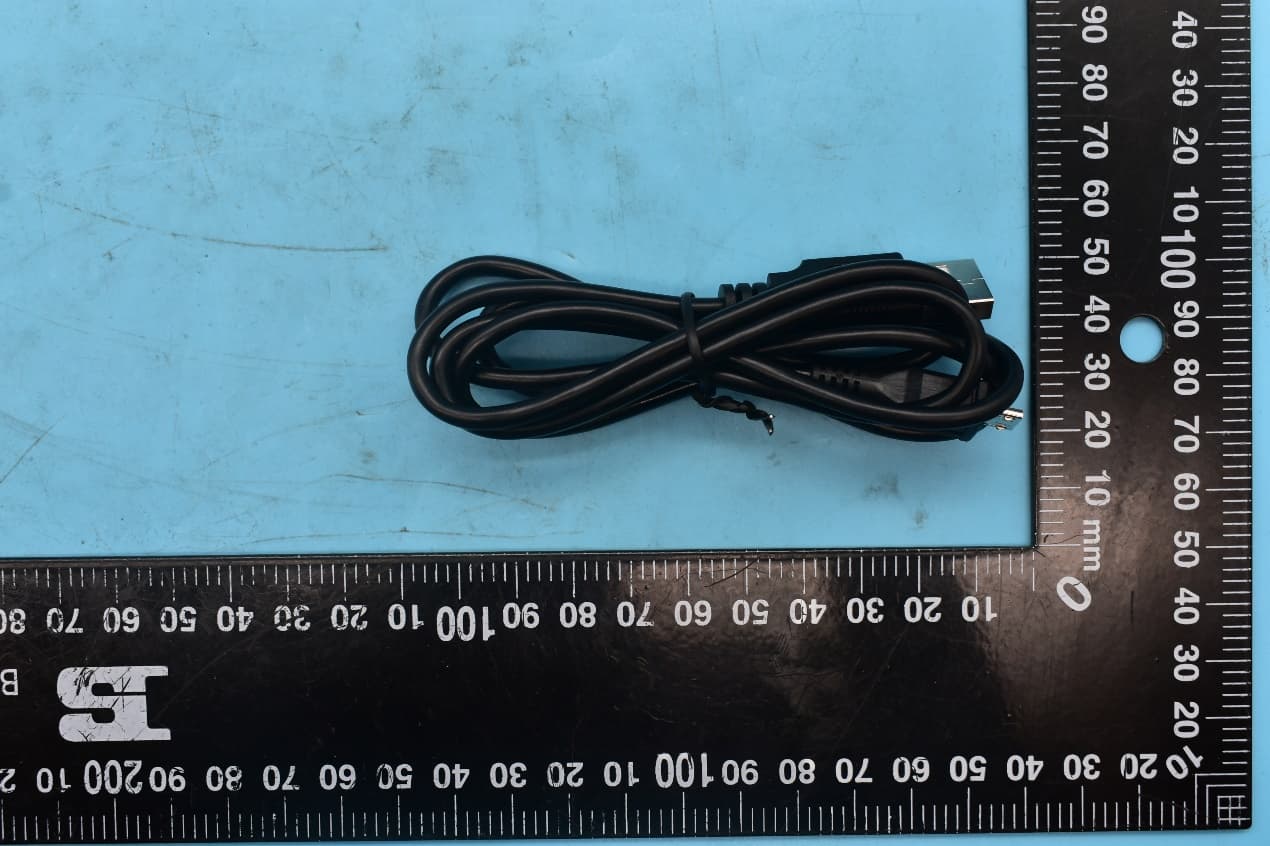
Click to zoom
Application Details
- Equipment Class
- JBP - Part 15 Class B Computing Device Peripheral
- Date of Grant
- May 13, 2021
- Application Purpose
- Original Equipment
- Date of Application
- May 12, 2021
- Equipment Note
- Smart Phone with GSM, WCDMA, LTE, WiFi and Bluetooth
- Company
- BLU Products, Inc.
- Country
- United States
Documents & Files
Document Text
Text extracted from the exhibit documents filed with the FCC. Open a document above to read the original.
Users Manual
G51 PLUS Quick Guide | Guía Rápida | Guía Rápido | Guide Rapide o For instructions or any questions pertaining to phone usage, please click on the BLU page by visiting the following address: manuals.bluproducts.com o Para obtener instrucciones o preguntas relacionadas con el uso del teléfono, por favor haga clic en la página de BLU visitando la siguiente dirección: manuals.bluproducts.com o Para obter instruções ou perguntas relacionadas ao uso do telefone, por favor, clique na página de BLU visitando o seguinte endereço: manuals.bluproducts.com o Pour des instructions ou pour toutes questions sur l'utilisation du téléphone, veuillez cliquer sur à la page BLU en visitant l'adresse suivante: manuals.bluproducts.com ATTENTION 1 ABOUT YOUR PHONE Transportation Safety Observe all transportation laws and regulations. PLEASE DRIVE RESPONSIBLY - DO NOT TEXT & DRIVE Hospital Safety Follow hospital rules and limitations and turn off your mobile phone when near medical instruments. Airport Safety Remember to follow all airport and flight safety regulations. Water Hazard Your phone is not waterproof. Keep your phone away from water or liquid to avoid damage. Emergency Calls Make sure your mobile phone is switched on and in a service area. On home screen, tap the phone key and dial the emergency number. Battery Usage For better performance and longer battery life, it is recommended that you charge the battery fully before using the mobile phone for the first time and that you initially complete two to three charge cycles. IMEI Information To check your IMEI, press *#06#. 2 KEY FUNCTIONS Volume Power On / Off Back Home Recent Apps Front Camera 3 Rear Camera Flash Fingerprint Sensor 4 Power On / Off Used to power on/off the device and to lock the screen. » Long press the power button to power on » While the phone is powered on, long press to access the power off menu or click to lock the screen Volume Adjusts the ringer volume, call volume, and multimedia volume. Home The home button pauses any current action and returns to the home screen. Recent Apps Opens a list of recently opened applications that allows you to switch conveniently between them. This option can also close any open applications by swiping to the side. Back Returns to the previous screen; Closes the keyboard, any open program, or any menu option. USB Port Charges the device and transfers data such as documents, music, and video between your device and a PC. Headset Port Connect earphones to this port for hands-free capabilities. You may also to listen to music or FM radio. Front Camera A high-resolution front camera to take pictures and video. This option is ideal for self-portraits. Rear Camera A high-resolution rear camera to take pictures and video. Flash Fingerprint Sensor Provides light for pictures in low-light conditions. It also may be used as a flashlight (Rear). Security measure that unlocks your device with the User’s fingerprints. 5 INTRODUCTION Installation of the SIM Card Warning: Please keep the SIM card out of the reach of children. The SIM card and its contact are easily damaged due to scratching or bending. Please use caution when carrying, installing, or taking out the SIM card. Note: Please contact your cellular phone service provider directly to obtain your SIM card. To insert SIM card: Remove the rear cover. Insert the SIM card. Insert the SD card (For additional storage capacity) Insert the battery, replace the rear cover and power on the phone. 6 DEVICE CONFIGURATION When you initially power on your phone, there will be a series of steps to set up basic features. INSERT SIM Insert your SIM card so the phone can register to the network. SELECT LANGUAGE While on the Welcome screen, please scroll to select your language. In this step, you also have the option to adjust Vision Settings such as magnification, font, and display size. You have the ability to place an Emergency Call. SELECT WI-FI This step allows the device to connect to the internet. Click on the desired Wi-Fi network that the device that will be connected. Please note that any unsecured Wi-Fi networks can be connected to without credentials and any secured Wi-Fi networks require a password for credentials prior to connection. It is recommended that you connect to a Wi-Fi network to check for software updates prior to startup to avoid any data overages. COPY APPS & DATA This step allows you to select transfer options such as applications, pictures, music and more from a previous device. You may also setup as new if you choose not to from a previous device. ADD YOUR ACCOUNT Sign in to your Google TM account in order to keep accounts streamlined with Google services. Your account will be used for Google programs such as Google Play TM , Google Drive, Google + and Google Wallet. If you do not have a Google account, click to create a new account. If the device is not recognized by your Google account, you will have to complete a security verification. GOOGLE SERVICES 7 Click to add or remove Google services that include Backup and Restore, Location Service, Install Updates and Apps, and Google Now. SET FINGERPRINT SECURITY Setup your fingerprint to unlock your phone and for authorization on certain applications. There will be three options to setup fingerprint security: with PIN, Password or Pattern. In this step, you will have the ability to setup a PIN at startup as an extra layer of security. You also have the option of skipping the fingerprint setup and completing it at a later time. FINALIZE SETUP The last step allows you to set up Google Assistant and Google Pay. It also allows you to add another email address. You can also control what information is visible through the phones lock screen and lets you also review any additional apps. You may skip this step and setup later. Google, Google Play and other marks are trademarks of Google LLC. 8 PROPOSITION 65 – STATE OF CALIFORNIA WARNING:Cancer and Reproductive Harm-www.P65Warnings.ca.gov 30 1 F…
Text truncated - open the document above for the full version.
Cover Letter(s)
BLU Products, Inc. 10814 NW 33rd St # 100 Doral, FL 33172 ,USA Date: 2021/05/25 Declaration of Differences We the undersigned hereby confirm that any of our production units (FCC ID :YHLBLUG51PS) bearing the following model numbers are identical in circuitry and electrical, mechanical and physical construction; the only differences are the model no. for trading purpose. Production name Trade Mark Model No. Mobile Phone BLU G51 PLUS Mobile Phone BOLD M7i Should you have any questions or comments regarding this matter, please have my best attention. Sincerely yours, -------------------- Signature Contact Person: Wei Zeng Company: BLU Products, Inc. E-mail: [email protected]
External Photos
FCC ID:YHLBLUG51PS External Photos 1. EUT front view 2. EUT rear view 3. EUT left side view 4. EUT right side view 5. EUT top view 6. EUT bottom view 7. Accessories
ID Label/Location Info
Label: Location:
Internal Photos
FCC ID:YHLBLUG51PS Internal Photos 1. EUT uncover view 2. Antenna view MAIN Antenna Bluetooth/Wi-Fi Antenna Diversity Antenna
Test Report
NOTE: This document is issued by MORLAB, the test report shall not be reproduced except in full without prior written permission of the company. The test results apply only to the particular sample(s) tested and to the specific tests carried out which is available on request for validation and information confirmed at our website. MORLAB SHENZHEN MORLAB COMMUNICATIONS TECHNOLOGY Co., Ltd. FL1-3, Building A, FeiYang Science Park, No.8 LongChang Road, Block67, BaoAn District, ShenZhen , GuangDong Province, P. R. China Te l : 86-755-36698555 Fax: 86-755-36698525 Http://www.morlab.cn E-mail: [email protected] Page1of 20 REPORT No.:SZ21010286E01 TEST REPORT APPLICANT : BLU Products, Inc. PRODUCT NAME : Smart Phone MODEL NAME : G51 PLUS, M7i BRAND NAME : BLU, BOLD FCC ID : YHLBLUG51PS STANDARD(S) : 47 CFR Part 15 Subpart B RECEIPT DATE : 2021-03-09 TEST DATE : 2021-04-08 to 2021-04-17 ISSUE DATE : 2021-05-24 Edited by: He Sinuo(Rapporteur) Approved by: Xiao Xiong(Supervisor) MORLAB SHENZHEN MORLAB COMMUNICATIONS TECHNOLOGY Co., Ltd. FL1-3, Building A, FeiYang Science Park, No.8 LongChang Road, Block67, BaoAn District, ShenZhen , GuangDong Province, P. R. China Te l : 86-755-36698555 Fax: 86-755-36698525 Http://www.morlab.cn E-mail: [email protected] Page2of 20 REPORT No.:SZ21010286E01 DIRECTORY 1. Technical Information········································································································ 3 1.1. Applicant and Manufacturer Information ····································································· 3 1.2. Equipment Under Test (EUT) Description ··································································· 3 2. Test Results ························································································································ 5 2.1. Applied Reference Documents ····················································································· 5 2.2. EUT Setup and Operating Conditions ·········································································· 6 3. 47 CFR Part 15B Requirements ······················································································· 7 3.1. Conducted Emission ······································································································ 7 3.2. Radiated Emission ········································································································ 11 Annex A Test Uncertainty ··································································································· 18 Annex B Testing Laboratory Information ········································································· 19 Change History Version Date Reason for change 1.0 2021-05-07 First edition 2.0 2021-05-24 Add brand name and model name, replaced Version 1.0 MORLAB SHENZHEN MORLAB COMMUNICATIONS TECHNOLOGY Co., Ltd. FL1-3, Building A, FeiYang Science Park, No.8 LongChang Road, Block67, BaoAn District, ShenZhen , GuangDong Province, P. R. China Te l : 86-755-36698555 Fax: 86-755-36698525 Http://www.morlab.cn E-mail: [email protected] Page3of 20 REPORT No.:SZ21010286E01 1. Technical Information Note: Provide by applicant. 1.1. Applicant and Manufacturer Information Applicant: BLU Products, Inc. Applicant Address: 10814 NW 33rd St # 100 Doral, FL 33172,USA Manufacturer: BLU Products, Inc. Manufacturer Address: 10814 NW 33rd St # 100 Doral, FL 33172,USA 1.2. Equipment Under Test (EUT) Description ProductName: Smart Phone Serial No: (N/A, marked #1 by test site) Hardware Version: V1.0 Software Version: BLU_G0510WW_V11.0.02.01_GENERIC(user) Tx Frequency: GSM850: 824 MHz ~ 849 MHz GSM1900: 1850 MHz ~ 1910 MHz WCDMA Band II: 1850 MHz ~ 1910 MHz WCDMA Band IV: 1710 MHz ~ 1755 MHz WCDMA Band V: 824 MHz ~ 849 MHz LTE Band 2: 1850 MHz ~ 1910 MHz LTE Band 4: 1710 MHz ~ 1755 MHz LTE Band 5: 824 MHz ~ 849 MHz LTE Band 7: 2500 MHz ~ 2570 MHz LTE Band 12: 699 MHz ~ 716 MHz LTE Band 17: 704 MHz ~ 716 MHz LTE Band 38: 2570 MHz ~ 2620 MHz Bluetooth4.2: 2402 MHz ~ 2480 MHz 802.11b/g/n: 2412 MHz ~ 2472 MHz Rx Frequency: GSM850: 869 MHz ~ 894 MHz GSM1900: 1930 MHz ~ 1990 MHz WCDMA Band II: 1930 MHz ~ 1990 MHz WCDMA Band IV: 2110 MHz ~ 2155 MHz WCDMA Band V: 869 MHz ~ 894 MHz LTE Band 2: 1930 MHz ~ 1990 MHz LTE Band 4: 2110 MHz ~ 2155 MHz LTE Band 5: 869 MHz ~ 894 MHz LTE Band 7: 2620 MHz ~ 2690 MHz MORLAB SHENZHEN MORLAB COMMUNICATIONS TECHNOLOGY Co., Ltd. FL1-3, Building A, FeiYang Science Park, No.8 LongChang Road, Block67, BaoAn District, ShenZhen , GuangDong Province, P. R. China Te l : 86-755-36698555 Fax: 86-755-36698525 Http://www.morlab.cn E-mail: [email protected] Page4of 20 REPORT No.:SZ21010286E01 LTE Band 12: 729 MHz ~ 746 MHz LTE Band 17: 734 MHz ~ 746 MHz LTE Band 38: 2570 MHz ~ 2620 MHz Bluetooth4.2: 2402 MHz ~ 2480 MHz 802.11b/g/n: 2412 MHz ~ 2472 MHz GPS: 1559 MHz ~ 1610 MHz FM: 87.5 MHz~108MHz Ancillary Equipment: Battery Brand Name: BLU Model No.: C926647400P Serial No.: (N/A, marked #1 by test site) Capacity: 4000 mAh Rated Voltage: 3.8V Charge Limit: 4.35V Manufacturer: Hunan GaoYuan Battery Co.,LTD AC Adapter Brand Name: BLU Model No.: US-CR-1000 Serial No.: (N/A, marked #1 by test site) Rated Input: 100-240V50/60Hz, 0.2A Rated Output: 5.0V1000mA Manufacturer: ShenZhen BaiJunDa Electronic CO., LTD. Note: 1. According to the certificate holder, they declared that any of their production units (FCC ID :YHLBLUG51PS) bearing the following model numbers are identical in circuitry and electrical, mechanical and physical construction; the only differences are the model no. for trading purpose. Production name Trade Mark Model No. Mobile Phone BLU G51 PLUS Mobile Phone BOLD M7i The main measuring model is G51 PLUS, only the results for G51 PLUS were recorded in this report. 2. For a more detailed description, please refer to specification or user’s manual supplied by the applicant and/or manufacturer. MORLAB SHENZHEN MORLAB COMMUNICATIONS TECHNOLOGY Co., Ltd. FL1-3, Building A, FeiYang Sci…
Text truncated - open the document above for the full version.
Test Setup Photos
MORLAB SHENZHEN MORLAB COMMUNICATIONS TECHNOLOGY Co., Ltd. FL1-3, Building A, FeiYang Science Park, No.8 LongChang Road, Block67, BaoAn District, ShenZhen , GuangDong Province, P. R. China Te l : 86-755-36698555 Fax: 86-755-36698525 Http://www.morlab.cn E-mail: [email protected] REPORT No.:SZ21010286S01 Annex B Test Setup Photos Head Right Cheek Right Tilt MORLAB SHENZHEN MORLAB COMMUNICATIONS TECHNOLOGY Co., Ltd. FL1-3, Building A, FeiYang Science Park, No.8 LongChang Road, Block67, BaoAn District, ShenZhen , GuangDong Province, P. R. China Te l : 86-755-36698555 Fax: 86-755-36698525 Http://www.morlab.cn E-mail: [email protected] REPORT No.:SZ21010286S01 Left Cheek Left Tilt MORLAB SHENZHEN MORLAB COMMUNICATIONS TECHNOLOGY Co., Ltd. FL1-3, Building A, FeiYang Science Park, No.8 LongChang Road, Block67, BaoAn District, ShenZhen , GuangDong Province, P. R. China Te l : 86-755-36698555 Fax: 86-755-36698525 Http://www.morlab.cn E-mail: [email protected] REPORT No.:SZ21010286S01 Body Front Side (Test distance: 10mm) Back Side ( Te s t d istance: 0mm) MORLAB SHENZHEN MORLAB COMMUNICATIONS TECHNOLOGY Co., Ltd. FL1-3, Building A, FeiYang Science Park, No.8 LongChang Road, Block67, BaoAn District, ShenZhen , GuangDong Province, P. R. China Te l : 86-755-36698555 Fax: 86-755-36698525 Http://www.morlab.cn E-mail: [email protected] REPORT No.:SZ21010286S01 Left Side (Test distance: 10mm) Right Side (Test distance: 10mm) MORLAB SHENZHEN MORLAB COMMUNICATIONS TECHNOLOGY Co., Ltd. FL1-3, Building A, FeiYang Science Park, No.8 LongChang Road, Block67, BaoAn District, ShenZhen , GuangDong Province, P. R. China Te l : 86-755-36698555 Fax: 86-755-36698525 Http://www.morlab.cn E-mail: [email protected] REPORT No.:SZ21010286S01 Top Side ( Te s t d istance: 10mm) Bottom Side (Test distance: 10mm)
Test Setup Photos
FCC ID:YHLBLUG51PS Test Setup Photos 1. Conducted emission main’s port front view 2. Conducted emission main’s port side view 3. Radiated emission (30MHz-1GHz) 4. Radiated emission (above 1GHz)
Contact Information
Applicant
Wei Zeng(Senior Manager)
Test Firm
Shenzhen Morlab Communications Technology Co. Ltd.Mr. Su Feng
[email protected]+86 755 36698566
Technical Specifications
| # | Rule Parts | Frequency Range | Power Output |
|---|---|---|---|
| 1 | 15B | - | - |
Other Applications from BLU Products, Inc.
YHLBLU96GC
Aug 13, 2026Smart Phone
Equipment Class
CXX - Communications Rcvr for use w/ licensed Tx and CBsYHLBLUB1680V
Aug 03, 2026Smart Phone
Equipment Class
DTS - Digital Transmission SystemYHLBLUT500B
Jun 26, 2026Tablet
Equipment Class
NII - Unlicensed National Information Infrastructure TX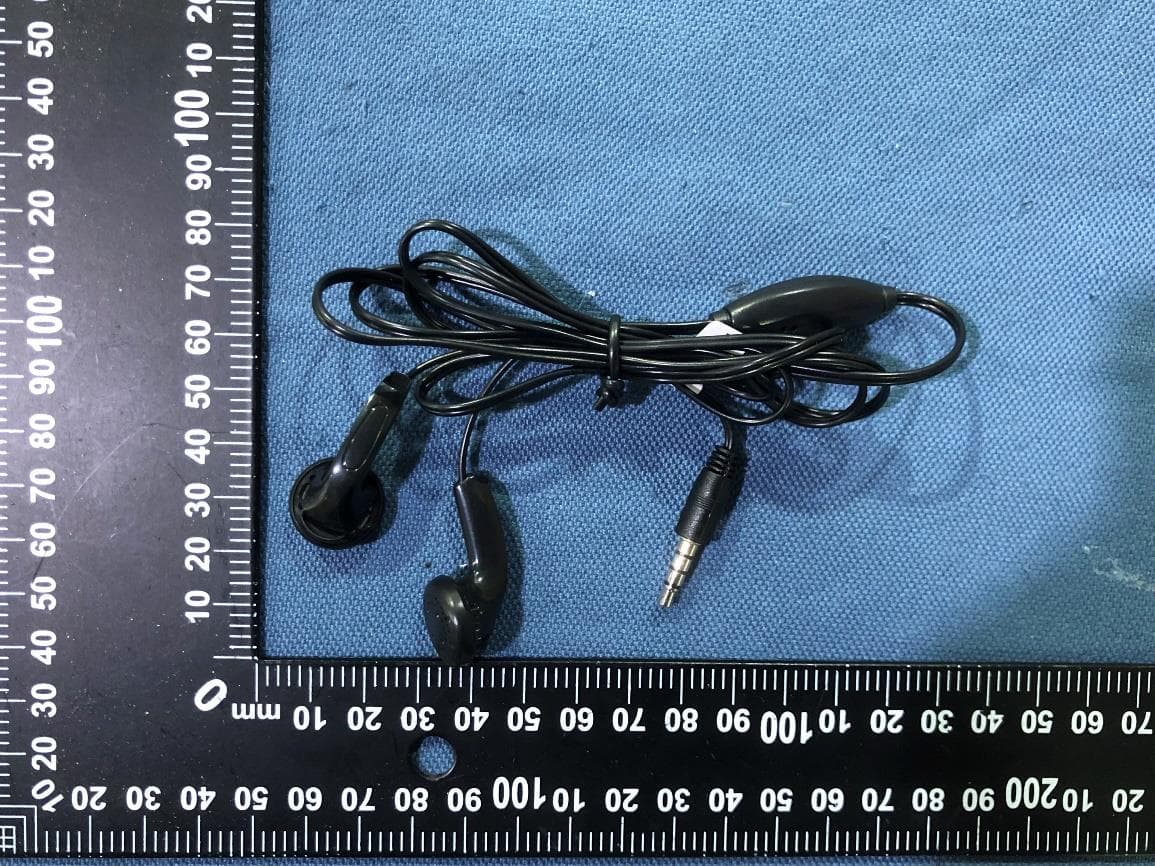
YHLBLU9CMAX
Apr 13, 2026Smart phone
Equipment Class
CXX - Communications Rcvr for use w/ licensed Tx and CBsYHLBLU2KW
Sep 12, 2025Smart Phone
Equipment Class
DSS - Part 15 Spread Spectrum Transmitter