YHLBLUG60Mobile Phone
BLU Products, Inc.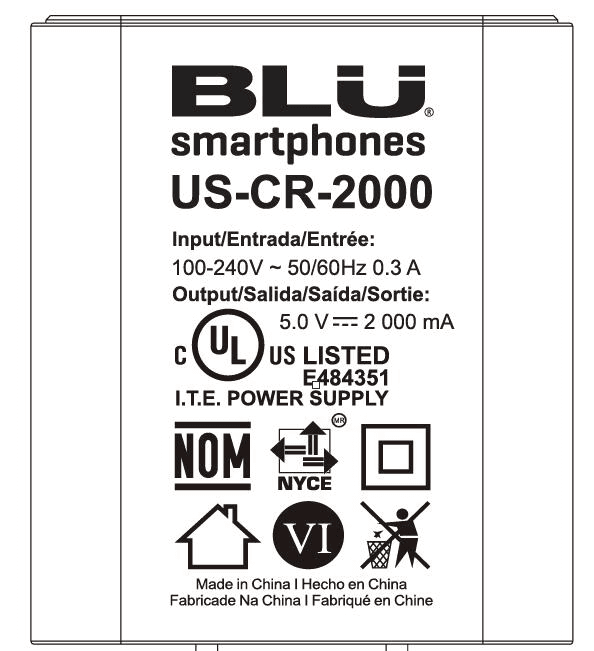
Click to zoom
Application Details
- Equipment Class
- DSS - Part 15 Spread Spectrum Transmitter
- Date of Grant
- Jan 10, 2020
- Application Purpose
- Original Equipment
- Date of Application
- Jan 10, 2020
- Equipment Note
- Mobile Phone
- Frequency Range
- 2402.00000000 - 2480.00000000
- Company
- BLU Products, Inc.
- Country
- United States
Documents & Files
Document Text
Text extracted from the exhibit documents filed with the FCC. Open a document above to read the original.
Users Manual
G60 Quick Guide o For instructions or any questions pertaining to phone usage, please click on the BLU page by visiting the following address: manuals.bluproducts.com o Para obtener instrucciones o preguntas relacionadas con el uso del teléfono, por favor haga clic en la página de BLU visitando la siguiente dirección: manuals.bluproducts.com o Para obter instruções ou perguntas relacionadas ao uso do telefone, por favor, clique no página de BLU visitando o seguinte endereço: manuals.bluproducts.com o Pour des instructions ou pour toutes questions sur l'utilisation du téléphone, veuillez cliquer sur à la page BLU en visitant l'adresse suivante: manuals.bluproducts.com ATTENTION ABOUT YOUR PHONE Transportation Safety Observe all transportation laws and regulations. PLEASE DRIVE RESPONSIBLY - DO NOT TEXT & DRIVE Hospital Safety Follow hospital rules and limitations and turn off your mobile phone when near medical instruments. Airport Safety Remember to follow all airport and flight safety regulations. Water Hazard Your phone is not waterproof. Keep your phone away from water or liquid to avoid damage. Emergency Calls Make sure your mobile phone is switched on and in a service area. On home screen, tap the phone key and dial the emergency number. Battery Usage For better performance and longer battery life, it is recommended that you charge the battery fully before using the mobile phone for the first time and that you initially complete two to three charge cycles. IMEI Information To check your IMEI, press *#06#. KEY FUNCTIONS Volume Power On / Off Back Home Recent Apps Front Camera Rear Cameras Flash Fingerprint Sensor Power On / Off Used to power on/off the device and to lock the screen. » Long press the power button to power on » While the phone is powered on, long press to access the power off menu or click to lock the screen Volume Adjusts the ringer volume, call volume, and multimedia volume. Home The home button pauses any current action and returns to the home screen. Recent Apps Opens a list of recently opened applications that allows you to switch conveniently between them. This option can also close any open applications by swiping to the side. Back Returns to the previous screen; Closes the keyboard, any open program, or any menu option. USB Port Charges the device and transfers data such as documents, music, and video between your device and a PC. Headset Port Connect earphones to this port for hands-free capabilities. You may also to listen to music or FM radio. Front Camera A high-resolution front camera to take pictures and video. This option is ideal for self-portraits. Rear Camera A high-resolution rear camera to take pictures and video. Flash Fingerprint Sensor Provides light for pictures in low-light conditions. It also may be used as a flashlight (Rear). Security measure that unlocks your device with the User’s fingerprints. INTRODUCTION Installation of the SIM Card Warning: Please keep the SIM card out of the reach of children. The SIM card and its contact are easily damaged due to scratching or bending. Please use caution when carrying, installing, or taking out the SIM card. Note: Please contact your cellular phone service provider directly to obtain your SIM card. To insert SIM card: Remove the rear cover. Insert the SIM card. Insert the SD card (For additional storage capacity) Insert the battery, replace the rear cover and power on the phone. DEVICE CONFIGURATION When you initially power on your phone, there will be a series of steps to set up basic features. INSERT SIM Insert your SIM card so the phone can register to the network. SELECT LANGUAGE While on the Welcome screen, please scroll to select your language. In this step, you also have the option to adjust Vision Settings such as magnification, font and display size. You have the ability to place an Emergency Call. SELECT WI-FI This step allows the device to connect to the internet. Click on the desired Wi-Fi network that the device that will be connected. Please note that any unsecured Wi-Fi networks can be connected to without credentials and any secured Wi-Fi networks require a password for credentials prior to connection. It is recommended that you connect to a Wi-Fi network to check for software updates prior to startup to avoid any data overages. COPY APPS & DATA This step allows you to select transfer options such as applications, pictures, music and more from a previous device. You may also setup as new if you choose not to from a previous device. ADD YOUR ACCOUNT Sign in to your Google TM account in order to keep accounts streamlined with Google services. Your account will be used for Google programs such as Google Play TM , Google Drive, Google + and Google Wallet. If you do not have a Google account, click to create a new account. If the device is not recognized by your Google account, you will have to complete a security verification. GOOGLE SERVICES Click to add or remove Google services that include Backup and Restore, Location Service, Install Updates and Apps, and Google Now. SET FINGERPRINT SECURITY Setup your fingerprint to unlock your phone and for authorization on certain applications. There will be three options to setup fingerprint security: with PIN, Password or Pattern. In this step, you will have the ability to setup a PIN at startup as an extra layer of security. You also have the option of skipping the fingerprint setup and completing it at a later time. FINALIZE SETUP The last step allows you to set up Google Assistant and Google Pay. It also allows you to add another email address. You can also control what information is visible through the phones lock screen and lets you also review any additional apps. You may skip this step and setup later. FCC Warming: This equipment has been tested and found to comply with the limits for a Class B digital device, pursuant to part 15 of the FCC Rules. These limits are designed to provide reasonable protection against harmful interferen…
Text truncated - open the document above for the full version.
Cover Letter(s)
BLU Products, Inc. Add: 10814 NW 33rd St # 100 Doral, FL 33172, United States Tel: 3057157171 Fax: 3054368819 Date: 2019/12/09 Declaration of Differences FEDERAL COMMUNICATIONS COMMISSIONS Authorization and Evaluation Division 7435 Oakland Mills Road Columbia, MD 21046 To whom it may concern: We the undersigned hereby confirm that any of our production units (FCC ID :YHLBLUG60) bearing the following model numbers are identical in circuitry and electrical, mechanical and physical construction; the only differences are the model no. for trading purpose. Production name Trade Mark Model No. Mobile Phone BLU G60 Mobile Phone BLU V70 Mobile Phone BLU VIVO X6 Should you have any questions or comments regarding this matter, please have my best attention. Sincerely yours, -------------------- Signature Contact Person: Wei Zeng Senior Manager Company: BLU Products, Inc. E-mail: [email protected]
External Photos
EXHIBIT B - EUT EXTERNAL PHOTOGRAPHS Adapter Adapter Label
ID Label/Location Info
EXHIBIT A - FCC ID LABEL AND LOCATION FCC ID Label FCC ID Label Location Information The label shown shall be permanently affixed at a conspicuous location on the device and be readily visible to the user at the time purchase (Labeling requirements per 2.925)
Internal Photos
EXHIBIT C - EUT INTERNAL PHOTOGRAPHS BT / Wi-Fi / GPS Antenna GSM/WCDMA/LTE Main Antenna AUX Antenna
Test Report
Note: This report must not be used by the customer to claim product certification, approval, or endorsement by A2LA* or any agency of the Federal Government. This report may contain data that are not covered by the A2LA accreditation and are marked with an asterisk “★”. BACL is not responsible for the authenticity of any test data provided by the applicant. Data included from the applicant that may affect test results are marked with an asterisk ’*’. Customer model name, addresses, names, trademarks etc. are not considered data. This report cannot be reproduced except in full, without prior written approval of the Company. Unless otherwise stated the results shown in this test report refer only to the sample(s) tested. This report is valid only with a valid digital signature. The digital signature may be available only under the Adobe software above version 7.0. FCC PART 15.247 TEST REPORT For BLU Products, Inc. 10814 NW 33rd St # 100 Doral, FL 33172, United States FCC ID: YHLBLUG60 Report Type: Original Report Product Type: Mobile Phone Re port Number: RSZ191118001-00A Re port Date: 2019-12-11 Reviewed B y: Nancy Wang RF Engineer Prepared By: Bay Area Compliance Laboratories Corp. (Shenzhen) 6/F., West Wing, Third Phase of Wanli Industrial Building, Shihua Road, Futian Free Trade Zone, Shenzhen, Guangdong, China Tel: +86-755-33320018 Fax: +86-755-33320008 www.baclcorp.com.cn Bay Area Compliance Laboratories Corp. (Shenzhen) Report No.: RSZ191118001-00A FCC Part 15.247 Page 2 of 64 TABLE OF CONTENTS GENERAL INFORMATION ....................................................................................................................................... 4 PRODUCT DESCRIPTION FOR EQUIPMENT UNDER TEST (EUT) ..................................................................................... 4 OBJECTIVE ................................................................................................................................................................... 4 RELATED SUBMITTAL(S)/GRANT(S) ............................................................................................................................. 4 TEST METHODOLOGY .................................................................................................................................................. 4 MEASUREMENT UNCERTAINTY .................................................................................................................................... 5 TEST FACILITY ............................................................................................................................................................. 5 SYSTEM TEST CONFIGURATION .......................................................................................................................... 6 DESCRIPTION OF TEST CONFIGURATION ...................................................................................................................... 6 EUT EXERCISE SOFTWARE .......................................................................................................................................... 6 SPECIAL ACCESSORIES ................................................................................................................................................. 6 EQUIPMENT MODIFICATIONS ....................................................................................................................................... 6 SUPPORT EQUIPMENT LIST AND DETAILS .................................................................................................................... 6 EXTERNAL I/O CABLE .................................................................................................................................................. 6 BLOCK DIAGRAM OF TEST SETUP ................................................................................................................................ 7 SUMMARY OF TEST RESULTS ............................................................................................................................... 8 TEST EQUIPMENT LIST ........................................................................................................................................... 9 FCC§15.247 (i), §1.1307 (b) (1) &§2.1093 – RF EXPOSURE ...................................................................................... 11 APPLICABLE STANDARD ............................................................................................................................................ 11 FCC §15.203 – ANTENNA REQUIREMENT .......................................................................................................... 12 APPLICABLE STANDARD ............................................................................................................................................ 12 ANTENNA CONNECTOR CONSTRUCTION .................................................................................................................... 12 FCC §15.207 (a) – AC LINE CONDUCTED EMISSIONS ..................................................................................... 13 APPLICABLE STANDARD ............................................................................................................................................ 13 EUT SETUP ................................................................................................................................................................ 13 EMI TEST RECEIVER SETUP ....................................................................................................................................... 13 TEST PROCEDURE ...................................................................................................................................................... 13 CORRECTED FACTOR & MARGIN CALCULATION ....................................................................................................... 14 TEST RESULTS SUMMARY ..........…
Text truncated - open the document above for the full version.
Test Setup Photos
EXHIBIT D - TEST SETUP PHOTOGRAPHS Conducted Emissions - Front View Conducted Emissions - Side View Radiated Emissions View (Below 1 GHz) Radiated Emissions View (Above 1 GHz)
Contact Information
Applicant
Wei Zeng(Senior Manager)
Test Firm
Bay Area Compliance Laboratories Corp. (Shenzhen)Well Wang
[email protected]+86 (0) 755 33320018
Technical Specifications
| # | Rule Parts | Frequency Range | Power Output |
|---|---|---|---|
| 1 | 15C | 2.40 GHz - 2.48 GHz | 4.00 mW |
Other Applications from BLU Products, Inc.
YHLBLU96GC
Aug 13, 2026Smart Phone
Equipment Class
CXX - Communications Rcvr for use w/ licensed Tx and CBsYHLBLUB1680V
Aug 03, 2026Smart Phone
Equipment Class
DTS - Digital Transmission SystemYHLBLUT500B
Jun 26, 2026Tablet
Equipment Class
NII - Unlicensed National Information Infrastructure TX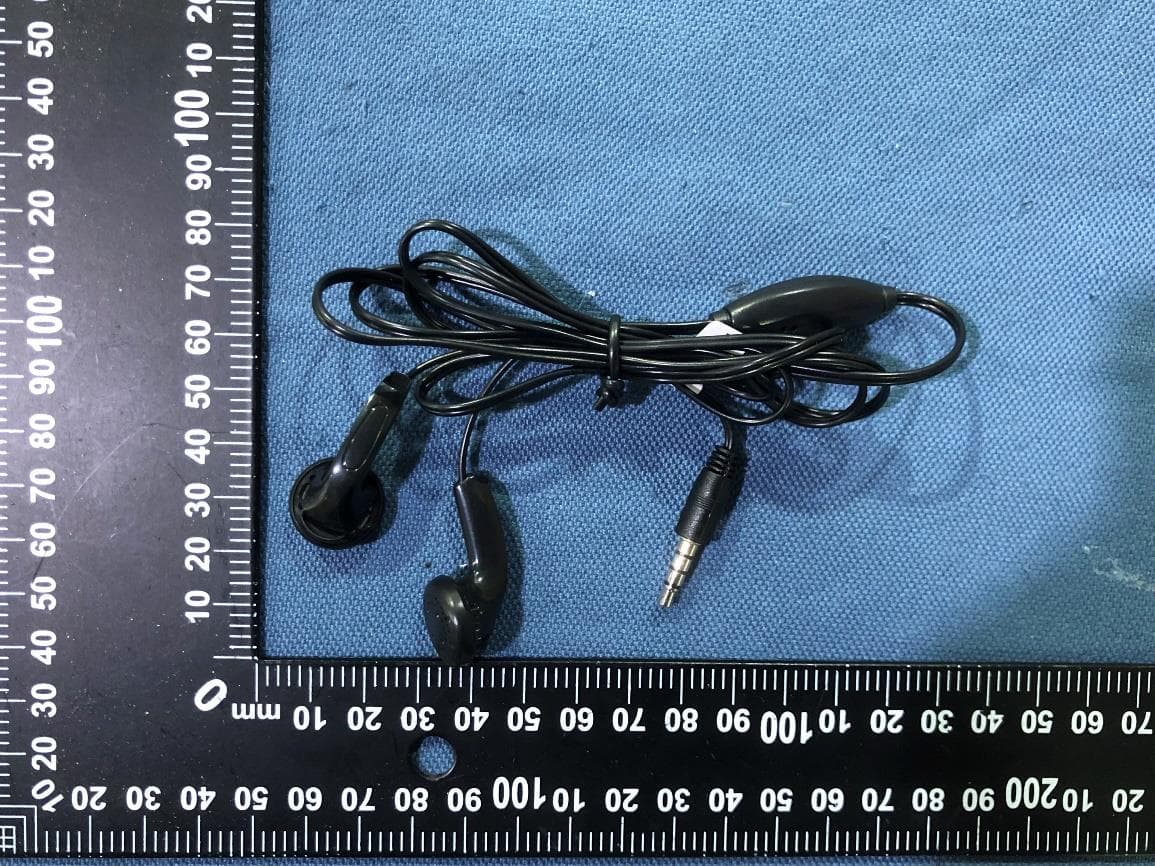
YHLBLU9CMAX
Apr 13, 2026Smart phone
Equipment Class
CXX - Communications Rcvr for use w/ licensed Tx and CBsYHLBLU2KW
Sep 12, 2025Smart Phone
Equipment Class
DSS - Part 15 Spread Spectrum Transmitter