YHLBLUTANKMNIIMobile Phone
BLU Products, Inc.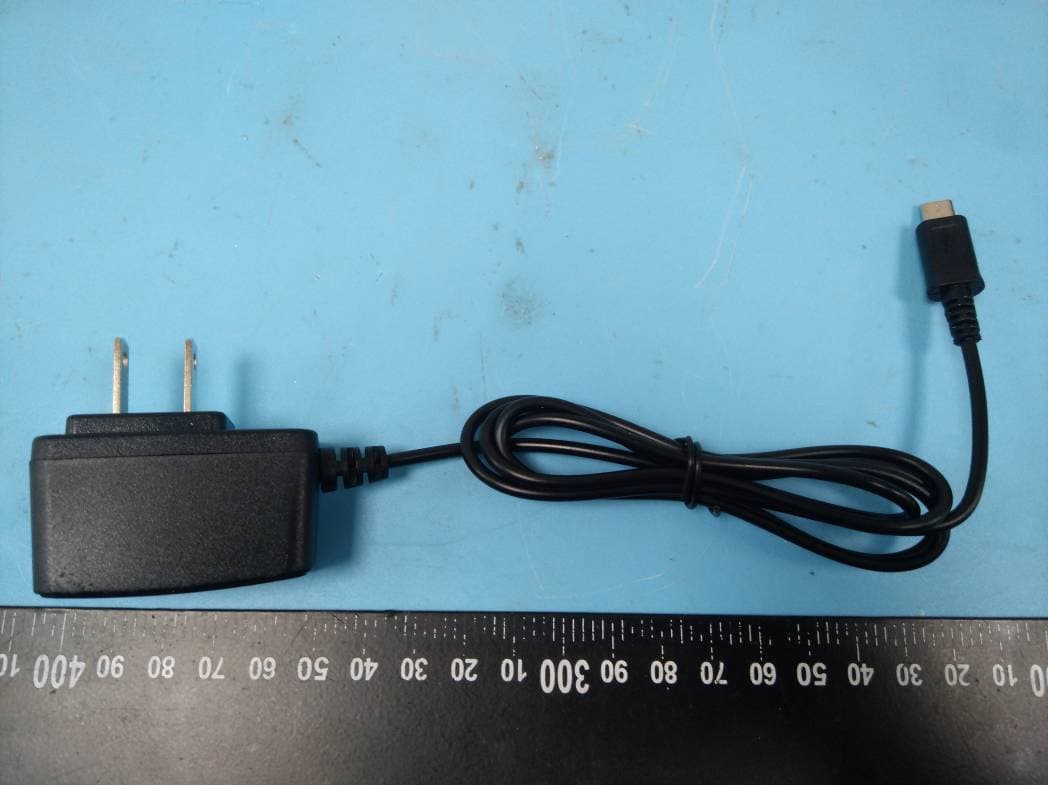
Click to zoom
Application Details
- Equipment Class
- JBP - Part 15 Class B Computing Device Peripheral
- Date of Grant
- Jul 12, 2020
- Application Purpose
- Original Equipment
- Date of Application
- Jul 12, 2020
- Equipment Note
- Mobile Phone
- Company
- BLU Products, Inc.
- Country
- United States
Documents & Files
Document Text
Text extracted from the exhibit documents filed with the FCC. Open a document above to read the original.
Users Manual
User Manual 1.Preface Thank you for your purchase of BOLD LIKE US mobile phone ! Follow all safety warnings to avoid injury or property damage. Language Switching Codes Switch language quickly: The default language is English. Important Security Information 1.Risk of explosion if battery is replaced by an incorrect type. 2.Prohibited putting the battery into the fire,or otherwise the battery will explode. 3.Please use the adapter and the battery dedicated to or authorized for the phone 4.The device complies with RF specifications when the device used at 5mm from your your body. 5.Adapter:The plug considered as disconnect device of adapter Input: AC 100-240V, 50/ 60Hz, 0.2A,Output: 5V 750mA 6. Adapter shall be installed near the equipment and shall be easily accessible. 7. EUT Operating temperature range: -10° C to 40° C BOLD LIKE UShereby declares that this GSM Mobile Phone is in compliance with the essential requirements and other relevant provisions of Directive 2014/53/EU. This product is allowed to be used in all EU member states. 2.Introduction Key Function Call Key Make or answer a call to Sim1 & Sim2 View Calls Logs in standby mode. End/Power Key Pressing and holding to turn the phone on/off. End a call or reject an incoming call. Return to the idle mode. Left Soft Key Menu key and OK key for functions Right Soft Key Access the Name list in idle mode. Return to the previous menu. OK Key Press to enter main menu in idle mode. After inputting numbers, press this key to do options. Numeric key Enter numbers, letters or characters. Select a submenu item labeled with the corresponding number. In idle mode, press and hold 0 key to turn on/off power bank function. * Press to toggle between *, +, (pause character) P, and (wait character) W. Press to enter symbol when editing text. # Press to switch input modes when entering text. Press and hold to change sound profiles to Silent Mode and General mode. 3.Getting Started 3.1 Turning the phone on To turn the phone on, press and hold the Power key. If you have already enabled the Sim Lock function then enter the PIN code (the 4 to 8 digit secret code of your SIM card). It is preconfigured and provided to you by your network operator or retailer. If you enter an incorrect PIN code 3 times in succession, your SIM card will be locked. To unlock it, you must obtain the PUK code from your network operator. 3.2 Charging the Battery Ensure the battery is inserted in the handset. The battery symbol indicates the charging status. While charging, the charge indicators will scroll. When all the scroll bars are steady, the battery is fully charged. It takes about 4 hours to fully charge the battery. 3.3 Important Password Phone lock password is 1234. 3.4 Keypad Lock and Unlock Go to Settings>Security Setting>Auto Keypad Lock to select the time for keypad lock. In standby interface, if the time expires, the keypad will be locked automatically. Lock: press LSK then * key in standby interface. Unlock:press LSK and then press * key in standby interface. 3.5 Making an International Call Press the ‘*’ Key twice until "+" appears on the screen. Enter the country code. Enter the area code (normally without the 0 before it) followed bythe phone number. Press the Dial Key to call the number 4.Safety Information and Notices Before using the phone, please read the safety precautions carefully and let your children know these, so that you can use your phone correctly and safely. Do not switch on your phone when phone use is prohibited or when phone use may cause interference or danger. Do not use your phone while driving. Follow the rules or regulations in hospitals and health care facilities. Switch off your phone near medical equipments Switch off your phone in an aircraft. The phone may cause interference to control signals of the aircraft. Switch off your phone near high-precision electronic devices. The phone may affect the performance of these devices. Do not attempt to disassemble your phone or its accessories. Only qualified personnel are allowed to service or repair the phone. Do not place your phone or its accessories in containers with strong electromagnetic field. Do not place magnetic storage media near your phone. Radiation from the phone may delete the information stored on them. Do not put your phone in a high-temperature place or use it in a place with flammable gas such as a gas station. Keep your phone and its accessories away from children. Do not allow children to use your phone without guidance. Use approved batteries and chargers only to avoid explosion. FCC Caution: Any Changes or modifications not expressly approved by the party responsible for compliance could void the user's authority to operate the equipment. This device complies with part 15 of the FCC Rules. Operation is subject to the following two conditions: (1) This device may not cause harmful interference, and (2) this device must accept any interference received, including interference that may cause undesired operation. Note: This equipment has been tested and found to comply with the limits for a Class B digital device, pursuant to part 15 of the FCC Rules. These limits are designed to provide reasonable protection against harmful interference in a residential installation. This equipment generates, uses and can radiate radio frequency energy and, if not installed and used in accordance with the instructions, may cause harmful interference to radio communications. However, there is no guarantee that interference will not occur in a particular installation. If this equipment does cause harmful interference to radio or television reception, which can be determined by turning the equipment off and on, the user is encouraged to try to correct the interference by one or more of the following measures: —Reorient or relocate the receiving antenna. —Increase the separation between the equipment and receiver. —Connect the equipment into an outlet on a circuit different from that …
Text truncated - open the document above for the full version.
External Photos
Bay Area Compliance Laboratories Corp. (Shenzhen) Project No.: RSZ200604002-RF Page 1 of 5 EXHIBIT B - EUT EXTERNAL PHOTOGRAPHS Bay Area Compliance Laboratories Corp. (Shenzhen) Project No.: RSZ200604002-RF Page 2 of 5 Bay Area Compliance Laboratories Corp. (Shenzhen) Project No.: RSZ200604002-RF Page 3 of 5 Bay Area Compliance Laboratories Corp. (Shenzhen) Project No.: RSZ200604002-RF Page 4 of 5 Adapter Bay Area Compliance Laboratories Corp. (Shenzhen) Project No.: RSZ200604002-RF Page 5 of 5 Adapter Label
ID Label/Location Info
Bay Area Compliance Laboratories Corp. (Shenzhen) Project No.: RSZ200604002-RF EXHIBIT A - FCC ID LABEL AND LOCATION FCC ID Label FCC ID Label Location Information The label shown shall be permanently affixed at a conspicuous location on the device and be readily visible to the user at the time purchase (Labeling requirements per 2.925)
Internal Photos
Bay Area Compliance Laboratories Corp. (Shenzhen) Project No.: RSZ200604002-RF Page 1 of 6 EXHIBIT C - EUT INTERNAL PHOTOGRAPHS Bay Area Compliance Laboratories Corp. (Shenzhen) Project No.: RSZ200604002-RF Page 2 of 6 Bay Area Compliance Laboratories Corp. (Shenzhen) Project No.: RSZ200604002-RF Page 3 of 6 Bay Area Compliance Laboratories Corp. (Shenzhen) Project No.: RSZ200604002-RF Page 4 of 6 Bay Area Compliance Laboratories Corp. (Shenzhen) Project No.: RSZ200604002-RF Page 5 of 6 BT Antenna GSM An tenna Bay Area Compliance Laboratories Corp. (Shenzhen) Project No.: RSZ200604002-RF Page 6 of 6 Battery Battery Label
Test Report
Note: This report must not be used by the customer to claim product certification, approval, or endorsement by A2LA* or any agency of the Federal Government. This report may contain data that are not covered by the A2LA accreditation and are marked with an asterisk “★”. BACL is not responsible for the authenticity of any test data provided by the applicant. Data included from the applicant that may affect test results are marked with an asterisk ’*’. Customer model name, addresses, names, trademarks etc. are not considered data. This report cannot be reproduced except in full, without prior written approval of the Company. Unless otherwise stated the results shown in this test report refer only to the sample(s) tested. This report is valid only with a valid digital signature. The digital signature may be available only under the Adobe software above version 7.0. FCC PART 15B, CLASS B TEST REPORT For BLU Products, Inc. 10814 NW 33rd St # 100 Doral, FL 33172, Doral, Florida, United States FCC ID: YHLBLUTANKMNII Report Type: Original Report Product Type: Mobile Phone Re port Number: RSZ200604002-00A Re port Date: 2020-06-30 Reviewed B y: Jacob Kong RF Engineer Prepared By: Bay Area Compliance Laboratories Corp. (Shenzhen) 6/F., West Wing, Third Phase of Wanli Industrial Building, Shihua Road, Futian Free Trade Zone, Shenzhen, Guangdong, China Tel: +86-755-33320018 Fax: +86-755-33320008 www.baclcorp.com.cn Bay Area Compliance Laboratories Corp. (Shenzhen) Report No.: RSZ200604002-00A FCC Part 15B, Class B Page 2 of 16 TABLE OF CONTENTS GENERAL INFORMATION ....................................................................................................................................... 3 PRODUCT DESCRIPTION FOR EQUIPMENT UNDER TEST (EUT) ..................................................................................... 3 OBJECTIVE ................................................................................................................................................................... 3 RELATED SUBMITTAL(S)/GRANT(S) ............................................................................................................................. 3 TEST METHODOLOGY .................................................................................................................................................. 3 MEASUREMENT UNCERTAINTY .................................................................................................................................... 4 TEST FACILITY ............................................................................................................................................................. 4 SYSTEM TEST CONFIGURATION .......................................................................................................................... 5 DESCRIPTION OF TEST CONFIGURATION ...................................................................................................................... 5 EUT EXERCISE SOFTWARE .......................................................................................................................................... 5 SPECIAL ACCESSORIES ................................................................................................................................................. 5 EQUIPMENT MODIFICATIONS ....................................................................................................................................... 5 SUPPORT EQUIPMENT LIST AND DETAILS .................................................................................................................... 5 EXTERNAL I/O CABLE .................................................................................................................................................. 5 BLOCK DIAGRAM OF TEST SETUP ................................................................................................................................ 6 SUMMARY OF TEST RESULTS ............................................................................................................................... 7 EQUIPMENT LIST ...................................................................................................................................................... 8 FCC §15.107 – AC LINE CONDUCTED EMISSIONS ............................................................................................. 9 APPLICABLE STANDARD .............................................................................................................................................. 9 EUT SETUP .................................................................................................................................................................. 9 EMI TEST RECEIVER SETUP ......................................................................................................................................... 9 TEST PROCEDURE ........................................................................................................................................................ 9 CORRECTED FACTOR & MARGIN CALCULATION ....................................................................................................... 10 TEST RESULTS SUMMARY .......................................................................................................................................... 10 TEST DATA ................................................................................................................................................................ 10 FCC §15.109 - RADIATED SPURIOUS EMISSIONS ............................................................................................ 13 APPLICABLE STANDARD ............................................................................................................................................ 13 EUT SETUP ........................................................................................................…
Text truncated - open the document above for the full version.
Test Setup Photos
EXHIBIT D - TEST SETUP PHOTOGRAPHS Conducted Emissions - Front View Conducted Emissions - Side View Radiated Emissions - Front View (Below 1 GHz) Radiated Emissions - Side View (Below 1 GHz) Radiated Emissions - Front View (Above 1 GHz) Radiated Emissions - Side View (Above 1 GHz)
Contact Information
Applicant
Wei Zeng(Senior Manager)
Test Firm
Bay Area Compliance Laboratories Corp. (Shenzhen)Well Wang
[email protected]+86 (0) 755 33320018
Technical Specifications
| # | Rule Parts | Frequency Range | Power Output |
|---|---|---|---|
| 1 | 15B | - | - |
Other Applications from BLU Products, Inc.
YHLBLU96GC
Aug 13, 2026Smart Phone
Equipment Class
CXX - Communications Rcvr for use w/ licensed Tx and CBsYHLBLUB1680V
Aug 03, 2026Smart Phone
Equipment Class
DTS - Digital Transmission SystemYHLBLUT500B
Jun 26, 2026Tablet
Equipment Class
NII - Unlicensed National Information Infrastructure TX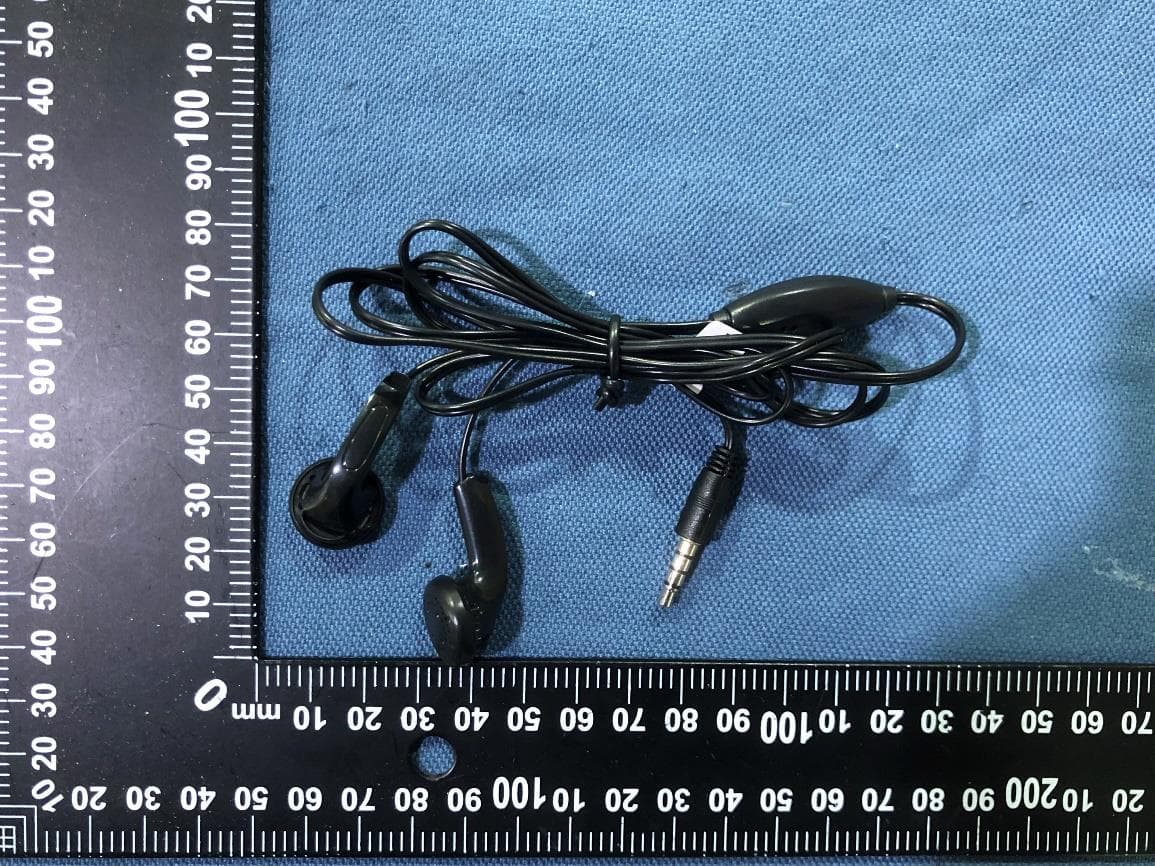
YHLBLU9CMAX
Apr 13, 2026Smart phone
Equipment Class
CXX - Communications Rcvr for use w/ licensed Tx and CBsYHLBLU2KW
Sep 12, 2025Smart Phone
Equipment Class
DSS - Part 15 Spread Spectrum Transmitter