YVP-S1BT Slide Keyboard Case
SHENZHEN CTECH SCIENCE & TECHNOLOGY DEVELOPMENT CO., LTD.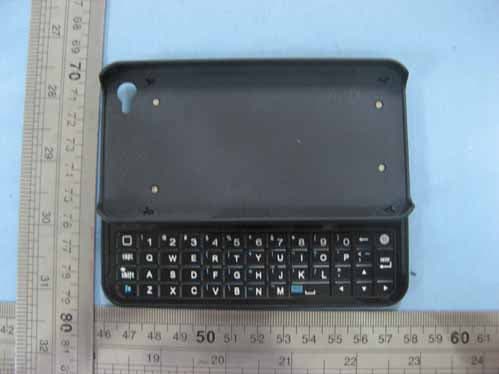
Click to zoom
Application Details
- Equipment Class
- DSS - Part 15 Spread Spectrum Transmitter
- Date of Grant
- Nov 18, 2010
- Application Purpose
- Original Equipment
- Date of Application
- Nov 18, 2010
- Equipment Note
- BT Slide Keyboard Case
- Frequency Range
- 2402.00000000 - 2480.00000000
- Country
- China
Documents & Files
Document Text
Text extracted from the exhibit documents filed with the FCC. Open a document above to read the original.
Users Manual
BT KEYBOARD CASE FOR IPHONE USER’S MANUAL Step I Place Your Iphone into the case Step II Pair (Connect) Your Iphone with the Keyboard Note: This step is only needed when you first use this keyboard case Turn on your Iphone and tap “setting” Tap “General” And find the “Bluetooth” option Slide the Bluetooth button to “On” and your Iphone will start to search Bluetooth de v i c e s You should turn the switch in the keyboard to “on” position And active the Bluetooth button with a little stick Then the Bluetooth signal light on the left top of the keyboard will be on Now, your Iphone will find this Bluetooth keyboard Then you should tap “ Bluetooth Keyboard” option, then a blue window with a password will come out Enter the password on the Bluetooth keyboard then press the “Enter” key, then your Iphone is successfully paired(connected) with the Bluetooth keyboard Step III Start to use the keyboard You can write message, notes and email with this keyboard instead of the touching keyboard on your Iphone However, you can press “f n” + “the key with keyboard symbol” at the same time to get the touching keyboard back. z Press the “Shift” key at the same if you want to type the white symbols on the left top of some keys z Press the “f n” key at the same time if you want to type the blue symbols on the left top of some other keys Technical Specification Of The Product: Bluetooth Specification: Version 2.0 Operation Current: 3mA Standby Current: 0.2mA Operation Voltage: 3.7V Charging Voltage: 110-240V Battery Type: 500mAh Lithium Battery Charging period: 4hours (For the first time, please charge for 12 hours) Duration of Charged battery: 45 days: Note: USB PORT ONLY FOR CHARGE Trouble Shooting: If you are unable to connect the keyboard to your Iphone, please try the following: z Check if the battery is low. When the battery is low, some keys will react slowly and even don’t work. Then, you should charge the battery. z Check the power switch, make sure it is on. When it is on, the power light on the left top of the keyboard will flash for two seconds z Restart the Bluetooth switch, make sure your Iphone can search this device z Ensure the password for pairing is correct. Caution: z The case is made of plastic, please avoid any corrosion and leave it away from fire ! z Please operate according to the instruction in the user’s manual, we would not be responsible for any damage caused by inappropriate operation! FCC ID: YVP-S1 IMPORTANT REGULATORY INFORMATION This device complies with Part 15 of the FCC Rules: Operation is subject to the following two conditions: 1. This device may not cause harmful interference and 2. This device must accept any interference that is received, including any interference that may cause undesired operation. WARNING: Changes or modifications to this unit not expressly approved by the party responsible for compliance could void the user’s authority to operate the equipments. Federal Communications Commission (FCC) Statement Radio Frequency Interference (RFI) (FCC 15.105) This equipment has been tested and found to comply with the limits for Class B digital devices pursuant to Part 15 of the FCC Rules. These limits are designed to provide reasonable protection against harmful interference in a residential environment. This equipment generates, uses, and can radiate radio frequency energy, and if not installed and used in accordance with the instruction manual, may cause harmful interference to radio communications. However, there is no guarantee that interference will not occur in a particular installation. If this equipment does cause harmful interference to radio or television reception, which can be determined by turning the equipment off and on, the user is encouraged to try and correct the interference by one or more of the following measures: Reorient or relocate the receiving antenna. Increase the separation between the equipment and the receiver. Connect the equipment into an outlet on a circuit different from that to which the receiver is connected. Consult the dealer or an experienced radio/TV technician for help. Modifications (FCC 15.21) Changes or modifications to this equipment not expressly approved by Digi may void the user’s authority to operate this equipment.
Cover Letter(s)
Nov.15, 2010 Federal Communication Commission Authorization and Evaluation Division FCC ID: YVP-S1 Re: Confidentiality Request Pursuant to Sections 0.457 and 0.459 of the Commission’s Rules, the applicant hereby requests confidential treatment of information applied this application as outlined below: 1: Block Diagram 2: Circuit Diagram 3: Operational Description The above materials contain trade secrets and proprietary information not customarily released to the public. The public disclosure of these matters might be harmful to the applicant and provide unjustified benefits to its competitors. The Applicant understands that pursuant to Rules 0.457, disclosure of this Application and all accompanying documentation will not be made before the date of the Grant for this application. Sincerely, Signature________ ___________ FCC grantee contact person information. Name/Title: Wen Hai (Project Manager) Company Name: SHENZHEN CTECH SCIENCE & TECHNOLOGY DEVELOPMENT CO., LTD. Address: 10G.Baihe yindu, Longgang, Shenzhen ,China TEL: +86-0755-89965353 FAX: +86-0755-89965353
Cover Letter(s)
SHENZHEN CTECH SCIENCE & TECHNOLOGY DEVELOPMENT CO., LTD. Date: Nov. 15, 2010 FCC ID:YVP-S1 Dear Sir, I hereby have entrusted the following person to be a proxy regarding application for Type Certification. Attestation of Global Compliance Co., Ltd. Address: 1F., No.2 Building, Huafeng No.1 Technical Industrial Park, Sanwei, Xixiang, Baoan District, Shenzhen Name: Eason ZHAO Job Title: EMC Engineer Email: [email protected] I am therefore responsible for the contents of the application. Model Name of the specified radio equipment: FCC ID: YVP-S1 Product Name: PHONE SLIDE KEYBOARD CASE Signature________ ___________ FCC grantee contact person information. Name/Title: Wen Hai (Project Manager) Company Name: SHENZHEN CTECH SCIENCE & TECHNOLOGY DEVELOPMENT CO., LTD. Address: 10G.Baihe yindu, Longgang, Shenzhen ,China TEL: +86-0755-89965353 FAX: +86-0755-89965353
External Photos
PHOTOGRAPHS OF THE EUT TOP VIEW OF SAMPLE BACK VIEW OF SAMPLE LEFT VIEW OF SAMPLE RIGHT VIEW OF SAMPLE
ID Label/Location Info
FCC ID Label Location
Internal Photos
INTERNAL PHOTO OF SAMPLE – 1 INTERNAL PHOTO OF SAMPLE – 2
Test Setup Photos
PHOTOGRAPHS OF THE TEST SETUP CONDUCTED EMISSION TEST RADIATED EMISSION TEST SETUP
Contact Information
Applicant
Wen Hai(Project Manager)
Test Firm
Attestation of Global Compliance Shenzhen Co. Ltd.Forrest Lei
Technical Specifications
| # | Rule Parts | Frequency Range | Power Output |
|---|---|---|---|
| 1 | 15C | 2.40 GHz - 2.48 GHz | 1.68 mW |
Other Applications from SHENZHEN CTECH SCIENCE & TECHNOLOGY DEVELOPMENT CO., LTD.
YVP-X7000
Mar 18, 2012Bluetooth Keyboard
Equipment Class
DSS - Part 15 Spread Spectrum Transmitter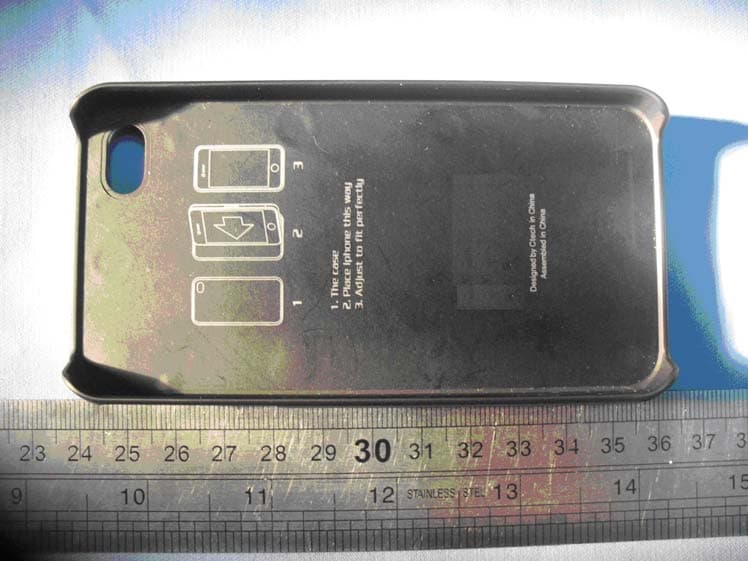
YVP-V1
Mar 06, 2011Bluetoooth Slide Keyboard Case
Equipment Class
DSS - Part 15 Spread Spectrum Transmitter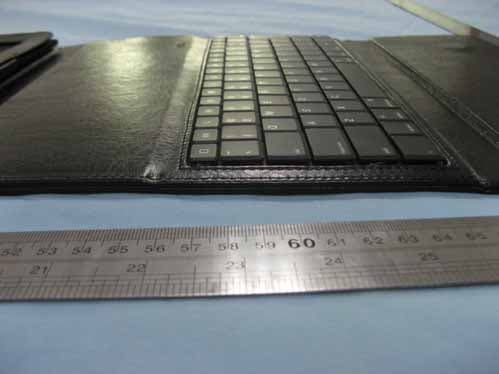
YVP-X3000
Oct 26, 2010IPAD KEYBOARD CASE with Bluetooth
Equipment Class
DSS - Part 15 Spread Spectrum Transmitter