ZAXZT280-C91MID
Shenzhen Zenithink Technologies Co., Ltd.Application Details
- Equipment Class
- DTS - Digital Transmission System
- Date of Grant
- Oct 11, 2011
- Application Purpose
- Original Equipment
- Date of Application
- Oct 11, 2011
- Equipment Note
- MID
- Frequency Range
- 2412.00000000 - 2462.00000000
- Country
- China
Documents & Files
Document Text
Text extracted from the exhibit documents filed with the FCC. Open a document above to read the original.
Users Manual
14 Android 2.3 C 91 User Manual 14 Directory--------------------------------------------------2 1.Use statement------------------------------------------3 2.Appearance Description-------------------------------3 2.1 Overall structure---------------------------------3 2.2 Button, and plug-ins-----------------------------4 3. The description of menu interface------------------4 3.1 Desktop description------------------------------4 3.2 Status Bar Description --------------------------5 4.Basic set of equipment --------------------------------5 4.1 Wireless Control ---------------------------------5 4.2 Sound and display-------------------------------6 4.3 Security and location----------------------------7 4.4 Date and time------------------------------------7 4.5 Locate and text----------------------------------8 4.6 Battery Charging---------------------------------9 5. Software installation and management------------9 5.1 Browser-------------------------------------------9 5.2 E-mail--------------------------------------------10 5.3 Google Map -------------------------------------10 5.4 Alarm clock --------------------------------------11 5.5 HDMI digital output------------------------------11 6. O / I File Manager -----------------------------------12 7.FAQ------------------------------------------------------13 7.1 Can not open the media player----------------13 7.2 Screen flashing-----------------------------------13 7.3 Headphones can not hear sound--------------13 7.4 Can not copy the file-----------------------------13 7.5 how connect the tablet PC with computer----13 8. Operating instruction----------------------------------13 8.1 helpfile----------------------------------------------13 8.2 version information-------------------------------14 14 1. Use statement Statement: The company are committed to quality innovation and continual improvement of software. If the final version of products has any differences from the description of the user guide , please subject to the final product .Thank you. 2. Appearance Description 2.1 Overall structure 14 2.2 Button and plug-ins Note: if system halted, please insert one slender material into the reset key ,then system will shutdown insert an external charger, then charge lamp will turn on; When charge is completed, charge lamp will turn off 3.The description of menu interface 3.1 Desktop description With Pressing the icon" ", you can enter menu and choose the options you need, 14 such as email settings and so on 3.2 Status Bar Description The status bar is located on the top screen On the top screen, it shows the followings from left to right: wireless network signal, wired network signal,residual battery, current time, two volume adjustment keys., return key, function key, 4. Basic settings of e-pad devices 4.1 Wireless Control press the set-up" " in the menu page to enter set-up interface WI-FI settings: set up and manage the notice of access point to the 14 wireless .When The icon showed on the right is “ " with gray color ,that means WIFI is in the state of close click network notification .When the right icon shows““,it means device is scanning the network that is available. The device will search automatically and add the nearby wi-fi network which can be connected. click wireless network port and then you can connect network. 4.2 Sound and display silent mode: All sound will become silent except for media and alarm The Volume of media: Adjust the volume of media by dragging the move point to right or left Direction: It will change the direction automatically when you rotate the MID Cartoon: It will show cartoon when you open or close a window Brightness: Adjust the brightness of screen by dragging the point to the right or left 14 Idle screen: There are six kinds of time interval for your choose for idle screen: 15 seconds,30 seconds,1 minutes,2 minutes,10 minutes and 30 minutes. 4.3 Security and location safety and location: set up my location and password selections, Using of wireless network: you can check the location of application by using wireless network Visible password: it will show your password when you typing them 4.4 Date and time Date and time: set up date, time ,time zone and format Set up date and time: enter the interface of date setting to set up the date and time Select time zone: enter the interface of time zone to set up the time zone Set up time format: set up the display format of time Choose date format: Choose different display format of date 14 4.5 Locate and text set up the locate (language and area),text entry and automatic error correction Select area: 14 There are 54 kinds of language for choice 4.6 Battery Charging There is a built-in battery, when the battery level is low, the system will recommend you to charge Way of charging: One end of the adaptor connected to power socket, another end connected to the power port of the device. <1>, When the indicator light of battery charging turns red, it means device is charging. when green, it means the tablet is on. When the indicator light goes out, It means battery is fully charged. <2>, During the charging period, user can still use the Pc. Note: In the boot of state, .it takes long time for charging. 5. Software installation and management 5.1Browser Click" ” and open the following web page. Start: enter website by inputting web address 14 5.2 E-mail Click E-mail icon” ” and enter the e-mail, You can proceed as follows: 1、 Set an e-mail account 2、 Open a new e-mail 3、 Send and receive e-mails Note: Shortcut menu will popup when clicking the menu button.. 5.3 Google map Click” ” and enter Google Map --Click the zoom icons on the touch screen to zoom in and zoom out images --Drag touch screen, move the image up-and-down and right-and-left Click Menu : --search: search maps by entering address 14 --Line : search drive circuit by entering starting and finishing address --Map mode: three modes for choice, map mode、satellite mode and traffic mode. --My positio…
Text truncated - open the document above for the full version.
Cover Letter(s)
SCS-F18: Project and Product Certification Representative Authorization Letter Page 1 of 2 Rev 2.0 2206 Ringwood Avenue San Jose, CA 95131 Tel: 408-526-1188 Fax: 408-526-1088 Email: [email protected] Project and Product Certification Representative Authorization Letter Reason for Amendment (current / obsolete) Revision History Approved Date From To Initial Release (current) 1.0 1.0 Nov-14-2006 Revised wording (current) 1.0 2.0 Sept–25-2007 SCS-F18: Project and Product Certification Representative Authorization Letter Page 2 of 2 Rev 2.0 Shenzhen Zenithink Technologies Co., Ltd. (2011-09-20) To: SIEMIC, INC. 2206 Ringwood Avenue, San Jose, CA 95131 USA Dear Sir/Madam, Re: Project and Product Certification Representative Authorization Letter We, ___ Shenzhen Zenithink Technologies Co., Ltd. _ hereby authorize SIEMIC.INC to act as a Certification Body for certifying for the following project(s): (Product description: MID model name: ZT280-C91 FCC ID: ZAXZT280-C91 We affirm that between SIEMIC and ___ Shenzhen Zenithink Technologies Co., Ltd.__, any difference in understanding, including test plan, measurement methods, applicable standards and relevant procedures and processes have been resolved prior to commencement of testing activities. Sincerely, Client’s signature Client’s name / title: Ani Yi / Sales Contact information / address: 2nd Floor, Building M-3, Maqueling Industrial Zone, Nanshan District, Shenzhen, 518057 China
Cover Letter(s)
SCS-F19: Confidentiality Request Letter Page 1 of 2 Rev 2.0 2206 Ringwood Avenue San Jose, CA 95131 Tel: 408-526-1188 Fax: 408-526-1088 Email: [email protected] Confidentiality Request Letter Reason for Amendment (current / obsolete) Revision History Approved Date From To Initial Release (current) 1.0 1.0 Nov-14-2006 Adding CFR 2.459 1.0 2.0 August – 11 - 2008 SCS-F19: Confidentiality Request Letter Page 2 of 2 Rev 2.0 (Shenzhen Zenithink Technologies Co., Ltd.) (2011-09-20) To: Federal Communications Commission Authorization and Evaluation Division 7435 Oakland Mills Road Columbia, MD Confidentiality Request regarding application for certification of FCC ID: ZAXZT280-C91 We hereby request confidential treatment of information accompanying this application as outlined below: - Block Diagram - Operational Description - Schematic The above materials contain trade secrets and proprietary information not customarily released to the public. The public disclosure of these materials may be harmful to the applicant and provide unjustified benefits to its competitors. The applicant understands that pursuant to Section 0.457 & 0.459 of the Rules, disclosure of this application and all accompanying documentation will not be made before the date of the Grant for this application. Sincerely, Client’s signature Client’s name / title : Ani Yi / Sales Contact information / address: 2nd Floor, Building M-3, Maqueling Industrial Zone, Nanshan District, Shenzhen, 518057 China
Cover Letter(s)
Shenzhen Zenithink Technologies Co., Ltd. Date: 2011-09-20 To: Federal Communications Commission 7435 Oakland Mills Road Columbia, MD FCC ID: ZAXZT280-C91 To Whom It May Concern: This letter is to ascertain that SCM Microsystems, Inc. Product MID has been the units used for conducting FCC compliance testing, the DoC part will be tested by FCC recognized test lab. If you have any question or concerns, pls. contact us. Sincerely,
External Photos
EXTERIOR PHOTOGRAPHS
ID Label/Location Info
FCC ID: ZAXZT280-C91 Label Location on EUT ID Label: FCC ID: ZAXZT280-C91 This device complies with Part 15 of the FCC Rules. Operation is subject to the following two conditions: (1) this device may not cause harmful interference, and (2) this device must accept any interference received, including interference that may cause undesired operation. MADE IN CHINA
Internal Photos
FCC ID: ZAXZT280-C91 Label Location on EUT ID Label: FCC ID: ZAXZT280-C91 This device complies with Part 15 of the FCC Rules. Operation is subject to the following two conditions: (1) this device may not cause harmful interference, and (2) this device must accept any interference received, including interference that may cause undesired operation. MADE IN CHINA
RF Exposure Info
§15.247 (i) and §1.1307 (b) (1), §2.1093 – RF EXPOSURE Standard Applicable According to §15.247 (i) and §1.1307(b)(1), systems operating under the provisions of this section shall be operated in a manner that ensures that the public is not exposed to radio freque ncy energy level in excess of the Commission’s guidelines. Limits for General Population/Unc ontrolled Exposure According to FCC Exclusion list, In the following table, f GHz is mid-band freque ncy in GHz, and d is the distance to a person’sbody, excluding hands, wrists, feet, and ankle s. Routine SAR evaluation refers to that specifically required by § 2.1093, using mea surements or computer simulation. Whe n routine SAR evaluation is not required, portable transmitters with output power greater than the applicable low threshold require SAR evaluation to qualify for TCB approval. Test Result Measurement Result: The Max peak output power is 22.23 mW<24.9mW. The SAR measurement is not required. .
Test Report
Page 1 FCC ID TEST REPORT for MID MODEL: ZT280-C91 Trade Mark: N/A FCC ID: ZAXZT280-C91 Test Report Number: WSCT11090541E Issued Date: September 20, 2011 Issued for Shenzhen Zenithink Technologies Co., Ltd. 2nd Floor, Building M-3, Maqueling Industrial Zone, Nanshan District, Shenzhen, 518057 China Issued By: World Standardization Certification & Testing CO., LTD. Building A, Baoshi Road, Baoshi Science & Technology Park, Bao’an District, Shenzhen, Guangdong, China TEL: +86-755-26996192 FAX: +86-755-26996253 Note: This report shall not be reproduced except in full, without the written approval of World Standardization Certification& Testing CO., LTD. This document may be altered or revised by World Standardization Certification& Testing CO., LTD. Personnel only, and shall be noted in the revision section of the document. The test results in the report only apply to the tested sample. Report reference No.:WSCT11090541E Issued: September 20, 2011 Revised: None TRF No.: FCC PART 15C-15.247/A0 Page 2 of 48 FCC ID: ZAXZT280-C91 This report shall not be reproduced except in full, without the written approval of World Standardization Certification & Testing CO., LTD. Revision History Of Report Rev. Issue No. Revisions Effect Page Revised By 00 WSCT11090541E Initial Issue ALL Kallen Wang Report reference No.:WSCT11090541E Issued: September 20, 2011 Revised: None TRF No.: FCC PART 15C-15.247/A0 Page 3 of 48 FCC ID: ZAXZT280-C91 This report shall not be reproduced except in full, without the written approval of World Standardization Certification & Testing CO., LTD. TABLE OF CONTENTS 1 TEST CERTIFICATION .................................................................................................. 4 2 TEST RESULT SUMMARY ....................................................................................... 5 3 EUT DESCRIPTION ....................................................................................................... 6 4 SETUP OF EQUIPMENT UNDER TEST AND TEST EQUIPMENTS USED ............. 7 4.1. DESCRIPTION OF SUPPORT UNITS ................................................................................. 8 4.2. CONFIGURATION OF SYSTEM UNDER TEST .................................................................. 8 5 FACILITIES AND ACCREDITATIONS ...................................................................... 9 5.1. FACILITIES ........................................................................................................................... 9 5.2. ACCREDITATIONS .............................................................................................................. 9 5.3. MEASUREMENT UNCERTAINTY ........................................................................................ 9 §15.203 - ANTENNA REQUIREMENT ............................................................................ 10 Standard Applicable ................................................................................................................... 10 Antenna Connector Construction ............................................................................................... 10 §15.207 - CONDUCTED EMISSIONS ............................................................................. 11 Applicable Standard ................................................................................................................... 11 Test Procedure .......................................................................................................................... 11 Plot(s) of Test Data .................................................................................................................... 11 §15.209, §15.205, §15.247(d) - SPURIOUS EMISSIONS ............................................... 14 Test Equipment .......................................................................................................................... 14 Test Procedure .......................................................................................................................... 14 Radiated Test Setup .................................................................................................................. 14 Radiated Emission Limit............................................................................................................. 15 Radiated Emission Test Result .................................................................................................. 15 §15.247(a) (2) – 6dB BANDWIDTH TESTING ................................................................ 26 Test Equipment .......................................................................................................................... 26 Test Procedure .......................................................................................................................... 26 Applicable Standard ................................................................................................................... 26 Test Result: Pass. ...................................................................................................................... 26 §15.247(b) (3) - MAXIMUM PEAK OUTPUT POWER .................................................... 30 Test Equipment .......................................................................................................................... 30 Test Procedure .......................................................................................................................... 30 Applicable Standard ................................................................................................................... 30 Test Result ................................................................................................................................. 31 §15.247(d) – 100 kHz BANDWIDTH OF FREQUENCY BAND EDGE ........................... 32 Test Equipment ...........................................................................................................…
Text truncated - open the document above for the full version.
Test Setup Photos
TEST SETUP PHOTOGRAPHY CONDUCTED EMISSION TEST RADIATED EMISSION TEST BELOW 1GHz RADIATED EMISSION TEST ABOVE 1GHz
Contact Information
Applicant
Ani Yi(Sales)
Test Firm
World Standardization Certification&TestingCO.,LTDKelly Wu
Technical Specifications
| # | Rule Parts | Frequency Range | Power Output |
|---|---|---|---|
| 1 | 15C | 2.41 GHz - 2.46 GHz | 22.00 mW |
Other Applications from Shenzhen Zenithink Technologies Co., Ltd.
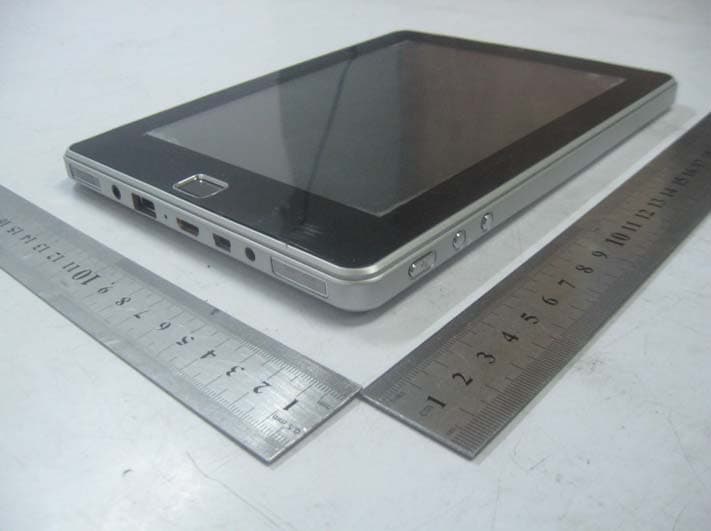
ZAXE98
Jul 10, 2011MID
Equipment Class
DTS - Digital Transmission System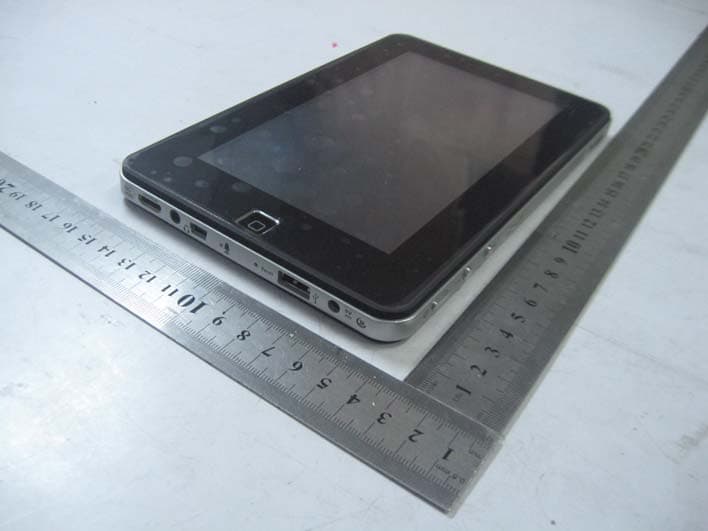
ZAXZT1807A
Mar 29, 2011MID
Equipment Class
DTS - Digital Transmission System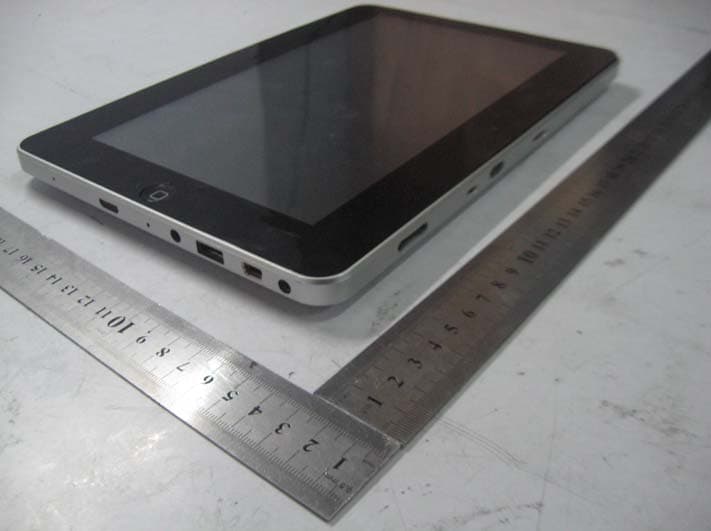
Mar 16, 2011
Equipment Class
JBP - Part 15 Class B Computing Device Peripheral