ZJLKOBOK110Tablet
Rakuten Kobo Inc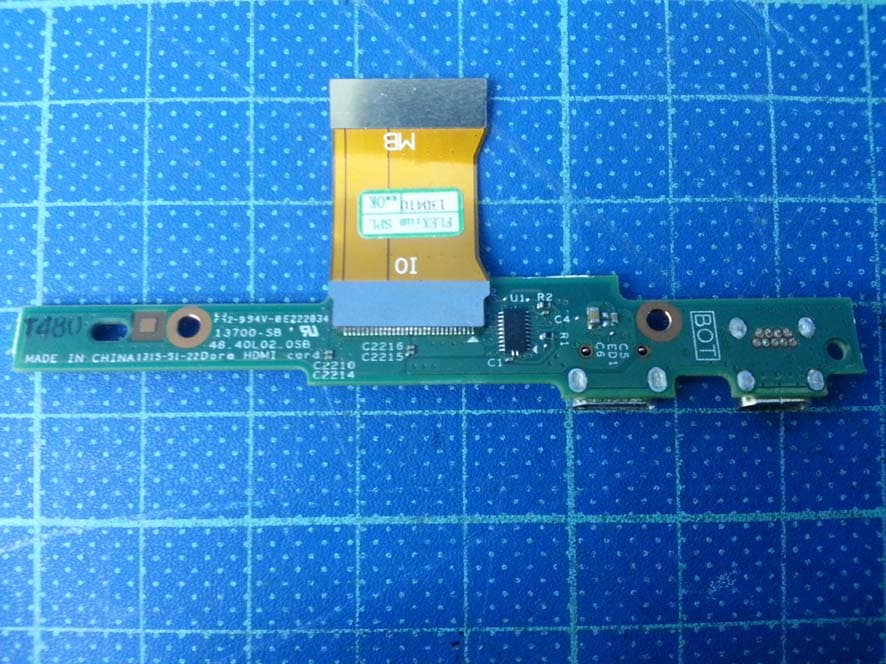
Click to zoom
Application Details
- Equipment Class
- DTS - Digital Transmission System
- Date of Grant
- Oct 16, 2013
- Application Purpose
- Original Equipment
- Date of Application
- Oct 16, 2013
- Equipment Note
- Tablet
- Frequency Range
- 2402.00000000 - 2480.00000000
- Company
- Rakuten Kobo Inc
- Country
- Canada
Documents & Files
Document Text
Text extracted from the exhibit documents filed with the FCC. Open a document above to read the original.
Users Manual
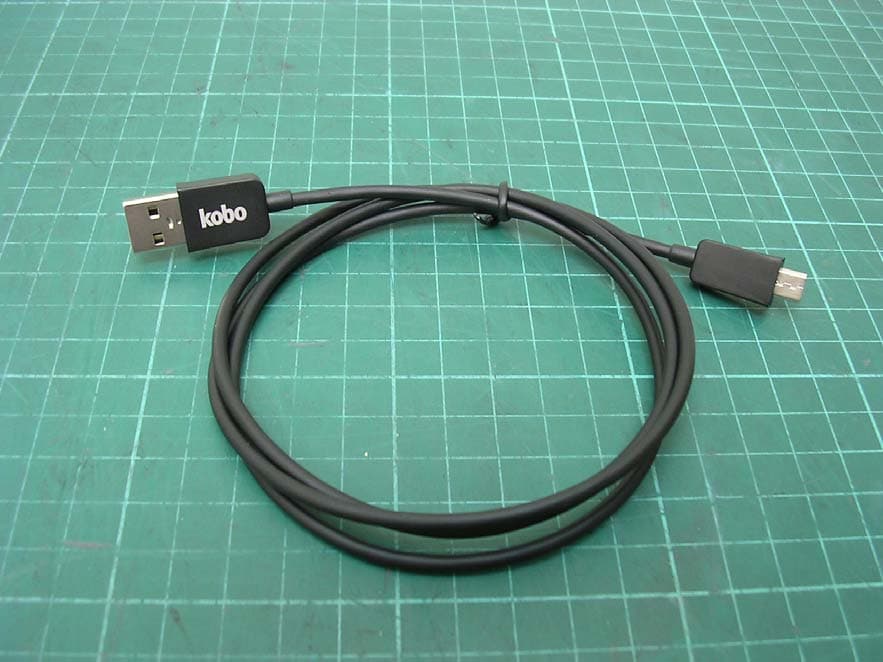
Kobo device Quick User Guide August 13, 2013 Kobo Inc. 2 WHAT’S COVERED Turning your Kobo device on and off Using Wi Fi Using the Camera Using the Speakers Using Headphones Connecting over USB Charging your Kobo device Using Bluetooth Using the Micro HDMI output Notes: This device is a tablet with a focus on the reading experience. This device does not have 3G or 4G capabilities, and only supports wireless LAN networks (WLAN). 3 Turning your Kobo device on & off To turn your Kobo device on: Pull the red power slider button briefly to the right. To turn your Kobo device off: Pull the red power slider button to the right until a dialog box appears. 1. Tap Power Off. 2. A Power off window appears. Tap OK to turn off your Kobo device. 3. 4 Using Wi Fi Connecting to a Wi Fi network Note: This device does not have 3G or 4G capabilities, and only supports wireless LAN networks (WLAN). You can connect to a Wi Fi network in two ways. First, you can follow the Setup Wizard, which appears when you first turn on your device, and when you factory reset your device. Second, you can manually join a wireless network through the Android operating system. To join a Wi Fi network via Android: Tap the Home icon at the bottom of the screen to return to your Home Dashboard. 1. Put your finger at the top right of the screen and swipe down until the Android notification shade 2. appears. Tap the Quick Settings icon. 3. The Android settings page will appear. If required, tap the slider button beside Wi Fi at the top left of the screen to turn on Wi Fi. 4. Tap Wi-Fi Settings to view a list of nearby Wi Fi networks. 5. Tap the network you want to join. 6. Tap Connect. 7. Notes: The Kobo device scans for available Wi Fi networks and displays the names of the networks. A lock icon indicates the network is secure, and requires a password. If required, enter in the Wi Fi network’s user name (Identity) and password, then tap Connect. If your Kobo device finds a network that you connected to previously, it automatically reconnects to it. Tip: If you do not require Internet access for a long period, turn off Wi Fi to conserve battery power. Disable Wi Fi (Airplane Mode) Disabling Wi Fi helps your battery charge last longer, and is also required on airplanes and some areas of hospitals. When you disable Wi Fi, your Kobo device can no longer connect to any wireless networks (including 3G or 4G networks used by smartphones), which is also known as airplane mode. To disable Wi Fi: Press the Home button to return to your Home Tapestry. 1. 5 Put your finger at the top right of the screen and swipe down until the Android notification shade 2. appears. Tap the Airplane mode option. 3. Wi Fi on the Kobo device is disabled. Note: You’ll need to turn off Airplane mode when you wish to connect to a Wi Fi network again. 6 Using the Camera on your Kobo device You can use a camera on your Kobo device to take pictures, shoot video, or interact with your friends on the Internet with apps such as Skype. To use the built-in camera, simply open the app that you’d like to use it with. The camera will activate automatically when you use the app to do something that uses the camera. 7 Using the Speaker on your Kobo device You can use the speaker on your Kobo device to listen to music, hear your friends over the Internet with an app such as Skype, or listen to sound on a video. To use the built-in speaker, simply open the app that you’d like to use it with. The speaker will activate automatically when you use the app to do something that uses it. 8 Using Headphones with your Kobo device You can use headphones with your Kobo device to listen to music, hear your friends over the Internet with an app such as Skype, or listen to sound on a video. To use headphones with your Kobo device: Plug your headphones into the headphone jack on the left edge of your Kobo device (see the 1. image above). Open the app that you’d like to use them with. The headphones will activate automatically when 2. you use the app to open an item that includes sound. 9 Connecting over USB Using your Kobo device as an external storage device You can connect your Kobo device to a computer as a storage device, similar to a USB thumb drive. When it’s connected, you can drag and drop content from your desktop to your Kobo device. To copy content from your desktop to your Kobo device: Connect the included USB cable to the USB slot on the bottom of the Kobo device (see the image 1. above). Connect the other end of the USB cable into your computer’s USB port. 2. Find your Kobo device: 3. On PC’s, locate the name of your Kobo device in your computer’s connected devices list. On MAC’s, launch Android File Transfer. Drag the content you want to add into the Kobo device folder. 4. Note: If you copy EPUB files to your Kobo device, you can import them into your Library on your Kobo device. For details, please see the Kobo device User Guide. 10 Charging your Kobo device The battery indicator on the top right corner of the screen indicates how much battery life you have left. Charge your Kobo device if the batteries are low. To charge your Kobo device: Connect the included Micro-USB cable to the micro USB port on the side of the Kobo device (see 1. image above). Connect the other end of the Micro-USB cable to a USB port on your computer. 2. Allow your Kobo device to charge for 16 hours for a full charge. 3. 11 Using Bluetooth Your Kobo device includes a Bluetooth transmitter, which lets you connect to other Bluetooth-enabled devices. Bluetooth connections can be made in two ways; by turning on the connect option for your Kobo device and tapping it on the other Bluetooth-enabled device, or by turning on the connect option and manually connecting with the other device using a PIN. To turn on the Bluetooth transmitter on your Kobo device: Tap the Home icon at the bottom of the screen to return to your Home Dashboard. 1. Put your finger at the top right of the …
Text truncated - open the document above for the full version.
Cover Letter(s)
Attestation for FCC Declaration of Conformity FCC ID: ZJLKOBOK110 Date: 2013-07-24 Please be notified that we, the undersigned, Kobo Inc. declares that the product which bears the above FCC ID is also compliant with the FCC requirements for DoC. The test report number supporting the DoC is TS13070088-EME. Testing in regards to this report was done by Intertek Testing Services Taiwan Ltd., located at No. 11, Lane 275, Ko-Nan 1 st Street, Chia-Tung Li, Shiang-Shan District, Hsinchu City, Taiwan, which has been accredited in accordance to all of the requirements of 47CFR 2.948 (d) and (e) of the FCC rules and KDB349827.
Cover Letter(s)
FCC Laboratory Date: August 27, 2013 7435 Oakland Mills Road Columbia, MD 21046 Attention : Application Examiner / Reviewing Engineer Subject : Request for confidentiality per Section 0.459 of FCC Rules Applicant : IDP Corp.,Ltd. FCC ID : VU2-SMART-30S To whom it may concern, Request is hereby submitted, IDP Corp.,Ltd., to withhold from public review certain portions of the application for equipment certification for the referenced FCC identifier. In particular, the following sections of the application and report are requested to be kept confidential: Schematics / Block Diagram / Parts List / Chip Spec Rationale for request for confidentiality: IDP Corp.,Ltd., has invested considerable time and materials in research and development to produce the referenced product. Disclosure of the confidential portions of this application to competitors would give them competitive advantage in developing similar products. If you have questions or need further information, please contact the undersigned. Sincerely Yours, _________________________ Company :. IDP Corp.,Ltd. Applicant : Yong-Tae, Kim e-mail : [email protected]
Cover Letter(s)
k 13o 135 Ltberty Street, Suite 100 Toronto Oitario M6K 1A7 www.kobo.com July 29, 2013 To whom it may concern, Letter of Agency I,an authorized representative of Kobo Incdo hereby authorize Intertek Testing Services to act on our behalf infront of the Federal Communications Commission with respect tQ all matters relating to certification of equipment under Part 15and/or Part 95 ofthe FCC Rules until further notice. Ifurther certify that noparty (asdefined in §1.2002(b) of CFR 46,2007) tothis application, including myself, is subject to a denial of federal benefits, that includes FCC benefits, pursuant to Section 5301 of the Anti-Drug Abuse Act of1988, 21 U.S.C., 862. Regards, Susan Tsang Senior Director —Supply Chains and Operations Kobo Inc July 29, 2013
Cover Letter(s)
k c1o “ 135 Liberty Strit. Sut 100 Torcmtc, Otaric. MK 1A7 * ww.koho corn Federal Communications Commission Authorization and Evaluation Division Short-term Confidentiality Request FCC ID: ZJLKOBOK110 To Whom it May Concern: Pursuant to Sections 0.457(d)(1)(ii) and 0.459 of the Commission’s Rules, Kobo nc, hereby requests short term confidential treatment of the following information accompanying this application as outlined below for a period of 180 days: • External Photos • Internal Photos o Test Setup Photos • User Mnui The above materials contain trade secrets md prop itrj i orolation cutomsr!iV r*leased u the public. The public disclosure of these maUer might b him1ui to the Appcanc id povide unjustified bertefits to its compeFirers. Thank you, Susan Tsarrg Senior Director — Supply Chains and Operstions Kobo Inc August 12. 2013
Internal Photos
Internal Photo Internal Photo Internal Photo Internal Photo Internal Photo Internal Photo Battery Internal Photo AUX Antenna Main Antenna Internal Photo Antenna Connector Chain 1 Chain 0
RF Exposure Info
-1 of 20- International Standards Laboratory Report Number: ISL-13LR100FSAR Appendix C: System Performance Check Report Date : 07-Jun-2013 By Operator : Dino Chen DUT : Dipole Frequency : 2450.00 MHz Max. Transmit Pwr : 1 W APREL ALSAS-10U System Description Phantom Data Name : Universal Phantom Type : ALS-P-UP-1 Tissue Data Type : Body Frequency : 2450.00 MHz Probe Data Name : E-field Probe Model : ALS-E-020 Serial No. : 266 Last Calib. Date : 20-Aug-2012 Measurement Data Crest Factor : 1 Scan Type : Complete Tissue Temp. : 22.00 °C Ambient Temp. : 21.70 °C Area Scan : 9x9x1 : Measurement x=10mm, y=10mm, z=4mm Zoom Scan : 5x5x8 : Measurement x=8mm, y=8mm, z=4mm Separation : 1cm -2 of 20- International Standards Laboratory Report Number: ISL-13LR100FSAR 1 gram SAR value : 53.112 W/kg 10 gram SAR value : 25.083 W/kg Area Scan Peak SAR : 65.339 W/kg Zoom Scan Peak SAR : 104.09 W/kg -3 of 20- International Standards Laboratory Report Number: ISL-13LR100FSAR Electrical Calibration Electrical Calibration Test Result Validation Difference S11 -16.32dB -16.62dB 1.8% Impedance 10.33Ω 13.97Ω 3.64Ω S11 Parameter Return Loss –Cal. report -4 of 20- International Standards Laboratory Report Number: ISL-13LR100FSAR S11 Parameter Return Loss –Self Check, Date 08/29/2013 Smith Chart Dipole Impedance –Cal. Report -5 of 20- International Standards Laboratory Report Number: ISL-13LR100FSAR Smith Chart Dipole Impedance –self check, Date 08/29/2013 -6 of 20- International Standards Laboratory Report Number: ISL-13LR100FSAR Appendix C: System Performance Check Report Date : 11-Jun-2013 By Operator : Dino Chen DUT : Dipole Frequency : 5200.00 MHz Max. Transmit Pwr : 1 W APREL ALSAS-10U System Description Phantom Data Name : Universal Phantom Type : ALS-P-UP-1 Tissue Data Type : Body Frequency : 5200.00 MHz Probe Data Name : E-field Probe Model : ALS-E-020 Serial No. : 266 Last Calib. Date : 20-Aug-2012 Measurement Data Crest Factor : 1 Scan Type : Complete Tissue Temp. : 22.00 °C Ambient Temp. : 21.70 °C Area Scan : 9x9x1 : Measurement x=10mm, y=10mm, z=4mm Zoom Scan : 5x5x8 : Measurement x=8mm, y=8mm, z=4mm Separation : 1cm -7 of 20- International Standards Laboratory Report Number: ISL-13LR100FSAR 1 gram SAR value : 69.311 W/kg 10 gram SAR value : 22.089 W/kg Area Scan Peak SAR : 79.482 W/kg Zoom Scan Peak SAR : 188.662 W/kg -8 of 20- International Standards Laboratory Report Number: ISL-13LR100FSAR Electrical Calibration Electrical Calibration Test Result Validation Diference S11 -23.67 -19.31dB 18.41% Impedance 51.17Ω 53.93Ω 2.76Ω S11 Parameter Return Loss –Cal. report -9 of 20- International Standards Laboratory Report Number: ISL-13LR100FSAR S11 Parameter Return Loss –Self Check, Date 09/18/2013 Smith Chart Dipole Impedance –Cal. Report -10 of 20- International Standards Laboratory Report Number: ISL-13LR100FSAR Smith Chart Dipole Impedance –self check, Date 09/18/2013 -11 of 20- International Standards Laboratory Report Number: ISL-13LR100FSAR Appendix C: System Performance Check Report Date :11-Jun-2013 By Operator : Dino Chen DUT : Dipole Frequency : 5600.00 MHz Max. Transmit Pwr : 1 W APREL ALSAS-10U System Description Phantom Data Name : Universal Phantom Type : ALS-P-UP-1 Tissue Data Type : Body Frequency : 5600.00 MHz Probe Data Name : E-field Probe Model : ALS-E-020 Serial No. : 266 Last Calib. Date : 20-Aug-2012 Measurement Data Crest Factor : 1 Scan Type : Complete Tissue Temp. : 22.00 °C Ambient Temp. : 21.70 °C Area Scan : 9x9x1 : Measurement x=10mm, y=10mm, z=4mm Zoom Scan : 5x5x8 : Measurement x=8mm, y=8mm, z=4mm Separation : 1cm -12 of 20- International Standards Laboratory Report Number: ISL-13LR100FSAR 1 gram SAR value : 65.273 W/kg 10 gram SAR value : 21.348 W/kg Area Scan Peak SAR : 62.544 W/kg Zoom Scan Peak SAR : 181.334 W/kg -13 of 20- International Standards Laboratory Report Number: ISL-13LR100FSAR Electrical Calibration Electrical Calibration Test Result Validation Diference S11 -26.727dB -27.783dB 3.95% Impedance 53.674Ω 51.579Ω -2.09Ω S11 Parameter Return Loss –Cal. report -14 of 20- International Standards Laboratory Report Number: ISL-13LR100FSAR S11 Parameter Return Loss –Self Check, Date 09/18/2013 Smith Chart Dipole Impedance –Cal. Report -15 of 20- International Standards Laboratory Report Number: ISL-13LR100FSAR Smith Chart Dipole Impedance –self check, Date 09/18/2013 -16 of 20- International Standards Laboratory Report Number: ISL-13LR100FSAR Appendix C: System Performance Check Report Date :11-Jun-2013 By Operator : Dino Chen DUT : Dipole Frequency : 5800.00 MHz Max. Transmit Pwr : 1 W APREL ALSAS-10U System Description Phantom Data Name : Universal Phantom Type : ALS-P-UP-1 Tissue Data Type : Body Frequency : 5800.00 MHz Probe Data Name : E-field Probe Model : ALS-E-020 Serial No. : 266 Last Calib. Date : 20-Aug-2012 Measurement Data Crest Factor : 1 Scan Type : Complete Tissue Temp. : 22.00 °C Ambient Temp. : 21.70 °C Area Scan : 9x9x1 : Measurement x=10mm, y=10mm, z=4mm Zoom Scan : 5x5x8 : Measurement x=8mm, y=8mm, z=4mm Separation : 1cm -17 of 20- International Standards Laboratory Report Number: ISL-13LR100FSAR 1 gram SAR value : 58.478 W/kg 10 gram SAR value : 20.117 W/kg Area Scan Peak SAR : 62.641 W/kg Zoom Scan Peak SAR : 162.059 W/kg -18 of 20- International Standards Laboratory Report Number: ISL-13LR100FSAR Electrical Calibration Electrical Calibration Test Result Validation Diference S11 -17.11dB -17.45dB 1.98% Impedance 49.33Ω 47.85Ω -1.48Ω S11 Parameter Return Loss –Cal. report -19 of 20- International Standards Laboratory Report Number: ISL-13LR100FSAR S11 Parameter Return Loss –Self Check, Date 09/18/2013 Smith Chart Dipole Impedance –Cal. Report -20 of 20- International Standards Laboratory Report Number: ISL-13LR100FSAR Smith Chart Dipole Impedance –self check, Date 09/18/2013
RF Exposure Info
-1 of 151- International Standards Laboratory Report Number: ISL-13LR100FSAR Appendix D: SAR Measurement Data Data No. Band Mode Test Position Separation Distance (cm) Channel SAR 1g(W/kg) 1 2.4G 802.11b(Main) Bottom 0 1 0.356 2 5G band 1 802.11a(Main) Bottom 0 36 0.325 3 5G band 2 802.11a(Main) Bottom 0 52 0.141 4 5G band 3 802.11a(Main) Bottom 0 100 0.479 5 5G band 3 802.11a(Main) Bottom 0 132 0.151 6 5G band4 802.11a(Main) Bottom 0 149 0.168 7 2.4G 802.11 40n(Main) Bottom 0 3 0.667 8 2.4G 802.11b(Main) Edge of Left 0 1 0.178 9 5G band 1 802.11a(Main) Edge of Left 0 36 0.568 10 5G band 2 802.11a(Main) Edge of Left 0 52 0.610 11 5G band 3 802.11a(Main) Edge of Left 0 100 0.596 12 5G band 3 802.11a(Main) Edge of Left 0 132 0.723 13 5G band4 802.11a(Main) Edge of Left 0 149 0.500 14 5G band 1 802.11 40n(Main) Edge of Left 0 38 0.676 15 5G band 2 802.11 40n(Main) Edge of Left 0 54 0.526 16 5G band 3 802.11 40n(Main) Edge of Left 0 102 0.716 17 5G band 3 802.11 40n(Main) Edge of Left 0 110 0.619 18 5G band4 802.11 40n(Main) Edge of Left 0 151 0.343 19 2.4G 802.11b(Aux) Bottom 0 1 0.939 20 2.4G 802.11b(Aux) Bottom 0 6 0.879 21 2.4G 802.11b(Aux) Bottom 0 11 0.885 22 5G band 1 802.11a(Aux) Bottom 0 36 0.362 23 5G band 2 802.11a(Aux) Bottom 0 52 0.229 24 5G band 3 802.11a(Aux) Bottom 0 100 0.772 25 5G band 3 802.11a(Aux) Bottom 0 132 0.734 -2 of 151- International Standards Laboratory Report Number: ISL-13LR100FSAR Data No. Band Mode Test Position Separation Distance (cm) Channel SAR 1g(W/kg) 26 5G band4 802.11a(Aux) Bottom 0 149 0.310 27 2.4G 802.11 40n(Aux) Bottom 0 3 0.925 28 2.4G 802.11 40n(Aux) Bottom 0 6 0.922 29 2.4G 802.11 40n(Aux) Bottom 0 9 0.763 30 2.4G 802.11b(Aux) Edge of Bottom 0 1 0.057 31 5G band 1 802.11a(Aux) Edge of Bottom 0 36 0.001 32 5G band 2 802.11a(Aux) Edge of Bottom 0 52 0.001 33 5G band 3 802.11a(Aux) Edge of Bottom 0 100 0.001 34 5G band 3 802.11a(Aux) Edge of Bottom 0 132 0.001 35 5G band4 802.11a(Aux) Edge of Bottom 0 149 0.001 36 2.4G 802.11b(Aux) Edge of Right0 1 0.445 37 5G band 1 802.11a(Aux) Edge of Right0 36 0.670 38 5G band 2 802.11a(Aux) Edge of Right0 52 0.477 39 5G band 3 802.11a(Aux) Edge of Right0 100 0.691 40 5G band 3 802.11a(Aux) Edge of Right0 132 0.294 41 5G band4 802.11a(Aux) Edge of Right0 149 0.443 42 5G band 1 802.11 40n(Aux) Edge of Right0 38 0.614 43 5G band 2 802.11 40n(Aux) Edge of Right0 54 0.679 44 5G band 3 802.11 40n(Aux) Edge of Right0 102 0.771 45 5G band 3 802.11 40n(Aux) Edge of Right0 110 0.772 46 5G band4 802.11 40n(Aux) Edge of Right0 151 0.186 47 BT BLE (Main) Bottom 0 20 0.001 48 2.4G 802.11b(Aux) Repeated Bottom 0 1 0.924 49 2.4G 802.11 40n(Aux) Repeated Bottom 0 3 0.805 -3 of 151- International Standards Laboratory Report Number: ISL-13LR100FSAR Data No. 1: Report Date : 11-Jun-2013 By Operator : 123 Measurement Date : 11-Jun-2013 Starting Time : 11-Jun-2013 09:38:42 AM End Time : 11-Jun-2013 10:06:11 AM Scanning Time : 1649 secs Product Data Device Name : 13LR100 Serial No. : NA Type : Other Model : K110 Frequency : 2450.00 MHz Max. Transmit Pwr : 0.25 W Drift Time : 1 min(s) Length : 128 mm Width : 175 mm Depth : 10 mm Antenna Type : Internal Orientation : Touch Power Drift-Start : 0.261 W/kg Power Drift-Finish: 0.235 W/kg Power Drift (%) : -9.867 Picture : C:\alsas\bitmap\Device-11.bmp Phantom Data Name : APREL-Uni Type : Uni-Phantom Size (mm) : 280 x 280 x 200 Serial No. : User Define Location : Center Description : Uni-Phantom Tissue Data Type : BODY Serial No. : 2450B Frequency : 2450.00 MHz Last Calib. Date : 11-Jun-2013 Temperature : 21.70 °C Ambient Temp. : 21.70 °C Humidity : 65.00 RH% Epsilon (Dielectric Constant): 53.671 Sigma : 1.95 S/m Density : 1000.00 kg/cu. m -4 of 151- International Standards Laboratory Report Number: ISL-13LR100FSAR Probe Data Name : E-field Model : E-020 Type : E-Field Triangle Serial No. : 266 Last Calib. Date : 20-Aug-2012 Frequency : 2450.00 MHz Duty Cycle Factor (CreF): 1 Conversion Factor : 4.55 Probe Sensitivity : 1.20 1.20 1.20 μV/(V/m) 2 Compression Point : 95.00 mV Offset : 1.56 mm Measurement Data Crest Factor : 1 Scan Type : Complete Tissue Temp. : 21.70 °C Ambient Temp. : 21.70 °C Set-up Date : 10-Jun-2013 Set-up Time : 2:30:39 PM Area Scan : 6x9x1 : Measurement x=10mm, y=10mm, z=4mm Zoom Scan : 5x5x8 : Measurement x=8mm, y=8mm, z=4mm Other Data DUT Position : Touch Separation : 0 Channel : Low -5 of 151- International Standards Laboratory Report Number: ISL-13LR100FSAR The system detected 2 maxima. Selected highest maxima # = 1. Maxima #1 coordinates: X = 7.090, Y = 1.900 1 gram SAR value : 0.356 W/kg 10 gram SAR value : 0.118 W/kg Area Scan Peak SAR : 0.384 W/kg Zoom Scan Peak SAR : 0.960 W/kg Maxima Summary: Maxima #1 Maxima coordinates: X = 7.090, Y = 1.900 1 gram SAR value : 0.356 W/kg 10 gram SAR value : 0.118 W/kg Area Scan Peak SAR : 0.384 W/kg Zoom Scan Peak SAR : 0.960 W/kg Maxima #2 -6 of 151- International Standards Laboratory Report Number: ISL-13LR100FSAR Maxima coordinates: X = 13.130, Y = 7.900 1 gram SAR value : 0.320 W/kg 10 gram SAR value : 0.100 W/kg Area Scan Peak SAR : 0.384 W/kg Zoom Scan Peak SAR : 0.910 W/kg -7 of 151- International Standards Laboratory Report Number: ISL-13LR100FSAR Data No. 2: Report Date : 11-Jun-2013 By Operator : 123 Measurement Date : 11-Jun-2013 Starting Time : 11-Jun-2013 05:05:03 PM End Time : 11-Jun-2013 05:38:31 PM Scanning Time : 2008 secs Product Data Device Name : 13LR100 Serial No. : NA Type : Other Model : K110 Frequency : 5200.00 MHz Max. Transmit Pwr : 0.25 W Drift Time : 1 min(s) Length : 128 mm Width : 175 mm Depth : 10 mm Antenna Type : Internal Orientation : Touch Power Drift-Start : 0.146 W/kg Power Drift-Finish: 0.146 W/kg Power Drift (%) : -0.572 Picture : C:\alsas\bitmap\Device-12.bmp Phantom Data Name : APREL-Uni Type : Uni-Phantom Size (mm) : 280 x 280 x 200 Serial No. : User Define Location : Center Description : Uni-Phantom Tissue Data Type : BODY Serial No. : 5200B Frequency : 5200.00 MHz Last Calib. Date…
Text truncated - open the document above for the full version.
RF Exposure Info
NCL CALIBRATION LABORATORIES Calibration File No: DC-1400 Project Number: ISL-D2450-cal-5639 C E R T I F I C A T E OF C A L I B R A T I O N It is certified that the equipment identified below has been calibrated in the NCL CALIBRATION LABORATORIES by qualified personnel following recognized procedures and using transfer standards traceable to NRC/NIST. ISL Body Validation Dipole Manufacturer: APREL Laboratories Part number: ALS-D-2450-S-2 Frequency: 2450 MHz Serial No: 2450-220-00753 Customer: ISL Calibrated: 25 th January 2012 Released on: 25 th January, 2012 NCL Calibration Laboratories Division of APREL Laboratories. This page has been reviewed for content and attested to by signature within this document. 2 Conditions Dipole 2450-220-00753 was a re-calibration. Ambient Temperature of the Laboratory: 22 °C +/- 0.5°C Temperature of the Tissue: 21 °C +/- 0.5°C NCL Calibration Laboratories Division of APREL Laboratories. This page has been reviewed for content and attested to by signature within this document. 3 Calibration Results Summary The following results relate the Calibrated Dipole and should be used as a quick reference for the user. Mechanical Dimensions Length: 51.5 mm Height: 30.4 mm Electrical Specification S11 R/L -16.32 dB SWR 1.37 U Impedance 10.33 Ω System Validation Results Calibrated @ 100mW Frequency 1 Gram 10 Gram Peak 2450 MHz 55.57 25.80 112.98 NCL Calibration Laboratories Division of APREL Laboratories. This page has been reviewed for content and attested to by signature within this document. 4 Introduction This Calibration Report has been produced in line with the SSI Dipole Calibration Procedure SSI-TP-018-ALSAS. The results contained within this report are for Validation Dipole 235-00801. The calibration routine consisted of a three-step process. Step 1 was a mechanical verification of the dipole to ensure that it meets the mechanical specifications. Step 2 was an Electrical Calibration for the Validation Dipole, where the SWR, Impedance, and the Return loss were assessed. Step 3 involved a System Validation using the ALSAS-10U, along with APREL E-030 130 MHz to 26 GHz E-Field Probe Serial Number 215. References SSI-TP-018-ALSAS Dipole Calibration Procedure SSI-TP-016 Tissue Calibration Procedure IEEE 1528 “Recommended Practice for Determining the Peak Spatial-Average Specific Absorption Rate (SAR) in the Human Body Due to Wireless Communications Devices: Experimental Techniques” IEC-62209 “Human exposure to radio frequency fields from hand-held and body- mounted wireless communication devices – Human models, instrumentation, and procedures” Part 1: “Procedure to determine the Specific Absorption Rate (SAR) for hand-held devices used in close proximity of the ear (frequency range of 300 MHz to 3 GHz)” IEC-62209 “Human exposure to radio frequency fields from hand-held and body- mounted wireless communication devices – Human models, instrumentation, and procedures” Part 2 Draft: “Procedure to determine the Specific Absorption Rate (SAR) for hand- held devices used in close proximity of the ear (frequency range of 30 MHz to 6 GHz)” Conditions Ambient Temperature of the Laboratory: 22 °C +/- 0.5°C Temperature of the Tissue: 20 °C +/- 0.5°C This was a recalibration. Dipole Calibration uncertainty The calibration uncertainty for the dipole is made up of various parameters presented below. Mechanical 1% Positioning Error 1.22% Electrical 1.7% Tissue 2.2% Dipole Validation 2.2% TOTAL 8.32% (16.64% K=2) NCL Calibration Laboratories Division of APREL Laboratories. This page has been reviewed for content and attested to by signature within this document. 5 Dipole Calibration Results Mechanical Verification APREL Length APREL Height Measured Length Measured Height 51.5 mm 30.4 mm 52.1 mm 31.0 mm Tissue Validation Body Tissue 2450 MHz Measured Dielectric constant, ε r 51.2 Conductivity, σ [S/m] 2.16 NCL Calibration Laboratories Division of APREL Laboratories. This page has been reviewed for content and attested to by signature within this document. 6 Electrical Calibration Test Result S11 R/L -16.32 dB SWR 1.37 U Impedance 10.33 Ω The Following Graphs are the results as displayed on the Vector Network Analyzer. S11 Parameter Return Loss NCL Calibration Laboratories Division of APREL Laboratories. This page has been reviewed for content and attested to by signature within this document. 7 SWR NCL Calibration Laboratories Division of APREL Laboratories. This page has been reviewed for content and attested to by signature within this document. 8 Smith Chart Dipole Impedance NCL Calibration Laboratories Division of APREL Laboratories. This page has been reviewed for content and attested to by signature within this document. 9 Test Equipment The test equipment used during Probe Calibration, manufacturer, model number and, current calibration status are listed and located on the main APREL server R:\NCL\Calibration Equipment\Instrument List May 2011. NCL CALIBRATION LABORATORIES Calibration File No: DC-1401 Project Number: ISL-D5200-5640 C E R T I F I C A T E OF C A L I B R A T I O N It is certified that the equipment identified below has been calibrated in the NCL CALIBRATION LABORATORIES by qualified personnel following recognized procedures and using transfer standards traceable to NRC/NIST. ISL Body Validation Dipole Manufacturer: APREL Laboratories Part number: ALS-D-5200-S-2 Frequency: 5200 MHz Serial No: 5200-230-00802 Customer: ISL Calibrated: 25 th January 2012 Released on: 25 th January 2012 NCL Calibration Laboratories Division of APREL Laboratories. This page has been reviewed for content and attested to by signature within this document. 2 Conditions Dipole 5200-230-00802 was a re-calibration. Ambient Temperature of the Laboratory: 22 °C +/- 0.5°C Temperature of the Tissue: 21 °C +/- 0.5°C NCL Calibration Laboratories Division of APREL Laboratories. This page has been reviewed for content and attested to by signature within this document. 3 Calibration Results Summar…
Text truncated - open the document above for the full version.
Test Report
FCC ID.: ZJLKOBOK110 Report No.: TS13070042-EME Page 1 of 29 0597 EMC TEST REPORT Report No.: TS13070042-EME Model No.: K110 Issued Date: Jul. 25, 2013 Applicant: Kobo Inc 135 Liberty Street, Suite 101, Toronto, Ontario, M6K1A7 Canada Test Method/ Standard: FCC Part 15 Subpart C Section §15.205, §15.207, §15.209, §15.247, KDB558074 and ANSI C63.4/2003 Test By: Intertek Testing Services Taiwan Ltd. No. 11, Lane 275, Ko-Nan 1 Street, Chia-Tung Li, Shiang-Shan District, Hsinchu City, Taiwan It may be duplicated completely for legal use with the allowance of the applicant. It shall not be reproduced except in full, without the written approval of Intertek Laboratory. The test result(s) in this report only applies to the tested sample(s). The test report was prepared by: Jill Chen / Assistant These measurements were taken by: Arthur Tsai / Senior Engineer The test report was reviewed by: Name Jimmy Yang Title Engineer FCC ID.: ZJLKOBOK110 Report No.: TS13070042-EME Page 2 of 29 Table of Contents Summary of Tests ..............................................................................................................4 1. General information ......................................................................................................5 1.1 Identification of the EUT ........................................................................................5 1.2 Additional information about the EUT....................................................................5 1.3 Antenna description.................................................................................................6 1.4 Adapter information ................................................................................................6 2. Test specifications .........................................................................................................7 2.1 Test standard............................................................................................................7 2.2 Operation mode .......................................................................................................7 2.3 Measurement Uncertainty .......................................................................................7 2.4 Test equipment ........................................................................................................8 3. - 6dB Bandwidth ...........................................................................................................9 3.1 Operating environment............................................................................................9 3.2 Test setup & procedu…
Text truncated - open the document above for the full version.
Contact Information
Applicant
James Calder(Compliance Officer)
Test Firm
Intertek Testing Services Taiwan Ltd.Lily Shih
Technical Specifications
| # | Rule Parts | Frequency Range | Power Output |
|---|---|---|---|
| 3 | 15C | 2.40 GHz - 2.48 GHz | 1.30 mW |
Other Applications from Rakuten Kobo Inc
ZJLKOBOT647
Sep 17, 2013Tablet
Equipment Class
DTS - Digital Transmission System
ZJLKOBOK107
Nov 04, 20127' TABLET
Equipment Class
JBC - Part 15 Class B Computing Device/Personal Computer
ZJLKOBON905
May 25, 2011eReader
Equipment Class
DTS - Digital Transmission System