ZORNBHS-4Bluetooth Stereo Headset
novero International GmbH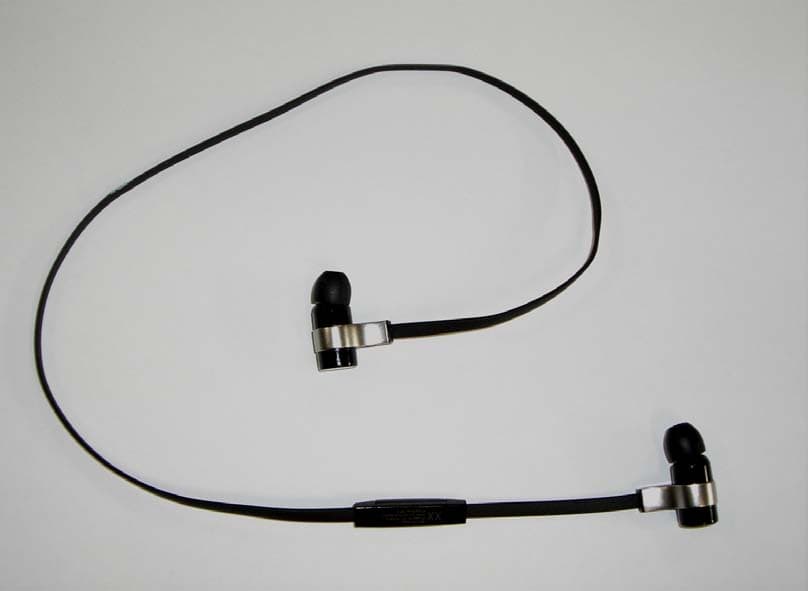
Click to zoom
Application Details
- Equipment Class
- DSS - Part 15 Spread Spectrum Transmitter
- Date of Grant
- Sep 29, 2011
- Application Purpose
- Original Equipment
- Date of Application
- Sep 29, 2011
- Equipment Note
- Bluetooth Stereo Headset
- Frequency Range
- 2402.00000000 - 2480.00000000
- Company
- novero International GmbH
- Country
- Germany
Documents & Files
Document Text
Text extracted from the exhibit documents filed with the FCC. Open a document above to read the original.
Users Manual
CHARGING _ Open the cap of your right earpiece to charge it via PC or Laptop _ Your headset will be fully charged after approximately 2.5 hours _ Note: your headset is always “off” when connected to the charger to speed up the charging process english USER GUIDE Rockaway Bluetooth ® stereo headset BIG SOUND - NO CORDS Rockaway is a Bluetooth stereo headset that lets you to listen to your favorite music in high quality audio and even take calls - without getting tangled up in cords. Just connect to any Bluetooth enabled music player, phone, PC, laptop or tablet and move to the beat! To enjoy Rockaway with your phone, laptop or MP3 Player make sure your device supports these profiles: _ Bluetooth Handsfree _ Bluetooth Audio / Video Remote Control _ Bluetooth Advanced Audio / Video Distribution HEADSET OVERVIEW LED charging behind cap exchangeable earpieces Volume up / next song Multi-Function-Button / play / pause / call Volume down / previous song _ exchangeable earpieces _ charging interface _ remote control _ MFB = Multi-function button _ volume up _ volume down _ LED HOW TO WEAR 1. Choose best fitting earpiece with respect to comfort and noise reduction, start with smallest size 2. Attach the clip with cable to your shirt 3. Put the headset into your ears and enjoy LED turning your headset on / off Blue - good battery level Red - low battery level connection check Press volume up or down - continuous blue or red while pressing - you are connected Press volume up or down - quick flashing blue or red 5 times = not connected incoming call Flashing blue - incoming call / battery full Flashing red - incoming call / battery low pairing mode Flashing red / blue - start pairing from your phone charging when connected to charger Steady red - charging is ongoing Steady blue - charging is ready TONES battery is low Two tones to inform you that you need to charge your headset voice dial After a long press on the MFB you will hear first a tone from your headset and then from your mobile phone to confirm that voice dial is activated connection loss / failure You will hear two short tones maximum / minimum volume: You will hear a tone at the maximum or minimum volume held call: You will hear a tone every 5 seconds to remind you that someone is waiting PAIRING Before you can use your headset you need to pair it once with your device. After a successful pairing the headset will remember your device and will automatically reconnect to your headset as soon as it is turned on and is in range. 1. Turn on the Bluetooth function on your phone and select ”add new Bluetooth device” or ”search for Bluetooth devices” 2. Turn on your Rockaway with a long press of the Multi - function button in the middle. Now it will start to flash red / blue alternately. 3. Choose novero Rockaway out of the Bluetooth list on your phone and connect it. If it asks you for a PIN it is always “0000” 4. Allow Rockaway to permanently be connected 5. Rockaway can be paired with up to 8 devices. 6. If it doesn‘t start to flash red / blue automatically please power up again and hold the MFB for 4 seconds until it starts to flash red / blue. You can also press volume up and down simultaneously, when the headset is powered on, to enter the pairing mode. TURN ON / OFF to turn the headset on Press the MFB for 1 second until the LED turns on to turn the headset off Press the MFB for 4 seconds SLEEP MODE Rockaway supports a low power sleep battery mode to optimize power consumption and which allows to have a quick startup if device is not switched off. turning sleep mode on When there is no activity Rockaway will automati- cally go to low power mode to save energy. PHONE CALLS to make a call Dial the number from your phone or activate voice dial with a long press on the MFB to answer a call Short press of the MFB to end a call Short press of the MFB to reject an incoming call Long press of the MFB to redial the last dialed number Double press of the MFB to mute your mic Use this function directly on your phone MUSIC LISTENING to listen to music Press the MFB shortly* to pause the music Press the MFB shortly to skip to next / previous track Long press on volume up / volume down to change music volume Short press on volume up / volume down to make a call while listening to music Press the MFB 1 second to activate voice dial or just enter your phone book on your device *if this function is not supported by your player you have to start it manual ADVANCED CALLS to answer an incoming second call Short press of MFB to reject a second incoming call Long press of MFB to switch between two active calls Long press of MFB to end one call and to switch to the other Short press of MFB to activate a private call from phone Press MFB to route audio to the headset SPECIFICATION headset weight: app. 10 grams operating range: 10 meters (33 feet) battery: Li-ion battery, built in, rechargeable talk-time / play-time: up to 5,5 hours stand-by time: approx. 250 hours supported profiles: Bluetooth 2.1, Handsfree Pro- file 1.5, Headset Profile 1.1, A2DP 1.2, AVRCP 1.4 FAQ no connection to phone Check that your headset has a full battery and that your phone is Bluetooth enabled. Try the pairing procedure again and make sure your headset is not still paired with another device. Please press volume + and volume - for 10 seconds to do a fac- tory reset. voice dial does not work Make sure your phone / device supports voice dialing; make sure you have already recorded your voice tags to your phone if needed you can‘t hear music through your headset Check that the headset is connected and that you chose the right gateway in your music player automatic sleep mode If you don‘t connect your phone with your headset it will go into sleep mode after some time no LED reaction of Rockaway at all Please try first to power it on, if that does not work, please charge your headset over night poor audio quality Please check different earpieces to see if low frequency response changes si…
Text truncated - open the document above for the full version.
External Photos
ZORNBHS-4 / 7847C-NBHS4 External Photographs Copyright 2011 novero. All rights reserved. Front View Back View
ID Label/Location Info
ZORNBHS-4 / 7847C-NBHS4 Label drawing and location Copyright 2011 novero. All rights reserved. Label Label location (rear side of remote control)
Internal Photos
ZORNBHS-4 / 7847C-NBHS4 Internal Photographs Copyright 2011 novero. All rights reserved. View without plastic housing Left Earpiece with battery ZORNBHS-4 / 7847C-NBHS4 Internal Photographs Copyright 2011 novero. All rights reserved. Top View of main PWB (Right earpiece) Bottom View of main PWB (Right Earpiece) antenna
Test Report
novero Test Center _____________________________________________________________________________________________________ Project support engineer: Robert Müller Test Report for FCC Part 15C Date of issue: 16-Sep-2011 Template version 1.0 Report No.: EMC_BO_001662 Copyright 2011 novero. All rights reserved. 1 (52) FCC Part 15C Compliance Test Report This test report may not be reproduced, except in full, without written permission of testing laboratory. The test results in this test report relates only to the tested sample, which is mentioned in this test report. Novero GmbH cannot be made responsible for any generalisations or conclusions drawn from this test report. Modification of the tested sample is prohibited and leads to invalidity of this test report. Test Report no.: EMC_BO_001662 Date of Report: 16-Sep-2011 Number of pages: 52 Project support engineer: Robert Müller Customer: novero International GmbH, Parsevalstr. 7A, 40468 Düsseldorf, Germany Customers contact: Bernhard Bläcker Manufacturer Novero International GmbH EUT ident.: Bluetooth Stereo Headset, NBHS-4 FCC ID ZORNBHS-4 IC: 7347C-NBHS4 Referred documents: CFR 47, FCC rules Part 15 Subpart C, ANSI C63.4 (2009), Public Notice DA 00-705, IC standards RSS-GEN and RSS-210. Deviations or clarifications to these standards are noted in the related test result under “test method and limit”. Testing Laboratory: novero Test Center, Meesmannstr.103, 44807 Bochum, Germany Tel.: +49 234 51668-0 Fax.: +49 234 51668 4880 FCC listing no.: 881111 IC recognition no.: 7847A-1 Laboratory manager: Jürgen Mitterer Test result The EUT complies with the requirements made in the referred test documents. Date and signature: novero Test Center _____________________________________________________________________________________________________ Project support engineer: Robert Müller Test Report for FCC Part 15C Date of issue: 16-Sep-2011 Template version 1.0 Report No.: EMC_BO_001662 Copyright 2011 novero. All rights reserved. 2 (52) 1. Summary for FCC Part 15C Compliance Test Report Date of receipt 02-Sep-2011 Testing completed 14-Sep-2011 The customer's contact person Bernhard Bläcker Notes none Document name EMC_BO_001662_FCC15C 1.1. EUT and Accessory Information The EUT is a Bluetooth device. Bluetooth is tested with maximum rated TX power. Device is deactivating the BT transmitter automatically during charging mode. Product Type SN HW MV SW DUT BT Stereo Headset NBHS-4 DAV015 R1B - P1D DAV015 BT Stereo Headset NBHS-4 DAV009 R1B - P1D DAV009 1.2. Summary of Test Results Bluetooth: Section in CFR 47 Section in RSS-GEN or RSS-210 Name of the test Result 15.247(b)(1) A8.4 (b) Conducted peak output power PASSED 15.247(d) A8.5 Band edge compliance of RF emissions PASSED 15.247(c) A8.5 Spurious RF conducted emissions PASSED 15.247(c), 15.209 A8.5 Spurious radiated emissions PASSED 15.207 7.2.2 AC powerline conducted emissions NP 15.247(a)(1) A8.1 (a) 20 dB bandwidth PASSED 15.247(a)(1) A8.1 (b) Carrier frequency separation PASSED 15.247(a)(1)(iii) A8.1 (d) Number of hopping frequencies PASSED 15.247(a)(1)(iii) A8.1 (d) Time of occupancy PASSED PASSED: The EUT complies with the essential requirements in the standard. FAILED: The EUT does not comply with the essential requirements in the standard. NP: The test was not performed. novero Test Center _____________________________________________________________________________________________________ Project support engineer: Robert Müller Test Report for FCC Part 15C Date of issue: 16-Sep-2011 Template version 1.0 Report No.: EMC_BO_001662 Copyright 2011 novero. All rights reserved. 3 (52) CONTENTS 1. SUMMARY FOR FCC PART 15C COMPLIANCE TEST REPORT........................................... 2 1.1. EUT AND ACCESSORY INFORMATION ................................................................................... 2 1.2. S UMMARY OF TEST RESULTS ............................................................................................... 2 2. TEST SETUPS .......................................................................................................................... 4 2.1. C ONDUCTED RF TEST SETUP ............................................................................................... 4 2.2. AC POWERLINE CONDUCTED EMISSIONS TEST SETUP ............................................................ 4 2.3. S PURIOUS RADIATED EMISSIONS TEST SETUP ....................................................................... 4 3. CONDUCTED PEAK OUTPUT POWER (FCC §15.247(B)(1), RSS-210 A8.4 (2)) .................. 5 3.1. T EST METHOD AND LIMIT ...................................................................................................... 5 3.2. B LUETOOTH TEST RESULTS ................................................................................................. 6 4. BAND EDGE COMPLIANCE OF RF EMISSIONS (FCC §15.247(D), RSS-210 A8.5) ............ 10 4.1. T EST METHOD AND LIMIT .................................................................................................... 10 4.2. B LUETOOTH TEST RESULTS ............................................................................................... 11 5. SPURIOUS RF CONDUCTED EMISSIONS (FCC §15.247(D), RSS-A8.5) ............................ 27 5.1. T EST METHOD AND LIMIT .................................................................................................... 27 5.2. B LUETOOTH TEST RESULTS ............................................................................................... 28 6. SPURIOUS RADIATED EMISSIONS (FCC §15.247(D), §15.209, RSS-210 A8.5) ................. 34 6.1. T EST METHOD AND LIMIT .................................................................................................... 34 6.2. B LUETOOTH TEST RESULTS ............................................................................................... 35 7. 20 DB BANDWIDTH (FCC §15.247(A)(1), RSS-210 A8.1 (A)) ......................................…
Text truncated - open the document above for the full version.
Test Setup Photos
ZORNBHS-4 / 7847C-NBHS4 EMC Test Setup Photos Copyright 2011 novero. All rights reserved. FCC Part 15C Radiated Emissions Test Setup
Contact Information
Applicant
Ines Baufeld(Product Acceptance Manager)
Test Firm
Laird Bochum GmbHRobert Mueller
[email protected]0491728456274
Technical Specifications
| # | Rule Parts | Frequency Range | Power Output |
|---|---|---|---|
| 1 | 15C | 2.40 GHz - 2.48 GHz | 6.40 mW |
Other Applications from novero International GmbH
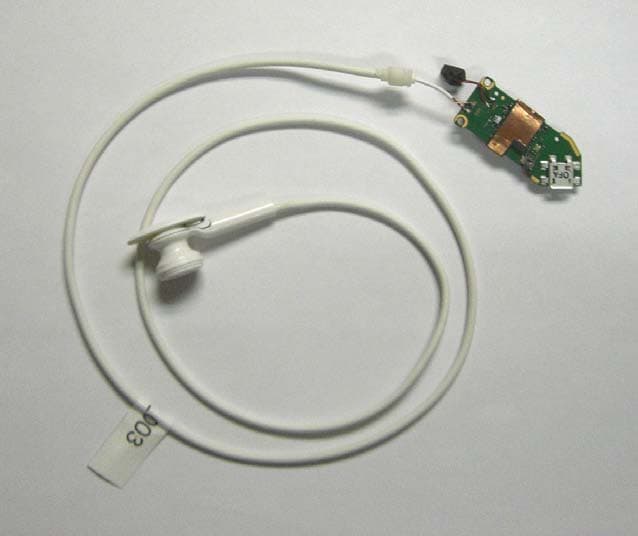
ZORNBM-4
Nov 03, 2011Bluetooth Module
Equipment Class
DSS - Part 15 Spread Spectrum Transmitter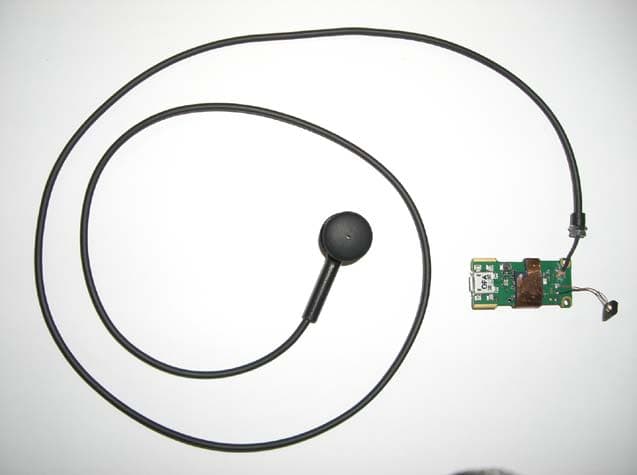
ZORNBM-3
Oct 06, 2011Bluetooth Module
Equipment Class
DSS - Part 15 Spread Spectrum Transmitter